
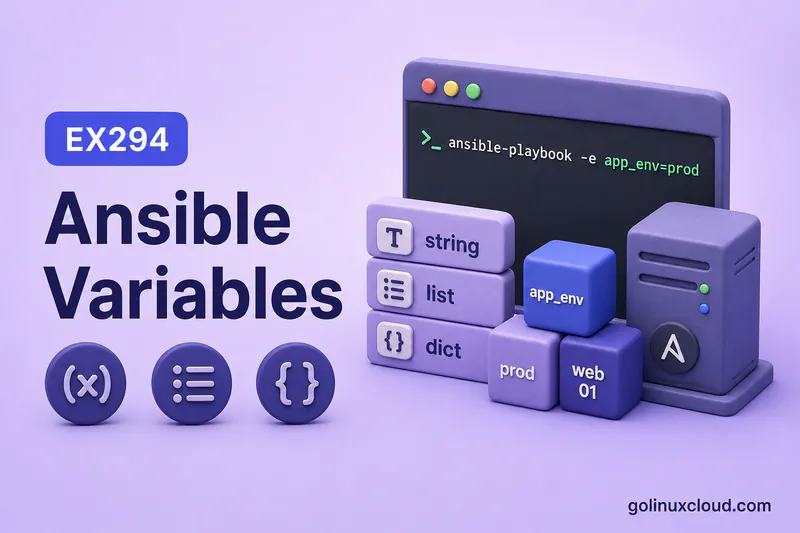
Hard-coding package names, paths, and ports in every task makes playbooks brittle. Variables let you store those values once and reuse them in module arguments, task names, and messages—with strings, numbers, booleans, lists, and dictionaries.
This guide is the beginner foundation for Ansible variables: types, naming, access with {{ }}, and where values can live. It does not cover full variable precedence, facts, loops, conditionals, Jinja filters, or Vault—those have dedicated pages.
Read YAML syntax and your first playbook first. The walkthrough keeps variables at play level with a small inventory—no deep Vault or role layout yet.
Tested on: Rocky Linux 10.2 (Red Quartz); kernel 6.12.0-211.16.1.el10_2.0.1.x86_64; ansible-core 2.16.16.
~/ansible-project, inventory group lab, and playbooks in playbooks/. Use your own host names and paths if yours differ.
What are Ansible Variables?
A variable is a named value Ansible can substitute into playbooks—package names, paths, feature flags, structured app settings, or lists of users. You define the name and value; tasks reference the name with Jinja2 syntax: {{ variable_name }}.
Variables can live in plays, inventory, group_vars, host_vars, role defaults, external vars files, and runtime -e extra vars. This article focuses on types and access; placement strategy for shared inventory data is in group_vars and host_vars. Task output and runtime context use register and magic variables. Play-level vars: blocks are introduced in playbook structure.
Why Use Variables in Playbooks?
| Without variables | With variables |
|---|---|
| Same string copied in ten tasks | Change web_package once |
| Different staging vs prod playbooks | Same playbook, different vars files or inventory |
| Typos in repeated paths | One app_dir used everywhere |
Use variables for anything that might change between environments, hosts, or releases—service names, ports, usernames, file modes, and package lists.
Where Can You Define Ansible Variables?
High-level map only—see variable precedence for which source wins:
| Location | Typical use |
|---|---|
vars: in a play |
Values for one play in one playbook |
| Inventory inline | host ansible_port=2222 on a host line |
inventory/group_vars/ |
Shared values for a group |
inventory/host_vars/ |
Overrides for one host |
vars_files: in a play |
Load an external YAML vars file |
Role defaults/ or vars/ |
Reusable role data (see roles) |
-e / --extra-vars |
One-off runtime overrides |
Start with play vars while learning. Move shared settings into inventory files when multiple playbooks need the same data.
Ansible Variable Naming Rules
Valid names use letters, numbers, and underscores, and start with a letter or underscore.
| Good | Invalid |
|---|---|
http_port |
http-port (hyphen) |
web_package |
web package (space) |
app_dir |
web.server.port (dots in name) |
_internal_flag |
01dbserver (starts with number) |
Hyphenated names break Jinja parsing. Avoid variable names that match common playbook keywords or special variables, such as environment, name, hosts, groups, or hostvars. They may be confusing in templates and playbooks. Prefer descriptive names such as app_environment, service_name, or web_package.
String Variables in Ansible
The YAML excerpts in the type sections below are fragments inside a play—indentation is relative to the play (hosts, vars, tasks), not column zero of the file. A minimal play wrapper looks like this:
- name: Example play
  hosts: lab
  vars:
    web_package: httpd
    app_dir: /opt/demo-app
    contact_email: [email protected]
  tasks:
    - ansible.builtin.debug:
        msg: "{{ web_package }}"
Strings hold text—package names, usernames, paths, service names:
vars:
    web_package: httpd
    app_dir: /opt/demo-app
    contact_email: [email protected]
Quote strings when YAML might misread them (colons, leading zeros, or values that look like booleans). In tasks: {{ web_package }}, {{ app_dir }}.
Number and Boolean Variables
YAML types matter. Ports and counts are numbers; flags are booleans:
vars:
    http_port: 8080
    max_retries: 3
    enable_monitoring: true
Write true / false without quotes so Ansible treats them as booleans, not the strings "true" and "false". In debug output you may see Python-style True—that is normal.
List Variables in Ansible
Lists are ordered sequences—package lists, allowed ports, usernames:
vars:
    packages:
      - tree
      - vim-minimal
    allowed_ports:
      - 22
      - 80
      - 443
Access a single item by index: {{ packages[0] }}. To run a task for every list item, use loops—this page only stores list data.
Dictionary Variables in Ansible
Dictionaries (hashes/maps) group related keys:
vars:
    app_config:
      name: demo
      port: 8080
      owner: root
Access with dot notation: {{ app_config.name }}, {{ app_config.port }}.
Nested Variables in Ansible
Combine dictionaries and lists for structured data:
vars:
    users:
      - name: alice
        shell: /bin/bash
      - name: bob
        shell: /sbin/nologin
    database:
      primary:
        host: db1.example.com
        port: 5432
Examples: {{ users[0].name }}, {{ database.primary.host }}. Keep nesting shallow while learning—deep trees are easier to manage in vars files or roles.
Access Variables in Playbooks
Use double curly braces wherever Ansible templates strings:
- ansible.builtin.debug:
        msg: "Package {{ web_package }} installs to {{ app_dir }}"
Jinja expressions work in module arguments, task name, when conditions (covered later in conditionals), and templates. This guide stops at basic {{ var }} interpolation—no filters beyond that.
Access List Values
By index (zero-based):
- ansible.builtin.debug:
        msg: "First package is {{ packages[0] }}"
Out-of-range indexes fail at runtime. For many items, prefer a loop instead of hard-coding [0], [1], [2].
Access Dictionary Values
Dot notation
Use when keys are simple identifiers:
- ansible.builtin.debug:
        msg: "App {{ app_config.name }} listens on {{ app_config.port }}"
Bracket notation
Use when keys contain hyphens or when the key name is dynamic:
- name: Bracket notation demo
  hosts: lab
  vars:
    special:
      http-port: 8080
  tasks:
    - ansible.builtin.debug:
        msg: "Port is {{ special['http-port'] }}"
When the YAML value is double-quoted, use single quotes inside the Jinja expression: "{{ special['http-port'] }}". If the outer YAML value uses single quotes, use double quotes inside: '{{ special["http-port"] }}'. Bracket notation is safer for unusual keys; dot notation is shorter for normal names.
Use Variables in Module Arguments
Pass variables anywhere a module accepts a value:
- ansible.builtin.file:
        path: "{{ app_dir }}"
        state: directory
        owner: "{{ app_config.owner }}"
        mode: "{{ app_mode }}"
The same pattern works for package, copy, service, and other modules—see your first playbook for a full example with web_package and app_dir.
Use Variables in Task Names and Messages
Task names template too—useful in logs and ansible-playbook output:
- name: Install {{ web_package }} (demo message only)
      ansible.builtin.debug:
        msg: "Would manage package {{ web_package }} on port {{ http_port }}"
Keep names short and readable; heavy logic belongs in vars or templates, not in the name line.
Play Variables vs Inventory Variables
Play vars |
Inventory / group_vars |
|---|---|
| Defined in the playbook YAML | Defined beside inventory |
| Scope: that play (unless passed onward) | Scope: hosts in the group or host |
| Good for demo and play-specific tuning | Good for site_code, region, environment |
Example inventory group var in inventory/group_vars/lab.yml:
---
site_code: lab-east
Play vars and inventory vars can coexist in one play—Ansible merges them using precedence rules covered in group_vars and host_vars, not repeated here.
Variables in vars Files
Load external YAML with vars_files—keeps playbooks shorter:
cat > ~/ansible-project/vars/app.yml << 'EOF'
---
env_name: staging
contact_email: [email protected]
EOF
Reference the file from the play (paths are relative to the playbook file):
vars_files:
    - ../vars/app.yml
Use vars files for environment-specific data (staging.yml, prod.yml) without duplicating task lists. Advanced loading with include_vars is out of scope for this primer.
Runnable Demo Playbook
Create the supporting files, then run the combined demo:
mkdir -p ~/ansible-project/playbooks ~/ansible-project/vars ~/ansible-project/inventory/group_varscat > ~/ansible-project/inventory/group_vars/lab.yml << 'EOF'
---
site_code: lab-east
EOFcat > ~/ansible-project/vars/app.yml << 'EOF'
---
env_name: staging
contact_email: [email protected]
EOFcat > ~/ansible-project/playbooks/variables-demo.yml << 'EOF'
---
- name: Ansible variables demo
hosts: lab
gather_facts: false
vars:
web_package: httpd
http_port: 8080
enable_monitoring: true
packages:
- tree
- vim-minimal
app_config:
name: demo
port: 8080
users:
- name: alice
shell: /bin/bash
- name: bob
shell: /sbin/nologin
vars_files:
- ../vars/app.yml
tasks:
- name: Install {{ web_package }} (demo message only)
ansible.builtin.debug:
msg: "Would manage package {{ web_package }} on port {{ http_port }}"
- name: Show monitoring flag
ansible.builtin.debug:
msg: "Monitoring enabled: {{ enable_monitoring }}"
- name: Show first package from list
ansible.builtin.debug:
msg: "First package in list is {{ packages[0] }}"
- name: Show app name from dictionary
ansible.builtin.debug:
msg: "App {{ app_config.name }} listens on {{ app_config.port }}"
- name: Show nested user shell
ansible.builtin.debug:
msg: "User alice uses {{ users[0].shell }}"
- name: Show inventory group variable
ansible.builtin.debug:
msg: "Site {{ site_code }} env {{ env_name }} contact {{ contact_email }}"
EOFcd ~/ansible-project
ansible-playbook playbooks/variables-demo.ymlSample output:
TASK [Install httpd (demo message only)] ***************************************
ok: [rocky2] => {
    "msg": "Would manage package httpd on port 8080"
}

TASK [Show monitoring flag] ****************************************************
ok: [rocky2] => {
    "msg": "Monitoring enabled: True"
}

TASK [Show first package from list] ********************************************
ok: [rocky2] => {
    "msg": "First package in list is tree"
}

TASK [Show app name from dictionary] *******************************************
ok: [rocky2] => {
    "msg": "App demo listens on 8080"
}

TASK [Show nested user shell] **************************************************
ok: [rocky2] => {
    "msg": "User alice uses /bin/bash"
}

TASK [Show inventory group variable] *******************************************
ok: [rocky2] => {
    "msg": "Site lab-east env staging contact [email protected]"
}

PLAY RECAP *********************************************************************
rocky2                     : ok=6    changed=0    unreachable=0    failed=0    skipped=0    rescued=0    ignored=0
Play vars, vars file data, and group_vars appear together in the last task—inventory placement details live in the group_vars guide.
Common Ansible Variable Mistakes
| Symptom | Likely cause | Fix |
|---|---|---|
VARIABLE IS NOT DEFINED |
Typo or var defined in wrong scope | Match name; check play vs inventory vs vars file path |
Jinja error on {{ http-port }} |
Hyphen in variable name | Rename to http_port |
| Boolean behaves like string | Quoted true / false in YAML |
Use unquoted YAML booleans |
packages[0] fails |
Variable is a string, not a list | Fix YAML list indentation with - items |
app_config.port fails |
Missing key or wrong nesting | Inspect with debug: var=app_config |
| Vars file not loaded | Wrong vars_files path |
Path is relative to playbook; use ../vars/app.yml from playbooks/ |
| Template expression fails to parse | Value starts with {{ ... }} but is not quoted |
Quote full Jinja values, for example name: "{{ web_package }}" |
Recommended Variable Style for This Course
- Learn with play
varsin small playbooks—see first playbook. - Move shared host/group data to
inventory/group_vars/andhost_vars/when the same keys apply across plays. - Use vars files for environment names (
staging,prod) without copying task lists. - Pick clear names (
web_package,app_dir)—avoid hyphens and reserved words. - Next topics: facts for discovered data, loops for lists, templates for files, group_vars patterns for precedence.
Summary
Variables store reusable strings, numbers, booleans, lists, and dictionaries for playbooks and inventory. Name them with letters, numbers, and underscores; access them with {{ }}, dot notation, or brackets when keys are awkward. Start in play vars, then externalize shared data to inventory, group_vars, and vars files. Keep this page as the type-and-access foundation—precedence, facts, loops, and secrets belong in their own guides.
References
- Using variables — official variable guide
- YAML syntax for Ansible — lists, dictionaries, quoting
- group_vars and host_vars — inventory placement and precedence
- Ansible facts — discovered variables from managed hosts
- Jinja2 templates — files and richer templating
