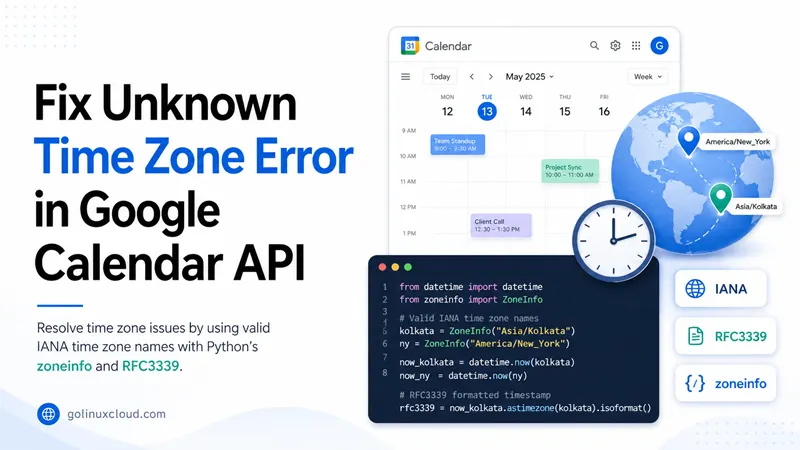
If you integrate with Google Calendar, you have probably hit 400 responses mentioning invalid or missing time zones, or watched events appear one hour off after you “fixed” the JSON. People often search for those errors alongside phrases like Google Calendar API unknown time zone, Invalid time zone PST, or timeZone ignored. This guide walks through what the API actually validates, how that differs from abbreviations or Windows zone names, and how to build correct start / end payloads from Python using zoneinfo—without turning the page into a generic datetime tutorial.
For strftime, timestamps, and timedelta, use Python datetime module first; here the focus stays on Calendar’s Event resource, IANA identifiers, and the mistakes that keep showing up in production.
Tested on: Python 3.13.3; kernel 6.14.0-37-generic.
Why Google Calendar rejects or misreads your time zone
Google’s Calendar API expects IANA time zone identifiers (for example America/New_York, Asia/Kolkata, Europe/Berlin) anywhere you set timeZone on an event or calendar. Those names bundle daylight-saving rules; a bare offset like GMT+05:30 or an abbreviation like IST does not, which is why the API returns errors such as Invalid time zone: PST or Invalid time zone definition for start time when clients send values the backend cannot resolve.
Strings that usually fail
| What people send | Why it breaks | What to send instead |
|---|---|---|
IST, PST, EST |
Ambiguous across regions | Asia/Kolkata, America/Los_Angeles, America/New_York |
GMT+2, UTC+5:30 |
Not IANA ids (and DST is unclear) | Europe/Paris, Asia/Kolkata |
India Standard Time, W. Europe Standard Time |
Windows / Exchange display names, not IANA | Asia/Kolkata, Europe/Berlin |
US/Pacific (legacy) |
Sometimes accepted but prefer canonical ids | America/Los_Angeles |
If you import .ics files from Exchange, you may see TZID= values that are not IANA; map them in your importer before you call Calendar, or the API will reject the event even though desktop Outlook opened the file fine.
What Google documents as equivalent (when you are consistent)
The Calendars and events concepts page lists several equivalent ways to express the same instant—for example an offset embedded in dateTime, a “floating” local time with no offset plus timeZone, or a combination that still resolves to one instant internally. The important part for you is: pick one coherent pattern per event, use valid IANA text in timeZone whenever you rely on that field, and keep start and end symmetrical so you never send a zone on one side and omit it on the other.
Build start and end payloads that survive validation
Timed events use the EventDateTime shape: either dateTime (clock time) or date (all-day—see the next major section). For clock times, pair RFC3339 strings with an IANA timeZone when you want Calendar to store the same wall-clock semantics users pick in the UI.
event = {
    "summary": "Team meeting",
    "start": {
        "dateTime": "2026-06-20T14:00:00+05:30",
        "timeZone": "Asia/Kolkata",
    },
    "end": {
        "dateTime": "2026-06-20T15:00:00+05:30",
        "timeZone": "Asia/Kolkata",
    },
}

print(event["start"]["dateTime"], "|", event["start"]["timeZone"])You should see the ISO-like string and Asia/Kolkata separated by |. That combination (explicit offset and IANA name) is easy for reviewers to read and matches what many teams log before calling events.insert.
When you already have a wall clock in the user’s head, it is often clearer to build the aware value in Python and let isoformat() emit the offset for you:
from datetime import datetime
from zoneinfo import ZoneInfo

iana = "Asia/Kolkata"
tz = ZoneInfo(iana)
start = datetime(2026, 6, 20, 14, 0, tzinfo=tz)
end = datetime(2026, 6, 20, 15, 0, tzinfo=tz)

payload_start = {"dateTime": start.isoformat(), "timeZone": iana}
payload_end = {"dateTime": end.isoformat(), "timeZone": iana}

print(payload_start)
print(payload_end)You should see dicts whose dateTime strings end with +05:30 (or the current rules for that zone). Feed these dicts straight into the start and end fields of your HTTP JSON body.
Optional: floating local time plus timeZone only
Google also accepts a naive RFC3339 local string when timeZone carries the IANA id—for example 2017-01-25T09:00:00 with timeZone: America/New_York. That pattern matches what some official examples show. If your serialization layer always appends Z because it assumes UTC, you will fight this API: read the next section before you change serializers.
Here is the same “2pm meeting, one hour” idea using floating local strings plus IANA (notice there is no Z and no +/- offset in the dateTime value itself):
floating_start = {"dateTime": "2026-06-20T14:00:00", "timeZone": "America/New_York"}
floating_end = {"dateTime": "2026-06-20T15:00:00", "timeZone": "America/New_York"}
print(floating_start)
print(floating_end)You should see two dicts whose dateTime strings stop at the seconds field while timeZone carries America/New_York. Use this shape only when you control serialization end-to-end so nothing rewrites the string into UTC with a trailing Z.
Helper: build timed start / end from a naive wall clock
When your UI gives you “June 20, 2026 at 10:00” in the user’s city, attach the zone, add a duration, and emit both ends in one place so you never forget to mirror fields:
from datetime import datetime, timedelta
from zoneinfo import ZoneInfo


def timed_event_payloads(
    summary: str,
    local_naive: datetime,
    iana: str,
    minutes: int,
) -> dict:
    tz = ZoneInfo(iana)
    start = local_naive.replace(tzinfo=tz)
    end = start + timedelta(minutes=minutes)
    return {
        "summary": summary,
        "start": {"dateTime": start.isoformat(), "timeZone": iana},
        "end": {"dateTime": end.isoformat(), "timeZone": iana},
    }


ev = timed_event_payloads(
    "Sprint review",
    datetime(2026, 6, 20, 10, 0),
    "America/Chicago",
    60,
)
print(ev["start"]["dateTime"])
print(ev["end"]["dateTime"])You should see ISO strings with offsets for Chicago and exactly one hour between start and end.
Example: you stored UTC in the database but Calendar needs Paris
Many backends keep datetime in UTC. Convert to the calendar zone before building JSON so dateTime and timeZone agree with what the organizer sees in Paris:
from datetime import datetime, timezone
from zoneinfo import ZoneInfo

stored_utc = datetime(2026, 6, 20, 16, 30, tzinfo=timezone.utc)
paris = ZoneInfo("Europe/Paris")
local = stored_utc.astimezone(paris)
start = {"dateTime": local.isoformat(), "timeZone": "Europe/Paris"}
print(start["dateTime"], start["timeZone"])You should see an offset matching Paris summer rules (for example +02:00 in June) together with Europe/Paris.
When timeZone looks ignored (the Z / UTC trap)
A common Stack Overflow thread pattern: developers set timeZone to America/New_York, but their client library serializes dateTime as 2026-06-20T14:00:00Z. The trailing Z means UTC. In that situation Calendar treats the instant as absolute UTC; the extra timeZone field does not reinterpret that string into Eastern wall time, so the event appears shifted after insert. The practical fix is either (a) emit a local offset that matches the user’s zone, or (b) emit a naive local string without Z plus a valid timeZone, matching the documented “floating local + zone” pattern—not both a forced UTC marker and a conflicting zone story.
Another pitfall is stuffing fractional seconds then accidentally leaving Z attached from a default serializer—2013-04-07T20:30:00.01Z is “10 ms past 20:30 UTC,” not “UTC+1.” If you need +01:00, it belongs in the offset position, not in the fractional part.
This tiny comparison prints two different JSON shapes people confuse; only the second leaves room for timeZone to mean “2pm in New York”:
serialized_as_utc = "2026-06-20T14:00:00+00:00"
floating_local = {"dateTime": "2026-06-20T14:00:00", "timeZone": "America/New_York"}
print("offset-only string:", serialized_as_utc)
print("floating + zone:", floating_local)The first value is already pinned to UTC. The second delegates wall-clock meaning to the IANA id.
All-day events use date, not dateTime
All-day entries should use the date key ("start": {"date": "2026-06-20"}) with the exclusive end.date convention Google documents for multi-day spans. Mixing date on start and dateTime on end, or forgetting the exclusive end date, triggers hard-to-read 400 errors that look like time-zone bugs but are really schema mismatches. Keep timed and all-day builders in separate functions so JSON never crosses the two shapes by accident.
For a single all-day slot on 22 June, the end.date is usually the next calendar day (exclusive end), not the same day with a clock time:
all_day = {
    "summary": "On-site audit (all day)",
    "start": {"date": "2026-06-22"},
    "end": {"date": "2026-06-23"},
}
print(all_day["start"]["date"], "->", all_day["end"]["date"])You should see 2026-06-22 -> 2026-06-23. Do not add timeZone to all-day date objects unless you are following the guide for that specific pattern—most teams keep all-day payloads free of clock fields entirely.
Recurring events need one stable zone
Recurring series must carry enough time-zone information for the server to expand future instances—especially across DST shifts. If you let each occurrence serialize with a different offset or you omit timeZone on the recurrence rule payload, you will see odd offsets around spring forward / fall back. Pick one IANA zone per series, store it on the series master, and reuse it when exceptions patch single instances.
Validate and normalize IANA names in Python
Before you POST, fail fast in your own code: try constructing ZoneInfo(name) and catch ZoneInfoNotFoundError for bad UI input. You can also check membership in the frozen set returned by available_timezones() when you need a cheap guard (note: it is large, so build the set once per process if you call this often).
from zoneinfo import ZoneInfo, available_timezones

KNOWN = frozenset(available_timezones())


def normalize_zone(name: str) -> str:
    cleaned = name.strip()
    if cleaned not in KNOWN:
        raise ValueError(f"not a known IANA zone: {name!r}")
    # ZoneInfo canonicalizes a few aliases; touch it once to validate at runtime
    ZoneInfo(cleaned)
    return cleaned


print(normalize_zone("Asia/Kolkata"))That snippet should print Asia/Kolkata. Calling normalize_zone("IST") should raise ValueError, which is clearer for your API layer than forwarding Google's 400.
Map Windows / Exchange names to IANA before calling Google
Desktop Exchange and some .ics producers emit Windows time zone names (Romance Standard Time, India Standard Time). Google does not accept those strings inside timeZone. You need a mapping table or a library that converts Windows → IANA (Microsoft publishes mapping data; community packages wrap it). Do that translation before you build JSON; otherwise you will keep seeing Invalid time zone definition even though Outlook showed the meeting correctly.
Debug checklist and sample API errors
Work through this list when a calendar write fails right after you changed time work:
- Print the JSON body your HTTP client actually sends—middleware often re-serializes datetimes.
- Confirm
timeZonematches an entry you can construct withZoneInfo(...)locally. - Search for a trailing
Zor a+00:00offset that disagrees with the intended wall clock. - Ensure
endmirrors whatever you did forstart(offset style, keys, and zone). - For imports, open the raw
.icsTZIDand verify it is IANA-shaped, not a Windows label.
A typical 400 payload looks like this (trimmed):
{
  "error": {
    "code": 400,
    "message": "Invalid time zone definition for start time.",
    "errors": [
      {
        "domain": "global",
        "reason": "invalid",
        "message": "Invalid time zone definition for start time."
      }
    ]
  }
}
Treat that as a signal to revisit the table in the first section, not to randomly tweak offsets.
Quick reference
| Goal | Practice |
|---|---|
| User picks “IST” in UI | Map once to Asia/Kolkata (or their real city) and store IANA in your DB |
| Serialize from Python | Build datetime with ZoneInfo, call .isoformat(), set timeZone to the same IANA |
| Avoid ignored zones | Do not append Z unless the instant truly is UTC and you accept UTC semantics |
| All-day meeting | Use date / exclusive end.date, not dateTime |
Exchange .ics |
Convert Windows TZ names to IANA before Google |
Summary
You fix “unknown” or “invalid time zone” Google Calendar errors by sending IANA identifiers the server can resolve, keeping start and end symmetrical, and understanding how Z and UTC serialization interact with timeZone. Use Python’s zoneinfo to validate names before HTTP calls, translate Windows or .ics labels to IANA in importers, and branch all-day versus timed JSON carefully. When the basics are covered here, the Events reference remains the contract of record for edge cases.
References
- Google Calendar API — Events resource
- Calendars and events (time zones)
- Create events guide
- IANA time zone database
- RFC 3339
- Python datetime module