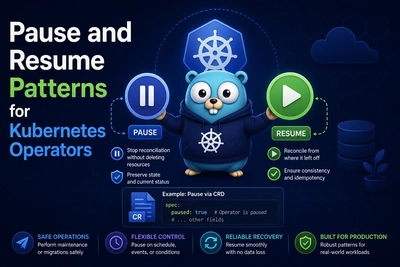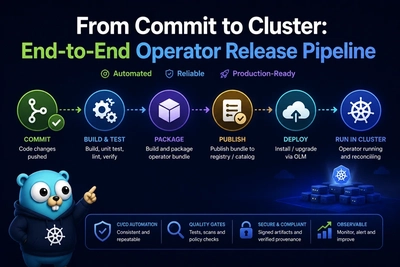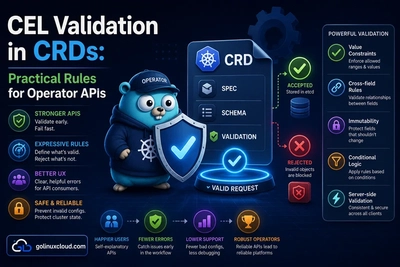
Every Operator ships as a Pod running a controller binary. That binary needs log levels, namespace scope, TLS paths, feature gates, and sometimes live configuration without a full image rebuild. This guide separates manager process configuration from the application operands you reconcile, and shows how flags, environment variables, ConfigMaps, Secrets, and the Downward API fit together in production.
If you have not installed the toolchain yet, start with Install Operator-SDK on Linux. For RBAC on what the manager may read, see RBAC minimum permissions.
Why operator configuration deserves its own contract
The manager process vs the workloads it reconciles
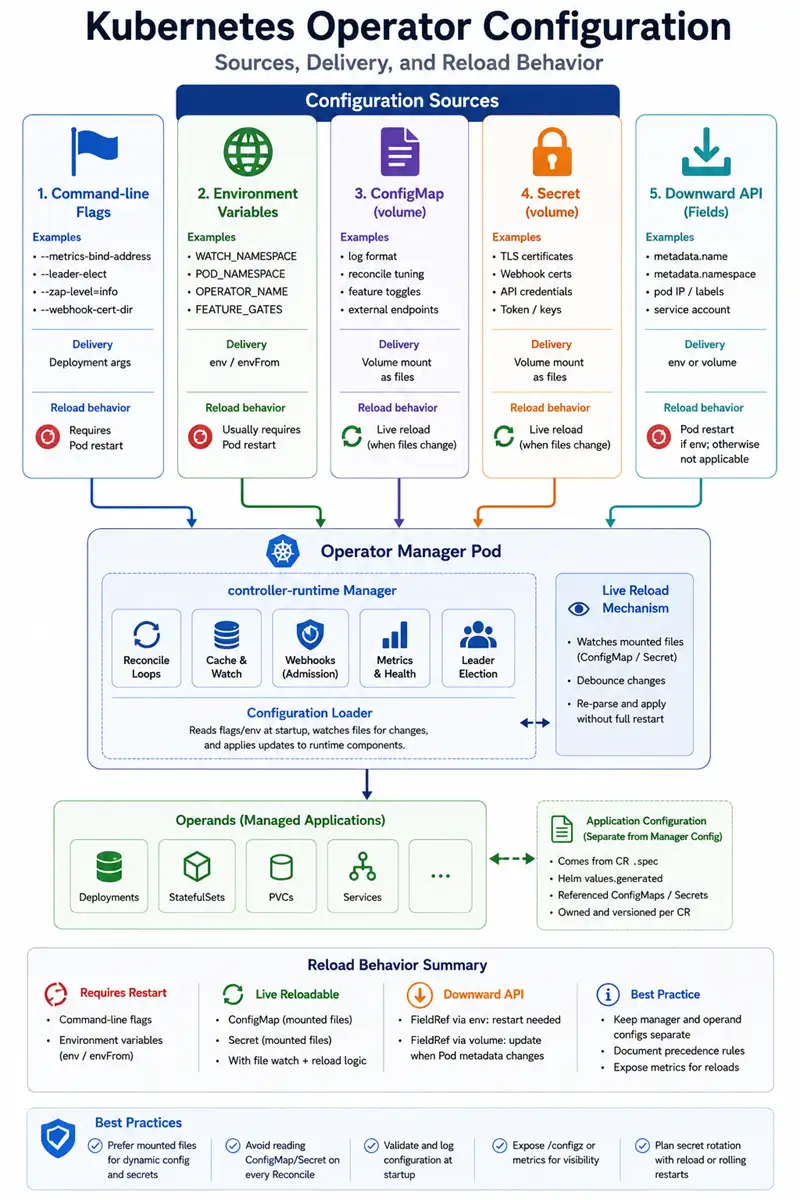
The manager is a long-running control plane process: it watches the API, runs webhooks, serves metrics, and holds client-side caches. The operand is whatever your CR represents (a database, ingress controller, batch job). Keep configuration namespaces mentally separate:
- Manager config — bind addresses, zap level, QPS, leader namespace, cert paths.
- Operand config — fields inside your CR
.spec, Helmvalues, or referencedConfigMap/Secretowned by the CR.
Users file bugs when those two leak into each other.
What can change without a rolling restart (and what cannot)
Flags parsed only at main() startup usually require a Pod restart to change. Mounted ConfigMaps can update files on disk without restarting the container (kubelet sync), but your process must re-read them. Environment variables injected from a Secret typically still require a restart when the Secret changes unless you use a sidecar or operator-specific reload—Kubernetes does not push new env into a running process.
Command-line flags vs environment variables
When flags win (startup wiring, zap/klog level, webhook bind address)
Use flags for values that must be known before the Manager starts: --metrics-bind-address, --health-probe-bind-address, --leader-elect, --zap-devel, certificate directories for webhooks. They appear in Deployment args and are easy to audit in Git.
When environment variables win (12-factor, containers, Helm charts)
Use env for values that differ per environment (dev, staging, prod) without changing the image: external API URLs, feature toggles, log format strings. Helm and OLM commonly template env blocks.
Common conventions you should document
Document these in your README so platform teams stop guessing:
| Variable / flag (examples) | Typical meaning |
|---|---|
WATCH_NAMESPACE |
Empty = all namespaces or cluster default; single value = watch one namespace (common in SDK samples). |
POD_NAMESPACE |
Downward API: namespace of the operator Pod—useful for leader lease or self-scoped clients. |
OPERATOR_NAME |
Human-readable name in logs, metrics, or events. |
KUBERNETES_CLUSTER_DOMAIN |
DNS suffix for Services when generating URLs inside manifests. |
Align with multi-tenant Operator patterns when you scope watches.
Precedence: pick one rule per operator
Example policy: “Flags override env for the same setting when both are set.” Or the reverse—just document it in one place so Helm charts and local make run behave the same.
Mounting ConfigMap and Secret into the manager Pod
Volume mounts vs envFrom / valueFrom
volumeMount— files appear under a path; kubelet can update atomically forConfigMapupdates.envFrom— snapshots keys into env at container start; no automatic reload when the source changes.
For tunable policy files, mount wins.
Read-only config files under /etc/operator
Mount at a stable path (/etc/operator/config.yaml, /etc/operator/extra.json). Run the container as non-root and mount read-only when possible.
RBAC the ServiceAccount needs
Grant get/list/watch on the ConfigMap or Secret objects the manager reads at runtime—not only on operand namespaces. Cross-check with RBAC minimum permissions.
Live reload and watching secondary configuration
When periodic Get on a ConfigMap is enough
If config changes are rare, you can read the ConfigMap at the start of selected reconciles or on a long RequeueAfter. Keep the interval sane to avoid reconcile storms.
When to use Watches on a ConfigMap or Secret
Use Watches with a map function when global or shared config must wake many reconcilers—see watches, events, and predicates. This is powerful and easy to overuse: every config twitch enqueues work.
Debouncing and avoiding reconcile storms when config flaps
Coalesce rapid updates: track resourceVersion of the config object, ignore duplicate generations, or use a time.AfterFunc gate in memory (careful with leader failover—prefer deterministic debounce keys).
Hot reload vs “restart required” — how to signal both
Emit a log and optionally a Kubernetes Event when you pick up new config. For changes that truly need a restart (TLS profile swap), set a condition on the operator’s own status CR if you have one, or document the required rollout in the release notes.
Downward API for pod and cluster metadata
Exposing metadata.namespace, metadata.uid, labels, and annotations
The Downward API can inject Pod fields into env or files—useful for defaulting POD_NAME, POD_NAMESPACE, and labels you embed in metrics or logging. It is static for the life of the Pod unless the Pod is recreated.
Using pod identity for leader election names, metrics labels, or logging
Many operators include POD_NAME in the lease identity or log fields so you can grep one replica in HA mode—leader election ties in here.
Limits: Downward API is not a live watch of arbitrary API objects
Do not confuse Downward API with watching other namespaces’ Secrets. For that you need normal RBAC + client watch or periodic list.
Secrets: environment vs mounted files
Why env vars leak more easily
Process listings, debugging tools, and core dumps can expose environment. Child processes inherit env. Prefer files under /var/run/secrets/… with mode 0400 for kubelet-mounted Secret volumes.
File mounts, tmpfs, and permission bits
Kubernetes mounts Secret volumes as tmpfs with read-only optional. Combine with securityContext.readOnlyRootFilesystem where your binary still has a writable emptyDir for temp files if needed.
Rotation: kubelet remount behavior and how your binary should re-read
When a Secret rotates, the kubelet updates files in place. Your Go code should re-open or watch the file (inotify) if you need zero-restart rotation for TLS certs serving webhooks—admission webhooks often pair with cert-manager for rotation.
Client-go patterns at a high level
Libraries or wrappers sometimes reload CA bundles on TLS handshake failure. Whatever you choose, document SIGHUP or file watch semantics for on-call.
Twelve-factor style for the manager vs operands
Stateless manager, stateful cluster
The manager should be horizontally replaceable: no local SQLite of truth; etcd is the source of truth. Operand state lives in CRs and child objects.
One release artifact, many environments via env
Ship one container image; differentiate dev/stage/prod with env and small ConfigMap overlays—Helm values-*.yaml or kustomize patches.
Separating build-time defaults from runtime config
Compile sensible defaults for developer laptops, but allow env to override for production (QPS, zap level, webhook host). Avoid baking cluster-specific URLs into the binary.
What operands should never read from the operator’s private Secret
The operand Pods should not mount the operator’s webhook TLS or client credentials. Keep ServiceAccount scopes tight: operand RBAC is usually different from manager RBAC—again see RBAC minimum permissions.
Helm and OLM packaging hooks
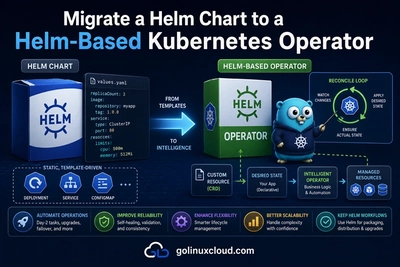
Mapping chart values.yaml to env and flags
Helm templates commonly render:
env:
  - name: WATCH_NAMESPACE
    valueFrom:
      fieldRef:
        fieldPath: metadata.namespace
Keep flag lists short; push everything else through env or mounted files for readability.
OLM Subscription / CSV env injection (overview)
Operator Lifecycle Manager surfaces environment through the ClusterServiceVersion. The exact fields depend on your bundle layout; treat OLM as another packaging layer that must stay in sync with what main.go parses.
Checklist before you ship
Table: config source → RBAC → reload strategy → user-visible doc
| Source | RBAC hint | Reload | Document for users |
|---|---|---|---|
Flags in Deployment |
n/a | Pod restart | README “Production flags” |
Env from ConfigMap |
get on CM |
Often requires restart | Helm values table |
Mounted ConfigMap |
get/watch |
File sync + app re-read | “Changing config without downtime” |
Secret mount |
narrow get |
kubelet rotation | “Credential rotation runbook” |
Testing: change ConfigMap in CI
Automate: apply operator, patch ConfigMap, assert new behavior within a timeout without deleting the Pod—or assert that your operator emits the documented “restart required” event.
FAQ
Can I use the same ConfigMap for the manager and for operands?
You can, but it couples blast radius. Prefer separate objects and RBAC so a leaked operand SA cannot read operator TLS material.
Does make run load my .env file?
Only if your Makefile or shell wrapper exports it—Go does not read .env by default.
Should I watch every Secret in the cluster?
Almost never. Watch named Secrets in namespaces you already reconcile, or use field selectors and strong RBAC.
See also
These tutorials in the Kubernetes Operators series pair well with configuration:
- Install Operator-SDK on Linux
- RBAC minimum permissions
- Multi-tenant Operator patterns
- Watches, events, and predicates
- Avoid reconcile loop explosions
- Leader election explained
- Health probes and graceful shutdown
- Mutating and validating admission webhooks
- Helm-based Operator Part 1
- Debugging Kubernetes Operators
Upstream references
Bottom line: treat flags as boot-time wiring, env as environment-specific inputs, mounted files as the path for changing config and rotating secrets, and Watches as a sharp tool you use when global config must wake reconcilers—never by accident.