Operator RBAC: minimum permissions limits which API objects your ServiceAccount can touch. It does not stop a compromised binary from exfiltrating data over the network, writing to disk, or using a powerful default token. This article is the next layer: Pod Security (identity-on-disk), NetworkPolicy (egress), supply chain (digest + signing), and tight permissions around webhook TLS—so a bug or breakout has a smaller blast radius.
Prerequisites: complete the RBAC guide above first. Helpful context: admission webhooks with cert-manager, multi-tenancy patterns, release pipeline / digests.
Threat model: what RBAC does not cover
| Control plane | Limits |
|---|---|
| RBAC | API verbs on resources for the operator SA. |
| Pod Security / process hardening | UID, capabilities, writable FS, syscalls (seccomp). |
| NetworkPolicy | IP/port reachability from the pod (L3/L4). |
| Image policy | What code runs (digest, signature, provenance). |
| Webhook TLS RBAC | Who can patch ValidatingWebhookConfiguration / APIService CA bundles. |
Assume defense in depth: RBAC stops a stolen token from listing Secrets if you scoped correctly; NetworkPolicy still blocks unexpected egress if another vulnerability appears.
Pod hardening: non-root, read-only root FS, capabilities, seccomp
Run as non-root
Set securityContext.runAsNonRoot: true and explicit runAsUser / runAsGroup that match the numeric user in your container image—avoid “whatever the image happens to use.” Add fsGroup when volumes need group-writable directories (common with projected tokens or writable emptyDir).
Read-only root filesystem
readOnlyRootFilesystem: true is the right default for Go operators after you mount writable space for anything the runtime needs:
emptyDirfor/tmp, local caches, or cert-manager copied certs that rotate on disk.- Confirm leader election, klog, and any profiler endpoints do not require writes under
/.
Kubebuilder’s default Dockerfile and manager binary usually cooperate with a tmp volume; validate in CI with the same securityContext you ship.
Capabilities and privilege escalation
securityContext:
  allowPrivilegeEscalation: false
  capabilities:
    drop: ["ALL"]
Add only capabilities proven necessary (often none for a controller). Keep privileged: false explicit in charts.
seccomp
Use seccompProfile.type: RuntimeDefault unless you ship a custom profile tuned with strace/auditing. Custom profiles belong with release engineering, not copy-paste.
Pod Security Admission (PSA)
Label namespaces with pod-security.kubernetes.io/enforce: restricted (or your org’s tier) in staging first. Failures usually point to missing emptyDir, seccomp, or volume mounts—fix the manifest; do not widen PSA without risk acceptance.
Projected ServiceAccount tokens (where they help)
The default mounted token is long-lived and powerful for its audience. Bound service account tokens via volumeProjection.serviceAccountToken let you:
- set a short lifetime (
expirationSeconds); - set an audience (
audience) for calls to specific APIs or cloud STS endpoints.
Useful when the reconciler calls external systems that accept Kubernetes-issued JWTs, or when a sidecar must talk to the apiserver with narrower scope than the main controller.
They do not replace RBAC: the token still resolves to the same ServiceAccount subject unless you use separate SAs per component. For in-cluster client-go, most operators still rely on the standard token volume—project when you split concerns or integrate with cloud IAM.
Image signing and digest pinning
Pin by digest
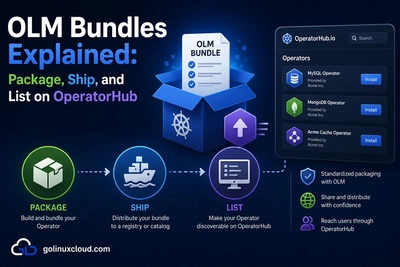
Released manifests should reference image@sha256:…, not a floating tag—your CI/CD or promotion job should record the digest from the registry after build.
Sign artifacts
Cosign (keyless or key-pair) signs the image at push time; a policy engine (e.g. admission controller verifying signatures) enforces “only signed images from this identity may run in operators namespace.” Document the expected signer in the operator’s security README.
SBOM and bases
Link SBOM generation to the same pipeline commit as the digest. Upgrading the distroless or ubi-minimal base belongs in release notes next to digest changes.
NetworkPolicy for the manager pod
Egress-first stance
Default-deny egress for the operator namespace, then explicitly allow:
- Kubernetes API — TCP 443 to the apiserver Service IP or documented CIDR for your platform (EKS, GKE, on-prem vary).
- DNS — UDP/TCP 53 to
kube-dns/ CoreDNS endpoints (required if the binary resolves names for webhooks or cloud APIs). - Webhook targets your reconciler calls over HTTPS (same namespace or cluster Services).
- OTLP / metrics only if export leaves the pod to another namespace or host.
Ingress
The controller manager typically needs no inbound traffic except metrics (scraped via Service) or optional pprof in debug builds—keep those off clusterIP 0.0.0.0 in production.
Caveats
HostNetwork, IPVS, and CNI implementations differ—test kubectl exec negative cases (e.g. curl https://example.com should fail) after applying policy.
Least privilege for webhook TLS and rotation
cert-manager scope
Keep Certificate and Issuer resources in the operator namespace. Mount TLS secrets read-only into the webhook Deployment only; the main controller does not need webhook serving keys if it does not serve HTTP.
Who patches caBundle
Restrict RBAC for validatingwebhookconfigurations, mutatingwebhookconfigurations, or apiservices patch to the CI job or controller that actually rotates trust—no human-wide cluster-admin for day-to-day edits.
Rotation behavior
Prefer volume-mounted certs with cert-manager renewal over embedding static PEM in the image. Coordinate readiness so the process reloads or restarts safely—details live in the webhook tutorial.
Helm-based operators
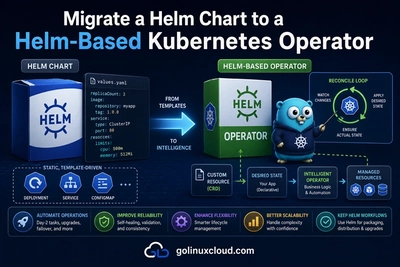
The pre-built Helm operator is still a Deployment: apply the same securityContext, NetworkPolicy, and digest-pinned image to the operator chart—not only the workloads your chart creates for tenants.
Checklist
- Namespace PSA labels match production intent; CI enforces the same.
-
readOnlyRootFilesystemwith explicit writableemptyDirwhere needed. -
capabilities.drop: ["ALL"],allowPrivilegeEscalation: false, seccomp set. - Container runs as non-root with documented UID/GID.
- Release YAML uses image digest; signing policy documented.
- NetworkPolicy egress tested (API + DNS + known webhooks only).
- Webhook TLS materials scoped;
caBundlepatch RBAC minimized.
FAQ
Can I run as root “just for debugging”?
Use a separate debug image or broken-out Deployment overlay—not the production ServiceAccount with production RBAC.
Does NetworkPolicy replace TLS for webhooks?
No—NetworkPolicy is not TLS. You still need correct ServingCerts and caBundle trust.
See also
- Operator RBAC — minimum permissions (prerequisite)
- Multi-tenant operator patterns
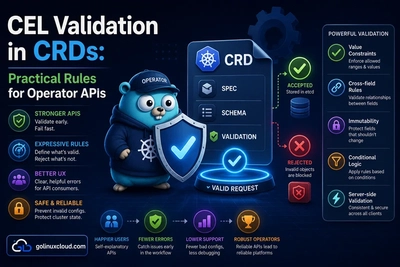
- Mutating and validating admission webhooks
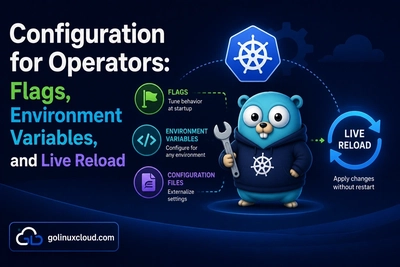
- Configuration: flags, env, secrets
- CI/CD with GitHub Actions
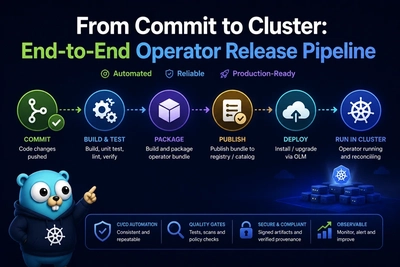
- Release pipeline — digest handoff
- Prometheus metrics and kube-rbac-proxy
- Kubernetes: Pod Security Standards, NetworkPolicies, projected SA tokens
Bottom line: treat RBAC as necessary but insufficient. Lock the pod (non-root, read-only FS, ALL caps dropped, seccomp), pin and sign images, deny-by-default egress with a short allowlist, and narrow who can mutate webhook trust—then your operator looks like production infrastructure, not a cluster-side script.