
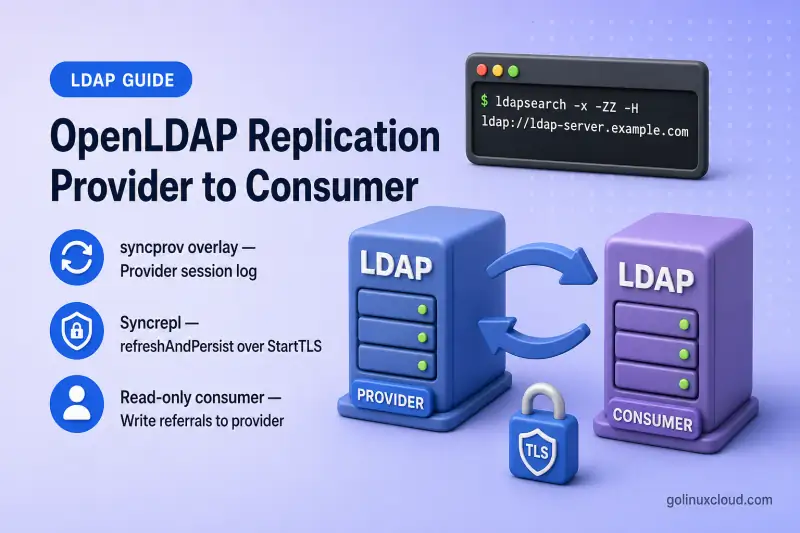
This walkthrough configures one-way OpenLDAP replication on RHEL-based Linux: a writable provider, a read-only consumer, the syncprov overlay on the provider, olcSyncrepl with refreshAndPersist on the consumer, and strict StartTLS between the two hosts.
Complete these lessons first:
On the consumer, install the same OpenLDAP build and configure the same suffix, schemas, database settings, and TLS trust, but leave the replicated data tree empty. Creating entries independently on both hosts can produce conflicting entryUUID values and operational metadata. For a large directory, initialize the consumer from a provider slapcat backup instead of creating the entries separately—see Migrate OpenLDAP to a new server. For terminology such as DN, suffix, and cn=config, see LDAP and OpenLDAP basics.
OpenLDAP supports either starting the consumer without a synchronization cookie so Syncrepl performs the initial load, or preloading it from a provider backup. Preloading is recommended for large or bandwidth-constrained directories. For recurring provider backups and restore drills, see OpenLDAP backup and restore. For one-time consumer preload, use the same migration workflow described above.
Provider-consumer replication was traditionally called master-slave replication. This guide uses the current OpenLDAP terminology while retaining the legacy term for readers searching older documentation.
Tested on: Rocky Linux 10; OpenLDAP 2.6.10 on
ldap-server.example.com(provider) andldap-client.example.com(consumer).
Provider-Consumer Replication Architecture
LDAP clients send writes to the provider. The consumer pulls changes over an encrypted Syncrepl session and keeps a read-only copy of the same subtree.
LDAP writes
    |
    v
ldap-server.example.com
Provider — read/write
    |
    | StartTLS + Syncrepl
    v
ldap-client.example.com
Consumer — read-only| Feature | Provider | Consumer |
|---|---|---|
| Accepts normal writes | Yes | No |
Runs syncprov overlay |
Yes | No |
| Runs Syncrepl engine | No | Yes |
| Holds replicated DIT | Original | Replica |
| Used for read queries | Yes | Yes |
| Redirects attempted writes | Not applicable | olcUpdateRef to provider |
Syncrepl is consumer-initiated: ldap-client.example.com opens the replication connection to ldap-server.example.com. With refreshAndPersist, the consumer performs an initial refresh of the searchbase subtree, then keeps a persistent synchronization session open for ongoing updates. Replicated entries are tracked by entryUUID; suffix-level contextCSN values represent synchronization state.
This guide uses standard entry-based Syncrepl with the provider's in-memory session log. Delta-syncrepl instead maintains a persistent changelog in an accesslog database. Multi-provider replication can use standard Syncrepl or delta-syncrepl and is covered separately. OpenLDAP documents delta-syncrepl, multi-provider replication, and mirror mode as separate deployment alternatives.
LDIF exports in this section use the slapcat command.
Lab Environment and Prerequisites
| Role | Hostname | IP | Access |
|---|---|---|---|
| Provider | ldap-server.example.com |
192.168.56.108 |
Read/write |
| Consumer | ldap-client.example.com |
192.168.56.109 |
Read-only |
| Base DN | dc=example,dc=com |
— | Replicated subtree |
Both nodes need a RHEL-family system (RHEL, Rocky Linux, AlmaLinux, Oracle Linux, or CentOS Stream) with matching OpenLDAP 2.6 packages, the same suffix and schemas, compatible modules and overlays, synchronized clocks, TLS certificates with the correct FQDN in the SAN, trust in the CA that signed the peer certificate, and TCP port 389 open between the hosts.
On the provider, confirm the hostname resolves the way Syncrepl and TLS expect:
hostname -fSample output:
ldap-server.example.comCheck that each host resolves the other's FQDN before you configure replication URIs:
getent hosts ldap-server.example.com ldap-client.example.comOn the provider you should see the consumer address:
192.168.56.109 ldap-client.example.com ldap-clientReplication compares timestamps and CSNs across hosts, so enable time synchronization on both nodes:
sudo systemctl enable --now chronydchronyc trackingtimedatectl show -p NTPSynchronizedSample output:
NTPSynchronized=yesInstall matching server packages on both nodes. The provider and consumer in this lab run the same build:
rpm -q openldap openldap-serversSample output:
openldap-2.6.10-1.el10.x86_64
openldap-servers-2.6.10-1.el10_2.x86_64
Confirm slapd is running on the provider before you open replication ports:
systemctl is-active slapdSample output:
activeRepeat the same checks on the consumer host (ldap-client.example.com).
Syncrepl runs on the consumer and connects to the provider. Test the replication TLS path from the consumer host—this is the connection starttls=critical must establish:
openssl s_client \
  -starttls ldap \
  -connect ldap-server.example.com:389 \
  -servername ldap-server.example.com \
  -verify_hostname ldap-server.example.com \
  -CAfile /etc/openldap/certs/example-ldap-ca.crt \
  -verify_return_error \
  -brief </dev/null
Run the command on ldap-client.example.com. Verification: OK confirms the consumer trusts the provider certificate and the hostname matches the SAN:
CONNECTION ESTABLISHED
Peer certificate: CN=ldap-server.example.com, O=Example Organization
Verification: OK
Verified peername: ldap-server.example.com
DONE
Prepare the Provider and Consumer Databases
Do not assume the MDB database DN is {2}mdb—discover it on each server:
Directory queries in this section use the ldapsearch command.
sudo ldapsearch -Q -LLL -Y EXTERNAL -H ldapi:/// -b cn=config '(objectClass=olcMdbConfig)' dn olcSuffix olcDbDirectorySample output on both nodes:
dn: olcDatabase={2}mdb,cn=config
olcDbDirectory: /var/lib/ldap
olcSuffix: dc=example,dc=com
Store the DN in a shell variable for later LDIF files and troubleshooting:
MDB_DN=$(
  sudo ldapsearch -Q -LLL -Y EXTERNAL -H ldapi:/// \
    -b cn=config '(objectClass=olcMdbConfig)' dn |
  awk '/^dn: / {sub(/^dn: /, ""); print; exit}'
)
The variable should expand to olcDatabase={2}mdb,cn=config in this lab.
Before enabling Syncrepl, confirm:
- Both suffixes are
dc=example,dc=com. - Both servers load the same standard and custom schemas.
- The consumer data tree under the suffix is empty (or preloaded from a provider backup)—not independently populated.
- You replace
REPLACE_WITH_MDB_DNin every LDIF with the discovered value—not a hardcoded index.
| Directory size | Recommended initialization |
|---|---|
| Small lab directory | Let Syncrepl perform the initial refresh |
| Large production directory | Preload a slapcat backup on the consumer, then let Syncrepl catch up |
OpenLDAP upstream documentation recommends preloading for large or bandwidth-constrained directories. This guide does not walk through backup-based initialization; see OpenLDAP migration examples for that workflow.
Create a Dedicated Replication Account
Create a service identity such as uid=replicator,ou=service-accounts,dc=example,dc=com. Do not reuse cn=admin. The account needs read access to the full replicated subtree and operational attributes Syncrepl expects; it does not need write permission. Its password is stored in the consumer's olcSyncrepl definition, so treat cn=config backups as sensitive.
Generate a password hash on the provider:
slappasswdCreate the LDIF on the provider (replace the hash with your own output):
umask 077
vi replication-account.ldifdn: ou=service-accounts,dc=example,dc=com
objectClass: organizationalUnit
ou: service-accounts
dn: uid=replicator,ou=service-accounts,dc=example,dc=com
objectClass: account
objectClass: simpleSecurityObject
uid: replicator
description: OpenLDAP replication account
userPassword: {SSHA}REPLACE_WITH_HASHApply the LDIF over StartTLS on the provider:
ldapadd -x -ZZ \
  -H ldap://ldap-server.example.com \
  -D "cn=admin,dc=example,dc=com" -W \
  -f replication-account.ldif
Sample output:
adding new entry "ou=service-accounts,dc=example,dc=com"

adding new entry "uid=replicator,ou=service-accounts,dc=example,dc=com"
Grant the replicator read access on the provider MDB database. OpenLDAP evaluates ACLs in order—a replication rule placed after a catch-all deny will not work. For general olcAccess syntax and testing, see OpenLDAP ACL Configuration with Practical Examples. Inspect the current rules first:
sudo ldapsearch -Q -LLL -Y EXTERNAL -H ldapi:/// \
  -b "$MDB_DN" -s base olcAccess olcLimits
Preserve all existing olcAccess values and insert the replication rule at the beginning of the database ACL list:
vi replication-acl.ldifdn: REPLACE_WITH_MDB_DN
changetype: modify
add: olcAccess
olcAccess: {0}to *
by dn.exact="uid=replicator,ou=service-accounts,dc=example,dc=com" read
by * breakApply the ACL on the provider:
Entry updates in this section use the ldapmodify command.
sudo ldapmodify -Q -Y EXTERNAL -H ldapi:/// -f replication-acl.ldifThe modify is accepted when ldapmodify exits without an error.
OpenLDAP requires provider search limits high enough for the replication account to retrieve the complete requested content. Add an explicit limits rule for the replicator when none exists yet:
vi replication-limits.ldifdn: REPLACE_WITH_MDB_DN
changetype: modify
add: olcLimits
olcLimits: dn.exact="uid=replicator,ou=service-accounts,dc=example,dc=com" time.soft=unlimited time.hard=unlimited size.soft=unlimited size.hard=unlimitedsudo ldapmodify -Q -Y EXTERNAL -H ldapi:/// \
-f replication-limits.ldifUse add: when no olcLimits entry already exists for that DN. If one exists, preserve and update that value rather than creating a duplicate rule.
Verify the account over StartTLS before configuring Syncrepl:
ldapsearch -x -ZZ -H ldap://ldap-server.example.com \
  -D "uid=replicator,ou=service-accounts,dc=example,dc=com" \
  -W \
  -b "dc=example,dc=com" \
  -LLL \
  "(objectClass=*)" dn entryUUID
When prompted, enter the replicator password. A successful search lists entries with entryUUID attributes—evidence the ACL permits replication reads:
dn: uid=jdoe,ou=people,dc=example,dc=com
entryUUID: 9ce92e2a-1322-1041-9ef6-23da59dd0b8d
Configure syncprov on the Provider
Inspect loaded modules and overlays before adding anything:
sudo ldapsearch -Q -LLL -Y EXTERNAL -H ldapi:/// -b cn=config \
  '(|(objectClass=olcModuleList)(objectClass=olcOverlayConfig))' \
  dn olcModuleLoad olcOverlay
Sample output when syncprov is already present:
dn: cn=module{0},cn=config
olcModuleLoad: {0}syncprov.la

dn: olcOverlay={0}syncprov,olcDatabase={2}mdb,cn=config
olcOverlay: {0}syncprov
Discover the module list DN—do not assume cn=module,cn=config:
MODULE_DN=$(
  sudo ldapsearch -Q -LLL -Y EXTERNAL -H ldapi:/// \
    -b cn=config '(objectClass=olcModuleList)' dn |
  awk '/^dn: / {sub(/^dn: /, ""); print; exit}'
)
Check replication-related indexes on the provider MDB database:
sudo ldapsearch -Q -LLL -Y EXTERNAL -H ldapi:/// \
  -b "$MDB_DN" -s base olcDbIndex
Sample output:
olcDbIndex: objectClass eq,pres
olcDbIndex: ou,cn,mail,surname,givenname eq,pres,sub
The provider session log searches by entryUUID, and an entryCSN equality index improves provider startup scans when checkpointing is enabled. Add only the indexes that are missing—do not duplicate an existing combined olcDbIndex value:
vi replication-indexes.ldifdn: REPLACE_WITH_MDB_DN
changetype: modify
add: olcDbIndex
olcDbIndex: entryUUID eq
-
add: olcDbIndex
olcDbIndex: entryCSN eqApply the indexes when they are absent:
sudo ldapmodify -Q -Y EXTERNAL -H ldapi:/// -f replication-indexes.ldifLoad the syncprov module only when it is missing. Substitute your discovered $MODULE_DN:
vi load-syncprov.ldifdn: REPLACE_WITH_MODULE_DN
changetype: modify
add: olcModuleLoad
olcModuleLoad: syncprov.lasudo ldapmodify -Q -Y EXTERNAL -H ldapi:/// -f load-syncprov.ldifAdd the overlay to the discovered MDB database:
vi configure-syncprov.ldifdn: olcOverlay=syncprov,REPLACE_WITH_MDB_DN
objectClass: olcOverlayConfig
objectClass: olcSyncProvConfig
olcOverlay: syncprov
olcSpCheckpoint: 100 10
olcSpSessionlog: 1000sudo ldapadd -Q -Y EXTERNAL -H ldapi:/// -f configure-syncprov.ldifolcSpCheckpoint periodically persists synchronization state to the database. olcSpSessionlog keeps recent changes in memory so consumers can process deletes efficiently. This in-memory session log is not the accesslog database used by delta-syncrepl. Do not add olcSyncrepl to the provider in this one-way topology.
Confirm the overlay with a filter—OpenLDAP may store the entry as olcOverlay={0}syncprov,...:
sudo ldapsearch -Q -LLL -Y EXTERNAL -H ldapi:/// \
-b cn=config \
'(objectClass=olcSyncProvConfig)' \
dn olcSpCheckpoint olcSpSessionlogSample output:
dn: olcOverlay={0}syncprov,olcDatabase={2}mdb,cn=config
olcSpCheckpoint: 100 10
olcSpSessionlog: 1000Configure Syncrepl on the Consumer
Install the same packages and configure the same suffix, schemas, and TLS trust on the consumer, but do not independently create entries under the replicated suffix. The consumer needs the Syncrepl engine on its MDB database—not the provider's syncprov overlay. The consumer MDB starts empty or preloaded; Syncrepl fills the subtree from the provider.
Check replication-related indexes on the consumer MDB database:
sudo ldapsearch -Q -LLL -Y EXTERNAL -H ldapi:/// \
-b "$MDB_DN" -s base olcDbIndexIf entryUUID and entryCSN equality indexes are missing, apply the same replication-indexes.ldif used on the provider:
dn: REPLACE_WITH_MDB_DN
changetype: modify
add: olcDbIndex
olcDbIndex: entryUUID eq
-
add: olcDbIndex
olcDbIndex: entryCSN eqsudo ldapmodify -Q -Y EXTERNAL -H ldapi:/// -f replication-indexes.ldifOpenLDAP's provider and consumer examples both include equality indexes for entryCSN and entryUUID. The session log specifically benefits from the provider's entryUUID index, while the consumer also uses these operational attributes during synchronization.
Create the LDIF securely because it contains the clear-text replication password:
umask 077
vi syncrepl-consumer.ldifdn: REPLACE_WITH_MDB_DN
changetype: modify
add: olcSyncrepl
olcSyncrepl: rid=001
provider="ldap://ldap-server.example.com"
bindmethod=simple
binddn="uid=replicator,ou=service-accounts,dc=example,dc=com"
credentials="REPLACE_WITH_PASSWORD"
searchbase="dc=example,dc=com"
type=refreshAndPersist
retry="5 5 60 +"
timeout=3
schemachecking=on
starttls=critical
tls_cacert="/etc/openldap/certs/example-ldap-ca.crt"
tls_reqcert=demand
tls_reqsan=demand
-
add: olcUpdateRef
olcUpdateRef: ldaps://ldap-server.example.com| Option | Purpose |
|---|---|
rid |
Unique identifier for this Syncrepl definition |
provider |
Writable LDAP server |
searchbase |
Replicated subtree |
refreshAndPersist |
Initial synchronization, then continuous updates |
retry |
Reconnect schedule after failure |
starttls=critical |
Fail rather than replicate without TLS |
tls_reqcert / tls_reqsan |
Require a valid trusted certificate with matching hostname |
olcUpdateRef |
Refers attempted consumer updates to the provider |
Because the prerequisite TLS guide enables LDAPS on the provider, this guide uses ldaps:// in olcUpdateRef so clients following a referral connect over an encrypted transport. An ldap:// referral does not require the client to perform StartTLS; if you use ldap:// referrals, clients must enforce StartTLS themselves.
Apply the LDIF on the consumer:
sudo ldapmodify -Q -Y EXTERNAL -H ldapi:/// -f syncrepl-consumer.ldifSample output:
modifying entry "olcDatabase={2}mdb,cn=config"Validate the live configuration:
sudo ldapsearch -Q -LLL -Y EXTERNAL -H ldapi:/// \
  -b "$MDB_DN" -s base olcSyncrepl olcUpdateRef
Sample output (password elided):
dn: olcDatabase={2}mdb,cn=config
olcSyncrepl: {0}rid=001 provider=ldap://ldap-server.example.com bindmethod=simple ...
olcUpdateRef: ldaps://ldap-server.example.com
Restart slapd once on the consumer to confirm the configuration survives a clean service start:
sudo systemctl restart slapdCheck the last few log lines for a clean startup and an active Syncrepl session:
sudo journalctl -u slapd -n 8 --no-pagerVerify Initial and Continuous Replication
Work through these checks in order.
Compare the suffix and entry count
Search both nodes for entries under the suffix:
ldapsearch -x -ZZ -H ldap://ldap-server.example.com \
  -D "cn=admin,dc=example,dc=com" -W \
  -b "dc=example,dc=com" -LLL "(objectClass=*)" dn
Run the same command against ldap://ldap-client.example.com. After the initial refresh completes, both servers should list the same DNs.
Compare a known entry
Request replication metadata for one entry on the provider:
ldapsearch -x -ZZ -H ldap://ldap-server.example.com \
  -D "cn=admin,dc=example,dc=com" -W \
  -b "uid=jdoe,ou=people,dc=example,dc=com" -LLL \
  dn entryUUID entryCSN modifyTimestamp
Sample output:
dn: uid=jdoe,ou=people,dc=example,dc=com
entryUUID: 9ce92e2a-1322-1041-9ef6-23da59dd0b8d
entryCSN: 20260713194647.639310Z#000000#000#000000
modifyTimestamp: 20260713194647Z
Repeat on the consumer. Matching entryUUID values confirm the same logical entry was replicated:
entryUUID: 9ce92e2a-1322-1041-9ef6-23da59dd0b8dCompare synchronization state
Read contextCSN from the suffix entry on each server:
ldapsearch -x -ZZ -H ldap://ldap-server.example.com \
  -D "cn=admin,dc=example,dc=com" -W \
  -b "dc=example,dc=com" -s base -LLL contextCSN
Sample output when caught up:
contextCSN: 20260713201106.310382Z#000000#000#000000The consumer should report the same value once replication is current. Short gaps are normal during catch-up; persistent divergence needs investigation.
Test add, modify, rename, and delete on the provider
Create the add LDIF on the provider:
vi reptest-add.ldifdn: uid=reptest,ou=people,dc=example,dc=com
objectClass: inetOrgPerson
objectClass: posixAccount
objectClass: top
cn: Replication Test
sn: Test
uid: reptest
uidNumber: 10050
gidNumber: 10050
homeDirectory: /home/reptestThe entry is only used to verify add, modify, rename, and delete replication, so userPassword is unnecessary.
Add the entry on the provider:
ldapadd -x -ZZ -H ldap://ldap-server.example.com \
  -D "cn=admin,dc=example,dc=com" -W -f reptest-add.ldif
Sample output:
adding new entry "uid=reptest,ou=people,dc=example,dc=com"Confirm the entry on the consumer:
ldapsearch -x -ZZ -H ldap://ldap-client.example.com \
  -D "cn=admin,dc=example,dc=com" -W \
  -b "uid=reptest,ou=people,dc=example,dc=com" -LLL dn cn
Sample output:
dn: uid=reptest,ou=people,dc=example,dc=com
cn: Replication Test
Create the modify LDIF:
vi reptest-modify.ldifdn: uid=reptest,ou=people,dc=example,dc=com
changetype: modify
replace: description
description: Modified by replication testModify the entry on the provider:
ldapmodify -x -ZZ -H ldap://ldap-server.example.com \
  -D "cn=admin,dc=example,dc=com" -W -f reptest-modify.ldif
Sample output:
modifying entry "uid=reptest,ou=people,dc=example,dc=com"Verify on the consumer:
ldapsearch -x -ZZ -H ldap://ldap-client.example.com \
  -D "cn=admin,dc=example,dc=com" -W \
  -b "uid=reptest,ou=people,dc=example,dc=com" -LLL description
Sample output:
description: Modified by replication testRename the entry on the provider with -r so the old RDN value is removed:
ldapmodrdn -x -ZZ -r \
  -H ldap://ldap-server.example.com \
  -D "cn=admin,dc=example,dc=com" -W \
  "uid=reptest,ou=people,dc=example,dc=com" \
  "uid=reptest-renamed"
Verify the new DN on the consumer, then delete the entry on the provider:
ldapdelete -x -ZZ -H ldap://ldap-server.example.com \
  -D "cn=admin,dc=example,dc=com" -W \
  "uid=reptest-renamed,ou=people,dc=example,dc=com"
Confirm the delete replicated to the consumer:
ldapsearch -x -ZZ \
  -H ldap://ldap-client.example.com \
  -b "uid=reptest-renamed,ou=people,dc=example,dc=com" \
  -s base -LLL dn
Sample output:
ldap_search: No such object (32)Confirm the consumer is read-only
Create the write-test LDIF:
vi writetest.ldifdn: uid=writetest,ou=people,dc=example,dc=com
objectClass: inetOrgPerson
objectClass: top
cn: Write Test
sn: Test
uid: writetestAttempt a normal add against the consumer:
ldapadd -x -ZZ -H ldap://ldap-client.example.com \
  -D "cn=admin,dc=example,dc=com" -W -f writetest.ldif
Expected result—a referral to the provider rather than a local write:
ldap_add: Referral (10)
	referrals:
		ldaps://ldap-server.example.com/uid=writetest,ou=people,dc=example,dc=com
Confirm the entry was not created locally on the consumer:
ldapsearch -x -ZZ -H ldap://ldap-client.example.com \
  -D "cn=admin,dc=example,dc=com" -W \
  -b "uid=writetest,ou=people,dc=example,dc=com" -LLL dn
Sample output:
ldap_search: No such object (32)Client failover and SSSD URI ordering belong in the OpenLDAP client with SSSD guide, not here.
Test Replication Failure and Recovery
Stop the consumer, make changes on the provider, then start the consumer and confirm catch-up.
Stop slapd on the consumer:
sudo systemctl stop slapdAdd or modify several entries on the provider while the consumer is down. Start the consumer again:
sudo systemctl start slapdWatch the log for Syncrepl reconnect activity:
sudo journalctl -u slapd -fPress Ctrl+C when replication settles, then search for the entries you added during the outage. They should appear on the consumer without manual intervention.
Compare contextCSN on both nodes again. Matching values after catch-up confirm the consumer processed the backlog.
Also worth testing in a lab: a brief network interruption, an incorrect replication password, and restarts of each slapd instance individually. Provider failover and consumer promotion are out of scope for this one-way guide.
Troubleshoot Provider-Consumer Replication
| Symptom | Likely cause | Check |
|---|---|---|
| No entries appear on consumer | Wrong suffix, provider URI, or replication ACL | olcSyncrepl, provider logs, replicator ldapsearch |
| TLS negotiation fails | CA, SAN, DNS, or certificate permission problem | openssl s_client -starttls ldap from consumer to provider |
Invalid credentials (49) |
Wrong replication DN or password | Direct StartTLS bind as replicator |
Insufficient access (50) |
Replicator cannot read the complete subtree | Provider olcAccess ordering—rule must precede deny |
No such object (32) |
Hardcoded or incorrect MDB configuration DN | Rediscover the MDB DN |
| Schema violation on consumer | Schema differs between nodes | Compare cn=schema,cn=config |
| Deletes do not appear promptly | Session log too small or stale consumer | Inspect olcSpSessionlog; refresh if needed |
| Write to consumer fails | Expected behavior | Send writes to the provider |
| Consumer remains behind | Retry, network, or persistent LDAP error | Compare contextCSN; review consumer logs |
systemctl start slapd fails immediately |
Stray slapd or stale ldapi socket |
pgrep -a slapd; ss -lxnp | grep ldapi |
Useful diagnostics:
sudo systemctl status slapd --no-pagerCheck whether the unit is active and see the last startup line when replication stops after reboot.
sudo journalctl -u slapd -n 100 --no-pagerLook for Syncrepl bind errors, CSN gaps, or session-log messages when the consumer falls behind.
sudo pgrep -a slapdConfirm only one slapd process is running before removing a stale LDAPI socket.
sudo ss -lxnp | grep ldapiShows whether a process owns the LDAPI socket when systemctl start slapd fails immediately.
Only remove a socket after confirming that no running slapd process owns it.
Read the consumer Syncrepl definition directly:
sudo ldapsearch -Q -LLL -Y EXTERNAL -H ldapi:/// \
  -b "$MDB_DN" -s base olcSyncrepl olcUpdateRef
Shows the active Syncrepl URI, bind DN, and update referral when the consumer stops replicating.
References
- OpenLDAP Administrator's Guide — Replication — provider-consumer concepts,
syncprov, and Syncrepl - slapd-config(5) —
olcSyncrepl,olcSpSessionlog, and overlay syntax
Summary
You configured a writable OpenLDAP provider and a read-only consumer on RHEL-based Linux: a dedicated replication identity, syncprov on the provider, refreshAndPersist Syncrepl with strict StartTLS on the consumer, and ldaps:// in olcUpdateRef for write referrals. Verification covered matching entry counts and entryUUID values, add/modify/rename/delete propagation, consumer read-only behavior, and automatic catch-up after consumer downtime.
