
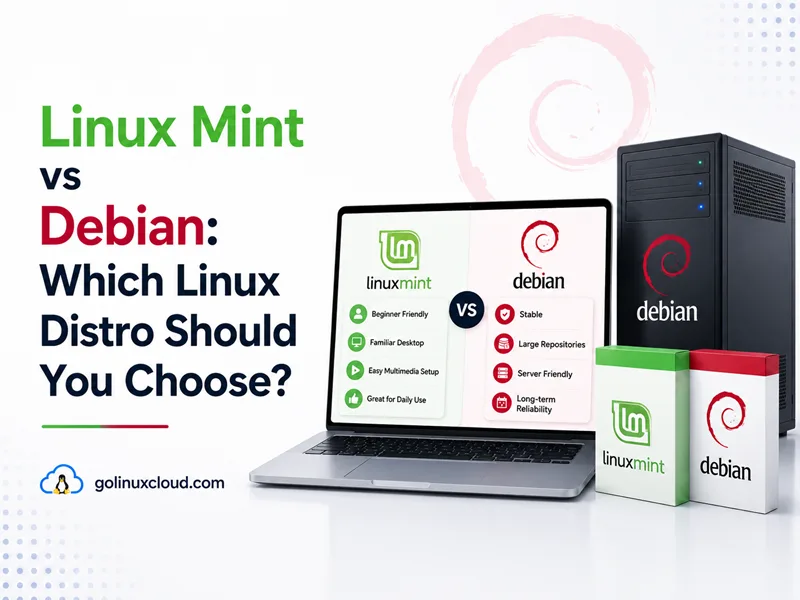
You are picking a Linux distro for a desktop PC and keep seeing Linux Mint and Debian recommended. They both use apt, both feel stable on a laptop, and both have loyal communities—but they are not the same product. Linux Mint is a desktop distribution with its own Cinnamon environment and Mint-specific tools, built on Ubuntu LTS (main edition) or Debian stable (LMDE). Debian is the independent upstream project: minimal or task-based installs, many architectures, and a frozen stable release you can run on servers for years.
This guide compares Linux Mint 22.3 “Zena” (current main edition in mid-2026), LMDE 7 “Gigi” (Mint on Debian), and Debian 13 “Trixie” on support, packages, desktop polish, security defaults, and who each distro is actually for. I ran the Debian-side commands on a live Trixie host below; Mint figures come from linuxmint.com release notes and the Linux Mint blog—install Mint in a VM before you treat version tables as final.
Tested on: Debian GNU/Linux 13 (trixie); kernel 6.12.94+deb13-amd64; apt 3.0.3.
Quick answer: Linux Mint vs Debian
Pick Linux Mint 22.x when you want a ready-made desktop: Cinnamon (or MATE/Xfce), Driver Manager, Update Manager, Timeshift, Flatpak integration, and an Ubuntu 24.04 LTS base supported until April 2029—without Ubuntu’s snap defaults.
Pick Debian 13 when you want the universal OS itself: netinst or cloud images, optional desktops you assemble, multi-year stable + LTS support, broad architectures, and servers that never needed a desktop environment in the first place.
If you specifically want Mint on Debian packages, choose LMDE 7—not standard Mint 22.x. For how Debian relates to Ubuntu (Mint’s main base), see Debian vs Ubuntu.
| Pick this | Best reason |
|---|---|
| Linux Mint 22.x | Easiest polished desktop on Ubuntu LTS |
| LMDE 7 | Mint desktop without Ubuntu |
| Debian 13 | Servers, minimal installs, multi-arch, long stable base |
Linux Mint vs Debian at a glance
| Topic | Linux Mint 22.3 (main) | LMDE 7 “Gigi” | Debian 13 Trixie |
|---|---|---|---|
| Package base | Ubuntu 24.04 LTS (Noble) | Debian 13 Trixie | Debian 13 Trixie |
| Support (desktop) | Until April 2029 | LTS release; Debian 13 base follows Debian’s 2028/2030 lifecycle | Full support to Aug 2028; LTS to Jun 2030 |
| Primary use | Desktop amd64 | Desktop amd64 | Desktop, server, embedded |
| Default DE | Cinnamon (MATE/Xfce optional) | Cinnamon | None (GNOME/KDE/Xfce images available) |
| Package manager | APT + Flatpak | APT + Flatpak | APT |
| Snap | Blocked by default | Mint policy applies | Not in core desktop story |
| Mint tools | Update Manager, Timeshift, etc. | Same Mint layer | None (vanilla Debian) |
| Kernel (typical) | 6.14 HWE on standard 22.2/22.3 ISOs; newer HWE ISOs may ship later kernels | Debian 13 kernel line | 6.12 LTS |
| Init | systemd | systemd | systemd |
| Architectures | amd64 only | amd64 only | amd64, arm64, riscv64, … |
| Best fit | Easy Linux desktop | Mint UX on pure Debian | Servers, minimalists, multi-arch |
Sources: Linux Mint 22.3 release notes, LMDE 7 release notes, Debian releases.
Two kinds of “Linux Mint” (read this first)
Most search traffic means Linux Mint 22.x—the edition based on Ubuntu, not Debian directly. Mint also ships LMDE (Linux Mint Debian Edition), explicitly described on the LMDE 7 announcement as insurance if Ubuntu ever disappeared and as a way to test Mint software on Debian.
| Edition | Under the hood | Who it is for |
|---|---|---|
| Linux Mint 22.3 | Ubuntu 24.04 LTS | Default Mint choice; widest Ubuntu-compatible docs |
| LMDE 7 | Debian 13 Trixie | Mint desktop on Debian packages |
| Debian 13 | Debian stable | No Mint layer—you build or pick a DE yourself |
Comparing Linux Mint vs Debian honestly means comparing Mint’s value-add (Cinnamon, tooling, policies) against running Debian plain—and knowing whether you mean LMDE or Ubuntu-based Mint.
How Linux Mint and Debian are related
Debian is an independent project. Ubuntu takes Debian snapshots and adds Canonical’s choices. Linux Mint takes Ubuntu LTS and adds Clem Lefèbvre’s team’s desktop and tooling—or, in LMDE, puts the same layer directly on Debian stable.
That lineage matters:
apt installworks on both, but package versions on Mint 22.x track Noble, while Debian 13 tracks Trixie—not identical on release day.- Ubuntu/Mint tutorials often assume sudo and certain paths; Debian netinst may leave root-only until you configure sudo.
- Skills transfer; playbooks do not copy verbatim between Mint 22 and pure Debian without checking versions.
For server-focused Debian-vs-Ubuntu trade-offs (snap, cloud images, LTS nuance), Debian vs Ubuntu goes deeper than this page.
Release cycle and support
Linux Mint 22.x (Ubuntu base)
Linux Mint 22.3 is an LTS desktop release supported until April 2029, riding on Ubuntu 24.04 LTS. Mint publishes point releases (22.1, 22.2, 22.3) with newer kernels, desktop updates, and fixes without changing the major number every six months.
Mint 22.2 and 22.3 ship an HWE kernel (6.14) for newer AMD CPUs; the release notes document VirtualBox and old NVIDIA 470 issues and suggest staying on 22.1’s 6.8 LTS kernel if you hit regressions. Mint 22.3 originally documents HWE kernel 6.14, but Mint also publishes newer HWE ISO images when newer kernels become available in the package base.
LMDE 7 (Debian base)
LMDE 7 “Gigi” is based on Debian 13 Trixie. Mint labels it LTS and keeps the same Cinnamon experience as main Mint, but underlying security and upgrade mechanics follow Debian—read Debian 13 release notes when you migrate. Debian’s base lifecycle and Mint’s desktop tooling lifecycle are not the same thing, so do not assume Mint has published identical end dates for LMDE tooling. Upgrades from LMDE 6 use the mintupgrade tool documented on the Mint blog.
Debian 13 stable
Debian 13 Trixie offers about three years of full security support (through 9 August 2028) and two years of Debian LTS (through 30 June 2030). There is no Cinnamon metapackage with Mint branding—you install a DE or stay on a minimal system.
Practical takeaway
| Your priority | Lean toward |
|---|---|
| Desktop supported until 2029 with minimal assembly | Linux Mint 22.x |
| Mint desktop but Debian packages underneath | LMDE 7 |
| Longest Debian security tail on servers | Debian 13 (+ LTS) |
| New laptop GPU drivers via HWE kernel | Mint 22.2/22.3 (or Debian backports) |
Package management: both use APT, policies differ
Debian: vanilla APT
On the Trixie host used for this article:
cat /etc/os-release
apt --versionPRETTY_NAME="Debian GNU/Linux 13 (trixie)"
DEBIAN_VERSION_FULL=13.5
apt 3.0.3 (amd64)Daily workflows match any Debian guide—see APT command in Linux and list installed packages on Debian. Debian does not ship Mint’s Update Manager; you use apt or unattended-upgrades.
Linux Mint: APT plus Mint curation
Mint uses APT and .deb packages from its Ubuntu or Debian base, then adds:
- Update Manager — level-based updates (security vs optional).
- Software Manager — curated GUI for packages and Flatpaks.
- Mint meta-packages —
mint-meta-*bundles for codecs, drivers, and desktop integration.
Snap vs Flatpak
Mint does not ship snapd by default and blocks APT from installing snapd unless you change policy—documented in the Mint user guide snap page and explained on the May 2020 Mint blog. Chromium and other apps that became snap transitional packages on Ubuntu are handled differently on Mint.
Mint embraced Flatpak early (October 2017 blog); Flathub is a normal channel for desktop apps. Debian also supports Flatpak optionally—see install Flatpak on Debian.
Desktop experience: polish vs assembly
Linux Mint desktop
Mint’s selling point is out-of-box usability:
- Cinnamon — Mint’s in-house GTK desktop (MATE and Xfce editions exist).
- Driver Manager — a GUI path for available additional hardware drivers, especially NVIDIA and some Wi-Fi devices, without hunting through PPAs. Official Mint docs describe Driver Manager as the place to check available hardware drivers after installation.
- Timeshift — BTRFS or rsync snapshots before risky updates.
- Warpinator, Hypnotix, Celluloid — Mint-branded apps integrated into the menu.
- PipeWire — default audio on Mint 22.x; release notes document falling back to PulseAudio if needed.
Mint 22.3 release notes cover real-world edges: VirtualBox graphics settings, PipeWire HDMI quirks, NTFS on kernel 6.8+, and nomodeset boot help for difficult GPUs.
Debian desktop
Debian offers live images with GNOME, KDE, Xfce, and more—but the experience is neutral: fewer welcome wizards, no Driver Manager equivalent in base installs, and versions frozen at stable release unless you enable backports.
Choose Debian desktop when you want Xfce on old hardware without Mint’s Ubuntu layer, or when you prefer GNOME/KDE upstream over Cinnamon.
Choose Mint when you want Cinnamon and Mint’s curated defaults on day one.
Security defaults and updates
Debian
Debian commonly enables AppArmor. On my Trixie test host:
systemctl is-active apparmor
ls -la /bin/shactive
/bin/sh -> dashfirewalld was inactive; admins configure nftables, ufw, or cloud rules. Server hardening patterns apply regardless of distro—see Chrony NTP setup as an example baseline task.
Linux Mint
Mint inherits Ubuntu’s security stack on the main edition (AppArmor, not SELinux by default). Mint’s Update Manager adds a usability layer: visible update levels, kernel pinning options, and integration with Timeshift before major changes.
Neither Mint nor Debian replaces your backup discipline—Timeshift helps on Mint; on Debian you plan snapshots (LVM, BTRFS, or hypervisor backups) yourself.
Servers, VPS, and non-desktop roles
For normal VPS, server, and minimal-install use cases, Debian is the practical choice. Mint can run server software, but it is not designed or packaged as a server distribution:
- Official cloud and netinst images
- Minimal installs without desktop audio stacks
- Many architectures (arm64, riscv64, ppc64el, …)
- Predictable stable versions for PostgreSQL, nginx, and mail roles
Linux Mint targets desktop amd64 only. There is no Mint Server edition. Running Mint on a VPS wastes RAM on Cinnamon and Mint meta-packages unless you have a very specific lab reason.
For container hosts on Debian, install Docker on Debian is a common pattern—same on any Debian base; Mint adds no advantage there.
Version snapshot: what ships mid-2026
Illustrative comparison—patch levels drift with security updates.
| Component | Linux Mint 22.3 | LMDE 7 / Debian 13 |
|---|---|---|
| Package base | Ubuntu 24.04 LTS | Debian 13 Trixie |
| Typical kernel | 6.14 HWE (6.8 on 22.1) | 6.12 LTS |
| Desktop | Cinnamon 6.x | Cinnamon + Debian stable GNOME stack in repos |
| Python (system) | Ubuntu Noble baseline (~3.12) | 3.13.5 on my Debian host |
| Audio | PipeWire default | PipeWire available; Debian docs vary by DE |
Verify on a live system:
cat /etc/os-release
uname -r
python3 --version
Debian output from my host:
PRETTY_NAME="Debian GNU/Linux 13 (trixie)"
6.12.94+deb13-amd64
Python 3.13.5
On Mint, also check cat /etc/linuxmint/info and inxi -S for edition and kernel details.
Linux Mint vs Debian: workload guide
| Workload | Linux Mint 22.x | LMDE 7 | Debian 13 |
|---|---|---|---|
| First Linux desktop for family PC | Excellent | Excellent | Good with live image |
| Cinnamon desktop | Excellent | Excellent | Install cinnamon packages |
| Long-life VPS / web server | Poor fit | Poor fit | Excellent |
| Raspberry Pi / ARM SBC | Not supported | Not supported | Excellent |
| Avoid snap, use Flatpak | Excellent | Excellent | Good (manual setup) |
| Corporate Ubuntu tutorials | Excellent | Good (check versions) | Translate carefully |
| Pure Debian compliance story | No (Ubuntu base) | Closer | Excellent |
| Gaming PC with Driver Manager | Excellent | Good | Manual driver install |
| Minimal disk/RAM footprint | Moderate | Moderate | Excellent (netinst) |
When to choose Linux Mint
Choose Linux Mint 22.x when:
- You want a polished Cinnamon desktop without assembling Ubuntu yourself.
- You prefer Flatpak over snap and agree with Mint’s snap policy.
- You want LTS desktop support until 2029 on an Ubuntu 24.04 base.
- You value Timeshift, Driver Manager, and Update Manager on amd64 laptops and PCs.
Choose LMDE 7 when:
- You want the same Mint experience on Debian 13 packages.
- You deliberately avoid Ubuntu while staying in Mint’s ecosystem.
- You accept amd64-only desktop scope and Mint’s release cadence for LMDE.
When to choose Debian
Choose Debian 13 when:
- You run servers, VPS instances, or appliances—not a family desktop product.
- You need architectures or minimal installs Mint does not ship.
- You want maximum control over every package—no Mint meta-bundles.
- You prefer GNOME/KDE/Xfce upstream over Cinnamon, or no GUI at all.
- You need the longest Debian LTS tail and pure Debian documentation.
If you are torn between Debian and Ubuntu (Mint’s main base), read Debian vs Ubuntu before reinstalling.
Upgrading and switching
Linux Mint
Mint point releases (22 → 22.3) upgrade in place via Update Manager when available. Major jumps (21 → 22) are migration projects—back up with Timeshift first. Mint’s next release is planned for Christmas 2026. The development branch is temporarily called Mint 23 “Alfa” while the final release strategy and naming are still being decided; it is expected to ride on Ubuntu 26.04 LTS with a new live installer ported from LMDE.
LMDE
Major LMDE upgrades use mintupgrade after apt install mintupgrade—see the LMDE 7 upgrade post. Expect hours, snapshots, and Debian release-note steps.
Debian
Major upgrades (12 → 13) follow Debian release notes: refresh sources, apt full-upgrade, reboot. No Mint tooling assists.
Switching between Mint and Debian
There is no in-place conversion. Back up /home, export browser and app data, reinstall. Moving from Mint 22 to LMDE or Debian changes the underlying package base—not just the desktop skin.
Common mistakes when comparing Mint and Debian
- Assuming Linux Mint is Debian—main edition is Ubuntu LTS; only LMDE is Debian-based.
- Installing Mint on a server because “it’s Debian underneath” (only true for LMDE—and still a desktop distro).
- Expecting Cinnamon and Driver Manager on a default Debian netinst without installing extra packages.
- Ignoring HWE kernel regressions on Mint 22.2/22.3 (VirtualBox, old NVIDIA) documented in release notes.
- Enabling snap on Mint without reading Mint’s policy, then wondering why Chromium behaves differently than on Ubuntu.
- Choosing Debian stable for a novice desktop user who would benefit from Mint’s Timeshift and Update Manager—or choosing Mint when you needed arm64 Debian on a Pi.
Summary
Linux Mint and Debian solve different problems. Mint 22.x delivers a finished Cinnamon desktop on Ubuntu 24.04 LTS, with Mint tools and a clear stance on Flatpak over snap, supported until 2029. LMDE 7 offers the same Mint layer on Debian 13 for users who want Debian packages without Ubuntu. Debian 13 Trixie remains the universal base: servers, minimal systems, many architectures, and years of support—with desktop assembly left to you.
For a home PC or laptop where you want Linux to feel ready on first boot, Linux Mint 22.x is the smoother path. For infrastructure, SBCs, or pure Debian policy, choose Debian. If the real question is Ubuntu vs Debian, read Debian vs Ubuntu next; for other desktop comparisons, see Fedora vs Debian and Arch Linux vs Debian.
References
- Linux Mint 22.3 release notes
- Linux Mint 22 release notes
- LMDE 7 release notes
- LMDE 7 announcement
- Linux Mint blog — snap policy
- Linux Mint user guide — snap
- Debian releases and support dates
- Debian 13 “Trixie” release information
- Ubuntu 24.04 LTS release cycle
- On-site: Debian vs Ubuntu, install Flatpak on Debian, APT command in Linux, Fedora vs Debian
