Free Online Course · Self-paced

Shell Scripting & Bash Tutorial (Free Course)

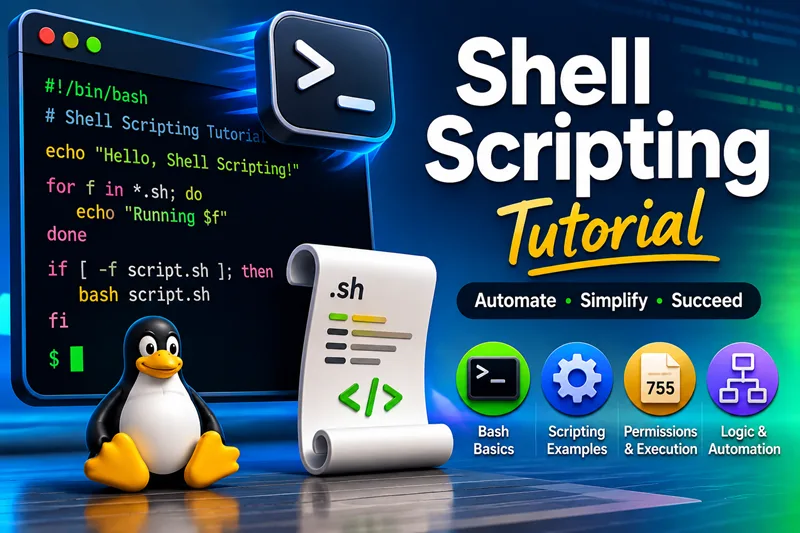
Free Bash and shell scripting course for Linux — arguments, variables, loops, functions, arrays, real scripts, and automation patterns. 30+ hands-on lessons organized into chapters; examples tested on Bash on RHEL, Rocky, and Ubuntu.

  • 37 parts
  • ~266 min total
  • Beginner to Intermediate
  • Updated Jun 2026
Shell Scripting & Bash Tutorial (Free Course)
By Last updated

This free shell scripting course walks you through Bash on Linux from first scripts to patterns you will reuse in automation, cron jobs, and one-off admin tasks. Each lesson is self-contained, but the chapters build in a sensible order: start with arguments and branching, strengthen variables and loops, then move into getopts, arrays, and small real-world utilities.

Use Start the course to open the first lesson, or jump to any chapter if you already know the basics. Every guide is written for copy-paste examples on common distros (RHEL family and Ubuntu).

If you landed here from an old Shell scripting category link on the site, this hub is the new home for that learning path.

What you'll learn

  • Write safe scripts with proper arguments, quoting, and exit codes
  • Use variables, strings, numbers, loops, and functions the way Bash expects
  • Work with arrays, getopts, and parallel jobs for real automation tasks
  • Build small utilities — calculators, progress output, timing, and file checks

Prerequisites

  • A Linux or WSL environment with Bash 4+ (any recent distro is fine)
  • Ability to open a terminal, edit a text file, and run chmod +x on a script
  • Optional — basic familiarity with cd, ls, and mkdir

Syllabus

9 chapters · 37 lessons · ~266 min of reading

  1. 1 Getting Started 3 lessons
    1. Part 1 Script arguments ($0, $1, $@) for beginners 10 min read
    2. Part 2 Get script name and path reliably 6 min read
    3. Part 3 If / else and branching in Bash 13 min read
  2. 2 Variables, Strings, and Numbers 7 lessons
    1. Part 4 Increment and update variables 5 min read
    2. Part 5 Concatenate strings safely 6 min read
    3. Part 6 Compare strings in Bash 10 min read
    4. Part 7 Compare numbers in Bash 11 min read
    5. Part 8 Counters and running totals 3 min read
    6. Part 9 unshift-style patterns in Bash 9 min read
    7. Part 10 echo, printf, and newline control 3 min read
  3. 3 Loops and Flow Control 4 lessons
    1. Part 11 For loops (ranges, lists, C-style) 10 min read
    2. Part 12 While loops 13 min read
    3. Part 13 Until vs while — when to use which 6 min read
    4. Part 14 Run a loop until a specific time 6 min read
  4. 4 Functions, Options, and Signals 4 lessons
    1. Part 15 Bash functions and return values 14 min read
    2. Part 16 Parse flags with getopts 9 min read
    3. Part 17 Multiple arguments and patterns 3 min read
    4. Part 18 Trap Ctrl+C and clean up (trap) 5 min read
  5. 5 Arrays and Text Manipulation 5 lessons
    1. Part 19 Split strings into arrays 6 min read
    2. Part 20 Remove array elements by value 13 min read
    3. Part 21 Tabs, spaces, and field splitting 2 min read
    4. Part 22 Count words or patterns in files 4 min read
    5. Part 23 Print text after a pattern match 8 min read
  6. 6 Files, Checks, and Text Parsing 3 lessons
    1. Part 24 Test if files and directories exist 15 min read
    2. Part 25 Detect digits in strings 6 min read
    3. Part 26 Find duplicate files with hashing 8 min read
  7. 7 Practical Scripts 4 lessons
    1. Part 27 Interactive calculator script 3 min read
    2. Part 28 Loan EMI / interest calculator 5 min read
    3. Part 29 Progress bar in the terminal 12 min read
    4. Part 30 Thousands separators in output 3 min read
  8. 8 Processes, Timing, and the System 6 lessons
    1. Part 31 Run tasks in parallel and collect exit codes 4 min read
    2. Part 32 Measure script execution time 3 min read
    3. Part 33 Prevent duplicate script instances 3 min read
    4. Part 34 Top CPU and memory consumers from a script 10 min read
    5. Part 35 Login history and success / failed logins 6 min read
    6. Part 36 Create many users from a data file 7 min read
  9. 9 Environment and Shell Basics 1 lesson
    1. Part 37 .bashrc vs .bash_profile — what runs when 6 min read
Deepak Prasad

R&D Engineer

Founder of GoLinuxCloud with over a decade of expertise in Linux, Python, Go, Laravel, DevOps, Kubernetes, Git, Shell scripting, OpenShift, AWS, Networking, and Security. With extensive experience, he excels across development, DevOps, …

  • Red Hat Certified System Administrator in Red Hat OpenStack
  • Certified Kubernetes Application Developer (CKAD)
  • Red Hat Certified Specialist in Ansible Automation
  • Go (programming language)
  • Python (programming language)
  • DevOps
  • Computer Security