
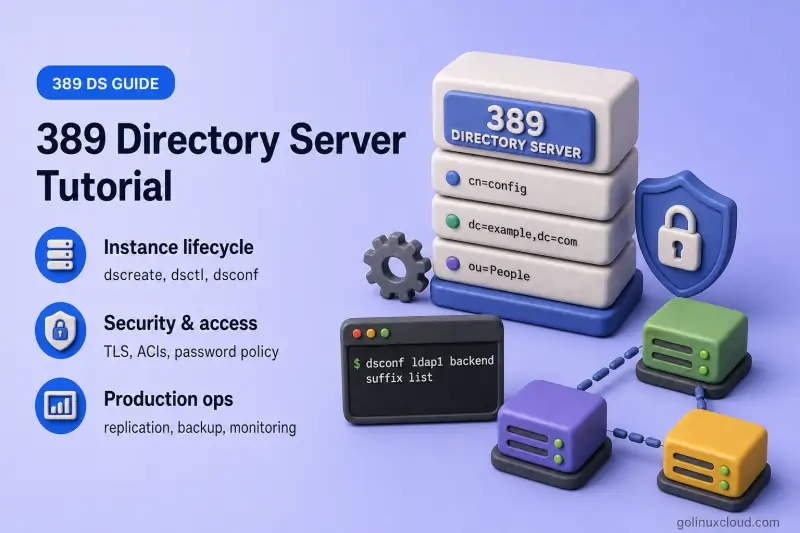
389 Directory Server is the upstream LDAP server behind Red Hat Directory Server and the directory component inside FreeIPA. Unlike distribution-specific guides that bury the product under Rocky Linux or RHEL packaging, this course teaches 389 Directory Server administration: instance lifecycle, backends, ACIs, plug-ins, replication, and client integration, using the official CLI tools that ship with the product.
Once the package is installed, the main administration interfaces belong to 389 Directory Server itself. dscreate provisions instances. dsctl handles local and offline instance operations such as status, backup, import, and restore. dsconf changes a running server's configuration over LDAP. dsidm manages directory data: users, groups, and organizational units. Optional Cockpit integration adds a browser console, but the CLI remains the baseline this course tests against. For general Linux tooling used alongside these guides, browse our Linux commands reference.
This is a product-focused 389 Directory Server course tested on selected Linux distributions. Core administration procedures apply to equivalent 389 Directory Server versions, while installation, service management, firewall, and security-framework commands may differ by distribution. We do not claim every procedure works identically everywhere because repository versions vary significantly.
If LDAP terminology is new, read LDAP and OpenLDAP basics in the OpenLDAP tutorial. If you are choosing between LDAP servers or migrating from OpenLDAP, read OpenLDAP vs 389 Directory Server. If you already run 389 Directory Server, jump to Install 389 Directory Server and the dscreate guides. Every article is self-contained. Each guide links back to this hub or to a conceptual prerequisite, but none assumes you began at lesson one.
Platform compatibility
389 Directory Server packages are available across multiple Linux families, although versions and packaging differ.
| Platform family | Installation method | Core course status |
|---|---|---|
| RHEL family and Fedora | dnf command | Fully suitable |
| Debian and Ubuntu | apt |
Suitable; package version may differ |
| SLES and supported openSUSE releases | zypper |
Suitable where the package is available |
| Arch Linux | pacman |
Suitable; generally newer upstream version |
| Containers | Official 389 DS container image | Separate deployment track |
389-ds-base package listed. Check your distribution repositories before planning a lab.
How the course is organized
Five sidebar groups split the published guides by task. Use the sidebar or the chapter cards below to jump to what you need.
| Group | Lessons | What you will do |
|---|---|---|
| Installation & instance lifecycle | 8 | Architecture, package install, dscreate, multi-instance layouts, and dsctl / dsconf / dsidm references |
| Directory data & schema | 8 | Suffixes, users, groups, roles, CoS, entry moves, test data, custom schema, read-only modes |
| Advanced directory features | 3 | Referrals, database chaining, and directory views |
| TLS, certificates & authentication | 9 | LDAPS, ciphers, secure binds, client certificates, Kerberos, cert lifecycle, FIPS, attribute encryption, anonymous access |
| Password policy & access control | 10 | Hashing, password policy, lockout, account lifecycle, and the ACI track through Get Effective Rights |
Command-reference guides (389-dscreate-inf-file, 389-dsconf-commands, 389-dsidm-commands) sit in the installation group because search intent often starts at the tool name. Additional groups (replication, monitoring, client integration, and troubleshooting) will appear in the sidebar as those guides are published.
Administration tools at a glance
| Tool | Scope | Typical tasks |
|---|---|---|
dscreate |
Instance provisioning | Interactive or inf-file instance creation, backend selection |
dsctl |
Local instance | Start/stop, backup, restore, LDIF import/export, offline maintenance |
dsconf |
Online configuration | Listeners, replication agreements, indexes, plug-ins, logging |
dsidm |
Directory data | Users, groups, organizational units, password resets |
Cockpit (cockpit-389-ds) |
Optional GUI | Instance overview, entry browser, basic ACI editing |
Version numbers appear in each article's tested-environment box, not in canonical URLs. When a command flag or default changed between 2.x and 3.x, the article calls it out inline.
References
- 389 Directory Server documentation — upstream project docs
- 389 Directory Server administration guide — instance management, plug-ins, replication
- Red Hat Directory Server documentation — product documentation built on 389 DS technology
- SUSE 389 Directory Server guide — distribution workflow with
zypper(search for 389 Directory Server on your SUSE version)
[[FAQ]]
