
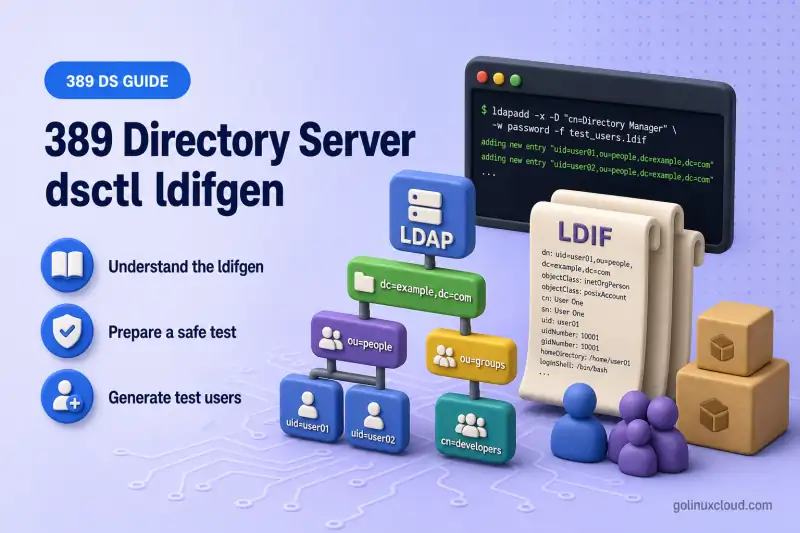
dsctl ldifgen creates synthetic LDIF files for 389 Directory Server testing. It does not change the directory until you import the file with ldapadd, ldapmodify, or offline dsctl ldif2db.
Use generated datasets to populate a lab suffix, build large user or group sets, exercise indexes and search performance, test replication, simulate mixed LDAP changes, or construct deeply nested directory trees.
Before you start:
- Install 389 Directory Server — running instance (lab:
ldap1) - dsctl command cheat sheet — instance and offline operations
- Suffixes and backends — create a dedicated test suffix before large imports
dc=loadtest,dc=example, not under a production suffix.
Tested on: Rocky Linux 10.2; 389 Directory Server 3.2.0.
Understand the ldifgen generators
ldifgen is a subcommand family under dsctl. Each generator targets a different test scenario:
| Generator | Output |
|---|---|
users |
User entries |
groups |
Groups and optional member entries |
cos-def |
Pointer, indirect, or classic CoS definitions |
cos-template |
CoS template entries |
roles |
Managed, filtered, or nested role entries |
mod-load |
Add, modify, rename, and delete change records |
nested |
Deeply nested directory tree |
Most generators support interactive mode when you omit required options. For predictable, scriptable output, especially with nested, provide explicit flags and confirm local behavior with dsctl INSTANCE ldifgen GENERATOR --help.
Discover the generators installed on your host:
dsctl ldap1 ldifgen --helpSample output:
usage: dsctl [-v] [-j] [instance] ldifgen [-h]
                                {users,groups,cos-def,cos-template,roles,mod-load,nested}
                                ...
    users               Generate a LDIF containing user entries
    groups              Generate a LDIF containing groups and members
    ...
Inspect options for a specific generator before scripting large datasets:
dsctl ldap1 ldifgen users --helpAvailable flags can differ between lib389 versions. Treat --help on your installed package as authoritative.
Prepare a safe test suffix
Generate every example in this guide under one dedicated suffix you can delete after testing. Create the backend and suffix in suffixes and backends first. This guide does not create backends.
Target layout:
dc=loadtest,dc=example
├── ou=People,dc=loadtest,dc=example
├── ou=Groups,dc=loadtest,dc=example
├── ou=CosTemplates,dc=loadtest,dc=example
└── ou=ModLoad,dc=loadtest,dc=example
Before generating thousands of entries, confirm:
- The suffix entry and planned parent organizational units exist or will be created by the generator
- The host has enough disk space for the LDIF file and imported database
- Generated DNs will not collide with production entries
- You have a backup or snapshot before importing into any non-disposable backend
Depending on the generator and selected options, the LDIF can include the suffix entry, standard organizational units, requested parent entries, and generated data. Therefore, --number 50 does not necessarily mean the file contains exactly fifty dn: records.
Generate test users
Start with a modest generic batch before scaling to thousands of entries:
dsctl ldap1 ldifgen users \
  --suffix "dc=loadtest,dc=example" \
  --parent "ou=People,dc=loadtest,dc=example" \
  --number 50 \
  --generic \
  --start-idx 1 \
  --ldif-file /tmp/test-users-generic.ldif
Sample output:
Generating LDIF with the following options:
 - number=50
 - suffix=dc=loadtest,dc=example
 - parent=ou=People,dc=loadtest,dc=example
 - generic=True
 ...
Writing LDIF ...
Successfully created LDIF file: /tmp/test-users-generic.ldif
Scale the same pattern when you need a larger dataset:
dsctl ldap1 ldifgen users \
  --suffix "dc=loadtest,dc=example" \
  --parent "ou=People,dc=loadtest,dc=example" \
  --number 1000 \
  --generic \
  --ldif-file /tmp/test-users.ldif
Useful users options:
| Option | Purpose |
|---|---|
--number |
Count of user entries to generate |
--suffix |
Database suffix for the generated DNs |
--parent |
Fixed parent DN; without it, users land under random organizational units |
--generic |
Predictable names such as uid=user0001 — compatible with ldclt workloads |
--start-idx |
Starting index for generic names (default 0) |
--rdn-cn |
Advertised by --help; inspect generated DNs before relying on it because upstream 3.2.0 does not consistently pass this setting to the generator |
--localize |
Pseudo-localize generated text for localization and display testing |
--ldif-file |
Output path; pass an absolute path for predictable placement |
Review the first generic user record:
grep -m1 -A16 '^dn: uid=' /tmp/test-users-generic.ldifSample output:
dn: uid=user02,ou=People,dc=loadtest,dc=example
objectClass: top
objectClass: person
objectClass: organizationalPerson
objectClass: inetOrgPerson
objectclass: inetUser
objectclass: posixAccount
cn: user02
sn: Brunton
uid: user02
givenName: Melisse
userPassword: user02
...
The sn and givenName values vary between runs because they come from the generator’s sample-name data.
With users --generic, the uid and cn values follow a predictable numbered pattern, while attributes such as givenName and sn are still selected from that sample-name data. The password matches the generated UID and is intended only for testing. A separate write_generic_user() helper used by other generators such as groups and mod-load reverses the UID for sn and combines both values for cn. That behavior does not apply to users --generic.
A 50-user file with --start-idx 1 begins with a name such as user02, while a 1,000-user file with the default starting index begins with user0001.
The predictable uid=user## pattern and plain-text userPassword values are intentional for testing. Change credentials before any shared lab import.
Generate groups and group members
The groups generator takes a base name as a positional argument and appends a numeric suffix for each group.
Generate two groups with five members each, creating member entries under ou=People:
dsctl ldap1 ldifgen groups devteam \
  --number 2 \
  --suffix "dc=loadtest,dc=example" \
  --parent "ou=Groups,dc=loadtest,dc=example" \
  --num-members 5 \
  --create-members \
  --member-parent "ou=People,dc=loadtest,dc=example" \
  --member-attr member \
  --ldif-file /tmp/test-groups.ldif
Sample output:
Generating LDIF with the following options:
 - NAME=devteam
 - number=2
 - num-members=5
 - create-members=True
 - member-attr=member
 ...
Successfully created LDIF file: /tmp/test-groups.ldif
Important groups options:
--number          How many groups to create
--num-members     Members per group (default 10000)
--create-members  Also generate member user entries
--member-parent   Parent DN for generated members
--member-attr     Membership attribute (default uniquemember)
Very large groups can exceed the server's maximum BER message size when you add them online with ldapadd. Offline import with dsctl ldap1 ldif2db may still succeed because the server reads the file locally, but only into a disposable backend. See import and export LDIF for offline import planning.
Generate CoS and role test entries
Use these generators to produce definition entries for functional testing, not as a substitute for the conceptual chapters.
Pointer CoS definition:
dsctl ldap1 ldifgen cos-def pointer-cos \
  --type pointer \
  --parent "ou=People,dc=loadtest,dc=example" \
  --create-parent \
  --cos-template "cn=std-template,ou=CosTemplates,dc=loadtest,dc=example" \
  --cos-attr employeeType \
  --ldif-file /tmp/cos-def.ldif
CoS template entry:
dsctl ldap1 ldifgen cos-template std-template \
  --parent "ou=CosTemplates,dc=loadtest,dc=example" \
  --create-parent \
  --cos-priority 0 \
  --cos-attr-val "employeeType:standard" \
  --ldif-file /tmp/cos-template.ldif
Pass --cos-priority on template generation so the command stays non-interactive on 389 DS 3.2.0. Omitting the space after the colon avoids generating a value with unintended leading whitespace.
Managed role definition:
dsctl ldap1 ldifgen roles app-admins \
  --type managed \
  --parent "ou=People,dc=loadtest,dc=example" \
  --ldif-file /tmp/roles.ldif
Sample output:
Successfully created LDIF file: /tmp/roles.ldifFor a filtered role, provide --filter. For a nested role, provide --role-dn followed by one or more quoted role DNs:
dsctl ldap1 ldifgen roles combined-role \
  --type nested \
  --parent "ou=People,dc=loadtest,dc=example" \
  --role-dn \
    "cn=Role One,ou=People,dc=loadtest,dc=example" \
    "cn=Role Two,ou=People,dc=loadtest,dc=example" \
  --ldif-file /tmp/nested-role.ldif
Inspect definition entries before import:
grep -Ei \
  '^(dn|objectclass|costemplatedn|cosattribute|cospriority|employeetype|nsrolefilter|nsroledn):' \
  /tmp/cos-def.ldif /tmp/cos-template.ldif \
  /tmp/roles.ldif /tmp/nested-role.ldif
These generators create definition entries only. They do not prove that CoS values or role membership behave correctly until the files are imported and matching user entries are queried. See Class of Service and roles vs groups for post-import verification.
Generate LDAP modification workloads
The mod-load generator builds a change LDIF intended for ldapmodify. It can create entries, modify attributes, rename entries, and delete them in one file.
Build a controlled workload that adds ten users, modifies five, then deletes the generated users. Set --add-users 0, --del-users 0, and --modrdn-users 0 explicitly. Without those flags, the generator defaults can add, delete, or rename additional entries beyond your --num-users count.
Ensure ou=ModLoad,dc=loadtest,dc=example already exists. Do not rely on --create-parent inside the generated modification workload. On 389 DS 3.2.0 it can prepend a normal directory entry without changetype: add, which breaks a change LDIF intended for ldapmodify.
Create the parent once with ordinary LDIF:
dn: ou=ModLoad,dc=loadtest,dc=example
objectClass: top
objectClass: organizationalUnit
ou: ModLoad
Add the parent organizational unit before generating the modification workload:
ldapadd -x -H ldap://127.0.0.1:389 -D "cn=Directory Manager" -y /root/dm.pw -f create-modload-ou.ldifGenerate the modification workload:
dsctl ldap1 ldifgen mod-load \
  --create-users \
  --parent "ou=ModLoad,dc=loadtest,dc=example" \
  --num-users 10 \
  --add-users 0 \
  --del-users 0 \
  --mod-users 5 \
  --modrdn-users 0 \
  --delete-users \
  --mod-attrs description title \
  --ldif-file /tmp/mod-load.ldif
Sample output:
Generating LDIF with the following options:
 - create-users=True
 - delete-users=True
 - num-users=10
 - add-users=0
 - del-users=0
 - mod-users=5
 - modrdn-users=0
 ...
Successfully created LDIF file: /tmp/mod-load.ldif
Count the change types before loading:
grep changetype /tmp/mod-load.ldif | sort | uniq -cSample output:
10 changetype: add
     10 changetype: delete
      5 changetype: modify
The counts show ten adds, ten deletes, and five modifies, which matches the controlled workload flags in this lab.
If you set --modrdn-users above zero, inspect the generated rename records before running ldapmodify. On 389 DS 3.2.0, mod-load can emit a full DN in newrdn where LDAP Modify DN expects a relative RDN:
grep -A4 -B1 'changetype: modrdn' /tmp/mod-load.ldifA valid record should resemble:
dn: uid=user01,ou=ModLoad,dc=loadtest,dc=example
changetype: modrdn
newrdn: cn=user01-renamed
deleteoldrdn: 1
It should not contain:
newrdn: cn=user01-renamed,ou=ModLoad,dc=loadtest,dc=exampleCorrect invalid newrdn values before import, or keep --modrdn-users 0 in reproducible examples until you verify the packaged generator on your host.
Use --randomize separately when you want operations interleaved unpredictably. Randomized workloads can produce expected failures. For example, a modify targeting an entry that was already deleted. Pass -c to ldapmodify so processing continues after non-fatal errors.
Generate a deeply nested directory tree
The nested generator builds a cascading, fractal-style tree. For predictable output, supply every required flag explicitly:
dsctl ldap1 ldifgen nested \
  --suffix "dc=loadtest,dc=example" \
  --num-users 10000 \
  --node-limit 100 \
  --ldif-file /tmp/nested.ldif
Sample output:
Generating LDIF with the following options:
 - num-users=10000
 - node-limit=100
 - suffix=dc=loadtest,dc=example
 ...
Successfully created nested LDIF file (/tmp/nested.ldif) containing 126 nodes/subtrees
Node counts depend on the generator algorithm and package version. Confirm the summary line on your host rather than assuming a fixed subtree count.
Use nested datasets to exercise:
- Subtree searches and LDAP scope handling
- Subtree rename behaviour
- Deep-tree traversal cost
- ACI inheritance down many levels
Review generated LDIF before loading it
Inspect file size, entry count, and the first records before you import anything:
head -n 40 /tmp/test-users-generic.ldifThe header shows the suffix entry and standard organizational units in addition to the user records you requested.
Count total dn: lines and compare against --number:
grep -c '^dn:' /tmp/test-users-generic.ldifSample output:
58Count only user entries when you need to match --number exactly:
grep -c '^dn: uid=' /tmp/test-users-generic.ldifSample output:
50Check file size on disk before you copy a large LDIF to a remote import host with the scp command or rsync command:
du -h /tmp/test-users-generic.ldifSample output:
76K /tmp/test-users-generic.ldifValidate before import:
- Base DN and parent entries match your suffix plan
- Object classes are permitted on the target entries
- User DN count matches
--numberwhen you countdn: uid=lines separately from container records - Plain-text
userPasswordvalues are acceptable only in a lab - No duplicate DNs for entries that already exist in the live directory
mod-loadfiles list the expectedchangetypemix
When you import into an existing suffix, either target an empty dedicated backend or extract only the new entry records before ldapadd.
Load generated data into Directory Server
ldifgen creates files. Loading and verification are separate steps.
Add entries online
Import add-only LDIF while the server is running with ldapadd:
ldapadd -x -H ldap://127.0.0.1:389 -D "cn=Directory Manager" -y /root/dm.pw -f /tmp/test-users-generic.ldifIf the file begins with entries that already exist, ldapadd stops at the first conflict:
ldap_add: Already exists (68)
adding new entry "dc=loadtest,dc=example"
Extract only generic user records when the suffix and containers are already present. This example works because the generic file uses uid RDNs. It is not a universal LDIF filter:
awk 'BEGIN { RS=""; ORS="\n\n" } /^dn: uid=/ { print }' \
  /tmp/test-users-generic.ldif \
  > /tmp/test-users-only.ldif
Verify the extraction:
grep -c '^dn:' /tmp/test-users-only.ldifSample output:
50Preview the first extracted records before you import them:
head -n 15 /tmp/test-users-only.ldifImport only the extracted user records when the suffix and containers already exist:
ldapadd -x -H ldap://127.0.0.1:389 -D "cn=Directory Manager" -y /root/dm.pw -f /tmp/test-users-only.ldifThe import completes without error when every DN in the trimmed file is new.
Load the group file when you plan to verify membership later. The groups generator can include the suffix, group parent, member parent, generated users, and group entries. pass -c so ldapadd reports conflicts on existing containers and continues with new member and group records:
ldapadd -x -H ldap://127.0.0.1:389 -D "cn=Directory Manager" -y /root/dm.pw -c -f /tmp/test-groups.ldifApply modification workloads
Apply change records with ldapmodify. Use -c when the workload may include expected non-fatal errors:
ldapmodify -x -H ldap://127.0.0.1:389 -D "cn=Directory Manager" -y /root/dm.pw -c -f /tmp/mod-load.ldifSample output:
modifying entry "uid=user05,ou=ModLoad,dc=loadtest,dc=example"
modifying entry "uid=user04,ou=ModLoad,dc=loadtest,dc=example"
...
deleting entry "uid=user01,ou=ModLoad,dc=loadtest,dc=example"
Import a large dataset offline
For very large add-only files, stop the instance and import with dsctl ldap1 ldif2db into a disposable test backend.
dsctl ldif2db does not merge entries into an existing backend. It replaces the backend contents with the data from the LDIF file. Use it only with a disposable test backend or after taking a verified backup.
Copy the LDIF into the instance LDIF directory with ownership, file mode, and SELinux labels the server can read. RHDS requires the dirsrv account to read the import file, an appropriate SELinux context, and a suffix entry in the LDIF before offline ldif2db can initialize the backend:
install -o dirsrv -g dirsrv -m 0640 /tmp/test-users.ldif /var/lib/dirsrv/slapd-ldap1/ldif/test-users.ldifI'll restore the SELinux file context on the copied LDIF with restorecon; see Ansible SELinux file contexts for how path labels are applied after copies:
restorecon -v /var/lib/dirsrv/slapd-ldap1/ldif/test-users.ldifStop the instance before ldif2db replaces the backend contents:
dsctl ldap1 stopRun the offline import against the disposable backend name:
dsctl ldap1 ldif2db userroot /var/lib/dirsrv/slapd-ldap1/ldif/test-users.ldifStart the instance again when the import finishes:
dsctl ldap1 startReplace userroot with your backend name from dsconf ldap1 backend suffix list. The LDIF must include the required suffix entry. Use ldapadd when the intention is to append new entries to a live backend. See import and export LDIF for the full online and offline import workflow.
ldifgen success only proves the file was written. Confirm entry counts in the directory after every import method.
Verify the generated dataset
Count imported users under the test parent:
ldapsearch -x -H ldap://127.0.0.1:389 -D "cn=Directory Manager" -y /root/dm.pw \
  -b "ou=People,dc=loadtest,dc=example" -s sub "(uid=user*)" dn
Pipe through grep -c '^dn: uid=' to compare the result against --number.
Read one sample group with membership attributes. The groups generator can set cn to a DN-like value such as cn=devteam-1,ou=Groups,dc=loadtest,dc=example, so a subtree filter on (cn=devteam-1) may not match. A base-scope search avoids depending on the generated cn format and reads the group directly through its DN:
ldapsearch -x -H ldap://127.0.0.1:389 -D "cn=Directory Manager" -y /root/dm.pw \
  -b "cn=devteam-1,ou=Groups,dc=loadtest,dc=example" \
  -s base "(objectClass=*)" member
Because the generation command uses --member-attr member, requesting member is correct.
After a mod-load run, confirm renamed or deleted entries no longer appear under ou=ModLoad,dc=loadtest,dc=example. Use ldapsearch command options for filters, scopes, and result size limits on larger datasets.
Clean up generated test data
Prefer cleanup strategies that match how you generated data:
- Remove an entire dedicated
dc=loadtest,dc=examplebackend when it exists only for load testing - Restore from a VM snapshot or backup taken before the import
- List and delete tracked LDIF files under the instance LDIF directory
List LDIF files the instance tracks:
dsctl ldap1 ldifsDelete the tracked import file when it is no longer needed:
dsctl ldap1 ldifs --delete test-users.ldifI'll remove the article-generated copies from /tmp separately because dsctl ldifs only tracks files under the instance LDIF directory:
rm -f /tmp/test-users.ldif /tmp/test-users-generic.ldif \
  /tmp/test-users-only.ldif /tmp/test-groups.ldif \
  /tmp/mod-load.ldif /tmp/nested.ldif \
  /tmp/cos-def.ldif /tmp/cos-template.ldif \
  /tmp/roles.ldif /tmp/nested-role.ldif
Do not leave plain-text password LDIF on shared systems.
Troubleshoot ldifgen problems
| Symptom | Likely cause | Fix |
|---|---|---|
ldap_add: Already exists (68) on first line |
Generated file includes suffix or OU entries that already exist | Target an empty suffix, or import only the new entry section |
ldap_add: No such object (32) |
--parent or --suffix DN does not exist |
Create the parent entry or enable --create-parent where supported |
Permission denied writing --ldif-file |
Output path not writable by the invoking user | Write to /tmp or the instance LDIF directory with correct ownership |
| Group add fails online with size errors | Group exceeds maximum BER message size | Reduce --num-members, split groups, or use offline ldif2db into a disposable backend |
| Schema violation on import | Generated object classes or attributes not allowed on the entry | Inspect the rejected entry and target schema. Generate compatible object classes, or install the intentionally required test schema before import. Do not modify production schema merely to accept disposable generated data |
mod-load stops mid-file |
A change targets a missing entry, or newrdn is malformed |
Use ldapmodify -c, validate modrdn records, or fix operation order; expect some failures with --randomize |
| Output appears under the instance LDIF directory unexpectedly | --ldif-file was omitted |
Pass an explicit absolute path or list files with dsctl INSTANCE ldifs |
--help options differ from documentation |
lib389 version drift | Compare dsctl INSTANCE ldifgen GENERATOR --help on the installed host |
Summary
- Choose the generator that matches your test scenario. users, groups, CoS, roles,
mod-load, ornested. - Generate data under a dedicated suffix such as
dc=loadtest,dc=example. - Inspect DN counts, change types, plain-text passwords, and modrdn records before import.
- Load with
ldapadd,ldapmodify -c, or offlineldif2dbinto a disposable backend when appropriate. - Verify entry counts with
ldapsearch, then remove the test suffix and LDIF files.
Use generated datasets to prepare index tuning and replication exercises. This guide prepares the data; it is not a performance benchmark guide.
What's Next
- Manage users and groups — hand-crafted users and groups for smaller labs
- Custom schema — attributes for generated entries
- Class of Service — virtual attributes on bulk-loaded subtrees
References
- Red Hat Directory Server 13 — Creating test entries —
users,groups, CoS, roles,mod-load, andnestedgenerators - Red Hat Directory Server 13 — Exporting and importing data — online import, offline
ldif2db, and destructive backend replacement semantics - 389 Directory Server — ldifgen design — generator behavior, defaults, and large-group BER limits
- dsctl(8) on Arch Linux — web-accessible copy; use
man dsctlon the host as the primary reference - 389 Directory Server 3.2.0 release — tested release
