
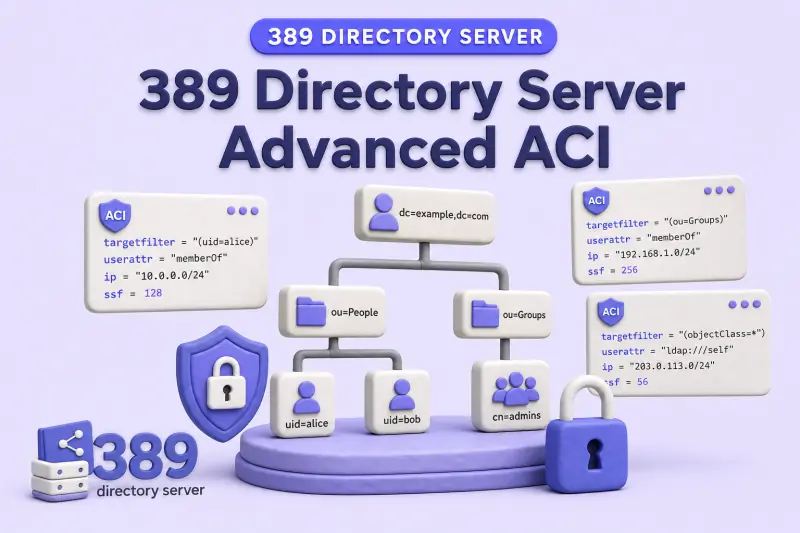
Advanced Access Control Instructions (ACIs) limit which entries, attributes, and values a bind identity may touch, and under which network, security, authentication, and time conditions. This guide builds on 389 Directory Server ACI examples. Read that article first for syntax, placement, rights, and basic userdn / groupdn rules.
Every ACI in this guide uses the same reference format:
(target rules)
(version 3.0;
 acl "Rule name";
 allow or deny (rights)
 bind rules;
)
Before you start:
- ACI examples — baseline syntax, rights, and
ldapmodifyworkflow - Manage users and groups — lab identities on
ldap1, suffixdc=example,dc=com - Rename and move entries — Modify DN commands paired with
target_from/target_to - TLS, StartTLS, and LDAPS — SSF and certificate authentication
- Roles vs groups —
rolednand role-aware filters
This guide covers advanced target selection and conditional bind rules. It does not replace:
- The basic ACI tutorial
- Delegated administration, self-service ACI, or macro ACIs
- Anonymous access or detailed Get Effective Rights analysis
See the dedicated chapters linked from the body when you need those topics.
Tested on: Rocky Linux 10.2; 389 Directory Server 3.2.0.
Store lab bind passwords in a root-owned file instead of passing them on the command line, then set mode 600 with the chmod command:
printf '%s\n' 'LabInfPassword123!' > /root/aci-lab-user.pw
chmod 600 /root/aci-lab-user.pw
Use -y /root/aci-lab-user.pw in the examples below. For uid=user2, use the password file from ACI examples (/root/user2.pw) when you already created it there.
Advanced ACI targets at a glance
| Keyword | Purpose |
|---|---|
target |
Select entries or subtrees by DN |
targetattr |
Select attributes affected by the rule |
targetfilter |
Select entries matching an LDAP filter |
targetattrfilters / targattrfilters |
Restrict attribute values during entry add, modify, replace, and delete operations |
target_from |
Permitted source DN of a Modify DN operation |
target_to |
Permitted destination DN of a Modify DN operation |
Each target keyword may appear only once in a single ACI, but you can combine several different target keywords in one rule. Red Hat Directory Server documentation lists the keyword as targetattrfilters; the ACI string on the server uses targattrfilters in tested 389 DS 3.2 builds.
Do not use virtual attributes such as Class of Service values inside targetfilter, targattrfilters, or userattr rules. The server cannot evaluate them reliably for access control.
Target entries with DNs and wildcards
The target keyword selects entries by distinguished name. Place the ACI on the target entry or on an ancestor that contains it.
Exact entry:
(target="ldap:///uid=enguser1,ou=Engineering,ou=People,dc=example,dc=com")Subtree under an organizational unit:
(target="ldap:///ou=Engineering,ou=People,dc=example,dc=com")Wildcard in an RDN component:
(target="ldap:///uid=*,ou=Engineering,ou=People,dc=example,dc=com")Target exclusion with !=:
(target!="ldap:///ou=Contractors,ou=People,dc=example,dc=com")An exclusion matches every entry outside the named DN. That pattern grants access broadly and is difficult to audit. Red Hat recommends narrow allow rules instead of broad != targets. Wildcards are not supported inside the suffix portion of a target DN; (target="ldap:///dc=*.com") is invalid when your suffix is dc=example,dc=com.
Combine targetfilter and targetattr
Scenario: allow Engineering administrators to modify manager and jpegPhoto only on entries where departmentNumber=Engineering.
targetfilterselects entries.targetattrlimits affected attributes.- Both conditions must match.
I'll test the filter with ldapsearch before embedding it in an ACI. If directory data or structure changes, the filter may match a different entry set than you expect.
ldapsearch -LLL -x -H ldap://localhost:389 -D "cn=Directory Manager" -y /root/dm.pw -b "ou=people,dc=example,dc=com" "(departmentNumber=Engineering)" uid departmentNumberSample output:
dn: uid=enguser1,ou=Engineering,ou=People,dc=example,dc=com
uid: enguser1
departmentNumber: Engineering
The filter returns only Engineering entries. Use the same filter string in the ACI.
Add the rule on the People container:
dn: ou=People,dc=example,dc=com
changetype: modify
add: aci
aci: (targetfilter="(departmentNumber=Engineering)")(targetattr="manager || jpegPhoto")(version 3.0; acl "Engineering admins modify manager and jpegPhoto"; allow (read,search,compare,write) groupdn="ldap:///cn=engineering-admins,ou=Groups,dc=example,dc=com";)
Apply the LDIF as Directory Manager with ldapmodify:
ldapmodify -x -H ldap://localhost:389 -D "cn=Directory Manager" -y /root/dm.pw -f /tmp/aci-targetfilter.ldifSample output:
modifying entry "ou=People,dc=example,dc=com"Verify the grant as a member of cn=engineering-admins. The modify LDIF updates manager on the Engineering user:
dn: uid=enguser1,ou=Engineering,ou=People,dc=example,dc=com
changetype: modify
replace: manager
manager: uid=engadmin,ou=people,dc=example,dc=com
Apply the modify as engadmin to confirm the scoped write ACI works:
ldapmodify -x -H ldap://localhost:389 -D "uid=engadmin,ou=people,dc=example,dc=com" -y /root/aci-lab-user.pw -f /tmp/engadmin-write-manager.ldifSample output:
modifying entry "uid=enguser1,ou=Engineering,ou=People,dc=example,dc=com"engadmin can update manager on an Engineering entry. A write to an attribute outside targetattr is denied:
ldapmodify -x -H ldap://localhost:389 -D "uid=engadmin,ou=people,dc=example,dc=com" -y /root/aci-lab-user.pw -f /tmp/engadmin-write-mail.ldifSample output:
ldap_modify: Insufficient access (50)
	additional info: Insufficient 'write' privilege to the 'mail' attribute of entry 'uid=enguser1,ou=engineering,ou=people,dc=example,dc=com'.
The same identity cannot change manager on a non-Engineering entry because the filter does not match:
ldapmodify -x -H ldap://localhost:389 -D "uid=engadmin,ou=people,dc=example,dc=com" -y /root/aci-lab-user.pw -f /tmp/engadmin-write-user2.ldifSample output:
ldap_modify: Insufficient access (50)
	additional info: Insufficient 'write' privilege to the 'manager' attribute of entry 'uid=user2,ou=people,dc=example,dc=com'.
Restrict attribute values with targattrfilters
Value-based ACIs validate attribute values during entry add, modify, replace, and delete operations. They do not filter search results. Clients with read access still see stored values.
The example below uses userdn="ldap:///self" so each authenticated user may modify only their own entry. An ACI stored on ou=People,dc=example,dc=com with no target rule applies to that entry and all descendants; an explicit userdn identifies the caller but does not limit which entries under the subtree are affected.
dn: ou=People,dc=example,dc=com
changetype: modify
add: aci
aci: (targetattr="telephoneNumber")(targattrfilters="add=telephoneNumber:(telephoneNumber=+1-555*)")(version 3.0; acl "Allow approved phone prefix only"; allow (write) userdn="ldap:///self";)
During entry creation, every applicable value must match the add= filter. During entry deletion, applicable values must match the del= filter. A replace operation must satisfy both filters because it deletes the old value and adds the new value.
Example: permit telephoneNumber values only when the number begins with +1-555.
dn: uid=user1,ou=people,dc=example,dc=com
changetype: modify
add: telephoneNumber
telephoneNumber: +1-555-0199
An approved value succeeds:
ldapmodify -x -H ldap://localhost:389 -D "uid=user1,ou=people,dc=example,dc=com" -y /root/aci-lab-user.pw -f /tmp/user1-phone-good.ldifSample output:
modifying entry "uid=user1,ou=people,dc=example,dc=com"A value outside the filter is rejected:
ldapmodify -x -H ldap://localhost:389 -D "uid=user1,ou=people,dc=example,dc=com" -y /root/aci-lab-user.pw -f /tmp/user1-phone-bad.ldifSample output:
ldap_modify: Insufficient access (50)
	additional info: Insufficient 'write' privilege to the 'telephoneNumber' attribute of entry 'uid=user1,ou=people,dc=example,dc=com'.
Combine multiple attribute filters with && inside the add= or del= clause. For example, you can block a privileged role DN while allowing an approved phone prefix:
(targattrfilters="add=nsRoleDN:(!(nsRoleDN=cn=SuperAdmin,ou=People,dc=example,dc=com)) && telephoneNumber:(telephoneNumber=+1-555*)")Use del= filters when you must control which values may be removed from multi-valued attributes. To restrict the rule to one entry instead of self-service across the subtree, add (target="ldap:///uid=user1,ou=people,dc=example,dc=com") and keep the explicit userdn for that account.
Control entry rename and move operations
Directory Server provides target_from and target_to to constrain Modify DN source and destination DNs. The actual changetype: modrdn LDIF records live in rename and move entries. This section focuses on the ACI shape.
Example intent: move accounts from ou=Contractors,ou=People,dc=example,dc=com into ou=People,dc=example,dc=com:
(target_from="ldap:///uid=*,ou=Contractors,ou=People,dc=example,dc=com")
(target_to="ldap:///ou=People,dc=example,dc=com")
(version 3.0; acl "Contractor move to People"; allow (moddn) userdn="ldap:///uid=contractor1,ou=Contractors,ou=People,dc=example,dc=com";)
target_from and target_to restrict the source and destination DNs of the Modify DN operation. The moddn right permits the rename or move within that scope, but it does not grant separate permission to add unrelated destination entries or delete unrelated source entries.
If target_from or target_to is omitted, the ACI matches any source or destination for that keyword. Narrow both sides when you delegate moves between specific organizational units.
Advanced user and group bind rules
Match one or more user DNs with userdn
List explicit DNs or use * wildcards in the RDN:
userdn="ldap:///uid=engadmin,ou=people,dc=example,dc=com"
userdn="ldap:///uid=*,ou=Engineering,ou=People,dc=example,dc=com"
Use userdn="ldap:///self" when the bind DN must equal the target entry. Use userdn="ldap:///all" for any authenticated bind (not anonymous).
Select users through an LDAP URL filter
Grant access when the bind user matches an LDAP URL filter. For example, you can target Human Resources staff identified by departmentNumber:
userdn="ldap:///ou=People,dc=example,dc=com??sub?(departmentNumber=HR)"Test the filter with ldapsearch using the same base, scope, and filter before you deploy the ACI.
Match static or dynamic groups with groupdn
Match membership in a group entry:
groupdn="ldap:///cn=engineering-admins,ou=Groups,dc=example,dc=com"Directory Server evaluates group membership using member, uniqueMember, memberUrl, and supported certificate attributes on the group entry. ACIs that reference groupdn must live on the same server instance as the group entry.
Filter form: the bind user must belong to at least one group the search returns.
groupdn="ldap:///ou=Groups,dc=example,dc=com??sub?(cn=*-admins)"Configure relationship-based access with userattr
The userattr bind rule compares an attribute on the target entry with the bind identity.
| Bind type | Typical use |
|---|---|
USERDN |
Attribute contains the permitted user's DN |
GROUPDN |
Attribute names a group the bind user must belong to |
ROLEDN |
Attribute or relationship identifies an authorized role |
SELFDN |
User may manage a value containing their own DN |
LDAPURL |
Attribute stores a filter that determines authorization |
Manager-to-subordinate example: managers may update contact fields on entries whose manager attribute points to them.
dn: ou=Engineering,ou=People,dc=example,dc=com
changetype: modify
add: aci
aci: (targetattr="description || mail || title")(version 3.0; acl "Managers update subordinate contact fields"; allow (read,search,compare,write) userattr="manager#USERDN";)
The manager bind succeeds on a subordinate entry:
ldapmodify -x -H ldap://localhost:389 -D "uid=engadmin,ou=people,dc=example,dc=com" -y /root/aci-lab-user.pw -f /tmp/engadmin-title.ldifSample output:
modifying entry "uid=enguser1,ou=Engineering,ou=People,dc=example,dc=com"A user who is not listed as manager on the target entry is denied for attributes outside their other ACIs:
ldapmodify -x -H ldap://localhost:389 -D "uid=user2,ou=people,dc=example,dc=com" -y /root/user2.pw -f /tmp/user2-title.ldifSample output:
ldap_modify: Insufficient access (50)
	additional info: Insufficient 'write' privilege to the 'title' attribute of entry 'uid=enguser1,ou=engineering,ou=people,dc=example,dc=com'.
Inherited relationships use the parent keyword. For example, userattr="parent[0,1].manager#USERDN" applies the relationship rule to the targeted entry and its immediate children. Use parent[0,1,2] when the rule must also reach the second child level. Red Hat Directory Server supports levels 0 through 4; the listed numbers select exact inheritance levels, not a range. Keep inheritance levels minimal; deep inheritance is harder to audit than a dedicated group or role rule. Full self-service patterns belong in the self-service chapter, not here.
Restrict access by network location
IP address and range with ip
Grant or deny access based on the client IP address Directory Server observes. Red Hat documentation describes networks in CIDR notation, but the ACI expression uses an address prefix:
ip="127.0.0.1"
ip="192.0.2."
ip="2001:db8::"
The prefix 192.0.2. matches the 192.0.2.0/24 network; 2001:db8:: matches the 2001:db8::/64 network. Do not paste CIDR strings such as 192.0.2.0/24 into the ACI unless you have verified that form on your server version.
Combine ip with identity rules:
groupdn="ldap:///cn=ldap-readers,ou=Groups,dc=example,dc=com" and ip="127.0.0.1"Load balancers, reverse proxies, NAT, and changing client addresses can alter the source IP the directory sees. Red Hat explicitly notes that load balancers can affect location-specific rules. Design ACIs using the address the server logs, not the address the client believes it uses.
Host or domain with dns
Match the client FQDN:
dns="admin1.example.com"
dns="*.example.com"
If reverse DNS fails, Directory Server skips dns ACIs for that client. Prefer ip when client addresses are not reliably resolvable.
Require secure connections and authentication methods
Security Strength Factor with ssf
Require a minimum key strength before an operation is allowed:
ssf>="128"Example: an ACI that grants self-service userPassword changes only when the connection SSF is at least 128 (typically StartTLS or LDAPS):
dn: ou=People,dc=example,dc=com
changetype: modify
add: aci
aci: (targetattr="userPassword")(version 3.0; acl "Self password change requires TLS"; allow (write) userdn="ldap:///self" and ssf>="128";)
This rule grants password-write access only when SSF is at least 128. Review inherited ACIs to ensure another rule does not independently grant the same write access over cleartext LDAP. Matching deny rules override allows, while permissions from multiple allow rules can combine.
In the lab, with no overlapping userPassword allow rule on cleartext LDAP, a plain bind fails:
ldapmodify -x -H ldap://localhost:389 -D "uid=user1,ou=people,dc=example,dc=com" -y /root/aci-lab-user.pw -f /tmp/user1-pw-plain.ldifSample output:
ldap_modify: Insufficient access (50)
	additional info: Insufficient 'write' privilege to the 'userPassword' attribute of entry 'uid=user1,ou=people,dc=example,dc=com'.
StartTLS on port 389 succeeds when SSF meets the threshold. Use -ZZ so the command fails if StartTLS cannot be established. The lab uses a self-signed certificate, so use LDAPTLS_REQCERT=never only for local testing:
LDAPTLS_REQCERT=never ldapmodify -ZZ -x -H ldap://localhost:389 -D "uid=user1,ou=people,dc=example,dc=com" -y /root/aci-lab-user.pw -f /tmp/user1-pw-plain.ldifSample output:
modifying entry "uid=user1,ou=people,dc=example,dc=com"Authentication method with authmethod
Supported conditions include anonymous (none), password (simple), TLS client certificate (SSL), and SASL (SASL with mechanism such as EXTERNAL):
authmethod="simple"
authmethod="SSL"
authmethod="SASL EXTERNAL"
Use authmethod when an operation must run only over certificate or SASL binds. For example, you can deny simple binds for privileged subtrees while allowing certificate authentication from a known service account.
Restrict access by day and time
Day of week with dayofweek
dayofweek="Mon,Tue,Wed,Thu,Fri"
dayofweek="Sat,Sun"
Time of day with timeofday
Use 24-hour HHMM values on the server clock:
timeofday>="0900" and timeofday<="1700"Business-hours example: grant Helpdesk read access only during weekday office hours.
(version 3.0; acl "Helpdesk business hours only"; allow (read,search,compare)
 groupdn="ldap:///cn=helpdesk,ou=Groups,dc=example,dc=com"
 and dayofweek="Mon,Tue,Wed,Thu,Fri"
 and timeofday>="0900" and timeofday<="1700";)
This ACI grants the rights during business hours. It does not deny access outside the window if another applicable ACI already grants the same rights. To make the schedule a strict requirement, ensure no broader ACI grants the same rights outside the window, or design a carefully scoped deny rule.
Directory Server evaluates dayofweek and timeofday using the server timezone and clock, not the client workstation. Keep time synchronized with NTP on every supplier and consumer.
Combine bind rules with Boolean operators
Use and, or, and not to group bind conditions:
groupdn="ldap:///cn=helpdesk,ou=Groups,dc=example,dc=com" and ssf>="128"groupdn="ldap:///cn=Administrators,ou=Groups,dc=example,dc=com" or groupdn="ldap:///cn=Security Admins,ou=Groups,dc=example,dc=com"userdn="ldap:///all" and not (ip="203.0.113.")Parentheses control grouping when expressions mix and and or. Red Hat notes that one unreadable compound rule is harder to maintain than several small ACIs, but too many overlapping ACIs also increase evaluation cost. Split complex policies into named rules when operators struggle to predict the outcome.
Understand ACI inheritance and conflict resolution
Directory Server evaluates ACIs on the target entry and on every ancestor up to the top of the backend. Evaluation order among applicable rules is not "closest entry wins." Semantics of allow, deny, and bind match decide the result.
| Behavior | Effect |
|---|---|
| ACIs inherited from parent entries | Rules on ou=People apply to users beneath it unless a narrower target excludes them |
| Entry-level versus subtree scope | Default scope includes the entry storing the aci and its descendants |
| Multiple allow rules | Permissions combine when no deny blocks them |
| Deny overrides allow | A matching deny on an ancestor can void a child allow |
| Single instance only | ACIs are not evaluated across chained remote backends |
When an allow rule looks correct but access still fails, search aci on the target entry and every parent for a deny rule or a bind condition you forgot (IP, SSF, time, or filter mismatch).
Test advanced ACI scenarios
For each major rule, exercise:
| Check | Purpose |
|---|---|
| Matching identity | Confirms the grant |
| Non-matching identity | Confirms default deny still applies |
| Allowed attribute or value | Confirms targetattr / targattrfilters scope |
| Excluded attribute or value | Confirms narrowing works |
| Secure versus cleartext connection | Confirms ssf and authmethod |
| Valid versus invalid network or time | Confirms ip, dns, dayofweek, timeofday |
Use real LDAP tools (ldapwhoami, ldapsearch, ldapmodify, and Modify DN from the rename chapter) rather than reviewing ACI text alone. For entry- and attribute-level permission matrices, use Get Effective Rights in the dedicated effective rights chapter instead of guessing from syntax.
Troubleshoot advanced ACIs
| Symptom | Likely cause | Fix |
|---|---|---|
| Filter-based rule hits unexpected entries | Stale or untested targetfilter |
Run the same filter with ldapsearch; tighten the filter or move the ACI |
| Valid modify rejected on one attribute value | targattrfilters add/del mismatch |
Adjust the filter or use separate rules per value policy |
userattr never matches |
Missing or malformed DN in the target attribute | Confirm full DNs in manager, owner, or role attributes |
groupdn filter misses the bind user |
User not in evaluated group attribute | Verify member / uniqueMember values; place the ACI on the same instance as the group |
| IP rule works locally but fails remotely | Proxy, NAT, or load balancer changes source IP | Use the address Directory Server logs; prefer ip over dns when DNS is unreliable |
| Simple bind works but TLS rule fails | SSF below threshold on cleartext LDAP | Use StartTLS or LDAPS; retest with LDAPTLS_REQCERT only in lab |
| Time rule fails unexpectedly | Server clock or timezone drift | Sync with NTP; remember 24-hour timeofday format |
| Boolean expression behaves unexpectedly | Incorrect and / or grouping |
Add parentheses; split into simpler ACIs |
| Allow on child, deny on parent | Deny precedence | Remove or narrow the ancestor deny; add a specific exception |
| Modify DN allowed from Contractors but not to Employees | target_to mismatch or missing moddn right |
Align target_to with newSuperior; confirm target_from matches the source DN pattern |
When result code 50 persists, see fix LDAP error 50.
What's Next
- Self-service ACI —
selfwriteand password self-service patterns - Macro ACIs —
($dn)and[$dn]for subtree-wide rules - Get effective rights — verify ACIs with GER searches
References
- Red Hat Directory Server 13 — Managing access control
- Red Hat Directory Server 13 — Defining ACI targets
- Red Hat Directory Server 13 — Defining bind rules
- 389 Directory Server — Access Control Design
Summary
- Use targets to limit entries, attributes, values, and Modify DN source or destination.
- Use bind rules to limit identities, relationships, locations, security level, authentication method, and time.
- Prefer narrow, readable allow rules over broad
!=exclusions or catch-all deny rules. - Test matching and non-matching identities, attributes, connections, and network conditions.
- When an allow rule appears ineffective, inspect inherited deny rules and bind clauses on ancestor entries.
