Free Online Course · Self-paced

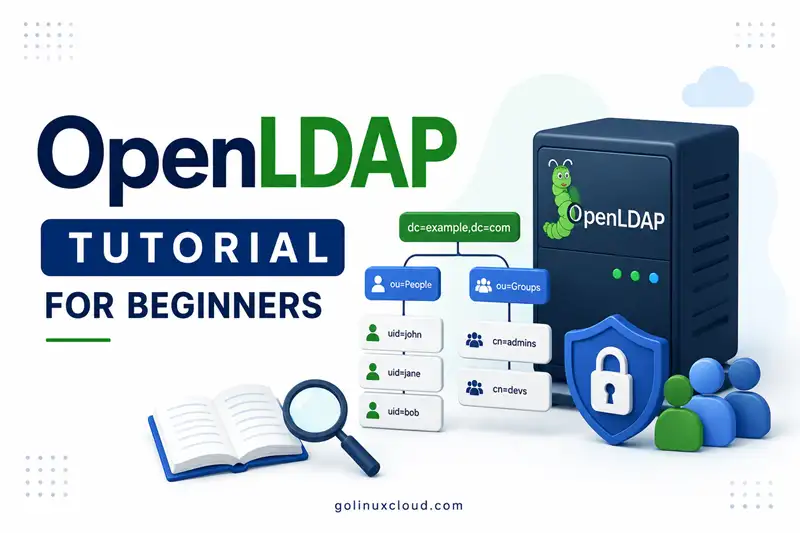
OpenLDAP Tutorial for Beginners - Install, Configure, Replicate

Free, hands-on OpenLDAP tutorial for the RHEL family — install on Rocky, AlmaLinux, and RHEL, operate cn=config and MDB, index searches, manage POSIX users and groups, configure TLS and ACLs, integrate SSSD clients with NFS homes and sudo rules, replicate, back up, and migrate users.

  • 21 parts
  • ~407 min total
  • Beginner to Advanced
  • Updated Jul 2026
Reviewed Deepak Prasad
OpenLDAP Tutorial for Beginners - Install, Configure, Replicate
By Last updated

OpenLDAP remains the most widely deployed open-source directory server, and almost every centralized-authentication question in Linux eventually leads back to it. This tutorial takes you from a clean RHEL-family VM all the way to a TLS-secured, replicated, production-ready OpenLDAP deployment — using the same playbook real sysadmins follow.

We start with the absolute fundamentals in LDAP and OpenLDAP basics (what LDAP actually is, why DNs and schemas matter), then install OpenLDAP on Rocky Linux or AlmaLinux, lock it down with TLS, configure replication for high availability, and integrate Linux clients through SSSD so users can log in with LDAP credentials, NFS home directories, and centralized sudo rules. Every chapter is short and idempotent, and every command is tested on a fresh lab VM.

Evaluating 389 Directory Server or Red Hat Directory Server instead? Read OpenLDAP vs 389 Directory Server for an operational comparison, then follow the 389 Directory Server tutorial if that product fits your platform.

If you are new to LDAP, click Start the course and read the LDAP Concepts chapter first — it will save you hours of confusion later. If you already understand the protocol, jump straight to the RHEL-family install chapter.

What you'll learn

  • Install and configure OpenLDAP on RHEL-family Linux from scratch
  • Secure the directory with TLS certificates and configure clients to use StartTLS
  • Configure provider-consumer and multi-provider replication topologies
  • Integrate Linux clients with SSSD for centralized authentication, NFS homes, and sudo rules
  • Protect web applications with Apache LDAP authentication against OpenLDAP
  • Migrate existing user data into OpenLDAP and operate the server day-2

Prerequisites

  • Two Linux VMs on the RHEL family (RHEL 9+, Rocky Linux, AlmaLinux, or Oracle Linux) for replication chapters
  • Root or sudo access
  • Basic Linux command-line knowledge (systemctl, firewall-cmd, vim)
  • A solid grasp of LDAP concepts — if not, start with the LDAP basics chapter

Syllabus

8 chapters · 21 lessons · ~407 min of reading

  1. 1 LDAP Concepts (start here if new to LDAP) 2 lessons
    1. Part 1 LDAP basics — DN, RDN, schema 17 min read
    2. Part 2 OpenLDAP vs Active Directory 12 min read
  2. 2 Fundamentals and Installation 3 lessons
    1. Part 3 Install and configure OpenLDAP server 17 min read
    2. Part 4 cn=config and MDB 24 min read
    3. Part 5 Speed up LDAP searches 17 min read
  3. 3 Secure with TLS 1 lesson
    1. Part 6 TLS, StartTLS, and LDAPS 21 min read
  4. 4 Directory Users and Groups 4 lessons
    1. Part 7 Users and groups (LDIF) 21 min read
    2. Part 8 memberOf and refint overlays 14 min read
    3. Part 9 Migrate OpenLDAP to a new server 19 min read
    4. Part 10 Migrate Linux users to LDAP 28 min read
  5. 5 Access Control and Password Policy 4 lessons
    1. Part 11 ACL examples 26 min read
    2. Part 12 Password policy (ppolicy) 23 min read
    3. Part 13 Fix Error 49 invalid credentials 17 min read
    4. Part 14 Fix Error 50 insufficient access 24 min read
  6. 6 Clients and Integration 4 lessons
    1. Part 15 Client with SSSD 15 min read
    2. Part 16 Apache LDAP authentication 14 min read
    3. Part 17 NFS home directories with autofs 14 min read
    4. Part 18 sudo rules with SSSD 17 min read
  7. 7 Replication 2 lessons
    1. Part 19 Provider-consumer replication 16 min read
    2. Part 20 Multi-provider replication 21 min read
  8. 8 Backup and Recovery 1 lesson
    1. Part 21 Backup and restore 30 min read
Deepak Prasad

R&D Engineer

Founder of GoLinuxCloud with more than 15 years of expertise in Linux, Python, Go, Laravel, DevOps, Kubernetes, Git, Shell scripting, OpenShift, AWS, Networking, and Security. With extensive …