
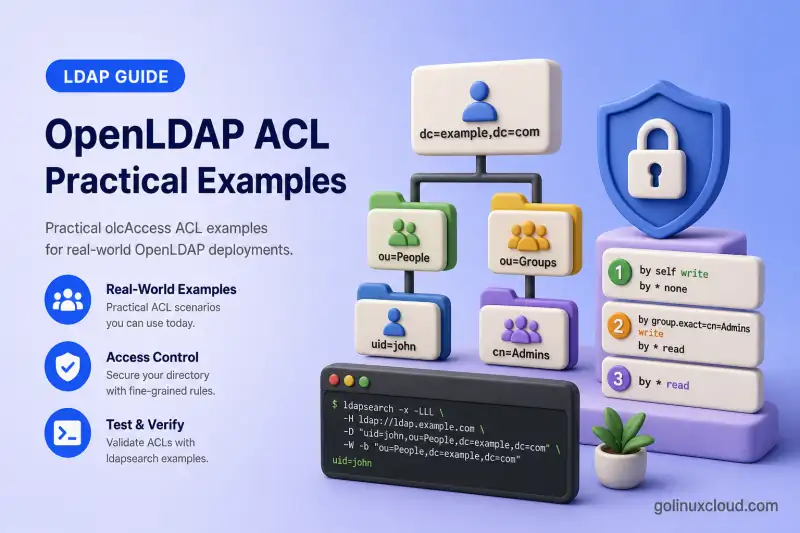
OpenLDAP access control lists (ACLs) decide what an anonymous client, a signed-in user, an SSSD service account, or a directory administrator can see and change. This guide builds an ordered olcAccess policy for a normal RHEL-family directory instead of relying on the permissive defaults that are easy to outgrow.
389 Directory Server uses a different access-control language (ACIs). For a product-level comparison before you invest in either stack, read OpenLDAP vs 389 Directory Server.
You will learn how to:
- Understand
to,by, and access-level clauses - Control ACL evaluation order
- Protect password hashes while allowing authentication
- Allow users to change their own passwords with
=xwwithout reading hashes - Allow users to modify selected profile attributes
- Grant authenticated users read access
- Create a read-only SSSD service account
- Delegate administration through a
groupOfNames - Grant add, delete, rename, and move permissions
- Use the
entryandchildrenpseudo-attributes - Use
stop,continue, andbreak - Test permissions with LDAP commands and
slapacl - Replace, reorder, and roll back ACL rules safely
The commands apply to Red Hat Enterprise Linux, Rocky Linux, AlmaLinux, Oracle Linux, and CentOS Stream. I use a StartTLS lab so passwords and directory attributes are never sent in clear text.
Tested on: Rocky Linux 10.2 with
openldap-servers2.6.10-1.el10_2 from EPEL 10.2.
| Lab setting | Value |
|---|---|
| LDAP server | ldap-server.example.com |
| LDAP client | ldap-client.example.com |
| Base DN | dc=example,dc=com |
| Users container | ou=people,dc=example,dc=com |
| Groups container | ou=groups,dc=example,dc=com |
| Service accounts container | ou=service-accounts,dc=example,dc=com |
| Directory administrator group | cn=directory-admins,ou=groups,dc=example,dc=com |
| Transport | StartTLS on TCP port 389 |
Complete these guides first:
- Install and configure OpenLDAP on the RHEL family
- Configure OpenLDAP TLS with StartTLS
- Understand the cn=config MDB database
- Manage OpenLDAP users and groups with LDIF
ldap-server.example.com while changing ACLs. A badly ordered rule can block ordinary directory access even when the LDIF is syntactically valid.
Understand How OpenLDAP ACLs Work
In dynamic configuration, each olcAccess value is one ordered access directive. It has a target after to, one or more accessor clauses after by, an access level or privilege letters, and an optional flow-control word.
olcAccess: to <target> by <identity> <access> [stop|continue|break]Read this rule as: “for this target, grant this identity this access.” A target can be a whole database, a subtree, an exact DN, a filter-selected entry, or selected attributes.
| Target form | What it selects | Typical use |
|---|---|---|
to * |
Every attribute and entry | Final deny or a narrow global exception |
to attrs=userPassword |
The password attribute anywhere | Bind and password-change policy |
to attrs=shadowLastChange |
Password-aging metadata | Self-service password updates |
to dn.subtree="ou=people,dc=example,dc=com" |
Every entry below people | Identity lookup policy |
to dn.base="ou=people,dc=example,dc=com" attrs=children |
Children under one container | Account creation and deletion |
to dn.exact="uid=alice,ou=people,dc=example,dc=com" |
One exact entry | A temporary exception or service record |
to filter="(objectClass=posixAccount)" |
Matching entries | A schema-wide policy when appropriate |
The by identity is the authenticated LDAP identity, not the Unix account that happened to start the command. A simple bind as uid=alice,... has Alice's directory DN. A local privileged ldapi:/// connection can authenticate as the SASL EXTERNAL identity, which is different again.
| Identity form | Matches | Use it for |
|---|---|---|
by anonymous |
No authenticated bind | Permit password authentication only |
by users |
Any authenticated LDAP identity | Common authenticated directory reads |
by self |
The target entry's own DN | User profile and password changes |
by dn.exact="uid=sssd-reader,..." |
One fixed service DN | SSSD or application lookup account |
by group.exact="cn=directory-admins,..." |
A member DN of one group | Delegated directory administrators |
by * |
Everybody, including anonymous | Explicit final deny |
The named levels accumulate from the smallest useful privilege to the most powerful.
| Level | What it permits | Common reason |
|---|---|---|
none |
No access | Explicit denial |
disclose |
Reveal that a DN or attribute exists | Avoid false “no such object” results |
auth |
Use a value for authentication | Anonymous password bind |
compare |
Compare an assertion with a value | Limited equality tests |
search |
Search for a matching attribute | Filters and list discovery |
read |
Return values to a client | Identity lookup |
write |
Add, delete, or modify values | Normal directory maintenance — includes read, search, compare, auth, and disclose |
manage |
Internal backend management access | Rare; do not use as a routine admin shortcut |
OpenLDAP also accepts granular privilege letters. They are useful only when the named levels are too broad.
| Letter | Permission | Practical note |
|---|---|---|
d |
disclose | Lets the client learn the target exists |
x |
auth | Supports bind authentication |
c |
compare | Supports LDAP compare |
s |
search | Supports search filter evaluation |
r |
read | Returns attribute values |
w |
write | Full write privilege; equivalent to azi. A replace requires =az or =w |
a |
add | Adds an attribute value or entry |
z |
delete | Deletes an attribute value or entry |
i |
increment | Performs an LDAP increment modification |
m |
manage | Internal administrative operations |
0 |
none | Removes access in a privilege expression |
Named levels are cumulative, but explicit privilege expressions are not. For example, write includes the lower access levels, while =w grants only the write privilege. For userPassword, use =xw rather than write or =w alone.
Understand ACL Order and Implicit Deny
ACL order is policy. OpenLDAP evaluates the values in order, then evaluates the by clauses within the selected directive in order. The default control is stop, so the first matching target and identity normally decides the result.
This is a bad order because the broad authenticated read rule stops before the password rule can protect userPassword.
olcAccess: to * by users read by * none
olcAccess: to attrs=userPassword by self =xw by anonymous auth by * none
Put sensitive, specific targets first. The corrected order reaches the password decision before the broad read policy.
olcAccess: to attrs=userPassword by self =xw by anonymous auth by * none
olcAccess: to * by users read by * none
Use this ordering principle: exact sensitive attributes first, then sensitive subtrees and operational attributes, then narrow service identities, then normal authenticated access, and finally an explicit denial.
Every by list behaves as though it ends with by * none stop. Every database also has an implicit unmatched rule equivalent to access to * by * none. That implicit deny is desirable, but it surprises administrators who add only “allow” rules and expect an omitted target to remain readable.
rootDN bypasses ACL evaluation. A successful search as cn=admin,dc=example,dc=com proves that the credentials and data work; it does not prove your ACL permits normal users, SSSD, or delegated administrators. Test those identities separately.
Read an ACL request from left to right
When reviewing a rule, answer four questions in order:
- Does the requested DN and attribute match
to? - Does the bound DN match this
byidentity? - What level or privilege letters does that
byclause grant? - Does
stop,continue, orbreakpermit another clause to affect the result?
For example, consider this request:
Target DN: uid=alice,ou=people,dc=example,dc=com
Target attribute: userPassword
Bound DN: uid=alice,ou=people,dc=example,dc=com
Requested access: write (=xw)
It matches to attrs=userPassword, then matches by self =xw. The =xw privilege set permits password change and bind authentication but not read or search of the hash. The default stop finishes the decision.
Now change only the bound DN:
Target DN: uid=alice,ou=people,dc=example,dc=com
Target attribute: userPassword
Bound DN: uid=bob,ou=people,dc=example,dc=com
Requested access: read
Bob does not match self, does not match a password-manager DN, and is not anonymous. The final by * none applies and the password value remains protected.
This left-to-right method is more reliable than reading an ACL as a flat list of permissions. It also tells you whether the fix belongs in target selection, identity matching, privilege level, or rule order.
Inspect and Back Up the Current olcAccess Rules
First identify the live MDB configuration DN by suffix rather than assuming it is {2}mdb. The index varies when modules or other databases were added. For numbered olcAccess values see OpenLDAP cn=config and MDB Explained; ACL edits themselves use ldapmodify.
MDB_DN=$(
  ldapsearch -Q -LLL -Y EXTERNAL -H ldapi:/// -b cn=config \
    '(&(objectClass=olcMdbConfig)(olcSuffix=dc=example,dc=com))' dn |
  awk '/^dn: / {sub(/^dn: /, ""); print; exit}'
)
Fail safely when the suffix does not match any database.
if [[ -z "$MDB_DN" ]]; then
  echo "MDB database for dc=example,dc=com was not found." >&2
  exit 1
fi
Display the discovered DN in the current root shell.
printf 'MDB database DN: %s\n' "$MDB_DN"On this lab host, the command printed the database DN used below.
MDB database DN: olcDatabase={2}mdb,cn=configSave that shell variable only in the current root session; it is not a portable hard-coded index.
Create a protected backup directory before exporting configuration.
install -d -m 0700 /root/openldap-acl-backupRun slaptest before taking a configuration backup. It checks that the current configuration can be read.
slaptest -uThe validation completed without changing the running server.
config file testing succeededExport the full cn=config database to a dated LDIF file.
slapcat -n 0 -l /root/openldap-acl-backup/cn-config-before-acl.ldifSave the current olcAccess values as evidence, then build a real rollback LDIF before you change anything.
ldapsearch -Q -LLL -Y EXTERNAL -H ldapi:/// -b "$MDB_DN" -s base olcAccess \
  > /root/openldap-acl-backup/olcAccess-before-query.ldif
The query output is a reference copy only. It does not contain changetype: modify and cannot be applied with ldapmodify as-is.
Build a usable restore file from the live values:
{
  printf 'dn: %s\nchangetype: modify\nreplace: olcAccess\n' "$MDB_DN"
  ldapsearch -Q -LLL -o ldif-wrap=no \
    -Y EXTERNAL -H ldapi:/// \
    -b "$MDB_DN" -s base olcAccess |
    awk '/^olcAccess: / { print }'
} > /root/openldap-acl-backup/restore-olcAccess.ldif
Validate that every ACL value is complete before you rely on the file:
cat /root/openldap-acl-backup/restore-olcAccess.ldifWithout -o ldif-wrap=no, ldapsearch can wrap long olcAccess values across continuation lines. An awk filter that prints only lines beginning with olcAccess: silently drops the wrapped remainder and produces a broken rollback file.
After the baseline policy in this article is applied, inspect the actual order with one query.
ldapsearch -Q -LLL -Y EXTERNAL -H ldapi:/// -b "$MDB_DN" -s base olcAccessThe output has three ordered rules in this compact baseline; your expanded policy will have more.
dn: olcDatabase={2}mdb,cn=config
olcAccess: {0}to attrs=userPassword by self =xw by anonymous auth by * none
olcAccess: {1}to dn.subtree="ou=people,dc=example,dc=com" by users read by * none
olcAccess: {2}to * by * none
The {0}, {1}, and {2} prefixes are order indexes. They are not comments, and changing one can alter the authorization result.
Build Practical Baseline Policy
Before writing ACLs, list every identity that needs directory access. A policy is easier to review when it names real roles instead of treating every authenticated DN as an administrator.
| Identity | DN or matcher | Required capability |
|---|---|---|
| Anonymous client | anonymous |
Authenticate a password, not read it |
| Human LDAP user | self and users |
Update allowed personal fields and read directory identities |
| SSSD reader | uid=sssd-reader,ou=service-accounts,... |
Search and read identity data |
| Directory administrator | group.exact="cn=directory-admins,..." |
Manage selected directory containers |
| Replication account | Dedicated replication DN | Read replication data required by Syncrepl — configure in provider-consumer replication |
| Database rootDN | Configured olcRootDN |
Emergency full access; bypasses ACLs |
Create people, the SSSD service account, and LDAP groups with the user and group CRUD guide. Do not place password text in a policy LDIF.
For ACL group matching, use groupOfNames (or another group object class with a DN-valued member attribute). The group.exact matcher checks whether the accessor's DN is stored in that group. Standard OpenLDAP group ACL matching does not recursively expand groups that are members of other groups. A classic posixGroup stores plain memberUid values, so it is useful for Unix membership but is not the right object to use with this DN-based ACL matcher.
dn: cn=directory-admins,ou=groups,dc=example,dc=com
objectClass: top
objectClass: groupOfNames
cn: directory-admins
member: uid=admin1,ou=people,dc=example,dc=com
A practical baseline has these design rules:
- Deny password and shadow metadata before granting broad reads.
- Allow users to change only the fields you explicitly approve.
- Give SSSD a service identity instead of opening anonymous reads.
- Delegate administrative writes through a dedicated
groupOfNamesgroup. - Keep the last rule as an unmistakable deny.
- Use
breakonly when a later directive must refine the same request. - Keep replication permissions separate from normal client permissions.
Configure Practical ACL Examples
Protect userPassword and shadowLastChange
Put password policy at the beginning. Anonymous auth permits an LDAP bind to validate a password but does not permit a search to return the password hash.
Do not use by self write on userPassword. In OpenLDAP, write includes read, search, compare, auth, and disclose, so it would let the account read its own password hash. The OpenLDAP 2.6 guide uses explicit privileges instead:
olcAccess: to attrs=userPassword
  by self =xw
  by dn.exact="uid=password-manager,ou=service-accounts,dc=example,dc=com" =xw
  by anonymous auth
  by * none
=xw grants authenticate and write privileges without read or search. The password-manager exception is optional for a controlled help-desk workflow; it must also use =xw, not write, or it can read every covered password hash.
shadowLastChange is different. Grant self-write only when your password-change client genuinely needs to update aging metadata. If the password-policy overlay manages aging, do not give normal users direct control of those fields.
olcAccess: to attrs=shadowLastChange
  by self write
  by dn.exact="uid=password-manager,ou=service-accounts,dc=example,dc=com" write
  by dn.exact="uid=sssd-reader,ou=service-accounts,dc=example,dc=com" read
  by * none
If your deployment does not use shadowLastChange, remove this rule rather than carrying dead policy.
Let users maintain selected profile attributes
Do not use by self write on every attribute unless every account should be able to change its own UID, UID number, login shell, SSH key, and group-affecting fields. Define the writable attributes explicitly and place delegated administrators before self and users.
olcAccess: to dn.subtree="ou=people,dc=example,dc=com"
   attrs=mail,telephoneNumber,displayName
  by group.exact="cn=directory-admins,ou=groups,dc=example,dc=com" write
  by self write
  by users read
  by * none
This permits administrators to maintain contact data, lets a signed-in user update their own approved fields, and lets authenticated directory users look up those attributes.
Give authenticated users scoped directory read access
Avoid one suffix-wide by users read rule unless every authenticated identity should read every subtree, including service accounts and future application containers. A more defensible model scopes reads separately:
olcAccess: to dn.subtree="ou=people,dc=example,dc=com"
   attrs=uid,cn,sn,mail,telephoneNumber,displayName
  by users read
  by * none

olcAccess: to dn.subtree="ou=groups,dc=example,dc=com"
   attrs=cn,memberUid,member,gidNumber
  by users read
  by * none
Protect the service-account subtree before any broad read rule:
olcAccess: to dn.subtree="ou=service-accounts,dc=example,dc=com"
  by group.exact="cn=directory-admins,ou=groups,dc=example,dc=com" write
  by * none
Configure SSSD read access
Bind SSSD as uid=sssd-reader,ou=service-accounts,dc=example,dc=com using the OpenLDAP client and SSSD guide. Grant read access to the POSIX attributes SSSD needs under ou=people and ou=groups. Grant read access to ou=sudoers when clients use Store Linux sudo rules in OpenLDAP with SSSD. Do not use cn=admin,dc=example,dc=com as the permanent SSSD search identity.
When SSSD and human users need the same attributes, a scoped by users read rule is enough because the service account is an authenticated bind:
olcAccess: to dn.subtree="ou=people,dc=example,dc=com"
   attrs=objectClass,uid,cn,sn,uidNumber,gidNumber,homeDirectory,loginShell
  by users read
  by * none
Place administrator-only subtree rules before scoped read rules and end them with by * break so delegated write access does not stop every authenticated user at a broad by users read clause.
If SSSD should read more attributes than ordinary users, add a dedicated dn.exact read rule for sssd-reader, then by * break, and place a narrower human-user read rule afterward.
Delegate writes to directory-admins
The group must be a groupOfNames entry with DNs in member. Members of directory-admins can modify every group under ou=groups, including cn=directory-admins itself, which lets existing administrators add new administrators. State that explicitly in your security review, or add a stricter rule for the administrator group before the general groups rule.
Grant administrators write access on the subtree, then let everyone else continue to later attribute-scoped rules:
olcAccess: to dn.subtree="ou=people,dc=example,dc=com"
  by group.exact="cn=directory-admins,ou=groups,dc=example,dc=com" write
  by * break
Apply the same pattern to the groups container.
olcAccess: to dn.subtree="ou=groups,dc=example,dc=com"
  by group.exact="cn=directory-admins,ou=groups,dc=example,dc=com" write
  by * break
Keep userPassword in its own earlier rule so directory administrators do not automatically become password-hash readers unless you deliberately grant that access.
Assemble the complete lab policy
Generate the LDIF with the discovered database DN instead of hard-coding {2}mdb:
cat > /root/complete-acl.ldif <<EOF
dn: $MDB_DN
changetype: modify
replace: olcAccess
olcAccess: {0}to attrs=userPassword
  by self =xw
  by dn.exact="uid=password-manager,ou=service-accounts,dc=example,dc=com" =xw
  by anonymous auth
  by * none
olcAccess: {1}to attrs=shadowLastChange
  by self write
  by dn.exact="uid=password-manager,ou=service-accounts,dc=example,dc=com" write
  by dn.exact="uid=sssd-reader,ou=service-accounts,dc=example,dc=com" read
  by * none
olcAccess: {2}to dn.subtree="ou=people,dc=example,dc=com"
   attrs=mail,telephoneNumber,displayName
  by group.exact="cn=directory-admins,ou=groups,dc=example,dc=com" write
  by self write
  by users read
  by * none
olcAccess: {3}to dn.base="ou=people,dc=example,dc=com" attrs=children
  by group.exact="cn=directory-admins,ou=groups,dc=example,dc=com" write
  by * none
olcAccess: {4}to dn.subtree="ou=people,dc=example,dc=com" attrs=entry
  by group.exact="cn=directory-admins,ou=groups,dc=example,dc=com" write
  by users read
  by * none
olcAccess: {5}to dn.subtree="ou=people,dc=example,dc=com"
  by group.exact="cn=directory-admins,ou=groups,dc=example,dc=com" write
  by * break
olcAccess: {6}to dn.base="ou=groups,dc=example,dc=com" attrs=children
  by group.exact="cn=directory-admins,ou=groups,dc=example,dc=com" write
  by * none
olcAccess: {7}to dn.subtree="ou=groups,dc=example,dc=com"
  by group.exact="cn=directory-admins,ou=groups,dc=example,dc=com" write
  by * break
olcAccess: {8}to dn.subtree="ou=service-accounts,dc=example,dc=com"
  by group.exact="cn=directory-admins,ou=groups,dc=example,dc=com" write
  by * none
olcAccess: {9}to dn.subtree="ou=people,dc=example,dc=com"
   attrs=objectClass,uid,cn,sn,uidNumber,gidNumber,homeDirectory,loginShell
  by users read
  by * none
olcAccess: {10}to dn.subtree="ou=groups,dc=example,dc=com"
   attrs=entry,objectClass,cn,memberUid,member,gidNumber
  by users read
  by * none
olcAccess: {11}to * by * none
EOF
Read every DN before applying the file: the directory-admins group and each service account must already exist.
Rule {0} must remain first. =xw lets users change passwords without reading hashes. Rule {1} keeps shadowLastChange off the anonymous read path. Rule {2} places directory-admins before self so delegated administrators can modify profile attributes ordinary users may only read. Rules {3} and {4} grant container children and entry access. Rules {5} and {7} grant administrator write access on the people and groups subtrees, then by * break lets non-administrators continue to the attribute-scoped read rules. Rule {8} hides service-account entries from ordinary users. Rules {9} and {10} scope authenticated reads; rule {10} includes entry because search and read operations need entry access as well as attribute access. Rule {11} makes the final deny visible during review.
This policy grants children only on the exact ou=people and ou=groups containers. Cross-OU moves or nested OUs below other parents need additional children rules on those containers.
Configure Entry and Children Permissions
LDAP operations are not controlled only by ordinary attributes. OpenLDAP exposes pseudo-attributes that describe the entry itself and its immediate children.
| Pseudo-attribute | It controls | Needed for |
|---|---|---|
entry |
Access to the entry as an LDAP object | Add, delete, rename, and some visibility checks |
children |
Immediate children below a container | Create or delete entries under an OU |
Do not confuse attrs=children with dn.children. They sound similar but select different things.
| Syntax | Meaning |
|---|---|
dn.children="ou=people,dc=example,dc=com" |
Selects descendant entries, excluding the named base DN |
attrs=children on dn.base="ou=people,dc=example,dc=com" |
Controls creation, deletion, or movement of immediate children beneath that container entry |
This rule allows directory administrators to create and remove people beneath the ou=people container.
olcAccess: to dn.base="ou=people,dc=example,dc=com" attrs=children
  by group.exact="cn=directory-admins,ou=groups,dc=example,dc=com" write
  by * none
Give the same group access to the entry objects it manages.
olcAccess: to dn.subtree="ou=people,dc=example,dc=com" attrs=entry
  by group.exact="cn=directory-admins,ou=groups,dc=example,dc=com" write
  by users read
  by * none
Repeat the container rule for ou=groups when the group manager creates or deletes group records.
olcAccess: to dn.base="ou=groups,dc=example,dc=com" attrs=children
  by group.exact="cn=directory-admins,ou=groups,dc=example,dc=com" write
  by * none
Use precise privileges when a broad write rule is too strong:
| Operation | ACL targets that commonly need access |
|---|---|
Add uid=new,... |
add on the new entry entry; add or write on the parent children |
Delete uid=old,... |
delete on the target entry; delete or write on the parent children |
Modify mail |
write on mail for the target entry |
| Add a group member | write on member or memberUid for the group entry |
| Rename an RDN | write on entry; delete/add on old/new parent children; add on new RDN attributes; sometimes delete on old RDN attributes |
| Move to another OU | write on entry; delete/add on both old and new parent children |
When olcAddContentAcl is enabled on the database, OpenLDAP also checks the attributes supplied in a new entry during ldapadd. An administrator can pass entry and children checks and still fail with Insufficient access (50) if the add LDIF includes attributes the policy does not permit that identity to write.
An LDAP rename is not just a value replacement. A move from ou=people to ou=contractors needs permission to remove the child from the old parent and create it under the new parent. Entry-level write rules alone are not enough.
Use stop, continue, and break
stop is the default and should remain your usual choice. It ends the ACL decision as soon as its by clause matches.
olcAccess: to attrs=userPassword
  by self =xw
  by anonymous auth
  by * none stop
Use break on the catch-all identity when a privileged service account should stop in the current rule and everyone else should continue to later directives:
olcAccess: to dn.subtree="dc=example,dc=com"
  by dn.exact="uid=replicator,ou=service-accounts,dc=example,dc=com" read
  by * break
The replication account receives read and evaluation stops for that identity. Other identities hit by * break and continue to later matching directives.
Use continue only when you intentionally combine privileges from later by clauses in the same directive. The OpenLDAP guide demonstrates accumulation with:
olcAccess: to attrs=mail
  by * =cs continue
  by users +r
Everyone receives compare and search on mail. Authenticated users additionally receive read. Do not add a final by * none to that accumulation example; it would reset the accumulated privileges.
| Control | What happens after a match | Best use |
|---|---|---|
stop |
Stops all ACL evaluation | Most sensitive and final rules |
continue |
Checks the next by clause in this same directive |
Deliberately accumulating privileges |
break |
Leaves this directive and checks later directives | A service exception with later refinement for everyone else |
Avoid continue as a general “keep looking” switch. A later by * none in the same directive can reset privileges that earlier continue clauses appeared to grant.
Apply and Reorder olcAccess Safely
For a first deployment, replace the full list in one reviewed LDIF. This gives you a known order and avoids accidentally appending a sensitive rule after a broad read rule.
olcAccess list removes every existing ACL value on that database. Use the backup created earlier, change only the MDB database DN for your host, and apply this only from the open root recovery shell.
Save a compact baseline with the discovered DN:
cat > /root/baseline-acl.ldif <<EOF
dn: $MDB_DN
changetype: modify
replace: olcAccess
olcAccess: {0}to attrs=userPassword by self =xw by anonymous auth by * none
olcAccess: {1}to dn.subtree="ou=people,dc=example,dc=com" by users read by * none
olcAccess: {2}to * by * none
EOF
Apply the LDIF over the local ldapi:/// socket.
ldapmodify -Q -Y EXTERNAL -H ldapi:/// -f /root/baseline-acl.ldifSASL/EXTERNAL authentication started
SASL username: gidNumber=0+uidNumber=0,cn=peercred,cn=external,cn=auth
SASL SSF: 0
modifying entry "olcDatabase={2}mdb,cn=config"To replace only one indexed rule, use the delete-and-add sequence OpenLDAP documents. replace: olcAccess with a single indexed value replaces the entire multi-valued attribute and removes every other rule.
cat > /root/replace-rule-2.ldif <<EOF
dn: $MDB_DN
changetype: modify
delete: olcAccess
olcAccess: {2}
-
add: olcAccess
olcAccess: {2}to dn.subtree="ou=people,dc=example,dc=com" by users read by * none
EOF
Query the live indexes first, then substitute the correct number in both the delete and add lines.
If the new policy blocks a required identity, restore from the prepared rollback file:
ldapmodify -Q -Y EXTERNAL -H ldapi:/// -f /root/openldap-acl-backup/restore-olcAccess.ldifValidate static configuration after a change.
slaptest -uconfig file testing succeededjournalctl -u slapd -n 30 --no-pagerTest ACLs with LDAP Commands and slapacl
Test from ldap-client.example.com, not from a privileged ldapi:/// root shell. Use StartTLS in every remote test.
ldapsearch -ZZ fails before returning an LDAP result code, verify StartTLS and certificate trust using Configure OpenLDAP TLS with StartTLS before changing ACLs.
Anonymous visibility test
ldapsearch -x -ZZ -H ldap://ldap-server.example.com -b 'uid=alice,ou=people,dc=example,dc=com' -s base# search result
search: 2
result: 32 No such objectNo such object is expected when the client lacks disclose access.
Authenticated user and SSSD reader tests
ldapsearch -x -ZZ -H ldap://ldap-server.example.com -D 'uid=alice,ou=people,dc=example,dc=com' -W -b 'uid=alice,ou=people,dc=example,dc=com' -s base mail userPassworddn: uid=alice,ou=people,dc=example,dc=com
mail: [email protected]userPassword is absent even though the bind succeeded.
Bind with the SSSD reader and request POSIX identity attributes. Client bind settings belong in the SSSD OpenLDAP client guide.
ldapsearch -x -ZZ -H ldap://ldap-server.example.com -D 'uid=sssd-reader,ou=service-accounts,dc=example,dc=com' -W -b 'ou=people,dc=example,dc=com' '(uid=alice)' uid uidNumber gidNumber homeDirectory loginShell userPassworddn: uid=alice,ou=people,dc=example,dc=com
uid: alice
uidNumber: 10001
gidNumber: 10001
homeDirectory: /home/alice
loginShell: /bin/bashDelegated directory administrator test
Create admin1 and the directory-admins groupOfNames membership with the user and group management guide, then modify a safe profile attribute as the delegated administrator.
Save the following modification as /tmp/admin-mail.ldif:
dn: uid=alice,ou=people,dc=example,dc=com
changetype: modify
replace: mail
mail: [email protected]ldapmodify -x -ZZ -H ldap://ldap-server.example.com -D 'uid=admin1,ou=people,dc=example,dc=com' -W -f /tmp/admin-mail.ldifmodifying entry "uid=alice,ou=people,dc=example,dc=com"Restore Alice's original mail value, then repeat the same LDIF as a normal user. The policy should return Insufficient access (50) when directory-admins is not granted write on that attribute path.
Add, rename, and delete lifecycle test
slapacl proves an authorization decision. One short lifecycle test proves that entry, parent children, RDN attributes, and olcAddContentAcl work together for a real administrator.
Create /tmp/add-acl-test.ldif with a minimal RFC2307 user. Choose an unused uidNumber for the temporary account and use the gidNumber of an existing test POSIX group. The sample value gidNumber: 10000 is fine when group 10000 already exists.
dn: uid=acl-test,ou=people,dc=example,dc=com
objectClass: top
objectClass: person
objectClass: inetOrgPerson
objectClass: posixAccount
objectClass: shadowAccount
cn: ACL Test
sn: Test
uid: acl-test
uidNumber: 10099
gidNumber: 10000
homeDirectory: /home/acl-test
loginShell: /bin/bashldapadd -x -ZZ -H ldap://ldap-server.example.com -D 'uid=admin1,ou=people,dc=example,dc=com' -W -f /tmp/add-acl-test.ldifadding new entry "uid=acl-test,ou=people,dc=example,dc=com"Rename the entry as the same administrator. The -r flag removes the old RDN value; the new value is only the RDN because the parent OU stays the same.
ldapmodrdn -v -x -ZZ -H ldap://ldap-server.example.com \
  -D 'uid=admin1,ou=people,dc=example,dc=com' -W -r \
  'uid=acl-test,ou=people,dc=example,dc=com' \
  'uid=acl-test-renamed'
The resulting DN is uid=acl-test-renamed,ou=people,dc=example,dc=com.
renaming entry "uid=acl-test,ou=people,dc=example,dc=com"Delete the temporary entry.
ldapdelete -v -x -ZZ -H ldap://ldap-server.example.com \
  -D 'uid=admin1,ou=people,dc=example,dc=com' -W \
'uid=acl-test-renamed,ou=people,dc=example,dc=com'deleting entry "uid=acl-test-renamed,ou=people,dc=example,dc=com"Repeat the add as a normal user such as uid=jdoe. The server should return Insufficient access (50) when the identity lacks parent children and new-entry entry rights.
slapacl test matrix
Run slapacl on ldap-server with -v. The -D value is the identity being tested; -b is the target entry fetched from the database.
| Test | Command focus | Expected |
|---|---|---|
| Other-user profile write | -D uid=jdoe -b uid=alice mail/write |
DENIED |
| Self profile write | -D uid=alice -b uid=alice mail/write |
ALLOWED |
| Password read | -D uid=bob -b uid=alice userPassword/read |
DENIED |
| Password write | -D uid=alice -b uid=alice userPassword/write |
ALLOWED with =xw |
| Normal-user children write | -D uid=jdoe -b ou=people children/write |
DENIED |
| Administrator children write | -D uid=admin1 -b ou=people children/write |
ALLOWED |
Example other-user denial:
slapacl -v -F /etc/openldap/slapd.d \
  -D "uid=jdoe,ou=people,dc=example,dc=com" \
  -b "uid=alice,ou=people,dc=example,dc=com" \
"mail/write"authcDN: "uid=jdoe,ou=people,dc=example,dc=com"
entry: "uid=alice,ou=people,dc=example,dc=com"
mail: write access deniedExample self profile write:
slapacl -v -F /etc/openldap/slapd.d \
  -D "uid=alice,ou=people,dc=example,dc=com" \
  -b "uid=alice,ou=people,dc=example,dc=com" \
"mail/write"authcDN: "uid=alice,ou=people,dc=example,dc=com"
entry: "uid=alice,ou=people,dc=example,dc=com"
mail: write access grantedThe slapacl(8) manual warns that -u uses a fake empty entry and cannot evaluate group-based or attribute-dependent rules accurately. Avoid -u when group.exact or target-entry contents matter.
Troubleshoot OpenLDAP ACL Failures
For a focused walkthrough that starts from a concrete Insufficient access (50) message and applies the smallest safe fix, see Fix OpenLDAP insufficient access Error 50.
Do not confuse cn=config administration with directory data rights
Forum threads on Rocky Linux and other RHEL-family distributions often show the same misunderstanding: a root shell on ldap-server can modify olcAccess through SASL EXTERNAL on ldapi:///, but that identity is not automatically allowed to ldapadd users under ou=people. Configuration ACLs and MDB data ACLs are separate policies.
EXTERNAL over ldapi:/// identifies the local peer credentials—commonly gidNumber=0+uidNumber=0,cn=peercred,cn=external,cn=auth—not cn=admin,dc=example,dc=com. That peer can edit cn=config when the configuration ACL permits it, while the same operator binding over StartTLS as a normal directory user still needs explicit entry and children rights to create entries. If ldapadd returns Insufficient access (50) after you successfully changed ACLs as root, use slapacl with the actual bind DN to test children/write on the existing parent OU. Do not test entry/write on a new DN that does not yet exist. Instead, use the controlled temporary ldapadd lifecycle test below, or test entry permissions against an existing entry under the same subtree. Avoid slapacl -u for this group.exact policy because dry-run mode does not fetch the administrator group entry.
| Symptom | Likely cause | Fix |
|---|---|---|
ldapsearch returns No such object (32) for a known DN |
The identity lacks disclose access, so OpenLDAP hides the entry | Test as a permitted identity; add only the disclose or search/read access your policy needs |
| Bind works but a search returns no entries | Anonymous auth on userPassword allows bind verification but not directory reads |
Bind as a service account or grant the required read/search rights to the right subtree |
| SSSD cannot resolve users | The bind account lacks search or read on POSIX attributes, or client bind settings are wrong | Test with the exact SSSD DN, then compare the ACL with the SSSD bind configuration |
| Password changes fail for the account owner | userPassword lacks by self =xw, or a broad earlier rule stops first |
Move the password rule first and grant =xw, not write |
| User can read their own password hash | by self write on userPassword grants read through privilege inheritance |
Replace with by self =xw |
| Password manager can read hashes | write on userPassword includes read |
Use =xw for password-change service accounts |
| Administrator can add entries but cannot modify user attributes | Earlier attribute rule matched by users read before the admin subtree rule |
Add group.exact write to specific attribute rules and people-subtree write |
break on a privileged identity still denies access |
Later to * by * none matched after break |
Put break on the catch-all identity, not on the privileged one |
| Anonymous password bind fails | userPassword lacks by anonymous auth |
Add anonymous auth, not anonymous read |
| A group ACL never matches | The ACL group is a posixGroup with memberUid, not a DN-valued group |
Use groupOfNames and member DNs for group.exact |
| Administrator group members can modify entries but cannot add users | The parent container lacks attrs=children write access |
Grant the delegated group write to children on the target OU |
| Rename or move returns insufficient access | Only the entry is writable; one or both parent containers deny children |
Grant write to the old and new parent children pseudo-attribute as required |
| A later ACL rule appears ignored | An earlier broad target matched and ended with default stop |
Put sensitive and narrow rules first, or use a deliberate break |
ldapmodify to cn=config is denied |
You bound as a directory entry rather than the local configuration identity | Use root on ldapi:/// with -Q -Y EXTERNAL, subject to the configuration ACL |
EXTERNAL does not mean cn=admin,dc=example,dc=com |
SASL EXTERNAL identifies the local peer credentials, not the database rootDN | Inspect the SASL username in the command output and write a matching cn=config ACL only if needed |
slapacl says denied but the application works |
The command tested a different database, DN, attribute, or identity than the application | Supply the actual -b, -D, attribute, and configured -F directory |
slapacl -u gives an unexpected result |
A rule depends on real target attributes but -u uses an empty fake entry |
Repeat the test without -u against a real entry |
slaptest fails after editing configuration |
The LDIF syntax or ACL grammar is invalid | Restore the last known-good ACL list from the root recovery shell and correct one rule at a time |
| Password hashes appear in a search result | A broad read rule precedes the userPassword rule, or by self write was used on userPassword |
Move the password ACL to index {0}, use =xw, and verify searches again |
References
Summary
OpenLDAP ACLs are ordered authorization rules, not a collection of independent permissions. Start with a backup and a root recovery shell, protect userPassword with by self =xw before broad reads, and use a real service DN for SSSD instead of opening anonymous access. Remember that named write includes read: password hashes need explicit =xw, not write. Use groupOfNames when an ACL must match group members by DN, place directory-admins before self and users on shared attribute rules, grant children as well as entry for delegated create, delete, and rename work, and treat break and continue as deliberate control-flow tools rather than defaults.
Test the policy from ldap-client.example.com over StartTLS with anonymous, user, service, and administrator identities. Then use slapacl with distinct -D and -b values to explain a specific access decision locally. A rule that works as the database rootDN has not been tested at all; the useful proof is the result seen by the restricted identity that will use the directory in production.
Before a production change, write down the expected result for each identity and sensitive attribute. Keep restore-olcAccess.ldif until every expected bind, search, modification, and SSSD lookup is complete.
