
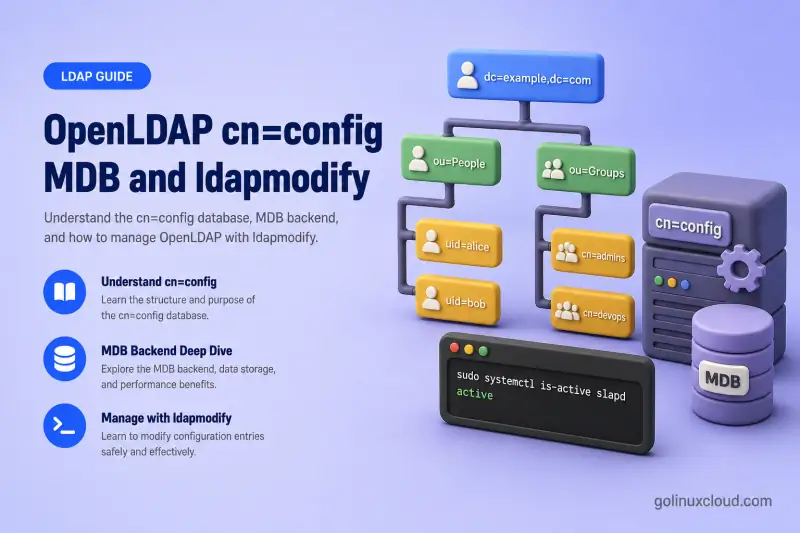
OpenLDAP does not store its active server configuration in a single flat file you edit by hand. Modern RHEL-family packages use the dynamic cn=config tree, which you query and change through LDAP operations on the local server.
This guide walks through how to:
- understand the
cn=configdirectory structure and how it differs from your directory suffix - discover the correct numbered MDB database DN on the current host
- query global, database, module, and overlay settings
- use ldapmodify with
add,replace, anddelete - change logging, MDB size, indexes, and read-only mode
- load a packaged module safely
- back up, validate, and recover
cn=config
The examples apply to OpenLDAP 2.6 on Red Hat Enterprise Linux, Rocky Linux, AlmaLinux, Oracle Linux, and CentOS Stream.
Tested on: Rocky Linux 10.2; OpenLDAP 2.6.10 from EPEL on
ldap-server.example.com.
The lab server in this walkthrough uses:
| Setting | Value |
|---|---|
| Hostname | ldap-server.example.com |
| Configuration database | cn=config |
| Directory suffix | dc=example,dc=com |
| Data backend | MDB |
| Configuration access | SASL EXTERNAL over ldapi:/// |
| Generated configuration directory | /etc/openldap/slapd.d/ |
Complete these lessons first:
/etc/openldap/slapd.d/ while slapd is running. Use LDAP operations for online changes and the OpenLDAP slap* tools for offline validation or recovery.
Understand cn=config, MDB, and OLC
Three names appear together in almost every OpenLDAP operations conversation:
| Term | Meaning |
|---|---|
cn=config |
Distinguished name at the root of the OpenLDAP configuration directory |
slapd-config |
OpenLDAP dynamic runtime configuration system |
| OLC | Online Configuration—the common name for cn=config |
| MDB | OpenLDAP database backend based on LMDB |
slapd.d |
Generated on-disk LDIF representation of cn=config |
cn=config and your application directory are separate LDAP trees on the same slapd process:
OpenLDAP slapd
├── cn=config
│   ├── Global server settings
│   ├── Module definitions
│   ├── Schemas
│   ├── Backends
│   ├── Database definitions
│   └── Overlay definitions
│
└── dc=example,dc=com
    ├── Users
    ├── Groups
    └── Application directory entries
Keep these boundaries in mind:
cn=configstores server configuration.dc=example,dc=comstores normal directory data.- Modifying
cn=configchanges howslapdoperates. - Modifying the directory suffix changes users, groups, or application entries.
- The database administrator DN for
dc=example,dc=comdoes not automatically have permission to modifycn=config. - Root normally administers
cn=configlocally through SASL EXTERNAL and the LDAPI socket.
| Operation | Configuration tree | Data tree |
|---|---|---|
| Query server log level | cn=config |
No |
| Change MDB maximum size | MDB entry below cn=config |
No |
| Add a user | No | dc=example,dc=com — see Manage OpenLDAP users and groups |
| Configure TLS | cn=config |
No |
| Change a user's mail address | No | Directory suffix |
| Load a module | Module entry below cn=config |
No |
For DN, suffix, and schema terminology, see LDAP and OpenLDAP basics.
Explore the cn=config directory tree
Confirm that slapd is running before you query configuration:
sudo systemctl is-active slapdSample output:
activeAn inactive or failed result means ldapsearch and ldapmodify against ldapi:/// will not work until you start the service.
List every configuration DN. This search is read-only and a good first look at what your server actually loaded:
sudo ldapsearch \
  -Q \
  -LLL \
  -Y EXTERNAL \
  -H ldapi:/// \
  -b cn=config \
  dn
The options in this command matter on RHEL-family systems:
| Option | Purpose |
|---|---|
-Q |
Suppresses the SASL confirmation prompt |
-LLL |
Produces concise LDIF output |
-Y EXTERNAL |
Uses the local process identity for SASL authentication |
-H ldapi:/// |
Connects through the local Unix-domain socket |
-b cn=config |
Searches the configuration directory |
Sample output from the lab server:
dn: cn=config

dn: cn=module{0},cn=config

dn: cn=schema,cn=config

dn: cn={0}core,cn=schema,cn=config

dn: cn={1}cosine,cn=schema,cn=config

dn: cn={2}nis,cn=schema,cn=config

dn: cn={3}inetorgperson,cn=schema,cn=config

dn: olcDatabase={-1}frontend,cn=config

dn: olcDatabase={0}config,cn=config

dn: olcDatabase={1}monitor,cn=config

dn: olcDatabase={2}mdb,cn=config

dn: olcOverlay={0}syncprov,olcDatabase={2}mdb,cn=config
Major entries you will touch during day-2 operations:
| DN | Role |
|---|---|
cn=config |
Global slapd settings |
cn=module{0},cn=config |
Dynamically loaded modules |
cn=schema,cn=config |
Schema container |
cn={N}name,cn=schema,cn=config |
Individual loaded schema |
olcDatabase={-1}frontend,cn=config |
Defaults inherited by databases |
olcDatabase={0}config,cn=config |
Configuration database itself |
olcDatabase={N}monitor,cn=config |
Runtime monitoring database |
olcDatabase={N}mdb,cn=config |
Normal MDB directory database |
olcOverlay={N}name,... |
Overlay attached to a database |
Understand numbered configuration DNs
Entries such as these are normal on a live server:
olcDatabase={2}mdb,cn=config
cn={1}cosine,cn=schema,cn=config
olcOverlay={0}syncprov,olcDatabase={2}mdb,cn=config
The value inside braces is an ordering prefix assigned when OpenLDAP created the entry. The backend type still appears after the prefix—mdb, cosine, syncprov, and so on.
Numbering can differ between installations. Installing a module, schema, database, or overlay can change the numbers used in later entries. {2}mdb from one tutorial is not authoritative on your host.
olcDatabase={2}mdb,cn=config. Query the suffix or olcMdbConfig object class and use the DN returned by the current server.
| Incorrect assumption | Likely result |
|---|---|
Using {1}mdb from another server |
No such object (32) |
Omitting mdb from the DN |
Invalid or nonexistent target |
Targeting cn=config for an MDB attribute |
Object class or attribute error |
Targeting the data suffix with ldapmodify -Y EXTERNAL |
Changes directory data, not server configuration |
Discover the correct MDB database DN
List every MDB database configured on the server:
sudo ldapsearch \
  -Q \
  -LLL \
  -Y EXTERNAL \
  -H ldapi:/// \
  -b cn=config \
  '(objectClass=olcMdbConfig)' \
  dn olcSuffix olcDbDirectory
Sample output:
dn: olcDatabase={2}mdb,cn=config
olcDbDirectory: /var/lib/ldap
olcSuffix: dc=example,dc=com
The olcSuffix line confirms which directory tree this database serves. The olcDbDirectory line shows where MDB files live on disk.
When more than one MDB database exists, filter by suffix instead of taking the first result. A single-database lab still benefits from this filter because it proves you are targeting the production suffix:
sudo ldapsearch -Q -LLL -Y EXTERNAL -H ldapi:/// -b cn=config '(&(objectClass=olcMdbConfig)(olcSuffix=dc=example,dc=com))' dn olcSuffix olcDbDirectoryThe result should show the same DN and suffix as the broader search above.
Store the discovered DN in a shell variable for the rest of the session:
MDB_DN=$(
  sudo ldapsearch \
    -Q \
    -LLL \
    -Y EXTERNAL \
    -H ldapi:/// \
    -b cn=config \
    '(&(objectClass=olcMdbConfig)(olcSuffix=dc=example,dc=com))' \
    dn |
  awk '/^dn: / {sub(/^dn: /, ""); print; exit}'
)
The awk line strips the dn: prefix and prints only the first matching database DN.
Fail safely when no matching database exists. A script should stop before it writes an empty DN into an LDIF file:
if [[ -z "$MDB_DN" ]]; then
  echo "No MDB database was found for dc=example,dc=com" >&2
  exit 1
fi
Print the DN you will use in later LDIF files:
printf 'MDB database DN: %s\n' "$MDB_DN"Sample output:
MDB database DN: olcDatabase={2}mdb,cn=configFiltering by suffix is safer than assuming the first olcMdbConfig entry is your production directory.
Query global, database, module, and overlay settings
Set MDB_DN from the previous section before you run the database queries below.
Query global server settings
Global TLS and logging attributes live on cn=config itself:
sudo ldapsearch \
  -Q \
  -LLL \
  -Y EXTERNAL \
  -H ldapi:/// \
  -b cn=config \
  -s base \
  olcLogLevel \
  olcIdleTimeout \
  olcReferral \
  olcTLSCACertificateFile \
  olcTLSCertificateFile
Sample output on the lab server after the TLS lesson:
dn: cn=config
olcTLSCACertificateFile: /etc/openldap/certs/example-ldap-ca.crt
olcTLSCertificateFile: /etc/openldap/certs/ldap-server.example.com.crt
Attributes that are not set yet simply do not appear in the result. To issue certificates and set olcTLS* paths on a new server, follow Configure OpenLDAP TLS on RHEL-based Linux.
Query generic database settings
Read suffix, root DN, and limits on the MDB entry:
sudo ldapsearch \
  -Q \
  -LLL \
  -Y EXTERNAL \
  -H ldapi:/// \
  -b "$MDB_DN" \
  -s base \
  olcSuffix \
  olcRootDN \
  olcReadOnly \
  olcSizeLimit \
  olcTimeLimit
Sample output:
dn: olcDatabase={2}mdb,cn=config
olcSuffix: dc=example,dc=com
olcRootDN: cn=admin,dc=example,dc=com
olcRootDN is the bind DN you use for simple-bind administration of directory data—not for cn=config changes through LDAPI.
Query MDB-specific settings
MDB file location, map size, and indexes are database attributes:
sudo ldapsearch \
  -Q \
  -LLL \
  -Y EXTERNAL \
  -H ldapi:/// \
  -b "$MDB_DN" \
  -s base \
  olcDbDirectory \
  olcDbMaxSize \
  olcDbMaxReaders \
  olcDbMaxEntrySize \
  olcDbIndex
Sample output:
dn: olcDatabase={2}mdb,cn=config
olcDbDirectory: /var/lib/ldap
olcDbIndex: objectClass eq,pres
olcDbIndex: ou,cn,mail,surname,givenname eq,pres,sub
olcDbMaxSize does not appear until you set it explicitly. Each olcDbIndex line is one index rule you can extend with add or change with delete/add.
List loaded modules
Module entries tell you which shared objects slapd has already loaded from olcModulePath:
sudo ldapsearch -Q -LLL -Y EXTERNAL -H ldapi:/// -b cn=config '(objectClass=olcModuleList)' dn olcModulePath olcModuleLoadSample output:
dn: cn=module{0},cn=config
olcModulePath: /usr/lib64/openldap
olcModuleLoad: {0}syncprov.la
olcModulePath is the directory where slapd looks for filenames listed in olcModuleLoad.
List configured overlays
Overlays attach to a specific database DN. This search shows which overlays are active and where they sit in the tree:
sudo ldapsearch -Q -LLL -Y EXTERNAL -H ldapi:/// -b cn=config '(objectClass=olcOverlayConfig)' dn olcOverlaySample output:
dn: olcOverlay={0}syncprov,olcDatabase={2}mdb,cn=config
olcOverlay: {0}syncprov
The overlay DN includes the parent database DN, which is why discovering $MDB_DN matters before you edit overlay settings elsewhere.
| Component | Meaning |
|---|---|
| Module | Makes compiled functionality available to slapd |
| Overlay | Attaches functionality to a specific database |
| Backend | Defines a database implementation such as MDB |
| Database | A configured instance of a backend |
| Schema | Defines valid attributes and object classes |
Loading a module does not automatically enable an overlay. The module only makes the functionality available; an overlay entry must then be added under the intended database. A syncprov overlay such as the one in the sample output belongs in provider-consumer replication; memberof and refint overlay walkthroughs are covered in Configure OpenLDAP memberOf and referential integrity overlays.
Back up cn=config before making changes
Create a root-only backup directory:
sudo install \
  -d \
  -m 0700 \
  /root/openldap-config-backups
Export cn=config while slapd is stopped or running—slapcat -n 0 reads the configuration database. This exports only the configuration tree before a local configuration change. For recurring backup, retention, and disaster recovery across every MDB suffix, use OpenLDAP backup and restore. A planned server move that includes directory data uses the migration workflow in Migrate OpenLDAP to a new server.
sudo slapcat \
  -n 0 \
  -l /root/openldap-config-backups/cn-config-before-change.ldif
The command exits silently on success.
Record a checksum so you can confirm the backup file later:
sudo sha256sum \
  /root/openldap-config-backups/cn-config-before-change.ldif
Sample output:
c4969570bee390f69b89ecf7e84f15247f79cb422ddd7785602807ce0fbb361b /root/openldap-config-backups/cn-config-before-change.ldifValidate the live configuration before you change it:
sudo slaptest -uSample output:
config file testing succeededA failure here means the current on-disk tree is already invalid—resolve that before you apply a new ldapmodify change.
Capture the target entry state when you need a precise rollback reference. The '*' '+' attribute list returns every user attribute plus operational attributes such as entryUUID:
sudo ldapsearch -Q -LLL -Y EXTERNAL -H ldapi:/// -b "$MDB_DN" -s base '*' '+'Save this output beside your change LDIF so you know the exact values to delete or restore if rollback is required.
Configuration backups can contain password hashes, replication credentials, TLS paths, bind credentials, internal structure, and ACL definitions. Keep them root-readable only.
Safe workflow for every production change:
1. Query the current value
2. Back up cn=config
3. Create a small LDIF containing one logical change
4. Review the target DN
5. Apply with ldapmodify
6. Query the value again
7. Check slapd logs
8. Run slaptest
9. Keep a rollback LDIF
Understand ldapmodify add, replace, and delete
LDIF modifications follow this structure:
dn: TARGET_DN
changetype: modify
OPERATION: attributeName
attributeName: new-or-existing-value
Compare the operations before you choose one:
| Operation | Behavior | Common risk |
|---|---|---|
add |
Adds a new attribute or another value | Fails when the exact value already exists |
replace |
Replaces every current value of that attribute | Can unintentionally remove multi-valued settings |
delete |
Deletes an attribute or one exact value | Can remove more than intended when no value is supplied |
A single modification record can chain operations when you separate them with -:
dn: TARGET_DN
changetype: modify
delete: attributeName
attributeName: old-value
-
add: attributeName
attributeName: new-value
Rules that prevent invalid format errors:
- A single
-on its own line separates operations within one modification record. - A blank line separates different LDAP entries.
- Do not repeat the DN unless you are starting another record.
- Attribute names after
add,replace, ordeletemust match exactly.
Apply an LDIF through the local LDAPI socket. Root access through sudo maps to the SASL EXTERNAL identity that is allowed to modify cn=config:
sudo ldapmodify -Q -Y EXTERNAL -H ldapi:/// -f change.ldifAdd -v when you need the server to echo each modification on stderr during troubleshooting:
sudo ldapmodify -Q -v -Y EXTERNAL -H ldapi:/// -f change.ldifChange the OpenLDAP global log level
Read the current value first. An unset olcLogLevel produces an entry with no attribute lines:
sudo ldapsearch \
  -Q \
  -LLL \
  -Y EXTERNAL \
  -H ldapi:/// \
  -b cn=config \
  -s base \
  olcLogLevel
Create set-loglevel.ldif with a single replace operation on the global cn=config entry:
dn: cn=config
changetype: modify
replace: olcLogLevel
olcLogLevel: stats
Apply the LDIF online. No restart is required for olcLogLevel:
sudo ldapmodify -Q -Y EXTERNAL -H ldapi:/// -f set-loglevel.ldifSample output:
modifying entry "cn=config"Verify the new value:
sudo ldapsearch \
  -Q \
  -LLL \
  -Y EXTERNAL \
  -H ldapi:/// \
  -b cn=config \
  -s base \
  olcLogLevel
Sample output:
dn: cn=config
olcLogLevel: stats
The attribute should now appear in the result. Remove it with delete: olcLogLevel when you finish troubleshooting.
Useful temporary values during troubleshooting:
| Value | Use |
|---|---|
stats |
General operation logging |
stats stats2 |
More detailed operation and result logging |
sync |
Syncrepl troubleshooting |
acl |
ACL evaluation troubleshooting |
config |
Configuration-processing troubleshooting |
none |
Only messages that are always logged |
Return to a quieter setting when you finish investigating. Very verbose logging fills journals quickly on busy servers.
Increase the MDB maximum size
olcDbMaxSize is the maximum MDB map size, not the current size of the database files on disk.
Query the current value:
sudo ldapsearch \
  -Q \
  -LLL \
  -Y EXTERNAL \
  -H ldapi:/// \
  -b "$MDB_DN" \
  -s base \
  olcDbMaxSize
When the attribute is absent, OpenLDAP is using the backend default until you set one explicitly.
Convert a human-readable size to bytes:
numfmt --from=iec 10GSample output:
10737418240Create increase-mdb-size.ldif. Use add when the attribute is not present yet; use replace when it already exists:
cat > increase-mdb-size.ldif <<EOF
dn: $MDB_DN
changetype: modify
add: olcDbMaxSize
olcDbMaxSize: 10737418240
EOF
Apply the LDIF against the discovered MDB database entry:
sudo ldapmodify -Q -Y EXTERNAL -H ldapi:/// -f increase-mdb-size.ldifSample output:
modifying entry "olcDatabase={2}mdb,cn=config"Verify the persisted byte value matches what you intended:
sudo ldapsearch -Q -LLL -Y EXTERNAL -H ldapi:/// -b "$MDB_DN" -s base olcDbMaxSizeSample output:
dn: olcDatabase={2}mdb,cn=config
olcDbMaxSize: 10737418240
The byte value should match the output from numfmt.
Plan for expected directory growth, confirm the filesystem can accommodate the configured ceiling, and do not reduce the value below current database requirements. Back up cn=config before you change it.
Add and modify MDB indexes safely
Query existing indexes before you touch them:
sudo ldapsearch \
  -Q \
  -LLL \
  -Y EXTERNAL \
  -H ldapi:/// \
  -b "$MDB_DN" \
  -s base \
  olcDbIndex
Sample output:
dn: olcDatabase={2}mdb,cn=config
olcDbIndex: objectClass eq,pres
olcDbIndex: ou,cn,mail,surname,givenname eq,pres,sub| Index | Typical filter |
|---|---|
eq |
(uid=jdoe) |
sub |
(cn=*doe*) |
pres |
(mail=*) |
approx |
Approximate-match filter |
Add indexes for search filters you actually run—not for every attribute in the schema. The OpenLDAP indexing and performance guide maps SSSD, sudo, and application filters to eq, pres, and sub index types.
Add a new index value
Create add-tel-index.ldif for an attribute that is not already indexed on its own:
cat > add-tel-index.ldif <<EOF
dn: $MDB_DN
changetype: modify
add: olcDbIndex
olcDbIndex: telephoneNumber eq
EOF
Apply the index change online. OpenLDAP queues an internal indexing task after olcDbIndex changes:
sudo ldapmodify -Q -Y EXTERNAL -H ldapi:/// -f add-tel-index.ldifSample output:
modifying entry "olcDatabase={2}mdb,cn=config"Confirm the new index line appears in the database entry:
sudo ldapsearch -Q -LLL -Y EXTERNAL -H ldapi:/// -b "$MDB_DN" -s base olcDbIndexLook for a new olcDbIndex line for the attribute you added.
If you try to add a duplicate index definition, OpenLDAP returns an implementation-specific error instead of silently duplicating the rule.
Modify an existing index value
Copy the exact existing value from ldapsearch before you delete it. To widen a single-attribute index, delete the old value and add the new one in one modification record:
cat > modify-tel-index.ldif <<EOF
dn: $MDB_DN
changetype: modify
delete: olcDbIndex
olcDbIndex: telephoneNumber eq
-
add: olcDbIndex
olcDbIndex: telephoneNumber eq,sub
EOF
Apply the change:
sudo ldapmodify -Q -Y EXTERNAL -H ldapi:/// -f modify-tel-index.ldifSample output:
modifying entry "olcDatabase={2}mdb,cn=config"The modifying entry line shows your discovered $MDB_DN value—not a number copied from another host.
Confirm the wider index replaced the old telephoneNumber rule:
sudo ldapsearch -Q -LLL -Y EXTERNAL -H ldapi:/// -b "$MDB_DN" -s base olcDbIndexSample output:
olcDbIndex: telephoneNumber eq,subDo not use replace: olcDbIndex unless you intend to replace the complete index list. OpenLDAP can build changed indexes through an internal online task—monitor slapd logs until indexing finishes. If slapd stops before online index creation completes, finish the work offline with slapindex during a maintenance window.
Stop slapd before you run slapindex. The tool rebuilds indexes against the on-disk database while the server is down:
sudo systemctl stop slapdRebuild indexes for the production suffix. Replace the suffix if your database serves a different naming context:
sudo slapindex -F /etc/openldap/slapd.d -b "dc=example,dc=com"The command exits silently on success when the directory is small.
slapindex writes to files under /var/lib/ldap. Restore ldap ownership so the daemon can open them after restart:
sudo chown -R ldap:ldap /var/lib/ldapReapply SELinux file contexts after the index rebuild touched the data directory:
sudo restorecon -Rv /var/lib/ldapStart slapd again and confirm the service returns to active:
sudo systemctl start slapdMake the MDB database temporarily read-only
olcReadOnly is useful during migration freezes, controlled backups, maintenance, cutover preparation, or investigations where you must stop application writes without shutting down slapd.
Query the current value. When olcReadOnly is unset, the result contains only the entry DN:
sudo ldapsearch -Q -LLL -Y EXTERNAL -H ldapi:/// -b "$MDB_DN" -s base olcReadOnlyWrite the LDIF that sets the database to read-only mode:
cat > enable-read-only.ldif <<EOF
dn: $MDB_DN
changetype: modify
replace: olcReadOnly
olcReadOnly: TRUE
EOF
Apply the change through the configuration path on LDAPI:
sudo ldapmodify -Q -Y EXTERNAL -H ldapi:/// -f enable-read-only.ldifConfirm olcReadOnly now reads TRUE:
sudo ldapsearch -Q -LLL -Y EXTERNAL -H ldapi:/// -b "$MDB_DN" -s base olcReadOnlySample output:
dn: olcDatabase={2}mdb,cn=config
olcReadOnly: TRUE
Test with an identity that can normally modify the directory. Use the data database administrator DN from olcRootDN, not the LDAPI EXTERNAL identity used for cn=config changes.
Create a harmless attribute change against a known user entry:
cat > test-write.ldif <<EOF
dn: uid=jdoe,ou=people,dc=example,dc=com
changetype: modify
replace: description
description: read-only test
EOF
Run the test with a simple bind and StartTLS. Enter the olcRootDN password when prompted:
ldapmodify -x -ZZ -H ldap://ldap-server.example.com -D "cn=admin,dc=example,dc=com" -W -f test-write.ldifWhen olcReadOnly is active, the server rejects the otherwise-authorized update:
ldap_modify: Server is unwilling to perform (53)
	additional info: operation restricted
olcReadOnly: TRUE rejects ordinary database modifications with unwilling to perform. Syncrepl-originated changes can still update a replication consumer.
Re-enable writes when maintenance finishes. Set olcReadOnly back to FALSE with the same replace pattern:
cat > disable-read-only.ldif <<EOF
dn: $MDB_DN
changetype: modify
replace: olcReadOnly
olcReadOnly: FALSE
EOF
Apply the disable LDIF the same way you enabled read-only mode:
sudo ldapmodify -Q -Y EXTERNAL -H ldapi:/// -f disable-read-only.ldifolcReadOnly blocks normal client updates. Replication consumers may still accept updates delivered by Syncrepl—see provider-consumer replication for that behavior.
Load an OpenLDAP module safely
Inspect modules already loaded before you add another:
sudo ldapsearch \
  -Q \
  -LLL \
  -Y EXTERNAL \
  -H ldapi:/// \
  -b cn=config \
  '(objectClass=olcModuleList)' \
  dn olcModulePath olcModuleLoad
List module files supplied by the installed RPM. Compare this list with olcModuleLoad before you add a filename that does not exist on the host:
rpm -ql openldap-servers | grep -E '/openldap/.*\.(so|la)$'On Rocky Linux 10.2 from EPEL, memberof.la is present under /usr/lib64/openldap/. Use the filename and path from your installed package—not from an Ubuntu or source-build tutorial.
When a module-list entry already exists
Discover its DN and store it the same way you stored $MDB_DN:
MODULE_DN=$(
  sudo ldapsearch -Q -LLL -Y EXTERNAL -H ldapi:/// -b cn=config '(objectClass=olcModuleList)' dn |
  awk '/^dn: / {sub(/^dn: /, ""); print; exit}'
)
Create load-module.ldif with the verified module filename:
cat > load-module.ldif <<EOF
dn: $MODULE_DN
changetype: modify
add: olcModuleLoad
olcModuleLoad: memberof.la
EOF
OpenLDAP accepts a simple module filename and searches for it under olcModulePath. You do not supply an ordering prefix in the LDIF.
Apply the change:
sudo ldapmodify -Q -Y EXTERNAL -H ldapi:/// -f load-module.ldifWhen the module is already loaded, OpenLDAP refuses the duplicate value:
ldap_modify: Type or value exists (20)
	additional info: modify/add: olcModuleLoad: value #0 already exists
modifying entry "cn=module{0},cn=config"
On a clean server the load succeeds:
modifying entry "cn=module{0},cn=config"Query the value OpenLDAP stored—do not assume the ordering prefix:
sudo ldapsearch -Q -LLL -Y EXTERNAL -H ldapi:/// -b "$MODULE_DN" -s base olcModuleLoadSample output after loading memberof.la on the lab server:
dn: cn=module{0},cn=config
olcModuleLoad: {0}syncprov.la
olcModuleLoad: {1}memberof.la
The server assigned {1}memberof.la automatically. Loading the module does not configure a memberof overlay—that is a separate step.
When no module-list entry exists
On a minimal install, no olcModuleList entry may exist yet. Create one with ldapadd and point olcModulePath at the directory returned by rpm -ql:
dn: cn=module,cn=config
objectClass: olcModuleList
cn: module
olcModulePath: /usr/lib64/openldap
olcModuleLoad: memberof.la
Check whether the functionality is built into your slapd binary, whether the module is already present, and whether the RPM actually ships the file before you load it.
Delete or roll back a configuration value
Use delete when you need to remove one value from a multi-valued attribute. The value in the LDIF must match the stored string exactly—including any ordering prefix the server added.
Remove one exact value. Copy the stored value from ldapsearch—for example {1}memberof.la after the server loads memberof.la:
dn: TARGET_DN
changetype: modify
delete: olcModuleLoad
olcModuleLoad: EXACT_STORED_VALUE
Apply rollback LDIF files with the same ldapmodify -Q -Y EXTERNAL -H ldapi:/// command you used for the original change.
Remove the complete attribute when you intend to drop every value at once:
dn: TARGET_DN
changetype: modify
delete: attributeName
Omitting the value deletes every value of that attribute. That is especially dangerous for multi-valued attributes such as olcDbIndex, olcAccess, olcModuleLoad, olcServerID, and olcSyncrepl. For ACL policy design and ordering, see OpenLDAP ACL Configuration with Practical Examples.
Keep a reversal LDIF beside every production change:
change-enable.ldif
change-rollback.ldif
After rollback, confirm the server still parses configuration and starts cleanly.
Check the on-disk slapd.d tree:
sudo slaptest -uThen read recent daemon messages for module, index, or ACL errors tied to the rollback:
sudo journalctl -u slapd -n 50 --no-pagerslaptest -u checks syntax and structure. The journal shows whether slapd logged runtime errors after the rollback LDIF was applied.
Some loaded modules cannot be removed while slapd is running. Plan rollback with a known-good cn=config export when unload is rejected.
Validate OpenLDAP after each configuration change
Run these checks after every ldapmodify so a silent syntax success does not hide a broken runtime state.
slaptest -u validates the on-disk configuration tree without starting the service:
sudo slaptest -uConfirm slapd is still running after the change:
sudo systemctl is-active slapdSample output:
activeIf the service is not active, inspect journalctl -u slapd before you assume the configuration change succeeded.
Review recent log messages for indexing tasks, module load errors, or MDB warnings:
sudo journalctl -u slapd --since "10 minutes ago" --no-pagerRun the same ldapsearch query you used before the change and confirm the attribute now shows the expected value.
When the setting affects directory behavior, run a focused functional test:
| Setting changed | Functional verification |
|---|---|
olcLogLevel |
Confirm new journal messages |
olcDbMaxSize |
Query the value and monitor MDB errors |
olcDbIndex |
Run the indexed search and inspect logs |
olcReadOnly |
Attempt a controlled write |
| Module load | Query olcModuleLoad |
| Overlay | Test the overlay behavior on the target database |
| Replication setting | Compare replicated entries and CSNs |
Successful ldapmodify output proves only that the configuration entry was accepted. It does not prove that the intended feature works end to end.
Recover a broken cn=config configuration
Use this section for local configuration recovery on one host. Full server migration belongs in Migrate OpenLDAP to a new server.
Preferred recovery order:
- Restore a known-good configuration backup.
- Export the broken configuration with
slapcat, correct a copy, and reload it. - Use
slapmodifyfor a precise offline change. - Use low-level back-LDIF recovery only as a last resort.
Stop the service before you touch the on-disk configuration tree:
sudo systemctl stop slapdPreserve the complete broken tree by moving it out of /etc/openldap/. A mv keeps the broken files intact for later inspection:
BROKEN_DIR="/root/slapd.d-broken-$(date +%Y%m%d-%H%M%S)"
sudo mv /etc/openldap/slapd.d "$BROKEN_DIR"
Export the preserved copy to a single LDIF file you can edit safely:
sudo slapcat -F "$BROKEN_DIR" -n 0 -l /root/broken-cn-config.ldifThe export succeeds even when slapd is stopped, as long as the preserved slapd.d tree is still readable.
Correct a copy of the LDIF—not the generated files under slapd.d. Save the edited file as /root/corrected-cn-config.ldif.
slapadd cannot load into a populated slapd.d directory. Create an empty tree owned by ldap:
sudo install -d -o ldap -g ldap -m 0750 /etc/openldap/slapd.dImport the corrected configuration export into database -n 0 (the cn=config tree):
sudo slapadd -F /etc/openldap/slapd.d -n 0 -l /root/corrected-cn-config.ldifslapadd recreates the LDIF files under slapd.d from your edited export.
Ensure the ldap user owns the rebuilt configuration tree:
sudo chown -R ldap:ldap /etc/openldap/slapd.dRestore SELinux contexts on the new configuration files:
sudo restorecon -Rv /etc/openldap/slapd.dValidate the rebuilt tree before you start the daemon:
sudo slaptest -F /etc/openldap/slapd.d -uOnly start slapd after slaptest reports success:
sudo systemctl start slapdFor a precise offline modification when the configuration still parses, use slapmodify instead of reloading the entire tree. slapd must be stopped, and -n 0 is required for the configuration database:
sudo systemctl stop slapdApply one or more offline modifications from a reviewed LDIF file:
sudo slapmodify -F /etc/openldap/slapd.d -n 0 -l /root/fix-cn-config.ldifslapmodify edits the on-disk cn=config database in place—use it when a full slapadd reload is unnecessary.
Restore ldap ownership after the offline write:
sudo chown -R ldap:ldap /etc/openldap/slapd.dReapply SELinux labels on the modified configuration files:
sudo restorecon -Rv /etc/openldap/slapd.dConfirm the tree still parses before you start the service:
sudo slaptest -F /etc/openldap/slapd.d -uDo not manually edit CRC-protected LDIF files inside slapd.d.
Troubleshoot cn=config, MDB, and ldapmodify
| Error or symptom | Likely cause | Recommended check |
|---|---|---|
No such object (32) |
Wrong numbered DN or wrong configuration level | Rediscover the target with ldapsearch |
Insufficient access (50) |
Command was not run through root SASL EXTERNAL access | Use sudo, -Y EXTERNAL, and ldapi:/// |
Type or value exists (20) |
Attempted to add an existing value | Query current values before using add |
Object class violation (65) |
Attribute is invalid for the target entry | Confirm global, module, backend, database, or overlay scope |
Constraint violation (19) |
Invalid attribute value or unsupported setting | Check the OpenLDAP 2.6 manual and package capabilities |
Invalid format |
Broken LDIF syntax | Check blank lines, hyphen separators, and continuation lines |
| MDB cannot grow | olcDbMaxSize is too small |
Query and increase the MDB map size |
| Search remains slow after adding an index | Index task is incomplete or filter does not use that index | Review logs and the actual search filter |
| Module cannot be loaded | Wrong path, wrong filename, missing RPM, or built-in feature | Check rpm -ql, olcModulePath, and loaded modules |
| Module already loaded | Duplicate olcModuleLoad value |
Do not add it again |
slapd no longer starts |
Invalid persisted configuration | Use slaptest, backup, slapcat, and slapmodify |
Manual slapd.d edit is rejected |
Generated LDIF has integrity metadata | Restore the file and use LDAP or offline slap tools |
| Changed value disappears after restart | Modification targeted the wrong server or was not persisted | Query local cn=config before and after restart |
Useful diagnostics when a change fails or the numbered DN is unclear:
sudo slaptest -uslaptest confirms whether the on-disk configuration tree is syntactically valid.
sudo journalctl -u slapd -n 100 --no-pagerRecent journal lines often show the exact attribute, module path, or index task that failed.
sudo ldapsearch -Q -LLL -Y EXTERNAL -H ldapi:/// -b cn=config dnListing every configuration DN rediscovers the current numbered entries on this host.
sudo slapcat -n 0 | grep -E '^(dn|olcDatabase|olcSuffix|olcDbDirectory|olcModuleLoad|olcOverlay):'This one-liner summarizes databases, suffixes, module loads, and overlays from the live configuration export.
References
- OpenLDAP 2.6 Administrator's Guide — Configuring slapd — official
cn=configdocumentation - OpenLDAP 2.6 slapd-config(5) — configuration backend overview
- OpenLDAP 2.6 slapmodify(8) — offline configuration modification
Summary
You can now navigate the cn=config directory, distinguish global, backend, database, module, schema, and overlay entries, and discover the numbered MDB DN on the current host. The walkthrough showed how to authenticate locally with SASL EXTERNAL, apply add, replace, and delete modifications, change olcLogLevel, increase olcDbMaxSize, add olcDbIndex values, toggle olcReadOnly, load a verified packaged module, back up configuration before changes, and recover a broken cn=config database with the slap* tools.
