
Free Online Course · Self-paced
Kubernetes Tutorial for Beginners & Experienced
Free Kubernetes tutorial that takes you from cluster install to CKA/CKAD-level topics - pods, deployments, RBAC, networking, Helm, security, autoscaling. 59 hands-on lessons across 11 chapters, every example tested on real multi-node clusters.
- 59 parts
- ~672 min total
- Beginner to Advanced
- Updated Jul 2026
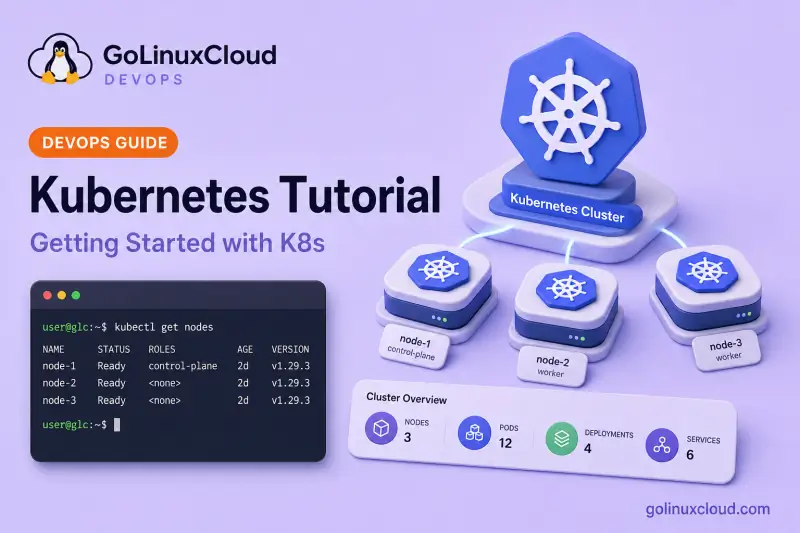
This Kubernetes tutorial takes you from Beginner to Pro with 59 hands-on lessons covering both the CKAD and CKA exam syllabi. Every chapter is written so you can run the YAML against a real cluster - either a local Minikube/kind setup or a multi-node cluster on AWS - and every command output is from a working environment.
Start with Setup Kubernetes Cluster if this is your first time - get a cluster running before pods, deployments, and networking. The sidebar and syllabus below follow the same eleven-chapter path. If you already know the basics, jump to any chapter; each lesson is self-contained but the order builds on the previous topic.
Click Start the course to begin with Minikube, or use the syllabus to skip directly to what you need.
What you'll learn
- Install single-node and multi-node Kubernetes clusters on Minikube, kubeadm and AWS EC2
- Master core workload primitives - Pods, Deployments, ReplicaSets, StatefulSets, DaemonSets, Jobs
- Configure storage, ConfigMaps, Secrets and projected volumes the right way
- Lock down clusters with RBAC, Pod Security, Network Policies and SecurityContext
- Package and ship apps with Helm charts, hooks and named templates
- Operate a cluster - upgrades, autoscaling, health checks, monitoring and OOM debugging
Prerequisites
- Comfortable with Linux command line and basic networking concepts
- Familiarity with containers (Docker basics - run, build, image, registry)
- A workstation that can run a multi-node cluster (8 GB RAM minimum, 16 GB recommended) or an AWS/GCP free-tier account
- Basic YAML knowledge (you will be writing a lot of YAML)
Syllabus
11 chapters · 59 lessons · ~672 min of reading
-
1 Setup Kubernetes Cluster 7 lessons
- Part 1 Install single-node cluster with Minikube 7 min read
- Part 2 Install multi-node cluster with kubeadm (Weave Net CNI) 24 min read
- Part 3 Install multi-node cluster on Ubuntu (Calico CNI) 11 min read
- Part 4 Multi-node cluster on Rocky Linux (Containerd) 10 min read
- Part 5 Install Kubernetes cluster on AWS EC2 27 min read
- Part 6 Deploy an EKS cluster with Terraform 15 min read
- Part 7 Check the Kubernetes cluster version 7 min read
-
2 Core Concepts 6 lessons
-
3 Workloads — Pods and Controllers 9 lessons
- Part 14 Kubernetes pods 15 min read
- Part 15 ReplicaSet and ReplicationController 14 min read
- Part 16 Deployments and rolling updates 14 min read
- Part 17 Kubernetes StatefulSets 10 min read
- Part 18 Kubernetes DaemonSets 9 min read
- Part 19 Autoscaling pods (HPA / VPA) 10 min read
- Part 20 Init containers 4 min read
- Part 21 Sidecar and multi-container pod pattern 17 min read
- Part 22 Kubernetes CronJob scheduler 6 min read
-
4 Resources and Scheduling 6 lessons
-
5 Storage and Volumes 2 lessons
-
6 ConfigMaps and Secrets 6 lessons
- Part 31 Kubernetes ConfigMaps 11 min read
- Part 32 Kubernetes Secrets 11 min read
- Part 33 mountPath vs subPath 6 min read
- Part 34 Projected volumes (multiple secrets, one dir) 6 min read
- Part 35 Mount ConfigMap as file in existing directory 5 min read
- Part 36 Update ConfigMaps and Secrets without pod restart 6 min read
-
7 Networking and Services 5 lessons
-
8 Security 8 lessons
- Part 42 Securing a Kubernetes cluster 13 min read
- Part 43 Authentication and authorization 7 min read
- Part 44 ServiceAccounts 10 min read
- Part 45 Kubernetes RBAC 13 min read
- Part 46 SecurityContext explained 17 min read
- Part 47 SecurityContext capabilities 11 min read
- Part 48 Create a privileged pod (and why not to) 14 min read
- Part 49 Pod Security Policy / Pod Security Standards 12 min read
-
9 Health Checks and Probes 1 lesson
