Free Online Course · Self-paced

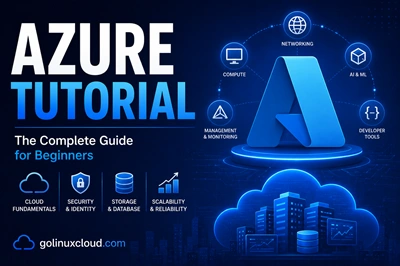
Microsoft Azure Tutorial for Beginners (Hands-On)

Free, hands-on Microsoft Azure tutorial covering App Service, AKS, Blob Storage, Backup, VPN, ARM Templates, Logic Apps, Cosmos DB, and Azure AD. 30+ production-tested lessons.

  • 31 parts
  • ~237 min total
  • Beginner to Intermediate
  • Updated May 2026
Microsoft Azure Tutorial for Beginners (Hands-On)
By Last updated

Azure has become the second-largest cloud and is the default choice for any organization with a Microsoft footprint - which is to say, most of them. This tutorial walks you through the 30 Azure services you will actually use day-to-day, with hands-on examples that work in a free-tier subscription.

We start with identity (Azure AD - because everything in Azure traces back to it), then move through compute (VMs, App Service, AKS), storage (Blob, File Share, Backup, Site Recovery), databases (SQL, MySQL, PostgreSQL, Cosmos DB), networking (VPN, Application Gateway, WAF, Front Door), serverless (Functions, Logic Apps), governance (tags, locks, policies, cost), and IaC (ARM templates, Ansible). Every chapter is short, idempotent, and tested against the current Azure portal.

Click Start the course to begin with the Azure AD chapter, or jump straight to the service you need. The Storage and Networking chapters are the most-bookmarked.

What you'll learn

  • Deploy and manage VMs, App Service apps, and AKS clusters confidently
  • Use Blob Storage, File Share, Cosmos DB, and SQL Database for stateful workloads
  • Secure your Azure tenant with Azure AD, groups, policies, locks, and tags
  • Configure VPNs, Application Gateway, WAF, and Front Door for hybrid networking
  • Build IaC with ARM templates, run serverless workloads with Functions and Logic Apps

Prerequisites

  • A free Azure account (12-month free tier)
  • Comfortable on the command line and editing config files
  • Basic understanding of cloud concepts (compute, storage, networking)
  • Optional - Terraform familiarity for the IaC chapter

Syllabus

10 chapters · 31 lessons · ~237 min of reading

  1. 1 Azure Active Directory (Identity Foundations) 3 lessons
    1. Part 1 Azure Active Directory basics explained 8 min read
    2. Part 2 Create Azure AD users 9 min read
    3. Part 3 Create and manage Azure AD groups 8 min read
  2. 2 Compute - VMs and App Service 3 lessons
    1. Part 4 Create an Azure VM step by step 10 min read
    2. Part 5 Azure App Service tutorial 5 min read
    3. Part 6 Install RabbitMQ on an Azure VM 5 min read
  3. 3 Containers - AKS 1 lesson
    1. Part 7 Azure Kubernetes Service (AKS) tutorial 7 min read
  4. 4 Storage and Backup 6 lessons
    1. Part 8 Azure Blob Storage tutorial 13 min read
    2. Part 9 Blob Storage lifecycle management 10 min read
    3. Part 10 Azure File Share - SMB cloud shares 9 min read
    4. Part 11 Azure File Sync - hybrid file shares 11 min read
    5. Part 12 Azure Backup tutorial 17 min read
    6. Part 13 Azure Site Recovery (ASR) 5 min read
  5. 5 Databases 4 lessons
    1. Part 14 Deploy a SQL Database on Azure 5 min read
    2. Part 15 Azure Database for MySQL deployment 5 min read
    3. Part 16 Azure Database for PostgreSQL deployment 5 min read
    4. Part 17 Deploy Azure Cosmos DB 5 min read
  6. 6 Networking 5 lessons
    1. Part 18 Configure a Point-to-Site VPN 6 min read
    2. Part 19 Site-to-Site VPN tutorial 6 min read
    3. Part 20 Deploy Azure Application Gateway 5 min read
    4. Part 21 Azure Web Application Firewall (WAF) tutorial 5 min read
    5. Part 22 Azure Front Door tutorial 5 min read
  7. 7 Serverless and Integration 2 lessons
    1. Part 23 Create an Azure Function in Visual Studio 7 min read
    2. Part 24 Azure Logic Apps tutorial 5 min read
  8. 8 Governance and Cost 4 lessons
    1. Part 25 Azure resource tags - examples 8 min read
    2. Part 26 Azure resource locks - examples 10 min read
    3. Part 27 Azure Policy - examples and use cases 8 min read
    4. Part 28 Azure Cost Management 9 min read
  9. 9 Infrastructure as Code 2 lessons
    1. Part 29 Azure ARM templates explained 10 min read
    2. Part 30 Provision Azure resources with Ansible 11 min read
  10. 10 CI/CD with Azure DevOps 1 lesson
    1. Part 31 Deploy a web app with an Azure DevOps CI/CD pipeline 5 min read
Deepak Prasad

R&D Engineer

Founder of GoLinuxCloud with over a decade of expertise in Linux, Python, Go, Laravel, DevOps, Kubernetes, Git, Shell scripting, OpenShift, AWS, Networking, and Security. With extensive experience, he excels across development, DevOps, …

  • Red Hat Certified System Administrator in Red Hat OpenStack
  • Certified Kubernetes Application Developer (CKAD)
  • Red Hat Certified Specialist in Ansible Automation
  • Go (programming language)
  • Python (programming language)
  • DevOps
  • Computer Security