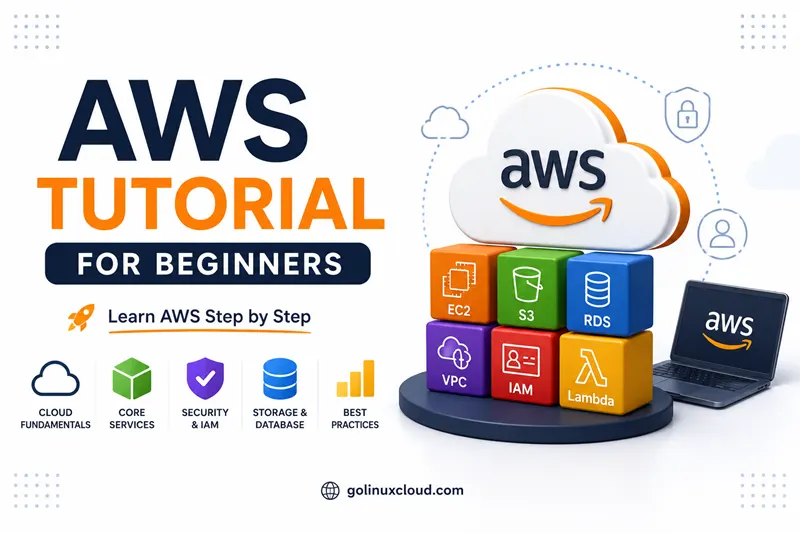
Free Online Course · Self-paced

AWS Tutorial for Beginners - End-to-End Cloud Hands-On

Free, hands-on AWS tutorial covering CLI, EC2, S3, RDS, Lambda, DynamoDB, CloudFormation, CDK, Application Load Balancer, Elastic Beanstalk, CI/CD, and Amplify. 25+ production-tested lessons.

  • 26 parts
  • ~227 min total
  • Beginner to Intermediate
  • Updated May 2026
By Last updated

AWS has the broadest service surface of any cloud, and the steepest learning curve - but you don't need to master all 200+ services to be productive. This tutorial covers the 25 services that 95% of real AWS workloads actually use, with hands-on examples for each.

We start with the AWS CLI (because everything else gets easier once you can script it), then walk through compute (EC2, Beanstalk, Auto Scaling, ALB), storage (S3, EBS, CloudFront), databases (RDS, DynamoDB, ElastiCache), serverless (Lambda, Step Functions, AppSync, Cognito, Amplify), and finally Infrastructure-as-Code (CloudFormation, CDK) and CI/CD. Every chapter is short, every example is tested in a real AWS account, and every screenshot is from the current console.

Click Start the course to begin with the AWS CLI, or jump to the service you need. The Storage and Serverless chapters are the most-bookmarked.

What you'll learn

  • Install and configure the AWS CLI and authenticate cleanly with IAM
  • Provision EC2, S3, RDS, DynamoDB, ElastiCache, Lightsail, and Elastic Beanstalk environments
  • Build serverless applications with Lambda, API Gateway, Step Functions, AppSync, and Cognito
  • Front your applications with CloudFront, ALB, and proper TLS certificates
  • Automate everything with CloudFormation, CDK, and AWS CodePipeline / Amplify

Prerequisites

  • A free AWS account (free-tier eligible) and IAM admin credentials
  • Comfortable on the command line (cd, ls, basic shell)
  • Basic Linux knowledge - SSH, file editing, package install
  • Optional - Terraform or CloudFormation familiarity for the IaC chapters

Syllabus

7 chapters · 26 lessons · ~227 min of reading

  1. 1 Getting Started - CLI and Foundations 2 lessons
    1. Part 1 AWS CLI tutorial - install, configure, basics 6 min read
    2. Part 2 Get started with Amazon Lightsail (the easiest AWS service) 5 min read
  2. 2 Compute - EC2 and Beanstalk 5 lessons
    1. Part 3 Deploy a website on EC2 with Let's Encrypt 8 min read
    2. Part 4 Install Jenkins on an EC2 instance 7 min read
    3. Part 5 Deploy an application with Elastic Beanstalk 7 min read
    4. Part 6 Auto Scaling Groups tutorial 16 min read
    5. Part 7 Application Load Balancer (ALB) tutorial 17 min read
  3. 3 Storage - S3 and EBS 7 lessons
    1. Part 8 S3 bucket tutorial - create, configure, secure 9 min read
    2. Part 9 Host a static website on S3 5 min read
    3. Part 10 Static site on S3 with a custom domain 8 min read
    4. Part 11 Use CloudFront in front of S3 9 min read
    5. Part 12 Protect an S3 bucket with basic authentication 6 min read
    6. Part 13 Use S3 as a Terraform backend 5 min read
    7. Part 14 Amazon EBS - Elastic Block Store explained 7 min read
  4. 4 Databases 3 lessons
    1. Part 15 Amazon RDS tutorial 7 min read
    2. Part 16 Amazon DynamoDB tutorial 8 min read
    3. Part 17 ElastiCache for Redis - cluster setup 8 min read
  5. 5 Serverless and Application Services 5 lessons
    1. Part 18 AWS Lambda tutorial 17 min read
    2. Part 19 AWS Step Functions tutorial 8 min read
    3. Part 20 AWS AppSync (managed GraphQL) tutorial 6 min read
    4. Part 21 Amazon Cognito tutorial - user authentication 9 min read
    5. Part 22 AWS Amplify tutorial 5 min read
  6. 6 Infrastructure as Code 2 lessons
    1. Part 23 AWS CloudFormation tutorial 6 min read
    2. Part 24 AWS Cloud Development Kit (CDK) tutorial 7 min read
  7. 7 CI/CD on AWS 2 lessons
    1. Part 25 Getting started with CI/CD on AWS - Part 1 17 min read
    2. Part 26 Getting started with CI/CD on AWS - Part 2 14 min read
Deepak Prasad

R&D Engineer

Founder of GoLinuxCloud with over a decade of expertise in Linux, Python, Go, Laravel, DevOps, Kubernetes, Git, Shell scripting, OpenShift, AWS, Networking, and Security. With extensive experience, he excels across development, DevOps, …

  • Red Hat Certified System Administrator in Red Hat OpenStack
  • Certified Kubernetes Application Developer (CKAD)
  • Red Hat Certified Specialist in Ansible Automation
  • Go (programming language)
  • Python (programming language)
  • DevOps
  • Computer Security