Free Online Course · Self-paced

Git & GitHub Tutorial for Beginners (with examples)

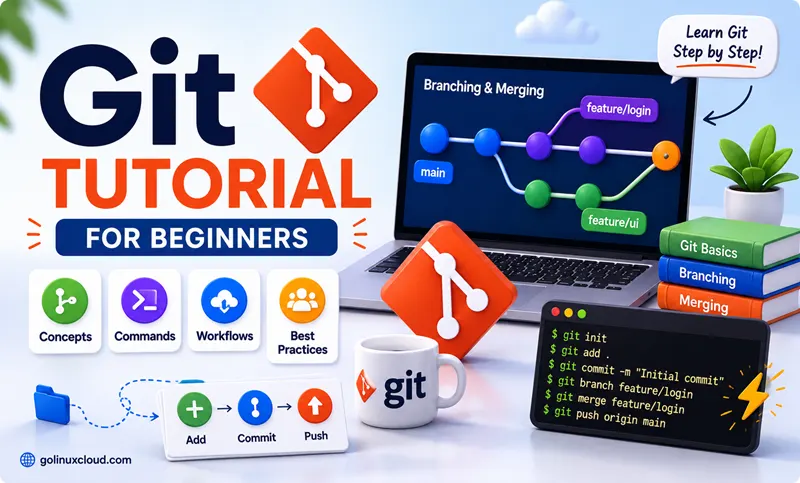
Free, hands-on Git and GitHub tutorial that walks you from `git init` to advanced rebase, stash, and history rewriting in 14 chapters. 60+ examples tested on Linux, macOS, and Windows.

  • 68 parts
  • ~542 min total
  • Beginner to Advanced
  • Updated May 2026
By Last updated

Git is the single most important tool in modern software development - and also the one developers spend the most time fighting when they don't understand it. This course is built to make sure you never have to Google the same Git command twice.

We start from git init on an empty folder and walk through every workflow you will actually hit in real projects - branching, merging, rebasing, remotes, undoing mistakes, stashing, cherry-picking, history rewriting, and the day-2 troubleshooting questions every team eventually asks. Every chapter is short, every command is tested, and every example uses real files instead of toy foo.txt.

If you are brand new to version control, click Start the course and follow the chapters in order. If you already know the basics, skip straight to the chapter you need - Undoing Changes, Rebasing, and Troubleshooting are the most-bookmarked. The final chapter is a one-page cheat sheet you can keep open as a reference.

What you'll learn

  • Set up Git, create your first repository, and stage / commit / push code confidently
  • Master branching, merging, rebasing, and resolving conflicts the right way
  • Work with remotes - GitHub and GitLab - including upstream tracking, force pushes, and SSH setup
  • Undo every kind of mistake - bad commits, lost branches, deleted files, detached HEAD
  • Use advanced tools - stash, cherry-pick, reflog, filter-branch, squash, tags - like a senior engineer

Prerequisites

  • A workstation with Git installed (Linux, macOS, or Windows with Git Bash)
  • Comfortable on the command line (cd, ls, mkdir, basic file editing)
  • A free GitHub or GitLab account for the remote-workflow chapters

Syllabus

14 chapters · 68 lessons · ~542 min of reading

  1. 1 Getting Started with Git 5 lessons
    1. Part 1 Getting started with GitHub 6 min read
    2. Part 2 Create your first Git repository 6 min read
    3. Part 3 git init - initialize a repository 6 min read
    4. Part 4 Configure Git globally (user.name, user.email, aliases) 4 min read
    5. Part 5 Clone an existing repository 8 min read
  2. 2 The Basic Workflow - Add, Commit, Inspect 5 lessons
    1. Part 6 The standard Git workflow explained 5 min read
    2. Part 7 git diff - see what changed 8 min read
    3. Part 8 Write good Git commit messages 8 min read
    4. Part 9 git commit --amend - fix the last commit 10 min read
    5. Part 10 git show - inspect any commit 6 min read
  3. 3 Branching and Switching 6 lessons
    1. Part 11 git branch - create and manage branches 14 min read
    2. Part 12 List all local and remote branches 7 min read
    3. Part 13 git checkout - switch branches (legacy way) 7 min read
    4. Part 14 git switch - the modern branch switcher 6 min read
    5. Part 15 Rename a Git branch 10 min read
    6. Part 16 Delete a Git branch (local and remote) 6 min read
  4. 4 Merging, Rebasing and Conflict Resolution 5 lessons
    1. Part 17 git merge - integrate two branches 7 min read
    2. Part 18 git merge vs git rebase - when to use which 5 min read
    3. Part 19 git rebase - replay commits onto a new base 12 min read
    4. Part 20 git cherry-pick - pick a single commit 6 min read
    5. Part 21 Fix "pulling is not possible - unmerged files" 6 min read
  5. 5 Working with Remote Repositories 12 lessons
    1. Part 22 git remote add - link to a remote 5 min read
    2. Part 23 git remote set-url - change the remote URL 7 min read
    3. Part 24 Remove a remote from your repository 6 min read
    4. Part 25 Set the upstream branch (git push -u) 7 min read
    5. Part 26 git fetch - download without merging 8 min read
    6. Part 27 git fetch vs git pull - the real difference 4 min read
    7. Part 28 git pull - fetch and merge in one step 6 min read
    8. Part 29 git pull --rebase - cleaner history 4 min read
    9. Part 30 Force pull from remote (overwrite local) 4 min read
    10. Part 31 git push - upload your commits 11 min read
    11. Part 32 git push --force-with-lease (safe force push) 7 min read
    12. Part 33 Check out a remote branch 7 min read
  6. 6 Tags and Releases 1 lesson
    1. Part 34 git tag - create, list, push, and delete tags 7 min read
  7. 7 Undoing Changes (every level of undo) 11 lessons
    1. Part 35 Undo git add (unstage a file) 7 min read
    2. Part 36 Unstage multiple files at once 8 min read
    3. Part 37 git restore - the modern restore command Coming soon
    4. Part 37 Discard uncommitted changes in working tree 8 min read
    5. Part 38 git reset - soft, mixed, and hard explained 9 min read
    6. Part 39 git revert - undo a public commit safely 16 min read
    7. Part 40 Revert your repo to a previous commit 15 min read
    8. Part 41 Remove a commit from history 17 min read
    9. Part 42 Change an old commit message 7 min read
    10. Part 43 git clean - remove untracked files 7 min read
    11. Part 44 Remove untracked files from working directory 6 min read
  8. 8 History and Inspection 4 lessons
    1. Part 45 git blame - find who changed a line 16 min read
    2. Part 46 git reflog - recover lost commits 8 min read
    3. Part 47 HEAD~, HEAD^, HEAD@{n} - reference syntax 5 min read
    4. Part 48 Detached HEAD state - what it means and how to fix it 7 min read
  9. 9 File Management in Git 5 lessons
    1. Part 49 git rm - remove a tracked file 8 min read
    2. Part 50 Rename a file or directory in Git 7 min read
    3. Part 51 Delete a file or directory from Git 7 min read
    4. Part 52 Untrack a file without deleting it 6 min read
    5. Part 53 .gitignore - patterns and examples 12 min read
  10. 10 Advanced Operations 5 lessons
    1. Part 54 git stash - save work-in-progress 7 min read
    2. Part 55 Squash commits into one 8 min read
    3. Part 56 Reduce repo size with git filter-branch 8 min read
    4. Part 57 Move content between Git repositories 4 min read
    5. Part 58 Migrate from GitHub to GitLab 6 min read
  11. 11 GitHub Integration (VS Code, SSH) 3 lessons
    1. Part 59 Set up GitHub with VS Code 7 min read
    2. Part 60 VS Code Remote SSH for GitHub 7 min read
    3. Part 61 Delete a repository on GitHub 9 min read
  12. 12 GitLab Workflows 2 lessons
    1. Part 62 GitLab tutorial for beginners 8 min read
    2. Part 63 Set up GitLab with VS Code 7 min read
  13. 13 Troubleshooting Common Errors 4 lessons
    1. Part 64 Fix: fatal: couldn't find remote ref main 11 min read
    2. Part 65 Fix: fatal: Could not read from remote repository 13 min read
    3. Part 66 Fix: cannot open .git/FETCH_HEAD - Permission denied 12 min read
    4. Part 67 Fix: cannot delete branch checked out at 10 min read
  14. 14 Reference / Cheat Sheet 1 lesson
    1. Part 68 The complete Git command cheat sheet 13 min read
Deepak Prasad

R&D Engineer

Founder of GoLinuxCloud with over a decade of expertise in Linux, Python, Go, Laravel, DevOps, Kubernetes, Git, Shell scripting, OpenShift, AWS, Networking, and Security. With extensive experience, he excels across development, DevOps, …

  • Red Hat Certified System Administrator in Red Hat OpenStack
  • Certified Kubernetes Application Developer (CKAD)
  • Red Hat Certified Specialist in Ansible Automation
  • Go (programming language)
  • Python (programming language)
  • DevOps
  • Computer Security