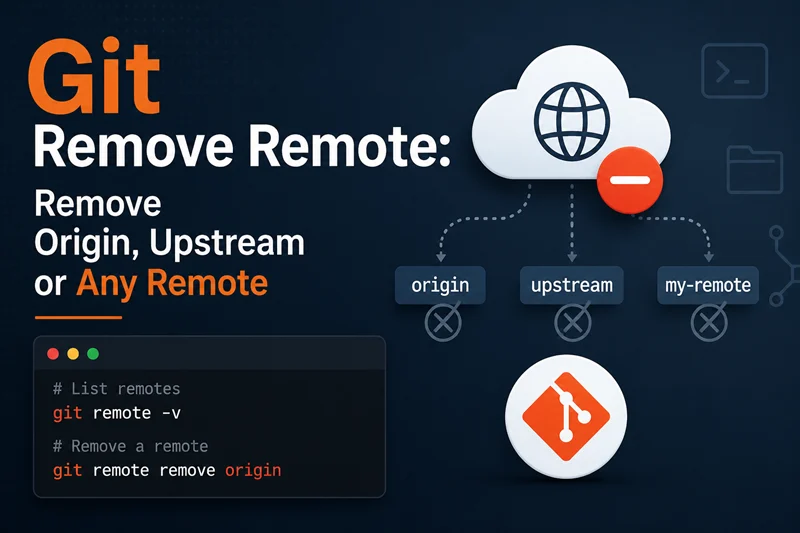
Use git remote remove <name> to remove a remote from a local Git repository. The short form is git remote rm <name>.
Most searches for git remove remote, git remote remove, remove remote Git, git remove remote origin, git remote remove origin, git remove upstream, or GitHub remove remote are asking for one of these commands:
| Task | Command |
|---|---|
| List configured remotes | git remote -v |
| Remove a remote named origin | git remote remove origin |
| Remove origin with the short command | git remote rm origin |
| Remove a remote named upstream | git remote remove upstream |
| Change origin to a new URL instead of removing it | git remote set-url origin <new-url> |
| Rename origin instead of removing it | git remote rename origin <new-name> |
A Git remote is only a local name for a remote repository URL. Removing it disconnects your local repository from that URL, but it does not delete the repository on GitHub, GitLab, Bitbucket, or another server.
This article uses tested output from a temporary Git lab. The examples were run with Git 2.48.1 on June 9, 2026.
Git Remove Remote Cheat Sheet
| Search intent | Correct command | Notes |
|---|---|---|
| git remove remote | git remote remove <name> |
Removes the named remote from local config |
| git remote rm | git remote rm <name> |
Short alias for git remote remove |
| git remove remote origin | git remote remove origin |
Removes the default clone remote if it is named origin |
| git remote rm origin | git remote rm origin |
Same result as git remote remove origin |
| git remove upstream | git remote remove upstream |
Removes a fork parent or other remote named upstream |
| git delete remote | git remote remove <name> |
Deletes local remote config, not the hosted repository |
| github remove remote | git remote remove origin |
Disconnects local Git from GitHub remote URL |
| git rm origin | Do not use this | git rm is for files, not remotes |
| Replace remote URL | git remote set-url origin <new-url> |
Better when the remote name should stay the same |
| Rename remote | git remote rename origin github |
Better when the URL is right but the name should change |
Tested Lab Setup
The following lab creates two local bare repositories and one working repository. This gives us real remotes named origin and upstream without needing a network connection.
git --version
mkdir seed
cd seed
git init -b main
git config user.name "GoLinuxCloud Test"
git config user.email "[email protected]"
printf 'hello from main\n' > README.md
git add README.md
git commit -m "initial commit"
git branch feature/login
cd ..
git clone --bare seed origin.git
git clone --bare seed upstream.git
git clone origin.git project
cd project
git remote -v
git branch -r
Tested output:
git version 2.48.1
Initialized empty Git repository in /tmp/git-remove-remote-lab.GIDoFR/seed/.git/
[main (root-commit) fb0eb0f] initial commit
 1 file changed, 1 insertion(+)
 create mode 100644 README.md
Cloning into bare repository 'origin.git'...
done.
Cloning into bare repository 'upstream.git'...
done.
Cloning into 'project'...
done.
origin  /tmp/git-remove-remote-lab.GIDoFR/origin.git (fetch)
origin  /tmp/git-remove-remote-lab.GIDoFR/origin.git (push)
  origin/HEAD -> origin/main
  origin/feature/login
  origin/main
A cloned repository normally gets a remote named origin. That is why many users search for remove remote origin, git remove origin, or git remote rm origin.
Check Existing Git Remotes Before Removing One
Always verify the remote name before deleting it. A repository can have origin, upstream, github, production, or any other remote name.
git remote add upstream "../upstream.git"
git fetch upstream
git remote -v
git branch -r
Tested output:
From ../upstream
 * [new branch]      feature/login -> upstream/feature/login
 * [new branch]      main          -> upstream/main
origin  /tmp/git-remove-remote-lab.GIDoFR/origin.git (fetch)
origin  /tmp/git-remove-remote-lab.GIDoFR/origin.git (push)
upstream        ../upstream.git (fetch)
upstream        ../upstream.git (push)
  origin/HEAD -> origin/main
  origin/feature/login
  origin/main
  upstream/HEAD -> upstream/main
  upstream/feature/login
  upstream/main
If your remote URL is wrong but the name is still useful, change the URL instead of removing the remote. See git remote set-url examples for that workflow.
Remove Remote Origin in Git
To remove remote origin, run git remote remove origin. This removes the local remote named origin and its remote-tracking refs.
git remote remove origin
echo "# remotes after removing origin"
git remote -v
echo "# remote-tracking branches after removing origin"
git branch -r
Tested output:
# remotes after removing origin
upstream        ../upstream.git (fetch)
upstream        ../upstream.git (push)
# remote-tracking branches after removing origin
  upstream/HEAD -> upstream/main
  upstream/feature/login
  upstream/main
Notice that origin/HEAD, origin/main, and origin/feature/login disappeared. The upstream/* remote-tracking branches remain because we removed only origin.
Use the short command if you prefer it:
git remote rm upstream
echo "# remotes after removing upstream"
git remote -v
Tested output:
# remotes after removing upstreamThe blank output from git remote -v means there are no remotes left in this local repository.
Git Remote Remove vs Git Remote rm
git remote remove <name> and git remote rm <name> do the same thing. The official Git command supports both forms; rm is just shorter.
| Long form | Short form | Result |
|---|---|---|
git remote remove origin |
git remote rm origin |
Removes the remote named origin |
git remote remove upstream |
git remote rm upstream |
Removes the remote named upstream |
git remote remove github |
git remote rm github |
Removes the remote named github |
Do not use git rm origin for this job. That is a file-removal command, not a remote-removal command.
git rm origin
echo "git_rm_origin_exit=$?"
Tested output:
fatal: pathspec 'origin' did not match any files
git_rm_origin_exit=128
If you need to remove files rather than remotes, use the git rm command instead.
Remove Upstream Remote
Forked repositories often use two remotes:
| Remote name | Common purpose |
|---|---|
origin |
Your fork or primary repository |
upstream |
The original parent repository |
If you no longer need the parent repository, remove upstream with git remote remove upstream or the shorter git remote rm upstream.
The tested output in the previous section used git remote rm upstream and then git remote -v; the blank output confirmed that the remote was removed.
If you are keeping upstream but only need to change which branch tracks it, review Git upstream setup before deleting the remote.
Does Git Remote Remove Delete the GitHub Repository?
No. git remote remove only deletes the remote configuration from your local .git/config. It does not delete the remote repository from GitHub or any other server.
git --git-dir=../origin.git rev-parse --is-bare-repositoryTested output after removing the local remote:
trueThe bare repository still existed after the remote was removed from the working repository. On GitHub, removing the remote from local Git works the same way: it disconnects your clone from the GitHub URL but does not delete the GitHub repository.
If your goal is to delete the hosted repository itself, use the hosting provider's repository settings. That is separate from Git remote configuration.
What Happens If You Push After Removing All Remotes?
A local Git repository can work without any remote. You can still commit, branch, log, diff, and reset locally. But a plain git push needs a configured destination.
git push
echo "push_exit=$?"
Tested output after all remotes were removed:
fatal: No configured push destination.
Either specify the URL from the command-line or configure a remote repository using

    git remote add <name> <url>

and then push using the remote name

    git push <name>

push_exit=128
To push again, add a remote with git remote add, or change an existing remote URL with git remote set-url. See git remote add examples if the repository has no remote at all.
Fix Error: No Such Remote
Git prints No such remote when you try to remove a name that is not configured in the current repository.
git remote remove missing
echo "missing_remove_exit=$?"
Tested output:
error: No such remote: 'missing'
missing_remove_exit=2
Fix it by listing the exact names first with git remote -v. If no remote is listed, there is nothing to remove. If a different name appears, remove that exact name.
Change Remote URL Instead of Removing Origin
If you want origin to point to a different repository, do not remove it first. Use git remote set-url.
git remote add origin ../origin.git
git remote -v
git remote set-url origin ../new-origin.git
git remote -v
Tested output:
origin  ../origin.git (fetch)
origin  ../origin.git (push)
origin  ../new-origin.git (fetch)
origin  ../new-origin.git (push)
This is the better answer for cases like moving from HTTPS to SSH, changing GitHub repository names, or replacing a deleted remote URL while keeping the name origin.
Rename a Remote Instead of Removing It
If the URL is correct but the name is wrong, rename the remote.
git remote rename origin github
git remote -v
Tested output:
github  ../new-origin.git (fetch)
github  ../new-origin.git (push)
Remote rename is not the same as remote delete. It keeps the connection and changes only the remote name.
Delete Only a Push URL, Not the Whole Remote
A remote can have one fetch URL and a different push URL. If you only want to delete an extra push URL, use git remote set-url --delete --push, not git remote remove.
git remote rm github
git remote add origin ../origin.git
git remote set-url --add --push origin ../mirror-push.git
git remote -v
git remote set-url --delete --push origin ../mirror-push.git
git remote -v
Tested output:
origin  ../origin.git (fetch)
origin  ../mirror-push.git (push)
origin  ../origin.git (fetch)
origin  ../origin.git (push)
This is useful when git remote -v shows an unwanted push destination but you still want to keep the remote for fetch and normal push.
Remove Remote Tracking Branches Without Removing the Remote
Do not remove the whole remote just to clean stale remote-tracking branches. Use pruning when branches were deleted on the server but still appear locally as origin/old-branch.
git fetch origin
git branch -r
git fetch --prune origin
git branch -r
Tested output after deleting feature/login from the bare origin.git repository:
From ../origin
 * [new branch]      feature/login -> origin/feature/login
 * [new branch]      main          -> origin/main
  origin/HEAD -> origin/main
  origin/feature/login
  origin/main
From ../origin
 - [deleted]         (none)     -> origin/feature/login
  origin/HEAD -> origin/main
  origin/main
Pruning cleans stale remote-tracking branch refs while keeping the remote itself. Removing a remote deletes the remote configuration and its remote-tracking refs. For more detail on updating remote-tracking refs, see git fetch examples.
FAQ
How do I remove a Git remote?
Run git remote -v to confirm the name, then run git remote remove <name> or git remote rm <name>. Verify with git remote -v again.
How do I remove remote origin in Git?
Use git remote remove origin or git remote rm origin. This removes the local origin remote configuration.
Does git remote remove delete the remote repository?
No. It does not delete the repository on GitHub, GitLab, Bitbucket, or another server. It only removes the local remote connection.
What is the difference between git remote remove and git remote rm?
They are equivalent. git remote rm is the short alias for git remote remove.
Is git rm origin correct?
No. git rm origin tries to remove a file named origin. Use git remote rm origin to remove a remote named origin.
How do I remove upstream in Git?
Run git remote remove upstream or git remote rm upstream. This is common when a fork no longer needs a connection to the parent repository.
Should I remove origin before adding a new one?
If you only need to change the URL, use git remote set-url origin <new-url>. Remove and add again only when you intentionally want to delete the existing remote configuration.
Why does git remote remove say No such remote?
The remote name does not exist in the current repository. Run git remote -v and remove the exact name shown in the output.

![Git Remote Set-URL: Change Remote Repository URL [Examples]](/git-remote-set-url-examples/git_remote_set_url_hu_8863428505ccc394.webp)