
slapadd against a live production database: stop slapd, take a verified backup with slapcat, and follow your restore runbook. For normal changes to an existing directory, use ldapmodify.
slapadd — quick reference
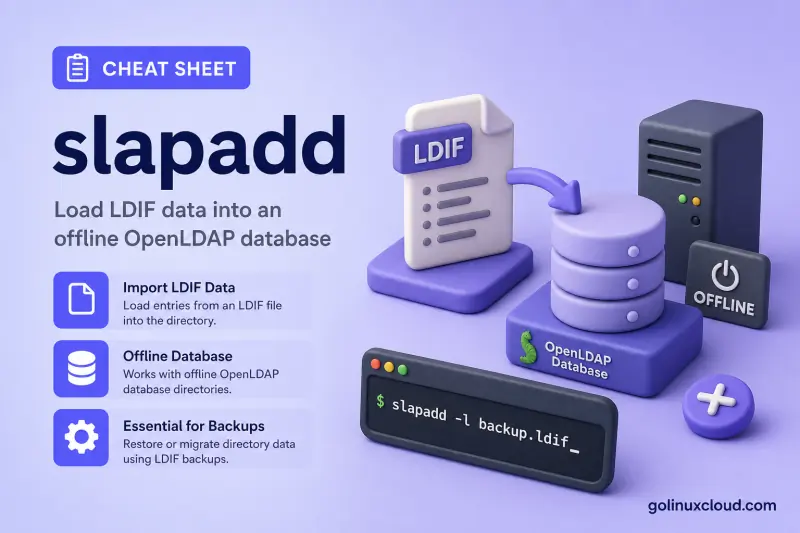
Load an offline database
These are server-maintenance commands. On this lab host the configuration directory is /etc/openldap/slapd.d, database 0 is cn=config, and database 2 holds dc=example,dc=com. Confirm paths and database numbers on every server before a restore.
| When to use | Command |
|---|---|
| Load an LDIF file into database 2 | sudo slapadd -F /etc/openldap/slapd.d -n 2 -l /root/ldap-data.ldif |
| Check an import without writing data | sudo slapadd -u -F /etc/openldap/slapd.d -n 2 -l /root/ldap-data.ldif |
| Load the config database (only when it already exists) | sudo slapadd -F /etc/openldap/slapd.d -n 0 -l /root/ldap-config.ldif |
| Select the backend by suffix instead of number | sudo slapadd -F /etc/openldap/slapd.d -b 'dc=example,dc=com' -l /root/ldap-data.ldif |
| Reduce normal status messages | sudo slapadd -q -F /etc/openldap/slapd.d -n 2 -l /root/ldap-data.ldif |
| Read LDIF from standard input | sudo slapadd -F /etc/openldap/slapd.d -n 2 < /root/ldap-data.ldif |
| Resume after fixing an LDIF error at a known line | sudo slapadd -F /etc/openldap/slapd.d -n 2 -l /root/ldap-data.ldif -j 42 |
| Update syncrepl context CSN after offline load | sudo slapadd -F /etc/openldap/slapd.d -n 2 -l /root/ldap-data.ldif -w |
Set Server ID for generated entryCSN values |
sudo slapadd -F /etc/openldap/slapd.d -n 2 -l /root/ldap-data.ldif -S 1 |
Important flag meanings
-u is dry-run mode: it does not write to the backend. It does not disable a slapadd lock. -q trades integrity checks for speed and can leave an unusable database after an error or interruption. -j skips to a line number in the LDIF — pair it with slapcat -v markers when resuming a failed load. -w and -S matter mainly for replication-aware restores.
Help
| When to use | Command |
|---|---|
| Open the full manual | man slapadd |
| Confirm the installed OpenLDAP build | slapd -V |
slapadd — command syntax
Synopsis from OpenLDAP 2.6:
/usr/sbin/slapadd [-b suffix] [-c] [-d debug-level] [-f slapd.conf] [-F confdir]
[-g] [-j lineno] [-l ldif-file] [-n dbnum] [-o option[=value]] [-q] [-s] [-S SID] [-u] [-v] [-w]
Use either -n or -b, never both. -l names the LDIF input and -F /etc/openldap/slapd.d selects the dynamic RHEL configuration. OpenLDAP documents -u as a dry run that does not write to the backend.
slapadd — command examples
Essential Dry-run an LDIF import in a disposable lab
Before loading a lab database, parse the exact LDIF and configuration without writing anything. This is the first import-style example to run.
sudo slapadd -u -F /etc/openldap/slapd.d -n 2 -l /root/ldap-data.ldifOn valid input, dry-run mode normally exits with no output and status 0. That means parsing reached the backend without writing entries; it is not a substitute for a full restore test. Still stop slapd before a real load.
Essential Generate a password hash before authoring LDIF
When you build a fresh LDIF instead of restoring from slapcat, generate {SSHA} values with slappasswd rather than placing clear-text passwords in the file.
slappasswd -s 'testpass123'Sample output:
{SSHA}nC4ifO46PORLqtfdGNtObRXcune8BDUQPaste the hash into userPassword in the LDIF, then dry-run the import with slapadd -u before loading offline.
Essential See which entries a dry run would add
Combine -u with -v when you want a line-by-line preview of the import order before touching the MDB files.
sudo slapadd -u -v -F /etc/openldap/slapd.d -n 2 -l /root/ldap-data.ldifSample output:
added: "dc=example,dc=com" (00000000)
added: "ou=people,dc=example,dc=com" (00000000)
added: "ou=groups,dc=example,dc=com" (00000000)
added: "cn=developers,ou=groups,dc=example,dc=com" (00000000)
added: "uid=jdoe,ou=people,dc=example,dc=com" (00000000)
added: "ou=service-accounts,dc=example,dc=com" (00000000)
added: "uid=replicator,ou=service-accounts,dc=example,dc=com" (00000000)
added: "uid=repltest1752462420,ou=people,dc=example,dc=com" (00000000)
Eight added: lines match the eight DNs in the lab export from slapcat; no data was written because -u was set.
Essential Load a fresh, offline lab data database
Use this only after stopping slapd and clearing or creating a disposable database according to your lab procedure. Never point it at an active production database.
sudo slapadd -F /etc/openldap/slapd.d -n 2 -l /root/ldap-data.ldifSuccessful imports are normally silent. The command adds entries and builds configured indexes, so start slapd only after ownership, slaptest, and your restore validation are complete.
Essential Target an offline database by suffix
Select the database by naming context when its index is different on another lab server.
sudo slapadd -F /etc/openldap/slapd.d -b 'dc=example,dc=com' -l /root/ldap-data.ldifSuccessful imports are normally silent. Do not include -n in this command because -b and -n are mutually exclusive.
Common Resume from a line number with -j
When a load fails midway, fix the LDIF and jump past the already-imported records. Use slapcat -v or grep -n '^dn:' to find the line number.
sudo slapadd -u -F /etc/openldap/slapd.d -n 2 -l /root/ldap-data.ldif -j 5Dry-run mode with -j 5 skips the first four LDIF lines and parses the remainder without writing. Confirm the jump point on a disposable copy before repeating on the real backend.
Common Load cn=config only in a controlled rebuild
The configuration backend is database 0. Use it only when rebuilding an offline lab configuration that already has the required config database on disk.
sudo slapadd -F /etc/openldap/slapd.d -n 0 -l /root/ldap-config.ldifSuccessful imports are normally silent. A config restore can make slapd unable to start, so validate it with slaptest before starting the service.
Common Toggle schema checking with -o
Generic -o options adjust import behavior. schema-check=no is for special objects such as partial replicas — not routine lab restores.
sudo slapadd -u -o schema-check=no -F /etc/openldap/slapd.d -n 2 -l /root/ldap-data.ldifOn a normal data LDIF the dry run still succeeds silently. Reserve schema-check=no for documented replication edge cases, not to hide ordinary schema mistakes.
Common Use quiet mode only after validation
-q reduces checks and status output. It is suitable only for a repeatable lab load after a normal dry run and a known-good restore procedure.
sudo slapadd -q -F /etc/openldap/slapd.d -n 2 -l /root/ldap-data.ldifThe command may be silent on success. Avoid -q when diagnosing data problems: an interruption or malformed input can leave the resulting database unusable.
Advanced Understand -w and -S for replication restores
-w writes syncrepl context information after the load; -S sets the Server ID used in generated entryCSN values. Use both only in a replication-aware restore plan.
sudo slapadd -u -w -S 1 -F /etc/openldap/slapd.d -n 2 -l /root/ldap-data.ldifDry-run mode previews the path without updating contextCSN. On a real offline restore, document the Server ID you choose so it does not collide with an existing provider or consumer.
Advanced Read a lab LDIF from standard input
Use standard input when a tightly controlled pipeline produces the LDIF. Keep the source file and command log protected.
sudo slapadd -u -F /etc/openldap/slapd.d -n 2 < /root/ldap-data.ldifDry-run mode normally prints nothing on valid input. Keeping -u in this pipeline demonstrates the data path without modifying the backend.
slapadd — when to use / when not
| Use slapadd when | Use something else when |
|---|---|
|
|
slapadd vs ldapmodify
| slapadd | ldapmodify | |
|---|---|---|
| Target | Local on-disk backend | Running LDAP service |
| Normal use | Initial loads and offline restores | Routine adds, modifies, deletes |
| ACL processing | Bypasses normal client access path | Enforces bind and access controls |
| Service state | slapd should be stopped |
slapd must be available |
| Typical LDIF source | slapcat export | Hand-authored change records |
| Password hashes | Accepts {SSHA} values from slappasswd in the LDIF |
Same hash formats over LDAP |
Use ldapmodify for ordinary production administration; reserve slapadd for an offline restore plan after a verified slapcat backup.
Related commands
These commands separate safe online administration from offline server maintenance.
| Command | One line |
|---|---|
| ldapsearch | Verify entries through the LDAP service. |
| ldapmodify | Apply normal online LDIF changes. |
| slapcat | Export a backend to LDIF before a restore. |
| slaptest | Validate configuration before starting slapd. |
| slappasswd | Generate password values for LDIF. |
Browse the full Linux commands cheat sheet reference.
slapadd — interview corner
What is slapadd used for?
It imports LDIF directly into an OpenLDAP backend. Its main uses are initial population and controlled offline restore.
A strong answer is:
"slapadd is an offline backend loader. I stop slapd, validate the LDIF with -u, load the correct database, run slaptest, then verify with ldapsearch before returning the service."
What does slapadd -u do?
It enables dry-run mode, so slapadd does not write to the backend. It does not disable a lock.
A strong answer is:
"I use -u to parse the intended import without writing. Pair it with -v when I need to see each DN that would be added."
Why must slapd be stopped before slapadd?
Concurrent writes can produce an inconsistent backend. The OpenLDAP manual explicitly advises stopping slapd for consistency.
A strong answer is:
"slapadd writes database files directly, so I keep slapd offline to avoid concurrent writes and validate the result before startup."
What is the risk of slapadd -q?
It performs fewer checks to load faster. Errors or interruptions can leave a database unusable.
A strong answer is:
"I use -q only in a tested, repeatable load path; during troubleshooting I keep normal checks enabled."
When do you use slapadd -j?
After a failed import, when part of the LDIF already loaded and you corrected a later record. -j skips to a line number in the LDIF file.
A strong answer is:
"I find the line with slapcat -v markers or grep -n, fix the LDIF, then resume with -j on a disposable backend first."
Should slapadd input come from slapcat or ldapsearch?
Prefer slapcat output for offline restore. ldapsearch output may miss operational attributes and reflects ACL visibility, not the full backend.
A strong answer is:
"Back up with slapcat, restore with slapadd. ldapsearch is for verification after slapd is running, not as the primary migration source."
Troubleshooting
| Symptom | Likely cause | Fix |
|---|---|---|
| Import collides with a running server | slapd was not stopped |
Stop the service, return to a known-good backup, then follow the restore runbook. |
-b and -n fail together |
Both database selectors were supplied | Keep only one selector. |
slapd cannot start after config import |
Invalid cn=config LDIF or filesystem state |
Run slaptest -F /etc/openldap/slapd.d before startup and restore the known-good config if needed. |
| Database files have wrong ownership | Import ran as the wrong identity | Files must belong to the ldap service account before starting slapd. |
| Load fails on an entry | LDIF order, duplicate DN, or schema issue | Start with -u -v, correct the source LDIF, and reload a disposable database. |
Resume with -j skips too much or too little |
Line number does not match the edited LDIF | Re-count with grep -n '^dn:' on the current file; test the jump with -u first. |
| Quiet import leaves corrupt MDB | -q disabled consistency checks |
Rebuild from the last good slapcat backup without -q. |
| Passwords fail after restore | Hashes copied incorrectly or {CLEARTEXT} in export |
Regenerate with slappasswd and re-import in the lab before production. |
| Replication context wrong after restore | Missing -w / -S in a repl-aware plan |
Document Server IDs and context CSN handling with your replication design before loading. |
References
- OpenLDAP slapadd(8) manual{: target="_blank" rel="noopener" }
- OpenLDAP slapcat(8) manual{: target="_blank" rel="noopener" }
- OpenLDAP Administrator's Guide — importing LDIF{: target="_blank" rel="noopener" }
- Install and configure OpenLDAP on RHEL Linux
- Configure cn=config with the MDB backend
- OpenLDAP migration examples
