
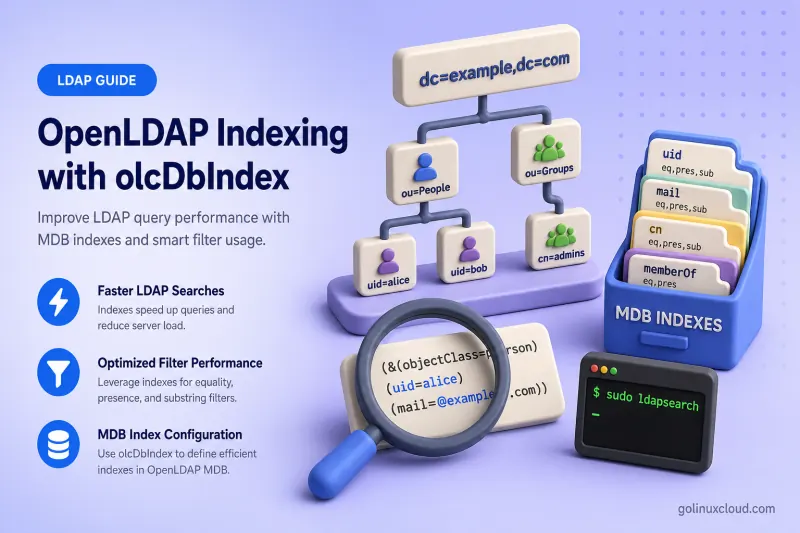
OpenLDAP indexes allow the MDB backend to reduce the number of candidate entries examined during LDAP searches. Without the right index for a filter, slapd may walk far more of the database than necessary, which shows up as slow SSSD lookups, sluggish sudo rule retrieval, slow Apache LDAP authentication, and repeated mdb_equality_candidates messages in the server log.
This guide explains how to:
- map LDAP filters to the correct index types
- inspect existing
olcDbIndexvalues on the live server - identify repeated unindexed searches in logs
- add or modify indexes through
cn=config - monitor online index generation
- rebuild indexes offline with
slapindex - measure search speed, write overhead, and database growth
- apply index-cost trade-offs when choosing new indexes
The procedure applies to OpenLDAP 2.6 across the RHEL family: Red Hat Enterprise Linux, Rocky Linux, AlmaLinux, Oracle Linux, and CentOS Stream.
Tested on: Rocky Linux 10.2; OpenLDAP 2.6.10 from EPEL on
ldap-server.example.com.
Complete these lessons first:
- Install and Configure OpenLDAP on the RHEL Family
- Secure OpenLDAP with TLS
- OpenLDAP cn=config and MDB explained
- Manage OpenLDAP users and groups
- OpenLDAP client authentication with SSSD
- OpenLDAP backup and restore
This article owns filter analysis, index-type choice, olcDbIndex changes, online indexing, slapindex, and performance measurement. General MDB sizing and safe cn=config editing stay in OpenLDAP cn=config and MDB. SSSD identity settings, sudo LDAP provider searches, and autofs map lookups are covered in the SSSD client guide and the dedicated sudo and NFS follow-on lessons.
Prerequisites and lab environment
The lab server in this walkthrough uses:
| Setting | Value |
|---|---|
| OpenLDAP server | ldap-server.example.com |
| Directory suffix | dc=example,dc=com |
| Users OU | ou=people,dc=example,dc=com |
| Groups OU | ou=groups,dc=example,dc=com |
| Backend | MDB |
| Configuration | cn=config |
| MDB directory | /var/lib/ldap |
| Test user | uid=jdoe,ou=people,dc=example,dc=com |
| SSSD reader bind DN | uid=sssd-reader,ou=service-accounts,dc=example,dc=com |
The timing examples use the sssd-reader service account over StartTLS, matching the SSSD client guide. The reader password must satisfy your directory password policy (15 characters on this lab) and pwdReset must be cleared or LDAP searches return Error 50 even when the bind succeeds.
Create ou=people, the jdoe POSIX account, and group membership through Manage OpenLDAP users and groups if they are not already present. Confirm the reader account can bind and search the people and groups subtrees:
ldapwhoami -x -ZZ -H ldap://ldap-server.example.com -D "uid=sssd-reader,ou=service-accounts,dc=example,dc=com" -WSample output:
dn:uid=sssd-reader,ou=service-accounts,dc=example,dc=comVerify the user and group filters used later in the timing section:
ldapsearch -x -ZZ -H ldap://ldap-server.example.com -D "uid=sssd-reader,ou=service-accounts,dc=example,dc=com" -W -b "ou=people,dc=example,dc=com" -LLL "(uid=jdoe)" dn uid uidNumberSample output:
dn: uid=jdoe,ou=people,dc=example,dc=com
uid: jdoe
uidNumber: 10001
If the bind works but searches return Error 50, clear pwdReset on the reader account or complete the password change required by ppolicy.
Use this table as the initial filter-to-index decision guide:
| LDAP filter | Filter type | Index |
|---|---|---|
(uid=jdoe) |
Equality | uid eq |
(uidNumber=10001) |
Equality | uidNumber eq |
(mail=*) |
Presence | mail pres |
(cn=John*) |
Initial substring | cn subinitial |
(cn=*ohn*) |
Any substring | cn subany or cn sub |
(cn=*Doe) |
Final substring | cn subfinal |
(cn~=John Doe) |
Approximate | cn approx, when supported |
Understand OpenLDAP index types
OpenLDAP stores the index configuration for each MDB database in the multi-valued olcDbIndex attribute under cn=config. The syntax is:
olcDbIndex: ATTRIBUTE INDEX_TYPEA single line can list several attributes that share the same index types:
olcDbIndex: objectClass eq
olcDbIndex: uid,uidNumber,gidNumber eq
olcDbIndex: cn,sn eq,sub
The index types map to LDAP filter forms:
| Index | Purpose | Example filter |
|---|---|---|
eq |
Exact equality match | (uid=jdoe) |
pres |
Attribute-presence match | (mail=*) |
sub |
All supported substring forms | (cn=*Doe*) |
subinitial |
Value starts with text | (cn=John*) |
subany |
Text occurs anywhere | (cn=*ohn*) |
subfinal |
Value ends with text | (cn=*Doe) |
approx |
Approximate matching | (cn~=Jon Doe) |
none |
Do not maintain the default index set for the listed attribute | Not applicable |
Most administrators only need eq, pres, sub, and occasionally approx. The advanced nosubtypes and nolang options control whether an index also applies to attribute subtypes; you can normally leave them unset.
Keep these rules in mind when you plan indexes:
- Indexes correspond to attributes used in the search filter, not attributes you only return in the result.
- Not every attribute supports every index type; the schema matching rules must allow the operation.
- OpenLDAP has no separate inequality-index keyword for filters such as
(uidNumber>=1000). Depending on the attribute and its matching rules, some ordering filters may still use the equality index. - An index on a superior attribute type also applies to its subtypes by default unless
nosubtypesis configured. olcDbIndex: uid,mail eqcreates separate indexes foruidandmail; it is not an SQL-style composite index.
Upstream OpenLDAP maintains no indexes by default. Distribution packages or existing configurations may already define indexes, so always inspect olcDbIndex before adding new values. The upstream default is no indexes, although OpenLDAP strongly recommends at least objectClass eq.
Avoid unnecessary indexes
Every index costs disk space and write-time maintenance. This is the main place to weigh those trade-offs before you add presence or substring indexes.
| Cost | Effect |
|---|---|
| Larger MDB files | More backup time and disk consumption |
| Extra index maintenance | Slower ldapadd, ldapmodify, and bulk import |
| Background generation | Higher CPU and I/O after olcDbIndex changes |
| Offline rebuild time | Longer slapindex windows |
Presence indexes help when the attribute is uncommon and presence searches are frequent. Substring indexes belong on attributes that applications genuinely search with wildcards—not on every descriptive text field in the schema.
Identify filters used by your applications
Start by checking how your clients actually search the directory. Identify the filter and base DN used by SSSD, sudo, autofs, applications, or administrative tools.
| Application | Typical filter | Candidate index |
|---|---|---|
| SSSD username lookup | (uid=jdoe) |
uid eq |
| SSSD UID lookup | (uidNumber=10001) |
uidNumber eq |
| SSSD group lookup | (gidNumber=10001) |
gidNumber eq |
| POSIX account search | (objectClass=posixAccount) |
objectClass eq |
| RFC2307 group membership | (memberUid=jdoe) |
memberUid eq |
| DN-based group membership | (member=USER_DN) |
member eq |
| Email lookup | ([email protected]) |
mail eq |
| Name search | (cn=John*) |
cn subinitial |
| sudo lookup | (sudoUser=jdoe) |
sudoUser eq |
| autofs key lookup | (automountKey=jdoe) |
automountKey eq |
Treat these as examples, not a ready-made index list. Your final indexes should match the filters that your clients send regularly. Use the dedicated SSSD, sudo, and autofs guides for provider settings, then return here to index the filters those clients actually send.
Detect unindexed equality searches
First inspect the current logs. OpenLDAP's stats log level normally records mdb_equality_candidates messages when an equality filter has no usable index. OpenLDAP 2.6 may report (attribute) not indexed, while older versions or log formats may show index_param failed (18). A more verbose trace level is not usually required. Check olcLogLevel and increase logging temporarily only when the relevant search filters are not visible:
sudo ldapsearch -Q -LLL -Y EXTERNAL -H ldapi:/// -b cn=config -s base olcLogLevelWhen stats is active, grep the journal for MDB candidate warnings after the filter runs:
sudo journalctl -u slapd --since "10 min ago" --no-pager | grep mdb_equality_candidatesSample output when memberUid has no equality index on OpenLDAP 2.6.10:
<= mdb_equality_candidates: (memberUid) not indexedThe attribute name in parentheses is the one that lacked a usable equality index. A rare administrative query may not justify a new index; steady production traffic does.
Increase logging only when those messages do not appear and you still need evidence of unindexed traffic. Restore your normal olcLogLevel when the investigation is complete.
Inspect the current olcDbIndex configuration
Discover the MDB database by suffix instead of hard-coding a numbered DN such as olcDatabase={2}mdb,cn=config. Store the result in a shell variable:
MDB_DN=$(sudo ldapsearch -Q -LLL -Y EXTERNAL -H ldapi:/// -b cn=config '(&(objectClass=olcMdbConfig)(olcSuffix=dc=example,dc=com))' dn | awk '/^dn: / {sub(/^dn: /, ""); print; exit}')If the suffix does not exist on this host, stop before changing indexes:
if [[ -z "$MDB_DN" ]]; then
    echo "MDB database for dc=example,dc=com was not found." >&2
    exit 1
fi
Print the discovered DN so your LDIF targets the correct database entry:
printf 'MDB database DN: %s\n' "$MDB_DN"Sample output:
MDB database DN: olcDatabase={2}mdb,cn=configQuery the database path, suffix, and current index rules:
sudo ldapsearch -Q -LLL -o ldif-wrap=no -Y EXTERNAL -H ldapi:/// -b "$MDB_DN" -s base olcSuffix olcDbDirectory olcDbIndexSample output:
dn: olcDatabase={2}mdb,cn=config
olcDbDirectory: /var/lib/ldap
olcSuffix: dc=example,dc=com
olcDbIndex: objectClass eq,pres
olcDbIndex: ou,cn,mail,surname,givenname eq,pres,sub
This is the existing lab configuration, not the recommended baseline. In particular, objectClass pres and broad pres,sub indexing should be reviewed against actual production filters.
The numbered {2} prefix is assigned at creation time on this server. Another host may use a different number even when the suffix is identical.
Plan the OpenLDAP index set
Start with a conservative RFC2307 baseline when those filters are confirmed in your environment:
olcDbIndex: objectClass eq
olcDbIndex: uid,uidNumber,gidNumber eq
olcDbIndex: memberUid eq
Add feature-specific indexes only when the feature exists and you have verified the filter:
- POSIX / RFC2307 clients:
member,mail - sudo rules:
sudoUser,sudoHost - autofs maps:
automountMapName,automountKey - syncrepl replication:
entryUUID,entryCSN
Example olcDbIndex lines:
olcDbIndex: member eq
olcDbIndex: mail eq
olcDbIndex: sudoUser,sudoHost eq
olcDbIndex: automountMapName,automountKey eq
olcDbIndex: entryUUID eq
olcDbIndex: entryCSN eq
Add entryUUID and entryCSN only when the database participates in syncrepl replication; they are not part of the basic RFC2307-only baseline.
Add name substring indexes only when applications use wildcard name searches:
olcDbIndex: cn,sn eq,subUse a short review table before you apply changes:
| Attribute | Observed filter | Frequency | Proposed index | Decision |
|---|---|---|---|---|
uid |
(uid=VALUE) |
High | eq |
Add |
memberUid |
(memberUid=VALUE) |
High | eq |
Add |
mail |
(mail=VALUE) |
Medium | eq |
Add |
description |
(description=*TEXT*) |
Rare | sub |
Do not add |
telephoneNumber |
Returned only | None | None | Do not add |
Do not normally index userPassword, homeDirectory, loginShell, or description unless the attribute appears frequently in a search filter. Apply the index-cost trade-offs discussed earlier before you add presence or substring indexes to descriptive attributes.
Add or modify olcDbIndex online
Back up cn=config and the suffix data before you change indexes. The OpenLDAP backup and restore guide covers full retention policy; here is the minimum snapshot before index work:
sudo install -d -m 0700 /root/openldap-index-backupExport the configuration database:
sudo slapcat -F /etc/openldap/slapd.d -n 0 -l /root/openldap-index-backup/cn-config-before-index.ldifExport the application suffix:
sudo slapcat -F /etc/openldap/slapd.d -b "dc=example,dc=com" -l /root/openldap-index-backup/example-com-before-index.ldifBoth commands exit silently on success when slapd is running and the paths are correct.
Add new index values
Create add-openldap-indexes.ldif with the discovered $MDB_DN:
sudo tee /root/openldap-index-backup/add-openldap-indexes.ldif >/dev/null <<EOF
dn: $MDB_DN
changetype: modify
add: olcDbIndex
olcDbIndex: uid,uidNumber,gidNumber eq
-
add: olcDbIndex
olcDbIndex: memberUid eq
EOF
Apply the change over the local administrative socket:
sudo ldapmodify -Q -Y EXTERNAL -H ldapi:/// -f /root/openldap-index-backup/add-openldap-indexes.ldifSample output:
modifying entry "olcDatabase={2}mdb,cn=config"OpenLDAP queues an internal indexing task after this ldapmodify succeeds. A service restart is not normally required.
If the same index line already exists, ldapmodify fails with a clear duplicate-value error:
ldap_modify: Type or value exists (20)
	additional info: modify/add: olcDbIndex: value #0 already exists
When this error appears, check the current olcDbIndex values before trying to add the index again.
Extend an existing index
Assume this value already exists on your server:
olcDbIndex: cn,sn eqCopy the exact string from ldapsearch before you generate the LDIF. The value in the delete operation must match the current olcDbIndex value exactly:
cat > /root/openldap-index-backup/widen-cn-index.ldif <<EOF
dn: ${MDB_DN}
changetype: modify
delete: olcDbIndex
olcDbIndex: cn,sn eq
-
add: olcDbIndex
olcDbIndex: cn,sn eq,sub
EOF
Do not use replace: olcDbIndex with a partial list. olcDbIndex is multi-valued; a careless replace can drop unrelated index definitions.
Apply the LDIF the same way as an add operation:
sudo ldapmodify -Q -Y EXTERNAL -H ldapi:/// -f /root/openldap-index-backup/widen-cn-index.ldifVerify the final values
Confirm the database entry now lists the indexes you intended:
sudo ldapsearch -Q -LLL -o ldif-wrap=no -Y EXTERNAL -H ldapi:/// -b "$MDB_DN" -s base olcDbIndexSample output after adding POSIX-related equality indexes:
dn: olcDatabase={2}mdb,cn=config
olcDbIndex: objectClass eq,pres
olcDbIndex: ou,cn,mail,surname,givenname eq,pres,sub
olcDbIndex: uid,uidNumber,gidNumber eq
olcDbIndex: memberUid eq
Monitor and verify the online index build
While slapd builds new index data in the background, use these checks to see progress and confirm normal searches still work:
| Check | What it tells you |
|---|---|
journalctl -u slapd -f |
Whether indexing started or reported errors |
du -sh /var/lib/ldap |
How much the MDB database grew |
iostat -xz 2 |
Whether indexing is creating disk pressure |
Representative ldapsearch |
Whether normal searches still work during the build |
Watch slapd logs first with journalctl while online indexing runs:
sudo journalctl -u slapd -fCheck database growth on the MDB path:
sudo du -sh /var/lib/ldapSample output on the lab host:
252K /var/lib/ldapMonitor disk throughput when CPU is high during indexing:
sudo iostat -xz 2Run a representative search while indexing continues. Store the reader password in a mode-0600 file owned by the user who runs ldapsearch:
LDAP_PASS_FILE="$HOME/.ldap-reader.pass"
install -m 0600 /dev/null "$LDAP_PASS_FILE"
read -rsp "SSSD reader password: " LDAP_READER_PASSWORD
printf '\n'
printf '%s' "$LDAP_READER_PASSWORD" > "$LDAP_PASS_FILE"
unset LDAP_READER_PASSWORD
The password file must contain the reader password before running ldapsearch. Create it as the same operating-system user that runs the test commands and restrict it to mode 0600.
ldapsearch -x -ZZ -H ldap://ldap-server.example.com -D "uid=sssd-reader,ou=service-accounts,dc=example,dc=com" -y "$LDAP_PASS_FILE" -b "ou=people,dc=example,dc=com" -LLL "(uid=jdoe)" dn uid uidNumberSample output:
dn: uid=jdoe,ou=people,dc=example,dc=com
uid: jdoe
uidNumber: 10001
Remove the password file when you finish testing:
rm -f "$LDAP_PASS_FILE"
unset LDAP_PASS_FILE
Normal LDAP operations continue during an online build. Large directories may see extra CPU and disk load until the task finishes. Let the online indexing task finish before restarting slapd; an interruption may require an offline slapindex rebuild.
Rebuild OpenLDAP indexes with slapindex
Use slapindex when:
- an online index build was interrupted
- a controlled full rebuild is required during maintenance
- logs or testing indicate incomplete index data
- index configuration changed while
slapdwas offline
Schedule a maintenance window. Stop the service first:
sudo systemctl stop slapdConfirm the daemon is not running:
systemctl is-active slapdSample output:
inactiveRebuild all configured indexes for the suffix:
sudo slapindex -F /etc/openldap/slapd.d -b "dc=example,dc=com"Rebuild selected attributes only when you want a narrower offline pass:
sudo slapindex -F /etc/openldap/slapd.d -b "dc=example,dc=com" uid uidNumber gidNumber memberUidWhen you omit the attribute list, slapindex rebuilds every index type configured in olcDbIndex for that database.
If you name an attribute that is not present in olcDbIndex, the tool reports that no index is configured:
mdb_tool_entry_reindex: no index configured for memberUidBecause slapindex runs as root in this example, verify the database ownership and SELinux labels before restarting slapd:
sudo chown -R ldap:ldap /var/lib/ldapsudo restorecon -Rv /var/lib/ldapValidate the configuration offline:
sudo slaptest -F /etc/openldap/slapd.d -uSample output:
config file testing succeededStart the service:
sudo systemctl start slapdReview recent startup messages:
sudo journalctl -u slapd -n 100 --no-pagerslapindex against a writable MDB database while slapd is active.
Measure search performance and index cost
Measure the same filter before and after you add or widen an index. Run each test several times on a quiet host; the first query after a cold start includes TLS session setup.
Interactive -W prompts include password-entry time and make the result unusable for index comparison. Store the reader password in a protected file, pass it with -y, redirect search output away from the terminal, and use GNU time to report end-to-end client latency:
LDAP_PASS_FILE="$HOME/.ldap-reader.pass"
install -m 0600 /dev/null "$LDAP_PASS_FILE"
read -rsp "SSSD reader password: " LDAP_READER_PASSWORD
printf '\n'
printf '%s' "$LDAP_READER_PASSWORD" > "$LDAP_PASS_FILE"
unset LDAP_READER_PASSWORD
The password file must contain the reader password before running ldapsearch. Create it as the same operating-system user that runs the test commands and restrict it to mode 0600.
This command measures complete client-side latency, including connection, TLS, bind, search, and result transfer. For server-side comparison, inspect the qtime and etime fields in OpenLDAP 2.6 SEARCH RESULT log records and compare the same filter, scope, base DN, and result count. OpenLDAP 2.5 and later include qtime and etime in result logging, making them more useful for server-side comparisons than interactive shell timing.
Repeat the same search several times and compare runs after the initial cold-cache request.
Before adding POSIX equality indexes
Time a user equality search:
/usr/bin/time -f 'Elapsed: %e seconds' ldapsearch -x -ZZ -H ldap://ldap-server.example.com \
  -D "uid=sssd-reader,ou=service-accounts,dc=example,dc=com" -y "$LDAP_PASS_FILE" -b "ou=people,dc=example,dc=com" -LLL "(uid=jdoe)" dn uid uidNumber >/dev/null
Sample output:
Elapsed: 0.06 secondsTime a group membership search:
/usr/bin/time -f 'Elapsed: %e seconds' ldapsearch -x -ZZ -H ldap://ldap-server.example.com \
  -D "uid=sssd-reader,ou=service-accounts,dc=example,dc=com" -y "$LDAP_PASS_FILE" -b "ou=groups,dc=example,dc=com" -LLL "(memberUid=jdoe)" dn cn gidNumber >/dev/null
Sample output:
Elapsed: 0.03 secondsAfter adding uid,uidNumber,gidNumber eq and memberUid eq
Repeat the user equality search after warming the server and operating-system caches:
/usr/bin/time -f 'Elapsed: %e seconds' ldapsearch -x -ZZ -H ldap://ldap-server.example.com \
  -D "uid=sssd-reader,ou=service-accounts,dc=example,dc=com" -y "$LDAP_PASS_FILE" -b "ou=people,dc=example,dc=com" -LLL "(uid=jdoe)" dn uid uidNumber >/dev/null
Sample output:
Elapsed: 0.04 secondsRepeat the group membership search:
/usr/bin/time -f 'Elapsed: %e seconds' ldapsearch -x -ZZ -H ldap://ldap-server.example.com \
  -D "uid=sssd-reader,ou=service-accounts,dc=example,dc=com" -y "$LDAP_PASS_FILE" -b "ou=groups,dc=example,dc=com" -LLL "(memberUid=jdoe)" dn cn gidNumber >/dev/null
Sample output:
Elapsed: 0.07 secondsSubstring search when cn already has sub indexing
Time a wildcard name filter only when your applications use that pattern:
/usr/bin/time -f 'Elapsed: %e seconds' ldapsearch -x -ZZ -H ldap://ldap-server.example.com \
  -D "uid=sssd-reader,ou=service-accounts,dc=example,dc=com" -y "$LDAP_PASS_FILE" -b "ou=people,dc=example,dc=com" -LLL "(cn=*Doe*)" dn uid cn >/dev/null
Sample output:
Elapsed: 0.03 secondsRemove the password file when timing is complete:
rm -f "$LDAP_PASS_FILE"
unset LDAP_PASS_FILE
Record before-and-after values in your change ticket:
| Metric | Before | After |
|---|---|---|
Client latency (uid=jdoe) |
0.06 s | 0.04 s |
Client latency (memberUid=jdoe) |
0.03 s | 0.07 s |
Client latency (cn=*Doe*) |
0.03 s | 0.03 s |
mdb_equality_candidates warnings |
(memberUid) not indexed |
None |
MDB directory size (du -sh /var/lib/ldap) |
252K | 252K |
Server qtime / etime in SEARCH RESULT |
compare in logs | compare in logs |
These small-directory timings are too noisy to prove improvement on their own. The important validation in this lab is that the unindexed warning disappeared. On a production-sized directory, compare multiple runs and server-side qtime and etime values.
The goal is not the largest possible index set. The goal is faster frequent searches with acceptable storage and write overhead.
Troubleshoot OpenLDAP indexing problems
| Symptom | Likely layer | Recommended check |
|---|---|---|
mdb_equality_candidates: (ATTR) not indexed |
Missing equality index | Compare the logged attribute with olcDbIndex |
index_param failed (18) |
Same condition on older log formats | Add the eq type for that attribute |
| Search remains slow | Incomplete build or low-selectivity filter | Check journalctl -u slapd and candidate volume |
| Equality filter is unindexed | Only pres or sub configured |
Add the eq type for that attribute |
| Wildcard search remains slow | Only equality indexing exists | Evaluate subinitial, subany, or sub |
| MDB size grows sharply | Excessive substring or presence indexes | Remove low-value indexes |
| Writes become slower | Extra index maintenance | Compare modification and import time |
ldap_modify: Type or value exists (20) |
Duplicate olcDbIndex line |
Check current olcDbIndex values before adding the index again |
| Index type is rejected | Attribute lacks matching rule | Inspect the schema definition |
| Index incomplete after restart | Online build interrupted | Run slapindex offline |
slapindex reports no index configured |
Attribute omitted from olcDbIndex |
Add the index rule or remove the attribute from the slapindex list |
slapindex reports database busy |
slapd still holds the MDB environment |
Stop slapd before offline rebuild |
slapd cannot read MDB afterward |
Wrong ownership | Restore ldap:ldap on /var/lib/ldap |
| SELinux blocks database access | Context changed during offline work | Run restorecon and inspect AVC messages |
| SSSD remains slow | Different filter or search base | Capture the actual SSSD query |
| Presence index provides no benefit | Attribute exists on most entries | Remove the low-selectivity index |
Useful diagnostics:
sudo ldapsearch -Q -LLL -Y EXTERNAL -H ldapi:/// -b "$MDB_DN" -s base olcDbIndexLists the current olcDbIndex rules on the live MDB database. Run this when the symptom table points to a missing or wrong index type.
sudo slaptest -F /etc/openldap/slapd.d -uValidates the on-disk cn=config tree after an index change. Use it when slapd fails to start or before an offline slapindex run.
sudo journalctl -u slapd -n 200 --no-pagerShows recent mdb_equality_candidates warnings, index build progress, and search timing. Check this when searches stay slow after adding an index.
sudo du -sh /var/lib/ldapReports current MDB storage use. Compare before and after index changes when evaluating disk overhead.
References
- OpenLDAP 2.6 Administrator Guide — Tuning
- OpenLDAP 2.6 Administrator Guide — Replication
- OpenLDAP 2.6 slapindex man page
Summary
You learned how to:
- map LDAP filters to OpenLDAP index types
- distinguish equality, presence, substring, and approximate indexes
- inspect current
olcDbIndexvalues on the live MDB database - identify repeated unindexed searches in server logs
- plan a workload-specific index set instead of copying a generic list
- add and modify indexes through
cn=configwithldapmodify - monitor online index generation while
slapdstays up - complete interrupted builds with offline
slapindex - measure search speed, storage growth, and write overhead
- troubleshoot missing and incomplete MDB indexes
