
Tested on: Rocky Linux 10.2; OpenLDAP 2.6.10; openldap-clients from EPEL.
ldapadd — quick reference
Add directory entries
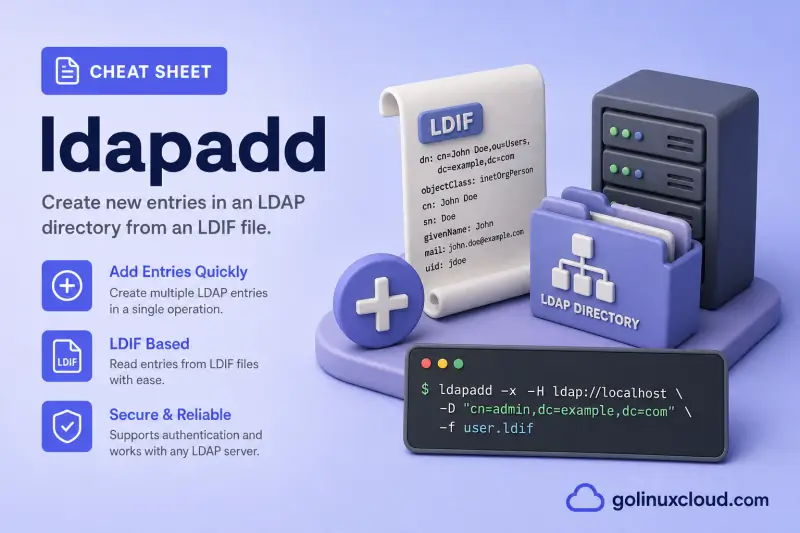
ldapadd reads LDIF from standard input unless -f names a file. It is the ldapmodify binary in add mode.
| When to use | Command |
|---|---|
| Add records from an LDIF file over StartTLS | ldapadd -x -ZZ -H ldap://localhost -D "cn=admin,dc=example,dc=com" -W -f add-user.ldif |
| Add records and provide the lab password on the command line | ldapadd -x -ZZ -H ldap://localhost -D "cn=admin,dc=example,dc=com" -w 'PASSWORD' -f add-user.ldif |
| Pipe LDIF from standard input | ldapadd -x -ZZ -H ldap://localhost -D "cn=admin,dc=example,dc=com" -W < add-user.ldif |
Read the password from a protected file instead of -w |
ldapadd -x -ZZ -H ldap://localhost -D "cn=admin,dc=example,dc=com" -y /root/ldap.pass -f add-user.ldif |
Batch recovery and preview
Use these flags when a large import stops partway through or you want to rehearse before writing.
| When to use | Command |
|---|---|
| Continue processing later records after an error | ldapadd -c -x -ZZ -H ldap://localhost -D "cn=admin,dc=example,dc=com" -W -f batch.ldif |
| Resume from a specific LDIF line number after a failure | ldapadd -j 11 -x -ZZ -H ldap://localhost -D "cn=admin,dc=example,dc=com" -W -f batch.ldif |
| Write skipped or failed records to another LDIF file | ldapadd -c -S skipped.ldif -x -ZZ -H ldap://localhost -D "cn=admin,dc=example,dc=com" -W -f batch.ldif |
| Preview changes without sending them to the server | ldapadd -n -v -x -ZZ -H ldap://localhost -D "cn=admin,dc=example,dc=com" -W -f add-user.ldif |
Debugging and local configuration
| When to use | Command |
|---|---|
| Print an operation transcript | ldapadd -v -x -ZZ -H ldap://localhost -D "cn=admin,dc=example,dc=com" -W -f add-user.ldif |
| Raise the LDAP client debug level | ldapadd -d 1 -x -ZZ -H ldap://localhost -D "cn=admin,dc=example,dc=com" -W -f add-user.ldif |
Add a local schema or cn=config record |
sudo ldapadd -Q -Y EXTERNAL -H ldapi:/// -f schema.ldif |
Help
| When to use | Command |
|---|---|
Show usage (no -h on this build) |
ldapadd 2>&1 | head |
| Print version and exit | ldapadd -VV |
ldapadd — command syntax
ldapadd shares the modify utility syntax. Synopsis from the OpenLDAP 2.6.10 client on the tested host:
ldapadd [-V[V]] [-d debuglevel] [-n] [-v] [-c] [-f file] [-j lineno]
        [-S file] [-M[M]] [-x] [-D binddn] [-W] [-w passwd] [-y passwdfile]
        [-H ldapuri] [-P {2|3}] [-e [!]<ext>[=<extparam>]]
        [-E [!]<ext>[=<extparam>]] [-o opt[=optparam]] [-I] [-Q]
        [-Y mech] [-Z[Z]]
The input must be valid LDIF. Build user records in the OpenLDAP user and group management guide before loading them; install OpenLDAP on RHEL first if the server and dc=example,dc=com suffix are not yet in place. For TLS trust and -ZZ, see configure OpenLDAP TLS on RHEL.
ldapadd — command examples
Essential Add a user from an LDIF file
Prepare a user record under ou=people,dc=example,dc=com. The server on this lab requires StartTLS before a simple bind.
LDIF for the add:
dn: uid=alice,ou=people,dc=example,dc=com
objectClass: top
objectClass: person
objectClass: organizationalPerson
objectClass: inetOrgPerson
cn: Alice Example
sn: Example
uid: alice
mail: [email protected]
Load it with the directory administrator:
ldapadd -x -ZZ -H ldap://localhost -D "cn=admin,dc=example,dc=com" -W -f /root/alice.ldifSample output:
Enter LDAP Password:
adding new entry "uid=alice,ou=people,dc=example,dc=com"
The adding new entry line with the full DN is the confirmation that the server accepted the record.
Essential Verify the added entry
Search the exact DN after an add. A base-scope read catches a wrong suffix or mistyped RDN immediately.
ldapsearch -x -LLL -ZZ -H ldap://localhost -D "cn=admin,dc=example,dc=com" -W -b "uid=alice,ou=people,dc=example,dc=com" -s base "(objectClass=*)" uid cn mailSample output:
Enter LDAP Password:
dn: uid=alice,ou=people,dc=example,dc=com
uid: alice
cn: Alice Example
mail: [email protected]
When ACLs allow anonymous read, you can omit the bind; otherwise use an authorized DN as shown here.
Essential Recognize an existing DN
Re-running an add against the same DN does not update it; LDAP returns error 68.
ldapadd -x -ZZ -H ldap://localhost -D "cn=admin,dc=example,dc=com" -W -f /root/alice.ldifSample output:
Enter LDAP Password:
ldap_add: Already exists (68)
adding new entry "uid=alice,ou=people,dc=example,dc=com"
Use ldapmodify for an existing entry rather than deleting and recreating it.
Common Add an entry from standard input
Omit -f when a here-document or pipe feeds LDIF. This is the same add semantics as a file.
ldapadd -x -ZZ -H ldap://localhost -D "cn=admin,dc=example,dc=com" -w 'PASSWORD' < /root/carol.ldifSample output:
adding new entry "uid=carol,ou=people,dc=example,dc=com"Shell redirection keeps short one-off adds out of temporary files on disk.
Common Continue through a batch after one bad record
-c reports errors but continues with later LDIF records, which is useful when importing an inspected batch.
ldapadd -c -x -ZZ -H ldap://localhost -D "cn=admin,dc=example,dc=com" -W -f /root/people-batch.ldifSample output:
Enter LDAP Password:
ldap_add: Already exists (68)
adding new entry "uid=alice,ou=people,dc=example,dc=com"

adding new entry "uid=bob,ou=people,dc=example,dc=com"
Review every error afterward; -c prevents an early stop but does not make failed records succeed.
Common Preview an add with `-n`
-n shows what would be sent without modifying the directory. Pair it with -v to see attribute values in the transcript.
ldapadd -n -v -x -ZZ -H ldap://localhost -D "cn=admin,dc=example,dc=com" -w 'PASSWORD' -f /root/carol.ldifSample output:
add objectClass:
	top
	person
	organizationalPerson
	inetOrgPerson
add cn:
	Carol Example
add uid:
	carol
!adding new entry "uid=carol,ou=people,dc=example,dc=com"
The leading ! on the add line marks a dry-run operation that was not applied.
Common Resume a batch from a line number
After a failed import, -j lineno skips earlier lines in the LDIF file. Jump to the dn: line of the next record you still need to load.
ldapadd -j 11 -x -ZZ -H ldap://localhost -D "cn=admin,dc=example,dc=com" -w 'PASSWORD' -f /root/people-batch.ldifSample output:
adding new entry "uid=bob,ou=people,dc=example,dc=com"Line numbers come from nl -ba batch.ldif; start at the dn: of the first record that did not succeed.
Advanced Capture skipped records with `-S`
-S file writes records that could not be added into a separate LDIF, including a comment with the error.
ldapadd -c -S /root/skipped.ldif -x -ZZ -H ldap://localhost -D "cn=admin,dc=example,dc=com" -w 'PASSWORD' -f /root/people-batch.ldifSample output:
ldap_add: Already exists (68)
adding new entry "uid=alice,ou=people,dc=example,dc=com"

adding new entry "uid=bob,ou=people,dc=example,dc=com"
The skipped file preserves the failed record for correction:
# Error: Already exists (68) (line=1)
dn: uid=alice,ou=people,dc=example,dc=com
objectClass: top
...
Fix the skipped LDIF and re-import only those entries.
Advanced Read the bind password from a file
-y passwdfile keeps the administrator password out of shell history. Restrict the file to the invoking user.
ldapadd -x -ZZ -H ldap://localhost -D "cn=admin,dc=example,dc=com" -y /root/ldap.pass -f /root/carol.ldifSample output:
ldap_add: Already exists (68)
adding new entry "uid=carol,ou=people,dc=example,dc=com"
Error 68 here only means the entry was already present from an earlier successful add.
Advanced Show an add operation verbosely
Use -v when a script needs an operation transcript rather than only the success line.
ldapadd -v -x -ZZ -H ldap://localhost -D "cn=admin,dc=example,dc=com" -w 'PASSWORD' -f /root/bob.ldifSample output:
ldap_initialize( ldap://localhost:389/??base )
add objectClass:
	top
	person
	organizationalPerson
	inetOrgPerson
add cn:
	Bob Example
adding new entry "uid=bob,ou=people,dc=example,dc=com"
Verbose mode exposes the target object without revealing the bind password.
Advanced Raise the client debug level with `-d`
-d 1 prints connection and bind steps when StartTLS or URI selection fails before any add is attempted.
ldapadd -d 1 -x -ZZ -H ldap://localhost -D "cn=admin,dc=example,dc=com" -w 'PASSWORD' -f /root/bob.ldifSample output:
ldap_url_parse_ext(ldap://localhost)
ldap_create
ldap_url_parse_ext(ldap://localhost:389/??base)
ldap_extended_operation_s
ldap_connect_to_host: TCP localhost:389
ldap_new_socket: 6
Trim higher debug levels in articles; they flood the terminal quickly on a busy host.
Advanced Add local schema through LDAPI EXTERNAL
For cn=config, use the local socket and the operating-system root identity instead of a directory password. Run this with sudo after validating the schema LDIF against cn=config and MDB.
sudo ldapadd -Q -Y EXTERNAL -H ldapi:/// -f /root/example-schema.ldifSample output:
adding new entry "cn=example,cn=schema,cn=config"Schema changes affect the server globally, so take a configuration backup first.
ldapadd — when to use / when not
| Use ldapadd when | Use something else when |
|---|---|
|
|
ldapadd vs ldapmodify
| ldapadd | ldapmodify | |
|---|---|---|
| Default action | Creates new entries | Applies LDIF modifications |
| Existing DN | Fails with error 68 | Can add, replace, or delete attributes |
| Input | Entry LDIF | changetype: modify LDIF |
| Add mode | Always active | -a switches to add semantics |
Related commands
These client tools cover the normal OpenLDAP administration flow.
| Command | One line |
|---|---|
| ldapsearch | Search and inspect directory entries. |
| ldapadd | Add entries from LDIF. |
| ldapmodify | Change attributes with LDIF. |
| ldapdelete | Remove entries by DN. |
| ldapwhoami | Confirm the authenticated identity. |
| slappasswd | Generate password hashes for OpenLDAP. |
Browse Linux commands for more command references.
ldapadd — interview corner
Practice these before exams or directory-service standups. Each card explains the idea in plain language, then ends with a short answer you can say aloud.
How does ldapadd differ from ldapmodify?
ldapadd always creates entries; it is the ldapmodify binary invoked in add mode (-a is implicit). A duplicate DN therefore fails with error 68 instead of being changed.
A strong answer is:
“Use ldapadd for a new DN and ldapmodify for attributes on an existing DN.”
What input does ldapadd require?
It reads LDIF from standard input or the file named by -f. Each record needs a DN, object classes, and the attributes required by those classes.
A strong answer is:
“The input is LDIF, not a list of shell arguments.”
What does ldapadd -c do?
It continues with subsequent records after an error. Failed records still need correction and another import; combine it with -S to capture what was skipped.
A strong answer is:
“It is for batch imports where I want a complete error list without stopping at the first failure.”
Why use -ZZ with ldapadd?
-ZZ requires StartTLS before the simple bind, preventing a cleartext password fallback when the server advertises the confidentiality requirement.
A strong answer is:
“It makes TLS mandatory for the bind, which is essential on this LDAP endpoint.”
What is the purpose of ldapadd -n?
-n prints the operations that would run without sending them to the server. Pair it with -v to review attribute values before a large import.
A strong answer is:
“I rehearse the LDIF with -n -v, fix schema or ACL issues, then run the same file without -n.”
When would you use ldapadd -j?
-j lineno skips the first lines of an LDIF file and resumes processing. After a partial failure, jump to the dn: line of the next record instead of re-adding everything.
A strong answer is:
“I note the failing line number, fix the record or use -j to start at the next dn, and finish the batch.”
Troubleshooting
Common ldapadd failures on a StartTLS-enabled OpenLDAP 2.6 lab — symptom, likely cause, and the fix to try first.
| Symptom | Likely cause | Fix |
|---|---|---|
Already exists (68) |
The LDIF DN is already present | Search the DN, then use ldapmodify if an update is intended. |
Object class violation (65) |
Required object class or attribute is missing | Check the LDIF against the active schema; see manage users and groups. |
No such object (32) |
Parent OU or suffix does not exist | Create the parent container first or fix the DN base. |
Insufficient access (50) |
Bind DN lacks write ACLs | Use an authorized DN or adjust ACLs. |
Confidentiality required (13) |
Simple bind did not negotiate TLS | Add -ZZ and trust the server certificate per the TLS guide. |
Invalid credentials (49) |
Wrong administrator DN or password | Confirm cn=admin,dc=example,dc=com and the olcRootPW hash on the server. |
Can't contact LDAP server |
slapd down, wrong URI, or firewall |
Check systemctl status slapd and the -H URI. |
| Dry-run looks correct but live add fails | Schema, ACL, or duplicate DN only visible after bind | Remove -n, add -v, and read the first server error line. |
-j imports a broken partial entry |
Resume line points inside a record, not at dn: |
Use nl -ba file.ldif and restart at the next dn: line. |
References
- OpenLDAP ldapadd(1) / ldapmodify(1) manual{: target="_blank" rel="noopener" }
- RFC 2849 — LDIF format{: target="_blank" rel="noopener" }
- Install and configure OpenLDAP on RHEL Linux
- Manage OpenLDAP users and groups
- OpenLDAP ACL examples
