
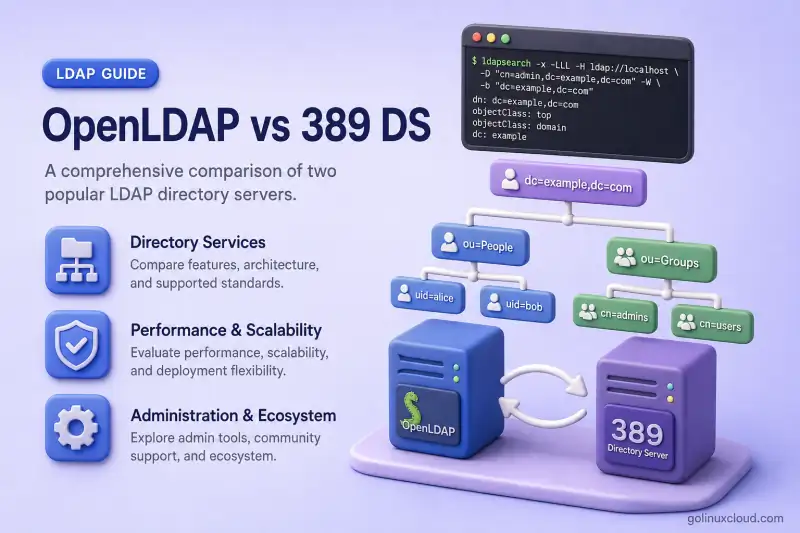
OpenLDAP and 389 Directory Server are both mature LDAP directory servers, but operating them feels very different. OpenLDAP exposes a modular, low-level configuration model, while 389 Directory Server adds dedicated lifecycle tools, plug-ins, replication commands, and an optional Cockpit interface. Both store users, groups, application identities, and policy data, speak standard LDAP, and work with the same client ecosystem—SSSD, Apache mod_authnz_ldap, mail servers, VPN gateways, and custom applications.
They differ sharply in how you install them, change configuration, enforce access control, extend behaviour, and build highly available topologies. This page compares those operational differences so you can choose the right server for your platform and team skills. It does not replace the dedicated install, replication, ACL, or migration guides linked throughout.
Choose a tutorial:
- OpenLDAP tutorial — install
slapd,cn=config, overlays, Syncrepl, and Linux client integration - 389 Directory Server tutorial —
dscreate,dsctl,dsconf, ACIs, plug-ins, and enterprise-Linux administration
OpenLDAP is generally a better fit when you need a portable, modular, and highly customizable LDAP implementation. 389 Directory Server is often easier to operate in RHEL and Fedora environments because it provides purpose-built administration tools, optional Cockpit management, and integrated multi-supplier replication workflows.
That recommendation is about fit and tooling—not a claim that one server is universally faster or more secure. If LDAP terminology is new, read LDAP and OpenLDAP basics first. For a broader identity-platform comparison, see OpenLDAP vs Active Directory.
Tested on: Rocky Linux 10.2; OpenLDAP 2.6.10 from EPEL 10.2; 389 Directory Server 3.2.0 from Rocky Linux AppStream.
OpenLDAP vs 389 Directory Server at a glance
| Area | OpenLDAP | 389 Directory Server |
|---|---|---|
| Server daemon | slapd |
ns-slapd |
| Primary configuration | LDAP-based cn=config with olc* attributes |
LDAP cn=config entries managed through dsconf and related tools; persisted in instance dse.ldif |
| Instance creation | Distribution- or source-specific setup | dscreate |
| Instance administration | LDAP tools and service commands | dsctl, dsconf, and systemd |
| Web administration | No official built-in console; third-party LDAP browsers available | Optional Cockpit console with instance management and LDAP entry browser |
| Main database backend | back-mdb using LMDB |
LMDB by default in upstream 389 DS 3.x; older installations may use Berkeley DB |
| Extension model | Backends, modules, and overlays | Server plug-ins |
| Access control | OpenLDAP ACL rules | LDAP ACIs |
| Replication | syncrepl provider/consumer models |
Supplier, hub, and consumer models |
| Multiple writable nodes | Multi-provider replication supports writes to multiple providers; MirrorMode provides active/standby write failover | Multi-supplier replication |
| Password policy | ppolicy overlay |
Built-in password-policy functionality |
| Group automation | Overlays and directory design | MemberOf, Auto Membership, Managed Entry, and related plug-ins |
| Platform emphasis | Linux and multiple Unix-like platforms | Primarily enterprise Linux, especially Fedora/RHEL ecosystems |
| Commercial relationship | Commercial support available from third parties | Upstream project for Red Hat Directory Server |
| Best suited for | Flexible custom LDAP deployments | Enterprise Linux identity directories and operational tooling |
What are OpenLDAP and 389 Directory Server?
What is OpenLDAP?
OpenLDAP is an open-source implementation of LDAP—not merely a client library. The project ships:
- The
slapddirectory server daemon - LDAP client libraries
- Command-line tools such as
ldapsearch,ldapadd, andldapmodify - Modular storage backends
- Optional overlays that extend server behaviour at runtime
- The
lloaddLDAP load balancer in current OpenLDAP distributions
The OpenLDAP project publishes source releases. Operating-system vendors and third parties package builds for specific distributions. Our course lab installs slapd on Rocky Linux and configures it through Install and Configure OpenLDAP on RHEL-Based Linux.
What is 389 Directory Server?
389 Directory Server is an enterprise-focused LDAP server for Linux. Its operational surface includes:
ns-slapdas the directory server daemon- Separately named directory-server instances on one host
dscreateto create instancesdsconffor online configurationdsctlfor local instance administration, backups, and maintenance- Optional Cockpit integration through
cockpit-389-ds - Server plug-ins for MemberOf, DNA, Auto Membership, and related features
- Multi-supplier replication with dedicated management commands
FreeIPA uses 389 Directory Server as part of a larger identity-management stack that also includes Kerberos, certificate management, DNS integration, and host-based policy—but FreeIPA is not the same product as a standalone 389 Directory Server deployment. For hands-on administration of a standalone server, see the 389 Directory Server tutorial.
Is 389 Directory Server the same as Red Hat Directory Server?
389 Directory Server is the upstream open-source project. Red Hat Directory Server is the supported Red Hat product built from 389 Directory Server technology. Product version numbers do not necessarily match upstream version numbers. Red Hat documentation is frequently relevant to 389 Directory Server administrators, but package-level differences and release notes must still be checked on your target distribution.
Installation, platform support, and administration
How you encounter each server on day one is the clearest practical difference for most administrators.
OpenLDAP installation and administration
OpenLDAP packaging varies by distribution. Some operating systems ship only OpenLDAP client tools and libraries—not the slapd server. On RHEL, Red Hat directs customers toward Red Hat Directory Server or Identity Management. Community RHEL-family distributions commonly package upstream 389 Directory Server, while EPEL may provide OpenLDAP slapd. OpenLDAP remains widely packaged on Debian, Ubuntu, BSD, and other Unix-like systems, and can be built from upstream source when you need slapd on a platform that no longer ships it.
Server configuration normally lives under cn=config. You apply changes through LDAP operations and LDIF files rather than by editing database files while the server is online. Tools such as ldapmodify, ldapsearch, slapadd, slapcat, and slaptest are central to day-two operations. The cn=config and MDB guide walks through that model on Rocky Linux.
On a running OpenLDAP server, you can inspect the active configuration through the local LDAPI socket:
ldapsearch -Y EXTERNAL -H ldapi:/// -b cn=config -LLL '(objectClass=olcDatabaseConfig)' olcDatabaseThe command uses SASL/EXTERNAL authentication as root over ldapi:///, then lists configured databases under cn=config.
SASL/EXTERNAL authentication started
SASL username: gidNumber=0+uidNumber=0,cn=peercred,cn=external,cn=auth
SASL SSF: 0
dn: olcDatabase={-1}frontend,cn=config
olcDatabase: {-1}frontend

dn: olcDatabase={0}config,cn=config
olcDatabase: {0}config

dn: olcDatabase={1}monitor,cn=config
olcDatabase: {1}monitor

dn: olcDatabase={2}mdb,cn=config
olcDatabase: {2}mdb
The {2}mdb database is the MDB backend holding your directory suffix in this lab. Frontend, config, and monitor databases are normal on a default install.
389 Directory Server installation and administration
Current 389 Directory Server packages on Rocky Linux 10 install 389-ds-base, which provides dscreate, dsctl, and dsconf. Optional browser-based administration comes from cockpit-389-ds when you want Cockpit integration.
List registered instances on the host:
dsctl -lAfter creating a test instance named slapd-localhost, the command prints the instance identifier:
slapd-localhostCheck whether that instance is running:
dsctl slapd-localhost statusInstance "localhost" is runningRead a single configuration parameter through dsconf:
dsconf slapd-localhost config get nsslapd-portnsslapd-port: 10389The lab instance listens on a high port so it does not collide with the existing OpenLDAP service on port 389. Production installs normally use the standard LDAP ports.
| Tool | Purpose |
|---|---|
dscreate |
Create a new directory-server instance |
dsctl |
Manage a local instance, backups, imports, and maintenance tasks |
dsconf |
Modify the running server through LDAP |
| Cockpit | Optional browser-based instance administration and LDAP entry browser |
389 Directory Server can host multiple separately named instances on the same system. Each instance has its own configuration namespace and data backends.
Administration comparison
OpenLDAP exposes a lower-level, highly modular LDAP configuration model. You think in terms of olc* attributes, overlays, and database entries under cn=config. 389 Directory Server wraps many routine operations in dedicated, discoverable commands such as dsconf replication and dsconf backend.
Both products store active configuration as LDAP entries under a subtree named cn=config, but the two trees are unrelated. OpenLDAP uses olc* schema and configuration objects. 389 Directory Server persists configuration in its instance-specific dse.ldif representation and exposes dedicated administration tools through dsconf and related commands. Although both products use a subtree named cn=config, their object classes, attributes, storage layout, and administration semantics are product-specific. An OpenLDAP cn=config export is not a valid 389 Directory Server configuration.
Editing underlying database files directly should not be the normal online administration method for either product. The difference is discoverability: OpenLDAP rewards LDAP expertise; 389 Directory Server adds opinionated tooling on top of the same protocol.
Database, schema, and directory-data differences
Database backend
OpenLDAP normally uses back-mdb, built around LMDB. See Configure cn=config and MDB database for how the course lab sizes and operates that backend.
Upstream 389 Directory Server 3.x creates new instances with LMDB by default. Older 389 DS deployments may still use Berkeley DB. Red Hat Directory Server product branches can have different defaults and support status, so verify the documentation for the exact product and version. Sharing LMDB as a storage engine does not make the two servers perform identically—their caching, indexing, locking, plug-in or overlay processing, replication, and request paths remain different implementations.
LDAP schema
Both servers support LDAP schema definitions, but the following may differ between them:
- Bundled schema files
- Vendor-specific object classes
- Operational attributes
- Attribute syntax enforcement
- Schema loading and modification procedures
- Server-generated attributes
Client-created business data is generally portable through LDIF. Server-owned operational data is not. Treat these attributes as server-managed unless you have a documented migration reason to transform them:
entryUUID
entryCSN
contextCSN
nsUniqueId
creatorsName
modifiersName
createTimestamp
modifyTimestamp
Export application entries with ldapsearch or slapcat, strip operational attributes the target server will regenerate, and validate object classes on the destination before cutover.
Index configuration
OpenLDAP indexes are configured with olcDbIndex under the backend entry in cn=config. 389 Directory Server indexes are managed per backend with dsconf backend index. Index design affects both servers the same way in principle—unindexed searches become expensive at scale—but the configuration syntax differs completely. For OpenLDAP specifics, see OpenLDAP indexing and performance.
Access control, authentication, and password policies
Access-control policy is not portable between these servers. Plan to redesign and test ACLs during any migration.
OpenLDAP access control
OpenLDAP uses ordered olcAccess rules, normally stored under cn=config. Rules are evaluated in order until one matches. Access can be granted by DN, group, attribute, peer identity, SASL identity, and other selectors. Our OpenLDAP ACL examples walk through common patterns on the course lab.
A simplified rule shape looks like this:
olcAccess: {0}to attrs=userPassword
  by self write by anonymous auth by * none
Rule ordering is critical—broader rules placed too early can unintentionally override narrower ones.
389 Directory Server access control
389 Directory Server uses Access Control Instructions stored in the aci attribute on directory entries. Each ACI defines targets, bind rules, and permissions for a scope within the tree. ACIs are not a line-for-line translation of OpenLDAP olcAccess syntax.
Why ACLs cannot be migrated directly
| OpenLDAP | 389 Directory Server |
|---|---|
Ordered olcAccess rules |
LDAP aci attribute values |
| OpenLDAP-specific matching syntax | 389/Netscape-style ACI syntax |
Configured primarily under cn=config |
Usually attached to entries within the directory tree |
| Rule ordering is critical | Target, bind rule, and entry placement determine behaviour |
Password policy
OpenLDAP enforces password policy through the ppolicy overlay and password-policy entries. See Configure OpenLDAP password policy (ppolicy) for the course workflow.
389 Directory Server provides global and per-subtree password-policy configuration through built-in policy machinery and dsconf pwpolicy / dsconf localpwp commands. Attribute names, lockout behaviour, and warning semantics are not automatically interchangeable.
Compare these areas explicitly during migration planning:
- Password age and expiration
- History and reuse prevention
- Minimum length and syntax checks
- Account lockout after failed binds
- Grace logins after expiration
- Expiration warning intervals
- Temporary or administrator-reset passwords
Neither implementation is universally more secure by default—effective policy depends on how you configure and monitor it.
Replication and high availability
Replication terminology differs between the two servers. Compare topologies and operational procedures, not buzzwords alone.
OpenLDAP replication
OpenLDAP replication centres on syncrepl:
- Provider and consumer roles
- Refresh-only and refresh-and-persist modes
- Delta-syncrepl with the
accesslogoverlay - Multi-provider replication when clients must write to multiple providers, and MirrorMode when two synchronized nodes provide write failover but only one should receive client writes at a time
contextCSNstate and replication identity credentials
Provider/consumer replication is covered in Configure one-way OpenLDAP replication. Multi-provider topologies are covered in Configure multi-master OpenLDAP replication. MirrorMode is an active-active hot-standby arrangement: both nodes stay synchronized, but client writes should be directed to only one active mirror at a time through an external load balancer or proxy such as lloadd. OpenLDAP documentation treats MirrorMode as distinct from unrestricted multi-provider replication.
389 Directory Server replication
389 Directory Server uses supplier, consumer, and hub roles:
- Replication agreements between nodes
- Replica IDs and supplier configuration per suffix
- Multi-supplier replication for multiple writable suppliers
- Conflict entries and tombstones with built-in handling paths
- Replication monitoring through
dsconf replicationand optional Cockpit views
Replication comparison
| Requirement | OpenLDAP | 389 Directory Server |
|---|---|---|
| Read-only replicas | Consumer replicas | Consumer replicas |
| Cascading topology | Supported | Supplier, hub, and consumer topology |
| Multiple writable servers | Multi-provider Syncrepl; MirrorMode for active/standby write failover | Multi-supplier replication |
| Incremental synchronization | syncrepl |
Replication agreements and changelog |
| Conflict handling | Depends on topology and concurrent updates | Built-in multi-supplier conflict handling |
| Administration | LDIF and LDAP configuration | dsconf, Cockpit, and replication commands |
Do not simplify this to “389 has multi-master but OpenLDAP does not.” OpenLDAP supports multi-provider Syncrepl when multiple servers must accept writes. MirrorMode provides synchronized failover between two writable-capable nodes, but it is not unrestricted writes to both mirrors at once. 389 Directory Server makes multi-supplier replication a first-class operational workflow with dedicated commands.
Choosing a replication design still requires you to weigh:
- Number of writable servers
- Write locality and conflict risk
- Recovery procedures after split-brain or stale CSN issues
- Network latency between sites
- Schema consistency across suppliers
- Backup and restore strategy before any topology change
Overlays in OpenLDAP vs plug-ins in 389 Directory Server
Both servers are extensible, but the component names and configuration surfaces differ.
Common OpenLDAP overlays
| Overlay | Purpose |
|---|---|
memberof |
Maintain reverse group membership |
refint |
Maintain referential integrity |
ppolicy |
Enforce password policies |
accesslog |
Record changes and support delta-syncrepl |
dynlist |
Generate dynamic attribute values |
unique |
Enforce attribute uniqueness |
auditlog |
Write LDAP changes to an audit log |
The course configures memberof in Configure the memberOf overlay.
Common 389 Directory Server plug-ins
| Plug-in | Purpose |
|---|---|
| MemberOf | Maintain reverse group membership |
| Referential Integrity | Update references when entries change |
| DNA | Allocate unique numeric values such as UID and GID ranges |
| Auto Membership | Add entries to groups based on rules |
| Managed Entries | Automatically create related entries |
| Account Policy | Apply account-use and inactivity policies |
| Retro Changelog | Maintain a changelog for compatible consumers |
Similar names do not guarantee identical behaviour. OpenLDAP memberof and the 389 MemberOf plug-in solve related problems, but their configuration attributes, scopes, exclusions, and rebuild procedures differ. Migration requires mapping intended behaviour, not copying configuration lines.
Performance, monitoring, and operational maintenance
Avoid declaring a universal performance winner. Throughput and latency depend on:
- Directory size and entry shape
- Read-to-write ratio
- Search filters and indexed attributes
- Entry cache and database sizing
- Replication topology and write fan-out
- TLS overhead
- Enabled overlays or plug-ins
- Hardware, filesystem, and connection pooling
- Client connection behaviour and search scope
OpenLDAP operational tools
Common OpenLDAP maintenance surfaces include:
cn=Monitorfor runtime countersslapcatandslapaddfor offline export and importslapindexfor index maintenance- Server logs configured through
cn=config - LMDB map-size monitoring for
back-mdb lloaddwhen you need LDAP load balancing in front of multipleslapdnodes
Backup and restore workflows for the course lab are in Backup and restore OpenLDAP.
389 Directory Server operational tools
389 Directory Server administrators typically use:
dsctlfor instance lifecycle, backups, and LDIF import/export tasksdsconf monitorand backend monitoring subcommands- Cockpit views when the plugin is installed
- Instance-specific logs under
/var/log/dirsrv/ - Replication monitoring through
dsconf replication - Online tasks for supported maintenance operations
Which directory server should you choose?
Choose OpenLDAP when
- You need a portable LDAP server across different Unix-like platforms
- You prefer a modular, lower-level directory stack with minimal product-specific administration layers
- You need extensive control through backends and overlays
- Your existing applications and operational knowledge already target OpenLDAP
- You are comfortable managing configuration through LDAP and LDIF
- You need a generic LDAP service rather than a bundled identity-management platform
Our OpenLDAP course path starts at Install and Configure OpenLDAP on RHEL-Based Linux when slapd is available on your target distribution.
Choose 389 Directory Server when
- Your infrastructure is primarily based on RHEL, Rocky Linux, AlmaLinux, CentOS Stream, or Fedora
- You prefer dedicated lifecycle tools such as
dscreate,dsconf, anddsctl - Optional browser-based administration through Cockpit is valuable for your team
- Multi-supplier replication is a primary operational requirement
- You need built-in automation plug-ins such as DNA, Auto Membership, and Managed Entries
- You want an upstream path closely related to Red Hat Directory Server support
Choose neither as a standalone solution when
A raw LDAP server may not be enough when the requirement includes:
- Kerberos single sign-on
- Integrated DNS
- Certificate authority services
- Host enrollment
- Sudo and host-based access policies beyond what you want to store manually in LDAP
- Centralized Linux identity lifecycle with a unified admin workflow
In that situation, evaluate FreeIPA or another complete identity-management platform instead of treating either standalone LDAP server as the whole solution.
Can you migrate from OpenLDAP to 389 Directory Server?
User-created LDAP data is often transferable through LDIF, but the servers are not configuration-compatible. Red Hat and the 389 Directory Server project document migration tooling and feature mapping in the OpenLDAP to 389 Directory Server migration guide.
| Item | Directly portable? | Required action |
|---|---|---|
| Standard users and groups | Usually | Validate schema and export to LDIF |
| Custom schema | Partly | Let openldap_to_ds assess supported definitions, then validate syntax and dependencies |
| Password hashes | Depends | Verify hash-scheme support on the target |
| Backends and suffixes | Partly | Allow the tool to create supported mappings, then validate backend names and suffix layout |
| OpenLDAP ACLs | No | Rewrite OpenLDAP olcAccess rules as 389 ACIs |
cn=config entries |
No | Recreate using 389 tools |
| OpenLDAP overlays | Partly | The tool can map some simple configurations; redesign unsupported behaviour with 389 plug-ins |
| Replication configuration | No | Build a new replication topology |
| Index definitions | Partly | The migration tool can translate supported indexes; verify and rebuild them on the target |
| Operational attributes | No | Exclude server-generated attributes |
| TLS certificates | Potentially | Reconfigure trust and certificate storage |
| Password policy | No direct conversion | Recreate and test policy behaviour |
Use openldap_to_ds to assess the migration
The OpenLDAP to 389 Directory Server migration guide documents openldap_to_ds, which reads offline copies of the OpenLDAP slapd.d configuration and one or more suffix LDIF exports. By default it produces a proposed migration plan without immediately changing the target instance.
openldap_to_ds --helpThe help text lists supported migrations—schema, database content, indexes, and some overlays such as memberof, refint, and unique—alongside items that still require manual work, including access controls, replication configuration, and password policy.
usage: openldap_to_ds [-h] [-v] [--confirm]
                      [--ignore-overlay [IGNORE_OVERLAY ...]]
                      [--ignore-schema-oid [IGNORE_SCHEMA_OID ...]]
                      [--ignore-attribute [IGNORE_ATTRIBUTE ...]] [-D BINDDN]
                      [-w BINDPW] [-W] [-y PWDFILE] [-Z]
                      instance slapd_config [slapd_ldif ...]

Migrate from OpenLDAP to 389 Directory Server.

This command automates the process of converting an OpenLDAP server to a 389 Directory Server
instance. This is a "best effort" as OpenLDAP and 389 Directory Server are not identical,
so some features still may require hand migration, or can not be migrated at all.
Run a planning pass against your exported slapd.d directory and suffix LDIF before you touch production:
openldap_to_ds \
  localhost \
  /root/slapd.d \
  /root/example-com.ldif
Without --confirm, the command reports what it would migrate and flags unsupported or non-migrated items. It can translate supported schema, indexes, backends, data, and some overlays, but it does not make the products configuration-compatible. Review every proposed change and complete the tool's post-migration checklist before cutover.
Manual migration sequence
When you need more control than the automated planner provides, or when openldap_to_ds reports unsupported features, follow this sequence:
- Inventory schemas, overlays, ACLs, indexes, and password policies.
- Export only the application directory suffix.
- Remove OpenLDAP-specific operational attributes from the LDIF.
- Load and validate custom schema on an isolated 389 Directory Server instance.
- Import data and verify entry counts and critical attributes.
- Rebuild access control, password policy, and plug-in configuration.
- Validate password compatibility with test binds.
- Test application searches, filters, and bind DNs.
- Build the new replication topology.
- Perform a controlled cutover with rollback available.
Do not import OpenLDAP cn=config into 389 Directory Server. For moving data between OpenLDAP nodes, see Migrate OpenLDAP to a new server—that workflow stays within OpenLDAP and does not cover a cross-product move to 389 Directory Server.
Final comparison
| Scenario | Better starting choice |
|---|---|
| Small customizable LDAP service | OpenLDAP |
| Mixed Unix-like platform support | OpenLDAP |
| RHEL-family enterprise environment | 389 Directory Server |
| Administrator-friendly lifecycle commands | 389 Directory Server |
| Optional Cockpit management | 389 Directory Server |
| Extensive overlay-based customization | OpenLDAP |
| Integrated multi-supplier operational tooling | 389 Directory Server |
| Existing mature OpenLDAP deployment | Usually remain on OpenLDAP unless a clear migration benefit exists |
| Full Linux identity-management platform | Consider FreeIPA instead |
Neither server is universally better. OpenLDAP provides portability, modularity, and fine-grained customization. 389 Directory Server provides an enterprise-Linux-oriented administration model and rich built-in operational plug-ins. Choose based on administration skills, replication requirements, platform support, and the features your directory must provide—not on outdated claims that only one server can scale or that 389 Directory Server is simply a GUI wrapper around OpenLDAP.
Ready to work hands-on? Continue with the OpenLDAP tutorial if OpenLDAP fits your plan, or the 389 Directory Server tutorial if you are standardizing on 389 DS or Red Hat Directory Server.
References
- OpenLDAP 2.6 Administrator's Guide
- OpenLDAP replication concepts
- 389 Directory Server documentation
- OpenLDAP to 389 Directory Server migration
- Red Hat Directory Server documentation
- RFC 4511 — LDAP: The Protocol
