
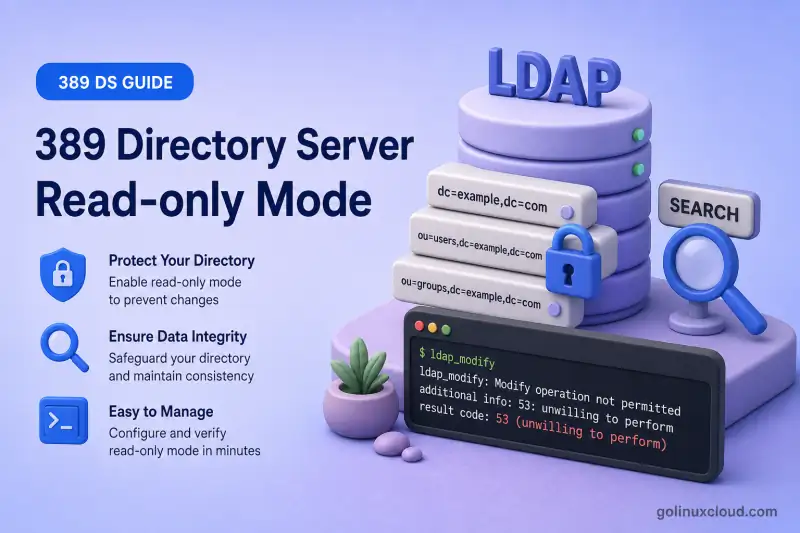
Temporary read-only mode keeps 389 Directory Server online for searches while blocking adds, modifies, renames, and deletes. Use it during controlled maintenance. It is not a permanent access-control boundary.
Common reasons to enable read-only mode:
- Freeze writes before backup export or validation
- Block application updates during a schema or data migration window
- Pause modifications on one suffix while another backend stays writable
- Prevent accidental writes during manual consumer initialization planning
Before you start:
- Install 389 Directory Server — running instance
ldap1 - Suffixes and backends — backend name
userroot, suffixdc=example,dc=com - Manage users and groups — test user
uid=user1underou=people
dsconf. It does not configure replication consumers or replace backup procedures in the backup and restore chapter. Read-only mode is not a substitute for a read-only replica.
Tested on: Rocky Linux 10.2; 389 Directory Server 3.2.0.
Database read-only vs instance read-only
| Mode | Scope | Configuration |
|---|---|---|
| Backend read-only | One suffix/backend | dsconf INSTANCE backend suffix set --enable-readonly BACKEND |
| Instance read-only | Every database in the instance | dsconf INSTANCE config replace nsslapd-readonly=on |
Backend read-only blocks writes only under the selected suffix. Other backends in the same instance keep accepting modifications. Instance read-only applies to every database at once.
A replication consumer is a different design. The server holds a read-only copy of data and still receives updates from a supplier through replication agreements. Enabling read-only mode locally does not create that topology. It stops replication on the affected backend or instance.
Prepare the test environment
This lab uses instance ldap1, backend userroot, suffix dc=example,dc=com, and disposable test entry uid=user1,ou=people,dc=example,dc=com whose description attribute was initially absent. On an existing account, record and restore the original value instead of deleting the attribute during cleanup.
Confirm no suffix is under active replication before you test read-only mode on a production-like system:
dsconf ldap1 replication listSample output:
There are no replicated suffixesList backends and suffix DNs:
dsconf ldap1 backend suffix listSample output:
dc=example,dc=com (userroot)The backend name in dsconf commands is userroot (lowercase). Clients search using the suffix DN dc=example,dc=com.
Confirm the global instance flag is off before you begin:
dsconf ldap1 config get nsslapd-readonlySample output:
nsslapd-readonly: offMake one backend read-only
Enable read-only mode on userroot:
dsconf ldap1 backend suffix set --enable-readonly userrootSample output:
The backend configuration was successfully updatedVerify the backend flag:
dsconf ldap1 backend suffix get userrootSample output (trimmed):
nsslapd-readonly: on
nsslapd-suffix: dc=example,dc=com
Only userroot is read-only; a second backend in the same instance would still accept writes until you enable read-only on that backend as well.
Test read and write operations
Searches against the read-only backend should still succeed with ldapsearch:
ldapsearch -LLL -x -H ldap://127.0.0.1:389 -D "cn=Directory Manager" -y /root/dm.pw -b "uid=user1,ou=people,dc=example,dc=com" -s base dnSample output:
dn: uid=user1,ou=people,dc=example,dc=comAttempt a modification on the same backend with ldapmodify to confirm writes are rejected:
ldapmodify -x -H ldap://127.0.0.1:389 -D "cn=Directory Manager" -y /root/dm.pw <<'EOF'
dn: uid=user1,ou=people,dc=example,dc=com
changetype: modify
replace: description
description: readonly backend test
EOF
Sample output:
ldap_modify: Server is unwilling to perform (53)
	additional info: database is read-only
modifying entry "uid=user1,ou=people,dc=example,dc=com"
Result code 53 with database is read-only confirms backend read-only mode is active. That is not an ACI denial.
Restore the backend to read-write mode
Disable backend read-only mode:
dsconf ldap1 backend suffix set --disable-readonly userrootSample output:
The backend configuration was successfully updatedRepeat the same modification to confirm writes work again:
ldapmodify -x -H ldap://127.0.0.1:389 -D "cn=Directory Manager" -y /root/dm.pw <<'EOF'
dn: uid=user1,ou=people,dc=example,dc=com
changetype: modify
replace: description
description: rw restored
EOF
The command completes without result code 53, which means the backend accepts writes again.
Make the entire instance read-only
When every database in the instance must reject writes, I'll set the global flag:
Instance read-only mode blocks writes to directory databases, but it does not make cn=config immutable. Directory Server configuration can still be changed while the instance is running. You can run dsconf to update settings even though RHDS documents that the instance cannot be restarted in this state.
dsconf ldap1 config replace nsslapd-readonly=onSample output:
Successfully replaced value(s) for 'nsslapd-readonly': 'on'Confirm the setting:
dsconf ldap1 config get nsslapd-readonlySample output:
nsslapd-readonly: onSearch still works at the suffix root:
ldapsearch -LLL -x -H ldap://127.0.0.1:389 -D "cn=Directory Manager" -y /root/dm.pw -b "dc=example,dc=com" -s base "(objectClass=*)" dnSample output:
dn: dc=example,dc=comAttempt a write while the instance is read-only:
ldapmodify -x -H ldap://127.0.0.1:389 -D "cn=Directory Manager" -y /root/dm.pw <<'EOF'
dn: uid=user1,ou=people,dc=example,dc=com
changetype: modify
replace: description
description: instance readonly test
EOF
Sample output:
ldap_modify: Server is unwilling to perform (53)
	additional info: Server is read-only
modifying entry "uid=user1,ou=people,dc=example,dc=com"
Instance read-only reports Server is read-only rather than database is read-only.
nsslapd-readonly is on when the instance shuts down, dsctl ldap1 start fails until you edit dse.ldif manually. Do not use dsctl restart as a shortcut while the instance is globally read-only.
Restore the instance to read-write mode
Return the instance to normal operation:
dsconf ldap1 config replace nsslapd-readonly=offSample output:
Successfully replaced value(s) for 'nsslapd-readonly': 'off'Verify writes succeed:
ldapmodify -x -H ldap://127.0.0.1:389 -D "cn=Directory Manager" -y /root/dm.pw <<'EOF'
dn: uid=user1,ou=people,dc=example,dc=com
changetype: modify
replace: description
description: instance rw restored
EOF
The modify completes without error when global read-only mode is cleared.
Recover if the read-only instance was stopped
If the instance was stopped while nsslapd-readonly was on, online dsconf cannot clear the flag because the server is not running. Edit the on-disk configuration instead.
Back up the file first:
cp -a /etc/dirsrv/slapd-ldap1/dse.ldif /etc/dirsrv/slapd-ldap1/dse.ldif.before-readonly-fixLocate nsslapd-readonly under the cn=config entry in the stopped instance:
grep -n 'nsslapd-readonly' /etc/dirsrv/slapd-ldap1/dse.ldif | head -3Sample output:
41:nsslapd-readonly: onEdit /etc/dirsrv/slapd-ldap1/dse.ldif with your preferred text editor while the instance is stopped and change that line to nsslapd-readonly: off under dn: cn=config. An instance stopped in global read-only mode cannot start again until this value is off.
Start the instance:
dsctl ldap1 startConfirm the flag and a test write:
dsconf ldap1 config get nsslapd-readonlySample output:
nsslapd-readonly: offRead-only mode and replication
Do not enable backend or instance read-only mode on an active replicated database. Red Hat documents that read-only mode disables replication on that backend. It does not convert the server into a normal supplier and consumer pair.
Use the replication workflow when you need a read-only copy that still receives updates from a supplier:
If replication stops unexpectedly after read-only mode was enabled, disable read-only on the supplier backend, confirm that replication remains enabled with dsconf ldap1 replication list, list agreements with dsconf ldap1 repl-agmt list --suffix="dc=example,dc=com", and inspect each agreement with dsconf ldap1 repl-agmt status --suffix="dc=example,dc=com" AGREEMENT_NAME before you re-enable updates.
Troubleshoot read-only mode
| Symptom | Likely cause | Fix |
|---|---|---|
| Writes still succeed | Read-only applied to wrong backend, or only instance flag checked | Run dsconf ldap1 backend suffix get BACKEND and dsconf ldap1 config get nsslapd-readonly; enable the correct scope |
| Only one suffix rejects writes | Backend read-only, not instance read-only | Expected for --enable-readonly on one backend; use nsslapd-readonly=on only when every database must block writes |
| LDAP result code 53 on modify | Read-only mode active | Confirm backend or instance flag before debugging ACIs |
database is read-only vs Server is read-only |
Backend-level vs instance-level flag | Match the message to backend suffix set or nsslapd-readonly |
dsctl start fails after maintenance |
Instance stopped while nsslapd-readonly was on |
Edit /etc/dirsrv/slapd-INSTANCE/dse.ldif, set nsslapd-readonly: off under cn=config, then start |
| Replication stopped | Read-only enabled on a replicated backend | Disable read-only mode; use dsconf ldap1 replication list, repl-agmt list, and repl-agmt status to verify agreements |
Summary
- Use backend read-only mode (
--enable-readonly) to freeze writes on one suffix. - Use instance read-only mode (
nsslapd-readonly=on) only when every database must reject writes. - Verify both successful searches and rejected modifications. Expect LDAP result code
53. - Disable instance read-only before stopping the server; otherwise edit
dse.ldifto recover. - Do not use read-only mode as a replacement for a replication consumer.
What's Next
- Suffixes and backends — backend lifecycle before read-only freezes
- LDAP referrals — redirect writes while a consumer is read-only
- Database chaining — proxy remote data during maintenance
References
- Switching a database to read-only mode — Red Hat Directory Server 13, Section 4.4
- Switching an instance to read-only mode — Red Hat Directory Server 13, Section 4.5
- File locations overview — dse.ldif — instance configuration file path
