
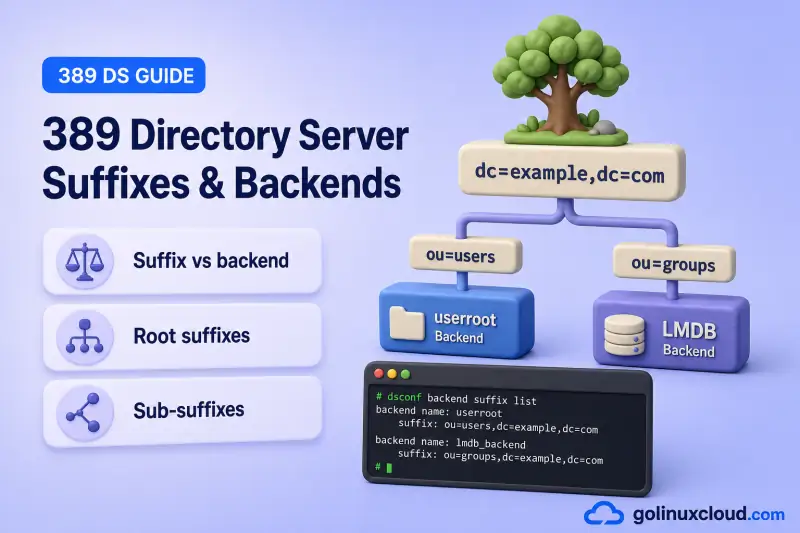
One 389 Directory Server instance can host multiple directory trees. Each suffix is the root DN of a subtree. That suffix maps to a backend that logically owns the entries and indexes for that namespace inside the instance's LMDB environment.
Tested on: Rocky Linux 10.2; 389 Directory Server 3.2.0.
Directory suffix
dc=example,dc=com
        |
        v
Backend name
userroot
        |
        v
Instance-wide LMDB environment
(data.mdb, INFO.mdb, lock.mdb)
The suffix DN and backend name are different values. Commands such as dsconf ldap1 backend suffix get userroot use the backend name; LDAP clients bind and search using the suffix DN. The instance name (ldap1) selects which server you talk to. That third identifier is easy to confuse with suffix and backend when several instances run on one host.
Before you start:
- Install 389 Directory Server — a running instance with
dsconfaccess (lab instance:ldap1) - 389 Directory Server architecture — suffix vs instance vs backend terminology
- Directory Manager credentials in a protected password file (
chmod 600 /root/dm.pw) or use-Wto prompt at the terminal - Optional: dsconf commands cheat sheet — flag reference for
dsconf backendsubcommands
OpenLDAP client tools read a password file with -y PATH. The -w flag takes the literal password string on the command line, not a file path. I'll set mode 600 on /root/dm.pw with the chmod command before I bind:
chmod 600 /root/dm.pwdsconf backend. It does not cover detailed indexing or LDIF bulk import, replication or referral design, LMDB cache tuning, or creating another instance on the host (multiple instances).
Understand suffixes, backends, and databases
Three layers appear in almost every suffix operation:
| Layer | What it is | Example in this lab |
|---|---|---|
| Suffix DN | LDAP namespace clients search | dc=example,dc=com |
| Backend name | Logical database and dsconf configuration identifier |
userroot |
| LMDB storage | Instance-wide database environment containing backend data and indexes | /var/lib/dirsrv/slapd-ldap1/db/ |
On the tested LMDB instance, all backends use the instance-wide LMDB environment under /var/lib/dirsrv/slapd-ldap1/db/. The principal files are data.mdb, INFO.mdb, and lock.mdb. Backend names still separate directory data logically and allow per-backend export, import, indexing, cache, and replication configuration. Older Berkeley DB deployments use a different on-disk layout.
| Term | Meaning |
|---|---|
| Suffix | Root DN of a directory subtree |
| Root suffix | Top-level tree with no parent suffix in this instance |
| Sub-suffix | Branch stored in a separate backend below another suffix |
| Backend name | Configuration identifier used by dsconf (for example applicationroot) |
| Database | Logical data store for a backend inside the instance LMDB environment |
| Suffix entry | LDAP object at the suffix DN (for example dc=application,dc=example) |
dscreate provisions the first backend when you install an instance. Everything in this guide adds more suffixes inside the same ns-slapd process with dsconf backend create.
Per-backend vs instance-wide operations
| Operation | Scope |
|---|---|
dsconf backend export BACKEND |
One selected backend/suffix |
dsconf backend import BACKEND |
One selected backend/suffix |
| Backend indexing and reindexing | One selected backend |
| Replication configuration | Configured separately per suffix |
dsconf backup create / dsctl db2bak |
All instance databases—not one selected suffix |
Root suffix, sub-suffix, or another instance?
| Approach | When it fits |
|---|---|
| Additional root suffix | Separate top-level namespace in the same instance (for example dc=application,dc=example alongside dc=example,dc=com) |
| Sub-suffix | One branch of an existing tree needs its own database (for example ou=Archive under dc=example,dc=com) |
| Another instance | Different ports, Directory Manager, certificates, or host-level isolation — see multiple instances |
All suffixes and backends inside one instance share the same ns-slapd process, listeners, Directory Manager, global schema, plug-ins, TLS configuration, and server-level settings. Separate backends isolate directory data and backend-specific operations; create another instance when those server-level settings must differ.
A backend without a suffix entry is only half-provisioned: dsconf backend suffix list may show the suffix DN, but ldapsearch returns No such object until you create the root entry with --create-suffix or ldapadd.
Inspect existing suffixes and backends
List suffix DNs and backend names for the instance:
dsconf ldap1 backend suffix listSample output:
dc=example,dc=com (userroot)The suffix DN appears first; the backend name is in parentheses. This lab starts with one root suffix before you add more.
Inspect one backend:
dsconf ldap1 backend suffix get userrootSample output:
dn: cn=userroot,cn=ldbm database,cn=plugins,cn=config
nsslapd-cachememsize: 939524096
nsslapd-cachesize: -1
nsslapd-dncachememsize: 134217728
nsslapd-readonly: off
nsslapd-require-index: off
nsslapd-state: backend
nsslapd-suffix: dc=example,dc=com
nsslapd-suffix is the LDAP namespace; cn=userroot in the DN is the backend configuration entry, not the same string. The cache sizes are per-backend; tuning them is covered in the LMDB tuning chapter.
Show the suffix hierarchy when sub-suffixes exist:
dsconf ldap1 backend get-treeSample output with one root suffix:
- dc=example,dc=comAfter you add backends later in this guide, this command indents sub-suffixes under their parent. Use it before creating a sub-suffix to confirm the parent DN exists and is spelled correctly.
Plan an additional root suffix
Pick a suffix DN and backend name before you run dsconf. Backend names must be unique within the instance; suffix DNs must not overlap with an existing tree unless you intend a sub-suffix with --parent-suffix.
| Setting | Value |
|---|---|
| Existing suffix | dc=example,dc=com |
| New root suffix | dc=application,dc=example |
| Backend name | applicationroot |
A separate root suffix helps when you need:
- An independent application directory namespace
- Different access policies or ACIs at the tree root
- Separate export, import, indexing, replication, and maintenance boundaries
- Data that should not live under the existing suffix
This adds a tree inside the same instance. It is not the same as running another instance on the host. Applications connect to the same LDAP port; they choose the correct suffix DN or naming context in their search base.
Create a root suffix and backend
dsconf backend create registers the backend in cn=config, creates the mapping tree entry, and adds the suffix to the instance LMDB environment under /var/lib/dirsrv/slapd-ldap1/db/. With --create-suffix, it also adds the root LDAP object so clients can search immediately.
I'll create the backend, suffix configuration, and root domain entry in one step:
dsconf ldap1 backend create --suffix="dc=application,dc=example" --be-name="applicationroot" --create-suffixSample output:
The database was sucessfully createdFlag roles:
--suffix— LDAP namespace (root DN)--be-name— unique backend name fordsconfcommands--create-suffix— creates the suffix root entry (domainobject fordc=suffixes)
Confirm the new suffix appears:
dsconf ldap1 backend suffix listSample output:
dc=application,dc=example (applicationroot)
dc=example,dc=com (userroot)
dsconf lists backend names in lowercase in parentheses. Use the same lowercase name in dsconf commands for consistency. The new suffix is live immediately. No instance restart is required for backend creation on a running server.
Create the suffix entry manually
Backend configuration and the suffix LDAP entry are separate steps when you omit --create-suffix. Use this path when:
- The suffix root needs an object class
--create-suffixdoes not handle - You are importing a prepared LDIF as part of a migration
- You want to review backend registration before adding directory data
Create only the backend:
dsconf ldap1 backend create --suffix="dc=manual,dc=example" --be-name="manualroot"Sample output:
The database was sucessfully createdAdd the root entry with LDIF:
cat > /tmp/manual-suffix.ldif <<'EOF'
dn: dc=manual,dc=example
objectClass: top
objectClass: domain
dc: manual
EOF
Import the suffix entry with ldapadd:
ldapadd -x -H ldap://127.0.0.1:389 -D "cn=Directory Manager" -y /root/dm.pw -f /tmp/manual-suffix.ldifSample output:
adding new entry "dc=manual,dc=example"--create-suffix supports common RDN types (dc, o, ou, cn, c). Suffix roots that need a different object class must be created manually like this. Until ldapadd succeeds, the backend exists in configuration but the namespace is empty for LDAP clients.
Verify the new root suffix
Confirm both automated and manual suffixes are registered:
dsconf ldap1 backend suffix listSample output after creating applicationroot and manualroot:
dc=application,dc=example (applicationroot)
dc=example,dc=com (userroot)
dc=manual,dc=example (manualroot)
Three lines mean three backends. Each suffix DN maps to its own database even though all share the same instance and LDAP port.
Search the new suffix base entry with ldapsearch:
ldapsearch -x -H ldap://127.0.0.1:389 -D "cn=Directory Manager" -y /root/dm.pw -b "dc=application,dc=example" -s baseSample output:
dn: dc=application,dc=example
objectClass: top
objectClass: domain
dc: application
description: dc=application,dc=example
The domain object class and dc attribute confirm --create-suffix created a searchable root entry, not just backend metadata.
Read advertised naming contexts from the root DSE:
ldapsearch -x -H ldap://127.0.0.1:389 -b "" -s base namingContextsSample output:
dn:
namingContexts: dc=application,dc=example
namingContexts: dc=example,dc=com
namingContexts: dc=manual,dc=example
Each root suffix is listed. Sub-suffixes remain part of their parent naming context and do not appear as separate namingContexts values. Clients discover ou=Archive,dc=example,dc=com by searching under dc=example,dc=com, not from an extra root DSE line.
Create a sub-suffix in a separate backend
By default, every entry under dc=example,dc=com lives in the userroot backend. A sub-suffix creates a new backend and mapping-tree entry for a branch. It does not migrate an existing subtree from the parent backend.
ou=People,dc=example,dc=com from the install chapter), export the subtree, remove or migrate it from userroot, create the sub-suffix, and import the data into the new backend. The dedicated import and export LDIF chapter covers that migration workflow.
This guide uses an unused branch so it does not conflict with the install lab:
Common reasons to split a branch:
- Large
ou=Peopleorou=Groupstrees that need separate export/import or reindexing - Different index or cache policy on one branch
- Replication that should cover only part of the tree (configured in later chapters)
Store a branch in its own backend while keeping one DIT path for clients:
dc=example,dc=com
└── ou=Archive,dc=example,dc=com
    stored in a separate backend
I'll create the sub-suffix:
dsconf ldap1 backend create --suffix="ou=Archive,dc=example,dc=com" --be-name="archiveroot" --parent-suffix="dc=example,dc=com" --create-suffixSample output:
The database was sucessfully created--parent-suffix links the sub-suffix to the existing tree. --create-suffix creates the new branch root entry; it does not relocate entries that already live under userroot. The parent suffix must already exist. dsconf does not create dc=example,dc=com when you add a sub-suffix.
View the hierarchy:
dsconf ldap1 backend get-treeSample output:
- dc=application,dc=example
 - dc=example,dc=com
   - ou=archive,dc=example,dc=com
The indented line shows the parent/child relationship in the mapping tree. LDAP is case-insensitive for DN matching; the list may lowercase the attribute value even when you created ou=Archive.
Sub-suffixes can have their own export/import, indexing, cache, and replication configuration. Instance-wide backup commands such as dsconf backup create and dsctl db2bak still cover all backends in the instance.
Verify the sub-suffix entry with an authenticated search so ACIs cannot mask a missing branch root:
ldapsearch -x -H ldap://127.0.0.1:389 -D "cn=Directory Manager" -y /root/dm.pw -b "ou=Archive,dc=example,dc=com" -s base dnSample output:
dn: ou=Archive,dc=example,dc=com

# numEntries: 1
One entry at the sub-suffix DN confirms the branch root exists. New entries you add under this OU land in the archiveroot database, not userroot.
Configure the default naming context
When multiple root suffixes exist, some clients read the root DSE instead of a configured search base. nsslapd-defaultnamingcontext tells those clients which suffix to prefer.
Set this only when:
- Several root suffixes are advertised and a client should default to one of them
- Legacy applications expect a single primary naming context
Well-configured applications pass an explicit base DN and may ignore this setting.
Read the current value:
dsconf ldap1 config get nsslapd-defaultnamingcontextSample output:
nsslapd-defaultnamingcontext: dc=example,dc=comChange it when a different root suffix should be preferred:
dsconf ldap1 config replace nsslapd-defaultnamingcontext=dc=application,dc=exampleSample output:
Successfully replaced value(s) for 'nsslapd-defaultnamingcontext': 'dc=application,dc=example'Clients that read the root DSE can discover nsslapd-defaultnamingcontext when they do not already know which base DN to use. The change takes effect without restarting ns-slapd. Restore the original value in the lab when you finish:
dsconf ldap1 config replace nsslapd-defaultnamingcontext=dc=example,dc=comManage backend state
Use backend state controls during maintenance, not as a long-term security boundary. Read-only and disabled modes affect one backend; other suffixes in the same instance keep serving requests.
Read-only mode
Read-only keeps searches available but rejects normal modifications:
dsconf ldap1 backend suffix set --enable-readonly applicationrootSample output:
The backend configuration was successfully updatedTry a modify against the suffix:
ldapmodify -x -H ldap://127.0.0.1:389 -D "cn=Directory Manager" -y /root/dm.pw <<'EOF'
dn: dc=application,dc=example
changetype: modify
replace: description
description: readonly test
EOF
Sample output:
ldap_modify: Server is unwilling to perform (53)
additional info: database is read-only
modifying entry "dc=application,dc=example"
Searches still work; only writes are blocked. Clear read-only mode:
dsconf ldap1 backend suffix set --disable-readonly applicationrootDo not place a replicated backend into read-only mode without planning the impact. Red Hat documents that enabling database read-only mode disables replication for that backend.
Disable and enable
Disable takes the backend offline for LDAP clients. Use it when you need the suffix completely unavailable, not just protected from writes.
dsconf ldap1 backend suffix set --disable applicationrootSample output:
The backend configuration was successfully updatedVerify that the suffix is unavailable with an authenticated base search:
ldapsearch -x -H ldap://127.0.0.1:389 -D "cn=Directory Manager" -y /root/dm.pw -b "dc=application,dc=example" -s base dnSample output:
ldap_search_ext: Operations error (1)--disable makes the selected suffix unavailable to LDAP clients without stopping the other backends in the instance. Authenticate the verification search so a failure reflects backend state rather than anonymous-access policy. --disable and --enable are the supported controls for making a selected backend unavailable or available.
Re-enable the backend:
dsconf ldap1 backend suffix set --enable applicationrootConfirm the authenticated base search succeeds again:
ldapsearch -x -H ldap://127.0.0.1:389 -D "cn=Directory Manager" -y /root/dm.pw -b "dc=application,dc=example" -s base dnSample output:
dn: dc=application,dc=example

# numEntries: 1| Mode | Searches | Modifications | Typical use |
|---|---|---|---|
| Normal | Yes | Yes | Production |
| Read-only | Yes | No | Freeze data during review (not for replicated backends without a plan) |
| Disabled | No | No | Take one suffix offline without stopping the instance |
Cache sizing and index design belong in the dedicated indexing and LMDB tuning chapters, not here.
Safely delete a suffix and backend
dsconf backend delete removes the backend configuration, its mapping-tree entry, and all directory data and indexes belonging to that backend from the shared LMDB environment. It does not uninstall the instance or remove unrelated backends. The steps below use applicationroot from earlier in this guide; the same workflow applies to any backend you plan to retire.
Check sub-suffixes and dependencies
Confirm the backend name and review the mapping tree before you export or delete anything. Deleting a parent backend can remove child sub-suffix backends when --do-it runs.
List every suffix and backend on the instance:
dsconf ldap1 backend suffix listSample output before deleting applicationroot:
dc=application,dc=example (applicationroot)
dc=example,dc=com (userroot)
dc=manual,dc=example (manualroot)
ou=archive,dc=example,dc=com (archiveroot)
Show parent and child relationships:
dsconf ldap1 backend get-treeSample output:
- dc=application,dc=example
 - dc=manual,dc=example
 - dc=example,dc=com
   - ou=archive,dc=example,dc=com
applicationroot and manualroot are root suffixes with no indented children. archiveroot is a sub-suffix under userroot. Deleting userroot would also remove archiveroot, but deleting applicationroot does not affect the other backends.
Export or back up the backend
Export the backend to LDIF when you need a suffix-specific recovery file before removal. The export path must be writable by the dirsrv user. The instance ldif directory is a reliable choice:
dsconf ldap1 backend export applicationroot -l /var/lib/dirsrv/slapd-ldap1/ldif/applicationroot-export.ldifSample output:
The export task has finished successfullyThe LDIF file contains every entry stored in that backend, including the suffix root object.
An LDIF export preserves directory entries, but it is not a complete copy of the backend configuration. It does not preserve backend cache settings, index definitions, replication configuration, or other settings stored under cn=config. To recover after deleting the backend, recreate the backend with the same suffix, import the LDIF, and then restore any backend-specific indexes and replication settings.
For whole-instance recovery, use backup and restore instead of, or in addition to, a per-backend export.
Remove replication and application dependencies
List suffixes for which replication is enabled:
dsconf ldap1 replication listThis command lists suffixes for which replication is enabled. It does not list individual replication agreements.
A lab instance with no replicated suffixes returns:
There are no replicated suffixesWhen the suffix you plan to delete appears in that list, inspect its local agreements:
dsconf ldap1 repl-agmt list --suffix="dc=application,dc=example"Before deleting the backend, remove the suffix from the replication topology. First remove or reconfigure agreements on other servers that point to this replica. Then disable replication locally:
dsconf ldap1 replication disable --suffix="dc=application,dc=example"Disabling replication removes the replica configuration and local replication agreements for that suffix. In a multi-server topology, also remove agreements on remote suppliers that still target this server before deleting the backend.
Replication design is covered in later tutorial chapters. Also confirm applications, ACIs, and automation no longer depend on the suffix DN. If you changed nsslapd-defaultnamingcontext to point at the suffix being removed, set it to a remaining root suffix first. See Configure the default naming context earlier in this guide.
Delete the backend
The command refuses to delete anything unless you add the mandatory --do-it safety flag:
dsconf ldap1 backend delete applicationrootSample output:
Not removing backend: if you are really sure add: --do-itWithout --do-it, the command acts as a safety gate and refuses deletion. The output does not inspect or validate dependencies for you.
Before adding --do-it, verify the instance, backend name, suffix DN, sub-suffix hierarchy, export file, default naming context, and replication configuration.
On the tested Rocky Linux 10.2 package, deletion with --do-it also prompts for explicit confirmation. Check dsconf ldap1 backend delete -h on other versions before scripting deletion.
Add --do-it only when you intend to destroy that backend and all of its data. Run the command interactively and type Yes I am sure when prompted:
dsconf ldap1 backend delete applicationroot --do-itSample output:
Deleting Backend cn=applicationroot,cn=ldbm database,cn=plugins,cn=config :
Type 'Yes I am sure' to continue: Yes I am sure
The database, and any sub-suffixes, were successfully deleted
You can pass either the backend name or suffix DN to backend delete. The message about sub-suffixes applies when the backend being deleted is a parent that owns child backends in the mapping tree. Piping the confirmation is suitable only in carefully controlled automation where the backend has already been independently validated. It is not the primary approach in this guide.
Verify the suffix is no longer advertised
Confirm the backend no longer appears in the suffix list:
dsconf ldap1 backend suffix listSample output:
dc=example,dc=com (userroot)
dc=manual,dc=example (manualroot)
ou=archive,dc=example,dc=com (archiveroot)
dc=application,dc=example is gone. Read naming contexts from the root DSE to confirm clients no longer discover that root suffix:
ldapsearch -LLL -x -H ldap://127.0.0.1:389 -b "" -s base namingContextsSample output:
dn:
namingContexts: dc=manual,dc=example
namingContexts: dc=example,dc=com
A base search against the removed suffix should fail:
ldapsearch -x -H ldap://127.0.0.1:389 -D "cn=Directory Manager" -y /root/dm.pw -b "dc=application,dc=example" -s base dnSample output:
ldap_search_ext: No such object (32)No such object confirms the namespace is no longer served. Other backends in the same instance continue to operate.
Remove the remaining lab backends when you created them only for this guide. Run each command interactively and confirm the backend name at the prompt:
dsconf ldap1 backend delete manualroot --do-itSample output:
Deleting Backend cn=manualroot,cn=ldbm database,cn=plugins,cn=config :
Type 'Yes I am sure' to continue: Yes I am sure
The database, and any sub-suffixes, were successfully deleted
Delete the sub-suffix backend next:
dsconf ldap1 backend delete archiveroot --do-itSample output:
Deleting Backend cn=archiveroot,cn=ldbm database,cn=plugins,cn=config :
Type 'Yes I am sure' to continue: Yes I am sure
The database, and any sub-suffixes, were successfully deleted
After cleanup, only userroot should remain:
dsconf ldap1 backend suffix listSample output:
dc=example,dc=com (userroot)Backend deletion is destructive. It removes backend configuration, mapping-tree entries, and all directory data and indexes for that backend from the shared LMDB environment, including any sub-suffixes owned by a deleted parent. Export or back up first when you might need the data again.
Troubleshoot suffix and backend problems
| Symptom | Likely cause | Fix |
|---|---|---|
| Backend name already exists | Duplicate --be-name |
Choose a unique name; run dsconf INSTANCE backend suffix list |
| Invalid suffix DN | Malformed --suffix value |
Use a valid DN such as dc=application,dc=example |
Suffix listed but ldapsearch returns no object |
Suffix entry never created | Add the root entry with --create-suffix or ldapadd |
No such object under a new suffix |
Backend exists without suffix entry | Create the root LDIF entry or recreate with --create-suffix |
| Sub-suffix create fails | Parent suffix missing or wrong --parent-suffix |
Confirm parent with backend get-tree and backend suffix list |
| Modify rejected with read-only error | Backend in read-only mode | dsconf INSTANCE backend suffix set --disable-readonly BACKEND |
| Search returns Operations error | Backend disabled | dsconf INSTANCE backend suffix set --enable BACKEND |
| Sub-suffix create fails on existing OU | Target DN already exists in parent backend | Use an unused branch, or migrate data per import/export LDIF |
| Delete blocked or unexpected data loss | Active sub-suffixes, missing export, or replication still configured | Export backend LDIF first; review tree with backend get-tree; run replication list; when the suffix is replicated, inspect it with repl-agmt list --suffix, update remote agreements, and disable replication locally |
| Export fails with permission denied | Output path not writable by dirsrv |
Use /var/lib/dirsrv/slapd-INSTANCE/ldif/ or another directory owned by dirsrv |
| Changes hit the wrong directory tree | Wrong instance name | Pass the correct instance to dsconf — see multiple instances |
Summary
- A suffix defines the LDAP namespace; a backend connects that namespace to logical storage inside the instance LMDB environment.
- Root suffixes add separate directory trees inside one instance.
- Sub-suffixes store branches in separate backends under an existing DIT.
- Use
--create-suffixfor common root entry types, or add the suffix entry with LDIF (ldapaddwith-yfor a password file). - Read-only, disable, and enable control maintenance windows without removing data.
- Follow the delete workflow: check sub-suffixes, export or back up, clear replication and client dependencies, then
dsconf backend delete --do-itand verifynamingContexts.
What's Next
- Manage users and groups — create entries under your suffix
- Read-only database mode — freeze a backend or entire instance for maintenance
- LDAP referrals — redirect a suffix subtree to another server
References
- 389 Directory Server documentation — upstream project documentation
- Red Hat Directory Server 13 — Management, configuration, and operations — backends, suffixes, and
.dsrc - Red Hat Directory Server 13 — Configuration and schema reference —
nsslapd-suffixand backend attributes - dsconf(8) man page —
backend create,backend delete, and suffix subcommands
