
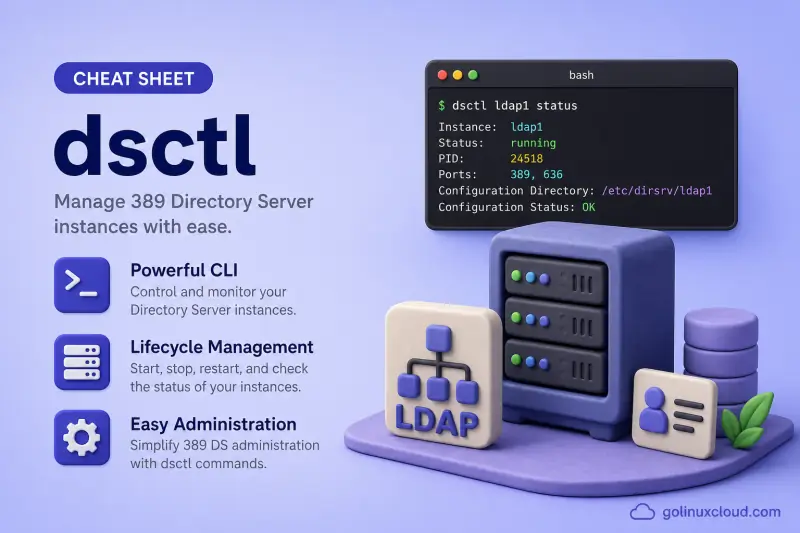
dsctl is the local instance tool for 389 Directory Server. Use it to list instances on the host, start and stop ns-slapd, run offline database maintenance, export LDIF while the server is stopped, inspect TLS material, and remove test instances. Online suffix configuration, replication agreements, and plug-in tuning belong to dsconf; directory entries belong to dsidm. This page is part of the 389 Directory Server tutorial.
Tested on: Rocky Linux 10.2; 389-ds-base 3.2.0-8.el10_2; instance
ldap1; suffixdc=example,dc=com.
dsctl — quick reference
Instance discovery and lifecycle
List instances, check whether ns-slapd is running, and control the process. The instance name is the short name from dscreate (for example ldap1), not the slapd-ldap1 configuration directory prefix.
| When to use | Command |
|---|---|
| List every Directory Server instance on this host | dsctl -l |
| Check whether an instance is running | dsctl ldap1 status |
| Machine-readable status for scripts | dsctl -j ldap1 status |
Start ns-slapd if it is stopped |
dsctl ldap1 start |
Stop ns-slapd cleanly |
dsctl ldap1 stop |
| Stop then start (or start if already stopped) | dsctl ldap1 restart |
| Preview instance removal (default dry run) | dsctl ldap1 remove |
| Permanently destroy the instance and its data | dsctl ldap1 remove --do-it |
Offline database operations
These commands require a stopped instance. They work on the on-disk database files under /var/lib/dirsrv/. db2bak and bak2db are the documented offline database backup and restore commands for current instances (including LMDB backends), despite older BDB-oriented help text in some subcommands. For online backup while the server runs, use dsconf backup create instead.
| When to use | Command |
|---|---|
| Export a backend to LDIF (server stopped) | dsctl ldap1 stopdsctl ldap1 db2ldif userroot /var/lib/dirsrv/slapd-ldap1/ldif/export.ldif |
| Export with replication metadata for consumers | dsctl ldap1 db2ldif --replication userroot /var/lib/dirsrv/slapd-ldap1/ldif/repl-export.ldif |
| Create an offline database backup | dsctl ldap1 stopdsctl ldap1 db2bak /var/lib/dirsrv/slapd-ldap1/bak/offline-bak |
| Restore an offline database backup | dsctl ldap1 stopdsctl ldap1 bak2db /var/lib/dirsrv/slapd-ldap1/bak/offline-bak |
| Import LDIF into a stopped backend | install -o dirsrv -g dirsrv -m 0600 /path/to/import.ldif /var/lib/dirsrv/slapd-ldap1/ldif/import.ldifrestorecon -v /var/lib/dirsrv/slapd-ldap1/ldif/import.ldifdsctl ldap1 stopdsctl ldap1 ldif2db userroot /var/lib/dirsrv/slapd-ldap1/ldif/import.ldif |
| Reindex a backend (server stopped) | dsctl ldap1 db2index userroot |
| Reindex specific attributes only | dsctl ldap1 db2index userroot --attr cn uid |
| Verify database integrity (support-directed) | dsctl ldap1 dbverify userroot |
ldif2db initializes the target backend from the LDIF file and removes its existing data first. Take a backup and verify that the LDIF contains the suffix root entry before importing. An unsuccessful import can leave the backend empty or only partially populated.
Backups, LDIF files, and index checks
index-check is available in the tested Rocky Linux 10.2 package through a downstream backport and is included in newer upstream releases. It is absent from vanilla upstream 3.2.0 and older distribution packages. Confirm availability with dsctl ldap1 index-check -h.
| When to use | Command |
|---|---|
| List backup directories under the instance | dsctl ldap1 backups |
| Delete a named backup directory | dsctl ldap1 backups --delete BACKUP_NAME |
| List LDIF files in the instance LDIF directory | dsctl ldap1 ldifs |
| Delete a named LDIF file from the LDIF directory | dsctl ldap1 ldifs --delete FILE.ldif |
| Check parentid/ancestorid ordering when supported | dsctl ldap1 stopdsctl ldap1 index-check userroot |
| Repair detected ordering mismatches when supported | dsctl ldap1 index-check userroot --fix |
TLS certificate management
Local NSS database operations for the instance certificate store. For online TLS policy (cipher suites, require secure binds), use dsconf security.
| When to use | Command |
|---|---|
| List CA certificates in the instance NSS DB | dsctl ldap1 tls list-ca |
| Show the active server certificate clients verify | dsctl ldap1 tls show-server-cert |
| Show a certificate by nickname | dsctl ldap1 tls show-cert "Server-Cert" |
| Generate a server certificate signing request | dsctl ldap1 tls generate-server-cert-csr |
| Import a signed server certificate | dsctl ldap1 tls import-server-cert /path/to/cert.pem |
| Import a CA that signs the server certificate | dsctl ldap1 tls import-ca /path/to/ca.pem "Example Root CA" |
| Import a CA trusted for client-certificate authentication | dsctl ldap1 tls import-client-ca /path/to/client-ca.pem "Client Authentication CA" |
| Export a certificate to PEM | dsctl ldap1 tls export-cert NICKNAME --output-file /path/to/out.pem |
| Remove a certificate from the NSS DB | dsctl ldap1 tls remove-cert NICKNAME |
Health, replication state, and utilities
| When to use | Command |
|---|---|
| Run the built-in healthcheck report (read-only) | dsctl ldap1 healthcheck |
| List available healthcheck modules | dsctl ldap1 healthcheck --list-checks |
| Preview checks without running them | dsctl ldap1 healthcheck --dry-run |
| Run only selected checks | dsctl ldap1 healthcheck --check backends:userroot:search |
| Read replication nsState in human-readable form | dsctl ldap1 get-nsstate --suffix dc=example,dc=com |
| Generate sample user LDIF for offline import | dsctl ldap1 ldifgen users --number 100 --suffix dc=example,dc=com --generic --ldif-file /var/lib/dirsrv/slapd-ldap1/ldif/users.ldif |
Create or display ~/.dsrc client defaults |
dsctl ldap1 dsrc create --basedn dc=example,dc=com --binddn "cn=Directory Manager" --pwdfile /root/dm.pw --do-it |
| Enable Cockpit socket for web UI | dsctl ldap1 cockpit enable |
| Migrate BDB backend to LMDB (offline) | dsctl ldap1 dblib bdb2mdb |
Global options and help
| When to use | Command |
|---|---|
| Show top-level usage | dsctl -h |
| Trace operations verbosely | dsctl -v ldap1 status |
JSON output (place -j before the instance name) |
dsctl -j ldap1 status |
dsctl — command syntax
Synopsis from dsctl -h on the tested host (389-ds-base 3.2.0-8.el10_2):
usage: dsctl [-h] [-v] [-j] [-l]
             [instance]
             {restart,start,stop,status,remove,db2index,db2bak,db2ldif,dbverify,bak2db,ldif2db,backups,ldifs,index-check,tls,healthcheck,get-nsstate,ldifgen,dsrc,cockpit,dblib}
             ...
The installed subcommand list above is authoritative for this Rocky Linux 10.2 package. It includes index-check, which was introduced after vanilla upstream 3.2.0 and may be missing from older distribution packages — run dsctl INSTANCE index-check -h on your host before documenting or scripting it.
dsctl always acts on a local instance. It reads instance metadata from /etc/dirsrv/slapd-INSTANCE/ and database files from /var/lib/dirsrv/slapd-INSTANCE/. The systemd unit name is dirsrv@INSTANCE (for example dirsrv@ldap1).
Relationship between names on a typical host:
dscreate instance_name:  ldap1
dsctl / dsconf target:   ldap1
config directory:        /etc/dirsrv/slapd-ldap1/
service unit:            dirsrv@ldap1
process:                 /usr/sbin/ns-slapd
If you have not created an instance yet, start with install 389 Directory Server and dscreate.
dsctl — command examples
Essential List instances and check status
After dscreate finishes, confirm which instances exist on the host and whether ns-slapd is accepting connections.
dsctl -lSample output:
slapd-ldap1
slapd-localhost
The lines show the configuration directory prefix (slapd-NAME). Pass only the short instance name to later commands:
dsctl ldap1 statusSample output:
Instance "ldap1" is runningstatus reports the local process state. It does not prove remote LDAP clients can reach port 389 — verify listeners separately with ss -lntp or an ldapsearch against the suffix.
Common Script-friendly status with JSON
Automation tools can parse -j output instead of scraping plain text. Place -j before the instance name.
dsctl -j ldap1 statusSample output:
{
    "type": "result",
    "running": true
}
A running value of false means ns-slapd is stopped or failed — check journalctl -u dirsrv@ldap1 next.
Essential Stop and start an instance for offline work
Offline exports, reindexing, and index-check require a stopped instance. Stop cleanly before touching database files.
dsctl ldap1 stopSample output:
Instance "ldap1" has been stoppedConfirm the process is gone:
dsctl ldap1 statusSample output:
Instance "ldap1" is not runningBring the server back when maintenance finishes:
dsctl ldap1 startSample output:
Instance "ldap1" has been startedCommon Export a backend to LDIF while stopped
db2ldif reads the on-disk database files directly while the server is stopped. Use it when you need an LDIF export without an online export task. For LDIF export on a running server, use dsconf ldap1 backend export instead — see import and export LDIF.
dsctl ldap1 stopdsctl ldap1 db2ldif userroot /var/lib/dirsrv/slapd-ldap1/ldif/cs-export.ldifSample output:
ldiffile: /var/lib/dirsrv/slapd-ldap1/ldif/cs-export.ldif
db2ldif successful
List LDIF files the tool tracks:
dsctl ldap1 ldifsSample output:
cs-export.ldif (dc=example,dc=com), Created (2026-07-15 13:45:59), Size (8.0K)Restart the instance before clients connect again:
dsctl ldap1 startCommon Run the local healthcheck report
healthcheck is read-only and safe on a running instance. It inspects local configuration, backends, TLS, logs, and replication state.
dsctl ldap1 healthcheckSample output (tail):
Checking tls:certificate_expiration ...
Checking logs:notes ...
Checking tunables:thp ...
Healthcheck complete.
No issues found.
List individual checks when you want to run a subset:
dsctl ldap1 healthcheck --list-checksSample output (trimmed):
config:accesslog_buffering
backends:userroot:search
encryption:check_tls_version
fschecks:file_perms
Common Inspect TLS certificates on the instance
Before clients trust LDAPS, confirm which CA and server certificate the instance presents.
dsctl ldap1 tls list-caSample output:
Self-Signed-CAShow the active server certificate:
dsctl ldap1 tls show-server-certSample output (trimmed):
Certificate:
    Data:
        Version: 3 (0x2)
        Subject: "CN=ldap1.example.com,..."
        Validity:
            Not Before: Wed Jul 15 08:12:48 2026
            Not After : Sat Jul 15 08:12:48 2028
For production certificates, generate a CSR with dsctl ldap1 tls generate-server-cert-csr, sign it with your CA, import the CA with import-ca (server signing chain) or import-client-ca (client authentication trust), then import the signed cert with import-server-cert or import-server-key-cert. Export with export-cert NICKNAME --output-file /path/to/out.pem.
Importing a certificate updates the instance NSS database, but you must also ensure that the intended certificate is selected and active. Follow the TLS chapter for trust flags and certificate selection. Restart the instance when your workflow does not perform online certificate refresh — newer Red Hat Directory Server builds also support online TLS refresh through dsconf.
Advanced Generate sample user LDIF for testing
ldifgen builds LDIF you can import with ldapadd or offline ldif2db. See the ldifgen test-data guide for all generators (users, groups, mod-load, nested, and more). For ldif2db, write the file directly under the instance LDIF directory so ownership and SELinux labels match what Red Hat documents for imports.
dsctl ldap1 ldifgen users --number 2 --suffix dc=example,dc=com --generic --ldif-file /var/lib/dirsrv/slapd-ldap1/ldif/cs-users.ldifSample output:
Generating LDIF with the following options:
 - number=2
 - suffix=dc=example,dc=com
 - generic=True
 ...
Writing LDIF ...
Successfully created LDIF file: /var/lib/dirsrv/slapd-ldap1/ldif/cs-users.ldif
The --generic flag creates uid=user#### entries compatible with ldclt load tools. Add --parent ou=people,dc=example,dc=com when you want a fixed organizational unit.
If you generate under /tmp for ldapadd instead, copy the file into /var/lib/dirsrv/slapd-ldap1/ldif/ with install as the dirsrv user and run restorecon before ldif2db.
Advanced Create a local .dsrc client profile
The .dsrc file stores default connection settings for dsconf, dsidm, and other 389 DS CLI tools so you type less on repeat logins.
dsctl ldap1 dsrc create --basedn dc=example,dc=com --binddn "cn=Directory Manager" --pwdfile /root/dm.pw --do-itSample output:
Updating "/root/.dsrc" with:

    [ldap1]
    basedn = dc=example,dc=com
    binddn = cn=Directory Manager
    pwdfile = /root/dm.pw
Successfully updated: /root/.dsrc
Display the result:
dsctl ldap1 dsrc displaySample output:
[ldap1]
basedn = dc=example,dc=com
binddn = cn=Directory Manager
pwdfile = /root/dm.pw
Protect the password file (chmod 600) and remove it when the lab ends.
Advanced Remove an instance safely with the dry-run default
remove without --do-it only prints what would happen. This prevents accidental destruction of a production instance.
dsctl ldap1 removeSample output:
Not removing: if you are sure, add --do-itOnly add --do-it on lab systems you intend to delete completely. Recreate the instance afterward with dscreate from-file if you still need a directory on the host.
dsctl — when to use / when not
| Use dsctl when | Use something else when |
|---|---|
|
|
dsctl vs dsconf
Both tools target 389 Directory Server, but they solve different problems.
| dsctl | dsconf | |
|---|---|---|
| Server state | Stops and starts the process | Expects a running LDAP server |
| Scope | Local host only | Local instance name or remote LDAP URL |
| Typical jobs | Offline export, reindex, TLS NSS ops, remove instance | Backends, replication, plug-ins, logging, security policy |
| Authentication | No LDAP bind; works with the local instance and files | Connects through LDAP or LDAPI; local instance-name use normally uses LDAPI/SASL EXTERNAL as root, while remote URLs require appropriate credentials |
See the dsconf cheat sheet for online configuration.
Related commands
389 Directory Server administration spans several CLI tools — pick the one that matches online vs offline work.
| Command | One line |
|---|---|
| dscreate | Create a new Directory Server instance |
| dsctl | Local instance lifecycle and offline maintenance (this page) |
| dsconf | Online configuration of a running instance |
| dsidm | Users, groups, and directory data |
| ldapsearch | Verify entries and ACLs from a client |
Browse the 389 Directory Server tutorial for the full course path.
dsctl — interview corner
What is dsctl used for in 389 Directory Server?
dsctl is the local instance administration tool. It knows about Directory Server instances installed on the same host and can start or stop ns-slapd, list instances, run offline database operations, manage TLS files in the instance NSS database, and remove instances.
It does not perform online LDAP configuration — that is dsconf. It does not create users or groups — that is dsidm.
A strong answer is:
"dsctl is for local instance operations: process control, offline backup and LDIF export, TLS cert management on disk, healthcheck, and instance removal. Online config and directory data use dsconf and dsidm."
What is the difference between ldap1 and slapd-ldap1?
ldap1 is the instance name you pass to dsctl, dsconf, dsidm, and systemctl (dirsrv@ldap1). slapd-ldap1 is the configuration directory under /etc/dirsrv/ and the matching data path under /var/lib/dirsrv/.
dsctl -l prints the slapd- prefixed names. Strip the prefix when running other commands.
A strong answer is:
"ldap1 is the short instance identifier; slapd-ldap1 is the on-disk config directory name. dsctl -l shows slapd-* names but commands take the short name."
When do you use dsctl db2bak versus dsconf backup create?
dsctl INSTANCE db2bak performs an offline database backup and requires the instance to be stopped. dsconf INSTANCE backup create creates an online backup through a running server. Offline backup is useful during planned maintenance; restore workflows and replication state handling differ from online backup.
These are database backups — not LDIF exports. For LDIF:
- Offline:
dsctl INSTANCE db2ldif(stopped server, reads database files) - Online:
dsconf INSTANCE backend export(export task on a live server)
Official 389 DS guidance distinguishes LDIF export from database backup. See the backup and restore chapter.
A strong answer is:
"dsctl db2bak is an offline backup of a stopped instance; dsconf backup create runs an online backup task against a live instance."
Why does dsctl remove require --do-it?
Without --do-it, dsctl remove is a dry run that only prints a warning. Instance removal deletes configuration, database files, and certificates — it cannot be undone from a single command.
The guard rail prevents a typo (dsctl prod remove) from destroying production data.
A strong answer is:
"remove defaults to dry-run; --do-it actually deletes the instance. It is a safety latch because removal is destructive."
Where does the -j flag go?
Global options (-v, -j) belong before the instance name:
dsctl -j ldap1 statusdsctl ldap1 -j status is invalid — the parser treats ldap1 as a subcommand.
A strong answer is:
"Put -j before the instance name: dsctl -j ldap1 status. Global flags are not valid after the instance argument."
Why does index-check fail on a running server?
index-check reads and may fix parentid/ancestorid ordering on disk. Running it against open database files risks corruption, so dsctl refuses unless the instance is stopped.
Workflow: dsctl INSTANCE stop, then dsctl INSTANCE index-check [backend], optionally with --fix, then dsctl INSTANCE start.
Availability note: index-check is available in the tested Rocky Linux 10.2 package through a downstream backport and is included in newer upstream releases. It is absent from vanilla upstream 3.2.0 and older distribution packages. Confirm with dsctl INSTANCE index-check -h before relying on it in scripts.
A strong answer is:
"index-check needs exclusive access to database files, so the instance must be stopped first. Confirm the subcommand exists on your package with index-check -h — it is not on vanilla upstream 3.2.0."
Troubleshooting
| Symptom | Likely cause | Fix |
|---|---|---|
invalid choice: 'ldap1' |
Instance name placed where a subcommand is expected | Use dsctl ldap1 status, not dsctl status ldap1; put -j before the instance |
index-check requires the instance to be stopped |
Server still running | dsctl INSTANCE stop, run index-check, then start |
invalid choice: 'index-check' |
Subcommand missing on this package build | Run dsctl -h; index-check was added after vanilla upstream 3.2.0 — confirm with dsctl INSTANCE index-check -h |
db2ldif / db2index hangs or errors |
Instance not fully stopped | Confirm with dsctl INSTANCE status; check for stale ns-slapd with ps |
Not removing: if you are sure, add --do-it |
Expected dry-run behavior | Add --do-it only when you intend to destroy the instance |
Can't contact LDAP server from dsconf after dsctl stop |
Server deliberately stopped | dsctl INSTANCE start before online tools |
The LDIF file exists and can not be overwritten |
Target export path already present | Choose a new filename or remove the old LDIF |
There is no dsrc file |
~/.dsrc not created yet |
Run dsctl INSTANCE dsrc create ... --do-it |
| Healthcheck warnings on TLS or permissions | Self-signed cert expiry, file modes | Follow healthcheck hints; see TLS chapter |
dsctl -l empty |
No instance created | Run dscreate — install guide |
References
- 389 Directory Server documentation — current upstream project docs
- Backing up Directory Server offline with db2bak (Red Hat Directory Server 12) — offline
db2bakand onlinedsconf backup createworkflows - dsctl(8) man page — online command reference; installed
dsctl -houtput on your package remains authoritative
