
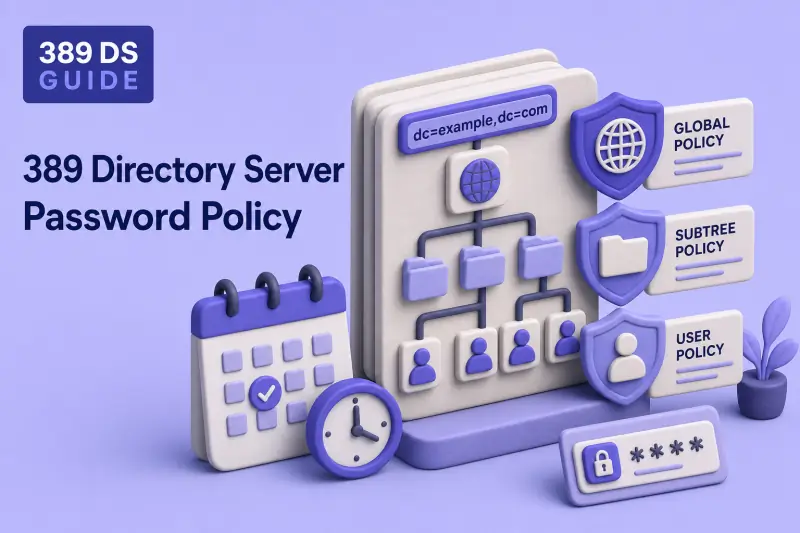
Password policy controls how Directory Server validates new passwords, ages existing ones, warns users before expiration, accepts grace logins, and handles administrator resets. I'll start with one global baseline for the instance, then add subtree or user policies when a group of accounts needs different rules.
By default, only one policy applies to each user. A user-level policy replaces the subtree and global policies entirely. A subtree policy replaces the global policy for entries below that subtree. An omitted setting in a local policy does not fall back to the global value unless you enable optional global syntax inheritance through --pwpinheritglobal. History, expiration, grace logins, temporary-password rules, and most other controls must still be configured in the effective local policy.
This guide covers global policy with dsconf pwpolicy, local policies with dsconf localpwp, expiration and grace logins, temporary-password rules, precedence testing, and rollback. Hash algorithms and migration belong in password storage schemes. Failed-login lockout is configured in account lockout. Password-administrator groups and reset ACIs belong in delegated administration.
Before you start:
- Manage users and groups — create test users and reset passwords
- Self-service password and profile ACIs — allow users to change
userPasswordover TLS - dsconf commands — online
pwpolicyandlocalpwpconfiguration - TLS, STARTTLS, and LDAPS — secure password changes and binds
- Password storage schemes —
passwordStorageSchemeoutput in policy listings
Tested on: Rocky Linux 10.2; 389 Directory Server 3.2.0.
The lab uses instance ldap1 on ldap1.example.com with suffix dc=example,dc=com. Password-policy tests run on ldap1 only so other articles under test on the same host are not affected. Instance ldap2 is not required for this guide.
| Lab account | DN | Role in this guide |
|---|---|---|
user1 |
uid=user1,ou=people,dc=example,dc=com |
Global policy |
user3 |
uid=user3,ou=people,dc=example,dc=com |
Grace-login test user |
contractor2 |
uid=contractor2,ou=Contractors,dc=example,dc=com |
Contractor subtree policy |
contractor1 |
uid=contractor1,ou=Contractors,dc=example,dc=com |
User-specific exception |
Create ou=Contractors,dc=example,dc=com and place the contractor accounts there if your suffix does not already contain that container. The manage users and groups chapter shows how to add users and organizational units.
Use separate disposable accounts for history, grace-login, temporary-password, subtree, and precedence tests when possible. Operational attributes generated in one phase can affect a later phase if you reuse the same user without deleting and recreating it.
Understand global, subtree, and user password policies
User-level password policy
        ↓ overrides
Subtree-level password policy
        ↓ overrides
Global password policy| Policy | Scope | Command |
|---|---|---|
| Global policy | Entire Directory Server instance | dsconf pwpolicy |
| Subtree policy | One entry and its descendants | dsconf localpwp addsubtree |
| User policy | One specific user | dsconf localpwp adduser |
Only one policy applies to a user at bind or password-change time. If the Contractors subtree policy sets passwordMinLength: 14 but omits history settings, history enforcement is off for those users even when the global policy enables it.
The documented exception is nsslapd-pwpolicy-inherit-global, exposed as --pwpinheritglobal. When it is enabled and local syntax checking is unset or off, selected global syntax attributes such as minimum length, digits, uppercase, lowercase, special characters, repeat limits, and categories can be inherited. History, expiration, grace logins, temporary-password rules, and most other settings are still not inherited.
Directory Manager bypasses policy validation when it sets passwords. Password administrators configured through --pwdadmin also bypass ordinary checks. Test enforcement with ordinary accounts.
The continuous lab uses this layout:
dc=example,dc=com
├── ou=people
│   ├── uid=user1
│   └── uid=user3
└── ou=Contractors
    ├── uid=contractor1
    └── uid=contractor2
Planned result:
- Global policy applies to
uid=user1,ou=people,dc=example,dc=com. ou=Contractors,dc=example,dc=comreceives a stricter subtree policy.uid=contractor1,ou=Contractors,dc=example,dc=comreceives a user-specific exception.
Check the current password policy
Read the global policy before you change anything:
dsconf ldap1 pwpolicy getSample output excerpt:
Global Password Policy: cn=config
------------------------------------
nsslapd-pwpolicy-local: off
nsslapd-pwpolicy-inherit-global: off
passwordstoragescheme: PBKDF2-SHA512
passwordchecksyntax: off
passwordminlength: 8
passwordexp: off
passwordmaxage: 8640000
passwordhistory: off
passwordtrackupdatetime: off
Review the options your installed version supports:
dsconf ldap1 pwpolicy set --helpSample output excerpt:
usage: dsconf instance [-v] [-j] pwpolicy set [-h] [--pwdscheme PWDSCHEME]
                                              [--pwdchange PWDCHANGE]
                                              [--pwdmustchange PWDMUSTCHANGE]
                                              [--pwdhistory PWDHISTORY]
                                              [--pwdhistorycount PWDHISTORYCOUNT]
                                              ...
                                              [--pwdlocal PWDLOCAL]
                                              [--pwpinheritglobal PWPINHERITGLOBAL]
Confirm local-policy switches:
dsconf ldap1 config get nsslapd-pwpolicy-local nsslapd-pwpolicy-inherit-globalSample output:
nsslapd-pwpolicy-local: off
nsslapd-pwpolicy-inherit-global: off
When local policies are enabled, inspect a subtree or user entry before you create a duplicate:
dsconf ldap1 localpwp get "ou=Contractors,dc=example,dc=com"Sample output when no policy exists:
Error: No password policy was found for this entrySave the complete dsconf ldap1 pwpolicy get output and both instance-level switch values before changing production settings. During rollback I'll restore every recorded attribute to its original value, not hard-coded lab defaults.
dsconf ldap1 pwpolicy get > /root/ldap1-pwpolicy-before.txtI'll capture the local-policy switch values the same way so rollback can restore both settings:
dsconf ldap1 config get nsslapd-pwpolicy-local nsslapd-pwpolicy-inherit-global > /root/ldap1-pwpolicy-switches-before.txtStore test passwords in protected files instead of command arguments. Command-line secrets can remain in shell history and may be visible through process inspection. I'll create one mode-600 file per password the lab uses: user1-start.pw through user1-bad-short.pw for the global-policy test user, and user3-grace.pw for grace-login tests.
for f in user1-start user1-pass2 user1-pass3 user1-pass4 user1-temp user1-final user1-bad-short user3-grace; do
  install -m 600 /dev/null "/root/${f}.pw"
done
Populate each file through an editor or another approved local secret-entry method. Put a password that fails the configured syntax checks in /root/user1-bad-short.pw. Use -y FILE for the bind password, -T FILE for the new password, and -t FILE for an old password supplied to a password-modify operation. Remove every password file during lab rollback.
Configure the global password policy
I'll enable local password policies when you plan to use subtree or user rules:
dsconf ldap1 pwpolicy set --pwdlocal onSample output:
Successfully updated global password policyDisable global syntax inheritance so every local policy in this lab is self-contained:
dsconf ldap1 pwpolicy set --pwpinheritglobal offSample output:
Successfully updated global password policyThis lab disables global syntax inheritance so every subtree and user policy must contain all syntax settings it requires.
Enable password syntax checking
Configure a practical global baseline. Confirm option names with dsconf ldap1 pwpolicy set --help on your version before you publish commands in runbooks:
dsconf ldap1 pwpolicy set --pwdchecksyntax on --pwdminlen 12 --pwdminuppers 1 --pwdminlowers 1 --pwdmindigits 1 --pwdminspecials 1 --pwdmaxrepeats 3 --pwdmaxseq 4 --pwdhistory on --pwdhistorycount 3 --pwdtrack on --pwdminage 0 --pwddictcheck offSample output:
Successfully updated global password policyDirectory Server also supports --pwdminalphas, --pwdmin8bits, --pwdpalindrome, --pwdmaxseqsets, --pwdmaxclasschars, --pwdmincatagories, --pwdmintokenlen, --pwdbadwords, --pwduserattrs, and --pwddictpath when you need tighter complexity or dictionary checks.
When syntax checking is enabled, passwordMinTokenLength controls the minimum LDAP attribute-value length considered during trivial-word checks. Values from configured user attributes can cause a candidate password to fail when they appear in the password.
Establish the history and syntax test phase
Before history and syntax tests, set a known global phase state. Directory Manager and configured password administrators bypass normal password-policy enforcement, so ordinary-user tests must run against a deliberately known effective policy:
dsconf ldap1 pwpolicy set --pwdchange on --pwdmustchange off --pwdexpire off --pwdminage 0Reset the lab global user to a known starting password before history testing:
LDAPTLS_CACERT=/tmp/389ds-selfsigned-ca.pem ldappasswd -x -H ldaps://ldap1.example.com:636 -D "cn=Directory Manager" -y /root/dm.pw -T /root/user1-start.pw "uid=user1,ou=people,dc=example,dc=com"Configure password history
With self-service password ACIs in place, run the complete history sequence. Change user1's password to the second test value:
LDAPTLS_CACERT=/tmp/389ds-selfsigned-ca.pem ldappasswd -H ldaps://ldap1.example.com:636 -x -D "uid=user1,ou=people,dc=example,dc=com" -y /root/user1-start.pw -T /root/user1-pass2.pwChange it again to build a third entry in the history list:
LDAPTLS_CACERT=/tmp/389ds-selfsigned-ca.pem ldappasswd -H ldaps://ldap1.example.com:636 -x -D "uid=user1,ou=people,dc=example,dc=com" -y /root/user1-pass2.pw -T /root/user1-pass3.pwAttempt to reuse the first changed password:
LDAPTLS_CACERT=/tmp/389ds-selfsigned-ca.pem ldappasswd -H ldaps://ldap1.example.com:636 -x -D "uid=user1,ou=people,dc=example,dc=com" -y /root/user1-pass3.pw -T /root/user1-pass2.pw -e ppolicySample output:
Result: Constraint violation (19)
Additional info: Failed to update password
ppolicy: error=8 (New password is in list of old passwords)
History stores previous hashes. It does not replace minimum password age.
Configure minimum password age
Minimum age stops users from changing a password repeatedly to flush history. Directory Server records passwordAllowChangeTime when the password is changed, based on the minimum-age policy active at that time. Enabling a minimum age only after a previous password update does not necessarily retroactively create a future allow-change time for that update.
Set the minimum age first, then perform one successful password change while the 60-second minimum age is active:
dsconf ldap1 pwpolicy set --pwdminage 60Sample output:
Successfully updated global password policyChange user1's password once while the 60-second minimum age is active:
LDAPTLS_CACERT=/tmp/389ds-selfsigned-ca.pem ldappasswd -H ldaps://ldap1.example.com:636 -x -D "uid=user1,ou=people,dc=example,dc=com" -y /root/user1-pass3.pw -T /root/user1-pass4.pwInspect the operational timestamp with ldapsearch after the password change:
LDAPTLS_CACERT=/tmp/389ds-selfsigned-ca.pem ldapsearch -LLL -x -H ldaps://ldap1.example.com:636 -D "cn=Directory Manager" -y /root/dm.pw -b "uid=user1,ou=people,dc=example,dc=com" -s base passwordAllowChangeTimeSample output:
dn: uid=user1,ou=people,dc=example,dc=com
passwordAllowChangeTime: 20260716071530Z
Immediately attempt a second password change:
LDAPTLS_CACERT=/tmp/389ds-selfsigned-ca.pem ldappasswd -H ldaps://ldap1.example.com:636 -x -D "uid=user1,ou=people,dc=example,dc=com" -y /root/user1-pass4.pw -T /root/user1-pass3.pw -e ppolicySample output:
Result: Constraint violation (19)
Additional info: Failed to update password
ppolicy: error=7 (Password has been changed too recently)
Reset minimum age so the remaining lab password-change tests can run without waiting:
dsconf ldap1 pwpolicy set --pwdminage 0Sample output:
Successfully updated global password policyControl user password changes
The global policy controls whether users may change their own passwords and whether they must change a password after an administrator reset:
| Option | Purpose |
|---|---|
--pwdchange on |
Allow self-service password changes when ACIs permit |
--pwdmustchange on |
Require a change after an administrator reset |
Verify the global policy:
dsconf ldap1 pwpolicy getSample output excerpt:
passwordchecksyntax: on
passwordminlength: 12
passwordhistory: on
passwordinhistory: 3
passwordminage: 0
passwordtrackupdatetime: on
nsslapd-pwpolicy-local: on
nsslapd-pwpolicy-inherit-global: off
The selected passwordstoragescheme appears in the same output. Hash comparison and migration belong in password storage schemes.
Configure password expiration in 389 Directory Server
Enable password expiration
Use seconds consistently:
86400 seconds     = 1 day
1209600 seconds   = 14 days
2592000 seconds   = 30 days
7776000 seconds   = 90 days
Enable expiration on the global policy:
dsconf ldap1 pwpolicy set --pwdexpire on --pwdmaxage 7776000 --pwdwarning 604800Sample output:
Successfully updated global password policyFor lab testing, create a user policy with a short maximum age instead of changing production global aging. The grace-login procedure below uses user3.
Configure an expiration warning
--pwdwarning sets how many seconds before expiration Directory Server may return a password-policy warning control. Clients must request and display password-policy response controls. Many LDAP libraries ignore them unless configured.
Use --pwdsendexpiring on when you want the expiring control sent regardless of the warning window.
Configure grace logins
Grace logins allow a limited number of successful binds after expiration. Configure them in the policy that applies to the account:
dsconf ldap1 localpwp adduser "uid=user3,ou=people,dc=example,dc=com" --pwdexpire on --pwdmaxage 120 --pwdgracelimit 2 --pwdwarning 60 --pwdchecksyntax on --pwdminlen 8Sample output:
Successfully created user password policyAfter creating the policy, set or change user3's password so passwordExpirationTime is calculated from that update:
LDAPTLS_CACERT=/tmp/389ds-selfsigned-ca.pem ldappasswd -x -H ldaps://ldap1.example.com:636 -D "cn=Directory Manager" -y /root/dm.pw -T /root/user3-grace.pw "uid=user3,ou=people,dc=example,dc=com"Before grace-login testing, verify the dedicated user3 policy:
dsconf ldap1 localpwp get "uid=user3,ou=people,dc=example,dc=com"Verify the expiration timestamp:
LDAPTLS_CACERT=/tmp/389ds-selfsigned-ca.pem ldapsearch -LLL -x -H ldaps://ldap1.example.com:636 -D "cn=Directory Manager" -y /root/dm.pw -b "uid=user3,ou=people,dc=example,dc=com" -s base passwordExpirationTime passwordGraceUserTime pwdUpdateTimeSample output:
dn: uid=user3,ou=people,dc=example,dc=com
passwordExpirationTime: 20260716062053Z
passwordGraceUserTime: 0
Wait for the configured --pwdmaxage interval to pass, then run an explicit three-bind sequence as user3. Grace-login usage is maintained through password-policy operational state, and the client must request or display the password-policy response controls to expose the warning clearly.
First bind succeeds with one grace login remaining:
LDAPTLS_CACERT=/tmp/389ds-selfsigned-ca.pem ldapwhoami -x -H ldaps://ldap1.example.com:636 -D "uid=user3,ou=people,dc=example,dc=com" -y /root/user3-grace.pw -e ppolicySample output:
ldap_bind: Success (0) (Password expired, 1 grace logins remain)
# PasswordExpired control
dn: uid=user3,ou=people,dc=example,dc=com
Second bind succeeds with zero grace logins remaining:
LDAPTLS_CACERT=/tmp/389ds-selfsigned-ca.pem ldapwhoami -x -H ldaps://ldap1.example.com:636 -D "uid=user3,ou=people,dc=example,dc=com" -y /root/user3-grace.pw -e ppolicySample output:
ldap_bind: Success (0) (Password expired, 0 grace logins remain)
# PasswordExpired control
dn: uid=user3,ou=people,dc=example,dc=com
Third bind fails because the grace allowance is exhausted:
LDAPTLS_CACERT=/tmp/389ds-selfsigned-ca.pem ldapwhoami -x -H ldaps://ldap1.example.com:636 -D "uid=user3,ou=people,dc=example,dc=com" -y /root/user3-grace.pw -e ppolicySample output:
ldap_bind: Invalid credentials (49); Password expired
	additional info: password expired!
# PasswordExpired control
Do not rely on changing the system clock in production. Use a dedicated test account and a short --pwdmaxage instead.
Inspect expiration attributes
Directory Server stores grace-login consumption in passwordGraceUserTime, not the OpenLDAP-style pwdGraceUseTime attribute:
LDAPTLS_CACERT=/tmp/389ds-selfsigned-ca.pem ldapsearch -LLL -x -H ldaps://ldap1.example.com:636 -D "cn=Directory Manager" -y /root/dm.pw -b "uid=user3,ou=people,dc=example,dc=com" -s base passwordExpirationTime passwordGraceUserTime pwdUpdateTimeSample output after grace logins are consumed:
dn: uid=user3,ou=people,dc=example,dc=com
passwordExpirationTime: 20260716062053Z
passwordGraceUserTime: 2
Configure temporary password rules
Administrative resets follow this workflow:
Directory Manager assigns temporary password
        ↓
User binds with the temporary credential
        ↓
Only password-change operations are accepted
        ↓
User changes the password
        ↓
Normal access resumes
Temporary-password rules are triggered when Directory Manager assigns or resets a user password while passwordMustChange is enabled. Perform the reset as Directory Manager, then test the temporary password and required password change as the ordinary user. A delegated password administrator bypasses normal policy validation but is not the documented identity for assigning a TPR temporary password.
Global TPR settings do not automatically apply to users governed by a local policy. Configure TPR options separately in each global, subtree, or user policy that needs them. The subtree example later in this guide adds TPR settings after the Contractors policy is created.
Directory Server stores temporary-password state in operational attributes distinct from the generic pwdReset flag:
| Attribute | Purpose |
|---|---|
pwdTPRReset |
Marks the account as using Temporary Password Rules |
pwdTPRUseCount |
Counts temporary-password authentication attempts |
pwdTPRValidFrom |
When the temporary password becomes valid |
pwdTPRExpireAt |
When the temporary password expires |
389 Directory Server sets these when an administrator assigns a temporary password, increments pwdTPRUseCount during authentication attempts, and removes the TPR state after the user successfully changes the password.
Require a password change after reset
Before the temporary-password phase, deliberately switch to the TPR test state:
dsconf ldap1 pwpolicy set --pwdchange on --pwdmustchange onSample output:
Successfully updated global password policyConfigure temporary-password restrictions
dsconf ldap1 pwpolicy set --pwptprmaxuse 3 --pwptprdelayexpireat 3600 --pwptprdelayvalidfrom 0Sample output:
Successfully updated global password policy| Option | Purpose |
|---|---|
--pwptprmaxuse |
Maximum temporary-password authentication attempts |
--pwptprdelayexpireat |
Time in seconds before the temporary password expires |
--pwptprdelayvalidfrom |
Delay in seconds before the temporary-password validity period starts |
Verify the TPR settings:
dsconf ldap1 pwpolicy getSample output excerpt:
passwordmustchange: on
passwordTPRMaxUse: 3
passwordTPRDelayExpireAt: 3600
passwordTPRDelayValidFrom: 0
Reset the global-policy test user as Directory Manager:
LDAPTLS_CACERT=/tmp/389ds-selfsigned-ca.pem ldappasswd -x -H ldaps://ldap1.example.com:636 -D "cn=Directory Manager" -y /root/dm.pw -T /root/user1-temp.pw "uid=user1,ou=people,dc=example,dc=com"Confirm the temporary-password state:
LDAPTLS_CACERT=/tmp/389ds-selfsigned-ca.pem ldapsearch -LLL -x -H ldaps://ldap1.example.com:636 -D "cn=Directory Manager" -y /root/dm.pw -b "uid=user1,ou=people,dc=example,dc=com" -s base pwdTPRReset pwdTPRUseCount pwdTPRValidFrom pwdTPRExpireAtSample output:
dn: uid=user1,ou=people,dc=example,dc=com
pwdTPRReset: TRUE
pwdTPRUseCount: 0
pwdTPRValidFrom: 20260716063940Z
pwdTPRExpireAt: 20260716073940Z
Bind as the user with the temporary credential:
LDAPTLS_CACERT=/tmp/389ds-selfsigned-ca.pem ldapwhoami -x -H ldaps://ldap1.example.com:636 -D "uid=user1,ou=people,dc=example,dc=com" -y /root/user1-temp.pw -e ppolicySample output:
Constraint violation (19)
	additional info: TPR checking. Contact system administrator
The temporary credential can authenticate successfully, but ldapwhoami then performs a Who Am I extended operation. Directory Server rejects that follow-up operation because only a password change is allowed. The exact client-side message varies.
Change the password as the user:
LDAPTLS_CACERT=/tmp/389ds-selfsigned-ca.pem ldappasswd -x -H ldaps://ldap1.example.com:636 -D "uid=user1,ou=people,dc=example,dc=com" -y /root/user1-temp.pw -T /root/user1-final.pw -e ppolicyA successful ldappasswd may produce no output. Verify the new password:
LDAPTLS_CACERT=/tmp/389ds-selfsigned-ca.pem ldapwhoami -x -H ldaps://ldap1.example.com:636 -D "uid=user1,ou=people,dc=example,dc=com" -y /root/user1-final.pwSample output:
dn: uid=user1,ou=people,dc=example,dc=comConfirm that the TPR state is cleared. Depending on the server version, pwdTPRReset can remain visible as FALSE, while the temporary-password use-count and validity attributes are no longer returned.
LDAPTLS_CACERT=/tmp/389ds-selfsigned-ca.pem ldapsearch -LLL -x -H ldaps://ldap1.example.com:636 -D "cn=Directory Manager" -y /root/dm.pw -b "uid=user1,ou=people,dc=example,dc=com" -s base pwdTPRReset pwdTPRUseCount pwdTPRValidFrom pwdTPRExpireAtSample output:
dn: uid=user1,ou=people,dc=example,dc=com
pwdTPRReset: FALSE
Normal access resumes after the password change. The temporary credential no longer works.
Configure a subtree password policy
Use the Contractors subtree:
ou=Contractors,dc=example,dc=comCheck for an existing policy:
dsconf ldap1 localpwp get "ou=Contractors,dc=example,dc=com"Create the subtree policy with every setting Contractors need. Because local policies replace the global policy, include syntax, history, expiration, and tracking in one command block:
dsconf ldap1 localpwp addsubtree "ou=Contractors,dc=example,dc=com" --pwdchecksyntax on --pwdminlen 14 --pwdminuppers 1 --pwdminlowers 1 --pwdmindigits 1 --pwdminspecials 1 --pwdexpire on --pwdmaxage 2592000 --pwdhistory on --pwdhistorycount 3 --pwdtrack onSample output:
Successfully created subtree password policyVerify the subtree policy:
dsconf ldap1 localpwp get "ou=Contractors,dc=example,dc=com"Sample output:
Local Subtree Policy Policy for "ou=Contractors,dc=example,dc=com": cn=cn\3DnsPwPolicyEntry_subtree\2Cou\3DContractors\2Cdc\3Dexample\2Cdc\3Dcom,cn=nsPwPolicyContainer,ou=Contractors,dc=example,dc=com
------------------------------------
passwordexp: on
passwordmaxage: 2592000
passwordchecksyntax: on
passwordminlength: 14
passwordhistory: on
passwordinhistory: 3
passwordtrackupdatetime: on
Add TPR settings to the Contractors subtree policy. Temporary-password rules require passwordMustChange in the effective policy. Because the subtree policy replaces the global policy for those entries, the global passwordMustChange value cannot be assumed to apply:
dsconf ldap1 localpwp set "ou=Contractors,dc=example,dc=com" --pwdmustchange on --pwptprmaxuse 3 --pwptprdelayexpireat 3600 --pwptprdelayvalidfrom 0Sample output:
Successfully updated subtree password policyVerify all four values:
dsconf ldap1 localpwp get "ou=Contractors,dc=example,dc=com" | grep -Ei 'mustchange|TPR'Sample output:
passwordmustchange: on
passwordTPRMaxUse: 3
passwordTPRDelayExpireAt: 3600
passwordTPRDelayValidFrom: 0
A contractor user such as uid=contractor2 must meet the 14-character minimum even when the global policy still allows 12 characters.
A restart is normally not required. Re-run localpwp get and test the affected user immediately after creating, modifying, or removing the policy.
Configure a user password policy
Create a complete user policy for:
uid=contractor1,ou=Contractors,dc=example,dc=comBecause the user policy replaces the subtree policy, include every control that should still apply:
dsconf ldap1 localpwp adduser "uid=contractor1,ou=Contractors,dc=example,dc=com" --pwdexpire on --pwdmaxage 1209600 --pwdchecksyntax on --pwdminlen 10 --pwdminuppers 1 --pwdminlowers 1 --pwdmindigits 1 --pwdminspecials 1 --pwdhistory on --pwdhistorycount 3 --pwdtrack onSample output:
Successfully created user password policyVerify the user policy:
dsconf ldap1 localpwp get "uid=contractor1,ou=Contractors,dc=example,dc=com"Sample output:
Local User Policy Policy for "uid=contractor1,ou=Contractors,dc=example,dc=com": cn=cn\3DnsPwPolicyEntry_user\2Cuid\3Dcontractor1\2Cou\3DContractors\2Cdc\3Dexample\2Cdc\3Dcom,cn=nsPwPolicyContainer,ou=Contractors,dc=example,dc=com
------------------------------------
passwordhistory: on
passwordinhistory: 3
passwordtrackupdatetime: on
passwordexp: on
passwordmaxage: 1209600
passwordchecksyntax: on
passwordminlength: 10
passwordmindigits: 1
passwordminuppers: 1
passwordminlowers: 1
passwordminspecials: 1
Precedence for the lab:
| Account | Effective policy |
|---|---|
uid=user1,ou=people,dc=example,dc=com |
Global |
uid=contractor2,ou=Contractors,dc=example,dc=com |
Contractor subtree |
uid=contractor1,ou=Contractors,dc=example,dc=com |
User-specific |
contractor1 can use a 10-character password while contractor2 still requires 14 characters because the user policy replaces the subtree policy for that one entry.
Use per-user policies sparingly. A subtree or group-based design is easier to maintain than dozens of individual exceptions.
Inspect local password policy entries and track password change time
For a subtree policy, dsconf localpwp addsubtree creates a policy container, policy entry, CoS template, and CoS pointer definition so entries below the subtree receive the appropriate pwdpolicysubentry value. A user policy creates the policy container and user-specific policy entry and associates the selected entry directly with that policy.
Do not build these entries manually unless you are recovering from a migration error.
Locate the direct or virtual pwdpolicysubentry association on a user entry:
LDAPTLS_CACERT=/tmp/389ds-selfsigned-ca.pem ldapsearch -LLL -x -H ldaps://ldap1.example.com:636 -D "cn=Directory Manager" -y /root/dm.pw -b "uid=contractor1,ou=Contractors,dc=example,dc=com" -s base pwdpolicysubentrySample output:
dn: uid=contractor1,ou=Contractors,dc=example,dc=com
pwdpolicysubentry: cn=cn\3DnsPwPolicyEntry_user\2Cuid\3Dcontractor1\2Cou\3DContractors\2Cdc\3Dexample\2Cdc\3Dcom,cn=nsPwPolicyContainer,ou=Contractors,dc=example,dc=com
Directory Server stores the dedicated password-change timestamp in pwdUpdateTime:
LDAPTLS_CACERT=/tmp/389ds-selfsigned-ca.pem ldapsearch -LLL -x -H ldaps://ldap1.example.com:636 -D "cn=Directory Manager" -y /root/dm.pw -b "uid=user1,ou=people,dc=example,dc=com" -s base pwdUpdateTimeSample output:
dn: uid=user1,ou=people,dc=example,dc=com
pwdUpdateTime: 20260716055001Z
Use pwdUpdateTime for password synchronization, migration reporting, stale-password audits, and external integrations that need the last change time without reading userPassword.
Test which password policy applies
Test as ordinary users over LDAPS or STARTTLS. Directory Manager and password administrators bypass the constraints you are validating.
Ensure users can change their own passwords through self-service password ACIs before you run self-change tests.
Effective policy for the lab:
| Setting | Global user | Contractor subtree | contractor1 |
|---|---|---|---|
| Minimum length | 12 | 14 | 10 |
| History count | 3 | 3 | 3 |
| Maximum age | 90 days | 30 days | 14 days |
| Tracking | On | On | On |
| Grace logins | Not configured | Not configured | Not configured |
| TPR | 3 attempts, 1 hour | 3 attempts, 1 hour with passwordMustChange |
Not configured unless --pwdmustchange and TPR options are added to the user policy |
Because the user-level policy replaces the subtree policy, contractor1 does not inherit the subtree TPR values. Add --pwdmustchange and the TPR options to the user policy when temporary-password rules should apply to that account.
Test only the settings configured for each account. Example syntax rejection for the global user:
LDAPTLS_CACERT=/tmp/389ds-selfsigned-ca.pem ldappasswd -H ldaps://ldap1.example.com:636 -x -D "uid=user1,ou=people,dc=example,dc=com" -y /root/user1-final.pw -T /root/user1-bad-short.pw -e ppolicySample output:
Result: Constraint violation (19)
Additional info: Failed to update password
ppolicy: error=5 (Password fails quality checks)
Use three password-change paths during testing:
- User changes their own password with
ldappasswdover LDAPS. - Delegated administrator resets the password when ACIs allow it.
- Directory Manager resets the password to confirm bypass behavior or to assign a temporary password. Do not use that path to test ordinary syntax enforcement.
The --pwdlockout, --pwdmaxfailures, and related options appear in the same pwpolicy set --help output, but failed-login lockout is configured in account lockout. That topic is not covered here.
Modify, remove, or disable local password policies
Modify an existing local policy. Extend the Contractors subtree maximum password age:
dsconf ldap1 localpwp set "ou=Contractors,dc=example,dc=com" --pwdmaxage 7776000Remove the lab local policies. Remove user-specific policies before their parent subtree policy:
dsconf ldap1 localpwp remove "uid=contractor1,ou=Contractors,dc=example,dc=com"Remove the grace-login test policy for user3:
dsconf ldap1 localpwp remove "uid=user3,ou=people,dc=example,dc=com"Remove the Contractors subtree policy last:
dsconf ldap1 localpwp remove "ou=Contractors,dc=example,dc=com"Sample output:
Successfully deleted subtree policyDisable evaluation of every local policy without deleting the entries:
dsconf ldap1 pwpolicy set --pwdlocal offSample output:
Successfully updated global password policy| Action | Effect |
|---|---|
localpwp remove |
Deletes one subtree or user policy and its supporting entries |
--pwdlocal off |
Stops evaluating all local policies; entries may remain in the tree |
After removal, confirm the expected global policy applies:
dsconf ldap1 localpwp get "uid=contractor1,ou=Contractors,dc=example,dc=com"Sample output:
Error: No password policy was found for this entryA restart is normally not required. Re-run localpwp get and test the affected user immediately after creating, modifying, or removing the policy.
Troubleshoot password policy problems
| Symptom | Likely cause | Fix |
|---|---|---|
| A password that violates the policy is accepted | Directory Manager or a password administrator performed the change | Retest with an ordinary user account |
| Syntax checking appears disabled | --pwdchecksyntax off in the effective policy |
Run dsconf ldap1 pwpolicy get and dsconf ldap1 localpwp get TARGET_DN for the user or subtree entry |
| A user does not inherit a global setting | A subtree or user policy replaces the global policy | Add the missing setting to the local policy that applies |
| Expected global syntax appears on a local policy | --pwpinheritglobal on with local syntax unset or off |
Disable inheritance or set syntax explicitly in the local policy |
| Local policy does not apply | nsslapd-pwpolicy-local or --pwdlocal is off |
Enable local policies and confirm the exact target DN |
| A user policy overrides the subtree policy | Normal precedence | Remove the user policy when the subtree policy should apply |
| Password expiration does not occur | Expiration disabled or wrong --pwdmaxage in the effective policy |
Inspect passwordExpirationTime and the policy returned by localpwp get |
| Temporary-password rules do not apply | TPR not configured on the effective policy, or reset not performed by Directory Manager | Verify --pwdmustchange, TPR settings on the applicable policy, and pwdTPRReset |
| Application does not show expiration warnings | Client ignores password-policy response controls | Request ppolicy controls explicitly in the LDAP client |
| Policy behaves differently across replicas | Global cn=config settings or local-policy enable/inheritance switches differ between instances; password-state replication may not be configured |
Compare pwpolicy get, nsslapd-pwpolicy-local, and nsslapd-pwpolicy-inherit-global on every server. Verify that local policy entries replicated and review password-state replication design separately |
When the error log shows quality-check failures but the password looks valid, check whether passwordMinTokenLength or configured user attributes reject tokens from the user's uid, cn, or mail values.
Roll back safely
Restore every password-policy attribute to the value recorded in your baseline capture. Turning a feature off does not restore the original numeric value for minimum length, history count, maximum age, warning interval, or other counters.
Remove user-specific policies before you remove their parent subtree policy:
dsconf ldap1 localpwp remove "uid=contractor1,ou=Contractors,dc=example,dc=com"Remove the grace-login test policy for user3:
dsconf ldap1 localpwp remove "uid=user3,ou=people,dc=example,dc=com"Remove the Contractors subtree policy last:
dsconf ldap1 localpwp remove "ou=Contractors,dc=example,dc=com"Restore both instance-level switches from /root/ldap1-pwpolicy-switches-before.txt. Set local-policy evaluation first:
dsconf ldap1 config replace nsslapd-pwpolicy-local=<recorded-value>Then restore the global syntax-inheritance switch:
dsconf ldap1 config replace nsslapd-pwpolicy-inherit-global=<recorded-value>Reapply every recorded global-policy value from /root/ldap1-pwpolicy-before.txt with individual dsconf ldap1 pwpolicy set commands, or restore cn=config from your normal configuration backup process.
Delete and recreate disposable test users, or deliberately clear their generated password-policy state. The lab can leave operational attributes such as passwordExpirationTime, passwordGraceUserTime, passwordAllowChangeTime, passwordHistory, pwdTPRReset, pwdTPRUseCount, pwdTPRValidFrom, pwdTPRExpireAt, and pwdUpdateTime. Deleting and recreating disposable test users is safer than blindly deleting operational attributes individually.
Restore any real lab-user passwords changed during the article with ldappasswd -T over LDAPS.
Remove all secret and temporary files so bind passwords and baseline captures do not remain on disk:
rm -f \
    /root/user1-*.pw \
    /root/user3-*.pw \
    /root/contractor*.pw \
    /root/ldap1-pwpolicy-before.txt \
    /root/ldap1-pwpolicy-switches-before.txt
Run final verification. Confirm the global policy matches your recorded baseline:
dsconf ldap1 pwpolicy getConfirm both instance-level switches returned to their original values:
dsconf ldap1 config get nsslapd-pwpolicy-local nsslapd-pwpolicy-inherit-globalConfirm no lab local policies remain active:
dsconf ldap1 localpwp listTest a normal bind and self-service password change using the restored policy.
What's Next
- Account lockout — failed-password counters and recovery
- Disable user accounts — manual lock and inactivity separate from lockout
- Password storage schemes — hash migration and rewrite after bind
References
- Red Hat Directory Server 13 — Configuring password policies
- Red Hat Directory Server 13 — Core server configuration attributes
- 389 Directory Server — Temporary Password Rules
- 389 Directory Server — Password Syntax Checking
Summary
- Save a complete baseline of
pwpolicy get,nsslapd-pwpolicy-local, andnsslapd-pwpolicy-inherit-global. - Configure a complete global baseline with
dsconf ldap1 pwpolicyand disable--pwpinheritglobalwhen local policies must be self-contained. - Put every required setting in the most specific policy that applies. Policies are not additive except for optional global syntax inheritance.
- Use subtree policies for groups such as contractors; reserve user policies for genuine exceptions and include every control they need.
- Configure expiration, warnings, grace logins, and temporary-password rules in the applicable policy.
- Track changes with
--pwdtrackand auditpwdUpdateTimeandpasswordGraceUserTime. - Test as ordinary users over LDAPS; use Directory Manager for temporary-password assignment, not for syntax-enforcement tests.
- Restore recorded values during rollback, remove secret files, and verify with
pwpolicy getand a final bind test.
