
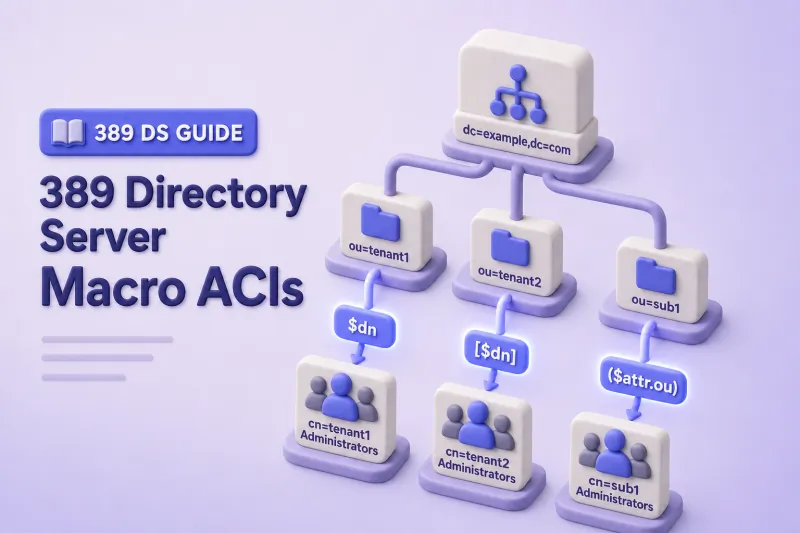
Repeated directory layouts make access control verbose. When every tenant branch uses the same ou=People, ou=Groups, and cn=TenantAdmins pattern, I used to copy one ACI per tenant. That approach is hard to audit and easy to get wrong.
Tenant 1 → TenantAdmins group controls Tenant 1 users
Tenant 2 → TenantAdmins group controls Tenant 2 users
Tenant 3 → TenantAdmins group controls Tenant 3 users
Macro ACIs extract part of the target DN and substitute it into the target rule or bind rule (groupdn, userdn, roledn, or userattr). One rule on a shared parent can replace many tenant-specific copies.
Before you start:
- ACI examples — syntax, rights, placement, and
ldapmodifyworkflow - Advanced ACI —
targetfilter,userattr, and compound bind rules - Delegated administration — ordinary
groupdndelegation without macros - Get Effective Rights — attribute-level permission inspection
Tested on: Rocky Linux 10.2; 389 Directory Server 3.2.0.
These examples use ldap://localhost:389 on the Directory Server host for a local lab. For remote or production administration, use LDAPS or StartTLS so bind passwords and directory data are encrypted in transit. RHDS supports StartTLS on port 389 and LDAPS on port 636; unencrypted password binds are a security risk outside a controlled local test.
When should you use macro ACIs?
Macro ACIs fit consistently structured trees where the same administrator-group naming convention repeats under every branch:
| Suitable scenario | Why macros help |
|---|---|
| Multi-tenant directories | One rule covers dc=tenant1, dc=tenant2, and future tenants |
| Hosted domains | Parent-level ACI on ou=Tenants replaces per-domain copies |
| Repeated department layouts | [$dn] expresses parent-over-child administration |
| Identically named admin groups | ($dn) maps cn=TenantAdmins to the correct tenant branch |
Ordinary ACIs stay clearer when only one or two branches need different rights, when container names differ between tenants, or when your team cannot document expected macro expansion beside each rule.
Prepare a repeating directory structure
The lab uses instance ldap1, suffix dc=example,dc=com, and a multi-tenant tree under ou=Tenants. Each tenant has ou=People, ou=Groups with cn=TenantAdmins, and ou=Operators for administrator bind accounts outside the delegated data subtree.
dc=tenant1 also contains subdomain dc=sub1 so I can demonstrate [$dn] hierarchy behavior. Department administrators use cn=DepartmentAdmins groups nested under ou=<department>,ou=Groups, with users under ou=People that carry an ou attribute value, following the Red Hat Directory Server attribute-macro pattern.
ou=Tenants subtree. Do not run the combined LDIF against an existing tenant tree. If ou=Tenants already contains production or unrelated data, use a different lab base DN such as ou=MacroLab,dc=example,dc=com and substitute that DN in every command below.
ou=Tenants,dc=example,dc=com
├── dc=tenant1
│   ├── ou=Operators
│   │   ├── uid=tenantadmin1
│   │   └── uid=engadmin1
│   ├── ou=People
│   │   ├── uid=tenantuser1
│   │   └── uid=enguser1          (ou: Engineering)
│   ├── ou=Groups
│   │   ├── cn=TenantAdmins
│   │   └── ou=Engineering
│   │       └── cn=DepartmentAdmins
│   └── dc=sub1
│       ├── ou=Operators
│       │   └── uid=subadmin1
│       ├── ou=People
│       │   └── uid=subuser1
│       └── ou=Groups
│           └── cn=TenantAdmins
└── dc=tenant2
    ├── ou=Operators
    │   └── uid=tenantadmin2
    ├── ou=People
    │   └── uid=tenantuser2
    └── ou=Groups
        └── cn=TenantAdmins
Capture existing ACIs and verify the lab base is free
Snapshot inherited ACIs from the suffix before you add macro rules with ldapsearch. This captures ACIs stored on the suffix and entries below it, including any existing tenant branches. It therefore includes the suffix-level ACIs inherited by ou=Tenants, as well as ACIs already stored inside the proposed tenant subtree:
ldapsearch -LLL -o ldif-wrap=no -x \
  -H ldap://localhost:389 \
  -D "cn=Directory Manager" \
  -y /root/dm.pw \
  -b "dc=example,dc=com" \
  -s sub "(aci=*)" dn aci \
  > /root/macro-acis-before.ldif
Successful search output is redirected to the snapshot file; LDAP errors still appear in the terminal.
Confirm that the proposed lab subtree does not already exist:
ldapsearch -LLL -x \
  -H ldap://localhost:389 \
  -D "cn=Directory Manager" \
  -y /root/dm.pw \
  -b "ou=Tenants,dc=example,dc=com" \
  -s base "(objectClass=*)" dn
When the subtree is absent, Directory Manager reports No such object (32). If an entry is returned, pick another base such as ou=MacroLab,dc=example,dc=com before you continue.
Create the tenant tree
The combined LDIF assumes every entry is absent. If one entry already exists, ldapadd stops by default and leaves the remainder of the tree uncreated.
cat > /tmp/macro-tenant-tree.ldif <<'EOF'
dn: ou=Tenants,dc=example,dc=com
objectClass: top
objectClass: organizationalUnit
ou: Tenants

dn: dc=tenant1,ou=Tenants,dc=example,dc=com
objectClass: top
objectClass: domain
dc: tenant1

dn: ou=Operators,dc=tenant1,ou=Tenants,dc=example,dc=com
objectClass: top
objectClass: organizationalUnit
ou: Operators

dn: uid=tenantadmin1,ou=Operators,dc=tenant1,ou=Tenants,dc=example,dc=com
objectClass: top
objectClass: person
objectClass: organizationalPerson
objectClass: inetorgperson
cn: Tenant 1 Admin
sn: Admin
uid: tenantadmin1

dn: uid=engadmin1,ou=Operators,dc=tenant1,ou=Tenants,dc=example,dc=com
objectClass: top
objectClass: person
objectClass: organizationalPerson
objectClass: inetorgperson
cn: Engineering Admin
sn: Admin
uid: engadmin1

dn: ou=People,dc=tenant1,ou=Tenants,dc=example,dc=com
objectClass: top
objectClass: organizationalUnit
ou: People

dn: uid=tenantuser1,ou=People,dc=tenant1,ou=Tenants,dc=example,dc=com
objectClass: top
objectClass: person
objectClass: organizationalPerson
objectClass: inetorgperson
cn: Tenant 1 User
sn: User
uid: tenantuser1
mail: [email protected]

dn: uid=enguser1,ou=People,dc=tenant1,ou=Tenants,dc=example,dc=com
objectClass: top
objectClass: person
objectClass: organizationalPerson
objectClass: inetorgperson
cn: Eng User
sn: User
uid: enguser1
ou: Engineering
mail: [email protected]

dn: ou=Groups,dc=tenant1,ou=Tenants,dc=example,dc=com
objectClass: top
objectClass: organizationalUnit
ou: Groups

dn: cn=TenantAdmins,ou=Groups,dc=tenant1,ou=Tenants,dc=example,dc=com
objectClass: top
objectClass: groupOfNames
cn: TenantAdmins
member: uid=tenantadmin1,ou=Operators,dc=tenant1,ou=Tenants,dc=example,dc=com

dn: ou=Engineering,ou=Groups,dc=tenant1,ou=Tenants,dc=example,dc=com
objectClass: top
objectClass: organizationalUnit
ou: Engineering

dn: cn=DepartmentAdmins,ou=Engineering,ou=Groups,dc=tenant1,ou=Tenants,dc=example,dc=com
objectClass: top
objectClass: groupOfNames
cn: DepartmentAdmins
member: uid=engadmin1,ou=Operators,dc=tenant1,ou=Tenants,dc=example,dc=com

dn: dc=sub1,dc=tenant1,ou=Tenants,dc=example,dc=com
objectClass: top
objectClass: domain
dc: sub1

dn: ou=Operators,dc=sub1,dc=tenant1,ou=Tenants,dc=example,dc=com
objectClass: top
objectClass: organizationalUnit
ou: Operators

dn: uid=subadmin1,ou=Operators,dc=sub1,dc=tenant1,ou=Tenants,dc=example,dc=com
objectClass: top
objectClass: person
objectClass: organizationalPerson
objectClass: inetorgperson
cn: Subdomain Admin
sn: Admin
uid: subadmin1

dn: ou=People,dc=sub1,dc=tenant1,ou=Tenants,dc=example,dc=com
objectClass: top
objectClass: organizationalUnit
ou: People

dn: uid=subuser1,ou=People,dc=sub1,dc=tenant1,ou=Tenants,dc=example,dc=com
objectClass: top
objectClass: person
objectClass: organizationalPerson
objectClass: inetorgperson
cn: Sub User
sn: User
uid: subuser1
mail: [email protected]

dn: ou=Groups,dc=sub1,dc=tenant1,ou=Tenants,dc=example,dc=com
objectClass: top
objectClass: organizationalUnit
ou: Groups

dn: cn=TenantAdmins,ou=Groups,dc=sub1,dc=tenant1,ou=Tenants,dc=example,dc=com
objectClass: top
objectClass: groupOfNames
cn: TenantAdmins
member: uid=subadmin1,ou=Operators,dc=sub1,dc=tenant1,ou=Tenants,dc=example,dc=com

dn: dc=tenant2,ou=Tenants,dc=example,dc=com
objectClass: top
objectClass: domain
dc: tenant2

dn: ou=Operators,dc=tenant2,ou=Tenants,dc=example,dc=com
objectClass: top
objectClass: organizationalUnit
ou: Operators

dn: uid=tenantadmin2,ou=Operators,dc=tenant2,ou=Tenants,dc=example,dc=com
objectClass: top
objectClass: person
objectClass: organizationalPerson
objectClass: inetorgperson
cn: Tenant 2 Admin
sn: Admin
uid: tenantadmin2

dn: ou=People,dc=tenant2,ou=Tenants,dc=example,dc=com
objectClass: top
objectClass: organizationalUnit
ou: People

dn: uid=tenantuser2,ou=People,dc=tenant2,ou=Tenants,dc=example,dc=com
objectClass: top
objectClass: person
objectClass: organizationalPerson
objectClass: inetorgperson
cn: Tenant 2 User
sn: User
uid: tenantuser2
mail: [email protected]

dn: ou=Groups,dc=tenant2,ou=Tenants,dc=example,dc=com
objectClass: top
objectClass: organizationalUnit
ou: Groups

dn: cn=TenantAdmins,ou=Groups,dc=tenant2,ou=Tenants,dc=example,dc=com
objectClass: top
objectClass: groupOfNames
cn: TenantAdmins
member: uid=tenantadmin2,ou=Operators,dc=tenant2,ou=Tenants,dc=example,dc=com
EOF
I'll load the tenant tree into the directory with ldapadd:
ldapadd -x -H ldap://localhost:389 -D "cn=Directory Manager" -y /root/dm.pw -f /tmp/macro-tenant-tree.ldifSample output ends with:
adding new entry "cn=TenantAdmins,ou=Groups,dc=tenant2,ou=Tenants,dc=example,dc=com"Set operator passwords and verify binds
Set bind passwords for all four operator accounts before delegated tests:
I'll set the tenant 1 operator password first:
dsidm ldap1 account reset_password \
  "uid=tenantadmin1,ou=Operators,dc=tenant1,ou=Tenants,dc=example,dc=com" \
  'TenantAdmin1!'
I'll repeat the same step for the tenant 2 operator:
dsidm ldap1 account reset_password \
  "uid=tenantadmin2,ou=Operators,dc=tenant2,ou=Tenants,dc=example,dc=com" \
  'TenantAdmin2!'
Next I'll set the subdomain operator password:
dsidm ldap1 account reset_password \
  "uid=subadmin1,ou=Operators,dc=sub1,dc=tenant1,ou=Tenants,dc=example,dc=com" \
  'SubAdmin1!'
Finally I'll set the engineering department administrator password:
dsidm ldap1 account reset_password \
  "uid=engadmin1,ou=Operators,dc=tenant1,ou=Tenants,dc=example,dc=com" \
  'EngAdmin1!'
Each reset_password call prints a confirmation line when the password is stored.
Create password files for non-interactive binds in later commands. I'll set umask 077 first so any new files are not group- or world-readable, then lock each file to mode 600 with the chmod command:
umask 077
printf '%s' 'TenantAdmin1!' > /root/tenantadmin1.pw
printf '%s' 'TenantAdmin2!' > /root/tenantadmin2.pw
printf '%s' 'SubAdmin1!' > /root/subadmin1.pw
printf '%s' 'EngAdmin1!' > /root/engadmin1.pw
chmod 600 /root/tenantadmin1.pw /root/tenantadmin2.pw /root/subadmin1.pw /root/engadmin1.pw
Verify every operator bind before you add macro ACIs:
Confirm the tenant 1 operator can authenticate:
ldapwhoami -x -H ldap://localhost:389 -D "uid=tenantadmin1,ou=Operators,dc=tenant1,ou=Tenants,dc=example,dc=com" -y /root/tenantadmin1.pwI'll repeat the bind check for the tenant 2 operator:
ldapwhoami -x -H ldap://localhost:389 -D "uid=tenantadmin2,ou=Operators,dc=tenant2,ou=Tenants,dc=example,dc=com" -y /root/tenantadmin2.pwI'll verify the subdomain operator next:
ldapwhoami -x -H ldap://localhost:389 -D "uid=subadmin1,ou=Operators,dc=sub1,dc=tenant1,ou=Tenants,dc=example,dc=com" -y /root/subadmin1.pwI'll finish with the engineering department administrator:
ldapwhoami -x -H ldap://localhost:389 -D "uid=engadmin1,ou=Operators,dc=tenant1,ou=Tenants,dc=example,dc=com" -y /root/engadmin1.pwSample output for the tenant 1 administrator:
dn:uid=tenantadmin1,ou=operators,dc=tenant1,ou=tenants,dc=example,dc=comThe returned DN confirms authentication for the delegated account.
Understand macro ACI syntax
Directory Server supports three macro expressions:
| Macro | Main purpose | Typical keywords |
|---|---|---|
($dn) |
Match part of the target DN and reuse it in the bind rule | target, targetfilter, groupdn, userdn, roledn, userattr |
[$dn] |
Walk up the DN hierarchy until a bind rule matches | targetfilter, groupdn, userdn, roledn, userattr |
($attr.attributeName) |
Insert a target-entry attribute value into the subject DN | groupdn, userdn, roledn, userattr |
Every macro ACI must include a target containing ($dn). The matched fragment can appear in groupdn, userdn, roledn, or userattr. You can combine ($dn) with ($attr.attributeName) in the same rule.
Include objectClass in targetattr when delegates run routine ldapsearch commands. Default searches use (objectclass=*), which requires search permission on objectClass even for base-scope lookups.
Directory Server evaluates ACIs found on the target entry and its ancestors. Matching deny rules override allows, so the suffix-wide snapshot helps you confirm that earlier inherited rules stay unchanged after the lab.
Replace duplicate ACIs with ($dn)
Without macros, tenant 1 and tenant 2 each need a separate read rule on ou=Tenants:
aci: (targetattr="uid || cn || sn || mail || objectClass")(target="ldap:///uid=*,ou=People,dc=tenant1,ou=Tenants,dc=example,dc=com")(version 3.0; acl "Tenant 1 people read"; allow (read,search,compare) groupdn="ldap:///cn=TenantAdmins,ou=Groups,dc=tenant1,ou=Tenants,dc=example,dc=com";)

aci: (targetattr="uid || cn || sn || mail || objectClass")(target="ldap:///uid=*,ou=People,dc=tenant2,ou=Tenants,dc=example,dc=com")(version 3.0; acl "Tenant 2 people read"; allow (read,search,compare) groupdn="ldap:///cn=TenantAdmins,ou=Groups,dc=tenant2,ou=Tenants,dc=example,dc=com";)
A target DN applies to that entry and entries below it. To limit tenant administrators to user entries only, not the ou=People container, use a uid=* RDN in the target.
Replace both duplicate rules with one macro ACI on the shared parent ou=Tenants,dc=example,dc=com:
cat > /tmp/aci-tenant-macro-read.ldif <<'EOF'
dn: ou=Tenants,dc=example,dc=com
changetype: modify
add: aci
aci: (targetattr="uid || cn || sn || mail || telephoneNumber || description || objectClass")(target="ldap:///uid=*,ou=People,($dn),ou=Tenants,dc=example,dc=com")(version 3.0; acl "Tenant macro read people"; allow (read,search,compare) groupdn="ldap:///cn=TenantAdmins,ou=Groups,($dn),ou=Tenants,dc=example,dc=com";)
EOF
Apply the tenant macro read rule with ldapmodify:
ldapmodify -x -H ldap://localhost:389 -D "cn=Directory Manager" -y /root/dm.pw -f /tmp/aci-tenant-macro-read.ldifAdd a narrow write grant for description with the same macro substitution. targetattr lists only attributes the write permission may modify, so keep objectClass out of write rules:
cat > /tmp/aci-tenant-macro-write.ldif <<'EOF'
dn: ou=Tenants,dc=example,dc=com
changetype: modify
add: aci
aci: (targetattr="description")(target="ldap:///uid=*,ou=People,($dn),ou=Tenants,dc=example,dc=com")(version 3.0; acl "Tenant macro write description"; allow (write) groupdn="ldap:///cn=TenantAdmins,ou=Groups,($dn),ou=Tenants,dc=example,dc=com";)
EOF
Apply the narrow write rule with ldapmodify:
ldapmodify -x -H ldap://localhost:389 -D "cn=Directory Manager" -y /root/dm.pw -f /tmp/aci-tenant-macro-write.ldifWhen a request targets uid=tenantuser1,ou=People,dc=tenant1,ou=Tenants,dc=example,dc=com, the server matches ($dn) to dc=tenant1 and expands the bind rule to cn=TenantAdmins,ou=Groups,dc=tenant1,ou=Tenants,dc=example,dc=com. A request under dc=tenant2 expands to the tenant 2 group instead.
Request under tenant1 → ($dn) becomes dc=tenant1
Request under tenant2 → ($dn) becomes dc=tenant2
Configure hierarchical access with [$dn]
Subdomain dc=sub1,dc=tenant1 carries its own cn=TenantAdmins group. Parent tenant administrators should reach subdomain users without a second ACI copy. The [$dn] macro drops the leftmost RDN on each attempt until group membership matches.
I'll add a read rule that uses [$dn] in groupdn:
cat > /tmp/aci-tenant-hierarchical.ldif <<'EOF'
dn: ou=Tenants,dc=example,dc=com
changetype: modify
add: aci
aci: (targetattr="uid || cn || sn || mail || objectClass")(target="ldap:///uid=*,ou=People,($dn),ou=Tenants,dc=example,dc=com")(version 3.0; acl "Hierarchical tenant macro read"; allow (read,search,compare) groupdn="ldap:///cn=TenantAdmins,ou=Groups,[$dn],ou=Tenants,dc=example,dc=com";)
EOF
Apply the hierarchical read rule with ldapmodify:
ldapmodify -x -H ldap://localhost:389 -D "cn=Directory Manager" -y /root/dm.pw -f /tmp/aci-tenant-hierarchical.ldifFor a request under uid=subuser1,ou=People,dc=sub1,dc=tenant1,ou=Tenants,dc=example,dc=com, the server first tries cn=TenantAdmins,ou=Groups,dc=sub1,dc=tenant1,ou=Tenants,dc=example,dc=com. When the bind identity is a member of cn=TenantAdmins,ou=Groups,dc=tenant1,ou=Tenants,dc=example,dc=com instead, the next [$dn] expansion matches the parent tenant group.
Subdomain administrators matched at dc=sub1 can read subdomain users through the direct tenant rule, but they cannot read users directly under the parent tenant. The configured hierarchical ACI grants read/search/compare only; it does not grant general management rights.
Build an attribute-based macro with ($attr.attributeName)
Department administrators are selected from the target entry ou attribute value. A user targeted for access carries ou: Engineering on the entry under ou=People, and the corresponding group sits under an ou=Engineering container:
Target entry:
  dn: uid=enguser1,ou=People,dc=tenant1,ou=Tenants,dc=example,dc=com
  ou: Engineering

Administrator group:
  cn=DepartmentAdmins,ou=Engineering,ou=Groups,dc=tenant1,ou=Tenants,dc=example,dc=com
In the official expansion pattern, the attribute macro supplies the organizational unit RDN. For ou: Engineering on the target entry, the expanded administrator group is:
cn=DepartmentAdmins,ou=Engineering,ou=Groups,dc=tenant1,ou=Tenants,dc=example,dc=comUse ($attr.ou) as a complete DN component. For a target entry containing ou: Engineering, Directory Server expands the macro to ou=Engineering.
Macro ACIs support ($attr.attributeName) in groupdn, but any macro ACI must also have a target containing ($dn).
ou value participates in authorization. Do not grant ordinary users or tenant administrators write access to it. Prefer a dedicated, controlled attribute when department labels can be edited through another workflow.
The ou attribute can be multi-valued. Red Hat Directory Server expands the macro once for each value and treats the resulting expressions as a logical OR, so any matching expanded group can satisfy the rule. For this lab, keep ou outside every delegated write ACI and store only one department value on enguser1.
cat > /tmp/aci-ou-attr-macro.ldif <<'EOF'
dn: ou=Tenants,dc=example,dc=com
changetype: modify
add: aci
aci: (targetattr="uid || cn || sn || mail || description || objectClass")(targetfilter="(ou=*)")(target="ldap:///uid=*,ou=People,($dn),ou=Tenants,dc=example,dc=com")(version 3.0; acl "OU attr macro read"; allow (read,search,compare) groupdn="ldap:///cn=DepartmentAdmins,($attr.ou),ou=Groups,($dn),ou=Tenants,dc=example,dc=com";)
-
add: aci
aci: (targetattr="description")(targetfilter="(ou=*)")(target="ldap:///uid=*,ou=People,($dn),ou=Tenants,dc=example,dc=com")(version 3.0; acl "OU attr macro write description"; allow (write) groupdn="ldap:///cn=DepartmentAdmins,($attr.ou),ou=Groups,($dn),ou=Tenants,dc=example,dc=com";)
EOF
Apply both attribute-macro ACIs with ldapmodify:
ldapmodify -x -H ldap://localhost:389 -D "cn=Directory Manager" -y /root/dm.pw -f /tmp/aci-ou-attr-macro.ldifConfirm the department administrator group exists at the path the macro expands to for ou: Engineering:
ldapsearch -LLL -x -H ldap://localhost:389 -D "cn=Directory Manager" -y /root/dm.pw -b "cn=DepartmentAdmins,ou=Engineering,ou=Groups,dc=tenant1,ou=Tenants,dc=example,dc=com" -s base memberSample output:
dn: cn=DepartmentAdmins,ou=Engineering,ou=Groups,dc=tenant1,ou=Tenants,dc=example,dc=com
member: uid=engadmin1,ou=Operators,dc=tenant1,ou=Tenants,dc=example,dc=com
The targetfilter="(ou=*)" clause limits the rule to entries that already store a department value in ou.
Test tenant isolation
Test as delegated administrator accounts. Do not test as Directory Manager.
| Test | Bind identity | Target | Expected result |
|---|---|---|---|
| Tenant 1 admin reads tenant 1 user | tenantadmin1 |
uid=tenantuser1,ou=People,dc=tenant1,... |
Allow |
Tenant 1 admin modifies description on tenant 1 user |
tenantadmin1 |
same user | Allow |
| Tenant 1 admin reads tenant 2 user | tenantadmin1 |
uid=tenantuser2,ou=People,dc=tenant2,... |
Deny |
| Tenant 2 admin reads tenant 2 user | tenantadmin2 |
uid=tenantuser2,ou=People,dc=tenant2,... |
Allow |
Parent admin reads subdomain user ([$dn]) |
tenantadmin1 |
uid=subuser1,ou=People,dc=sub1,dc=tenant1,... |
Allow |
| Subdomain admin reads parent tenant user | subadmin1 |
uid=tenantuser1,ou=People,dc=tenant1,... |
Deny |
| Engineering admin reads engineering user | engadmin1 |
uid=enguser1,ou=People,dc=tenant1,... |
Allow |
| Engineering admin reads ordinary tenant user | engadmin1 |
uid=tenantuser1,ou=People,dc=tenant1,... |
Deny |
Engineering admin writes description on engineering user |
engadmin1 |
uid=enguser1,... |
Allow |
Engineering admin writes description on ordinary user |
engadmin1 |
uid=tenantuser1,... |
Deny |
Tenant admin cannot modify ou on engineering user |
tenantadmin1 |
uid=enguser1,... |
Deny |
Tenant 1 administrator read on the home tenant:
ldapsearch -LLL -x -H ldap://localhost:389 -D "uid=tenantadmin1,ou=Operators,dc=tenant1,ou=Tenants,dc=example,dc=com" -y /root/tenantadmin1.pw -b "uid=tenantuser1,ou=People,dc=tenant1,ou=Tenants,dc=example,dc=com" -s base mailSample output:
dn: uid=tenantuser1,ou=People,dc=tenant1,ou=Tenants,dc=example,dc=com
mail: [email protected]
Cross-tenant read attempt:
ldapsearch -LLL -x -H ldap://localhost:389 -D "uid=tenantadmin1,ou=Operators,dc=tenant1,ou=Tenants,dc=example,dc=com" -y /root/tenantadmin1.pw -b "uid=tenantuser2,ou=People,dc=tenant2,ou=Tenants,dc=example,dc=com" -s base mailThe command exits with result code 0 but returns no attributes. The target DN causes ($dn) to expand to dc=tenant2, so the bind rule checks membership in tenant 2's TenantAdmins group. Because tenantadmin1 is not a member, no attributes are returned.
Tenant 2 administrator read on the home tenant:
ldapsearch -LLL -x -H ldap://localhost:389 -D "uid=tenantadmin2,ou=Operators,dc=tenant2,ou=Tenants,dc=example,dc=com" -y /root/tenantadmin2.pw -b "uid=tenantuser2,ou=People,dc=tenant2,ou=Tenants,dc=example,dc=com" -s base mailSample output:
dn: uid=tenantuser2,ou=People,dc=tenant2,ou=Tenants,dc=example,dc=com
mail: [email protected]
Parent tenant administrator reaching a subdomain user through [$dn]:
ldapsearch -LLL -x -H ldap://localhost:389 -D "uid=tenantadmin1,ou=Operators,dc=tenant1,ou=Tenants,dc=example,dc=com" -y /root/tenantadmin1.pw -b "uid=subuser1,ou=People,dc=sub1,dc=tenant1,ou=Tenants,dc=example,dc=com" -s base mailSample output:
dn: uid=subuser1,ou=People,dc=sub1,dc=tenant1,ou=Tenants,dc=example,dc=com
mail: [email protected]
Subdomain administrator denied on a parent tenant user:
ldapsearch -LLL -x -H ldap://localhost:389 -D "uid=subadmin1,ou=Operators,dc=sub1,dc=tenant1,ou=Tenants,dc=example,dc=com" -y /root/subadmin1.pw -b "uid=tenantuser1,ou=People,dc=tenant1,ou=Tenants,dc=example,dc=com" -s base mailThe command exits with result code 0 but returns no attributes. The subdomain administrator is not matched at the parent dc=tenant1 branch.
Engineering administrator read through ($attr.ou):
ldapsearch -LLL -x -H ldap://localhost:389 -D "uid=engadmin1,ou=Operators,dc=tenant1,ou=Tenants,dc=example,dc=com" -y /root/engadmin1.pw -b "uid=enguser1,ou=People,dc=tenant1,ou=Tenants,dc=example,dc=com" -s base mailSample output:
dn: uid=enguser1,ou=People,dc=tenant1,ou=Tenants,dc=example,dc=com
mail: [email protected]
Engineering administrator denied on an ordinary tenant user:
ldapsearch -LLL -x -H ldap://localhost:389 -D "uid=engadmin1,ou=Operators,dc=tenant1,ou=Tenants,dc=example,dc=com" -y /root/engadmin1.pw -b "uid=tenantuser1,ou=People,dc=tenant1,ou=Tenants,dc=example,dc=com" -s base mailThe command returns no attributes because tenantuser1 has no ou value, so targetfilter="(ou=*)" prevents the attribute-macro ACI from applying. The ordinary tenant macro also does not authorize engadmin1, because that account is not a member of the tenant's TenantAdmins group.
Allowed description update as tenant administrator:
cat > /tmp/tenantadmin-description.ldif <<'EOF'
dn: uid=tenantuser1,ou=People,dc=tenant1,ou=Tenants,dc=example,dc=com
changetype: modify
replace: description
description: Updated by tenant 1 administrator
EOF
Apply the allowed description change as the tenant administrator:
ldapmodify -x -H ldap://localhost:389 -D "uid=tenantadmin1,ou=Operators,dc=tenant1,ou=Tenants,dc=example,dc=com" -y /root/tenantadmin1.pw -f /tmp/tenantadmin-description.ldifSample output:
modifying entry "uid=tenantuser1,ou=People,dc=tenant1,ou=Tenants,dc=example,dc=com"Engineering administrator allowed write on description for an engineering user:
cat > /tmp/engadmin-description-allow.ldif <<'EOF'
dn: uid=enguser1,ou=People,dc=tenant1,ou=Tenants,dc=example,dc=com
changetype: modify
replace: description
description: Engineering macro write
EOF
Apply the engineering write test as engadmin1:
ldapmodify -x -H ldap://localhost:389 -D "uid=engadmin1,ou=Operators,dc=tenant1,ou=Tenants,dc=example,dc=com" -y /root/engadmin1.pw -f /tmp/engadmin-description-allow.ldifSample output:
modifying entry "uid=enguser1,ou=People,dc=tenant1,ou=Tenants,dc=example,dc=com"Engineering administrator denied write on an ordinary tenant user:
cat > /tmp/engadmin-description-deny.ldif <<'EOF'
dn: uid=tenantuser1,ou=People,dc=tenant1,ou=Tenants,dc=example,dc=com
changetype: modify
replace: description
description: should fail
EOF
Attempt the same write against an ordinary tenant user to confirm it is denied:
ldapmodify -x -H ldap://localhost:389 -D "uid=engadmin1,ou=Operators,dc=tenant1,ou=Tenants,dc=example,dc=com" -y /root/engadmin1.pw -f /tmp/engadmin-description-deny.ldifSample output:
ldap_modify: Insufficient access (50)
additional info: Insufficient 'write' privilege to the 'description' attribute of entry 'uid=tenantuser1,ou=people,dc=tenant1,ou=tenants,dc=example,dc=com'.
Tenant administrator denied when modifying the authorization-sensitive ou attribute:
cat > /tmp/tenantadmin-ou-deny.ldif <<'EOF'
dn: uid=enguser1,ou=People,dc=tenant1,ou=Tenants,dc=example,dc=com
changetype: modify
replace: ou
ou: Finance
EOF
Attempt to change the authorization-sensitive ou attribute as the tenant administrator:
ldapmodify -x -H ldap://localhost:389 -D "uid=tenantadmin1,ou=Operators,dc=tenant1,ou=Tenants,dc=example,dc=com" -y /root/tenantadmin1.pw -f /tmp/tenantadmin-ou-deny.ldifSample output:
ldap_modify: Insufficient access (50)
additional info: Insufficient 'write' privilege to the 'ou' attribute of entry 'uid=enguser1,ou=people,dc=tenant1,ou=tenants,dc=example,dc=com'.
Inspect how the macro expands
For each allowed or denied operation, trace five checks:
- Target entry DN from the LDAP request.
- Portion matched by
($dn)in thetargetrule. - Expanded
groupdn,userdn, orrolednafter macro substitution. - Whether the bind identity is a member of the expanded group (or matches
userdn). - Whether another inherited ACI grants broader access or a
denyrule blocks the operation.
Example for tenantadmin1 reading uid=tenantuser1,ou=People,dc=tenant1,...:
Target DN:     uid=tenantuser1,ou=People,dc=tenant1,ou=Tenants,dc=example,dc=com
($dn) match:   dc=tenant1
Expanded group: cn=TenantAdmins,ou=Groups,dc=tenant1,ou=Tenants,dc=example,dc=com
Bind DN:       uid=tenantadmin1,ou=Operators,dc=tenant1,ou=Tenants,dc=example,dc=com
Result:        Allow (member of TenantAdmins)
Example for engadmin1 reading uid=enguser1,... with ou: Engineering:
Target DN:     uid=enguser1,ou=People,dc=tenant1,ou=Tenants,dc=example,dc=com
($dn) match:   dc=tenant1
($attr.ou):    ou=Engineering
Expanded group: cn=DepartmentAdmins,ou=Engineering,ou=Groups,dc=tenant1,ou=Tenants,dc=example,dc=com
Bind DN:       uid=engadmin1,ou=Operators,dc=tenant1,ou=Tenants,dc=example,dc=com
Result:        Allow (member of DepartmentAdmins)
Document the expected expansion beside each production macro ACI. For attribute-level permission matrices beyond allow and deny spot checks, use Get Effective Rights in the effective rights chapter.
Update or remove a macro ACI
Macro changes affect every matching subtree. Use the same safe workflow as ordinary ACIs:
- Read the exact existing
acivalue withldapsearch. - Delete that value with
ldapmodify. - Add the revised macro ACI.
- Retest every tenant branch, including cross-tenant denials and hierarchical paths.
Because one edit can alter many tenants, regression testing is more important than with a single-branch rule.
Troubleshoot macro ACIs
| Symptom | Likely cause | Fix |
|---|---|---|
| Macro never matches | target missing ($dn) or layout differs from the real DIT |
Align target with the live DN pattern; verify ($dn) placement |
| Expanded group DN does not exist | Capitalization, RDN order, or tenant id mismatch | Compare expanded groupdn to ldapsearch output for the group entry |
| Parent admin cannot reach subdomain | [$dn] not used or group only exists at subdomain level |
Add parent cn=TenantAdmins at dc=tenant1 and use [$dn] in groupdn |
| Attribute macro resolves to wrong group | Target entry missing ou or multiple ou values |
Store one predictable department value; document multi-value OR behavior |
| Attribute macro denies access | The group layout does not match the RDN generated from the target attribute, or the ACI incorrectly uses ou=($attr.ou) |
Use ($attr.ou) as the complete DN component and verify the expanded group DN with ldapsearch |
ldapsearch returns Success with empty attributes |
objectClass missing from targetattr |
Add objectClass to targetattr lists used for routine searches |
| One tenant can access another tenant | Broad inherited allow rule or incorrect ($dn) match |
Review ACIs on ou=Tenants and parent suffix; test cross-tenant denial explicitly |
| New tenant receives no rights | Subtree or group naming deviates from the pattern | Replicate ou=People, ou=Groups, cn=TenantAdmins, and ou=Operators exactly |
When result code 50 appears on writes, see fix LDAP error 50 for broader diagnosis.
Macro ACI design recommendations
- Use macros only for genuinely repeated directory structures.
- Keep tenant branch and administrator-group naming consistent across every tenant.
- Place the ACI at the nearest shared parent—
ou=Tenantsin this lab—not on every child domain. - Grant narrow
targetattrlists and the smallest rights set required. - Avoid mixing unrelated macro patterns in one ACI string.
- Test every hierarchy level, department boundary, and cross-tenant denial.
- Record expected macro expansion beside the ACI in your runbook.
What's Next
- Get effective rights — verify macro ACIs for real users
- Advanced ACI patterns — filters and attribute targets before macros
- Delegated administration — group-based admin models
References
- Red Hat Directory Server 13 — Managing access control — Section 2.3 macro access control instructions
- 389 Directory Server documentation — Port389 documentation index; the upstream project directs readers to RHDS documentation for deployment and administration
Summary
- Use
($dn)for direct DN substitution between tenant targets and administrator groups. - Use
[$dn]when parent administrators must reach child branches in a hierarchy. - Use
($attr.attributeName)when group names derive from a target-entry attribute such asou. - Keep repeated subtrees and group naming structurally consistent.
- Test isolation between every tenant, subdomain, and department before production rollout.
