
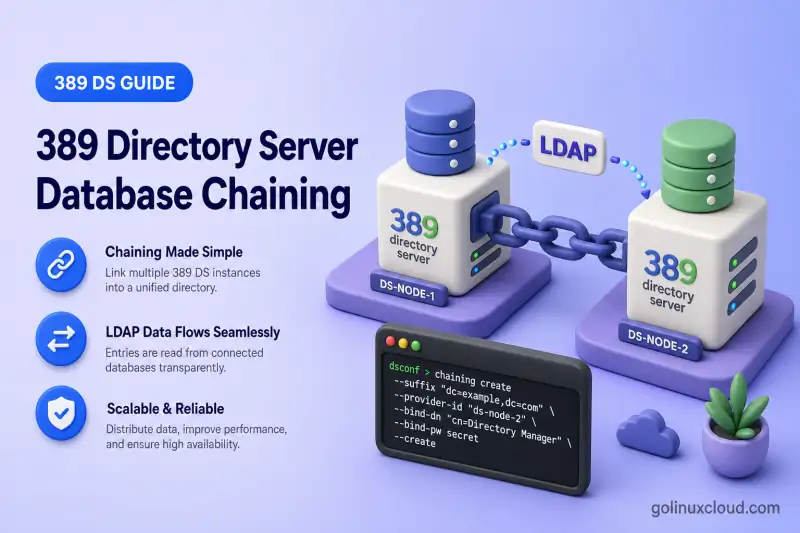
A database link lets one 389 Directory Server present a remote suffix through the local namespace. The client connects only to the local server; the chaining backend opens a server-to-server connection, binds with a dedicated proxy account, and forwards the operation. Unlike LDAP referrals, the client never receives a referral URL or opens a second connection itself.
LDAP client
     |
     | Searches ou=Customers,dc=example,dc=com
     v
Local Directory Server (ldap1)
     |
     | Database link (proxy bind + proxied authorization)
     v
Remote Directory Server (ldap2)
     |
     v
Remote suffix data
Before you start:
- Install 389 Directory Server — local instance
ldap1onldap1.example.comport389 - Second host with instance
ldap2onldap2.example.comport1389(see multiple instances when both run on one host) - Suffixes and backends — local naming context on
ldap1; remote data lives onldap2 - Manage users and groups — client identity such as
uid=user3underou=people,dc=example,dc=com - 389 Directory Server dsconf commands — online configuration baseline
This guide covers database links configured with dsconf chaining. It does not cover:
- LDAP referrals (client-side redirects)
- Chain-on-update replication (a specialized replication scenario; see the replication track in the tutorial hub)
- Full LDAPS and certificate mapping setup beyond what chaining requires
Tested on: Rocky Linux 10.2; 389 Directory Server 3.2.0.
How database chaining works
Database chaining is implemented by a chaining backend in the mapping tree. When a client targets the chained suffix, the local server selects the database link instead of a local LMDB backend.
| Component | Purpose |
|---|---|
| Chained suffix | Namespace the local server exposes to clients |
| Database link | Maps that suffix to a remote Directory Server URL |
| Remote LDAP URL | Host, port, and protocol (ldap, ldaps, or StartTLS) for the destination |
| Proxy bind account | Authenticates the link to the remote server (nsMultiplexorBindDN) |
| Proxied authorization | Forwards the original client identity to the remote server for ACI evaluation |
| Chaining policy | Controls which LDAP controls and internal components may pass through the link |
The proxy account opens the server-to-server connection. Remote access controls then evaluate the client identity forwarded through proxied authorization, not the proxy DN alone. A working link still fails for users who lack remote ACIs.
Database chaining vs LDAP referrals
| Area | Database chaining | Referral |
|---|---|---|
| Remote request performed by | Local Directory Server | LDAP client |
| Transparent to client | Yes | No |
| Remote credentials | Configured on the database link | Managed by the client |
| Client must support referrals | No | Yes |
| Local server remains in request path | Yes | No |
Use referrals when clients can follow LDAP URLs and you want a lightweight redirect. Use database chaining when applications should see one directory tree and the server should fan out remote queries. See Configure LDAP Referrals in 389 Directory Server for redirect configuration.
Plan the chaining environment
Production layouts usually place the same subtree on both servers under a shared naming context root such as dc=example,dc=com:
| Setting | Local server (ldap1) |
Remote server (ldap2) |
|---|---|---|
| Hostname | ldap1.example.com |
ldap2.example.com |
| Instance | ldap1 |
ldap2 |
| Local suffix | dc=example,dc=com |
— |
| Chained suffix | ou=Customers,dc=example,dc=com |
ou=Customers,dc=example,dc=com |
| Proxy account | — | cn=chaining-user,cn=config |
This lab uses two hosts: ldap1.example.com (192.168.56.108) runs instance ldap1 on port 389, and ldap2.example.com (192.168.56.109) runs instance ldap2 on port 1389 with suffix dc=lab,dc=example,dc=com. The chained subtree tested here is ou=Customers,dc=lab,dc=example,dc=com on both sides. When both servers share dc=example,dc=com, use the same subtree DN from the production table above. The suffix must correspond to the remote data tree.
Confirm the remote hostname resolves from the local Directory Server host:
getent hosts ldap2.example.comSample output:
192.168.56.109 ldap2.example.com ldap2Allow the LDAP or LDAPS port through intervening firewalls so ldap1 can reach ldap2 for server-to-server chaining.
Verify the remote suffix directly from ldap1 before you create the database link with ldapsearch:
ldapsearch -LLL -x -H ldap://ldap2.example.com:1389 -D "cn=Directory Manager" -y /root/dm.pw -b "ou=Customers,dc=lab,dc=example,dc=com" "(objectClass=*)" dnSample output:
dn: ou=Customers,dc=lab,dc=example,dc=com

dn: o=Acme Corp,ou=Customers,dc=lab,dc=example,dc=com
The remote subtree exists and is searchable with Directory Manager credentials before chaining is configured.
Create the proxy bind account and ACI
Configure the remote server first. Without configured bind credentials, the database link connects anonymously. With a proxy account but no (proxy) ACI, it cannot forward the original client identity.
Create the proxy account on the remote server
Create a dedicated account under cn=config. Do not use Directory Manager as the chaining bind DN.
cat > /tmp/chaining-user.ldif << 'EOF'
dn: cn=chaining-user,cn=config
objectClass: top
objectClass: person
objectClass: organizationalPerson
objectClass: inetOrgPerson
cn: chaining-user
sn: chaining-user
userPassword: REPLACE_WITH_PASSWORD
EOF
Import the entry on ldap2 with ldapadd:
ldapadd -x -H ldap://ldap2.example.com:1389 -D "cn=Directory Manager" -y /root/dm.pw -f /tmp/chaining-user.ldifSample output:
adding new entry "cn=chaining-user,cn=config"Store the proxy password in a root-owned file for later dsconf use. Avoid placing it on the shell command line, then set mode 600 with the chmod command:
printf 'REPLACE_WITH_PASSWORD\n' > /root/chaining.pw
chmod 600 /root/chaining.pw
Grant proxy authorization on the chained subtree
Add a proxy ACI on the remote chained suffix so the link may forward client identities:
cat > /tmp/proxy-aci.ldif << 'EOF'
dn: ou=Customers,dc=lab,dc=example,dc=com
changetype: modify
add: aci
aci: (targetattr="*")(version 3.0; acl "Proxied authorization for database links"; allow (proxy) userdn="ldap:///cn=chaining-user,cn=config";)
EOF
Apply the modification on ldap2 with ldapmodify:
ldapmodify -x -H ldap://ldap2.example.com:1389 -D "cn=Directory Manager" -y /root/dm.pw -f /tmp/proxy-aci.ldifSample output:
modifying entry "ou=Customers,dc=lab,dc=example,dc=com"The proxy ACI allows only the (proxy) right. That is enough for the link to pass client identities, not enough to read data by itself. Because the ACI is stored on ou=Customers, it applies to that entry and its descendants.
Grant remote access for client identities
Remote ACIs must allow the actual client DN. Add a read rule for the lab client uid=user3 on the same subtree:
cat > /tmp/client-aci.ldif << 'EOF'
dn: ou=Customers,dc=lab,dc=example,dc=com
changetype: modify
add: aci
aci: (targetattr="*")(version 3.0; acl "Allow user3 read customers"; allow (read,search,compare) userdn="ldap:///uid=user3,ou=people,dc=example,dc=com";)
EOF
Apply the client read ACI on ldap2 with the same ldapmodify credentials:
ldapmodify -x -H ldap://ldap2.example.com:1389 -D "cn=Directory Manager" -y /root/dm.pw -f /tmp/client-aci.ldifSample output:
modifying entry "ou=Customers,dc=lab,dc=example,dc=com"When a client searches through the database link, the remote server evaluates ACIs against uid=user3,..., not against cn=chaining-user,cn=config.
The direct userdn rule in this lab works when the user entry exists only on ldap1. Role-, group-, filter-, IP-, or DNS-based ACIs on the remote server may not behave as expected unless their supporting entries are available on ldap2. The remote server also sees the database-link host’s network identity rather than the original client IP.
creatorsName and modifiersName can contain the database-link proxy DN rather than the original client DN. Account for this when designing audit and attribution workflows.
Test the proxy account
Confirm the proxy entry binds to the remote server using the same transport the database link will use. This lab uses plain LDAP on port 1389:
ldapwhoami -x -H ldap://ldap2.example.com:1389 -D "cn=chaining-user,cn=config" -y /root/chaining.pwSample output:
dn: cn=chaining-user,cn=configThe bind identity matches the proxy DN you will reference in link-create.
For remote hosts on untrusted networks, configure certificate trust and use LDAPS or add --use-starttls=on to the database link. When the instance requires secure simple binds, test the proxy account with StartTLS or LDAPS instead of plain LDAP.
Create the database link
I'll create the database link on the local instance (ldap1):
dsconf ldap1 chaining link-create \
  --suffix="ou=Customers,dc=lab,dc=example,dc=com" \
  --server-url="ldap://ldap2.example.com:1389" \
  --bind-mech=SIMPLE \
  --bind-dn="cn=chaining-user,cn=config" \
  --bind-pw-file=/root/chaining.pw \
  customers-link
Sample output:
Successfully created database link| Flag | Role |
|---|---|
--suffix |
Chained suffix the local server exposes |
--server-url |
Remote LDAP URL (ldap://, ldaps://, or host/port for StartTLS) |
--bind-mech |
Server-to-server bind mechanism (SIMPLE, EXTERNAL, GSSAPI, or DIGEST-MD5) |
--bind-dn |
Proxy bind identity on the remote server |
--bind-pw-file |
Password file for the proxy account (prefer over --bind-pw in shell history) |
| Final argument | Link name (customers-link) stored under cn=chaining database,cn=plugins,cn=config |
Use --bind-pw-file or --bind-pw-prompt instead of embedding passwords in the command line.
Verify the database link
List configured links:
dsconf ldap1 chaining link-listSample output:
customers-linkInspect the link entry:
dsconf ldap1 chaining link-get customers-linkSample output (trimmed):
dn: cn=customers-link,cn=chaining database,cn=plugins,cn=config
cn: customers-link
nsfarmserverurl: ldap://ldap2.example.com:1389
nsmultiplexorbinddn: cn=chaining-user,cn=config
nsslapd-suffix: ou=Customers,dc=lab,dc=example,dc=com
nsproxiedauthorization: on
nsbindtimeout: 15
nsbindretrylimit: 3
nsusestarttls: off
The suffix, remote URL, proxy DN, and proxied-authorization default (on) match the intended design.
Store user3's password in a protected file and set mode 600 before the chained bind tests:
printf '%s\n' 'User3Lab2026!' > /root/user3.pw
chmod 600 /root/user3.pw
Search through the local server as uid=user3 to confirm the chained suffix returns remote entries:
ldapsearch -LLL -x -H ldap://ldap1.example.com:389 -D "uid=user3,ou=people,dc=example,dc=com" -y /root/user3.pw -b "ou=Customers,dc=lab,dc=example,dc=com" "(objectClass=*)" dnSample output:
dn: ou=Customers,dc=lab,dc=example,dc=com

dn: o=Acme Corp,ou=Customers,dc=lab,dc=example,dc=com
Compare with a direct query against the remote server using Directory Manager:
ldapsearch -LLL -x -H ldap://ldap2.example.com:1389 -D "cn=Directory Manager" -y /root/dm.pw -b "ou=Customers,dc=lab,dc=example,dc=com" "(objectClass=*)" dn o descriptionSample output:
dn: ou=Customers,dc=lab,dc=example,dc=com

dn: o=Acme Corp,ou=Customers,dc=lab,dc=example,dc=com
o: Acme Corp
description: Chained customer entry for lab
The chained search returns the same entries the remote server stores. Do not use Directory Manager as the client identity for chained tests. The chaining backend rejects proxied root DN operations.
Secure the chaining connection
Server-to-server traffic should not carry simple bind passwords in cleartext on untrusted networks.
| Method | Configuration |
|---|---|
| LDAPS | Set --server-url="ldaps://ldap2.example.com:636" on the link |
| StartTLS | Add --use-starttls=on with an ldap:// URL |
Certificate EXTERNAL |
Set --bind-mech=EXTERNAL, use LDAPS or StartTLS, and map the local server certificate on the remote host |
Kerberos GSSAPI |
Set --bind-mech=GSSAPI with Kerberos keytabs and SASL identity mapping on both sides |
SASL DIGEST-MD5 |
Set --bind-mech=DIGEST-MD5 and provide the configured SASL bind identity and credentials |
Supported link bind mechanisms include SIMPLE, EXTERNAL, GSSAPI, and DIGEST-MD5. Certificate trust and SASL mapping details belong in the LDAPS chapter; import the remote CA into the local NSS database before you enable StartTLS or LDAPS on the link.
Avoid long-term simple binds over unencrypted LDAP between data centers. Red Hat recommends TLS, StartTLS, or SASL when secure binds are required for simple-password authentication.
Configure failover and connection settings
Database links inherit defaults from config-get-def. New links copy those values at creation time; per-link settings override them afterward.
Inspect global defaults:
dsconf ldap1 chaining config-get-defSample output (trimmed):
dn: cn=default instance config,cn=chaining database,cn=plugins,cn=config
nsbindtimeout: 15
nsbindretrylimit: 3
nsbindconnectionslimit: 3
nsoperationconnectionslimit: 20
nsconnectionlife: 0
nshoplimit: 10
nsproxiedauthorization: on
nsmaxresponsedelay: 60
nsslapd-sizelimit: 2000
nsslapd-timelimit: 3600| Attribute / flag | Purpose |
|---|---|
--bind-timeout / nsbindtimeout |
Seconds before a remote bind attempt times out |
--bind-attempts / nsbindretrylimit |
Total number of remote bind attempts. A value of 1 means one attempt; connection failures can trigger further attempts, but invalid credentials do not |
--conn-bind-limit |
Maximum bind connections to the remote server |
--conn-op-limit |
Maximum LDAP operation connections |
--conn-lifetime |
Connection lifetime in seconds (0 keeps connections open) |
--hop-limit |
Maximum times a request may chain across links |
--size-limit / --time-limit |
Result size and operation duration caps |
--response-delay / --test-response-delay |
Remote health-check timing |
Update one link:
dsconf ldap1 chaining link-set customers-link --bind-timeout=20 --bind-attempts=5Sample output:
Successfully updated database chaining linkConfirm the new values:
dsconf ldap1 chaining link-get customers-linkSample output (trimmed):
nsbindtimeout: 20
nsbindretrylimit: 5
For failover, add alternate remote LDAP URLs to nsFarmServerURL, separated by spaces, with link-set --server-url:
dsconf ldap1 chaining link-set customers-link \
  --server-url="ldap://ldap2.example.com:1389 ldap://ldap2-backup.example.com:1389"
Every failover destination must expose the same chained suffix and compatible data, schema, ACIs, and TLS trust. Database chaining provides routing and failover; it does not synchronize the destination servers.
The link tries URLs in order when the primary remote server is unavailable. Set --conn-lifetime to a non-zero value if you need the link to reopen connections to the primary after failover. When nsconnectionlife is 0, the link may stay on the alternate server until the connection pool is recycled.
Change defaults for future links with dsconf ldap1 chaining config-set-def. Existing links keep their current values until you run link-set.
Configure chaining controls and components
Some LDAP controls and internal server components must be explicitly allowed to pass through the chaining backend.
List supported control OIDs:
dsconf ldap1 chaining config-get --avail-controlsSample output (trimmed):
Available Components:
1.2.840.113556.1.4.319
1.2.840.113556.1.4.473
1.3.6.1.1.13.1
1.3.6.1.1.13.2
2.16.840.1.113730.3.4.12
...
List supported server components:
dsconf ldap1 chaining config-get --avail-compsSample output (trimmed):
Available Controls:
cn=acl plugin,cn=plugins,cn=config
cn=password policy,cn=components,cn=config
cn=roles,cn=components,cn=config
cn=sasl,cn=components,cn=config
...
dsconf labels these lists inversely to the flag names in 389 Directory Server 3.2.0. Treat the OID list as LDAP controls and the cn= list as chainable components.
The database link uses proxied authorization automatically when nsProxiedAuthorization is on, which is the default on new links. Use config-set --add-control for additional client-supplied controls that must reach the remote server, such as paged results when the OID appears in --avail-controls and the remote server supports it. Explicit forwarding of the proxy-authorization control is mainly relevant to cascading chaining through an intermediate database link.
Review the active control list:
dsconf ldap1 chaining config-getSample output (trimmed):
nstransmittedcontrols: 2.16.840.1.113730.3.4.2
nstransmittedcontrols: 2.16.840.1.113730.3.4.9
nstransmittedcontrols: 1.2.840.113556.1.4.473
Add a control OID when an application requires it:
dsconf ldap1 chaining config-set --add-control=1.2.840.113556.1.4.319Enable password-policy or roles components only when you understand the remote-side implications. Each --add-comp forwards internal operations to the remote server.
Monitor the database link
After client traffic flows through the link, inspect counters:
dsconf ldap1 chaining monitor customers-linkSample output:
dn: cn=monitor,cn=customers-link,cn=chaining database,cn=plugins,cn=config
nssearchsubtreecount: 1
nsopenopconnectioncount: 1
nsopenbindconnectioncount: 0
nsbindcount: 0
nsaddcount: 0
nsmodifycount: 0
nsSearchSubtreeCount increments when subtree searches pass through the link. nsBindCount counts chained bind operations; it is not a proxy-bind failure counter. Use the local and remote error logs to diagnose invalid proxy credentials, TLS failures, connection errors, or rejected proxied-authorization controls. Open connection counters can change quickly, so interpret them together with active traffic and log messages.
Review /var/log/dirsrv/slapd-ldap1/errors and the remote instance error log for chaining database or cb_get_connection messages alongside these counters.
Update or remove a database link
Change link settings without recreating the entry:
dsconf ldap1 chaining link-set customers-link --bind-timeout=15Before deletion:
- Confirm applications no longer search the chained suffix.
- Verify no child database links depend on this suffix (cascading chaining).
- Export
link-getoutput if you need to rebuild the link later.
Remove the link:
dsconf ldap1 chaining link-delete customers-linkSample output:
Successfully deleted database linkDeleting the link removes only local chaining configuration. Remote directory entries under ou=Customers,... on ldap2 remain in place, as do any proxy account, ACIs, and password files you created for the lab.
Run the following cleanup only when the proxy account and ACIs were created exclusively for this lab.
Remove both ACIs using their exact stored values:
ldapmodify -x -H ldap://ldap2.example.com:1389 -D "cn=Directory Manager" -y /root/dm.pw <<'EOF'
dn: ou=Customers,dc=lab,dc=example,dc=com
changetype: modify
delete: aci
aci: (targetattr="*")(version 3.0; acl "Proxied authorization for database links"; allow (proxy) userdn="ldap:///cn=chaining-user,cn=config";)
-
delete: aci
aci: (targetattr="*")(version 3.0; acl "Allow user3 read customers"; allow (read,search,compare) userdn="ldap:///uid=user3,ou=people,dc=example,dc=com";)
EOF
Delete the proxy account:
ldapdelete -x -H ldap://ldap2.example.com:1389 -D "cn=Directory Manager" -y /root/dm.pw "cn=chaining-user,cn=config"Remove password files:
rm -f /root/chaining.pw /root/user3.pwdsconf supports both --del-control and --del-comp for reversing global chaining-policy changes you added during testing.
Troubleshoot database chaining
| Symptom | Likely cause | Fix |
|---|---|---|
Local search returns No such object (32) |
Chained suffix DN does not match the remote subtree | Align --suffix with the remote data DN; confirm the remote OU exists with ldapsearch before creating the link |
| Remote server rejects the proxy account (49) | Wrong bind DN, password, or disabled proxy entry | Verify nsmultiplexorbinddn with link-get; reset the proxy password; test the proxy bind on the remote host with the same transport as the link |
| Bind works but users cannot read or modify data (50) | Missing remote ACIs for the client identity | Add read/write ACIs without a target clause on the chained subtree so rules inherit to descendants; keep the (proxy) ACI on the proxy account |
Critical extension is unavailable (12) in a cascading chain |
Intermediate server does not forward a required critical control | Add the required control OID on the intermediate server and verify it with config-get |
Proxy dn should not be rootdn in errors log |
Client or test tool bound as Directory Manager through the link | Repeat the test as a normal directory user; never use Directory Manager as the proxied client identity |
| Chaining works over LDAP but fails over LDAPS or StartTLS | CA trust, hostname mismatch, or wrong port | Import the remote CA; use the certificate SAN hostname in --server-url; see LDAPS configuration |
| Requests time out | Network, firewall, DNS, or low timeout values | Test remote LDAP reachability; increase --bind-timeout and --response-delay; add failover URLs |
| LDAP controls ignored (paged results, VLV) | Control OID not in nstransmittedcontrols or not listed in --avail-controls |
Confirm the OID in --avail-controls; add it with config-set --add-control; retest the client operation |
| Referral returned instead of chained results | Suffix mapped to a referral backend or smart referral | Remove conflicting referral configuration on the same DN; confirm the mapping tree points to a database link backend |
Summary
- Verify the remote suffix and entries with direct
ldapsearchon the destination server. - Create a restricted proxy bind account (
cn=chaining-user,cn=config) on the remote host. Never use Directory Manager. - Grant
(proxy)and client data ACIs on the remote chained subtree without atargetclause so rules inherit to descendants. - Create the database link with
dsconf ldap1 chaining link-create, using--bind-pw-filefor the proxy password. - Secure server-to-server traffic with LDAPS, StartTLS,
EXTERNAL, orGSSAPIon production networks. - Test client permissions through the local server and compare results with a direct remote query.
- Tune failover URLs, timeouts, and connection limits; monitor with
dsconf chaining monitorand server error logs.
What's Next
- Directory views — present chained data in a virtual tree
- LDAP referrals — when clients should follow URLs themselves
- Delegated administration — ACIs over chained subtrees
References
- Red Hat Directory Server 13 — Creating and maintaining database links
- Red Hat Directory Server 13 — Settings required for creating a database link
- Red Hat Directory Server 13 — Configuring chaining policy and LDAP controls
- Red Hat Directory Server 13 — Database links and access-control evaluation
- dsconf(8) — chaining commands
- Red Hat Directory Server 13 Configuration and Schema Reference —
nsConnectionLife,nsProxiedAuthorization,nsFarmServerURL
