
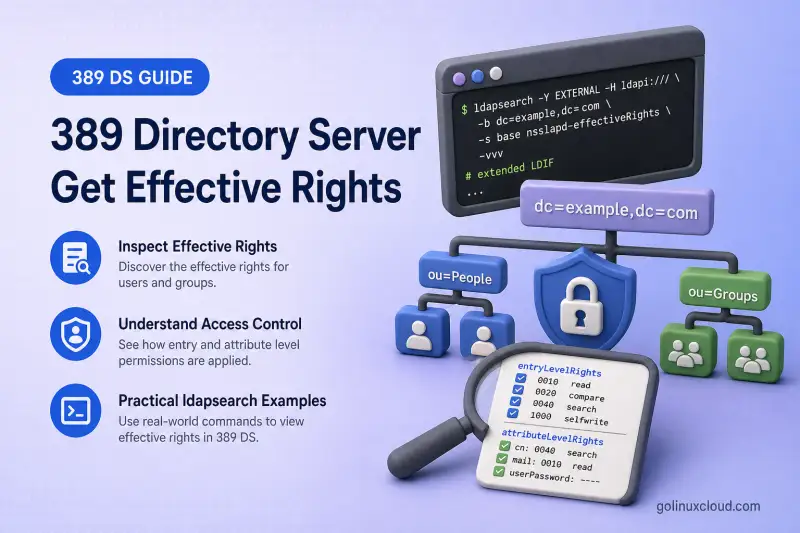
An ACI can look correct on paper while the bind user still receives Insufficient access. A delegated administrator may read mail but fail to reset userPassword. A user may pass a filter-based search yet see no attributes on a base-scoped lookup. Before you add a new profile field or create a user entry, you need a way to ask Directory Server which ACI rights it calculates for the chosen subject. Do not guess from the ACI text alone.
Get Effective Rights (GER) extends an LDAP search. The server evaluates applicable ACIs and returns entryLevelRights and attributeLevelRights for a chosen identity on each matching target entry. In this guide, I'll show how to run GER searches, read the rights codes, and confirm the answer with real ldapsearch, ldapmodify, and related operations.
Before you start:
- ACI examples — syntax, rights, and
ldapmodifyworkflow - Advanced ACI —
targetfilter, inheritance, and deny overrides - Self-service ACI —
ldap:///selfprofile and password rules - Delegated administration — operator groups such as
helpdesk-adminsanduser-admins - Macro ACIs — tenant-style rules you still need to verify per identity
Tested on: Rocky Linux 10.2; 389 Directory Server 3.2.0.
The examples bind to ldap://localhost:389 with simple authentication and a root-owned password file with permissions such as mode 600. That is acceptable on an isolated lab host. Use StartTLS or LDAPS when the client and server are not on the same trusted loopback path.
Lab layout used below: instance ldap1, suffix dc=example,dc=com, end-user uid=user1,ou=people,dc=example,dc=com, operators under ou=Operators,ou=Administrators, and delegation groups under ou=Administrators from the delegated administration and self-service chapters.
How Get Effective Rights works
Three identities interact in every GER search:
| Component | Meaning |
|---|---|
| Requester | Account that binds with -D and runs ldapsearch |
| Subject | User whose permissions Directory Server evaluates |
| Target | Entry or entries returned by the search base and filter |
Requester performs ldapsearch
        |
        | GER control specifies subject DN
        v
Directory Server evaluates ACIs
        |
        v
Rights returned for target entries and attributes
Directory Manager can evaluate any subject on any target entry it can search. A regular requester can inspect their own effective rights on entries they can normally read or search when the requester and GER subject are the same. When the GER subject is another identity, the requester can normally inspect that identity's rights only on the requester's own entry; unrelated target entries return insufficient-rights results.
389 DS design documentation supports self-subject GER searches on entries the requester can read or search. The RHDS documentation also describes a stricter requester-own-entry limitation, so verify cross-entry behavior on the installed server version. Use Directory Manager for reliable administrative checks involving arbitrary targets.
Typical scenarios:
- A user checks which profile attributes they may edit on their own entry before building a self-service form.
- Directory Manager checks what a help-desk operator may do to an end-user entry.
- An administrator compares rights before and after adding an ACI.
Understand the Get Effective Rights ldapsearch syntax
The general form:
ldapsearch -LLL -o ldif-wrap=no -x -H ldap://localhost:389 -D "REQUESTER_DN" -y /path/to/requester.pw -b "TARGET_BASE_DN" -s base -E '!1.3.6.1.4.1.42.2.27.9.5.2=:dn:SUBJECT_DN' "(objectClass=*)" ATTRIBUTE_LIST| Component | Purpose |
|---|---|
1.3.6.1.4.1.42.2.27.9.5.2 |
Get Effective Rights control OID |
dn:SUBJECT_DN |
Identity whose permissions are evaluated |
-b |
Sets the search base. The -s option determines whether only that entry or entries below it are searched |
-s base |
Checks only the entry named by -b. Use -s sub, or omit -s when the client's default subtree scope is intended, to evaluate matching entries below a base DN |
| Search filter | Selects target entries ((objectClass=*) is typical for a single entry) |
| Attribute list | Limits which attribute-level rights appear in the response |
! before the OID |
Marks the control critical—the search fails if GER is unavailable |
GER results depend on the exact search base, scope, filter, and returned entries.
The normal LDAP attributes in the response are returned according to the requester's permissions, while entryLevelRights and attributeLevelRights describe the GER subject. For example, Directory Manager may receive the stored userPassword value even when the GER subject shows userPassword:none. Redact password values from published output and do not confuse requester-visible values with subject rights.
Use an empty GER subject value (:dn:) to calculate the ACI rights of an anonymous identity. The requester can still authenticate as Directory Manager. Remember that GER reports the ACI calculation; an actual unauthenticated search can also be restricted by the server's anonymous-access configuration, so verify the result with a real anonymous ldapsearch when anonymous access is part of the policy.
List the attributes you care about, or use the special forms described later (*, +, attribute@objectClass, @objectClass:RDN-attribute).
Confirm the server advertises GER
Before you troubleshoot syntax or ACIs, confirm the connected endpoint supports the control with a base-scope ldapsearch command:
ldapsearch -LLL -o ldif-wrap=no -x -H ldap://localhost:389 -D "cn=Directory Manager" -y /root/dm.pw -s base -b "" supportedControlSample output (trimmed):
supportedControl: 1.3.6.1.4.1.42.2.27.9.5.2The OID in that line is Get Effective Rights. If the OID is absent, verify the hostname and port and confirm whether the connection passes through an LDAP proxy. Also review the server version and error log before concluding that the endpoint is not 389 Directory Server.
Interpret entry-level rights
entryLevelRights summarizes permissions on the entry itself:
| Code | Permission |
|---|---|
v |
View the entry (the DN is visible in search results) |
a |
Create the evaluated entry, including a synthesized template entry used for add-rights testing |
d |
Delete the entry |
n |
Rename or modify the DN |
Example:
entryLevelRights: vadnEach letter is independent. A user may have v without d or n, which is common for self-service profile access. Delegated user administrators in this lab often show d on end-user entries because a delete ACI grants entry removal without listing every attribute right in entryLevelRights.
The v code is an effective-rights result. It is not a separate ACI right you grant alongside read, search, compare, and write. The exact entry-level result depends on the complete ACI set. This lab returned entryLevelRights: none while still reporting attribute-level permissions. Official examples using different ACIs commonly return v. Treat the value shown here as specific to this lab, evaluate the attribute-level codes separately, and confirm visibility with a real search as the subject.
Interpret attribute-level rights
attributeLevelRights lists per-attribute codes:
| Code | Permission |
|---|---|
r |
Read the attribute value |
s |
Use the attribute in a search filter |
c |
Perform an LDAP compare |
w |
Add an attribute value using a modify-add operation |
o |
Delete an attribute value using a modify-delete operation |
W |
Add the subject's own DN using self-write |
O |
Remove the subject's own DN using self-delete |
Example:
attributeLevelRights: cn:rsc, mail:rscwo, member:rsWOAn LDAP replace: operation can involve both deleting the previous value and adding the new value, so wo is the usual result for attributes that a subject can fully update.
Reading, searching, comparing, adding, and deleting are separate. A help-desk ACI may grant wo on userPassword without r, so operators can add or remove password values as permitted by the password-reset operation without reading the hash. The double colon in LDIF (userPassword::) means the displayed value is Base64-encoded, not necessarily encrypted. Self-service profile ACIs commonly show rscwo on contact fields and none on userPassword until you add a TLS-protected password rule in the self-service chapter.
Check a user's rights on an existing entry
Evaluate uid=user1 on its own entry as Directory Manager. Request the attributes you plan to test:
ldapsearch -LLL -o ldif-wrap=no -x -H ldap://localhost:389 -D "cn=Directory Manager" -y /root/dm.pw -b "uid=user1,ou=people,dc=example,dc=com" -s base -E '!1.3.6.1.4.1.42.2.27.9.5.2=:dn:uid=user1,ou=people,dc=example,dc=com' "(objectClass=*)" uid cn mail telephoneNumber userPasswordSample output (password value omitted):
dn: uid=user1,ou=people,dc=example,dc=com
uid: user1
cn: User One
mail: [email protected]
telephoneNumber: +1-555-0199
entryLevelRights: none
attributeLevelRights: uid:rsc, cn:rsc, mail:rscwo, telephoneNumber:rscwo, userPassword:none
Directory Manager can read the stored userPassword hash in the live response, but GER reports userPassword:none for user1 as the subject. entryLevelRights: none means no entry-level view, add, delete, or rename codes were calculated for this subject on this entry. The self-service ACIs in this lab grant attribute-level rights only. mail:rscwo and telephoneNumber:rscwo include add and delete value rights (wo), which cover a typical replace: modify.
Let a user check rights on their own entry
Here the requester and GER subject are both user1, making this a self-rights check. A regular user can also evaluate their own rights on other entries they can normally search; the stricter limitation applies when the GER subject differs from the requester.
| Test | Requester | GER subject | Target |
|---|---|---|---|
| Administrator checks a user | Directory Manager | uid=user1,... |
uid=user1,... entry |
| User checks self-service rights | uid=user1,... |
uid=user1,... |
uid=user1,... entry |
ldapsearch -LLL -o ldif-wrap=no -x -H ldap://localhost:389 -D "uid=user1,ou=people,dc=example,dc=com" -y /root/user1.pw -b "uid=user1,ou=people,dc=example,dc=com" -s base -E '!1.3.6.1.4.1.42.2.27.9.5.2=:dn:uid=user1,ou=people,dc=example,dc=com' "(objectClass=*)" uid cn mail telephoneNumber userPasswordSample output:
dn: uid=user1,ou=people,dc=example,dc=com
uid: user1
cn: User One
mail: [email protected]
telephoneNumber: +1-555-0199
entryLevelRights: none
attributeLevelRights: uid:rsc, cn:rsc, mail:rscwo, telephoneNumber:rscwo, userPassword:none
The GER rights match the Directory Manager view of the same subject. A profile application can use GER during permission discovery to decide which fields are editable. Keep ACI creation in the self-service ACI chapter; use GER here to confirm the result.
Check another user's effective rights
To inspect a delegated operator, bind as Directory Manager but set the GER subject to the operator, not to Directory Manager.
Check what helpdesk1 may do to user1:
ldapsearch -LLL -o ldif-wrap=no -x -H ldap://localhost:389 -D "cn=Directory Manager" -y /root/dm.pw -b "uid=user1,ou=people,dc=example,dc=com" -s base -E '!1.3.6.1.4.1.42.2.27.9.5.2=:dn:uid=helpdesk1,ou=Operators,ou=Administrators,dc=example,dc=com' "(objectClass=*)" uid cn mail telephoneNumber userPasswordSample output (password value omitted):
dn: uid=user1,ou=people,dc=example,dc=com
uid: user1
cn: User One
mail: [email protected]
telephoneNumber: +1-555-0199
entryLevelRights: none
attributeLevelRights: uid:rsc, cn:rsc, mail:rsc, telephoneNumber:none, userPassword:wo
Help desk can look up identity fields and add or remove password values (wo without r), but cannot change telephoneNumber because that attribute is outside the help-desk ACI allow list.
Compare with useradmin1 from cn=user-admins:
ldapsearch -LLL -o ldif-wrap=no -x -H ldap://localhost:389 -D "cn=Directory Manager" -y /root/dm.pw -b "uid=user1,ou=people,dc=example,dc=com" -s base -E '!1.3.6.1.4.1.42.2.27.9.5.2=:dn:uid=useradmin1,ou=Operators,ou=Administrators,dc=example,dc=com' "(objectClass=*)" uid cn mail telephoneNumber description userPasswordSample output (password value omitted):
dn: uid=user1,ou=people,dc=example,dc=com
uid: user1
cn: User One
mail: [email protected]
telephoneNumber: +1-555-0199
entryLevelRights: d
attributeLevelRights: uid:rsc, cn:rscwo, mail:rscwo, telephoneNumber:rscwo, description:rscwo, userPassword:none
entryLevelRights: d reflects delete permission from the user-administrator role. Profile attributes show rscwo, but userPassword:none confirms password reset stays with help desk, not general user administrators.
Common mistake: binding as Directory Manager does not automatically test the delegate. The identity after :dn: controls whose rights GER evaluates. If you set the GER subject to cn=Directory Manager, you see Directory Manager's own rights (entryLevelRights: vadn, attributeLevelRights: mail:rscwo), not what helpdesk1 or useradmin1 experience.
A user may also check what another identity could do to the user's own entry. Bind as user1 and set the subject to helpdesk1. The target must remain the requester's entry:
ldapsearch -LLL -o ldif-wrap=no -x -H ldap://localhost:389 -D "uid=user1,ou=people,dc=example,dc=com" -y /root/user1.pw -b "uid=user1,ou=people,dc=example,dc=com" -s base -E '!1.3.6.1.4.1.42.2.27.9.5.2=:dn:uid=helpdesk1,ou=Operators,ou=Administrators,dc=example,dc=com' "(objectClass=*)" mail userPasswordSample output:
dn: uid=user1,ou=people,dc=example,dc=com
mail: [email protected]
entryLevelRights: none
attributeLevelRights: mail:rsc, userPassword:wo
Check rights on attributes that are not present
GER can evaluate attributes allowed by the entry's object classes even when no value is stored yet. Request optional attributes explicitly:
ldapsearch -LLL -o ldif-wrap=no -x -H ldap://localhost:389 -D "cn=Directory Manager" -y /root/dm.pw -b "uid=user1,ou=people,dc=example,dc=com" -s base -E '!1.3.6.1.4.1.42.2.27.9.5.2=:dn:uid=user1,ou=people,dc=example,dc=com' "(objectClass=*)" mobile description preferredLanguageSample output:
dn: uid=user1,ou=people,dc=example,dc=com
entryLevelRights: none
attributeLevelRights: mobile:rscwo, description:rscwo, preferredLanguage:rscwo
mobile and preferredLanguage are not set on the entry, but GER still reports rscwo because self-service write ACIs include mobile and the read rule covers schema-allowed profile fields.
Request every schema-allowed attribute with an asterisk:
ldapsearch -LLL -o ldif-wrap=no -x -H ldap://localhost:389 -D "cn=Directory Manager" -y /root/dm.pw -b "uid=user1,ou=people,dc=example,dc=com" -s base -E '!1.3.6.1.4.1.42.2.27.9.5.2=:dn:uid=user1,ou=people,dc=example,dc=com' "(objectClass=*)" "*"Sample output (trimmed):
dn: uid=user1,ou=people,dc=example,dc=com
entryLevelRights: none
attributeLevelRights: uid:rsc, cn:rsc, mail:rscwo, mobile:rscwo, preferredLanguage:rscwo, telephoneNumber:rscwo, description:rscwo, userPassword:none, ...
mobile and preferredLanguage appear in attributeLevelRights even when they have no stored values. The asterisk form is a convenient way to discover unset attributes the subject could add.
Check rights for an object class
attribute@objectClass and *@objectClass forms must be requested as Directory Manager. They are intended for administrative permission analysis rather than self-service GER requests.
Query a single attribute through an object class:
ldapsearch -LLL -o ldif-wrap=no -x -H ldap://localhost:389 -D "cn=Directory Manager" -y /root/dm.pw -b "uid=user1,ou=people,dc=example,dc=com" -s base -E '!1.3.6.1.4.1.42.2.27.9.5.2=:dn:uid=user1,ou=people,dc=example,dc=com' "(objectClass=*)" uidNumber@posixAccountSample output:
dn: uid=user1,ou=people,dc=example,dc=com
uidNumber: 3001
entryLevelRights: none
attributeLevelRights: uidNumber:none

dn: cn=template_posixAccount_objectclass,uid=user1,ou=people,dc=example,dc=com
uidNumber: (template_attribute)
entryLevelRights: none
attributeLevelRights: uidNumber:none
In this lab, Directory Server returned both the live entry and a synthesized template line for the object class. uidNumber:none here is expected for user1 as subject: POSIX account management is delegated to user-admins, not self-service users.
List every attribute on an object class with *@objectClass:
ldapsearch -LLL -o ldif-wrap=no -x -H ldap://localhost:389 -D "cn=Directory Manager" -y /root/dm.pw -b "uid=user1,ou=people,dc=example,dc=com" -s base -E '!1.3.6.1.4.1.42.2.27.9.5.2=:dn:uid=user1,ou=people,dc=example,dc=com' "(objectClass=*)" '*@posixAccount'Sample output (trimmed):
dn: uid=user1,ou=people,dc=example,dc=com
entryLevelRights: none
attributeLevelRights: uid:rsc, cn:rsc, mail:rscwo, uidNumber:none, gidNumber:none, homeDirectory:none, loginShell:none, ...

dn: cn=template_posixAccount_objectclass,uid=user1,ou=people,dc=example,dc=com
entryLevelRights: none
attributeLevelRights: uid:none, cn:none, uidNumber:none, gidNumber:none, homeDirectory:none, loginShell:none, ...
The first DN is the live entry and may contain attributes supplied by its other object classes. The synthesized template_posixAccount_objectclass DN is the row to use when inspecting the schema-defined posixAccount attribute set.
Evaluate and verify add permission for a new entry
GER can generate a template entry when an object-class request returns no matching live entry. Search scope alone does not trigger template generation. In a populated subtree, a broad filter such as (objectClass=*) normally returns the existing entries instead of a synthesized template.
A broad filter under ou=people illustrates that behavior. Check what useradmin1 would see on entries that already exist:
ldapsearch -LLL -o ldif-wrap=no -x -H ldap://localhost:389 -D "cn=Directory Manager" -y /root/dm.pw -b "ou=people,dc=example,dc=com" -E '!1.3.6.1.4.1.42.2.27.9.5.2=:dn:uid=useradmin1,ou=Operators,ou=Administrators,dc=example,dc=com' "(objectClass=*)" '@posixAccount:uidNumber'Sample output (trimmed):
dn: ou=People,dc=example,dc=com
entryLevelRights: none
attributeLevelRights: @posixaccount:uidnumber:none

dn: uid=user1,ou=people,dc=example,dc=com
entryLevelRights: d
attributeLevelRights: @posixaccount:uidnumber:none

dn: uid=user2,ou=people,dc=example,dc=com
entryLevelRights: d
attributeLevelRights: @posixaccount:uidnumber:none
Those rows describe existing entries, not a proposed new user. This command does not exercise the no-match template path.
For an explicit template attempt, use a filter expected not to match any live entry:
ldapsearch -LLL -o ldif-wrap=no -x -H ldap://localhost:389 -D "cn=Directory Manager" -y /root/dm.pw -b "ou=people,dc=example,dc=com" -E '!1.3.6.1.4.1.42.2.27.9.5.2=:dn:uid=useradmin1,ou=Operators,ou=Administrators,dc=example,dc=com' "(uidNumber=99999999)" '*@posixAccount'Sample output:
dn: cn=template_posixAccount_objectclass,ou=people,dc=example,dc=com
uid: (template_attribute)
cn: (template_attribute)
uidNumber: (template_attribute)
gidNumber: (template_attribute)
homeDirectory: (template_attribute)
loginShell: (template_attribute)
objectClass: top
objectClass: posixAccount
entryLevelRights: none
attributeLevelRights: cn:none, uid:none, uidNumber:none, gidNumber:none, homeDirectory:none, objectClass:none, userPassword:none, loginShell:none, gecos:none, description:none, aci:none
On the tested 389 DS 3.2.0 instance, this no-match request returned the synthesized cn=template_posixAccount_objectclass,... entry. Red Hat Directory Server documentation also describes @objectClass:RDN-attribute when you need a specific template RDN. When a given server version returns no template for a no-match request, that GER search does not provide a usable add-rights result for the proposed entry. Use a disposable ldapadd as the authoritative verification, as shown below.
This template shows entryLevelRights: none with attribute-level none throughout. There is no a code, so the disposable ldapadd below remains the authoritative add test for this lab.
When a synthesized entry does appear, look for a in entryLevelRights when evaluating whether the subject has ACI permission to create that entry. A result containing only v demonstrates visibility, not add permission. The generated DN uses the first MUST attribute from the object class as the RDN unless you override it with @objectClass:RDN-attribute, for example @posixAccount:uidNumber.
Do not treat a parent OU row such as dn: ou=People,... with @posixaccount:uidnumber:none as an add-rights result. That row is the existing container, not a template child.
A synthesized GER template does not necessarily contain representative application values such as an allowed uidNumber range. When an add ACI depends on attribute values, object-class combinations, targetfilter, or targattrfilters, confirm the result with a real ldapadd using a disposable entry whose values satisfy the intended policy.
Save the following as /tmp/ger-newuser2.ldif:
dn: uid=ger-newuser2,ou=people,dc=example,dc=com
objectClass: top
objectClass: person
objectClass: organizationalPerson
objectClass: inetOrgPerson
objectClass: posixAccount
cn: GER New User Two
sn: Newuser
uid: ger-newuser2
mail: [email protected]
uidNumber: 4502
gidNumber: 4502
homeDirectory: /home/ger-newuser2
loginShell: /bin/bash
The uidNumber and gidNumber values fall inside the 4000–4999 range required by the delegated add ACI on ou=people. Omit userPassword unless an ACI grants the operator password write on new entries.
ldapadd -x -H ldap://localhost:389 -D "uid=useradmin1,ou=Operators,ou=Administrators,dc=example,dc=com" -y /root/useradmin1.pw -f /tmp/ger-newuser2.ldifSample output:
adding new entry "uid=ger-newuser2,ou=people,dc=example,dc=com"Delete the disposable entry during rollback.
Check rights on operational attributes
Operational attributes are hidden from normal ldapsearch results unless you request them. In GER, use +:
ldapsearch -LLL -o ldif-wrap=no -x -H ldap://localhost:389 -D "cn=Directory Manager" -y /root/dm.pw -b "uid=user1,ou=people,dc=example,dc=com" -s base -E '!1.3.6.1.4.1.42.2.27.9.5.2=:dn:uid=user1,ou=people,dc=example,dc=com' "(objectClass=*)" "+"Sample output (trimmed):
dn: uid=user1,ou=people,dc=example,dc=com
creatorsName: cn=Directory Manager
modifiersName: cn=directory manager
createTimestamp: 20260715133345Z
modifyTimestamp: 20260716010717Z
entryLevelRights: none
attributeLevelRights: nsAccountLock:none, memberOf:none, creatorsName:none, modifiersName:none, createTimestamp:none, modifyTimestamp:none, ...
For user1, most operational attributes show none because self-service ACIs target profile fields, not audit metadata. Directory Manager sees broader operational rights on the same entry. Request + when you troubleshoot lockout (nsAccountLock), role membership (nsRole, nsRoleDN), or provenance fields (creatorsName, createTimestamp).
Compare effective rights before and after an ACI change
Pick one attribute and run GER before you touch ACIs. The lab uses initials, which is not in the self-service allow list yet.
ldapsearch -LLL -o ldif-wrap=no -x -H ldap://localhost:389 -D "cn=Directory Manager" -y /root/dm.pw -b "uid=user1,ou=people,dc=example,dc=com" -s base -E '!1.3.6.1.4.1.42.2.27.9.5.2=:dn:uid=user1,ou=people,dc=example,dc=com' "(objectClass=*)" initialsSample output:
dn: uid=user1,ou=people,dc=example,dc=com
entryLevelRights: none
attributeLevelRights: initials:none
Add a disposable self-write ACI for initials only. Save the following as /tmp/ger-add-initials-write.ldif:
dn: ou=People,dc=example,dc=com
changetype: modify
add: aci
aci: (targetattr="initials")(version 3.0; acl "GER temporary self-write initials"; allow (write) userdn="ldap:///self";)
Apply the temporary ACI with ldapmodify:
ldapmodify -x -H ldap://localhost:389 -D "cn=Directory Manager" -y /root/dm.pw -f /tmp/ger-add-initials-write.ldifSample output:
modifying entry "ou=People,dc=example,dc=com"Run the identical GER search again:
ldapsearch -LLL -o ldif-wrap=no -x -H ldap://localhost:389 -D "cn=Directory Manager" -y /root/dm.pw -b "uid=user1,ou=people,dc=example,dc=com" -s base -E '!1.3.6.1.4.1.42.2.27.9.5.2=:dn:uid=user1,ou=people,dc=example,dc=com' "(objectClass=*)" initialsSample output:
dn: uid=user1,ou=people,dc=example,dc=com
entryLevelRights: none
attributeLevelRights: initials:wo
initials changed from none to wo, meaning the user can add or delete values but cannot yet read, search, or compare the attribute. To obtain rscwo, include initials in the ACI rules granting read, search, and compare as well as the write rule. After testing, roll back the disposable ACI. Cross-check large ACI edits against ACI examples and advanced ACI when inheritance or deny rules are involved.
Verify GER results with real LDAP operations
GER reports ACI evaluation only. Confirm with the subject account.
Update telephoneNumber as user1. GER showed rscwo. Save the following as /tmp/user1-tel.ldif:
dn: uid=user1,ou=people,dc=example,dc=com
changetype: modify
replace: telephoneNumber
telephoneNumber: +1-555-0177
Apply the modify as user1 to confirm GER matched real write access:
ldapmodify -x -H ldap://localhost:389 -D "uid=user1,ou=people,dc=example,dc=com" -y /root/user1.pw -f /tmp/user1-tel.ldifSample output:
modifying entry "uid=user1,ou=people,dc=example,dc=com"Verify the new value:
ldapsearch -LLL -o ldif-wrap=no -x -H ldap://localhost:389 -D "uid=user1,ou=people,dc=example,dc=com" -y /root/user1.pw -b "uid=user1,ou=people,dc=example,dc=com" -s base "(objectClass=*)" telephoneNumberSample output:
dn: uid=user1,ou=people,dc=example,dc=com
telephoneNumber: +1-555-0177
Attempt a self-service password change without a self-service password ACI. GER showed userPassword:none. Save the following as /tmp/user1-password.ldif:
dn: uid=user1,ou=people,dc=example,dc=com
changetype: modify
replace: userPassword
userPassword: LabReplacementPassword
Use StartTLS or LDAPS for password modifications outside a loopback-only lab. The value above is disposable test data.
Deny as user1:
ldapmodify -x -H ldap://localhost:389 -D "uid=user1,ou=people,dc=example,dc=com" -y /root/user1.pw -f /tmp/user1-password.ldifSample output:
ldap_modify: Insufficient access (50)
additional info: Insufficient 'write' privilege to the 'userPassword' attribute of entry 'uid=user1,ou=people,dc=example,dc=com'.
Allow as helpdesk1. GER showed userPassword:wo:
ldapmodify -x -H ldap://localhost:389 -D "uid=helpdesk1,ou=Operators,ou=Administrators,dc=example,dc=com" -y /root/helpdesk1.pw -f /tmp/user1-password.ldifSample output:
modifying entry "uid=user1,ou=people,dc=example,dc=com"Operations can still fail when GER looked favorable:
| Cause | Example |
|---|---|
| Schema | Required attribute missing on ldapadd |
| Password policy | Length or complexity rejection after ACI allows write |
| Read-only backend | Modify allowed by ACI but backend rejects writes |
| Attribute Uniqueness plug-in | A duplicate uid or mail value is rejected when uniqueness enforcement is configured |
| Other server plug-ins | DNA, password, referential-integrity, or custom plug-ins apply checks outside normal ACI evaluation |
| Modify DN boundaries | Rename allowed on source but denied on destination per target_from / target_to |
Troubleshoot Get Effective Rights searches
| Symptom | Likely cause | Fix |
|---|---|---|
| Critical extension unavailable (12) | The server does not support or advertise the critical control, or GER could not produce effective-rights data for the target | Check Root DSE supportedControl, confirm the target and requester permissions, and review the server error log. Remove ! only when continuing without GER is acceptable |
| Insufficient access in GER results | The requester is testing a different subject outside the requester's own entry, cannot normally search the target, or the installed version applies stricter regular-user GER restrictions | Use Directory Manager for cross-user checks. For self-subject searches, confirm normal search access and verify the behavior on the installed server version |
| Rights match Directory Manager, not the delegate | GER subject omitted or set to the bind DN | Set -E '...=:dn:DELEGATE_DN' to the identity under test |
Attribute missing from attributeLevelRights |
Not requested | Name the attribute, use * for all schema-available attributes, + for operational attributes, or attribute@objectClass / *@objectClass for object-class analysis |
| GER shows read but a search returns nothing | Missing search access on a filter attribute, missing read access on returned attributes, or an incorrect base/scope | Check the filter attributes, requested attribute list, base DN, and scope |
| Allow ACI seems ignored | Deny on ancestor, filter mismatch, or group membership | Review inheritance in advanced ACI; verify groupdn expansion in macro ACIs |
Rename or move fails despite n |
Destination ACIs or target_from / target_to |
Check both source and destination permissions per advanced ACI |
| No synthesized template entry is returned | The filter matched existing entries, the request lacks object-class GER syntax, or the connected server behaves differently | Bind as Directory Manager, use a filter expected to match no live entry, and request *@objectClass or @objectClass:RDN-attribute. Verify add access with a disposable ldapadd if no template is returned |
Template entry does not contain a |
The subject lacks add permission, or a value-dependent targetfilter / targattrfilters rule is not satisfied by the template |
Test a representative disposable ldapadd containing the required object classes and values |
| GER appears to allow an operation but the operation fails | Schema, password policy, plug-ins, backend state, destination-side rename permissions, or value-specific restrictions | Run the real operation as the subject, inspect the LDAP result and server error log, and check non-ACI enforcement |
GER reports the combined result after all applicable allow and deny rules are evaluated; it does not tell you which individual ACI produced each letter.
Get Effective Rights limitations
GER is a troubleshooting lens, not a full authorization debugger.
- It reports effective rights for the chosen requester, subject, base, filter, and attribute list. Change any of those and the answer can change.
- It does not identify which single ACI granted or denied a right when several rules combine.
- It does not validate schema, password policy, plug-in behavior, or backend state.
- GER identifies the subject by DN but does not let you simulate a different client IP address, DNS host, authentication method, day, time, or connection security strength. When ACIs use
ip,dns,authmethod,ssf,dayofweek, ortimeofday, repeat the real operation from the same connection context as the affected client. - It does not replace bind tests. Always run the real
ldapsearch,ldapadd,ldapmodify,ldapmodrdn, orldapdeleteas the subject when possible.
Use GER after you draft ACIs in the sibling chapters, then link back here whenever an operator reports Insufficient access.
What's Next
- Advanced ACI patterns — refine ACIs that GER exposes as too broad
- Anonymous access — anonymous rights visible through GER
- Delegated administration — validate delegate boundaries
References
Summary
When GER and a live LDAP operation disagree, walk through this sequence before editing ACIs:
- Confirm the requester, GER subject, target base, scope, and filter.
- Request only the relevant attributes, or
*,+, or@objectClassforms when appropriate. - Read
entryLevelRights, then each attribute'srscworesult. - Repeat as the real subject when possible.
- Run the actual
ldapsearch,ldapmodify,ldapadd,ldapmodrdn, orldapdelete. - Investigate schema, password policy, plug-ins, or backend restrictions when GER and the operation still differ.
