
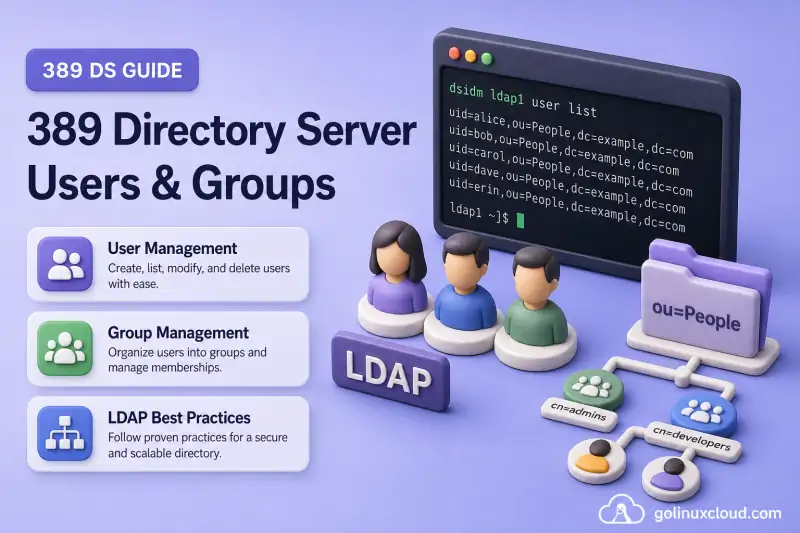
Users and groups in 389 Directory Server are ordinary LDAP entries. Object classes such as posixAccount and groupOfNames define which attributes an entry can or must contain. Applications bind with an LDAP identity to authenticate, and clients such as SSSD or ldapsearch query the stored attributes afterward.
Before you start:
- Install 389 Directory Server — a running instance with a suffix (this lab uses
ldap1anddc=example,dc=com) - 389 Directory Server architecture — suffix, instance, and entry terminology
- Password storage schemes — how
userPasswordhashes are stored and migrated - dsidm command cheat sheet — flag and subcommand reference (this guide is the full workflow)
This guide covers:
- Preparing
ou=Peopleandou=Groups - Creating users, setting passwords, and locking accounts
- Creating static, unique, and POSIX groups
- Adding members and verifying membership
- Safe deletion checks
dsidm. It does not replace the dsidm cheat sheet, document raw LDIF change records (LDIF examples), configure the MemberOf plug-in, define password policy, delegate rights with ACI examples, or cover entry rename and subtree moves (rename and move entries).
Tested on: Rocky Linux 10.2; 389 Directory Server 3.2.0.
Lab environment and directory layout
This guide uses one instance and a flat People/Groups layout under the suffix:
| Setting | Lab value |
|---|---|
| Instance | ldap1 |
| Suffix | dc=example,dc=com |
| People container | ou=People,dc=example,dc=com |
| Groups container | ou=Groups,dc=example,dc=com |
| Test users | user1, user2 |
| Static group | cn=developers (groupOfNames) |
| Unique group | cn=ops-unique (groupOfUniqueNames) |
| POSIX-capable group | cn=linux-admins (groupOfNames + posixGroup) |
dsidm reads basedn = dc=example,dc=com for ldap1 from /root/.dsrc on the tested host. Without that file, pass -b dc=example,dc=com before the instance name.
Target tree after the creation and membership exercises:
dc=example,dc=com
├── ou=People
│   ├── uid=user1
│   └── uid=user2
└── ou=Groups
    ├── cn=developers
    ├── cn=ops-unique
    └── cn=linux-admins
dsidm user create stores users under ou=people (lowercase) by default. LDAP DN comparisons are case-insensitive on this server, but keep DN casing consistent in scripts and group member values.
Prepare the People and Groups containers
dsidm user and dsidm group expect parent organizational units. List what already exists:
dsidm ldap1 ou listIf the suffix was created with sample_entries = no and no prior initialise, the list is empty. I'll create the containers:
dsidm ldap1 ou create --ou PeopleSuccessfully created PeopleI create the Groups container the same way:
dsidm ldap1 ou create --ou GroupsSuccessfully created GroupsConfirm both OUs:
dsidm ldap1 ou listPeople
GroupsVerify with the ldapsearch command when you have local root access and LDAPI is enabled:
ldapsearch -Y EXTERNAL -H ldapi://%2Fvar%2Frun%2Fslapd-ldap1.socket -b "dc=example,dc=com" "(objectClass=organizationalUnit)" dn# People, example.com
dn: ou=People,dc=example,dc=com
# Groups, example.com
dn: ou=Groups,dc=example,dc=com
# search result
search: 2
result: 0 SuccessRemote administrators can run the same search using an authorized identity over LDAPS or StartTLS. Routine read-only verification does not require Directory Manager when an account has suitable ACIs. LDIF syntax for custom containers belongs in the LDIF examples chapter.
Understand user entries in 389 Directory Server
dsidm user create provisions POSIX-oriented person entries (posixAccount plus 389 DS person classes). Common attributes:
| Attribute | Purpose |
|---|---|
uid |
Login identifier and RDN (uid=user1) |
cn |
Common name |
displayName |
Display name shown in many clients |
uidNumber |
Numeric POSIX user ID |
gidNumber |
Primary POSIX group ID (numeric reference on the user entry) |
homeDirectory |
Home directory path |
loginShell |
Login shell (often added with user modify after create) |
mail |
Email address |
sn |
Optional surname when required by your application or custom schema; not required by the default modern dsidm user helper |
Object classes determine which attributes are allowed and which are required. If creation fails with a missing attribute error, check the classes on a similar working entry with dsidm ldap1 user get UID.
Create a user with dsidm
Interactive creation
For a one-off account, run dsidm without user flags and answer the prompts:
dsidm ldap1 user createdsidm asks for uid, cn, displayName, uidNumber, gidNumber, and homeDirectory when you omit them. Interactive creation does not set a login password. I'll assign that in the next section.
Plan UID and GID values
uidNumber and gidNumber should follow a documented allocation range. Before you assign a number manually, search the directory to ensure another user or group does not already use it:
ldapsearch -Y EXTERNAL -H ldapi://%2Fvar%2Frun%2Fslapd-ldap1.socket -b "dc=example,dc=com" '(|(uidNumber=3001)(gidNumber=3001))' dn uidNumber gidNumber# search result
search: 2
result: 0 Success
# numResponses: 1No returned entries means this lab value is currently unused. For production provisioning, consider the Distributed Numeric Assignment plug-in for automatic ranges and the Unique attribute enforcement plug-in where the server must reject duplicate values. Keep detailed plug-in configuration in those chapters.
Scripted creation
For automation, pass every required value on the command line:
dsidm ldap1 user create --uid user1 --cn "User One" --displayName "User One" --uidNumber 3001 --gidNumber 3001 --homeDirectory /home/user1Successfully created user1Create a second user for group examples:
dsidm ldap1 user create --uid user2 --cn "User Two" --displayName "User Two" --uidNumber 3002 --gidNumber 3002 --homeDirectory /home/user2Successfully created user2Inspect the entry:
dsidm ldap1 user get user1dn: uid=user1,ou=people,dc=example,dc=com
cn: User One
displayName: User One
gidNumber: 3001
homeDirectory: /home/user1
objectClass: top
objectClass: nsPerson
objectClass: nsAccount
objectClass: nsOrgPerson
objectClass: posixAccount
uid: user1
uidNumber: 3001The entry exists, but it cannot perform a password-based simple bind until you set userPassword through the account command family.
gidNumber identifies the user's primary POSIX group numerically. It is not an LDAP DN reference. Linux clients search for a group entry whose gidNumber has the same value. If clients must resolve that number to a group name, create or identify a POSIX-capable group with the matching gidNumber. This lab uses independent values (3001 and 3002) to demonstrate user creation; the later linux-admins group with GID 3010 is a supplementary group, not the users' primary group.
Set and test the user password
Creating a user and assigning a password are separate steps. Omit the password argument so dsidm prompts securely:
dsidm ldap1 account reset_password "uid=user1,ou=people,dc=example,dc=com"Enter new password for uid=user1,ou=people,dc=example,dc=com:
CONFIRM - Enter new password for uid=user1,ou=people,dc=example,dc=com:
reset password for uid=user1,ou=people,dc=example,dc=comThe entered password values are not displayed in the sample output. Repeat for user2 when you need a second bind account for group tests.
Test authentication with a simple bind:
ldapwhoami -x -H ldap://localhost:389 -D "uid=user1,ou=people,dc=example,dc=com" -WEnter the password when prompted. A successful bind prints the entry DN:
dn: uid=user1,ou=people,dc=example,dc=comThis unencrypted simple bind is used only against local loopback. Use LDAPS or StartTLS before sending user or administrative passwords across a network.
If ldapwhoami returns Invalid credentials (49), the password is wrong or the bind DN does not match the stored DN. A locked account returns a separate account-inactivated error instead.
List and inspect users
List uids known to dsidm:
dsidm ldap1 user listuser1
user2Show one entry:
dsidm ldap1 user get user1The output lists every attribute stored on the entry. For a filter-based view from the LDAP protocol, search under People:
ldapsearch -Y EXTERNAL -H ldapi://%2Fvar%2Frun%2Fslapd-ldap1.socket -b "ou=People,dc=example,dc=com" "(uid=user1)" cn mail uidNumberAdditional ldapsearch patterns live in the install chapter and future LDAP client examples. This guide stops at one verification search.
Modify user attributes
dsidm user modify uses add:, delete:, or replace: prefixes:
dsidm ldap1 user modify user1 replace:mail:[email protected]Successfully modified uid=user1,ou=people,dc=example,dc=comAdd a login shell and home directory when your deployment requires them:
dsidm ldap1 user modify user1 replace:loginShell:/bin/bashI set the home directory path when the deployment requires it on the user entry:
dsidm ldap1 user modify user1 replace:homeDirectory:/home/user1Confirm the changes:
dsidm ldap1 user get user1cn: User One
displayName: User One
gidNumber: 3001
homeDirectory: /home/user1
loginShell: /bin/bash
mail: [email protected]
uid: user1
uidNumber: 3001Entry rename and subtree moves change the DN itself. Those operations are covered in rename and move entries.
Lock and unlock user accounts
Account lock state is managed separately from the user's identity and POSIX attributes. Manual locking adds or updates the nsAccountLock state on the existing entry; it does not delete or disable its directory attributes. Inspect status:
dsidm ldap1 account entry-status uid=user1,ou=people,dc=example,dc=comEntry DN: uid=user1,ou=people,dc=example,dc=com
Entry State: activatedLock the account without deleting it:
dsidm ldap1 account lock uid=user1,ou=people,dc=example,dc=comEntry uid=user1,ou=people,dc=example,dc=com is lockedA locked user cannot bind even with the correct password:
ldapwhoami -x -H ldap://localhost:389 -D "uid=user1,ou=people,dc=example,dc=com" -Wldap_bind: Server is unwilling to perform (53)
additional info: Account inactivated. Contact system administrator.Enter the same password you set earlier. The failure here is account state, not the bind DN.
Unlock and verify binds work again:
dsidm ldap1 account unlock uid=user1,ou=people,dc=example,dc=comEntry uid=user1,ou=people,dc=example,dc=com is unlockedPassword expiry, lockout thresholds, and complexity rules belong in password policy and account lockout. account lock here is an explicit administrative action on the entry.
Understand group types
Choose a group model that matches the application reading the directory:
| Group type | dsidm command |
Primary object classes | Membership |
|---|---|---|---|
| Standard static group | group |
groupOfNames |
member containing full DNs |
| Unique static group | uniquegroup |
groupOfUniqueNames |
uniqueMember containing full DNs |
| POSIX-capable group | posixgroup |
groupOfNames and posixGroup |
member DNs, plus required gidNumber; optionally memberUid for clients that require it |
This guide uses groupOfNames for cn=developers because many directory-aware applications expect member DNs. The posixgroup helper also adds groupOfNames, so linux-admins appears in group list as well as posixgroup list. Unique groups use a separate uniquegroup collection.
Prefer dsidm group and groupOfNames for new static groups unless the consuming application specifically requires groupOfUniqueNames and the uniqueMember attribute.
Roles and Class of Service are out of scope. See roles vs groups when you need managed or filtered roles instead of static membership.
Create groups with dsidm
Standard static group (groupOfNames)
dsidm ldap1 group create --cn developers --description "Developers"Successfully created developersUnique static group (groupOfUniqueNames)
dsidm ldap1 uniquegroup create --cn ops-uniqueSuccessfully created ops-uniquePOSIX-capable group (groupOfNames + posixGroup)
dsidm ldap1 posixgroup create --cn linux-admins --gidNumber 3010Successfully created linux-adminsEach helper uses its own collection filter. List them separately:
I list standard groupOfNames groups first:
dsidm ldap1 group listdevelopers
linux-adminsI list unique groups next:
dsidm ldap1 uniquegroup listops-uniqueI list POSIX-capable groups last:
dsidm ldap1 posixgroup listlinux-adminsgroup list finds groupOfNames entries, so it includes linux-admins but not ops-unique.
Add and remove group members
For groupOfNames, membership values are full user DNs.
Add both test users:
dsidm ldap1 group add_member developers uid=user1,ou=people,dc=example,dc=comadded member: uid=user1,ou=people,dc=example,dc=comI add the second test user to the same group:
dsidm ldap1 group add_member developers uid=user2,ou=people,dc=example,dc=comadded member: uid=user2,ou=people,dc=example,dc=comList members:
dsidm ldap1 group members developersdn: uid=user1,ou=people,dc=example,dc=com
dn: uid=user2,ou=people,dc=example,dc=comRemove one member:
dsidm ldap1 group remove_member developers uid=user2,ou=people,dc=example,dc=comremoved member: uid=user2,ou=people,dc=example,dc=comConfirm the member attribute on the group entry:
ldapsearch -Y EXTERNAL -H ldapi://%2Fvar%2Frun%2Fslapd-ldap1.socket -b "cn=developers,ou=Groups,dc=example,dc=com" "(objectClass=*)" memberdn: cn=developers,ou=Groups,dc=example,dc=com
member: uid=user1,ou=people,dc=example,dc=comFor POSIX-capable groups, add members with DN-valued member attributes. That is the normal model for the posixgroup helper.
dsidm ldap1 posixgroup modify linux-admins add:member:uid=user1,ou=people,dc=example,dc=comSuccessfully modified cn=linux-admins,ou=Groups,dc=example,dc=comOptional client-compatibility attribute when an NSS, SSSD, or legacy RFC2307 client expects usernames instead of DNs:
dsidm ldap1 posixgroup modify linux-admins add:memberUid:user1Add memberUid only when the consuming client is configured for username-based RFC2307 membership. The group can contain both DN-valued member entries and memberUid values, but your SSSD or NSS schema settings must match the attributes clients read.
Unique groups use uniquegroup add_member with the same DN syntax as group add_member.
Verify a user's group membership
From the group entry
Read member or uniqueMember on the group object (shown above for developers). POSIX-capable groups store DN-valued member attributes by default; memberUid is optional and client-specific.
From the user entry (memberOf)
Query whether reverse membership is present:
ldapsearch -Y EXTERNAL -H ldapi://%2Fvar%2Frun%2Fslapd-ldap1.socket -b "uid=user1,ou=people,dc=example,dc=com" "(objectClass=*)" memberOfOn a default instance without the MemberOf plug-in configured, the search returns the user entry but no memberOf attribute even when developers lists user1 as a member. Reverse membership requires the MemberOf plug-in. Do not expect memberOf automatically from groupOfNames alone.
A memberUid username is not a DN reference and is not the normal source used by the MemberOf plug-in. Use DN-valued member or uniqueMember attributes when reverse memberOf tracking is required.
Delete users and groups safely
Before you delete a user:
- List standard, unique, and POSIX group references with
group members,uniquegroup members,posixgroup get, and searches for any client-specificmemberUidvalues - Check application bind DNs or automation that reference the entry
- Review whether Referential Integrity is enabled for your deployment
- Confirm the DN is not referenced in ACIs you still need (ACI examples)
When the Referential Integrity plug-in is enabled, deleting or renaming a user updates configured DN-valued references such as member and uniqueMember. Without it, deleting the user can leave stale DNs in group entries, so remove those memberships manually first. The plug-in does not clean username-only memberUid values unless you have separately designed automation for them.
A practical pre-deletion search can catch all three membership forms:
ldapsearch -Y EXTERNAL -H ldapi://%2Fvar%2Frun%2Fslapd-ldap1.socket -b "ou=Groups,dc=example,dc=com" '(|(member=uid=user2,ou=people,dc=example,dc=com)(uniqueMember=uid=user2,ou=people,dc=example,dc=com)(memberUid=user2))' dn member uniqueMember memberUidReview the group membership before deletion so you understand which application permissions will be removed. A group is a leaf entry, so it can be deleted even while its member attribute contains values:
I confirm who is still listed in developers:
dsidm ldap1 group members developersI delete the group after reviewing the membership list:
echo "Yes I am sure" | dsidm ldap1 group delete "cn=developers,ou=Groups,dc=example,dc=com"Successfully deleted cn=developers,ou=Groups,dc=example,dc=comDelete a user after you confirm nothing still references the account:
I remove user2 once the membership search shows no remaining references:
echo "Yes I am sure" | dsidm ldap1 user delete "uid=user2,ou=people,dc=example,dc=com"Successfully deleted uid=user2,ou=people,dc=example,dc=comdsidm prompts for Yes I am sure on destructive deletes. Entry rename and subtree moves stay in the dedicated rename chapter.
Troubleshoot user and group management
| Symptom | Likely cause | Fix |
|---|---|---|
| User creation reports a missing required attribute | Object class requirements not met | Compare with dsidm user get on a working entry; supply cn, displayName, POSIX IDs, and homeDirectory |
| User entry exists but bind returns Invalid credentials (49) | Password missing or incorrect, or wrong bind DN | Reset the password, copy the exact DN from dsidm user get, and retry with -W |
| Bind returns account-inactivated error | nsAccountLock is active |
Check account entry-status and unlock the account when appropriate |
| TLS or secure connection fails before bind | Wrong URI, untrusted certificate, or StartTLS/LDAPS mismatch | Verify the URI, port, CA trust, and whether the client expects LDAPS or StartTLS |
| Group member cannot be added | Wrong membership attribute or value format | Use full DNs with member for group and POSIX-capable groups, and full DNs with uniqueMember for uniquegroup. Add memberUid separately only when the client schema requires usernames |
| Linux client shows a numeric primary GID | No group entry has the user's gidNumber |
Create or identify a POSIX-capable group with the matching gidNumber, then verify the SSSD/NSS group search base |
dsidm cannot find the user or group |
Wrong instance, base DN, or container | Confirm .dsrc basedn, ou list, and that People/Groups exist |
Group shows member but memberOf is empty |
MemberOf plug-in not active | Enable and rebuild per MemberOf plug-in |
The DN ou=People does not exist |
People OU missing | Run dsidm INSTANCE ou create --ou People (and Groups) first |
Summary
- Create
ou=Peopleandou=Groupsbefore anyuserorgroupcommand. - Create POSIX users with
dsidm user create, then set passwords withdsidm account reset_password. - Manage authentication state with
account lockandaccount unlockseparately from the entry. - Pick
group,uniquegroup, orposixgroupto match the consuming application. - Store full DNs in
memberoruniqueMember; useposixgroupwhen you needgidNumberwith DN-valued membership. - Check memberships and references before deleting users or groups.
What's Next
- Roles vs groups — managed roles and computed membership
- Rename and move entries —
modrdnand subtree moves withdsidm - Password policy — complexity, expiration, and grace logins
References
- Red Hat Directory Server 13 — User management and authentication — groups, MemberOf, roles, password policies, account inactivation, and Referential Integrity
- Users and groups with dsidm (Port389) — upstream dsidm workflow
- dsidm(8) manual — command syntax
- 389 Directory Server 3.2.0 release — tested release
