
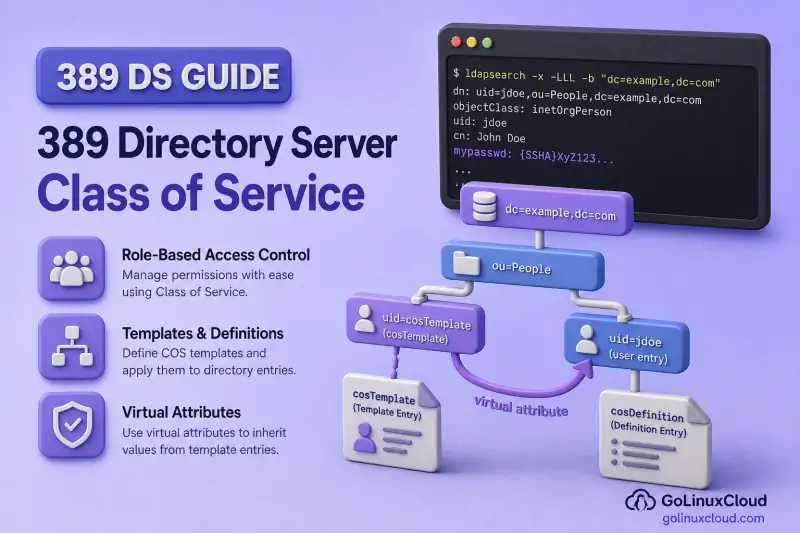
Class of Service, usually shortened to CoS, lets 389 Directory Server return an attribute as though it were stored on every matching entry. The value actually comes from a CoS definition entry and a template or referenced entry.
In this guide, we'll configure and test pointer, indirect, and classic CoS on instance ldap1 under dc=example,dc=com. You'll also see how stored values interact with generated values, why CoS attributes should not be indexed, and how to remove the configuration safely.
User entry
uid=user1,ou=people,dc=example,dc=com
        |
        | CoS-generated value
        v
employeeType: standard
Before you start:
- Install 389 Directory Server — running instance with Directory Manager or LDAPI access
- Manage users and groups —
ou=Peoplewith test users - Roles vs groups — role definitions before combining roles with CoS
ldapadd and ldapmodify. It does not repeat group creation, general LDIF syntax, custom schema, dsctl test-data generation, or Account Policy plug-in setup.
Tested on: Rocky Linux 10.2; 389 Directory Server 3.2.0.
How Class of Service works
CoS combines a definition entry with one or more template entries. When a client reads a target entry, the server evaluates the CoS rules and may add generated attributes to the result.
| Component | Purpose |
|---|---|
| CoS definition entry | Defines the CoS type, scope, and one or more generated attributes (cosAttribute is multi-valued) |
| CoS template entry | Stores the attribute value returned to matching target entries (pointer and classic CoS) |
| Target entry | Receives the generated value when read—often without storing it locally |
Target entry
   |
CoS definition (ldapSubentry under the effective subtree)
   |
Template selection (pointer, indirect, or classic rules)
   |
Generated attribute returned to LDAP client
In this guide, each CoS definition also uses ldapSubentry so that the administrative entry is excluded from ordinary subtree searches. The CoS behaviour itself is defined by cosSuperDefinition together with cosPointerDefinition, cosIndirectDefinition, or cosClassicDefinition. Normal searches exclude entries marked as LDAP subentries unless the search explicitly selects them.
CoS definition and template changes take effect without restarting the server. After ldapadd or ldapmodify, the next read or search against a target entry evaluates the updated rules.
Pointer vs indirect vs classic CoS
| CoS type | How the template is selected | Suitable use case |
|---|---|---|
| Pointer CoS | One fixed template DN (cosTemplateDn) |
Same value for all entries in a subtree |
| Indirect CoS | DN stored in a target-entry attribute (cosIndirectSpecifier) |
Inherit a value from a related entry |
| Classic CoS | Template base DN plus a target-entry attribute (cosSpecifier) |
Different templates based on categories |
Prepare the test directory
manager and businessCategory values, while the cleanup section deletes user2,
manager1, and ou=CosTemplates. Do not run these commands against production
entries or pre-existing test entries unless you record and restore their
original values.
This lab uses two users, a templates container, and one manager entry for the indirect example:
dc=example,dc=com
├── ou=People
│   ├── uid=user1
│   ├── uid=user2
│   └── uid=manager1
└── ou=CosTemplates
    └── cn=cosTemplates (classic templates container)
I'll create ou=CosTemplates for pointer and classic template entries:
dsidm ldap1 ou create --ou CosTemplatesSuccessfully created CosTemplatesThe templates container is ready for pointer and classic CoS template entries in the sections below.
dsidm ldap1 user create --uid user2 --cn "User Two" --displayName "User Two" --uidNumber 3002 --gidNumber 3002 --homeDirectory /home/user2Successfully created user2user2 gives you a second target entry for pointer and classic CoS checks. user1 should already exist from manage users and groups.
This lab keeps only one definition for employeeType active at a time so that the output remains easy to verify. Directory Server can combine overlapping CoS definitions, but production configurations must use predictable cosPriority values or compatible merge rules. Later sections remove the previous definition before adding the next example.
Configure a pointer CoS
I'll start with pointer CoS when every entry below a branch should receive the same generated value. Pointer CoS always refers to one fixed template DN. This lab generates employeeType: standard for every entry under ou=People.
The first LDIF block will create the template (cosTemplate + employeeType: standard) and the pointer definition subentry under ou=People.
cat > /tmp/cos-pointer.ldif << 'EOF'
dn: cn=std-template,ou=CosTemplates,dc=example,dc=com
objectClass: top
objectClass: cosTemplate
objectClass: extensibleObject
cn: std-template
employeeType: standard

dn: cn=pointer-employeeType,ou=People,dc=example,dc=com
objectClass: top
objectClass: ldapSubentry
objectClass: cosSuperDefinition
objectClass: cosPointerDefinition
cn: pointer-employeeType
description: Pointer CoS - employeeType for all People entries
cosTemplateDn: cn=std-template,ou=CosTemplates,dc=example,dc=com
cosAttribute: employeeType
EOF
Load the pointer CoS entries into the directory with ldapadd:
ldapadd -Y EXTERNAL -H ldapi://%2Fvar%2Frun%2Fslapd-ldap1.socket -f /tmp/cos-pointer.ldifadding new entry "cn=std-template,ou=CosTemplates,dc=example,dc=com"
adding new entry "cn=pointer-employeeType,ou=People,dc=example,dc=com"Both adding new entry lines mean the template and pointer definition were accepted. CoS takes effect on the next read against target entries.
ldapsearch -LLL -Y EXTERNAL -H ldapi://%2Fvar%2Frun%2Fslapd-ldap1.socket -b "ou=people,dc=example,dc=com" "(uid=user1)" employeeTypedn: uid=user1,ou=people,dc=example,dc=com
employeeType: standardI'll repeat the same read for user2 to confirm pointer CoS applies to every entry under ou=People:
ldapsearch -LLL -Y EXTERNAL -H ldapi://%2Fvar%2Frun%2Fslapd-ldap1.socket -b "ou=people,dc=example,dc=com" "(uid=user2)" employeeTypedn: uid=user2,ou=people,dc=example,dc=com
employeeType: standardBoth searches should return employeeType: standard even though neither user entry stored that attribute before CoS was added. The new definition is active immediately. No instance restart is required.
Control stored and generated attribute values
The cosAttribute line accepts qualifiers that control how CoS interacts with physically stored values:
| Qualifier | Behaviour |
|---|---|
default |
Returns the generated value only when the target entry has no physically stored value. This is the default when no qualifier is specified. |
override |
Returns the CoS-generated value instead of a physically stored value. |
operational |
Treats the generated value as operational and gives it override behaviour. The attribute must be defined as operational in the schema and normally must be requested explicitly. |
operational-default |
Treats the generated value as operational but returns it only when no physical value exists. |
operational to an ordinary user attribute merely to hide it from normal searches. The attribute itself must be defined as operational in the directory schema. Values generated with override or operational cannot be changed by directly modifying the target entry.
Store a physical value on user1 while the pointer CoS uses the default qualifier:
dsidm ldap1 user modify user1 replace:employeeType:permanentSuccessfully modified uid=user1,ou=people,dc=example,dc=comConfirm the stored value wins over CoS while the default qualifier is active:
ldapsearch -LLL -Y EXTERNAL -H ldapi://%2Fvar%2Frun%2Fslapd-ldap1.socket -b "ou=people,dc=example,dc=com" "(uid=user1)" employeeTypedn: uid=user1,ou=people,dc=example,dc=com
employeeType: permanentThe stored value wins. user2 still receives standard from CoS.
Switch the definition to override on the CoS definition entry:
ldapmodify -Y EXTERNAL -H ldapi://%2Fvar%2Frun%2Fslapd-ldap1.socket <<'EOF'
dn: cn=pointer-employeeType,ou=People,dc=example,dc=com
changetype: modify
replace: cosAttribute
cosAttribute: employeeType override
EOF
Sample output:
modifying entry "cn=pointer-employeeType,ou=People,dc=example,dc=com"Re-read user1 to confirm CoS now wins:
ldapsearch -LLL -Y EXTERNAL -H ldapi://%2Fvar%2Frun%2Fslapd-ldap1.socket -b "ou=people,dc=example,dc=com" "(uid=user1)" employeeTypedn: uid=user1,ou=people,dc=example,dc=com
employeeType: standardCoS now overrides the stored permanent value. Tear down the pointer CoS before the indirect example so employeeType is free for classic CoS later. ldapdelete succeeds silently when the entry exists:
ldapdelete -Y EXTERNAL -H ldapi://%2Fvar%2Frun%2Fslapd-ldap1.socket "cn=pointer-employeeType,ou=People,dc=example,dc=com"I'll remove the template entry next. In production, definitions should outlive templates during normal retirement, but this lab removes both before switching CoS type:
ldapdelete -Y EXTERNAL -H ldapi://%2Fvar%2Frun%2Fslapd-ldap1.socket "cn=std-template,ou=CosTemplates,dc=example,dc=com"Clear the physical test value from user1:
dsidm ldap1 user modify user1 delete:employeeType:permanentSuccessfully modified uid=user1,ou=people,dc=example,dc=comConfigure an indirect CoS
Use indirect CoS when the value should come from a related directory entry, such as a user's manager. Indirect CoS reads a single-valued DN attribute on the target entry and uses that entry as the template source. The lab copies departmentNumber from each user's manager entry.
I'll create manager1 with a department number. The indirect CoS copies this value to users that reference the entry:
dsidm ldap1 user create --uid manager1 --cn "Manager One" --displayName "Manager One" --uidNumber 3100 --gidNumber 3100 --homeDirectory /home/manager1Successfully created manager1I'll set a department number on the manager entry because indirect CoS copies that value to users that reference it:
dsidm ldap1 user modify manager1 replace:departmentNumber:1000Successfully modified uid=manager1,ou=people,dc=example,dc=comUnlike pointer and classic CoS templates, the entry referenced by an indirect CoS does not need the cosTemplate object class. Here, manager1 is an ordinary user entry whose departmentNumber value is reused for the managed users.
Add the indirect CoS definition and manager references on both users with ldapmodify. One LDIF file adds the subentry and updates both user entries:
cat > /tmp/cos-indirect.ldif << 'EOF'
dn: cn=indirect-dept,ou=People,dc=example,dc=com
changetype: add
objectClass: top
objectClass: ldapSubentry
objectClass: cosSuperDefinition
objectClass: cosIndirectDefinition
cn: indirect-dept
description: Indirect CoS - departmentNumber from manager entry
cosIndirectSpecifier: manager
cosAttribute: departmentNumber

dn: uid=user1,ou=people,dc=example,dc=com
changetype: modify
replace: manager
manager: uid=manager1,ou=people,dc=example,dc=com

dn: uid=user2,ou=people,dc=example,dc=com
changetype: modify
replace: manager
manager: uid=manager1,ou=people,dc=example,dc=com
EOF
Apply the indirect definition and manager references with one ldapmodify transaction:
ldapmodify -Y EXTERNAL -H ldapi://%2Fvar%2Frun%2Fslapd-ldap1.socket -f /tmp/cos-indirect.ldifSample output:
adding new entry "cn=indirect-dept,ou=People,dc=example,dc=com"
modifying entry "uid=user1,ou=people,dc=example,dc=com"
modifying entry "uid=user2,ou=people,dc=example,dc=com"
The attribute named by cosIndirectSpecifier must resolve to one valid DN. A missing value, malformed DN, or multiple values prevents the server from selecting a single referenced entry.
Query the generated value:
ldapsearch -LLL -Y EXTERNAL -H ldapi://%2Fvar%2Frun%2Fslapd-ldap1.socket -b "ou=people,dc=example,dc=com" "(uid=user1)" departmentNumber managerdn: uid=user1,ou=people,dc=example,dc=com
departmentNumber: 1000
manager: uid=manager1,ou=people,dc=example,dc=comuser1 shows departmentNumber: 1000 from manager1 without storing that attribute locally on the user entry. Remove the indirect definition before configuring classic CoS on the same subtree:
ldapdelete -Y EXTERNAL -H ldapi://%2Fvar%2Frun%2Fslapd-ldap1.socket "cn=indirect-dept,ou=People,dc=example,dc=com"Deleting the indirect definition stops the generated departmentNumber immediately, but it does not remove the physical manager attribute from the users.
Configure a classic CoS
Use classic CoS when a stored category on each user should select one of several templates. Classic CoS combines a template base DN with a specifier attribute on the target entry. The specifier value forms the cn RDN under the template container: cn=<specifierValue>,<cosTemplateDn>.
The lab maps a physical businessCategory on each user to a generated employeeType:
| User | businessCategory (stored) |
Generated employeeType |
|---|---|---|
user1 |
developer |
developer |
user2 |
contractor |
contractor |
Add the template container, category templates, and classic definition with ldapadd. Template cn values (developer, contractor) must match the businessCategory you set on each user:
cat > /tmp/cos-classic-add.ldif << 'EOF'
dn: cn=cosTemplates,ou=CosTemplates,dc=example,dc=com
objectClass: top
objectClass: nsContainer
cn: cosTemplates

dn: cn=developer,cn=cosTemplates,ou=CosTemplates,dc=example,dc=com
objectClass: top
objectClass: cosTemplate
objectClass: extensibleObject
cn: developer
employeeType: developer

dn: cn=contractor,cn=cosTemplates,ou=CosTemplates,dc=example,dc=com
objectClass: top
objectClass: cosTemplate
objectClass: extensibleObject
cn: contractor
employeeType: contractor

dn: cn=classic-employeeType,ou=People,dc=example,dc=com
objectClass: top
objectClass: ldapSubentry
objectClass: cosSuperDefinition
objectClass: cosClassicDefinition
cn: classic-employeeType
description: Classic CoS - employeeType from businessCategory
cosTemplateDn: cn=cosTemplates,ou=CosTemplates,dc=example,dc=com
cosSpecifier: businessCategory
cosAttribute: employeeType
EOF
Load the classic templates and definition subentry into the directory:
ldapadd -Y EXTERNAL -H ldapi://%2Fvar%2Frun%2Fslapd-ldap1.socket -f /tmp/cos-classic-add.ldifadding new entry "cn=cosTemplates,ou=CosTemplates,dc=example,dc=com"
adding new entry "cn=developer,cn=cosTemplates,ou=CosTemplates,dc=example,dc=com"
adding new entry "cn=contractor,cn=cosTemplates,ou=CosTemplates,dc=example,dc=com"
adding new entry "cn=classic-employeeType,ou=People,dc=example,dc=com"Next I'll set the category attribute on each user. The specifier value must match the template cn:
cat > /tmp/cos-classic-users.ldif << 'EOF'
dn: uid=user1,ou=people,dc=example,dc=com
changetype: modify
replace: businessCategory
businessCategory: developer

dn: uid=user2,ou=people,dc=example,dc=com
changetype: modify
replace: businessCategory
businessCategory: contractor
EOF
Apply the category values that classic CoS will use to select each template:
ldapmodify -Y EXTERNAL -H ldapi://%2Fvar%2Frun%2Fslapd-ldap1.socket -f /tmp/cos-classic-users.ldifSample output:
modifying entry "uid=user1,ou=people,dc=example,dc=com"
modifying entry "uid=user2,ou=people,dc=example,dc=com"
Verify each user receives the template that matches its category:
ldapsearch -LLL -Y EXTERNAL -H ldapi://%2Fvar%2Frun%2Fslapd-ldap1.socket -b "ou=people,dc=example,dc=com" "(uid=user*)" employeeType businessCategorydn: uid=user1,ou=people,dc=example,dc=com
employeeType: developer
businessCategory: developer
dn: uid=user2,ou=people,dc=example,dc=com
employeeType: contractor
businessCategory: contractorbusinessCategory is stored on the entry. employeeType is generated from the matching template under cn=cosTemplates,ou=CosTemplates,dc=example,dc=com.
Role-based CoS uses the computed nsRole attribute as the cosSpecifier in a classic CoS definition. Because an entry can possess multiple roles, configure cosPriority on the corresponding templates when more than one role can generate the same attribute. See roles vs groups for role definitions before combining roles with CoS.
CoS priority and multi-valued attributes
When multiple pointer or classic templates can generate the same value, assign distinct cosPriority values on each cosTemplate entry. A lower number has higher priority, and zero is the highest supported value. Do not use negative cosPriority values. Their behaviour is undefined. Templates with equal priorities, or no priority at all, can produce an arbitrary winner.
cosPriority: 10   <- wins over 20
cosPriority: 20
Templates closer to the target entry in the DIT can also take precedence over distant definitions, which can override a cosPriority setting in some layouts.
Indirect CoS resolves one referenced entry through the indirect specifier and does not use cosPriority.
A single CoS definition can list multiple cosAttribute values when one template selection should generate more than one attribute. For example, you can set cosAttribute: postalCode and cosAttribute: st on the same definition.
For a multi-valued generated attribute, use a consistent merge-schemes qualifier across every definition that participates in the merge. Without distinct priorities or compatible merge rules, overlapping CoS definitions can return unpredictable values.
Inspect CoS definitions and templates
List CoS definition subentries. They are hidden from ordinary searches unless you filter for ldapSubentry:
ldapsearch -LLL -Y EXTERNAL -H ldapi://%2Fvar%2Frun%2Fslapd-ldap1.socket -b "ou=people,dc=example,dc=com" -s sub "(objectClass=ldapSubentry)" dn objectClassdn: cn=classic-employeeType,ou=People,dc=example,dc=com
objectClass: top
objectClass: ldapSubentry
objectClass: cosSuperDefinition
objectClass: cosClassicDefinitionThe cosClassicDefinition object class confirms this subentry is the active classic CoS definition for the lab.
List template entries under ou=CosTemplates:
ldapsearch -LLL -Y EXTERNAL -H ldapi://%2Fvar%2Frun%2Fslapd-ldap1.socket -b "ou=CosTemplates,dc=example,dc=com" "(objectClass=cosTemplate)" dn employeeTypedn: cn=developer,cn=cosTemplates,ou=CosTemplates,dc=example,dc=com
employeeType: developer
dn: cn=contractor,cn=cosTemplates,ou=CosTemplates,dc=example,dc=com
employeeType: contractorEach template stores the employeeType value that classic CoS returns when the user's businessCategory matches the template cn.
Review virtual-attribute indexing with the instance health check. Run this after configuring or changing indexes on attributes that CoS might generate:
dsctl ldap1 healthcheckA clean lab reports no DSVIRTLE0001 lines. When the check flags a virtual attribute index, remove that index and search on stored selectors such as businessCategory instead. Do not index employeeType while it is generated by CoS. An unindexed filter such as (employeeType=developer) can work, but it requires an expensive scan; an index can instead produce incomplete results.
Request operational CoS attributes explicitly when definitions use the operational qualifier. Those values do not appear in a normal attribute list.
Understand search and ACI limitations
ACIs can control whether clients may access an attribute, but do not reference a CoS-generated virtual attribute in the targetfilter, targattrfilters, or userattr ACI keywords. Directory Server does not support virtual attributes in these parts of an ACI.
Avoid designing directory authorization rules that select entries based on a generated CoS value. Filter or authorize using a physically stored attribute such as businessCategory, or retrieve the generated value after the entry has already been selected.
Subtree filters on CoS-generated attributes are unreliable when the attribute is indexed; an unindexed filter can include entries whose value comes from CoS, but it requires an unindexed scan and does not scale well. If the generated attribute is indexed, entries that possess only the virtual value can be omitted from the results. Prefer filters on stored selectors such as (businessCategory=developer) rather than (employeeType=developer) when employeeType is virtual. CoS is most suitable for attributes that applications retrieve after locating an entry, rather than attributes used for indexed entry selection or directory-side ACI conditions. See index design and maintenance for backend index planning.
Modify or remove a CoS safely
Follow this order when retiring CoS:
- Identify affected target entries and note which attributes were generated.
- Remove or disable the CoS definition entry.
- Confirm generated values no longer appear in searches.
- Delete unused template entries and containers.
- Remove obsolete specifier attributes on target entries when they exist only for CoS selection.
Deleting a template before its definition can leave targets without expected generated values. Remove the definition first, verify client behaviour, then delete templates.
Remove the classic CoS from this lab, starting with the definition subentry:
ldapdelete -Y EXTERNAL -H ldapi://%2Fvar%2Frun%2Fslapd-ldap1.socket "cn=classic-employeeType,ou=People,dc=example,dc=com"Delete the category templates and their container in one step:
ldapdelete -Y EXTERNAL -H ldapi://%2Fvar%2Frun%2Fslapd-ldap1.socket "cn=developer,cn=cosTemplates,ou=CosTemplates,dc=example,dc=com" "cn=contractor,cn=cosTemplates,ou=CosTemplates,dc=example,dc=com" "cn=cosTemplates,ou=CosTemplates,dc=example,dc=com"Confirm the generated attribute no longer appears on read:
ldapsearch -LLL -Y EXTERNAL -H ldapi://%2Fvar%2Frun%2Fslapd-ldap1.socket -b "ou=people,dc=example,dc=com" "(uid=user1)" employeeTypedn: uid=user1,ou=people,dc=example,dc=comThe entry is returned, but employeeType is absent because CoS no longer supplies it and nothing is stored locally.
Restore target entries and remove lab-only objects. The steps below delete physical selector and reference attributes (businessCategory, manager) in addition to CoS definitions and templates:
ldapmodify -Y EXTERNAL -H ldapi://%2Fvar%2Frun%2Fslapd-ldap1.socket <<'EOF'
dn: uid=user1,ou=people,dc=example,dc=com
changetype: modify
delete: businessCategory
-
delete: manager
-

dn: uid=user2,ou=people,dc=example,dc=com
changetype: modify
delete: businessCategory
-
delete: manager
EOF
Sample output:
modifying entry "uid=user1,ou=people,dc=example,dc=com"
modifying entry "uid=user2,ou=people,dc=example,dc=com"
The modify removes businessCategory and manager from both users when those attributes were set during the lab.
Run the following deletion commands only when these entries were created exclusively for this lab. Do not delete an existing user or organizational unit that you reused for testing.
echo "Yes I am sure" | dsidm ldap1 user delete "uid=manager1,ou=people,dc=example,dc=com"Successfully deleted uid=manager1,ou=people,dc=example,dc=comRemove the disposable second user created only for CoS verification:
echo "Yes I am sure" | dsidm ldap1 user delete "uid=user2,ou=people,dc=example,dc=com"Successfully deleted uid=user2,ou=people,dc=example,dc=comDelete the templates organizational unit when it was created solely for this lab:
dsidm ldap1 ou delete "ou=CosTemplates,dc=example,dc=com"Successfully deleted ou=CosTemplates,dc=example,dc=comDeleting a CoS definition stops generated values immediately. The ldapmodify step above removes physical attributes that existed only for CoS selection or indirect references. After cleanup, the lab-generated CoS values and selector attributes are removed. Any manager or businessCategory values that existed before the lab must be restored manually.
Troubleshoot Class of Service
| Symptom | Likely cause | Fix |
|---|---|---|
| No generated attributes appear for any target entry | Definition is outside the effective subtree, template DN is wrong, or the CoS plug-in was manually disabled | Inspect the definition and template first. If the configuration was customized, verify nsslapd-pluginEnabled under cn=Class of Service,cn=plugins,cn=config |
| Wrong value for every entry | Incorrect pointer cosTemplateDn |
Query the template entry; fix the DN on the definition |
| Indirect CoS returns nothing | Specifier empty, not a DN, or multi-valued | Ensure cosIndirectSpecifier points to a single-valued DN attribute with a valid referenced entry |
| Classic CoS selects wrong template | cosSpecifier value does not match template cn |
Template DN must be cn=<specifierValue>,<cosTemplateDn> |
| Physical value shown instead of CoS | Default qualifier and stored value present | Use override on cosAttribute or remove the stored value |
| Attribute appears only when explicitly requested | operational qualifier on cosAttribute |
Request the attribute by name or switch qualifiers |
| Competing values from multiple templates | Overlapping definitions without distinct priorities | Assign cosPriority on pointer or classic templates; use compatible merge-schemes for multi-valued attributes |
| Schema error on target modify | Generated attribute not allowed by object classes | Extend schema or choose an attribute permitted on the entry's classes |
| Filter on generated attribute returns missing or incorrect entries | Indexed virtual attribute | Run dsctl INSTANCE healthcheck and fix DSVIRTLE0001; filter on stored specifier fields instead |
Summary
- Pointer CoS uses one fixed template DN for every entry in the subtree.
- Indirect CoS follows a single-valued DN attribute on the target entry to the referenced entry.
- Classic CoS selects among multiple templates using
cosSpecifierandcosTemplateDn. cosAttributequalifiers control whether stored or generated values win.- Test reads, access controls, and search behaviour before relying on CoS in production.
What's Next
- Roles vs groups — managed roles alongside CoS templates
- Directory views — virtual DIT layout over physical entries
- Disable user accounts — apply inactivity policy through CoS
References
- Red Hat Directory Server 13 — Configuration and schema reference — CoS object classes and attributes
- Red Hat Directory Server 13 — Security and access control — virtual attributes cannot appear in
targetfilter,targattrfilters, oruserattr - Red Hat Directory Server 11 — Assigning Class of Service — pointer, indirect, classic, priority, and role-based CoS
- Class of Service howto (Port389) — practical pointer, indirect, and classic examples
- RFC 3672 — LDAP subentries and subentry visibility in searches
