
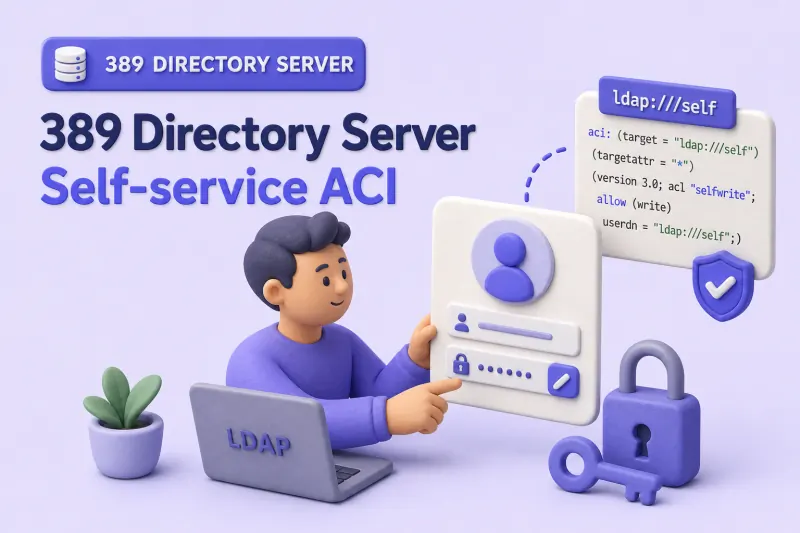
Self-service ACIs let authenticated users read and update their own directory entry without Directory Manager access. A typical policy:
- View selected profile attributes on the bind user's entry
- Update safe contact and display fields
- Change
userPasswordover a protected connection - Opt in or out of low-risk groups using
selfwrite - Block changes to identity, authorization, and administrative attributes
Directory Server supports userdn="ldap:///self" when the bind identity targets the user's own entry, and selfwrite when users may add or remove only their own DN from a DN-valued attribute such as member.
This guide builds on ACI examples and complements advanced ACI and delegated administration.
Before you start:
- ACI examples — syntax, rights, and
ldapmodifyworkflow - Manage users and groups — lab user
uid=user1 - TLS, StartTLS, and LDAPS — SSF and StartTLS for password changes
- Password policy — complexity, history, and lockout (not covered here)
userattr bind rules, macro ACIs, or detailed Get Effective Rights analysis. See the dedicated chapters linked above for those topics.
Tested on: Rocky Linux 10.2; 389 Directory Server 3.2.0.
The plain ldap://localhost simple-bind commands in this guide are for an isolated local lab. Use StartTLS or LDAPS when connecting across a network. An unencrypted simple bind exposes credentials in transit. Red Hat Directory Server allows password binds over unencrypted connections by default and identifies this as a security risk.
How self-service ACIs work
Authenticated user DN
        |
        | userdn="ldap:///self"
        v
The user's own LDAP entry| ACI expression | Purpose |
|---|---|
userdn="ldap:///self" |
Match the bind user's own entry |
allow (read,search,compare) |
Return permitted attributes in search results |
allow (write) |
Modify permitted attribute values |
allow (selfwrite) |
Add or remove only the bind user's own DN from a DN-valued attribute |
ssf>="128" |
Require a sufficiently protected connection for sensitive operations |
Place self-service ACIs on a container such as ou=People,dc=example,dc=com so they inherit to user entries below. Use an explicit targetattr allow list. Never grant write on * and try to exclude sensitive attributes afterward.
Prepare the test user
This lab uses uid=user1,ou=people,dc=example,dc=com on instance ldap1, suffix dc=example,dc=com.
Set a known password and store it in a root-owned file. Omit the password argument so dsidm prompts interactively. The value is not written to shell history:
dsidm ldap1 account reset_password "uid=user1,ou=people,dc=example,dc=com"Enter and confirm the same password at the dsidm prompts.
Sample output:
reset password for uid=user1,ou=people,dc=example,dc=comI'll save that password for bind tests without putting it on the command line, then set umask 077 before creating the password file:
umask 077
read -rsp 'Enter the user1 password: ' USER1_PW
echo
printf '%s\n' "$USER1_PW" > /root/user1.pw
unset USER1_PW
Confirm the account binds:
ldapwhoami -x -H ldap://localhost:389 -D "uid=user1,ou=people,dc=example,dc=com" -y /root/user1.pwSample output:
dn: uid=user1,ou=people,dc=example,dc=comBefore you add self-service rules, list existing ACIs on the People container with ldapsearch:
ldapsearch -LLL -o ldif-wrap=no -x -H ldap://localhost:389 -D "cn=Directory Manager" -y /root/dm.pw -b "ou=people,dc=example,dc=com" -s base "(objectClass=*)" aciRecord any inherited rules on dc=example,dc=com as well. Those rules can grant or deny access alongside new self-service ACIs.
Allow users to read their own entries
I'll add a read rule with userdn="ldap:///self". Include objectClass in targetattr with search permission so base-scope searches using (objectClass=*) can match the entry.
Save the following as /tmp/self-read.ldif:
dn: ou=People,dc=example,dc=com
changetype: modify
add: aci
aci: (targetattr="uid || cn || sn || mail || telephoneNumber || mobile || displayName || preferredLanguage || postalAddress || objectClass")(version 3.0; acl "Self read profile attributes"; allow (read,search,compare) userdn="ldap:///self";)
Apply as Directory Manager with ldapmodify:
ldapmodify -x -H ldap://localhost:389 -D "cn=Directory Manager" -y /root/dm.pw -f /tmp/self-read.ldifSearch the user's own entry. Pass (objectClass=*) as the filter, then list the attributes to return:
ldapsearch -LLL -x -H ldap://localhost:389 -D "uid=user1,ou=people,dc=example,dc=com" -y /root/user1.pw -b "uid=user1,ou=people,dc=example,dc=com" -s base "(objectClass=*)" uid cn mailSample output:
dn: uid=user1,ou=people,dc=example,dc=com
uid: user1
cn: User One
mail: [email protected]
user1 sees only attributes listed in targetattr. I'll search for another user's entry to confirm the self-read rule does not leak across accounts:
ldapsearch -LLL -x -H ldap://localhost:389 -D "uid=user1,ou=people,dc=example,dc=com" -y /root/user1.pw -b "uid=user2,ou=people,dc=example,dc=com" -s base "(objectClass=*)" mailWith only the self-read ACI configured, the search returns no entry for user2. The ldap:///self bind rule does not apply when the target DN belongs to another user.
Allow users to update safe profile attributes
Grant write only on contact and display fields.
Save the following as /tmp/self-write-profile.ldif:
dn: ou=People,dc=example,dc=com
changetype: modify
add: aci
aci: (targetattr="mail || telephoneNumber || mobile || displayName || preferredLanguage || postalAddress")(version 3.0; acl "Self write profile attributes"; allow (write) userdn="ldap:///self";)
Apply as Directory Manager:
ldapmodify -x -H ldap://localhost:389 -D "cn=Directory Manager" -y /root/dm.pw -f /tmp/self-write-profile.ldifUpdate mail as user1. Save the following as /tmp/user1-mail.ldif:
dn: uid=user1,ou=people,dc=example,dc=com
changetype: modify
replace: mail
mail: [email protected]
Apply the self-service mail update as user1:
ldapmodify -x -H ldap://localhost:389 -D "uid=user1,ou=people,dc=example,dc=com" -y /root/user1.pw -f /tmp/user1-mail.ldifSample output:
modifying entry "uid=user1,ou=people,dc=example,dc=com"An attempt to change uid is denied because it is outside the allow list. Save the following as /tmp/user1-uid-deny.ldif:
dn: uid=user1,ou=people,dc=example,dc=com
changetype: modify
replace: uid
uid: user1-changed
Attempt the forbidden uid change as user1:
ldapmodify -x -H ldap://localhost:389 -D "uid=user1,ou=people,dc=example,dc=com" -y /root/user1.pw -f /tmp/user1-uid-deny.ldifSample output:
ldap_modify: Insufficient access (50)
	additional info: Insufficient 'write' privilege to the 'uid' attribute of entry 'uid=user1,ou=people,dc=example,dc=com'.
Protect identity and privileged attributes
Do not grant self-service write on attributes such as:
uid
uidNumber
gidNumber
manager
memberOf
nsRoleDN
nsAccountLock
aci
objectClass
creatorsName
modifiersName
The exact protected set depends on your schema and applications. Prefer an explicit allow list of safe profile attributes rather than targetattr="*". Broad write rules are difficult to audit and easy to over-grant.
Require an encrypted connection for self-service password changes
I'll create one ACI that targets only userPassword and requires a protected connection. Red Hat Directory Server documents ldap:///self for self-password changes and ssf>="128" to require an encrypted channel.
The ssf>="128" condition requires an encrypted connection with a security strength of at least 128. This can be provided by TLS, LDAPS, or a sufficiently strong SASL security layer. This lab verifies the rule with StartTLS.
Save the following as /tmp/self-password-tls.ldif:
dn: ou=People,dc=example,dc=com
changetype: modify
add: aci
aci: (targetattr="userPassword")(version 3.0; acl "Self change password over TLS"; allow (write) userdn="ldap:///self" and ssf>="128";)
Apply as Directory Manager:
ldapmodify -x -H ldap://localhost:389 -D "cn=Directory Manager" -y /root/dm.pw -f /tmp/self-password-tls.ldifPassword policy constraints (minimum length, history, expiration) are enforced by the password policy configuration in addition to ACIs.
This rule grants password-write access only when SSF is at least 128. Review inherited ACIs to ensure another rule does not independently grant the same write access over cleartext LDAP. Matching deny rules override allows, while permissions from multiple allow rules can combine.
Create the password-change LDIF with restrictive permissions. Prompt for the new password so it is not recorded in shell history. The LDIF file still contains the value in plaintext until you remove it:
umask 077
read -rsp 'Enter the new user1 password: ' USER1_NEW_PW
echo

{
  printf '%s\n' \
    'dn: uid=user1,ou=people,dc=example,dc=com' \
    'changetype: modify' \
    'replace: userPassword'
  printf 'userPassword: %s\n' "$USER1_NEW_PW"
} > /root/user1-password.ldif
A cleartext LDAP modify is denied when no overlapping allow rule exists:
ldapmodify -x -H ldap://localhost:389 -D "uid=user1,ou=people,dc=example,dc=com" -y /root/user1.pw -f /root/user1-password.ldifSample output:
ldap_modify: Insufficient access (50)
	additional info: Insufficient 'write' privilege to the 'userPassword' attribute of entry 'uid=user1,ou=people,dc=example,dc=com'.
StartTLS on port 389 succeeds when SSF meets the threshold. Use -ZZ so the command fails if StartTLS cannot be established. This lab uses a self-signed certificate, so use LDAPTLS_REQCERT=never only for local testing:
LDAPTLS_REQCERT=never ldapmodify -ZZ -x -H ldap://localhost:389 -D "uid=user1,ou=people,dc=example,dc=com" -y /root/user1.pw -f /root/user1-password.ldifSample output:
modifying entry "uid=user1,ou=people,dc=example,dc=com"Update the bind password file and remove the LDIF that contains the new password:
printf '%s\n' "$USER1_NEW_PW" > /root/user1.pw unset USER1_NEW_PW rm -f /root/user1-password.ldifConfirm the new password succeeds:
ldapwhoami -x -H ldap://localhost:389 -D "uid=user1,ou=people,dc=example,dc=com" -y /root/user1.pwSample output:
dn: uid=user1,ou=people,dc=example,dc=comProfile updates and password changes remain separate ACIs. In this lab, only the password ACI uses an SSF condition. Add the same condition to profile-update ACIs when those attributes must also be changed only over encrypted connections.
Allow users to manage their own group membership
For opt-in groups, place the ACI on the group entry and use userdn="ldap:///all" with selfwrite on member. Do not use ldap:///self here. The target entry is the group, not the user.
A groupOfNames entry requires cn and at least one member value. Seed the group with user2, who remains a member while user1 performs the join and leave tests. This prevents user1 from removing the final required member value.
Save the following as /tmp/self-service-optin-group.ldif:
dn: cn=self-service-optin,ou=Groups,dc=example,dc=com
objectClass: groupOfNames
cn: self-service-optin
member: uid=user2,ou=people,dc=example,dc=com
Create the group as Directory Manager:
ldapadd -x -H ldap://localhost:389 -D "cn=Directory Manager" -y /root/dm.pw -f /tmp/self-service-optin-group.ldifAdd the membership ACI on the group entry.
Save the following as /tmp/self-service-optin-aci.ldif:
dn: cn=self-service-optin,ou=Groups,dc=example,dc=com
changetype: modify
add: aci
aci: (targetattr="member")(version 3.0; acl "Self opt-in group membership"; allow (selfwrite) userdn="ldap:///all";)
Apply as Directory Manager:
ldapmodify -x -H ldap://localhost:389 -D "cn=Directory Manager" -y /root/dm.pw -f /tmp/self-service-optin-aci.ldifRed Hat Directory Server documents this narrow scope: selfwrite alone lets authenticated users add or remove only their own DN in member. It does not grant general read access to the full membership list. Add a separate read ACI only when your application requires users to view the group or its members.
Test in this order as user1:
- Join the group by adding your own DN. Save the following as
/root/user1-join-group.ldif:
dn: cn=self-service-optin,ou=Groups,dc=example,dc=com
changetype: modify
add: member
member: uid=user1,ou=people,dc=example,dc=com
Join the opt-in group as user1:
ldapmodify -x -H ldap://localhost:389 -D "uid=user1,ou=people,dc=example,dc=com" -y /root/user1.pw -f /root/user1-join-group.ldifSample output:
modifying entry "cn=self-service-optin,ou=Groups,dc=example,dc=com"- Leave the group by deleting only your own DN (
user2remains as the seed member during this test). Save the following as/root/user1-leave-group.ldif:
dn: cn=self-service-optin,ou=Groups,dc=example,dc=com
changetype: modify
delete: member
member: uid=user1,ou=people,dc=example,dc=com
Leave the group by removing only your own DN:
ldapmodify -x -H ldap://localhost:389 -D "uid=user1,ou=people,dc=example,dc=com" -y /root/user1.pw -f /root/user1-leave-group.ldif-
Rejoin with the same
add: memberLDIF from step 1. -
Confirm you cannot add another user's DN. Save the following as
/root/user1-add-user3-group.ldif:
dn: cn=self-service-optin,ou=Groups,dc=example,dc=com
changetype: modify
add: member
member: uid=user3,ou=people,dc=example,dc=com
Attempt to add another user to the group as user1:
ldapmodify -x -H ldap://localhost:389 -D "uid=user1,ou=people,dc=example,dc=com" -y /root/user1.pw -f /root/user1-add-user3-group.ldifSample output:
ldap_modify: Insufficient access (50)
	additional info: Insufficient 'write' privilege to the 'member' attribute of entry 'cn=self-service-optin,ou=groups,dc=example,dc=com'.
Never use self-service membership for administrator, operator, or authorization groups.
Expected results for this lab
Operation performed as user1 |
Expected result |
|---|---|
Read permitted attributes from user1 |
Allow |
Read user2 using only the self-read ACI |
No result |
Modify mail on user1 |
Allow |
Modify uid on user1 |
Deny |
Change user1 password over plain LDAP |
Deny when no overlapping ACI exists |
Change user1 password over StartTLS |
Allow |
Add or remove user1 from the opt-in group |
Allow |
Add user3 to the opt-in group |
Deny |
For entry- and attribute-level permission analysis, use Get Effective Rights in the dedicated effective rights chapter.
Update or remove self-service ACIs
Follow the safe update process from ACI examples:
- Read the exact
acivalue withldapsearch. - Delete only the intended value using
delete: aciin a modify LDIF. - Add the revised value when required.
- Retest allowed and denied operations as the bind user.
Do not delete the entire aci attribute unless you intend to remove every rule on the entry.
Troubleshoot self-service ACIs
| Symptom | Likely cause | Fix |
|---|---|---|
| User can read the entry DN but no attributes appear | Missing (objectClass=*) filter, missing objectClass in read targetattr, or missing search right |
Use (objectClass=*) before attribute names; add objectClass to targetattr with read,search,compare |
| User can update some profile fields but not others | Attribute omitted from write targetattr |
Add the attribute to the allow list |
| Password change returns insufficient access | Missing userPassword in target, wrong bind rule, or SSF too low |
Confirm ldap:///self, TLS/StartTLS, and password policy |
| Password change works over cleartext unexpectedly | Broader inherited allow on userPassword |
Search aci on ancestors; remove or narrow the overlapping rule |
selfwrite on a group always fails |
Used ldap:///self on the group entry |
Use ldap:///all with selfwrite on the group; target is the group DN |
| User can add another user's DN to the group | This or an inherited ACI grants write on member |
Remove or narrow the write grant; retain only selfwrite for opt-in membership |
| Users can display the complete membership list | An ACI grants read on member |
Remove or narrow the read grant if membership must remain private |
| Users can test or infer whether a DN is a member | An ACI grants search or compare on member |
Remove or narrow those rights when membership queries must also be restricted |
User can modify uid or aci |
Over-broad targetattr or inherited write rule |
Switch to explicit allow list; inspect ancestor ACIs |
| Leave opt-in group fails with object-class violation | Last member value removed from groupOfNames |
Keep at least one other member in the group during tests; only delete the bind user's own DN |
When result code 50 persists, see fix LDAP error 50.
What's Next
- Delegated administration — helpdesk and team-admin scenarios
- Macro ACIs — scale self-service rules across subtrees
- Get effective rights — confirm self-service limits with GER
References
- Red Hat Directory Server 13 — Managing access control
- Red Hat Directory Server 13 — Defining bind rules
- 389 Directory Server — Access Control Design
Summary
- Use
ldap:///selffor read and write on the authenticated user's own entry. - Allow only explicitly approved profile attributes in
targetattr. - Create a password ACI with
ssf>="128"so changes require an encrypted connection. - Use
allow (selfwrite)onmemberwithldap:///allon opt-in group entries, notldap:///self, and not read on membership unless the application requires it. - Distinguish
write(profile and password values) fromselfwrite(own DN inmember). - Test both allowed and denied operations as the real bind user.
Remove the bind-password file when the lab is complete. Retain it only when it is intentionally required by later exercises and remains protected with mode 0600.
rm -f /root/user1.pw