
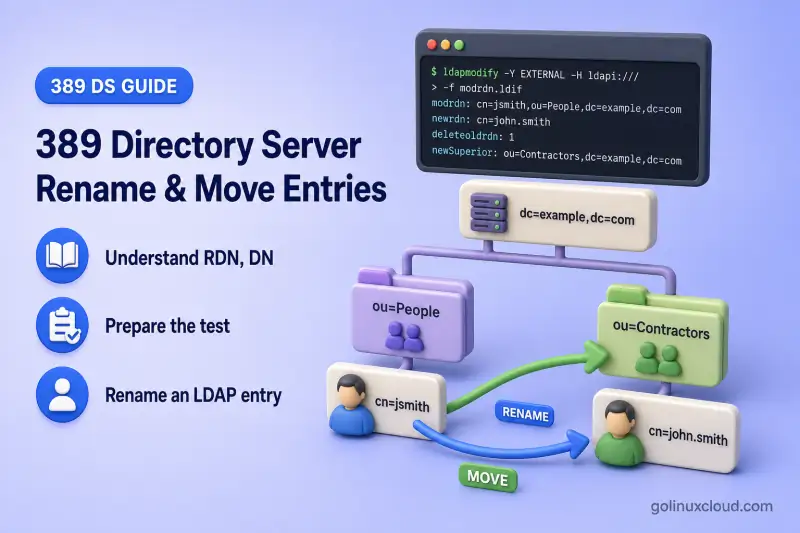
A Modify DN operation can rename a leaf entry, rename an entire subtree, or move an entry by specifying a new parent. Large subtree renames can consume significant time and resources, so I plan them during a maintenance window.
Three common patterns:
Rename:
uid=user1,ou=People,dc=example,dc=com
  → uid=developer1,ou=People,dc=example,dc=com

Move:
uid=developer1,ou=People,dc=example,dc=com
  → uid=developer1,ou=Contractors,dc=example,dc=com

Rename and move:
uid=user3,ou=People,dc=example,dc=com
  → uid=contractor1,ou=Contractors,dc=example,dc=com
Before you start:
- Install 389 Directory Server — running instance with a suffix (lab:
ldap1,dc=example,dc=com) - Manage users and groups —
ou=People,ou=Groups, and Directory Manager password file setup - Suffixes and backends — when a move crosses logical database boundaries
- dsidm command cheat sheet — helper rename syntax
ldapmodify modrdn LDIF and brief dsidm helpers. It does not configure the MemberOf plug-in, enable Referential Integrity, rewrite ACI examples after a subtree rename, or replace the full import and export LDIF workflow for cross-backend migration.
Tested on: Rocky Linux 10.2; 389 Directory Server 3.2.0.
Understand RDN, DN, rename, and move operations
LDAP clients see a Distinguished Name (DN), the full path to an entry. The Relative Distinguished Name (RDN) is the leftmost component of that path. Modify DN is the LDAP operation that changes the RDN, the parent entry, or both.
| Term | Meaning |
|---|---|
| DN | Complete unique path of an LDAP entry |
| RDN | First component of the DN (for example uid=user1) |
| Rename | Change the RDN while keeping the same parent |
| Move | Change the parent entry (superior DN) |
| Modify DN | LDAP operation used for rename, move, or both |
An LDIF modrdn record uses three fields:
| Field | Purpose |
|---|---|
newrdn |
New RDN value (required even when only the parent changes) |
newSuperior |
New parent DN when moving the entry |
deleteOldRDN |
1 removes the old RDN attribute value; 0 keeps it on the entry |
When a move is involved, list deleteOldRDN before newSuperior in the LDIF file. OpenLDAP clients reject the record if newSuperior appears first.
Ordinary ldapmodify attribute changes cannot rename an entry. Use changetype: modrdn or the ldapmodrdn command-line tool instead.
Prepare the test directory entries
This lab builds a small tree under the existing suffix. Create the Contractors container when it is not already present:
dsidm ldap1 ou create --ou ContractorsSample output:
Successfully created ContractorsCreate the test user first:
dsidm ldap1 user create --uid user1 --cn "User One" --displayName "User One" --uidNumber 10001 --gidNumber 10001 --homeDirectory /home/user1Successfully created user1Set the test-user password without placing it on the command line. The password argument is optional and dsidm prompts when you omit it:
dsidm ldap1 account reset_password "uid=user1,ou=people,dc=example,dc=com"When prompted, enter the same password twice (for example LabUser1Pass! so the later ldapwhoami step remains reproducible):
Enter new password for uid=user1,ou=people,dc=example,dc=com:
CONFIRM - Enter new password for uid=user1,ou=people,dc=example,dc=com:
reset password for uid=user1,ou=people,dc=example,dc=com
Create the developers group next:
dsidm ldap1 group create --cn developers --description "Developers"Successfully created developersAdd the user to the group with a full member DN:
dsidm ldap1 group add_member developers uid=user1,ou=people,dc=example,dc=comadded member: uid=user1,ou=people,dc=example,dc=comTarget layout:
dc=example,dc=com
├── ou=People
│   └── uid=user1
├── ou=Contractors
└── ou=Groups
    └── cn=developers
dsidm user create stores entries under ou=people by default. LDAP DN comparisons are case-insensitive on this server, but keep casing consistent in scripts and group member values.
Confirm the source user and destination parent before any Modify DN with ldapsearch:
ldapsearch -x -H ldap://127.0.0.1:389 -D "cn=Directory Manager" -y /root/dm.pw -b "uid=user1,ou=People,dc=example,dc=com" -s base dn uidSample output:
dn: uid=user1,ou=people,dc=example,dc=com
uid: user1
Confirm the destination parent OU exists before any move:
ldapsearch -x -H ldap://127.0.0.1:389 -D "cn=Directory Manager" -y /root/dm.pw -b "ou=Contractors,dc=example,dc=com" -s base dnSample output:
dn: ou=Contractors,dc=example,dc=comBoth the entry to rename and the target OU exist, so the rename and move steps can proceed.
Rename an LDAP entry
I'll rename uid=user1,ou=People,dc=example,dc=com to uid=developer1,ou=People,dc=example,dc=com with a modrdn LDIF record:
dn: uid=user1,ou=People,dc=example,dc=com
changetype: modrdn
newrdn: uid=developer1
deleteOldRDN: 1
Save the record and apply it with ldapmodify:
ldapmodify -x -H ldap://127.0.0.1:389 -D "cn=Directory Manager" -y /root/dm.pw -f rename-user1.ldifSample output:
modifying rdn of entry "uid=user1,ou=People,dc=example,dc=com"A successful rename prints only that status line. There is no separate success banner.
Confirm the old DN is gone:
ldapsearch -x -H ldap://127.0.0.1:389 -D "cn=Directory Manager" -y /root/dm.pw -b "uid=user1,ou=People,dc=example,dc=com" -s base dnSample output:
result: 32 No such object
matchedDN: ou=People,dc=example,dc=com
Search for the new DN:
ldapsearch -x -H ldap://127.0.0.1:389 -D "cn=Directory Manager" -y /root/dm.pw -b "uid=developer1,ou=People,dc=example,dc=com" -s base dn uidSample output:
dn: uid=developer1,ou=People,dc=example,dc=com
uid: developer1
The entry now answers to uid=developer1 under the same People container.
Check whether DN-valued references still point at the old path:
ldapsearch -x -H ldap://127.0.0.1:389 -D "cn=Directory Manager" -y /root/dm.pw -b "cn=developers,ou=Groups,dc=example,dc=com" -s base memberSample output:
member: uid=user1,ou=people,dc=example,dc=comThe group still lists the pre-rename DN until you update the reference or enable automated referential maintenance. Plan a membership fixup after every DN change that affects group member attributes.
Understand deleteOldRDN
deleteOldRDN: 1 removes the old RDN attribute value from the entry. That is the default choice for login names, group names, and organizational unit names.
deleteOldRDN: 0 keeps the previous RDN value as an additional attribute on the same entry.
Create a second user to demonstrate the difference:
dsidm ldap1 user create --uid user2 --cn "User Two" --displayName "User Two" --uidNumber 10002 --gidNumber 10002 --homeDirectory /home/user2Successfully created user2Rename with the old value retained:
dn: uid=user2,ou=people,dc=example,dc=com
changetype: modrdn
newrdn: uid=staff2
deleteOldRDN: 0
Apply the rename that keeps the old RDN value:
ldapmodify -x -H ldap://127.0.0.1:389 -D "cn=Directory Manager" -y /root/dm.pw -f rename-keep-old.ldifmodifying rdn of entry "uid=user2,ou=people,dc=example,dc=com"Inspect the entry attributes:
ldapsearch -x -H ldap://127.0.0.1:389 -D "cn=Directory Manager" -y /root/dm.pw -b "uid=staff2,ou=people,dc=example,dc=com" -s base uidSample output:
dn: uid=staff2,ou=people,dc=example,dc=com
uid: user2
uid: staff2
Both uid values remain on one entry. That can break applications that expect a single login name, confuse uniqueness checks, and leave stale bind DNs in scripts. Use deleteOldRDN: 1 unless you have a deliberate reason to keep the old value.
Modify DN removes the values that formed the immediately previous RDN; it does not clean up unrelated values of the same attribute. Remove the retained user2 value explicitly:
dn: uid=staff2,ou=people,dc=example,dc=com
changetype: modify
delete: uid
uid: user2
Remove the retained uid value from the entry:
ldapmodify -x -H ldap://127.0.0.1:389 -D "cn=Directory Manager" -y /root/dm.pw -f remove-retained-uid.ldifSample output:
modifying entry "uid=staff2,ou=people,dc=example,dc=com"Confirm only the current RDN value remains:
ldapsearch -x -H ldap://127.0.0.1:389 -D "cn=Directory Manager" -y /root/dm.pw -b "uid=staff2,ou=people,dc=example,dc=com" -s base uidSample output:
dn: uid=staff2,ou=people,dc=example,dc=com
uid: staff2
The entry now carries a single uid value again before you rename or move it in later steps.
Move an entry to another parent
Move uid=developer1 from People to Contractors without changing the RDN. newrdn is still required even when the RDN string stays the same:
dn: uid=developer1,ou=People,dc=example,dc=com
changetype: modrdn
newrdn: uid=developer1
deleteOldRDN: 1
newSuperior: ou=Contractors,dc=example,dc=com
Apply the move:
ldapmodify -x -H ldap://127.0.0.1:389 -D "cn=Directory Manager" -y /root/dm.pw -f move-developer1.ldifSample output:
modifying rdn of entry "uid=developer1,ou=People,dc=example,dc=com"Verify the new location:
ldapsearch -x -H ldap://127.0.0.1:389 -D "cn=Directory Manager" -y /root/dm.pw -b "uid=developer1,ou=Contractors,dc=example,dc=com" -s base dn uidSample output:
dn: uid=developer1,ou=Contractors,dc=example,dc=com
uid: developer1
The RDN is unchanged; only the parent OU in the DN path changed.
Confirm the user can still authenticate with the new bind DN. Use -W to prompt for the password, or store it in a separate protected file and pass -y. Do not place the password on the command line:
ldapwhoami -x -H ldap://127.0.0.1:389 -D "uid=developer1,ou=Contractors,dc=example,dc=com" -WSample output:
dn:uid=developer1,ou=contractors,dc=example,dc=comPassword credentials follow the entry; update client bind DNs and cached configuration to match the new path.
Rename and move an entry together
One modrdn request can change both the RDN and the parent. Create another user for the combined example:
dsidm ldap1 user create --uid user3 --cn "User Three" --displayName "User Three" --uidNumber 10003 --gidNumber 10003 --homeDirectory /home/user3Successfully created user3Combined LDIF:
dn: uid=user3,ou=people,dc=example,dc=com
changetype: modrdn
newrdn: uid=contractor1
deleteOldRDN: 1
newSuperior: ou=Contractors,dc=example,dc=com
Apply the combined rename and move in one request:
ldapmodify -x -H ldap://127.0.0.1:389 -D "cn=Directory Manager" -y /root/dm.pw -f combined-rename-move.ldifmodifying rdn of entry "uid=user3,ou=people,dc=example,dc=com"Verify the final DN and attributes:
ldapsearch -x -H ldap://127.0.0.1:389 -D "cn=Directory Manager" -y /root/dm.pw -b "uid=contractor1,ou=Contractors,dc=example,dc=com" -s base dn uidSample output:
dn: uid=contractor1,ou=Contractors,dc=example,dc=com
uid: contractor1
The entry now lives under Contractors with the new uid value in a single operation.
Rename users, groups, and organizational units with dsidm
dsidm wraps Modify DN for common object types. Use it for quick RDN changes; keep ldapmodify modrdn LDIF as the generic method that works on any entry type.
Rename a user uid when the entry is under the default People container. dsidm user rename only finds entries in ou=people:
dsidm ldap1 user rename staff2 staff2aSample output:
Successfully renamed to uid=staff2a,ou=people,dc=example,dc=comVerify the entry now carries a single uid value:
ldapsearch -x -H ldap://127.0.0.1:389 -D "cn=Directory Manager" -y /root/dm.pw -b "uid=staff2a,ou=people,dc=example,dc=com" -s base uidSample output:
dn: uid=staff2a,ou=people,dc=example,dc=com
uid: staff2a
Move an entry to another OU with the full DN path:
dsidm ldap1 account rename-by-dn "uid=staff2a,ou=people,dc=example,dc=com" "uid=staff2a,ou=Contractors,dc=example,dc=com"Sample output:
Successfully renamed to uid=staff2a,ou=contractors,dc=example,dc=comRename a group common name:
dsidm ldap1 group rename developers dev-teamSample output:
Successfully renamed to cn=dev-team,ou=Groups,dc=example,dc=comRename an organizational unit before a subtree-wide LDIF rename:
dsidm ldap1 ou rename Contractors VendorsSample output:
Successfully renamed to ou=Vendors,dc=example,dc=comPass --keep-old-rdn on any dsidm rename command to mirror deleteOldRDN: 0. See the dsidm cheat sheet for positional-argument rules and JSON output.
Rename an LDAP subtree
Renaming an organizational unit changes the DN of every child entry beneath it. Rename ou=Vendors,dc=example,dc=com to ou=External,dc=example,dc=com:
dn: ou=Vendors,dc=example,dc=com
changetype: modrdn
newrdn: ou=External
deleteOldRDN: 1
Apply the organizational unit rename:
ldapmodify -x -H ldap://127.0.0.1:389 -D "cn=Directory Manager" -y /root/dm.pw -f rename-ou.ldifSample output:
modifying rdn of entry "ou=Vendors,dc=example,dc=com"List the children under the renamed OU:
ldapsearch -x -H ldap://127.0.0.1:389 -D "cn=Directory Manager" -y /root/dm.pw -b "ou=External,dc=example,dc=com" -s one "(objectClass=*)" dnSample output:
dn: uid=developer1,ou=External,dc=example,dc=com
dn: uid=contractor1,ou=External,dc=example,dc=com
dn: uid=staff2a,ou=External,dc=example,dc=com
Every descendant DN now contains ou=External instead of ou=Vendors.
Check group membership and references after a move
Search for attributes that may still contain an old DN:
| Attribute or location | Why it matters |
|---|---|
member |
Static groupOfNames membership |
uniqueMember |
groupOfUniqueNames membership |
owner |
Entry or group ownership |
seeAlso |
Cross-references between entries |
manager |
Common DN-valued reporting-line attribute (not a Referential Integrity default) |
| Application configuration | Bind DN, search base, or authorization filters |
| ACI bind rules | userdn and groupdn targets in access rules |
Example search for a stale group member value:
ldapsearch -x -H ldap://127.0.0.1:389 -D "cn=Directory Manager" -y /root/dm.pw -b "cn=dev-team,ou=Groups,dc=example,dc=com" -s base memberSample output after the earlier user rename without referential fixup:
member: uid=user1,ou=people,dc=example,dc=comSearch the suffix for other entries that still reference the old DN:
ldapsearch -x -H ldap://127.0.0.1:389 -D "cn=Directory Manager" -y /root/dm.pw -b "dc=example,dc=com" '(|(member=uid=user1,ou=people,dc=example,dc=com)(uniqueMember=uid=user1,ou=people,dc=example,dc=com)(owner=uid=user1,ou=people,dc=example,dc=com)(seeAlso=uid=user1,ou=people,dc=example,dc=com)(manager=uid=user1,ou=people,dc=example,dc=com))' dn member uniqueMember owner seeAlso managerSample output:
dn: cn=dev-team,ou=Groups,dc=example,dc=com
member: uid=user1,ou=people,dc=example,dc=com
This filter covers common DN-valued attributes across the suffix. Referential Integrity updates only the attributes and scopes configured in the plug-in, so custom DN-valued attributes and application configuration still require a separate review.
When the MemberOf plug-in is disabled, moving a group changes only the group's DN. When MemberOf is enabled, moving an individual group causes the plug-in to update related memberOf values. After moving or renaming a subtree that contains groups, run a MemberOf fixup task because the plug-in cannot reliably process every group as an individual operation. MemberOf and Referential Integrity configuration are covered in the dedicated plug-in chapters. Run the appropriate fixup after bulk DN changes.
Check ACIs and schema before renaming a subtree
Review these constraints before a large rename:
| Check | Reason |
|---|---|
| Root suffix cannot be renamed | dc=example,dc=com itself is not a modrdn target—plan export/import instead |
| ACIs may embed old DNs | Subtree and entry ACIs with userdn, groupdn, or target DNs need review |
| RDN attribute must match object classes | Renaming uid=… to cn=… on a POSIX user can violate schema |
| Synchronization agreements | Agreements scoped to the renamed subtree may still reference the old DN |
| Replication | Standard replication agreements cover the complete backend; verify the rename reaches consumers, but reconfiguration is normally unnecessary |
| Client search bases | SSSD, applications, and scripts may still search the old OU path |
Use this pre-change checklist rather than rewriting ACIs inline here:
- Export the affected backend to LDIF, or take a complete instance backup before the rename.
- List ACIs on the subtree root and on entries you plan to rename.
- Confirm the new RDN attribute type is allowed for each entry's object classes.
- Search groups and application configs for DN-valued references.
- Verify the rename on replication consumers, review subtree-scoped synchronization agreements, and refresh affected client caches.
Full ACI editing is covered in ACI examples. Schema object-class rules are covered in schema design.
Understand backend limitations
Modify DN cannot move an entry when the operation would place it in a different backend database inside the same instance. Backends are logical partitions of an instance's directory data. A backend can store either a root suffix or a sub-suffix. See suffixes and backends. One instance can host several root suffixes as well as sub-suffixes.
List backends before a cross-container move:
dsconf ldap1 backend suffix listSample output on the lab host:
dc=example,dc=com (userroot)
dc=application,dc=example (applicationroot)
Attempting to move an entry from userroot into the applicationroot suffix fails. The destination parent must already exist. On the lab host, the application suffix root from suffixes and backends serves as the target:
dn: uid=contractor1,ou=External,dc=example,dc=com
changetype: modrdn
newrdn: uid=contractor1
deleteOldRDN: 1
newSuperior: dc=application,dc=example
Apply the cross-backend move attempt:
ldapmodify -x -H ldap://127.0.0.1:389 -D "cn=Directory Manager" -y /root/dm.pw -f cross-backend-move.ldifSample output:
ldap_rename: Operation affects multiple DSAs (71)
	additional info: Cannot move entries across backends
For cross-backend movement, I'll use a controlled export/add/delete workflow:
- Export or read the source entry (and subtree when needed).
- Adjust the DN and required attributes for the destination suffix.
- Add the entry under the destination backend.
- Verify references, authentication, and group membership.
- Delete the original entry after verification.
The import and export LDIF chapter covers bulk data movement between backends.
Verify rename and move operations
After every change, confirm:
| Check | Command or action |
|---|---|
| Old DN absent | Base ldapsearch on the previous DN returns No such object |
| New DN present | Base ldapsearch on the new DN returns the entry |
| Authentication | ldapwhoami or an application bind with the new bind DN |
| Group references | Search member, uniqueMember, and related attributes |
memberOf values |
Request memberOf on user entries when the plug-in is enabled |
| ACIs and apps | Review configs that embed the old DN or OU path |
| Replication | Confirm the change on consumers; backend-level agreements normally replicate the rename without reconfiguration |
Example verification that the renamed user answers at the new path:
ldapsearch -x -H ldap://127.0.0.1:389 -D "cn=Directory Manager" -y /root/dm.pw -b "uid=developer1,ou=External,dc=example,dc=com" -s base dn uidSample output:
dn: uid=developer1,ou=External,dc=example,dc=com
uid: developer1
Troubleshoot rename and move failures
| Symptom | Likely cause | Fix |
|---|---|---|
No such object (32) |
Wrong source DN or missing destination parent | Confirm both DNs with authenticated ldapsearch; create the target OU first |
Already exists (68) |
New RDN already used under the target parent | Pick an unused RDN or remove the conflicting entry |
Object class violation |
New RDN attribute not allowed for the entry's object classes | Choose an RDN type permitted by the entry schema; see schema design |
Insufficient access (50) |
Bind identity lacks Modify DN rights on source or destination | Use Directory Manager for testing; grant write on entry and parent for delegated admins — see Error 50 guide |
Operation affects multiple DSAs (71) |
Move crosses backend boundaries | Use export/add/delete instead of modrdn across backends |
| Group membership still lists old DN | Referential Integrity not enabled or not configured for the affected subtrees | Search and update member and related DN-valued attributes; run MemberOf fixup after subtree moves when that plug-in is enabled |
| Application cannot find renamed user | Cached bind DN, search base, or ACI still references old path | Update client config; expire SSSD cache when Linux clients are involved |
| LDIF rejected before modify | newSuperior listed before deleteOldRDN |
Reorder the modrdn fields: newrdn, then deleteOldRDN, then newSuperior |
Reproduce the failure with Directory Manager credentials first so ACIs do not mask a backend or schema error.
Summary
- Use
newrdnin a modrdn LDIF record to rename an entry. - Add
newSuperiorto move it under a different parent; keepnewrdneven when the RDN string is unchanged. - Prefer
deleteOldRDN: 1so the previous RDN value is removed. Other pre-existing attribute values are unaffected. - Review group references, ACIs, schema, synchronization agreements, and application bind DNs after every rename or move.
- Do not use Modify DN to move entries across backend databases. Export, add, verify, and delete instead.
What's Next
- Manage users and groups — entry lifecycle before bulk moves
- ACI examples — verify access after DN changes
- Roles vs groups — role membership after
modrdn
References
- Red Hat Directory Server 13 — Renaming and moving an LDAP entry (Chapter 5.1.4) — Modify DN planning, subtree renames, Referential Integrity, and MemberOf fixup
- RFC 4511 — LDAP Modify DN operation —
newrdn,deleteOldRDN,newSuperior, and cross-context restrictions - dsidm(8) manual —
user rename,group rename,organizationalunit rename,account rename-by-dn, and--keep-old-rdn - ldapmodify(1) manual — modrdn LDIF syntax
- ldapmodrdn(1) manual — command-line Modify DN alternative
- 389 Directory Server 3.2.0 release — tested release
