
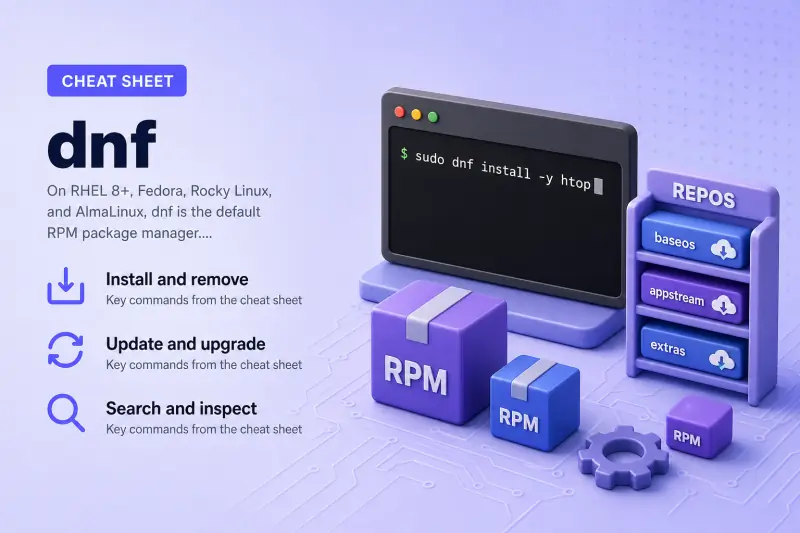
dnf — quick reference
Install and remove
| When to use | Command |
|---|---|
| Install a package and dependencies | sudo dnf install package_name |
| Install several packages at once | sudo dnf install pkg1 pkg2 |
| Remove a package | sudo dnf remove package_name |
| Reinstall to fix corrupted files | sudo dnf reinstall package_name |
| Skip confirmation prompts | sudo dnf install -y package_name |
| Download RPMs without installing | sudo dnf download package_name |
| Install local RPM file | sudo dnf install ./package.rpm |
Update and upgrade
| When to use | Command |
|---|---|
| Refresh metadata and upgrade all packages | sudo dnf upgrade |
| Same as upgrade (common alias) | sudo dnf update |
| Upgrade one package only | sudo dnf upgrade package_name |
| List updates without installing | dnf check-update |
| Remove unused dependency packages | sudo dnf autoremove |
Search and inspect
| When to use | Command |
|---|---|
| Search names and summaries | dnf search keyword |
| Show detailed package info | dnf info package_name |
| List installed packages | dnf list installed |
| List packages available in repos | dnf list available |
| Find which package owns a file | dnf provides /path/to/file |
| Wildcard file search | dnf provides '*/binary' |
| Show dependency tree | dnf deplist package_name |
Repositories
| When to use | Command |
|---|---|
| List enabled repositories | dnf repolist |
| List disabled repositories | dnf repolist disabled |
| List all configured repos | dnf repolist all |
| Enable one repo for a single command | sudo dnf install pkg --enablerepo=repo_id |
| Disable one repo for a single command | sudo dnf install pkg --disablerepo=repo_id |
Groups, history, and cache
| When to use | Command |
|---|---|
| List package groups | dnf grouplist |
| Install a package group | sudo dnf group install "Group Name" |
| Remove a package group | sudo dnf group remove "Group Name" |
| Show transaction history | dnf history |
| Undo one transaction | sudo dnf history undo ID |
| Roll back to before a transaction | sudo dnf history rollback ID |
| Clean metadata and cached RPMs | sudo dnf clean all |
| Open interactive dnf shell | sudo dnf shell |
Help and version
| When to use | Command |
|---|---|
| Show subcommand help | dnf help install |
| Show dnf version | dnf --version |
dnf — command syntax
Synopsis from dnf(8) on man7.org:
dnf [options] <command> [<args>...]Repository definitions live in /etc/yum.repos.d/*.repo. Global settings are in /etc/dnf/dnf.conf. On RHEL 8+, the yum command is often a symlink to dnf — scripts can keep calling yum but new work should use dnf explicitly.
dnf — command examples
Essential Install a package with dependency resolution
Install a tool from enabled repositories — dnf resolves dependencies before committing the transaction.
Run the command:
sudo dnf install -y htopSample output:
Last metadata expiration check: 0:01:23 ago on Wed 01 Jul 2026 02:15:00 PM IST.
Dependencies resolved.
================================================================================
 Package        Architecture    Version              Repository           Size
================================================================================
Installing:
 htop           x86_64          3.3.0-1.fc41         fedora              180 k

Transaction Summary
================================================================================
Install  1 Package

Total download size: 180 k
Installed size: 450 k
Downloading Packages:
htop-3.3.0-1.fc41.x86_64.rpm                    1.2 MB/s | 180 kB     00:00
--------------------------------------------------------------------------------
Total                                           1.2 MB/s | 180 kB     00:00
Running transaction
  Preparing        :                                                        1/1
  Installing       : htop-3.3.0-1.fc41.x86_64                               1/1
  Running scriptlet: htop-3.3.0-1.fc41.x86_64                               1/1
Installed:
  htop-3.3.0-1.fc41.x86_64

Complete!
Verify the binary is on disk:
The step below resolves a command name with which; see the which command for PATH lookup, -a, and portable command -v alternatives.
which htop
rpm -q htop
Sample output:
/usr/bin/htop
htop-3.3.0-1.fc41.x86_64
Essential Remove an installed package
Remove software you no longer need. dnf may remove dependencies that nothing else requires.
Run the command:
sudo dnf remove -y htopSample output:
Dependencies resolved.
================================================================================
 Package        Architecture    Version              Repository           Size
================================================================================
Removing:
 htop           x86_64          3.3.0-1.fc41         @fedora             450 k

Transaction Summary
================================================================================
Remove  1 Package

Removed:
  htop-3.3.0-1.fc41.x86_64

Complete!
Essential Upgrade all installed packages
Apply security and bugfix updates from all enabled repos — the routine maintenance command on Fedora and RHEL.
Run the command:
sudo dnf upgrade -yPreview first without installing:
dnf check-updateSample output (truncated):
Last metadata expiration check: 0:05:00 ago on Wed 01 Jul 2026 02:00:00 PM IST.
================================================================================
Package                    Arch   Version                    Repository  Size
================================================================================
Upgrading:
 kernel                     x86_64 6.11.4-300.fc41            updates    1.2 M
 openssl                    x86_64 1:3.2.2-1.fc41             updates    1.1 M
...

Complete!
Reboot if a new kernel was installed (rpm -q kernel shows the latest NVR).
Common Search repositories and inspect a package
Find the correct package name before installing — search matches name and summary fields.
Run the commands:
dnf search nginx
dnf info nginx
Sample output:
Matched fields: name (exact)
 nginx.x86_64 : A high performance web server and reverse proxy server
...
Name         : nginx
Version      : 1.26.2
Release      : 1.fc41
Architecture : x86_64
Summary      : A high performance web server and reverse proxy server
License      : BSD
Description  : Nginx is a web server and a reverse proxy server for HTTP...
Common Find which package provides a file or command
When a binary is missing, ask dnf which RPM owns that path — essential for minimal installs and containers.
Run the commands:
dnf provides /usr/sbin/useradd
dnf provides '*/useradd'
Sample output:
shadow-utils-2:4.14.0-1.fc41.x86_64 : Utilities for managing accounts and shadow password files
Repo        : fedora
Matched from:
Filename    : /usr/sbin/useradd
Common List repos and install from one repo only
See which repositories are enabled, then install from a specific repo when you need a particular build (EPEL, CRB, etc.).
Run the commands:
dnf repolist
sudo dnf install -y ansible-core --enablerepo=epel
Sample output:
repo id        repo name                              status
fedora         Fedora 41 - x86_64                     68,000
updates        Fedora 41 - x86_64 - Updates             12,000
epel           Extra Packages for Enterprise Linux     8,500
Common Install a package group
Install related tools together — development headers, security tools, or server profiles.
Run the commands:
dnf grouplist
sudo dnf group install -y "Development Tools"
Sample output (truncated):
Available Groups:
   Development Tools
   Headless Management
...
Installed Groups:
   Development Tools

Complete!
Advanced Undo a bad dnf transaction
When an install breaks something, roll back using the transaction ID from history.
Run the commands:
dnf history
sudo dnf history undo 15
Sample output:
ID     Command line                          Date and time    Action(s)
15     install broken-package                2026-07-01 14:00   Install
...
Undoing transaction 15 ...
Removed:
  broken-package-1.0-1.fc41.x86_64
Complete!
For multi-step recovery, dnf history rollback ID reverses everything after the given ID — use with care on production hosts.
Advanced Download or install a local RPM
Mirror RPMs for air-gapped installs or install a vendor-built package from disk.
Run the commands:
dnf download --destdir=/tmp/rpms nginx
sudo dnf install -y /tmp/rpms/nginx-*.rpm
Sample output:
nginx-1.26.2-1.fc41.x86_64.rpm
...
Installed:
  nginx-1.26.2-1.fc41.x86_64
Complete!
dnf install ./file.rpm still resolves dependencies from configured repos.
Advanced Fix stale metadata errors
When dnf reports corrupted or expired metadata, clear caches and retry.
Run the commands:
sudo dnf clean all
sudo dnf makecache
sudo dnf upgrade --refresh
Sample output:
Removed 42 files, 38 directories. 0 errors occurred.
Fedora 41 - x86_64                              15 MB/s |  25 MB     00:01
Metadata cache created.
If errors persist, check repo URLs in /etc/yum.repos.d/ and proxy settings in /etc/dnf/dnf.conf.
dnf — when to use / when not
| Use dnf when | Use something else when |
|---|---|
|
|
dnf vs yum
| dnf | yum (legacy) | |
|---|---|---|
| Default on | Fedora; RHEL 8+ | RHEL 7 |
| Solver | libsolv (C) | Python yum stack |
| Performance | Faster on large systems | Slower, higher memory |
| Status | Active development | Maintenance / alias to dnf on RHEL 8+ |
| Command shape | dnf install, dnf history undo |
Mostly similar; group subcommands differ slightly |
On RHEL 8 and newer, /usr/bin/yum often points to dnf — behaviour matches dnf even when scripts say yum.
Related commands
RPM-family package workflow.
| Command | One line |
|---|---|
| dnf | Default package manager on Fedora/RHEL 8+ (this page) |
Browse the full index in our Linux commands reference.
dnf — interview corner
What is DNF and why did it replace YUM?
DNF (Dandified YUM) is the modern RPM package manager on Fedora and RHEL 8+. It reads .repo files, downloads metadata, resolves dependencies with the libsolv library, and applies changes as atomic transactions.
It replaced YUM because the old Python resolver was slow and memory-heavy on large systems. DNF keeps a familiar CLI (install, remove, search, history) while improving speed and error messages.
A strong answer is:
"DNF is the default RPM package manager on Fedora and RHEL 8+, using libsolv for dependency resolution. It replaced YUM for performance and maintainability while keeping similar commands."
Can I still use yum on RHEL 8?
On RHEL 8 and newer, yum is typically a symlink to dnf. Running yum install httpd executes dnf under the hood. Old RHEL 7 scripts often work unchanged.
For new playbooks and documentation, prefer dnf explicitly — subcommands like group install (dnf) vs groupinstall (yum 3) differ in edge cases.
A strong answer is:
"On RHEL 8+, yum usually calls dnf. Legacy scripts may still say yum, but I standardize on dnf for new work and watch for subcommand naming differences."
How does dnf history undo work?
Every install/remove/update is recorded with a transaction ID:
dnf history
sudo dnf history undo 12
undo reverses that single transaction. rollback N reverses all transactions after N — more destructive.
Pair history with snapshots or backups before large rollbacks on production.
A strong answer is:
"dnf logs each transaction with an ID. history undo reverses one transaction; history rollback reverses everything after an ID. I list history first and undo one ID before attempting wide rollbacks."
What is the difference between dnf provides and dnf deplist?
| Command | Answers |
|---|---|
dnf provides /usr/bin/vim |
Which package installs this file or command |
dnf deplist nginx |
What dependencies nginx requires and from which repos |
Use provides when a binary is missing; use deplist when debugging dependency conflicts during install.
A strong answer is:
"provides maps a file path to an RPM name; deplist shows what a package needs to install. I use provides for missing commands and deplist for dependency conflict troubleshooting."
Where are DNF repositories configured?
Repository definitions are INI-style files in:
/etc/yum.repos.d/*.repoGlobal behaviour (cache, fastestmirror, installonly limits) is in /etc/dnf/dnf.conf. Each .repo file sets baseurl or metalink, GPG checking, and enabled=1|0.
List active repos:
dnf repolistA strong answer is:
"Repos live in /etc/yum.repos.d as .repo files; global options in /etc/dnf/dnf.conf. I use dnf repolist to see what's enabled before blaming a failed install on the wrong mirror."
Troubleshooting
| Symptom | Likely cause | What to try |
|---|---|---|
dnf: command not found |
Wrong distro or minimal container without dnf | Use apt/pacman on other distros; install dnf RPM on RHEL-family |
| No enabled repos / empty repolist | Missing .repo files or subscription |
Register RHEL; enable Fedora repos; check subscription-manager |
| Metadata download failed | Bad mirror, proxy, or clock skew | dnf clean all; fix /etc/yum.repos.d/ URLs; check time sync |
| Dependency conflict on install | Allowerasing needed or broken repo pin | Read the error; try --best or remove conflicting package |
yum vs dnf subcommand mismatch |
Old docs use groupinstall |
Use dnf group install on dnf-native systems |
References
- dnf.conf(5) — man7.org — configuration reference
- Fedora dnf documentation — user guide
