
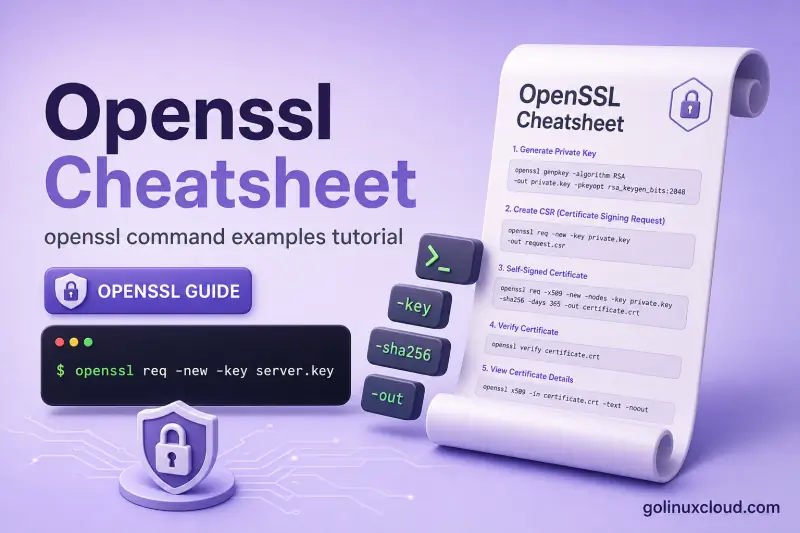
openssl — quick reference
Keys and public material
Generate and inspect private keys before you create CSRs or certificates.
| When to use | Command |
|---|---|
| Create an RSA private key (2048-bit) | openssl genrsa -out key.pem 2048 |
Create an RSA key with genpkey (portable syntax) |
openssl genpkey -algorithm RSA -out key.pem |
Create an EC key on curve P-256 (prime256v1) |
openssl genpkey -algorithm EC -pkeyopt ec_paramgen_curve:prime256v1 -out ec.pem |
| Create an Ed25519 private key | openssl genpkey -algorithm Ed25519 -out ed25519.pem |
| Write the public half of an RSA key to a file | openssl rsa -in key.pem -pubout -out key.pub |
| Protect a new RSA key with a passphrase | openssl genrsa -aes256 -passout pass:SECRET -out enc-key.pem 2048 |
| Confirm an RSA private key parses correctly | openssl rsa -in key.pem -noout -check |
CSRs and certificate creation
| When to use | Command |
|---|---|
| Build a CSR with subject and SAN | openssl req -new -key key.pem -out req.csr -subj "/CN=host.example" -addext "subjectAltName=DNS:host.example" |
| Self-signed certificate in one step (RSA + SAN) | openssl req -x509 -newkey rsa:2048 -noenc -keyout key.pem -out cert.pem -days 365 -subj "/CN=localhost" -addext "subjectAltName=DNS:localhost" |
| Sign a CSR with the matching private key | openssl x509 -req -days 365 -in req.csr -signkey key.pem -out cert.pem -copy_extensions copyall |
| Create a long-lived self-signed root CA | openssl req -x509 -days 3650 -newkey rsa:4096 -noenc -keyout ca.key -out ca.crt -subj "/CN=Lab Root CA" |
Inspect certificates (x509)
| When to use | Command |
|---|---|
| Decode full certificate details | openssl x509 -in cert.pem -text -noout |
| Print subject and validity dates only | openssl x509 -in cert.pem -noout -subject -dates |
| Show Subject Alternative Name entries | openssl x509 -in cert.pem -noout -ext subjectAltName |
| Print SHA-256 fingerprint | openssl x509 -in cert.pem -noout -fingerprint -sha256 |
| Convert PEM certificate to binary DER | openssl x509 -in cert.pem -outform DER -out cert.der |
| Convert DER certificate to PEM | openssl x509 -in cert.der -inform DER -out cert.pem |
Verify chains and key pairs
| When to use | Command |
|---|---|
| Verify a cert against one trusted CA PEM | openssl verify -CAfile ca.crt cert.pem |
Verify leaf with intermediate in -untrusted |
openssl verify -CAfile root.crt -untrusted intermediate.crt leaf.crt |
| Quick RSA check that cert matches private key | openssl x509 -noout -modulus -in cert.pem | openssl md5 then same for openssl rsa -noout -modulus -in key.pem |
PKCS#12 (.pfx / .p12)
| When to use | Command |
|---|---|
| Bundle cert + key into PKCS#12 | openssl pkcs12 -export -in cert.pem -inkey key.pem -out store.p12 -passout pass:SECRET -name myalias |
| List bags inside a PKCS#12 file | openssl pkcs12 -in store.p12 -passin pass:SECRET -info -noout |
| Extract leaf certificate only | openssl pkcs12 -in store.p12 -passin pass:SECRET -clcerts -nokeys -out leaf.pem |
| Extract private key only (plaintext PEM) | openssl pkcs12 -in store.p12 -passin pass:SECRET -nocerts -nodes -out key.pem |
Remote TLS (s_client)
| When to use | Command |
|---|---|
| Print leaf certificate subject from HTTPS | echo | openssl s_client -connect host:443 -servername host 2>/dev/null | openssl x509 -noout -subject |
| Dump the chain the server sends | echo | openssl s_client -connect host:443 -servername host -showcerts 2>/dev/null |
| Force TLS 1.2 for compatibility testing | openssl s_client -connect host:443 -servername host -tls1_2 </dev/null |
File encryption (enc)
| When to use | Command |
|---|---|
| Encrypt a file with AES-256-CBC and PBKDF2 | openssl enc -aes-256-cbc -salt -pbkdf2 -in plain.txt -out plain.enc -pass pass:SECRET |
| Decrypt the same file | openssl enc -d -aes-256-cbc -pbkdf2 -in plain.enc -out plain.out -pass pass:SECRET |
Digests and random bytes
| When to use | Command |
|---|---|
| SHA-256 hash of a file | openssl dgst -sha256 file.txt |
| Hash a short string | echo -n "text" | openssl dgst -sha256 |
| Random hex string (tokens, serials) | openssl rand -hex 16 |
| Random base64 (passwords) | openssl rand -base64 24 |
Version, paths, and discovery
| When to use | Command |
|---|---|
| Show OpenSSL version | openssl version |
Show config directory (OPENSSLDIR) |
openssl version -d |
| List supported digest names | openssl list -digest-algorithms |
| Subcommand help (flags change by version) | openssl req -help |
openssl — command syntax
openssl is a toolkit: the first argument selects a subcommand (req, x509, pkcs12, s_client, …). Synopsis from openssl help on Ubuntu 25.04 (OpenSSL 3.4.1):
Standard commands
asn1parse         ca                ciphers           cmp
cms               crl               crl2pkcs7         dgst
dhparam           dsa               dsaparam          ec
ecparam           enc               engine            errstr
fipsinstall       gendsa            genpkey           genrsa
help              info              kdf               list
mac               nseq              ocsp              passwd
pkcs12            pkcs7             pkcs8             pkey
pkeyparam         pkeyutl           prime             rand
rehash            req               rsa               rsautl
s_client          s_server          s_time            sess_id
smime             speed             spkac             srp
storeutl          ts                verify            version
x509
Typical invocation:
openssl <subcommand> [options] [arguments]PKI workflows touch PEM files under /etc/ssl/, /etc/letsencrypt/live/, or paths you choose. Install the CLI with Install OpenSSL on Ubuntu if openssl version is missing.
openssl — command examples
Essential Self-signed certificate with SAN in one command
Use this for local HTTPS labs when you need localhost and 127.0.0.1 on the same cert.
Run the command:
openssl req -x509 -newkey rsa:2048 -noenc \
  -keyout lab.key -out lab.crt -days 365 \
  -subj "/CN=localhost" \
  -addext "subjectAltName=DNS:localhost,IP:127.0.0.1"
Confirm the SAN extension was written:
openssl x509 -in lab.crt -noout -subject -ext subjectAltNameSample output:
subject=CN=localhost
X509v3 Subject Alternative Name:
    DNS:localhost, IP Address:127.0.0.1
Browsers still warn because the cert is self-signed — SAN only fixes hostname mismatch, not trust.
Essential Create a CSR, then sign it with the same key
This two-step flow matches what you do before a CA signs your cert, except here you act as your own signer for testing.
Generate the key and CSR:
openssl genrsa -out srv.key 2048
openssl req -new -key srv.key -out srv.csr \
  -subj "/CN=app.example.test" \
  -addext "subjectAltName=DNS:app.example.test"
Sign the CSR and copy SAN from the request:
openssl x509 -req -days 365 -in srv.csr -signkey srv.key -out srv.crt -copy_extensions copyallSample output:
Certificate request self-signature ok
subject=CN=app.example.test
Check the result:
openssl x509 -in srv.crt -noout -subject -ext subjectAltNamesubject=CN=app.example.test
X509v3 Subject Alternative Name:
DNS:app.example.testUse -copy_extensions copyall so SAN from the CSR is not dropped at sign time.
Essential Confirm a certificate matches its private key
Run this before reloading nginx or exporting a PFX so you do not pair the wrong files.
openssl x509 -noout -modulus -in srv.crt | openssl md5
openssl rsa  -noout -modulus -in srv.key | openssl md5
Sample output (matching pair):
MD5(stdin)= 124dea7270e82a189385da8328c0b8ad
MD5(stdin)= 124dea7270e82a189385da8328c0b8ad
For EC or Ed25519 keys, compare public-key hashes instead — see verify cert matches private key.
Common Inspect a live HTTPS certificate
See what a public site presents without a browser. Always pass -servername when the host uses virtual hosting.
echo | openssl s_client -connect google.com:443 -servername google.com 2>/dev/null \
  | openssl x509 -noout -subject -issuer -dates
Sample output (dates change when the site renews):
subject=CN=*.google.com
issuer=C=US, O=Google Trust Services, CN=WE2
notBefore=Jun 15 08:39:06 2026 GMT
notAfter=Sep  7 08:39:05 2026 GMT
Add -showcerts to s_client when you need the full chain the server sends.
Common Export PKCS#12 and list its contents
Windows IIS and Java often want a single password-protected .p12 file instead of separate PEM files.
openssl pkcs12 -export -in srv.crt -inkey srv.key -out srv.p12 \
  -passout pass:LabPass99 -name appsrv
openssl pkcs12 -in srv.p12 -passin pass:LabPass99 -info -noout
Sample output:
MAC: sha256, Iteration 2048
MAC length: 32, salt length: 8
PKCS7 Encrypted data: PBES2, PBKDF2, AES-256-CBC, Iteration 2048, PRF hmacWithSHA256
Certificate bag
PKCS7 Data
Shrouded Keybag: PBES2, PBKDF2, AES-256-CBC, Iteration 2048, PRF hmacWithSHA256
Import and export details: Create PFX from CRT and KEY and Extract private key from PFX.
Common Encrypt and decrypt a file with AES-256-CBC
openssl enc is for file-at-rest encryption, not TLS. On OpenSSL 3.x prefer -pbkdf2 to avoid weak legacy KDF warnings.
echo 'secret data' > secret.txt
openssl enc -aes-256-cbc -salt -pbkdf2 -in secret.txt -out secret.enc -pass pass:LabSecret
openssl enc -d -aes-256-cbc -pbkdf2 -in secret.enc -out secret.out -pass pass:LabSecret
cat secret.out
Sample output:
secret dataopenssl enc does not support AEAD modes such as AES-GCM on OpenSSL 3.4 — use -aes-256-cbc or another listed cipher.
Common Verify a three-level chain
Put the trusted root in -CAfile and any intermediate in -untrusted. The leaf is the last argument.
openssl verify -CAfile root.crt -untrusted intermediate.crt leaf.crtSample output:
leaf.crt: OKBuild a lab CA step by step in Create certificate chain on Linux.
Advanced Convert PEM to DER and read it back
Windows and some Java tools hand you binary .cer (DER) files.
openssl x509 -in lab.crt -outform DER -out lab.der
openssl x509 -in lab.der -inform DER -noout -subject
Sample output:
subject=CN=localhostMore inspection commands: View certificate with OpenSSL.
Advanced Generate an Ed25519 key and self-signed cert
Ed25519 keys are small and fast. OpenSSL 1.1.1+ supports them through genpkey.
openssl genpkey -algorithm Ed25519 -out ed.key
openssl req -x509 -new -key ed.key -out ed.crt -days 365 -subj "/CN=ed25519.lab"
openssl x509 -in ed.crt -noout -text | grep "Public Key Algorithm"
Sample output:
Public Key Algorithm: ED25519Modulus MD5 comparison does not work on EC/Ed25519 — use public-key hash comparison from the verify guide linked above.
openssl — when to use / when not
| Use OpenSSL CLI when | Use something else when |
|---|---|
| You generate keys, CSRs, or self-signed certs on Linux | A public site needs a trusted cert — use Let's Encrypt (certbot) or your CA's portal |
You inspect PEM/DER files, chains, or live TLS with s_client |
You manage Java keystores daily — keytool may be simpler for .jks workflows |
| You export or split PKCS#12 for nginx or IIS | You only need OS package trust — use distro ca-certificates and app trust stores |
| You script file encryption or checksums | You need full PKI lifecycle (CRL, OCSP responder) — follow the OpenSSL tutorial CA lessons |
openssl vs keytool
Java-side keystore work—-importkeystore, -list, and cacerts—lives in the keytool cheat sheet; the table below contrasts OpenSSL PEM/PKCS#12 with JVM stores.
| OpenSSL CLI | Java keytool |
|
|---|---|---|
| Primary platform | Linux, macOS, Windows CLI | JVM / Java apps |
| Keystore format | PEM, PKCS#12 via pkcs12 |
JKS, PKCS#12 |
| Typical admin task | Issue and verify X.509 for nginx | Import CA into cacerts, list aliases |
| Interop | Export PKCS#12 with openssl pkcs12 -export |
Import same .p12 with keytool -importkeystore |
Many teams generate material with OpenSSL, then import PKCS#12 into Java with keytool. See Create PKCS12 from CRT and KEY.
Related commands
TLS and certificate workflow on Linux.
| Command | One line |
|---|---|
| openssl | Keys, certs, verify, s_client, PKCS#12 (this page) |
certbot |
Let's Encrypt issuance and renewals |
| Install SSL on Nginx | Point nginx at .crt and .key |
Browse command-focused pages on the Linux commands.
openssl — interview corner
What is the OpenSSL command-line tool used for?
openssl is not one fixed operation — it is a front door to dozens of cryptography subcommands. On Linux servers you reach for it whenever TLS identity, file crypto, or certificate debugging is involved.
Common subcommands admins name in interviews:
| Subcommand | Typical job |
|---|---|
genrsa / genpkey |
Create private keys (RSA, EC, Ed25519) |
req |
Build CSRs or self-signed certificates |
x509 |
Inspect, convert, or sign certificates |
verify |
Check that a cert chains to a trusted root |
pkcs12 |
Export or import .pfx / .p12 bundles |
s_client |
Connect to a live TLS port and dump certs |
enc |
Encrypt or decrypt files at rest |
dgst |
Compute hashes (SHA-256, etc.) |
rand |
Generate random bytes for keys or tokens |
Check what your build supports:
openssl version
openssl help
Sample output (trimmed):
OpenSSL 3.4.1 11 Feb 2025 (Library: OpenSSL 3.4.1 11 Feb 2025)
Standard commands
genrsa            genpkey           req               x509
verify            pkcs12            s_client          enc
dgst              rand              version           ...
OpenSSL also ships libraries (libssl, libcrypto) that nginx, OpenSSH, Python, and many other programs link against — but the CLI is what operators use to create and troubleshoot certificate material before it lands in a web server or keystore.
A strong answer is:
OpenSSL is the standard CLI toolkit for TLS operations — I use genpkey/req for keys and CSRs, x509 and verify for inspection and chain checks, pkcs12 for Windows/Java bundles, and s_client to see what a live HTTPS server actually presents.
What is the difference between a CSR and a certificate?
Think of the flow in three pieces:
- Private key — stays on your server; never sent to the CA.
- CSR — a signed request that contains your public key plus the names you want (CN, SAN). You upload this to a CA or internal signer.
- Certificate — the CA's signed reply. Clients trust it during TLS because they already trust the CA's root (or intermediate chain).
Create a CSR:
openssl req -new -key server.key -out server.csr \
  -subj "/CN=www.example.com" \
  -addext "subjectAltName=DNS:www.example.com"
Inspect it — note it says "Certificate Request", not "Certificate":
openssl req -in server.csr -noout -subject -text | head -8Sample output:
Certificate Request:
    Data:
        Version: 1 (0x0)
        Subject: CN=www.example.com
        Subject Public Key Info:
            Public Key Algorithm: rsaEncryption
After a CA signs it, you get a certificate file. Decode with openssl x509, not openssl req:
openssl x509 -in server.crt -noout -subject -datesFor lab work you can skip an external CA:
openssl req -x509 ...— self-signed cert in one stepopenssl x509 -req -signkey server.key ...— sign your own CSR locally
A strong answer is:
The CSR carries my public key and requested hostnames to the CA; the certificate is the CA's signed result. The private key never leaves my host — only the CSR goes out, and clients validate the signed certificate in TLS.
What does openssl verify do versus matching a cert to a key?
These solve different problems. Mixing them up is a common interview trap.
| Check | Question it answers | Example command |
|---|---|---|
Chain trust (verify) |
Was this cert issued by a CA I trust? | openssl verify -CAfile root.crt -untrusted intermediate.crt leaf.crt |
| Key pairing (modulus / pubkey) | Does this .crt belong to this .key? |
openssl x509 -noout -modulus -in cert.crt | openssl md5 vs same for openssl rsa |
Chain verification — success looks like:
openssl verify -CAfile root.crt -untrusted intermediate.crt leaf.crtleaf.crt: OKA typical failure when the intermediate is missing:
error 20 at 0 depth lookup: unable to get local issuer certificate
error leaf.crt: verification failed
Key pairing — matching RSA modulus hashes:
openssl x509 -noout -modulus -in cert.crt | openssl md5
openssl rsa -noout -modulus -in key.pem | openssl md5MD5(stdin)= 124dea7270e82a189385da8328c0b8ad
MD5(stdin)= 124dea7270e82a189385da8328c0b8adopenssl verify does not perform that second check. nginx can fail with key values mismatch even when verify would return OK — always compare modulus or public-key hashes before reload.
For EC or Ed25519, modulus comparison fails with Modulus=No modulus for this public key type; use openssl x509 -pubkey -noout piped to openssl md5 against openssl pkey -pubout on the key instead.
A strong answer is:
verify proves chain of trust to a root CA; modulus or pubkey hashing proves the certificate and private key are a cryptographic pair. I run both before deploying — verify for PKI trust, hash match so nginx won't reject the key path.
Why do modern browsers require SAN on TLS certificates?
For years, clients matched the hostname against the certificate Common Name (CN) only. RFC 2818 and later TLS practice moved that check to Subject Alternative Name (SAN) — a list of DNS names, IP addresses, and sometimes emails the cert is valid for.
A cert can have CN=www.example.com in the subject yet fail hostname verification if SAN does not list that name. Public CAs now put every live name in SAN; CN alone is not enough for modern stacks.
Generate with SAN on OpenSSL 1.1.1+:
openssl req -x509 -newkey rsa:2048 -noenc -keyout key.pem -out cert.pem -days 365 \
  -subj "/CN=www.example.com" \
  -addext "subjectAltName=DNS:www.example.com,DNS:example.com,IP:192.168.1.10"
Confirm the extension is present:
openssl x509 -in cert.pem -noout -ext subjectAltNameSample output:
X509v3 Subject Alternative Name:
    DNS:www.example.com, DNS:example.com, IP Address:192.168.1.10
openssl x509 -noout -checkhost www.example.com is a quick local test — exit message does match certificate means CN or SAN covers that host.
Wildcard certs use SAN too (DNS:*.example.com). Every name the browser or API client will use must appear in SAN (or match a wildcard pattern that covers it).
A strong answer is:
Hostname verification uses SAN, not CN alone — since RFC 2818 clients ignore CN for HTTPS matching. I always add subjectAltName for every DNS name and IP the service presents, including www and apex, or the chain can be valid and the browser still errors.
When do you use PKCS#12 (.pfx / .p12)?
PKCS#12 (also called PFX on Windows) packs private key, leaf certificate, and optional intermediate chain into one password-protected file. Formats like PEM keep key and cert as separate text files — fine for nginx, awkward for IIS, Java keystores, or Azure App Service imports.
Typical workflow on Linux before hand-off:
openssl pkcs12 -export -in cert.pem -inkey key.pem -out bundle.p12 \
  -passout pass:ExportPassword -name myserver
Inspect without extracting:
openssl pkcs12 -in bundle.p12 -passin pass:ExportPassword -info -nooutSample output:
MAC: sha256, Iteration 2048
Certificate bag
PKCS7 Data
Shrouded Keybag: PBES2, PBKDF2, AES-256-CBC, Iteration 2048
On the Linux side you often split a PFX back to PEM for nginx:
openssl pkcs12 -in bundle.p12 -passin pass:ExportPassword -nocerts -nodes -out key.pem
openssl pkcs12 -in bundle.p12 -passin pass:ExportPassword -clcerts -nokeys -out cert.pem
OpenSSL 3.x defaults to strong PKCS#12 encryption; older Windows Server versions may need -legacy or explicit TripleDES flags on export — see Create PFX from CRT and KEY.
A strong answer is:
PKCS#12 is the password-protected bundle Windows and Java expect — cert, key, and chain in one file. I export with openssl pkcs12 -export for IIS or keytool, and extract back to PEM on Linux when nginx needs separate .crt and .key paths.
What is the difference between CRL and OCSP?
Both answer: has this certificate been revoked before its expiry date? They differ in how clients learn that.
| Mechanism | How it works | Trade-off |
|---|---|---|
| CRL (Certificate Revocation List) | CA publishes a signed list of revoked serial numbers; clients download the CRL periodically | Simple offline model; lists can grow large and go stale between updates |
| OCSP (Online Certificate Status Protocol) | Client asks an OCSP responder about one serial number; reply is good, revoked, or unknown |
Real-time; responder must be reachable |
OpenSSL can check a CRL when you have the files:
openssl verify -crl_check -CAfile ca.crt -CRLfile ca.crl server.crtOCSP from the CLI needs a live responder URL (example only — your CA publishes the real endpoint):
openssl ocsp -issuer ca.crt -cert server.crt -url http://ocsp.example.com -CAfile ca.crtIn production, browsers and TLS libraries handle revocation automatically; operators revoke through the CA portal or an internal openssl ca -revoke workflow, then publish an updated CRL or rely on OCSP stapling on the web server.
A strong answer is:
CRL is a downloaded revocation list; OCSP is a per-certificate live status query. Both invalidate certs before notAfter — CRL batches serials, OCSP answers good or revoked for one cert at handshake time.
Troubleshooting
| Symptom | Likely cause | What to try |
|---|---|---|
unable to load certificate / Expecting: CERTIFICATE |
PEM vs DER mismatch, or file is a CSR/key | Add -inform DER for binary .cer; use openssl req -text for CSRs |
| Hostname mismatch in browser | Missing SAN | Regenerate with -addext subjectAltName=... |
verify error 20 (unable to get local issuer) |
Incomplete chain | Add intermediate to -untrusted or server chain file |
Mac verify error: invalid password? on PKCS#12 |
Wrong import password | Match -passout used at export |
Modulus=No modulus for this public key type |
EC/Ed25519 cert | Use public-key hash comparison, not modulus MD5 |
The command rsautl was deprecated |
OpenSSL 3.x | Use openssl pkeyutl instead of rsautl |
enc: AEAD ciphers not supported |
openssl enc has no GCM |
Use -aes-256-cbc with -pbkdf2 |
genpkey -aes256 fails on OpenSSL 3.4 |
Cipher flag interaction | Use openssl genrsa -aes256 -passout ... for encrypted RSA keys |
Wrong cert from s_client |
Missing SNI | Add -servername exact.hostname |
cannot open config file |
Missing openssl.cnf |
Run openssl version -d; see config locations |
