
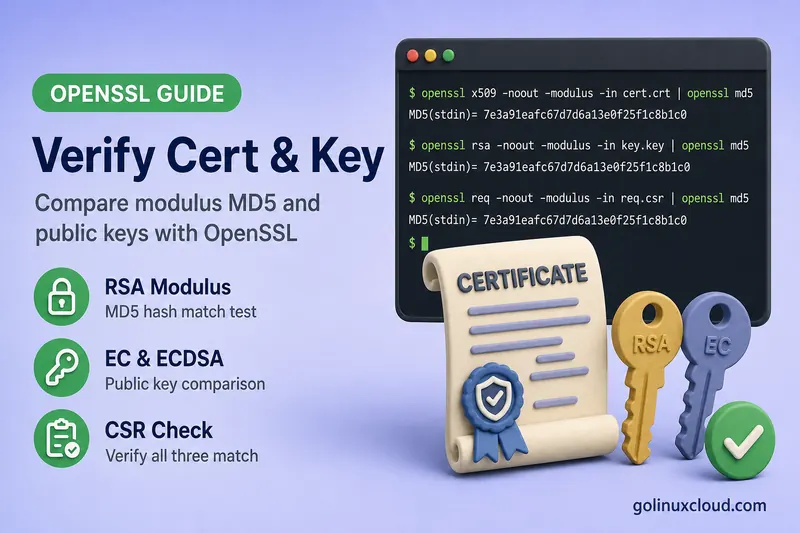
You received a certificate renewal but nginx fails with key values mismatch, or you are unsure whether domain.crt belongs to domain.key before a deploy. OpenSSL can prove whether a certificate and private key are cryptographically paired—without guessing from filenames.
This one guide covers the searches people use interchangeably: compare certificate and private key modulus MD5, test key and cert, and verify cert and key match. The methods overlap; you do not need separate articles for each phrase. I ran the commands on Ubuntu 25.04 with OpenSSL 3.4.1 using matching and deliberately mismatched RSA and EC key pairs.
Tested on: Ubuntu 25.04 (Plucky Puffin); kernel 6.14.0-37-generic; OpenSSL 3.4.1.
Quick answer: compare modulus MD5 (RSA)
For RSA certificates and keys:
openssl x509 -noout -modulus -in certificate.crt | openssl md5
openssl rsa  -noout -modulus -in private.key  | openssl md5
When the pair matches:
MD5(stdin)= d77bd81b39bf0b595ce0839d429ba2e6
MD5(stdin)= d77bd81b39bf0b595ce0839d429ba2e6
When they do not match, the hashes differ:
MD5(stdin)= d77bd81b39bf0b595ce0839d429ba2e6
MD5(stdin)= c32d796e953da21ffdf762432b845168
Matching MD5 lines mean the certificate was issued for that private key’s public half.
One article for these related searches
| Search phrase | Same intent? | Method in this guide |
|---|---|---|
| openssl compare certificate and private key modulus md5 | Yes | RSA modulus MD5 |
| openssl test key and cert | Yes | Modulus or pubkey hash |
| openssl verify key and cert match | Yes (not openssl verify) |
Pubkey / modulus compare |
| openssl verify cert and key match | Yes | Same |
openssl verify validates trust chains—it does not check cert-to-key pairing. Use the commands below instead.
RSA: modulus comparison (classic method)
The certificate and RSA private key share the same modulus. Public exponent is usually 65537, so comparing MD5 of the modulus is easier than reading hundred-digit hex strings.
openssl x509 -noout -modulus -in certificate.crt | openssl md5
openssl rsa  -noout -modulus -in private.key  | openssl md5
Silent diff one-liner (empty output means match):
diff <(openssl x509 -noout -modulus -in certificate.crt) \
     <(openssl rsa -noout -modulus -in private.key) \
&& echo "MATCH" || echo "NO MATCH"MATCHEncrypted RSA private keys
Pass the key unlock password:
openssl rsa -noout -modulus -in encrypted.key -passin pass:KeyPass99 | openssl md5
openssl x509 -noout -modulus -in certificate.crt | openssl md5
Both lines should still match when the cert belongs to that key.
All key types: public-key hash (RSA, EC, Ed25519)
Since OpenSSL 1.0.0, pkey -pubout works for RSA, EC, and Ed25519—one workflow for every algorithm:
openssl x509 -in certificate.crt -pubkey -noout | openssl md5
openssl pkey -in private.key -pubout | openssl md5
Matching pair (EC example):
MD5(stdin)= 1730b9fe4409bc52ef61c8ad773790fb
MD5(stdin)= 1730b9fe4409bc52ef61c8ad773790fb
Direct byte comparison without hashing:
diff <(openssl x509 -in certificate.crt -pubkey -noout) \
     <(openssl pkey -in private.key -pubout) \
  && echo "MATCH" || echo "NO MATCH"
Use SHA-256 instead of MD5 if your policy requires it:
openssl x509 -in certificate.crt -pubkey -noout | openssl sha256
openssl pkey -in private.key -pubout | openssl sha256
EC and ECDSA: why modulus MD5 fails
On elliptic-curve certificates, modulus extraction errors:
Modulus=No modulus for this public key typeUse public-key comparison instead (previous section). For EC-only syntax:
openssl x509 -in ec.crt -pubkey -noout | openssl md5
openssl ec -in ec.key -pubout | openssl md5
Or the generic openssl pkey -in ec.key -pubout form.
Verify CSR matches private key and certificate
Before submitting a CSR to a CA—or after you receive the signed cert—confirm all three align.
RSA modulus MD5 for cert, CSR, and key (all three hashes should match):
openssl x509 -noout -modulus -in certificate.crt | openssl md5
openssl req  -noout -modulus -in request.csr     | openssl md5
openssl rsa  -noout -modulus -in private.key      | openssl md5
Algorithm-agnostic (works for EC):
openssl x509 -in certificate.crt -pubkey -noout | openssl md5
openssl req  -in request.csr -pubkey -noout     | openssl md5
openssl pkey -in private.key -pubout            | openssl md5
If the CSR matches the key but the new certificate does not, the CA signed a different CSR—you may have uploaded the wrong file.
Test after extracting from PFX
When you split a .pfx file, verify before configuring nginx:
openssl x509 -noout -modulus -in extracted.crt | openssl md5
openssl rsa  -noout -modulus -in extracted.key  | openssl md5
PFX extraction steps: Extract private key from PFX. Create PFX only after a successful match: Create PFX from CRT and KEY.
Test before nginx or Apache reload
- Compare modulus or public-key hashes (sections above).
- Validate nginx syntax:
sudo nginx -tCommon errors when cert and key do not match:
SSL_CTX_use_PrivateKey_file("/etc/nginx/ssl/domain.key") failed
certificate key values mismatch- Optional live check after reload:
echo | openssl s_client -connect your.domain:443 -servername your.domain 2>/dev/null | \
  openssl x509 -noout -subject
Inspect certificate details: View certificate with OpenSSL.
Shell script: test cert and key match
Save as check-cert-key.sh:
#!/bin/bash
CERT="$1"
KEY="$2"
if [[ -z "$CERT" || -z "$KEY" ]]; then
  echo "Usage: $0 certificate.crt private.key" >&2
  exit 1
fi

CERT_HASH=$(openssl x509 -in "$CERT" -pubkey -noout | openssl md5)
KEY_HASH=$(openssl pkey -in "$KEY" -pubout 2>/dev/null | openssl md5)

if [[ "$CERT_HASH" == "$KEY_HASH" ]]; then
  echo "MATCH: certificate and private key are a pair"
  exit 0
else
  echo "NO MATCH: certificate and private key differ"
  echo "  cert: $CERT_HASH"
  echo "  key:  $KEY_HASH"
  exit 1
fi
Works for RSA, EC, and Ed25519 keys without detecting algorithm first.
Troubleshooting
| Symptom | Likely cause | Fix |
|---|---|---|
| Different modulus MD5 | Wrong key file or wrong cert renewal | Locate the key used to generate the CSR; re-export from PFX |
Modulus=No modulus for this public key type |
EC/Ed25519 cert | Switch to -pubkey / pkey -pubout comparison |
unable to load Private Key |
Encrypted key, no password | Add -passin pass:PASSWORD to openssl rsa or pkey |
| CSR matches key; cert does not | CA signed different CSR | Re-issue with correct CSR or locate correct cert |
| nginx key mismatch after renew | Updated cert only, old key path | Update both ssl_certificate and ssl_certificate_key paths |
| Match locally; browser shows old cert | Wrong vhost or incomplete reload | Check SNI vhost; systemctl reload nginx |
References
- openssl-x509 manual
- openssl-rsa manual
- openssl-pkey manual
- View certificate with OpenSSL
- Extract private key from PFX
- Install SSL certificate on Nginx
- OpenSSL tutorial hub
Summary
Use modulus MD5 for RSA—openssl x509 -noout -modulus piped to openssl md5 against the same for openssl rsa -noout -modulus on the private key. For EC, Ed25519, or a single command that works everywhere, compare openssl x509 -pubkey -noout with openssl pkey -pubout via MD5, SHA-256, or diff. Confirm CSRs with the same hashes before and after CA signing. openssl verify checks chain trust, not key pairing—do not confuse the two. Run the comparison before PFX export, nginx reload, or certificate renewal cutover to avoid key values mismatch downtime.
