
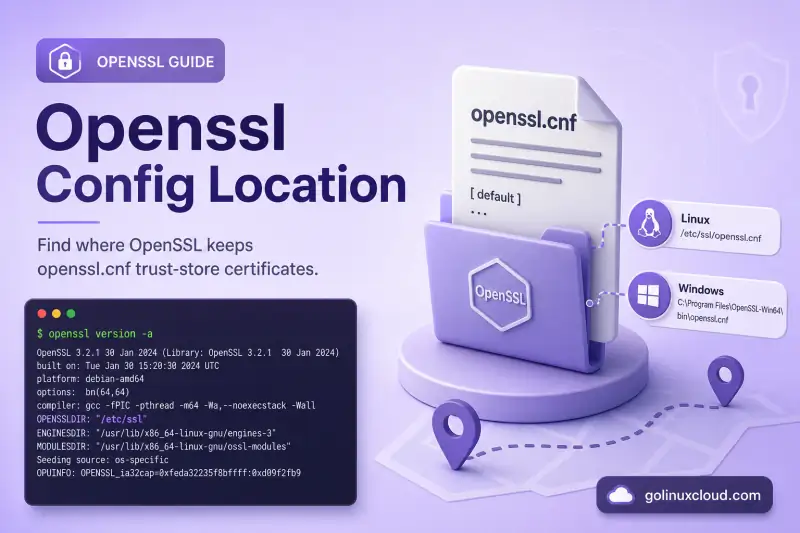
People ask where OpenSSL lives in almost every form: the openssl.cnf config file, the bin directory, shared libraries, and the CA certificates a TLS client actually trusts. The answer depends on which OpenSSL build is running—not on the operating system label alone. A Ubuntu server, Git Bash on Windows, and a PHP bundle inside Local WP can each ship a different openssl with a different OPENSSLDIR.
This guide walks through the commands that reveal the active paths on your machine, maps the usual locations on Linux and Windows, and explains how environment variables override the defaults. I ran the Linux commands below on Ubuntu 25.04 and kept the real terminal output so you can compare. Windows paths come from the official OpenSSL install notes and the common third-party bundles people hit in support threads; use openssl version -d in your own Command Prompt or PowerShell to confirm.
Quick answer: find OpenSSL paths in one command
Run this with the same openssl binary your application uses (full path if you have several installs):
openssl version -aOn Ubuntu 25.04 with the distro package, the lines that matter look like this:
OpenSSL 3.4.1 11 Feb 2025 (Library: OpenSSL 3.4.1 11 Feb 2025)
OPENSSLDIR: "/usr/lib/ssl"
ENGINESDIR: "/usr/lib/x86_64-linux-gnu/engines-3"
MODULESDIR: "/usr/lib/x86_64-linux-gnu/ossl-modules"
Shorter variants:
openssl version -d    # OPENSSLDIR only
openssl version -m    # provider modules directory (OpenSSL 3.x)
which -a openssl      # every openssl on PATH (Linux/macOS)
where openssl         # same on Windows CMD
The config file is almost always $OPENSSLDIR/openssl.cnf unless OPENSSL_CONF points elsewhere.
How OpenSSL chooses a config file
OpenSSL loads openssl.cnf in this order (first match wins):
- The
-configflag on the subcommand (for exampleopenssl req -config /path/to/openssl.cnf) - The
OPENSSL_CONFenvironment variable (full path to the file) - The legacy
SSLEAY_CONFvariable (still honored for compatibility) $OPENSSLDIR/openssl.cnf, whereOPENSSLDIRwas set at compile time (--openssldir=DIR)
On my Ubuntu host, even a plain openssl version opens the config once at startup:
openat(..., "/usr/lib/ssl/openssl.cnf", O_RDONLY) = 5That path resolves to /etc/ssl/openssl.cnf through a symlink. If your command fails with cannot open config file, the binary’s OPENSSLDIR does not contain openssl.cnf—common on Windows when only the bin folder was copied, or when an app bundles OpenSSL DLLs without the config tree.
OPENSSL_MODULES for provider .so / .dll files and OPENSSL_CONF_INCLUDE to resolve relative .include paths inside the config. Set these when you ship a custom config layout.
Linux: default paths by component
Config file (openssl.cnf)
| Distro / layout | Typical OPENSSLDIR |
Master config file |
|---|---|---|
| Debian, Ubuntu | /usr/lib/ssl |
/etc/ssl/openssl.cnf (symlinked from OPENSSLDIR) |
| RHEL, Rocky, Alma, Fedora | /etc/pki/tls or /etc/ssl |
/etc/pki/tls/openssl.cnf or /etc/ssl/openssl.cnf |
| Alpine Linux | /etc/ssl |
/etc/ssl/openssl.cnf |
Source build (./config defaults) |
/usr/local/ssl |
/usr/local/ssl/openssl.cnf |
Verify symlinks on Debian-family systems:
ls -l /usr/lib/ssl/openssl.cnf /usr/lib/ssl/certs /usr/lib/ssl/cert.pemOn Ubuntu 25.04:
/usr/lib/ssl/openssl.cnf -> /etc/ssl/openssl.cnf
/usr/lib/ssl/certs -> /etc/ssl/certs
/usr/lib/ssl/cert.pem -> /etc/ssl/certs/ca-certificates.crt
openssl binary
Package installs put the CLI on PATH:
type -a opensslopenssl is /usr/bin/openssl
openssl is /bin/opensslBoth resolve to the same file on Ubuntu (/bin/openssl → /usr/bin/openssl). If type -a lists /usr/local/bin/openssl and /usr/bin/openssl, you have two builds—always check openssl version -d for each.
List files owned by the package:
dpkg -L openssl | grep -E '/bin/|openssl.cnf'Shared libraries (libssl, libcrypto)
Runtime libraries live outside OPENSSLDIR:
ldconfig -p | grep -E 'libssl|libcrypto'
ldd $(which openssl)libssl.so.3 (libc6,x86-64) => /lib/x86_64-linux-gnu/libssl.so.3
libcrypto.so.3 (libc6,x86-64) => /lib/x86_64-linux-gnu/libcrypto.so.3On Debian/Ubuntu the packages are libssl3 (runtime) and libssl-dev (headers for compiling). On RHEL 8+ look for openssl-libs. The .so.3 suffix matches OpenSSL 3.x; OpenSSL 1.1.1 used .so.1.1.
System trust store (CA certificates)
Linux separates OpenSSL’s config tree from the OS trust store:
| Purpose | Typical path (Debian/Ubuntu) |
|---|---|
| PEM bundle (all CAs) | /etc/ssl/certs/ca-certificates.crt |
Hashed CA dir (-CApath) |
/etc/ssl/certs/ (symlinks like 01234567.0) |
| Source PEM files | /usr/share/ca-certificates/ |
| Local admin additions | /usr/local/share/ca-certificates/ → run update-ca-certificates |
Test verification against the system bundle:
openssl verify -CAfile /etc/ssl/certs/ca-certificates.crt \
/etc/ssl/certs/DigiCert_Global_Root_G2.pem/etc/ssl/certs/DigiCert_Global_Root_G2.pem: OKApplications may ignore this store. Python certifi, Java cacerts, and Go’s root pool each maintain their own bundle—seeing verify error in one tool but not another often means different trust stores, not a broken OpenSSL install.
Private keys and issued certs
OpenSSL does not keep your server private keys in a global folder. Defaults in openssl.cnf (dir = ./demoCA) are examples for a local CA workflow. Real keys sit wherever you or your installer put them—commonly /etc/ssl/private/ on Debian (root-only), /etc/pki/tls/private/ on RHEL, or /etc/letsencrypt/live/ for Certbot. Search your disk only when documentation is missing:
sudo find /etc -name '*.key' 2>/dev/null | headFor inspecting a known PEM, see OpenSSL view certificate.
Windows: default paths and bundled copies
Windows has no single system layout. Each installer bakes OPENSSLDIR into its binaries at build time.
Official Win64 installer (slproweb / OpenSSL wiki)
Per OpenSSL INSTALL.md:
| Setting | 64-bit default |
|---|---|
Binaries (openssl.exe) |
C:\Program Files\OpenSSL-Win64\bin\ (installer name may vary) |
OPENSSLDIR |
C:\Program Files\Common Files\SSL\ |
| Config file | C:\Program Files\Common Files\SSL\openssl.cnf |
| Empty cert/key dirs | ...\SSL\certs\, ...\SSL\private\ |
32-bit builds on 64-bit Windows use Program Files (x86) instead.
After install, open Command Prompt (not necessarily Git Bash) and run:
openssl version -d
where openssl
If C:\Program Files\Common Files\SSL\ does not exist, the installer may not have copied openssl.cnf, or you only added bin to PATH from a zip extract. Copy openssl.cnf from the installer’s extras folder or set OPENSSL_CONF.
Git for Windows (very common on dev machines)
Git ships its own OpenSSL inside MinGW:
Binary:  C:\Program Files\Git\mingw64\bin\openssl.exe
Config:  C:\Program Files\Git\mingw64\etc\ssl\openssl.cnf
Find it recursively when paths differ:
where openssl
cd "C:\Program Files\Git\mingw64"
dir /s /b openssl.cnf
where openssl in CMD and which openssl in Git Bash should agree; if they do not, you are mixing two installs.
PHP, XAMPP, Local WP, and other app bundles
PHP’s OpenSSL installation notes document the search order: OPENSSL_CONF, then SSLEAY_CONF, then the path compiled into php_openssl.dll. Local WP on Windows has been reported to use paths such as:
C:\Users\<User>\AppData\Local\Programs\Local\resources\extraResources\
  lightning-services\php-<version>\bin\win32\extras\ssl\openssl.cnf
Web servers and IDEs often point to their own openssl.cnf in a settings panel—check the product docs when CLI openssl version -d does not match the app error.
Legacy and zip-only installs
OpenSSL 1.1.1 builds before 1.1.1d on Windows sometimes used C:\usr\local\ssl\openssl.cnf (a Unix-style path on NTFS). PHP before 7.4 followed the same layout. If an old app expects that path, either upgrade OpenSSL/PHP or set OPENSSL_CONF to a current file.
Portable zip installs (common in Dev.to and Flipper Zero guides) extract to C:\openssl or similar. Add C:\openssl\bin (or ...\x64\bin) to the user PATH, and either run openssl version -d after install or set OPENSSL_CONF to the included openssl.cnf.
Environment variables that override defaults
| Variable | Effect |
|---|---|
OPENSSL_CONF |
Full path to openssl.cnf (highest priority after -config) |
SSLEAY_CONF |
Legacy alias; still works in many builds |
OPENSSL_MODULES |
Directory for OpenSSL 3 provider modules |
OPENSSL_CONF_INCLUDE |
Prefix for relative .include paths in the config |
PATH |
Determines which openssl.exe / openssl runs first |
Temporary override on Linux:
export OPENSSL_CONF=/etc/ssl/openssl.cnf
openssl req -new -newkey rsa:2048 -nodes -keyout /tmp/test.key \
  -out /tmp/test.csr -subj "/CN=example.test"
Permanent override on Windows (User environment):
setx OPENSSL_CONF "C:\Program Files\Common Files\SSL\openssl.cnf"Restart the terminal or service after changing environment variables.
Multiple OpenSSL installs: pick the one that matters
Servers frequently have distro OpenSSL, a manually compiled /usr/local/ssl build, and language-specific copies (Python cryptography, Node native modules). The one linked into your running process wins—not the newest on disk.
# Every binary named openssl under /usr (may take a moment)
find /usr/local/bin /usr/bin /opt -name openssl -type f 2>/dev/null

# Which libraries the CLI loads
ldd $(which openssl) | grep ssl
For a compiled C program:
ldd ./your-app | grep sslFor Python:
python3 -c "import ssl; print(ssl.OPENSSL_VERSION, ssl.get_default_verify_paths())"When openssl s_client verifies a host but your app fails, compare trust stores and library versions before editing openssl.cnf.
Which config is my TLS server using?
| Component | How to find the active config / certs |
|---|---|
| Nginx | nginx -V (built-in OpenSSL), ssl_certificate / ssl_certificate_key in the server block |
| Apache httpd | SSLOpenSSLConfCmd, SSLCertificateFile, SSLCertificateKeyFile in the vhost |
| systemd service | Environment=OPENSSL_CONF=... in the unit or drop-in |
| PHP | php -i | grep -i openssl → openssl.cnf / OpenSSL default config |
| Java | $JAVA_HOME/lib/security/cacerts (not OpenSSL) |
| curl | curl-config --ca or curl -V; may use Mozilla bundle or system store |
OpenSSL CLI defaults do not automatically apply to Nginx or Apache unless you configure them to.
Troubleshooting common errors
| Symptom | Likely cause | Fix |
|---|---|---|
cannot open config file ... openssl.cnf |
Missing file under OPENSSLDIR |
Install openssl package, copy config from another host, or set OPENSSL_CONF |
Unable to load provider legacy |
Missing module under MODULESDIR |
Install openssl provider package; set OPENSSL_MODULES |
verify error:num=20:unable to get local issuer certificate |
Client not using system CA bundle | Pass -CAfile /etc/ssl/certs/ca-certificates.crt (Linux) or install CAs on Windows |
| Wrong cipher / provider behavior | Different OpenSSL 1.1 vs 3.x linked | Match library version with ldd; upgrade app or pin package |
openssl not found (Windows) |
bin not on PATH |
Add install bin to user PATH; reboot if needed |
Two different openssl version outputs |
Multiple installs | Use full path; align app with intended build |
Recreate a minimal config when nothing else works (Linux):
sudo apt install --reinstall openssl
test -f /etc/ssl/openssl.cnf && openssl version -d
On Windows, reinstall the Win64 OpenSSL installer and confirm Common Files\SSL\openssl.cnf exists.
References
- OpenSSL config manual (openssl.cnf)
- OpenSSL INSTALL.md —
openssldirand Windows layout - PHP OpenSSL installation — config search order
- Install OpenSSL on Ubuntu
- OpenSSL & PKI tutorial
- Generate a self-signed certificate
- OpenSSL cheatsheet
Summary
openssl version -d is the portable first step: it prints OPENSSLDIR, the directory where that build expects openssl.cnf, certs/, and private/. On Ubuntu and Debian the master file lives at /etc/ssl/openssl.cnf with /usr/lib/ssl as the compile-time root; shared libraries sit in /lib/x86_64-linux-gnu/ as libssl.so.3 and libcrypto.so.3, while the OS trust store is /etc/ssl/certs/ca-certificates.crt. On Windows, official installers use C:\Program Files\Common Files\SSL\openssl.cnf, but Git for Windows, PHP stacks, and zip-only installs ship their own trees—run where openssl and openssl version -d in the same environment as the failing app. When paths are wrong, set OPENSSL_CONF to a full file path rather than guessing. Server private keys are never in a global OpenSSL folder; only CA trust files and demo CA sections in the config follow predictable locations. For day-to-day certificate work after you locate the config, continue with the OpenSSL tutorial or view certificate guides.
