
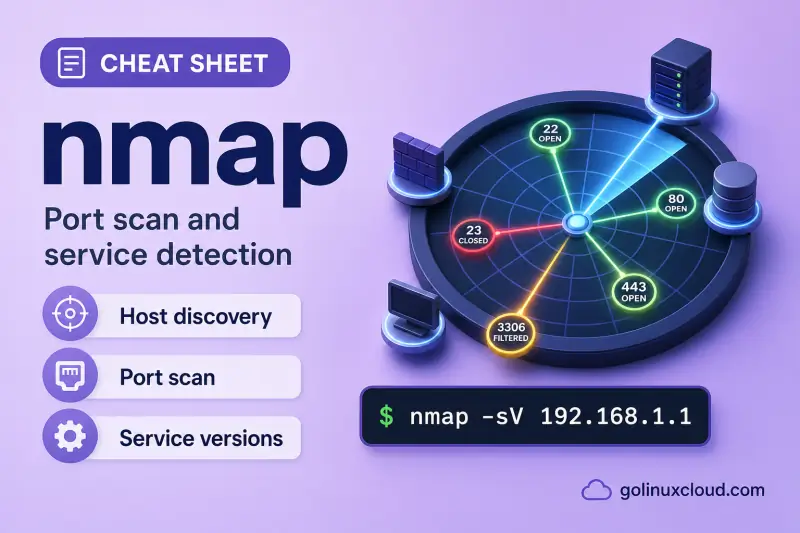
nmap — quick reference
Target specification
Point nmap at one host, a list file, or enumerate without scanning.
| When to use | Command |
|---|---|
| Scan a single host (default top 1000 TCP ports) | nmap 127.0.0.1 |
| Scan several hosts in one run | nmap 127.0.0.1 ::1 |
| Read targets from a file (one host per line) | nmap -iL targets.txt |
| List targets only — no port scan | nmap -sL 127.0.0.1 |
| Skip DNS — use IP addresses in output | nmap -n 127.0.0.1 |
Host discovery
Find whether hosts are up before (or instead of) port scanning.
| When to use | Command |
|---|---|
| Ping scan — host discovery only, no port scan | nmap -sn 127.0.0.1 |
| Skip discovery — treat host as online | nmap -Pn 127.0.0.1 |
| ICMP echo discovery probe | nmap -PE 127.0.0.1 |
| TCP SYN discovery on port 80 | nmap -PS80 127.0.0.1 |
| Show path to each host | nmap --traceroute 127.0.0.1 |
Scan techniques
TCP connect works without root; raw scans need sudo.
| When to use | Command |
|---|---|
| TCP connect scan (no raw sockets) | nmap -sT 127.0.0.1 |
| TCP SYN scan (default when run as root) | sudo nmap -sS 127.0.0.1 |
| UDP port scan | sudo nmap -sU 127.0.0.1 |
| TCP NULL scan | sudo nmap -sN 127.0.0.1 |
| TCP FIN scan | sudo nmap -sF 127.0.0.1 |
| TCP Xmas scan | sudo nmap -sX 127.0.0.1 |
| TCP ACK scan (map firewall rules) | sudo nmap -sA 127.0.0.1 |
Port specification and timing
Control which ports are probed and how fast nmap runs.
| When to use | Command |
|---|---|
| Scan one port | nmap -p 22 127.0.0.1 |
| Scan several ports | nmap -p 22,80,443 127.0.0.1 |
| Scan a port range | nmap -p 1-1024 127.0.0.1 |
| Scan all 65535 TCP ports | nmap -p- 127.0.0.1 |
| Fast scan — fewer ports than default | nmap -F 127.0.0.1 |
| Scan the 100 most common ports | nmap --top-ports 100 127.0.0.1 |
| Aggressive timing template | nmap -T4 127.0.0.1 |
| Cap packets per second | nmap --max-rate 100 127.0.0.1 |
Service, script, and OS detection
Probe open ports for software versions and run NSE scripts.
| When to use | Command |
|---|---|
| Detect service and version on open ports | nmap -sV 127.0.0.1 |
| Run default NSE scripts with version scan | nmap -sC 127.0.0.1 |
| Run a specific script category | nmap --script safe 127.0.0.1 |
| Operating system fingerprint | sudo nmap -O 127.0.0.1 |
| OS detection plus version, scripts, traceroute | sudo nmap -A 127.0.0.1 |
Output and debugging
Save reports or add detail to terminal output.
| When to use | Command |
|---|---|
| Verbose scan progress | nmap -v 127.0.0.1 |
| Show only open ports in results | nmap --open 127.0.0.1 |
| Show why each port got its state | nmap --reason 127.0.0.1 |
| Save normal-format report | nmap -oN scan.txt 127.0.0.1 |
| Save XML report | nmap -oX scan.xml 127.0.0.1 |
| Save normal, XML, and grepable files | nmap -oA scanbase 127.0.0.1 |
| List local interfaces and routes | nmap --iflist |
Help and version
| When to use | Command |
|---|---|
| Show built-in usage | nmap --help |
| Show nmap version | nmap --version |
nmap — command syntax
Synopsis from nmap --help on Ubuntu 25.04 (nmap 7.95):
nmap [Scan Type(s)] [Options] {target specification}nmap sends packets to targets and prints what responds. It does not edit system config files. Raw scan types (-sS, -sU, -O, -A) need root or sudo. Scan only hosts and networks you are authorized to test.
nmap — command examples
Essential Default TCP scan on localhost
The fastest way to see which common TCP ports are open on your own machine is a default scan against 127.0.0.1.
Run the command:
nmap 127.0.0.1Sample output:
Starting Nmap 7.95 ( https://nmap.org ) at 2026-07-01 15:35 IST
Nmap scan report for localhost (127.0.0.1)
Host is up (0.0000010s latency).
Not shown: 998 closed tcp ports (reset)
PORT    STATE SERVICE
22/tcp  open  ssh
631/tcp open  ipp

Nmap done: 1 IP address (1 host up) scanned in 0.16 seconds
By default nmap checks the top 1000 TCP ports. Closed ports are summarized; only open (and sometimes filtered) ports are listed.
Essential Host discovery without port scan (-sn)
When you only need to know whether a host answers probes — not which ports are open — use a ping scan.
Run the command:
nmap -sn 127.0.0.1Sample output:
Starting Nmap 7.95 ( https://nmap.org ) at 2026-07-01 15:35 IST
Nmap scan report for localhost (127.0.0.1)
Host is up.
Nmap done: 1 IP address (1 host up) scanned in 0.00 seconds
No port table appears because -sn skips the port scan phase entirely.
Essential Scan selected ports (-p)
Target a few ports when you already know which services matter — for example SSH and HTTP.
Run the command:
nmap -p 22,80 127.0.0.1Sample output:
Starting Nmap 7.95 ( https://nmap.org ) at 2026-07-01 15:35 IST
Nmap scan report for localhost (127.0.0.1)
Host is up (0.000037s latency).

PORT   STATE  SERVICE
22/tcp open   ssh
80/tcp closed http

Nmap done: 1 IP address (1 host up) scanned in 0.05 seconds
open means a service accepted the probe; closed means the host replied with a reset.
Common Service version detection (-sV)
After finding open ports, -sV probes them to learn the software name and version — useful for patch tracking.
Run the command:
nmap -sV -p 22 127.0.0.1Sample output:
Starting Nmap 7.95 ( https://nmap.org ) at 2026-07-01 15:35 IST
Nmap scan report for localhost (127.0.0.1)
Host is up (0.000069s latency).

PORT   STATE SERVICE VERSION
22/tcp open  ssh     OpenSSH 9.9p1 Ubuntu 3ubuntu3.2 (Ubuntu Linux; protocol 2.0)
Service Info: OS: Linux; CPE: cpe:/o:linux:linux_kernel

Service detection performed. Please report any incorrect results at https://nmap.org/submit/ .
Nmap done: 1 IP address (1 host up) scanned in 0.49 seconds
Version detection takes longer than a plain port scan because nmap sends additional probes.
Common TCP connect scan without root (-sT)
On systems where you cannot use raw sockets, -sT completes a full TCP handshake through the normal network stack.
Run the command:
nmap -sT -p 22 127.0.0.1Sample output:
Starting Nmap 7.95 ( https://nmap.org ) at 2026-07-01 15:35 IST
Nmap scan report for localhost (127.0.0.1)
Host is up (0.0023s latency).

PORT   STATE SERVICE
22/tcp open  ssh

Nmap done: 1 IP address (1 host up) scanned in 0.06 seconds
Connect scans are easier to log on the scanning host because they use standard connect() calls instead of crafted packets.
Common Default NSE scripts on an open port (-sC)
The -sC flag runs the default script set — here it pulls SSH host keys from port 22 on localhost.
Run the command:
nmap -sC -p 22 127.0.0.1Sample output:
Starting Nmap 7.95 ( https://nmap.org ) at 2026-07-01 15:35 IST
Nmap scan report for localhost (127.0.0.1)
Host is up (0.000062s latency).

PORT   STATE SERVICE
22/tcp open  ssh
| ssh-hostkey:
|   256 e1:67:ad:0f:cb:0b:de:bb:c2:18:4a:c5:5b:38:f4:02 (ECDSA)
|_  256 f4:36:6b:20:9f:95:77:e4:f0:d8:e9:24:f2:01:74:9e (ED25519)

Nmap done: 1 IP address (1 host up) scanned in 0.74 seconds
Combine -sC with -sV when you want both script output and version strings in one pass.
Common Fast scan when ICMP is blocked (-Pn -F)
Some firewalls block ping but still allow TCP. -Pn forces nmap to scan ports even if discovery fails; -F limits the port list for speed. Compare discovery behavior with the ping command when echo requests time out.
Run the command:
nmap -Pn -F 127.0.0.1Sample output:
Starting Nmap 7.95 ( https://nmap.org ) at 2026-07-01 15:35 IST
Nmap scan report for localhost (127.0.0.1)
Host is up (0.0000010s latency).
Not shown: 98 closed tcp ports (reset)
PORT    STATE SERVICE
22/tcp  open  ssh
631/tcp open  ipp

Nmap done: 1 IP address (1 host up) scanned in 0.06 seconds
Use this pattern on remote hosts that appear down during a normal discovery scan.
Advanced Save scan output to a file (-oN)
Archive results for a ticket or share them without re-running the scan.
Run the command:
nmap -oN /tmp/localhost-ssh.txt -p 22 127.0.0.1
head -8 /tmp/localhost-ssh.txt
rm -f /tmp/localhost-ssh.txt
Sample output:
# Nmap 7.95 scan initiated Wed Jul  1 15:35:27 2026 as: nmap -oN /tmp/localhost-ssh.txt -p 22 127.0.0.1
Nmap scan report for localhost (127.0.0.1)
Host is up (0.00020s latency).

PORT   STATE SERVICE
22/tcp open  ssh

# Nmap done at Wed Jul  1 15:35:27 2026 -- 1 IP address (1 host up) scanned in 0.05 seconds
-oA basename writes .nmap, .xml, and .gnmap files in one step for reporting pipelines.
Advanced SYN stealth scan as root (-sS)
When run as root, nmap defaults to SYN scan. It sends SYN packets and interprets SYN-ACK or RST responses without completing the handshake.
Run the command:
sudo nmap -sS -p 22 127.0.0.1Sample output:
Starting Nmap 7.95 ( https://nmap.org ) at 2026-07-01 15:36 IST
Nmap scan report for localhost (127.0.0.1)
Host is up (0.000045s latency).

PORT   STATE SERVICE
22/tcp open  ssh

Nmap done: 1 IP address (1 host up) scanned in 0.06 seconds
Add -v to see per-port discovery lines and packet counts during the scan.
Advanced Filter to open ports and show probe reason
On busy hosts, --open hides closed ports from the report. --reason explains why nmap classified each port.
Run the command:
nmap --open --reason -p 22 127.0.0.1Sample output:
Starting Nmap 7.95 ( https://nmap.org ) at 2026-07-01 15:35 IST
Nmap scan report for localhost (127.0.0.1)
Host is up, received localhost-response (0.000058s latency).

PORT   STATE SERVICE REASON
22/tcp open  ssh     syn-ack ttl 64

Nmap done: 1 IP address (1 host up) scanned in 0.06 seconds
syn-ack means the target accepted the connection attempt — the port is open.
nmap — when to use / when not
| Use nmap when | Use something else when |
|---|---|
|
|
nmap vs masscan
| nmap | masscan | |
|---|---|---|
| Speed | Moderate; thorough per host | Very fast; wide sweeps |
| Service / version detection | Yes (-sV) |
No |
| OS detection | Yes (-O) |
No |
| NSE scripting | Yes | No |
| Best for | Detailed audits of known hosts | Finding open ports across huge ranges |
Use nmap when you need to understand what is running on each open port. Use masscan first when you must cover millions of addresses quickly, then point nmap at the hits.
Related commands
Tools that often appear in the same troubleshooting or audit workflow.
| Command | One line |
|---|---|
| nmap | Port scan, service detection, NSE scripts (this page) |
| ss | List local sockets and listening ports |
| tcpdump | Capture packets on the wire |
Browse the full index in our Linux commands reference.
nmap — interview corner
What is nmap used for in Linux?
nmap (Network Mapper) sends probes to hosts on a network and reports what responds — live hosts, open TCP/UDP ports, service versions, and sometimes OS details. Security teams use it for inventory and authorized audits; admins use it to verify that only expected ports are exposed.
A minimal localhost check:
nmap 127.0.0.1Sample line from the port table:
22/tcp open sshA strong answer is:
"nmap discovers hosts and scans ports, detects services with -sV, can fingerprint OS with -O, and runs NSE scripts. I only scan networks I'm authorized to test."
What is the difference between SYN scan and connect scan?
SYN scan (-sS, needs root) sends a TCP SYN and reads SYN-ACK or RST without completing the three-way handshake. Connect scan (-sT) uses the normal connect() syscall and finishes the handshake — it works without root but is easier to spot in local logs.
On localhost as a normal user:
nmap -sT -p 22 127.0.0.1A strong answer is:
"SYN scan is the default raw scan as root — faster and quieter. Connect scan uses the OS network stack and works unprivileged but completes the full TCP handshake."
What does nmap -sn do?
-sn means no port scan — only host discovery (ping-style probes). Use it for a quick list of live addresses on a subnet without the time cost of checking thousands of ports.
nmap -sn 127.0.0.1A strong answer is:
"-sn performs host discovery only — ping sweep without port scanning. It's faster when I only need to know which hosts are up."
How do service detection and NSE scripts work?
-sV sends additional probes to open ports to guess software and version strings. -sC (or --script=default) runs the default NSE (Nmap Scripting Engine) scripts — for example pulling SSH host keys or HTTP titles.
nmap -sV -sC -p 22 127.0.0.1A strong answer is:
"-sV probes open ports for version info. -sC runs default NSE scripts. I pick script categories like safe or vuln only on systems I'm allowed to test."
When would you use nmap instead of ss?
ss lists sockets on the machine you are logged into — fast, no packets sent. nmap probes targets over the network and is built for discovery across hosts.
Check local listeners with ss:
ss -tlnA strong answer is:
"ss shows my local socket table. nmap actively scans hosts on the network for open ports and services — different job, and nmap requires authorization on remote targets."
Troubleshooting
| Symptom | Likely cause | Fix |
|---|---|---|
TCP/IP fingerprinting (for OS scan) requires root privileges |
-O or -A without root |
Run with sudo or drop OS detection |
You requested a scan type which requires root privileges |
-sS, -sU, or similar raw scan |
Use sudo nmap … or switch to -sT |
Host reported down but services exist |
ICMP blocked | Add -Pn to skip host discovery |
All ports filtered |
Firewall drops probes | Try -sT, different source, or verify rules on target |
Unknown option |
Flag not in your nmap build | Check nmap --help on that host |
| Very slow scan | Large port range or -sV on many ports |
Use -F, -p list, or -T4 on authorized networks |
References
- Nmap reference guide — official documentation
