
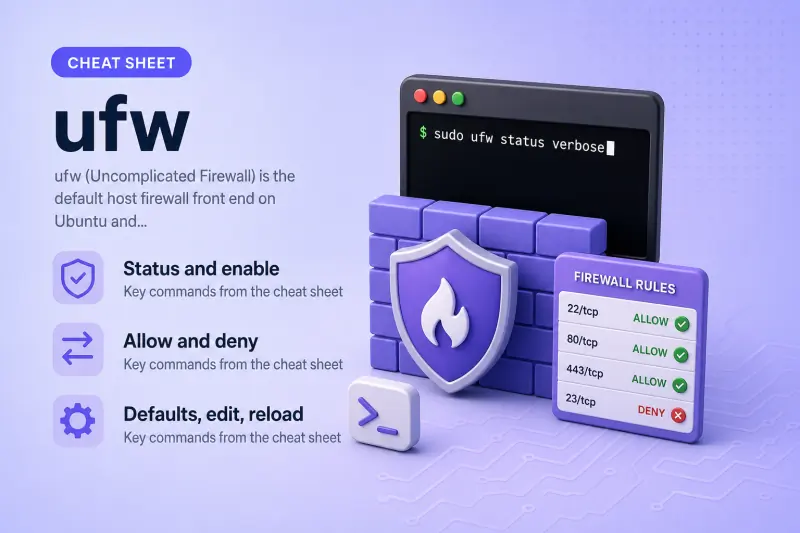
ufw — quick reference
Status and enable
See whether the firewall is active before you add rules.
| When to use | Command |
|---|---|
| Show firewall status | sudo ufw status |
| Verbose status (default policy, logging) | sudo ufw status verbose |
| Numbered rule list (for delete by number) | sudo ufw status numbered |
| Enable ufw at boot | sudo ufw enable |
| Disable ufw | sudo ufw disable |
| Show ufw version | sudo ufw version |
Allow and deny
| When to use | Command |
|---|---|
| Allow a TCP port | sudo ufw allow 22/tcp |
| Allow a UDP port | sudo ufw allow 53/udp |
| Allow from one subnet | sudo ufw allow from 192.168.10.0/24 |
| Deny a port | sudo ufw deny 3306/tcp |
| Rate-limit SSH brute force | sudo ufw limit 22/tcp |
| Allow an application profile | sudo ufw allow OpenSSH |
Defaults, edit, reload
| When to use | Command |
|---|---|
| Default deny incoming | sudo ufw default deny incoming |
| Default allow outgoing | sudo ufw default allow outgoing |
| Delete a rule by specification | sudo ufw delete allow 8080/tcp |
| Delete rule number 3 | sudo ufw delete 3 |
| Reload rules without disable | sudo ufw reload |
| List application profiles | sudo ufw app list |
ufw — command syntax
Synopsis from ufw --help on Ubuntu 25.04:
Usage: ufw COMMAND

Commands:
 enable | disable | default | logging | allow | deny | reject | limit
 delete | insert | prepend | route | reload | reset | status | show | version
ufw writes rules under /etc/ufw/ and applies them through the system firewall backend. Enabling ufw may block SSH if port 22 is not allowed — allow SSH before ufw enable on remote servers.
ufw — command examples
Essential Check whether ufw is active
Before changing rules, see if the firewall is running and what is already defined.
Run the command:
sudo ufw status verboseSample output:
Status: inactiveOn an enabled host you would also see Default: deny (incoming), allow (outgoing) and a list of rules. inactive means rules are saved but not enforced until you run ufw enable.
Essential Allow SSH before enabling
On a remote server, allow OpenSSH first so you do not lock yourself out when ufw starts.
Run the commands:
sudo ufw allow OpenSSH
sudo ufw status numbered
Sample output:
Rules updated
Rules updated (v6)
Status: inactive

     To                         Action      From
     --                         ------      ----
[ 1] OpenSSH                    ALLOW IN    Anywhere
[ 2] OpenSSH (v6)               ALLOW IN    Anywhere (v6)
Rules are stored even while ufw is inactive. Run sudo ufw enable only when you are sure SSH (or console) access is covered.
Essential Open a custom TCP port
Allow a service listening on a specific port, such as a web app on 8080.
Run the commands:
sudo ufw allow 8080/tcp comment 'lab web'
sudo ufw status numbered
sudo ufw delete allow 8080/tcp
Sample output:
Rules updated
Rules updated (v6)
Status: inactive

     To                         Action      From
     --                         ------      ----
[ 1] 8080/tcp                   ALLOW IN    Anywhere
[ 2] 8080/tcp (v6)              ALLOW IN    Anywhere (v6)
Rules updated
Rules updated (v6)
Delete the test rule when you are done so the host returns to its previous rule set.
Common List application profiles
Ubuntu ships ready-made profiles for common daemons so you do not guess ports.
Run the command:
sudo ufw app listSample output:
Available applications:
  CUPS
  OpenSSH
  Wsdd
Use sudo ufw app info OpenSSH to see which ports a profile opens.
Common Allow a trusted subnet
Restrict access so only one LAN can reach a management port.
Run the command:
sudo ufw allow from 192.168.10.0/24 to any port 9100 proto tcpSample output:
Rules updatedCombine with sudo ufw status numbered to confirm the rule. Use sudo ufw delete with the same specification to remove it later.
Common Set default policies
Most servers deny unsolicited inbound traffic and allow outbound connections.
Run the commands:
sudo ufw default deny incoming
sudo ufw default allow outgoing
sudo ufw status verbose
Sample output:
Default incoming policy changed to 'deny'
Default outgoing policy changed to 'allow'
Defaults apply after ufw enable. Existing allow rules still permit listed traffic.
Common Rate-limit SSH login attempts
limit is like allow but blocks IPs that make too many connections in a short window.
Run the command:
sudo ufw limit 22/tcpSample output:
Rules updated
Rules updated (v6)
Use this on internet-facing SSH when fail2ban is not already in place. Remove with sudo ufw delete limit 22/tcp if you no longer need it.
Advanced Delete a rule by number
When several rules look similar, numbered status makes deletion precise.
Run the commands:
sudo ufw allow 9999/tcp
sudo ufw status numbered
sudo ufw delete 1
Sample output:
Status: inactive

     To                         Action      From
     --                         ------      ----
[ 1] 9999/tcp                   ALLOW IN    Anywhere
After delete 1, confirm with ufw status numbered that the rule is gone.
Advanced Reload rules after editing files
If you hand-edit /etc/ufw/user.rules, reload applies changes without toggling enable.
Run the command:
sudo ufw reloadSample output:
Firewall reloadedPrefer ufw allow / ufw delete for day-to-day changes — direct file edits are easy to get wrong.
ufw — when to use / when not
| Use ufw when | Use something else when |
|---|---|
|
|
ufw vs firewalld
| ufw | firewalld | |
|---|---|---|
| Default on | Ubuntu, Debian | RHEL, Fedora, Rocky |
| Model | Simple allow/deny list | Zones, services, rich rules |
| CLI | ufw allow |
firewall-cmd --add-port |
| Reload | ufw reload |
firewall-cmd --reload |
Both sit above netfilter; pick the tool your distro ships and documents.
Related commands
Host firewall and connectivity checks.
| Command | One line |
|---|---|
| ufw | Ubuntu/Debian host firewall (this page) |
| firewalld | RHEL/Fedora firewall zones |
| ss | See which ports are listening |
| iptables | Low-level rule tables (ufw backend) |
ufw — interview corner
What is ufw?
ufw (Uncomplicated Firewall) is a user-friendly front end for netfilter on Ubuntu and Debian. Admins use it to allow or deny ports and subnets without writing raw iptables chains.
It is the default firewall tool on Ubuntu Server images when you choose to enable a host firewall.
A strong answer is:
"ufw wraps iptables/nftables with simple allow and deny commands — it's the standard host firewall CLI on Ubuntu and Debian."
How do you avoid locking yourself out with ufw?
Allow SSH (or your admin port) before ufw enable, and keep console or out-of-band access available.
sudo ufw allow OpenSSH
sudo ufw enable
A strong answer is:
"I allow OpenSSH first, verify with ufw status numbered, then enable — and I keep console access in case I mis-typed a rule."
ufw vs firewalld?
ufw — simple rule list on Debian family.
firewalld — zones and services on RHEL family.
They solve the same problem on different distros; do not install both as primary firewalls without a plan.
A strong answer is:
"ufw on Ubuntu/Debian; firewalld on RHEL/Fedora — same netfilter underneath, different CLIs and policy models."
What does ufw status inactive mean?
Rules may be defined but not enforced. Traffic is not filtered until you run ufw enable.
Useful for staging rules in a file before you enable the firewall.
A strong answer is:
"Inactive means rules are saved but the firewall is off — enable when you're ready to enforce them."
What does ufw limit do?
ufw limit allows connections but rate-limits repeated attempts — commonly used on port 22 to slow brute-force scans.
It is not a full IDS; pair with key-based SSH and patching.
A strong answer is:
"limit is allow plus connection rate throttling — I use it on SSH as a light brute-force brake, not as the only control."
Troubleshooting
| Symptom | Likely cause | Fix |
|---|---|---|
| SSH hangs after enable | Port 22 not allowed | Console in; ufw allow OpenSSH; ufw reload |
| Rule exists but traffic blocked | ufw inactive or wrong interface | ufw status verbose; enable if intended |
Could not load listening profiles |
Missing /etc/ufw profiles |
Reinstall ufw package |
| Docker/K8s breaks networking | ufw + bridge traffic | See Docker ufw docs; may need FORWARD rules |
| Duplicate rules | IPv4 and IPv6 entries | ufw status numbered; delete both if needed |
References
- firewalld cheat sheet — RHEL/Fedora alternative
- ufw(8) man page (Ubuntu noble)
- Ubuntu community UFW guide
