
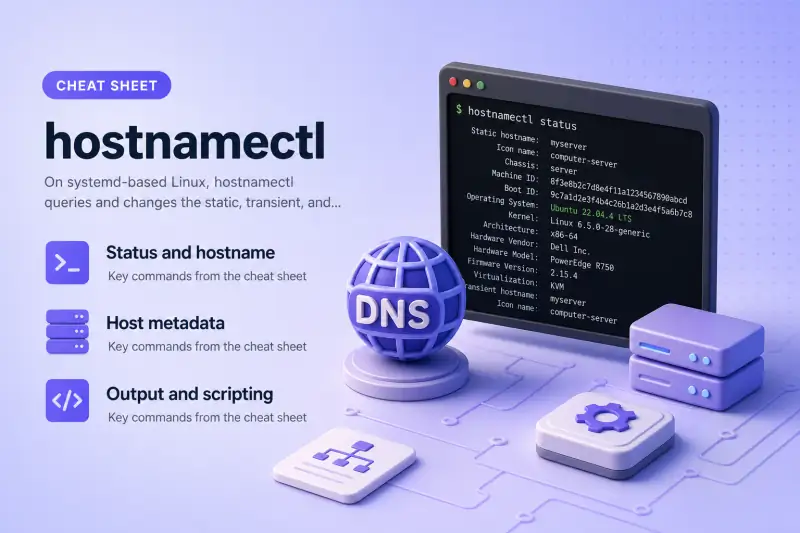
hostnamectl — quick reference
Status and hostname
Read the current hostname and a full host summary — OS, kernel, hardware hints, and metadata.
| When to use | Command |
|---|---|
| Show static, pretty, and transient hostnames plus OS and kernel | hostnamectl status |
| Print only the current hostname (what most tools display) | hostnamectl hostname |
Set the static hostname (persists in /etc/hostname) |
sudo hostnamectl hostname NEWNAME |
| Set only the static hostname explicitly | sudo hostnamectl --static hostname NEWNAME |
| Set only the transient hostname (lost at reboot unless static is unset) | sudo hostnamectl --transient hostname NEWNAME |
| Set a human-friendly pretty hostname (UTF-8, shown to users) | sudo hostnamectl --pretty hostname "Pretty Name" |
Host metadata
Optional fields for inventory, monitoring, and desktop integration — chassis type, icon, deployment tag, and location.
| When to use | Command |
|---|---|
Read or set chassis type (vm, server, desktop, …) |
hostnamectl chassissudo hostnamectl chassis vm |
| Read or set freedesktop icon name for this host | hostnamectl icon-namesudo hostnamectl icon-name computer-vm |
| Read or set deployment environment label | hostnamectl deploymentsudo hostnamectl deployment production |
| Read or set physical or logical location string | hostnamectl locationsudo hostnamectl location "Rack A1" |
Output and scripting
Machine-readable output for Ansible, monitoring agents, or shell scripts.
| When to use | Command |
|---|---|
| Compact JSON on one line | hostnamectl --json=short status |
| Indented JSON for humans | hostnamectl --json=pretty status |
JSON on a TTY (pretty on terminal, short when piped) |
hostnamectl -j status |
Help and version
| When to use | Command |
|---|---|
| Show built-in usage | hostnamectl --help |
| Show systemd package version | hostnamectl --version |
hostnamectl — command syntax
Synopsis from hostnamectl --help on Ubuntu 25.04 (systemd 257):
hostnamectl [OPTIONS...] COMMAND ...

Commands:
  status                 Show current hostname settings
  hostname [NAME]        Get/set system hostname
  icon-name [NAME]       Get/set icon name for host
  chassis [NAME]         Get/set chassis type for host
  deployment [NAME]      Get/set deployment environment for host
  location [NAME]        Get/set location for host

Options:
  -h --help              Show this help
     --version           Show package version
     --no-ask-password   Do not prompt for password
  -H --host=[USER@]HOST  Operate on remote host
  -M --machine=CONTAINER Operate on local container
     --transient         Only set transient hostname
     --static            Only set static hostname
     --pretty            Only set pretty hostname
     --json=pretty|short|off
                         Generate JSON output
  -j                     Same as --json=pretty on tty, --json=short otherwise
hostnamectl updates /etc/hostname for static names and talks to systemd-hostnamed. Changing settings needs sudo.
hostnamectl — command examples
Essential Full host summary — OS, kernel, and hostname
When you need more than a one-line hostname — for example during onboarding or when filing a support ticket — hostnamectl status prints static and pretty names plus OS, kernel, architecture, and hardware hints.
Run the command:
hostnamectl statusSample output:
Static hostname: server1
       Icon name: computer-vm
         Chassis: vm 🖴
      Machine ID: 22e961a5781c41b3bed7f02bb85a0a9b
         Boot ID: eb6453538d0841eb8fdc238594229fa7
    Product UUID: 9afb8dbd-2056-804d-a653-e1327d964ce7
    AF_VSOCK CID: 1
  Virtualization: oracle
Operating System: Ubuntu 25.04
          Kernel: Linux 7.0.0-27-generic
    Architecture: x86-64
 Hardware Vendor: innotek GmbH
  Hardware Model: VirtualBox
 Hardware Serial: VirtualBox-bd8dfb9a-5620-4d80-a653-e1327d964ce7
Firmware Version: VirtualBox
   Firmware Date: Fri 2006-12-01
    Firmware Age: 19y 6month 4w 2d
The static hostname is what hostname and SSH banners usually show. Pretty hostname stays empty until you set one — it is meant for display names with spaces or UTF-8 characters.
Essential Print the current hostname only
Scripts and quick checks often need just the hostname string, not the full status block.
Run the command:
hostnamectl hostnameSample output:
server1This matches hostname on most systemd hosts. Use hostnamectl status when you also need kernel or OS lines — for example on the check Ubuntu version workflow.
Essential Change static hostname and restore the original
Renaming a server for a test or golden image usually means changing the static hostname. Save the old name first so you can restore it after testing.
Record the current name, set a new static hostname, confirm, then restore:
ORIG=$(hostnamectl hostname)
sudo hostnamectl --static hostname lab-static-test
hostnamectl hostname
sudo hostnamectl --static hostname "$ORIG"
hostnamectl hostname
Sample output (middle lines — your names will differ):
lab-static-test
server1
--static writes /etc/hostname. Without --transient or --pretty, plain hostnamectl hostname NAME also targets the static name. Revert the hostname on shared systems when you finish testing.
Common Set a pretty display name (UTF-8 friendly)
The pretty hostname is for humans — dashboards, desktop labels, or inventory screens. It does not replace the static hostname used in DNS or /etc/hosts.
Set a pretty name and read it back:
sudo hostnamectl --pretty hostname 'Lab Server'
hostnamectl status | head -5
sudo hostnamectl --pretty hostname ''
hostnamectl status | head -3
Sample output after setting pretty name:
Static hostname: server1
 Pretty hostname: Lab Server
       Icon name: computer-vm
         Chassis: vm 🖴
      Machine ID: 22e961a5781c41b3bed7f02bb85a0a9b
Clearing with an empty string removes the pretty name. Static server1 stays unchanged — only the display field moves.
Common Read and set chassis type for inventory
Chassis describes the machine form factor — vm, server, desktop, and other values from the freedesktop hostnamed API. Monitoring tools can use it to group assets.
Read chassis, change it for a test, then put the original value back:
hostnamectl chassis
sudo hostnamectl chassis server
hostnamectl chassis
sudo hostnamectl chassis vm
hostnamectl chassis
Sample output:
vm
server
vm
On this VM, systemd already detected vm from virtualization metadata. Override only when auto-detection is wrong — for example a bare-metal box mis-tagged as desktop.
Common JSON output for scripts and automation
Ansible facts, custom agents, and shell pipelines often need structured fields instead of parsing the human status layout.
Short JSON on one line:
hostnamectl --json=short statusSample output (truncated — one line on the host):
{"Hostname":"server1","StaticHostname":"server1","PrettyHostname":null,"DefaultHostname":"localhost","HostnameSource":"static","IconName":"computer-vm","Chassis":"vm",...}Pretty-printed JSON for reading:
hostnamectl --json=pretty status | head -15Sample output:
{
	"Hostname" : "server1",
	"StaticHostname" : "server1",
	"PrettyHostname" : null,
	"DefaultHostname" : "localhost",
	"HostnameSource" : "static",
	"IconName" : "computer-vm",
	"Chassis" : "vm",
	"Deployment" : null,
	"Location" : null,
	"KernelName" : "Linux",
	"KernelRelease" : "7.0.0-27-generic",
	"KernelVersion" : "#27-Ubuntu SMP PREEMPT_DYNAMIC Thu Jun 18 19:13:49 UTC 2026",
	"OperatingSystemPrettyName" : "Ubuntu 25.04",
Use --json=short in pipelines; use pretty or -j on an interactive terminal.
Common Tag deployment environment and rack location
deployment and location are free-form strings — useful for datacenter rows, cloud environment tags (production, staging), or CMDB exports. They do not affect DNS.
Set both, verify, then clear:
sudo hostnamectl deployment production
hostnamectl deployment
sudo hostnamectl location 'Rack A1'
hostnamectl location
sudo hostnamectl deployment ''
sudo hostnamectl location ''
Sample output:
production
Rack A1
Empty output after clearing means the field is unset. Pair these with your asset database keys so automation can query one host and learn where it lives.
Advanced Transient hostname when static is already set
systemd keeps three hostname layers: static (persistent file), transient (runtime, often from DHCP or NetworkManager), and pretty (display). When a static name exists, a transient change may be ignored.
Try a transient name while static is set:
sudo hostnamectl --transient hostname lab-transient
hostnamectl hostname
hostnamectl status | head -3
Sample output on a host that already has a static name:
Hint: static hostname is already set, so the specified transient hostname will not be used.
server1
 Static hostname: server1
       Icon name: computer-vm
         Chassis: vm 🖴
For a durable rename, change the static hostname (and update DNS, TLS certs, and /etc/hosts on peers). Use transient only on hosts without a static name, or clear static first in a controlled maintenance window.
hostnamectl — when to use / when not
Pick hostnamectl on systemd machines when you want one tool for hostname and host metadata. Use legacy commands when systemd is not running or another stack owns the name.
| Use hostnamectl when | Use something else when |
|---|---|
|
|
hostnamectl vs hostname
| hostnamectl | hostname | |
|---|---|---|
| Backend | systemd-hostnamed D-Bus API | Legacy sethostname() syscall |
| Persists | Static name in /etc/hostname |
Depends on flags and distro |
| Extra fields | Pretty name, chassis, JSON | Hostname string only |
| Best for | systemd servers and desktops | Old scripts, non-systemd, quick one-liner |
On many systemd distros, hostnamectl hostname NAME is the supported way to rename the box. Keep hostname for portable scripts that only print the current name.
Related commands
Hostname, time, and network identity often show up in the same admin session.
| Command | One line |
|---|---|
| hostnamectl | systemd hostname and host metadata (this page) |
| timedatectl | Time zone and NTP on systemd hosts |
| nmcli | NetworkManager — can set hostname on some setups |
| journalctl | systemd logs after service or rename issues |
Browse the full index on the Linux commands cheat sheet.
hostnamectl — interview corner
What does hostnamectl do on a Linux server?
hostnamectl is the systemd front end for host naming. It talks to systemd-hostnamed over D-Bus and lets you read or change:
- Static hostname — stored in
/etc/hostname, survives reboot - Transient hostname — runtime name, often from DHCP or NetworkManager
- Pretty hostname — display string with spaces or UTF-8
- Metadata — chassis, icon name, deployment, location
A quick read:
hostnamectl statusA strong answer is:
"hostnamectl is systemd's tool to query and set static, transient, and pretty hostnames plus inventory metadata. Static names persist in /etc/hostname; I use it instead of legacy hostname on modern distros."
What is the difference between static, transient, and pretty hostnames?
systemd tracks three layers:
| Type | Persists? | Typical use |
|---|---|---|
| Static | Yes (/etc/hostname) |
DNS, SSH, /etc/hosts, certificates |
| Transient | Until reboot or override | DHCP or NM suggestion at boot |
| Pretty | Yes (separate field) | Human label in UI or CMDB |
hostnamectl status | head -3If static is set, transient changes may be ignored — hostnamectl prints a hint.
A strong answer is:
"Static is the durable name in /etc/hostname. Transient is runtime-only. Pretty is for display. Production renames should update static and anything that still references the old name."
How do you safely rename a Linux host with hostnamectl?
Save the old name, set the new static hostname, verify, then fix dependencies:
ORIG=$(hostnamectl hostname)
sudo hostnamectl hostname newname.example.com
hostnamectl hostname
Also update DNS A/AAAA records, TLS certificates, monitoring labels, and /etc/hosts on peers. Reboot or restart services that cache the old name if they misbehave.
A strong answer is:
"I set the static hostname with hostnamectl, confirm with hostnamectl hostname, then update DNS, certs, monitoring, and peer /etc/hosts — hostnamectl alone does not fix external references."
How would you use hostnamectl in automation?
Pass --json=short or --json=pretty to status (or use -j on a TTY) so parsers do not scrape column text.
hostnamectl --json=short statusDownstream tools read fields like StaticHostname, OperatingSystemPrettyName, and Chassis without fragile awk on the status banner.
A strong answer is:
"I use hostnamectl --json=short status in scripts so Ansible or agents get structured fields instead of parsing the human status layout."
When would you use nmcli instead of hostnamectl for the hostname?
On desktops and laptops, NetworkManager may set the transient hostname when DHCP sends one. nmcli general hostname reads or sets the name through NM.
hostnamectl is still the usual choice on servers and when you need static renames or JSON metadata. If NM and systemd disagree, check both:
hostnamectl hostname
nmcli general hostname
A strong answer is:
"hostnamectl is my default on systemd servers for static renames and metadata. nmcli general hostname matters when NetworkManager owns the transient name on a laptop — I compare both if they differ."
Troubleshooting
| Symptom | Likely cause | Fix |
|---|---|---|
Failed to connect to bus |
systemd not running (container/chroot) | Use hostname or edit /etc/hostname inside the namespace |
| Transient name ignored | Static hostname already set | Change --static name or clear static in a maintenance window |
Invalid hostname |
Name fails hostname validation (underscores, dots policy) | Use lowercase labels per your distro rules; check man hostname |
| Peers still use old name | DNS or /etc/hosts not updated |
Fix DNS and redeploy certs; hostnamectl only changes the local host |
Could not set property |
Missing privilege | Prefix with sudo |
| Pretty name not in SSH banner | SSH shows static hostname | Expected — set static or configure SSH Banner separately |
References
- timedatectl command cheat sheet — time zone and NTP on the same systemd stack
- Check Ubuntu version —
hostnamectlalso prints OS and kernel lines - hostnamectl(1) man page (Ubuntu noble — Plucky manpages not yet published for this page)
