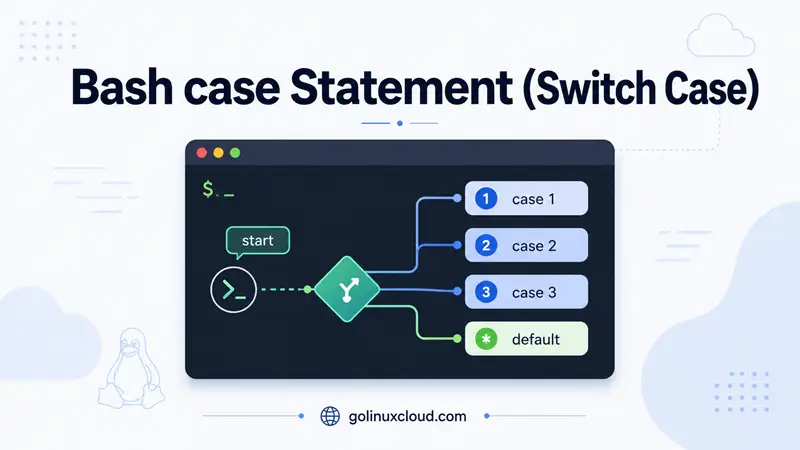
The Bash case statement is the shell’s switch case: you compare one value against several patterns and run the first matching block. Searches like switch case bash shell, bash shell switch case, and bash shell script switch case usually mean this construct—not a separate switch keyword (Bash does not have one).
Think of case as a cleaner alternative to a long if … elif … elif chain when one variable (often $1) must equal one of several known strings. Bash walks the patterns top to bottom, runs the first match, then stops—unless you use the rare ;& / ;;& terminators in Bash 4+.
Use case for script verbs (start / stop), menus, file extensions, and yes/no prompts. For numeric ranges or [[ -f file ]], use Bash if else instead. This page is part of the Shell Scripting & Bash course.
Tested on: Bash 5.2.37; Ubuntu 25.04; kernel 6.14.0-37-generic.
Quick answer: switch case in Bash
case "$1" in
  start)
    echo "Starting..."
    ;;
  stop)
    echo "Stopping..."
    ;;
  *)
    echo "Usage: $0 {start|stop}" >&2
    exit 1
    ;;
esac
Save as demo.sh, then:
chmod +x demo.sh
./demo.sh start
./demo.sh pause
Output:
Starting...
Usage: ./demo.sh {start|stop}
How to read the syntax:
caseopens the statement;inintroduces the pattern list.- Each
pattern)line is one branch (like onecaselabel in C). ;;ends the branch and stops further matching.esaccloses the block (casespelled backward).*)is the default branch when nothing else matched.
How pattern matching works
When Bash reaches case WORD in, it compares WORD against each pattern using glob rules (the same family of rules as *.txt in filenames), not regular expressions.
- Bash tests the first pattern. If it matches, it runs that clause’s commands until
;;. - If it does not match, Bash tries the next pattern.
- When a clause runs, matching stops (with normal
;;) even if later patterns would also match. - If no pattern matches and you have
*), the default clause runs. - If nothing matches and there is no
*), thecaseblock does nothing and returns exit status0.
Always quote the word you match ("$1", "$filename"). Unquoted $1 can word-split or glob-expand before case sees it.
Bash case statement syntax
case WORD in
  PATTERN1)
    COMMANDS
    ;;
  PATTERN2|PATTERN3)
    COMMANDS
    ;;
  *)
    DEFAULT_COMMANDS
    ;;
esac| Part | Role |
|---|---|
WORD |
Value to match (often "$1" or a variable) |
PATTERN |
Glob-style pattern (not a regex) |
|) |
Separates multiple patterns in one clause (OR) |
) |
Ends the pattern list for this clause |
;; |
End clause; stop matching (default behavior) |
*) |
Default when nothing else matched |
esac |
Closes the case |
The opening ( before a pattern is optional in Bash—you will see both start) and (start) in scripts. Official grammar: GNU Bash Conditional Constructs — case.
Basic bash case example
This mimics a tiny service control script—the pattern behind many bash shell switch case for user arguments searches:
#!/usr/bin/env bash

action="${1:-}"

case "$action" in
  start)
    echo "Starting the service..."
    ;;
  stop)
    echo "Stopping the service..."
    ;;
  restart)
    echo "Restarting the service..."
    ;;
  status)
    echo "Service is running."
    ;;
  *)
    echo "Usage: $0 {start|stop|restart|status}" >&2
    exit 1
    ;;
esac
${1:-} means “use $1, or empty string if $1 is unset.” That lets the *) default handle a missing argument cleanly, including when you use set -u.
Run:
chmod +x service.sh
./service.sh start
./service.sh stop
./service.sh restart
./service.sh status
./service.sh pause
./service.sh
Output:
Starting the service...
Stopping the service...
Restarting the service...
Service is running.
Usage: ./service.sh {start|stop|restart|status}
Usage: ./service.sh {start|stop|restart|status}
Check exit status after invalid input:
./service.sh pause
echo "exit=$?"
Output:
Usage: ./service.sh {start|stop|restart|status}
exit=1
The usage line goes to stderr (>&2) so you can still pipe valid stdout from status without mixing help text into the data stream.
case vs if elif: when to use which
| Situation | Prefer |
|---|---|
Match $1 to start, stop, help |
case |
Compare a number range (-lt, -gt) |
if / [[ — see compare numbers |
Test files (-f, -d) |
if |
Many string literals with | patterns |
case (clearer than long elif) |
Combine unrelated tests with && / || |
if |
Same logic with if (harder to scan):
if [[ "$1" == "start" ]]; then
  echo "Starting..."
elif [[ "$1" == "stop" ]]; then
  echo "Stopping..."
else
  echo "Usage: $0 {start|stop}" >&2
  exit 1
fi
Same logic with case (usual style for verbs):
case "$1" in
  start) echo "Starting...";;
  stop)  echo "Stopping...";;
  *)     echo "Usage: $0 {start|stop}" >&2; exit 1;;
esac
case is readability sugar for “one word, many discrete choices.” It is not meaningfully faster on normal scripts.
case vs C switch
Bash case feels like C switch, but behavior differs:
| Feature | C switch |
Bash case |
|---|---|---|
| Keyword | switch |
case |
| Match type | Often integer constants | Glob patterns on strings |
| Fall-through | Yes unless break |
No unless ;& / ;;& (Bash 4+) |
| Default | default: |
*) |
In C you must break or execution falls into the next case. In Bash, ;; already stops—you do not add break.
Multiple patterns in one clause
Use | inside a clause when several inputs should run the same commands:
#!/usr/bin/env bash

answer="${1:-}"

case "$answer" in
  y|Y|yes|YES|Yes)
    echo "Confirmed."
    ;;
  n|N|no|NO|No)
    echo "Cancelled."
    ;;
  *)
    echo "Please answer yes or no." >&2
    exit 1
    ;;
esac
Run:
./yesno.sh yes
./yesno.sh NO
./yesno.sh maybe
echo "exit=$?"
Output:
Confirmed.
Cancelled.
Please answer yes or no.
exit=1
Without nocasematch, you list variants explicitly (y|Y|yes|…). That is verbose but predictable. For “any capitalization of yes,” see the next section.
Case-insensitive matching
By default, pattern yes does not match the value YES—matching is case-sensitive.
Without nocasematch:
case "YES" in
  yes) echo "matched";;
  *)   echo "no match";;
esac
Output:
no matchWith nocasematch:
shopt -s nocasematch

case "YES" in
  yes)
    echo "yes (any case)"
    ;;
esac

shopt -u nocasematch
Output:
yes (any case)Enable nocasematch only around the case you need, then turn it off. Leaving it on globally can surprise other scripts or sourced files that expect case-sensitive globs.
Glob patterns in case
Patterns are pathname expansion (globs), not regular expressions. The * in a pattern means “any characters,” similar to *.log in a filename.
#!/usr/bin/env bash

filename="${1:-}"

case "$filename" in
  *.tar.gz|*.tgz)
    echo "Extract with tar -xzf"
    ;;
  *.zip)
    echo "Extract with unzip"
    ;;
  *.log)
    echo "Tail or archive log file"
    ;;
  *)
    echo "Unknown extension: $filename"
    ;;
esac
Run:
./ext.sh backup.tar.gz
./ext.sh archive.zip
./ext.sh app.log
./ext.sh readme.txt
Output:
Extract with tar -xzf
Extract with unzip
Tail or archive log file
Unknown extension: readme.txt| Pattern | Matches |
|---|---|
* |
Any string (including empty) |
? |
Exactly one character |
[abc] |
One character from the set |
start|stop |
Literal start or stop |
For regex matching, use [[ $var =~ pattern ]] inside if, not case.
Bash shell switch case for user arguments
Parsing user arguments is the most common production use. A solid pattern:
- Read the verb from
$1(quote it). - List each allowed verb as a pattern.
- Put
-h|--helpin its own clause. - Use
*)for unknown verbs, print usage,exit 1. - Validate
$2when a subcommand needs a name (${2:?message}).
#!/usr/bin/env bash
set -euo pipefail

case "${1:-}" in
  -h|--help|help)
    echo "Usage: $0 {create|delete|list} [name]"
    ;;
  create)
    name="${2:?name required}"
    echo "Creating $name"
    ;;
  delete)
    name="${2:?name required}"
    echo "Deleting $name"
    ;;
  list)
    echo "Listing items..."
    ;;
  *)
    echo "Unknown command: ${1:-}" >&2
    echo "Try: $0 --help" >&2
    exit 1
    ;;
esac
Run:
./cli.sh --help
./cli.sh create myapp
./cli.sh list
./cli.sh drop
./cli.sh create
Output:
Usage: ./cli.sh {create|delete|list} [name]
Creating myapp
Listing items...
Unknown command: drop
Try: ./cli.sh --help
./cli.sh: line 5: 2: name required
Exit codes:
./cli.sh drop; echo "exit=$?"
./cli.sh create; echo "exit=$?"
Output:
Unknown command: drop
Try: ./cli.sh --help
exit=1
./cli.sh: line 5: 2: name required
exit=1
${2:?name required} fails fast when create or delete is missing the second argument—better than silently creating an empty name.
For positional-parameter basics, see script arguments in Bash. For -f / -v flags, pair case with bash getopts.
case inside a getopts loop
getopts parses short options (-f file, -v). Each call returns one option letter in opt; case dispatches what to do for that letter.
#!/usr/bin/env bash

verbose=0
file=""

while getopts "f:v" opt; do
  case "$opt" in
    f)
      file="$OPTARG"
      ;;
    v)
      verbose=1
      ;;
    ?)
      echo "Invalid option" >&2
      exit 1
      ;;
  esac
done
shift $((OPTIND - 1))

echo "file=${file:-none} verbose=$verbose remaining=$*"f)stores the path inOPTARG.v)sets a flag.?)handles unknown options (getopts setsoptto?).
Successful run:
./getopts-case.sh -f data.txt -v extraOutput:
file=data.txt verbose=1 remaining=extraInvalid option:
./getopts-case.sh -x
echo "exit=$?"
Output:
./getopts-case.sh: illegal option -- x
Invalid option
exit=1
After the loop, shift $((OPTIND - 1)) removes parsed flags so $* holds positional arguments (extra in the example).
Matching numbers (as strings)
case compares text. Digits work because patterns are string literals:
#!/usr/bin/env bash

choice="${1:-}"

case "$choice" in
  1|2|3)
    echo "Small choice"
    ;;
  4|5|6)
    echo "Medium choice"
    ;;
  *)
    echo "Other"
    ;;
esac
Run:
./num.sh 2
./num.sh 5
./num.sh 9
Output:
Small choice
Medium choice
Other
This is not math: pattern 10 does not mean “ten” as a number unless the string is exactly 10. For ranges ($n -lt 10), use if [[ … ]] with compare numbers.
Fall-through: ;& and ;;& (Bash 4+)
Most scripts use only ;;. Bash 4.0 added optional fall-through for shared logic:
| Terminator | Behavior |
|---|---|
;; |
Stop after this clause (default) |
;& |
Run this clause, then run the next clause without testing its pattern |
;;& |
Run this clause, then continue testing later patterns |
;;& example (input a matches first clause, then default also runs):
case "$1" in
  a)
    echo "clause a"
    ;;&
  b)
    echo "clause b"
    ;;
  *)
    echo "default"
    ;;
esac
Run ./fall.sh a:
clause a
default
Pattern b did not run because ;;& only continues testing—b does not match a. The *) default still matches.
Use fall-through sparingly. If two branches share code, a shared function or one clause with | patterns is usually clearer.
case in functions and menus
Interactive menus combine read with case:
show_menu() {
  echo "1) Backup  2) Restore  3) Quit"
  read -r -p "Choice: " choice
  case "$choice" in
    1) echo "Backing up...";;
    2) echo "Restoring...";;
    3) return 0;;
    *) echo "Invalid choice" >&2; return 1;;
  esac
}
Simulate user input without a TTY:
choice=2
case "$choice" in
  1) echo "Backing up...";;
  2) echo "Restoring...";;
  3) echo "Quit";;
  *) echo "Invalid choice";;
esac
Output:
Restoring...See Bash function for return and local variables in larger menus.
Exit status and empty matches
Rules from the Bash manual:
- No match and no
*)clause →casereturns 0 (success). - A clause ran → exit status is from the last command in that clause.
- Use
*)+exit 1when invalid input should fail scripts, systemd units, or CI.
#!/usr/bin/env bash

case "$1" in
  ok) true;;
esac
echo "status=$?"
Run three times:
./status.sh
./status.sh ok
./status.sh bad
Output (all three):
status=0
status=0
status=0
No argument and bad both fail to match ok, so the body is empty and status stays 0. That surprises newcomers—add *) when “no match” should be an error.
Common mistakes with bash case
- Forgetting
;;— Bash may try to parse the next pattern as a command, causing syntax errors or accidental execution. - Typing
switch/esaac— Bash only understandscase/esac. - Unquoted
$1—"$1"prevents word-splitting;case $1 incan break on spaces. - Expecting regex —
*.logis a glob;^foois not PCRE incase. - Using
casefor file tests — useif [[ -f "$path" ]]. - Leaving
nocasematchon globally — turn it off after the block you need. - Assuming no match is an error — without
*), unknown input silently does nothing with exit0. - Long
elifchains for simple verbs —caseis easier to read and diff in code review.
Summary
The bash case statement is Bash’s switch case: case WORD in pattern) commands;; esac. Use it to match script arguments, menu choices, and fixed strings with | patterns and a *) default. Quote the word you match, add sample-level error handling with exit 1, use shopt nocasematch when case-insensitivity matters, and combine getopts + case for flags. Prefer if else for file tests and numeric ranges.