
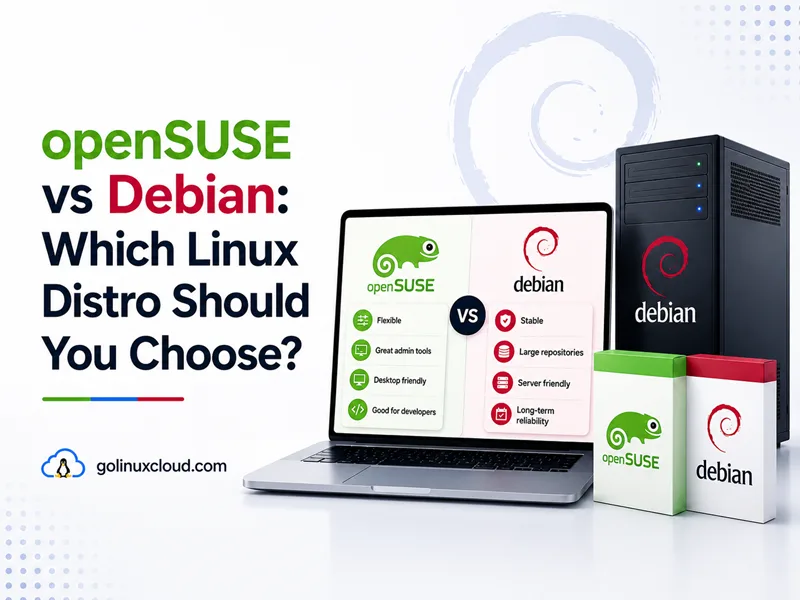
You are choosing a Linux base for a workstation or server and keep seeing openSUSE and Debian recommended. Both are serious community distributions with long histories, both use systemd, and both run the same applications once installed. They diverge on release model (openSUSE splits Leap and Tumbleweed), package manager (zypper vs apt), security defaults (SELinux on new Leap 16 vs AppArmor on Debian), and how long each version stays supported.
This guide compares openSUSE Leap 16 and Tumbleweed with Debian 13 “Trixie” (current stable in mid-2026) for desktop and server roles. I ran Debian-side commands on a live Trixie host below; openSUSE figures come from openSUSE Leap 16 release notes and the openSUSE wiki—verify on your own Leap or Tumbleweed VM before production cutover.
Tested on: Debian GNU/Linux 13 (trixie); kernel 6.12.94+deb13-amd64; apt 3.0.3.
Quick answer: openSUSE vs Debian
Pick openSUSE Leap 16 when you want a fixed, SLE-hybrid community distro with zypper, btrfs snapshots, the Agama installer, Cockpit administration, SELinux defaults, and a 24-month community maintenance window per minor—plus a path to SUSE Linux Enterprise if you later need commercial support.
Pick openSUSE Tumbleweed when you want a tested rolling system (zypper dup) with current desktops and kernels—similar energy to Arch or Fedora, but with openQA-gated snapshots.
Pick Debian 13 when you want the universal OS pattern: APT, AppArmor, broad architectures (including riscv64), frozen stable versions, and about five years of combined full + Debian LTS support—without RPM or SUSE-specific tooling.
| Pick this | Best reason |
|---|---|
| openSUSE Leap 16 | SLE-aligned fixed release, zypper, SELinux, btrfs/Snapper |
| openSUSE Tumbleweed | Tested rolling release with current kernels/desktops |
| Debian 13 | APT, stable servers, broad architectures, five-year lifecycle |
openSUSE vs Debian at a glance
| Topic | openSUSE Leap 16 | openSUSE Tumbleweed | Debian 13 Trixie |
|---|---|---|---|
| Release model | Fixed; annual minors | Rolling snapshots | Stable freeze ~every 2 years |
| Community support | ~24 months per minor | Continuous while updated | Full to Aug 2028; LTS to Jun 2030 |
| Package manager | zypper / RPM | zypper / RPM | APT / deb |
| Upstream lineage | SLE hybrid + community | Factory rolling | Independent Debian |
| Default MAC (new install) | SELinux (AppArmor optional) | SELinux on new installs; AppArmor on some existing systems | AppArmor common |
| Default filesystem | btrfs commonly used for root snapshots | btrfs commonly used for root snapshots | ext4 typical; btrfs optional |
| Admin tools | Agama installer, Cockpit, zypper | Agama installer, Cockpit, zypper | debootstrap, debconf, minimal |
| Architectures | x86-64-v2+, arm64, ppc64le, s390x | Same class | amd64, arm64, riscv64, … |
| Commercial upgrade path | To SLES | N/A | Third-party LTS vendors |
| Best fit | SUSE-aligned desktop/server | Rolling desktop/power user | VPS, multi-arch, apt fleets |
Sources: Debian releases, Leap 16 release notes, openSUSE system updates, Leap 16 announcement.
Two openSUSE editions (read this first)
openSUSE is not one release cadence—it is two products sharing tooling:
| Edition | What it is | Debian analogue |
|---|---|---|
| Leap 16 | Fixed release; SLE sources + community stack; annual minors | Debian stable (different timeline and packages) |
| Tumbleweed | Rolling; zypper dup to new snapshots |
No exact Debian equivalent—closest is testing (not for production) |
Most “openSUSE vs Debian” searches assume Leap for servers and either edition for desktops. This article covers both so Tumbleweed is not confused with Leap’s support promises.
Release cycle and support
Debian 13 Trixie
Debian 13 stable released 9 August 2025. Full Debian security support runs until 9 August 2028; Debian LTS continues until 30 June 2030. Versions freeze at release—apt upgrade applies security and point fixes, not routine major bumps.
openSUSE Leap 16
Leap 16 launched in October 2025 with a new lifecycle: each minor is published about every 12 months, with maintenance across two minors—about 24 months of free community maintenance per release, per the Leap 16 announcement and download page. Annual minors are planned through 16.6 (~2031) unless strategy changes.
Some sections of the Leap 16 release notes inherit SUSE Linux Enterprise lifecycle wording. If you need support beyond the community window, verify the exact Leap/SLES path before you treat a date in SLE documentation as your free-community support contract.
Leap builds on SUSE Linux Enterprise sources plus community additions—stability closer to enterprise Linux than Tumbleweed.
openSUSE Tumbleweed
Tumbleweed is a rolling release: new snapshots after automated openQA testing. You stay current with:
sudo zypper dupThere is no “Tumbleweed 16”—only the latest tested snapshot. Neglect dup and you accumulate dependency drift like any rolling distro.
Practical takeaway
| Your priority | Lean toward |
|---|---|
| Predictable stable majors ~2 years | Debian 13 |
| SLE-aligned fixed release + btrfs | Leap 16 |
| Tested rolling desktop | Tumbleweed |
| Community maintenance per Leap minor (~24 months) | Leap 16 |
| riscv64 or exotic arch | Debian |
| Migrate to SLES later | Leap 16 |
Package management: zypper vs APT
Debian: APT
On the Trixie host used for this article:
cat /etc/os-release
apt --versionPRETTY_NAME="Debian GNU/Linux 13 (trixie)"
apt 3.0.3 (amd64)sudo apt update
sudo apt install nginxSee APT command in Linux and list installed packages on Debian.
openSUSE: zypper
openSUSE uses zypper on RPM packages:
cat /etc/os-release
zypper --version
On Leap:
sudo zypper refresh
sudo zypper install nginx
sudo zypper update          # Leap maintenance
On Tumbleweed:
sudo zypper dup # full distribution upgradeThe system updates wiki stresses: on Tumbleweed, zypper dup is the recommended update path—not zypper up alone.
Side-by-side command map
| Task | Debian (APT) | openSUSE (zypper) |
|---|---|---|
| Refresh repos | sudo apt update |
sudo zypper refresh |
| Install package | sudo apt install pkg |
sudo zypper install pkg |
| Remove package | sudo apt remove pkg |
sudo zypper remove pkg |
| Search | apt search keyword |
zypper search keyword |
| Upgrade (stable) | sudo apt upgrade |
sudo zypper update (Leap) |
| Rolling upgrade | N/A on stable | sudo zypper dup (Tumbleweed) |
| Web server package | apache2 |
apache2 (same name; config paths differ) |
Skills transfer at the concept level; playbooks and package names do not.
Security: SELinux vs AppArmor
Debian
Debian commonly enables AppArmor for service confinement. On my Trixie test host, systemctl is-active apparmor reports active. SELinux packages exist but are not the default story.
openSUSE Leap 16
Leap 16 follows SUSE Linux Enterprise 16: AppArmor is not offered in the installer for new systems—SELinux is the default LSM path. AppArmor can be enabled post-install per the AppArmor wiki. Migrators from Leap 15.6 may keep AppArmor or switch during migration.
That matters if you copy Debian AppArmor profiles to openSUSE or expect Ubuntu-style AppArmor tutorials to apply unchanged on a fresh Leap 16 box.
openSUSE Tumbleweed
New Tumbleweed installs use SELinux by default, following the same SLE-aligned direction as Leap 16. Existing Tumbleweed systems may still run AppArmor unless the admin migrated them—check getenforce or aa-status on the machine you are auditing, not only the installer defaults for new media.
Firewalling: configure firewalld or nftables on openSUSE; Debian often uses nftables or ufw—see firewalld cheat sheet for the SUSE/RHEL-style front end.
Filesystem, snapshots, and administration
openSUSE traditionally installs btrfs with optional snapshot tooling (Snapper) on root—easy rollback after a bad zypper dup or package experiment.
Debian defaults to ext4 on many images; btrfs is supported but not the universal default. Rollback is your backup strategy—LVM snapshots, hypervisor snapshots, or tools like timeshift on desktops—not built into every netinst.
Administration:
- openSUSE: Agama installer, Cockpit for web-based administration, and zypper for packages—Leap 16 release notes describe manual admin moving away from YaST toward Cockpit. Snapper pairs with btrfs for rollbacks.
- Debian: debconf, minimal debootstrap/netinst, and manual editing—powerful, less GUI-centric.
Desktop and hardware
Leap 16 ships Wayland-first desktop installs; Xorg sessions are post-install options per release notes. KDE Plasma and GNOME are strong on openSUSE; NVIDIA drivers can auto-configure repositories on supported GPUs.
Debian offers live images for GNOME, KDE, Xfce, and more—with calmer frozen versions and non-free firmware at install time.
CPU requirement: Leap 16 needs x86-64-v2 (roughly post-2008 CPUs). Very old 64-bit hardware may need Tumbleweed or Slowroll per the Leap 16 announcement. Debian amd64 remains broader on older CPUs.
Gaming: Leap 16 moved Steam toward Flatpak; 32-bit needs extra setup. Debian gamers often use Flatpak or manual Steam—see install Flatpak on Debian.
Server and production roles
When Debian wins by default
- VPS and cloud images worldwide
- Minimal headless installs without Cockpit or other desktop admin stacks
- riscv64, arm64 SBCs, and unusual arches
- APT-only automation shared with Ubuntu
- Teams wanting five-year Debian stable + LTS without SUSE coupling
Install Docker on Debian and install PostgreSQL on Debian reflect common server patterns.
When openSUSE Leap fits
- Shops aligning with SUSE / SLES skills or future migration
- btrfs + Snapper rollback requirements on the OS root
- SELinux policies shared with RHEL/SLE ecosystems—related reading: Debian vs Red Hat
- s390x and ppc64le enterprise iron (both distros support enterprise arches; SUSE has deep mainframe history)
Tumbleweed on servers
Possible for homelabs and teams that schedule zypper dup like a change window—riskier than Debian stable or Leap for conservative production.
Version snapshot (illustrative)
Patch levels drift with updates—verify on live hosts.
| Component | Debian 13 Trixie | openSUSE Leap 16.0 (per release notes) |
|---|---|---|
| Python 3 | 3.13 | 3.13 (/usr/bin/python3) |
| Kernel | 6.12 LTS | 6.x SLE kernel stream |
| Init | systemd | systemd |
| OpenSSL | 3.5 (on patched host) | 3.x OpenSSL 3 era |
| PostgreSQL | 17 (debian main) | Multiple versions via SLE modules |
Debian check:
uname -r
python3 --version
My host:
6.12.94+deb13-amd64
Python 3.13.5
openSUSE vs Debian: workload guide
| Workload | openSUSE Leap | Tumbleweed | Debian 13 |
|---|---|---|---|
| New VPS generic web stack | Good | Risky | Excellent |
| SUSE/SLES migration path | Excellent | Poor | No |
| Rolling dev laptop | Good | Excellent | Use testing/unstable separately |
| btrfs root snapshots | Excellent | Excellent | Manual setup |
| riscv64 board | Limited | Limited | Excellent |
| ISV “Debian/Ubuntu” matrix | Translate | Translate | Excellent |
| SELinux-first policy | Excellent (Leap 16) | Excellent | Unusual default |
| Minimal RAM VPS | Moderate | Moderate | Excellent |
| Flatpak desktop apps | Good | Good | Good (setup guide) |
When to choose openSUSE
Choose Leap 16 when:
- You want fixed releases with SLE-hybrid stability and 24-month minor support.
- Agama, Cockpit, Snapper, and btrfs match your admin style.
- You may migrate to SLES for decades-long commercial support.
- SELinux defaults align with your security team.
Choose Tumbleweed when:
- You want current KDE/GNOME/kernels with openQA gating.
- You accept
zypper dupas routine maintenance. - Old x86-64 (pre-v2) hardware rules out Leap 16.
When to choose Debian
Choose Debian 13 when:
- You want APT, AppArmor, and the widest tutorial and mirror ecosystem.
- You need riscv64, minimal netinst, or no SUSE tooling.
- Frozen stable versions and Debian LTS match your compliance story.
- You compare distros inside Debian only—see Debian vs Ubuntu or Debian Bookworm vs Bullseye.
Upgrading and switching distros
Debian
Major upgrades (12 → 13) follow release notes: edit sources, apt full-upgrade, reboot.
openSUSE
- Leap 15.6 → 16: openSUSE migration tool (
zypper in opensuse-migration-tool). - Leap → Tumbleweed: documented repo switch +
zypper dup --allow-vendor-changeper migrate Leap to Tumbleweed.
Debian ↔ openSUSE
No in-place conversion. Back up, reinstall, retest SELinux vs AppArmor, btrfs vs ext4, and service paths.
Common mistakes when comparing openSUSE and Debian
- Treating Tumbleweed like Leap for support length.
- Running
zypper upon Tumbleweed for months instead ofzypper dup. - Assuming AppArmor on a fresh Leap 16 or new Tumbleweed install like Debian—existing Tumbleweed boxes may still use AppArmor.
- Copying apt package names onto zypper without checking providers.
- Picking Leap 16 for pre-2008 x86-64 CPUs without checking x86-64-v2.
- Ignoring SUSE migration value when you only needed a generic Debian VPS.
Summary
openSUSE and Debian both deliver polished Linux experiences with different admin DNA. Leap 16 is the structured, SLE-informed choice with zypper, btrfs, Agama, and Cockpit, plus about 24 months of community maintenance per minor. Tumbleweed is the tested rolling branch for users who live on zypper dup. Debian 13 Trixie remains the independent stable reference: APT, AppArmor, multi-arch freedom, and a clear five-year community lifecycle.
For a generic server or SBC, start with Debian. For SUSE shop skills, Snapper, or SELinux alignment, start with Leap. For rolling with openQA guardrails, Tumbleweed—not Debian stable. Compare other forks in Fedora vs Debian and Arch Linux vs Debian.
References
- Debian releases and support dates
- Debian 13 “Trixie” release information
- openSUSE Leap 16.0 — get.openSUSE
- openSUSE Leap 16 release notes
- Leap 16 release announcement
- openSUSE system updates (zypper)
- Upgrade Tumbleweed
- Migrate Leap to Tumbleweed
- Portal:Zypper
- On-site: Debian vs Ubuntu, Debian vs Red Hat, APT command in Linux, Fedora vs Debian
