
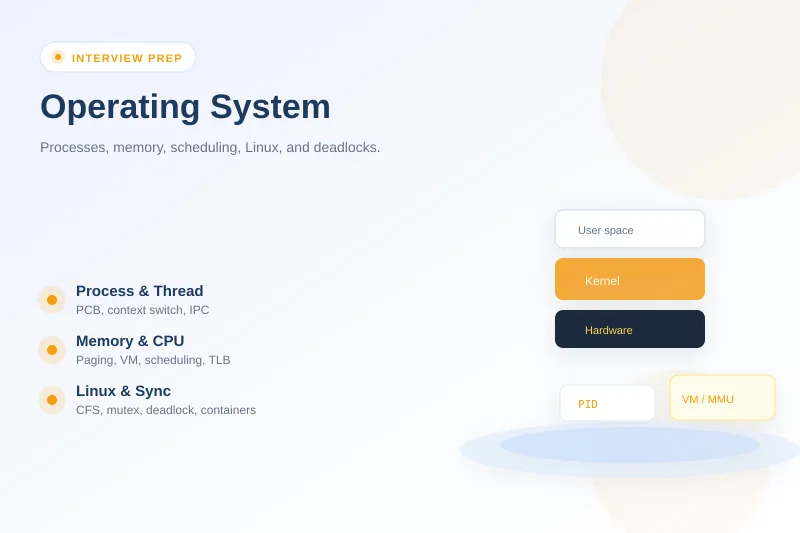
Operating system interview questions appear in backend, systems, embedded, cloud, and campus placement loops—often paired with networking and databases. Linux operating system interview questions dominate SRE and backend roles because production servers run the Linux kernel. Interview questions related to operating system fundamentals test whether you understand processes vs threads, virtual memory, scheduling, and deadlocks with enough depth to connect theory to a slow server or OOM kill—not textbook definitions alone.
Below are 45 questions with elaborate answers; technical sections include a strong answer sample you can say aloud. Pair this guide with computer networks interview questions for TCP/IP, DNS, HTTP/TLS, and layered troubleshooting, Kubernetes interview questions for container scheduling and cgroup isolation on nodes, shell scripting interview questions for Linux command-line practice, C and C++ interview questions for pointers and memory at the language layer, Java interview questions part 2 for JVM threading, Git interview questions for collaboration on Linux workstations, and Kafka interview questions when messaging meets OS I/O and page cache behavior.
Tested on: Ubuntu 25.04 (Plucky Puffin); kernel 6.14.0-37-generic; GCC 14.2.0 for fork demo; bash 5.2.
Interview context and how to prepare
What do operating system interviews actually test?
OS interviews test whether you understand how the kernel manages hardware for applications—CPU, memory, files, and devices—not whether you memorized every scheduling algorithm name.
| Layer | What interviewers probe |
|---|---|
| Processes | PCB, states, fork, zombie/orphan |
| Threads | vs process, synchronization |
| Scheduling | Policies, preemptive, Linux CFS |
| Memory | Virtual memory, paging, TLB, thrashing |
| Sync | Mutex, semaphore, race conditions |
| Deadlocks | Four conditions, prevention |
| Linux | Practical commands, containers vs VMs |
| Role | Emphasis |
|---|---|
| Campus / fresher | Definitions, diagrams, classic algorithms |
| Backend / SRE | Linux behavior, troubleshooting scenarios |
| Systems / embedded | Kernel concepts, IPC, real-time scheduling |
What are the main functions of an operating system?
| Function | Responsibility |
|---|---|
| Process management | Create, schedule, terminate processes; IPC |
| Memory management | Virtual memory, allocation, protection |
| File system | Files, directories, permissions, caching |
| I/O management | Device drivers, buffering, scheduling disk/network |
| Security | User/kernel mode, access control, isolation |
The OS is a resource manager and abstraction layer—apps see files and sockets, not raw disk sectors.
What are types of operating systems?
| Type | Example | Trait |
|---|---|---|
| General-purpose | Linux, Windows, macOS | Interactive + server workloads |
| Batch | Historical mainframes | Jobs queued without user interaction |
| Real-time (RTOS) | FreeRTOS, QNX | Deterministic deadlines |
| Distributed | Cluster OS layers | Resources appear unified |
| Mobile | Android (Linux kernel), iOS | Power-aware scheduling |
Linux operating system interview questions usually assume general-purpose multitasking with preemptive scheduling.
What is a realistic 4–6 week OS prep plan?
| Week | Focus | Output |
|---|---|---|
| 1 | Processes, threads, PCB, states | Draw memory layout per process |
| 2 | Scheduling algorithms + Linux CFS | Compare RR vs priority verbally |
| 3 | Virtual memory, paging, page faults | Walk page fault sequence |
| 4 | Sync — mutex, semaphore, race | Producer-consumer pseudocode |
| 5 | Deadlocks — Coffman, banker intuition | Lock ordering example |
| 6 | Linux practice + scenarios | ps, top, free, mock narrations |
Use one Linux VM to observe fork, zombies, and memory with real commands.
Processes and threads
What is a process?
A process is a program in execution—an independent unit with its own virtual address space, resources (file descriptors, credentials), and Process Control Block (PCB) metadata.
When you run ./app, the OS loads code, allocates memory, creates a PCB, and schedules it on the CPU.
A strong answer is:
A process is the OS's container for a running program—own address space and kernel bookkeeping—not just the executable file on disk.
Process vs thread — what is the difference?
| Aspect | Process | Thread |
|---|---|---|
| Memory | Own address space | Shares code, heap, files with siblings |
| Stack | Own | Own stack per thread |
| Creation cost | Higher | Lower |
| Context switch | Expensive (MMU/TLB) | Cheaper |
| Isolation | Crash contained | One thread crash can kill process |
| Communication | IPC required | Shared memory (needs locks) |
A strong answer is:
Processes isolate memory for safety; threads share memory for speed—I pick processes for isolation boundaries and threads for parallel work inside one app.
What are process states?
Common states:
| State | Meaning |
|---|---|
| New | Being created |
| Ready | Runnable, waiting for CPU |
| Running | Executing on CPU |
| Waiting / Blocked | Waiting for I/O or event |
| Terminated | Finished; PCB may linger briefly |
On Linux, ps STAT column shows R, S, D, Z, etc.
A strong answer is:
I describe the ready-running-waiting cycle and mention Linux
psstates—blocked on I/O is waiting, not consuming CPU.
What is a Process Control Block (PCB)?
The PCB (or task_struct on Linux) is the kernel's record for a process:
- Process ID (PID), parent PID (PPID)
- CPU registers, program counter
- Memory management info (page tables)
- File descriptor table
- Scheduling state and priority
Context switches save and restore PCB fields.
A strong answer is:
The PCB is how the kernel tracks everything about a process—when we context-switch, we're swapping PCB state so another process can run.
What is context switching and what does it cost?
Context switching saves the state of the current process/thread and loads another so the CPU can run different work.
Costs:
- Save/restore registers and program counter
- TLB flush on process switch (virtual address space change)
- Cache pollution (cold caches for new working set)
Frequent switching with tiny time slices can hurt throughput—context switch overhead is why batching work matters.
A strong answer is:
Context switching enables multitasking but isn't free—process switches flush TLB and warm caches, so I reduce unnecessary threads and syscall churn in hot paths.
What are zombie and orphan processes?
| Type | Definition | Linux note |
|---|---|---|
| Zombie | Terminated but PCB entry remains until parent wait() |
STAT shows Z |
| Orphan | Parent died before child; adopted by init (PID 1) |
init reaps children |
Zombies consume PID/table slots, not memory of the dead program—many zombies indicate parent not reaping.
ps -eo pid,ppid,stat,cmd | awk '$3 ~ /Z/ {print}'On a healthy system this often prints nothing; zombies appear briefly when parents omit wait().
A strong answer is:
Zombies are exited children waiting for parent to reap—I fix the parent to call wait or use proper signal handling, not kill zombies individually.
How do fork() and exec() work on Linux?
fork() creates a child process—duplicate of parent; copy-on-write makes duplicating memory efficient.
exec() replaces the child's memory image with a new program.
Typical shell pattern: fork → child execs command → parent waits.
#include <stdio.h>
#include <unistd.h>
#include <sys/types.h>
#include <sys/wait.h>

int main(void) {
    pid_t pid = fork();
    if (pid == 0) {
        printf("child pid=%d\n", (int)getpid());
        return 0;
    }
    if (pid > 0) {
        wait(NULL);
        printf("parent pid=%d reaped child %d\n", (int)getpid(), (int)pid);
    }
    return 0;
}
Running prints child PID then parent reaping message—classic Unix process creation.
A strong answer is:
fork duplicates the process; exec loads a new program in the child—shells and servers use this pair to spawn commands without blocking the parent forever.
What is Inter-Process Communication (IPC)?
| Mechanism | Use |
|---|---|
| Pipes / named pipes | Byte streams between related processes |
| Message queues | Structured messages |
| Shared memory | Fastest—requires synchronization |
| Sockets | Local or network; flexible |
| Signals | Async notifications (SIGTERM, SIGCHLD) |
Choose based on throughput, isolation, and persistence needs.
A strong answer is:
Pipes and sockets for streams; shared memory when bandwidth matters but I add mutexes—signals for lifecycle events like graceful shutdown.
CPU scheduling
What is CPU scheduling?
Scheduling selects which ready process/thread runs on the CPU when multiple contenders exist.
Goals:
- CPU utilization — keep CPU busy
- Throughput — jobs completed per time
- Turnaround / waiting time — user-perceived latency
- Fairness — avoid starvation
A strong answer is:
Scheduling picks the next runnable task—policies trade fairness, latency, and throughput depending on desktop, server, or real-time workload.
Explain FCFS, SJF, and Round Robin scheduling.
| Algorithm | Idea | Weakness |
|---|---|---|
| FCFS | First come, first served | Convoy effect—short jobs wait behind long |
| SJF | Shortest job first | Starvation of long jobs; need burst estimate |
| Round Robin | Time quantum per process in queue | Higher context switch if quantum tiny |
Round Robin suits time-sharing interactive systems.
A strong answer is:
FCFS is simple but unfair to short jobs; RR with a reasonable quantum gives interactive responsiveness; SJF optimizes average wait if job lengths are known.
Preemptive vs non-preemptive scheduling?
| Non-preemptive | Preemptive | |
|---|---|---|
| CPU release | Process yields on I/O or exit | OS can interrupt running process |
| Response | Poor for interactive | Better for multitasking |
| Modern OS | Rare for general CPU | Default on Linux/Windows |
Timer interrupts enable preemption—kernel regains control for scheduling.
A strong answer is:
Modern general-purpose OSes are preemptive—the scheduler can interrupt a running task on timer tick or higher-priority wake, which keeps the system responsive.
What is priority scheduling?
Each process has a priority—highest priority ready process runs first.
Problems: starvation of low-priority tasks.
Aging gradually increases priority of waiting processes to fix starvation.
Linux nice values (-20 to 19) influence CFS weight—not raw fixed-priority preemptive except RT classes.
A strong answer is:
Priority scheduling favors important work but needs aging to avoid starvation—on Linux nice tweaks CFS weight rather than strict fixed-priority queues for normal tasks.
How does the Linux Completely Fair Scheduler (CFS) work?
CFS (default for normal tasks) models an ideal fair CPU where all runnable tasks would get equal time.
- Tracks virtual runtime (vruntime) per task
- Runnable tasks in a red-black tree keyed by vruntime
- Always runs task with lowest vruntime
- Nice values adjust weight (lower nice → more CPU share)
Real-time policies SCHED_FIFO / SCHED_RR bypass CFS for RT tasks.
A strong answer is:
CFS picks the task that has received least CPU time proportionally—vruntime on a red-black tree—with nice values biasing share, not a fixed time quantum like classic RR.
What is multilevel feedback queue (MLFQ)?
MLFQ uses multiple queues with different priorities; processes move between queues based on behavior:
- CPU-bound jobs demoted to lower priority
- I/O-bound interactive jobs stay higher
Adapts without knowing job length in advance—teaching concept; Linux CFS differs but interviewers use MLFQ to test adaptive scheduling intuition.
A strong answer is:
MLFQ separates interactive from CPU-bound by promoting I/O waiters and demoting CPU hogs—it's the classic adaptive scheduler taught even though Linux uses CFS in production.
Memory management
What is virtual memory and why is it important?
Virtual memory gives each process an illusion of a large, private, contiguous address space while physical RAM is shared and limited.
Benefits:
- Isolation — processes cannot access each other's memory
- More memory than RAM — swap/paging to disk
- Simplified linking — each program can use similar virtual addresses
- Shared libraries — map same physical pages read-only
A strong answer is:
Virtual memory isolates processes and lets the OS overcommit address space with paging—apps see private memory; the MMU maps to physical frames.
What is paging?
Memory divided into fixed-size pages (virtual) mapped to frames (physical) via page tables.
MMU translates virtual address → physical frame on each access.
| Concept | Size typical |
|---|---|
| Page | 4 KiB on x86 (huge pages exist) |
| Page table | Per-process multi-level tables |
A strong answer is:
Paging splits memory into fixed pages mapped by page tables—the MMU translates every access, enabling protection and non-contiguous physical allocation.
What is a page fault and how is it handled?
A page fault occurs when a process accesses a virtual page not present in RAM (or invalid).
Handling sequence (simplified):
- CPU traps to kernel
- OS checks if access is legal (segfault if illegal)
- If valid but not in RAM—page in from disk (major fault) or allocate zero page
- Update page table, restart instruction
Minor fault — page in memory but not mapped yet; major fault — disk I/O required.
A strong answer is:
Page fault is MMU saying this mapping isn't ready—the kernel loads the page from disk or kills the process on illegal access; major faults are expensive disk paths.
What is the TLB (Translation Lookaside Buffer)?
The TLB is a CPU cache of recent virtual→physical translations.
| Event | Cost |
|---|---|
| TLB hit | Fast access |
| TLB miss | Walk page table in memory |
Process context switch often flushes TLB—another context-switch cost.
A strong answer is:
TLB caches page table entries—misses add latency; that's why process switches hurt more than thread switches and why huge pages help TLB pressure.
Paging vs segmentation?
| Paging | Segmentation | |
|---|---|---|
| Division | Fixed-size pages | Variable logical segments (code, stack) |
| Fragmentation | Internal | External |
| Modern use | Dominant | x86 legacy; logical segments |
Many systems use paging with segment-like concepts in higher-level runtimes.
A strong answer is:
Paging is fixed-size and avoids external fragmentation; segmentation matches logical program parts—modern OSes rely on paging with MMU protection bits.
Internal vs external fragmentation?
| Type | Cause | Example |
|---|---|---|
| Internal | Allocator gives more than requested | Page allocated, process uses half |
| External | Free holes between allocated blocks | Disk or segmented memory |
Paging suffers internal; segmentation suffered external—compaction or paging mitigates.
A strong answer is:
Internal fragmentation is wasted space inside allocated units; external is free gaps between allocations—paging trades internal waste for simpler management.
Explain page replacement algorithms — FIFO, LRU, Optimal.
When RAM is full and a new page needed, OS evicts a frame:
| Algorithm | Rule | Note |
|---|---|---|
| Optimal | Evict page used farthest in future | Theoretical benchmark |
| FIFO | Oldest page | Simple; Belady anomaly possible |
| LRU | Least recently used | Good approximation; hardware bits help |
Linux uses refined policies (LRU-like lists, active/inactive) not naive FIFO.
A strong answer is:
Optimal is the benchmark; LRU approximates locality; real Linux uses refined LRU classes and swap tuning—not textbook FIFO alone.
What is thrashing?
Thrashing occurs when the system spends more time paging than executing—working set exceeds RAM, constant page faults, collapse in throughput.
Causes: too many processes, oversized heaps, insufficient RAM.
Fixes: add RAM, reduce concurrency, tune swap, fix memory leaks, use cgroups limits.
Connects to JVM GC + swap storm scenarios in senior loops.
A strong answer is:
Thrashing is the OS paging constantly instead of running useful work—I detect it via high major faults and swap I/O, then reduce memory pressure or add RAM.
What is swapping?
Swapping moves entire process or pages between RAM and swap space on disk.
Modern Linux emphasizes paging over whole-process swap-in/out, but swap still backs anonymous pages under pressure.
free -h shows used swap; high swap with slow performance signals memory pressure.
A strong answer is:
Swap extends RAM with disk—acceptable for idle pages but disastrous when hot working sets live on swap; I watch swap I/O and major faults in incidents.
What is memory-mapped I/O (mmap)?
mmap maps file contents (or anonymous memory) into a process's virtual address space—reads/writes can hit the page cache like memory.
Used for:
- Fast file access
- Shared libraries loaded by dynamic linker
- Databases and engines mapping data files
See also language-level memory in C and C++ interviews.
A strong answer is:
mmap maps files into virtual memory—access goes through page cache and MMU, which is how shared libraries and many databases avoid explicit read/write per access.
Synchronization and deadlocks
What is a race condition?
A race condition occurs when correctness depends on unordered timing of threads/processes accessing shared mutable state without proper synchronization.
Example: two threads increment a counter—both read 5, write 6 instead of 7.
Fix: mutex, atomic operations, or immutable data structures.
A strong answer is:
Race means shared mutable state without coordination—I serialize with mutexes or use atomics when the operation is simple enough.
What is a critical section?
The critical section is code accessing shared resources that must not run concurrently by multiple threads without rules.
Requirements for solution:
- Mutual exclusion
- Progress — someone enters if no conflict
- Bounded waiting — no indefinite postponement
A strong answer is:
Critical section is the shared-resource code path—mutexes ensure only one thread executes it at a time while avoiding deadlock and starvation where possible.
Mutex vs semaphore — what is the difference?
| Mutex | Semaphore | |
|---|---|---|
| Purpose | Mutual exclusion | Signaling / counting resources |
| Ownership | Locker must unlock | No owner requirement |
| Count | Binary (0/1) | Integer count (counting semaphore) |
| Use | Protect critical section | Limit pool (N DB connections) |
Binary semaphore ≠ mutex in strict ownership semantics.
A strong answer is:
Mutex is for exclusive access with owner unlock; counting semaphore limits N concurrent users—I'd mutex a bank balance update and semaphore a connection pool.
What is a monitor?
A monitor is a high-level synchronization construct—mutex + condition variables bundled so only one thread is active inside the monitor at a time.
Java synchronized methods and wait()/notify() implement monitor-style sync—see Java part 2 threading.
A strong answer is:
Monitors combine mutual exclusion with condition waits—Java synchronized blocks are the textbook monitor pattern most app developers actually use.
Explain the producer-consumer problem.
Producers add items to a bounded buffer; consumers remove them.
Needs:
- Mutex for buffer structure
- Counting semaphores or condition variables for empty and full slots
Classic teaching problem for semaphores and monitors.
A strong answer is:
Producer-consumer needs mutual exclusion on the buffer plus signaling when slots are empty or full—semaphores or condition variables prevent busy-waiting.
What is deadlock?
Deadlock is a state where processes/threads are blocked forever, each waiting for a resource held by another in a cycle.
Example: Thread A holds lock1 waits lock2; Thread B holds lock2 waits lock1.
A strong answer is:
Deadlock is circular wait with no forward progress—I detect cycles in lock graphs or prevent with ordering, not hope timeouts alone fix design bugs.
What are the four necessary conditions for deadlock (Coffman)?
All four must hold simultaneously:
| Condition | Meaning |
|---|---|
| Mutual exclusion | Resource used by one at a time |
| Hold and wait | Hold resources while waiting for more |
| No preemption | Resources only released voluntarily |
| Circular wait | Cycle in wait graph |
Break any one to prevent deadlock—common: lock ordering breaks circular wait.
A strong answer is:
I list all four Coffman conditions, then show how global lock ordering breaks circular wait—the prevention pattern I use in real code reviews.
How do you handle deadlocks — prevention, avoidance, detection, recovery?
| Strategy | Approach |
|---|---|
| Prevention | Break Coffman condition (ordering, try-lock) |
| Avoidance | Banker's algorithm—only grant safe states |
| Detection | Wait-for graph cycle detection + kill/rollback |
| Recovery | Preempt resources or terminate processes |
Databases use detection + rollback; kernels often favor prevention in driver paths.
A strong answer is:
Prevention via lock ordering in app code; databases detect and rollback; avoidance like Banker's is taught for theory—I explain which fits kernel vs application context.
What is the Banker's algorithm?
Banker's algorithm is deadlock avoidance—before granting a resource request, simulate allocation and ensure the system stays in a safe state (some completion order exists).
Used teaching safe vs unsafe states; less common in every production allocator but frequent in exams.
A strong answer is:
Banker's algorithm grants requests only if a safe sequence exists afterward—it's avoidance theory I use to explain safe states even if Linux allocators don't implement it literally.
Deadlock vs starvation?
| Deadlock | Starvation | |
|---|---|---|
| Progress | None in cycle | Low-priority may never run |
| Cause | Circular wait | Unfair scheduling / priority |
| Fix | Break cycle | Aging, fair queues |
A strong answer is:
Deadlock is circular permanent block; starvation is indefinite postponement—aging and fair scheduling fix starvation without full deadlock.
Linux operating system and practical scenarios
User mode vs kernel mode?
| Mode | Privilege | Runs |
|---|---|---|
| User | Restricted | Applications |
| Kernel | Full hardware access | OS core, drivers |
System calls (read, write, fork) transition to kernel mode safely—trap/interrupt mechanism.
A strong answer is:
Apps run user mode; syscalls trap into kernel mode for privileged work—that's the boundary protecting hardware and other processes.
Essential Linux commands for OS interview scenarios?
| Command | OS concept demonstrated |
|---|---|
ps -ef / ps aux |
Processes, PPID, STAT |
top / htop |
CPU scheduling, load |
free -h |
RAM and swap |
vmstat 1 |
Context switches, faults |
kill -SIGTERM |
Signals, graceful terminate |
strace |
Syscall tracing |
lsof |
Open files per process |
Practice on Ubuntu—see shell scripting interviews.
ps -o pid,ppid,stat,nlwp,cmd -p $$Shows current shell PID, parent, state, and thread count (nlwp)—links process theory to the terminal.
A strong answer is:
I tie ps STAT column to zombie/blocked states, vmstat to faults and context switches, and free to swap pressure—commands make OS theory observable.
Containers vs virtual machines — OS perspective?
| VM | Container | |
|---|---|---|
| Isolation | Separate guest OS + hypervisor | Shared kernel; namespaces + cgroups |
| Startup | Slower | Faster |
| Overhead | Higher | Lower |
| Security boundary | Stronger | Weaker—kernel bugs affect host |
Containers use Linux namespaces (pid, net, mount, user) and cgroups for limits—isolation without full second kernel.
A strong answer is:
VMs virtualize hardware with guest kernels; containers share one kernel with namespaces and cgroups—isolation is lighter but the kernel is a shared trust boundary.
What are cgroups and why do they matter?
cgroups (control groups) limit and account CPU, memory, I/O for process groups—foundation of Docker/Kubernetes resource limits.
OOM killer may terminate processes exceeding memory cgroup limit before thrashing entire host.
A strong answer is:
cgroups cap CPU and memory per service—Kubernetes limits map to cgroup knobs, preventing one pod from thrashing the node.
Scenario: Linux server load average is 50 but CPU looks idle — what do you check?
Diagnosis path:
top— CPU vs I/O wait (wa) vs steal- Uninterruptible sleep (
Dstate) — blocked on disk/NFS iostat— disk saturation- Runnable queue vs blocked threads
- Memory — swap thrashing causing I/O wait
High load can mean many blocked tasks, not CPU burn.
A strong answer is:
High load with low CPU often means I/O wait or uninterruptible disk sleep—I check ps STAT D, iostat, and swap, not only CPU percentage.
Scenario: Application killed with OOM — explain from OS view.
Linux OOM killer selects a process when memory overcommit cannot be satisfied—free RAM + swap insufficient, cgroup limit hit, or aggressive allocation.
Kernel logs: dmesg | grep -i oom
Mitigation: tune heap, add RAM, cgroup limits, fix leaks, reduce cache footprint.
Links JVM heap sizing to OS paging—see Java interviews.
A strong answer is:
OOM means kernel chose to kill a process to reclaim memory—I read dmesg for victim PID, then fix leak, sizing, or cgroup limits rather than only restarting the app.
Final prep checklist
What should you rehearse before operating system interviews?
Checklist:
- Process vs thread memory diagram
- Process states + zombie/orphan
- Context switch cost and TLB
- FCFS, RR, CFS one-liners
- Virtual memory, page fault sequence
- TLB, thrashing, swap
- Mutex vs semaphore
- Four Coffman conditions + lock ordering fix
- Linux —
ps,top,free,vmstat - Containers — namespaces + cgroups
- Two scenarios — high load, OOM
- Shell scripting command refresh
- C and C++ if systems role
A strong answer is:
I whiteboard process vs thread and page fault flow, recite Coffman with a prevention example, then walk one Linux incident story with the commands I actually ran.
Pattern cheat sheet (quick reference)
| Topic | Key idea |
|---|---|
| Process | Own address space + PCB |
| Thread | Shared heap, own stack |
| Context switch | Save PCB; TLB flush on process switch |
| Virtual memory | Private illusion; MMU maps pages |
| Page fault | Load from disk or segfault |
| TLB | Cache translations |
| Thrashing | Too much paging, not enough RAM |
| Mutex | Exclusive lock with owner |
| Semaphore | Count limited resources |
| Deadlock | All four Coffman conditions |
| Linux CFS | Lowest vruntime runs |
| Container | Namespaces + cgroups on shared kernel |
References
Operating systems theory
On-site prep
- Shell scripting interview questions
- C and C++ interview questions
- Java interview questions (part two)
- Kafka interview questions
- Git interview questions
- Full stack developer interviews
- Interview Questions category
Summary
OS interviews connect process and memory theory to Linux behavior—zombies in ps, swap storms, OOM kills, and cgroup limits. Draw diagrams, run the fork demo on Ubuntu, and compare your answers to each section. Pair with shell scripting and C and C++ interviews when virtual memory meets pointers and malloc.
