
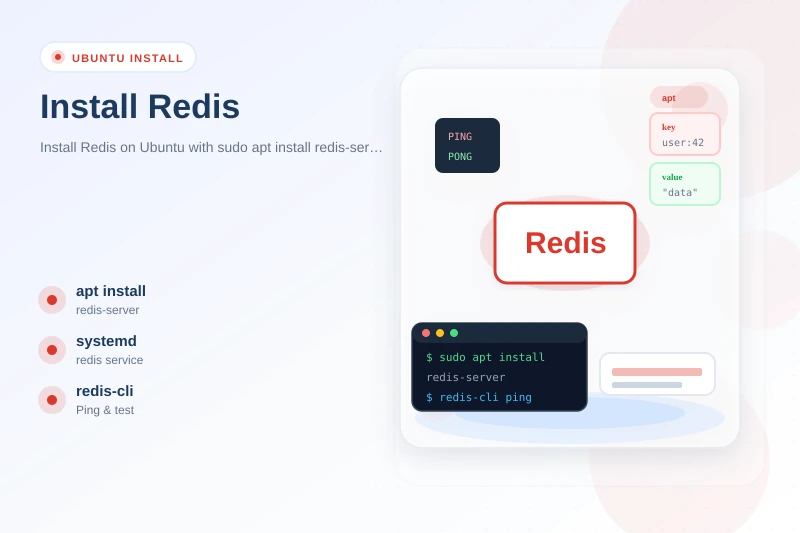
Redis is an in-memory data store used as a cache, session store, message broker, and lightweight database. On Ubuntu it is a common companion to PostgreSQL, Django, Spring Boot, and Node.js apps that need fast key-value access without hammering disk.
This guide walks through how to install Redis on Ubuntu the way I run it locally: apt install redis-server from universe for a supported 7.x build, the official packages.redis.io repository when you need Redis 8.x, and optional Snap installs. You will start the service with systemd, verify with redis-cli ping, and apply baseline security (bind address, password, firewall) so you do not accidentally ship an open Redis port to the internet.
Tested on: Ubuntu 25.04 (Plucky Puffin); kernel 6.14.0-37-generic; Redis 7.0.15 (
redis-serverfrom universe).
Quick command summary
| Task | Command |
|---|---|
| Check apt candidate | apt-cache policy redis-server redis-tools |
| Install (Ubuntu universe) | sudo apt update && sudo apt install -y redis-server |
| Service status | sudo systemctl status redis-server |
| Enable on boot | sudo systemctl enable redis-server |
| Test connection | redis-cli ping |
| Set / get a key | redis-cli SET mykey hello then redis-cli GET mykey |
| Config file | /etc/redis/redis.conf |
| Official Redis 8.x repo | See Step 2 |
| Remove | sudo apt purge -y redis-server |
What is Redis—and when do you need it on Ubuntu?
Redis stores data in memory (with optional persistence to disk) as strings, hashes, lists, sets, sorted sets, streams, and more. Typical jobs:
| Use case | Example |
|---|---|
| Cache | Store HTML fragments or API JSON with a TTL |
| Session store | Share login sessions across app servers |
| Queue / broker | Celery, Sidekiq, BullMQ job backends |
| Rate limiting | Counters with INCR and expiry |
| Pub/Sub | Live notifications between services |
Redis is not a full replacement for PostgreSQL or MongoDB—it excels at fast, ephemeral, or small structured data. For pure in-memory caching without Redis features, Memcached on Ubuntu is simpler but less capable.
Prerequisites
- Ubuntu 22.04 LTS, 24.04 LTS, or newer (25.04 tested here) on amd64.
- sudo for package installation and editing
/etc/redis/redis.conf. - universe enabled in apt sources (
redis-serverlives in universe on Ubuntu). - cURL and
gpgwhen adding the official Redis apt repository. - Enough RAM for your dataset—Redis holds working set in memory; plan headroom beyond
maxmemoryif you enable persistence.
Step 1: Install Redis from Ubuntu apt (recommended for local dev)
Refresh indexes and inspect versions before installing:
sudo apt update
apt-cache policy redis-server redis-tools
On Ubuntu 25.04 you should see something like:
redis-server:
 Candidate: 5:7.0.15-3ubuntu0.1
 Version table:
 5:7.0.15-3ubuntu0.1 500
 500 http://security.ubuntu.com/ubuntu plucky-security/universe amd64 Packages
redis-tools:
 Candidate: 5:7.0.15-3ubuntu0.1
Install with apt:
sudo apt install -y redis-serverredis-server depends on redis-tools, which provides redis-cli. Ubuntu configures systemd supervision automatically.
Check the service:
sudo systemctl status redis-server● redis-server.service - Advanced key-value store
Loaded: loaded (/usr/lib/systemd/system/redis-server.service; enabled; preset: enabled)
Active: active (running)
Status: "Ready to accept connections"If the unit is inactive:
sudo systemctl enable --now redis-serverSee systemctl list services when you manage several daemons on one host.
Verify with redis-cli
redis-server --version
redis-cli pingRedis server v=7.0.15 sha=00000000:0 malloc=jemalloc-5.3.0 bits=64 build=...
PONGStore and read a test key:
redis-cli SET golinuxcloud:test "hello from ubuntu" EX 60
redis-cli GET golinuxcloud:testOK
"hello from ubuntu"EX 60 expires the key after 60 seconds—a simple TTL pattern for caches.
Default network settings on Ubuntu
Ubuntu’s packaged config listens on loopback only:
redis-cli CONFIG GET bind
redis-cli CONFIG GET protected-modebind
127.0.0.1 -::1
protected-mode
yesThat matches the default Redis security posture: local clients on the same machine can connect; remote hosts cannot until you change bind and firewall rules deliberately.
Step 2: Install from the official packages.redis.io repository (Redis 8.x)
When you need newer Redis Open Source (8.x as of 2026) or builds straight from Redis install docs, add the vendor apt repository.
Install prerequisites:
sudo apt-get install -y lsb-release curl gpgImport the signing key and add the list file:
curl -fsSL https://packages.redis.io/gpg | sudo gpg --dearmor -o /usr/share/keyrings/redis-archive-keyring.gpg
sudo chmod 644 /usr/share/keyrings/redis-archive-keyring.gpg
echo "deb [signed-by=/usr/share/keyrings/redis-archive-keyring.gpg] https://packages.redis.io/deb $(lsb_release -cs) main" | sudo tee /etc/apt/sources.list.d/redis.listOn Ubuntu 25.04 (plucky), packages.redis.io may not publish a plucky suite yet—same pattern as MongoDB on Ubuntu. Use noble in the deb line until Redis documents plucky:
echo "deb [signed-by=/usr/share/keyrings/redis-archive-keyring.gpg] https://packages.redis.io/deb noble main" | sudo tee /etc/apt/sources.list.d/redis.listUpdate and list candidates:
sudo apt-get update
apt policy redis
With the noble vendor repo enabled, the newest candidate was 6:8.8.0-1rl1~noble1 at time of writing—your mirror may show a newer 8.x build.
Install the metapackage (pulls server, tools, and related components per Redis packaging):
sudo apt-get install -y redisPin a specific version when you need reproducibility:
sudo apt-get install -y redis=6:7.4.8-1rl1~noble1 redis-server=6:7.4.8-1rl1~noble1 redis-tools=6:7.4.8-1rl1~noble1Enable and start if the unit is not already active:
sudo systemctl enable redis-server
sudo systemctl start redis-server
redis-cli pingredis-server and packages.redis.io redis without purging one side first—duplicate units and config paths cause confusing apt conflicts. Pick one source per machine.
Step 3: Install Redis from Snap (optional)
Redis Ltd publishes a Snap (latest/stable tracked 8.8.0 in mid-2026):
sudo snap install redisSnap manages its own confinement and lifecycle. For production on Ubuntu servers, most teams prefer apt or packages.redis.io because configuration maps cleanly to /etc/redis/redis.conf and standard systemd journals.
Enable boot start on Snap when needed:
sudo snap set redis service.start=true
sudo snap services redis
Use redis.cli from the Snap path or install redis-tools from apt for a familiar redis-cli on $PATH.
Manage Redis with systemd
| Action | Command |
|---|---|
| Start | sudo systemctl start redis-server |
| Stop | sudo systemctl stop redis-server |
| Restart | sudo systemctl restart redis-server |
| Logs | sudo journalctl -u redis-server -e |
| Config test | sudo redis-server /etc/redis/redis.conf --test-memory 1 |
After editing /etc/redis/redis.conf, restart to apply:
sudo systemctl restart redis-serverBasic configuration after install
Main config file: /etc/redis/redis.conf. Back it up before changes:
sudo cp /etc/redis/redis.conf /etc/redis/redis.conf.bak.$(date +%F)Set a password (requirepass)
For development you can test a password without editing the file:
redis-cli CONFIG SET requirepass 'your-strong-password'
redis-cli pingNOAUTH Authentication required.redis-cli -a 'your-strong-password' pingPONGTo persist, edit the config (use a secrets manager in production instead of plaintext when possible):
sudo sed -i 's/^# requirepass .*/requirepass your-strong-password/' /etc/redis/redis.conf
sudo systemctl restart redis-server
Prefer Redis ACLs (ACL SETUSER) on Redis 6+ for finer control in multi-tenant setups—see Redis security docs.
Listen on a private LAN (not the public internet)
To accept connections from other hosts on a trusted private network, set bind to the server’s private IP and restrict firewall access to app subnets only:
bind 10.0.0.5 -::1Always pair LAN binding with requirepass or ACLs and UFW/iptables rules—never bind 0.0.0.0 on a cloud VM without authentication.
Persistence (RDB and AOF)
Ubuntu defaults enable RDB snapshots (save directives in redis.conf). For durability tuning:
| Mode | Trade-off |
|---|---|
| RDB | Point-in-time snapshots; faster restarts; may lose last minutes |
| AOF | Append-only log; more durable; larger disk use |
Enable AOF in redis.conf when you need stricter durability on a single node—production HA usually adds replication and backups beyond this guide.
Connect from your application (quick smoke tests)
Redis listens on 127.0.0.1:6379 by default.
Python (install redis package separately):
python3 -c "import redis; r=redis.Redis; print(r.ping)"If ModuleNotFoundError, install with pip install redis in your project venv—not via this server package.
Node.js:
node -e "const redis=require('redis');(async=>{const c=redis.createClient;await c.connect;console.log(await c.ping);await c.quit;})"Requires npm install redis in your app directory.
For a full database beside Redis, see PostgreSQL on Ubuntu. Redis often sits in front of Postgres or MongoDB as a cache layer—not a substitute for either.
Uninstall Redis
Universe or official-repo apt install:
sudo systemctl stop redis-server
sudo apt purge -y redis-server redis-tools redis
sudo apt autoremove -y
See remove unused packages on Ubuntu for reviewing what autoremove proposes and cleaning leftover apt cache or rc configs.
Remove vendor repo when you added it:
sudo rm -f /etc/apt/sources.list.d/redis.list
sudo apt update
Snap:
sudo snap remove redisData files under /var/lib/redis may survive purge—delete only when you are sure backups exist:
sudo rm -rf /var/lib/redisTroubleshooting
| Symptom | Likely cause | Fix |
|---|---|---|
E: Unable to locate package redis-server |
universe disabled | Enable universe; sudo apt update |
Could not connect to Redis at 127.0.0.1:6379: Connection refused |
Service stopped | sudo systemctl start redis-server |
NOAUTH Authentication required |
requirepass or ACL enabled |
redis-cli -a password or fix ACL user |
DENIED Redis is running in protected mode |
Remote client, no password, non-loopback bind | Set password and bind rules, or connect from localhost |
| Wrong version after repo change | Mixed packages from two sources | apt policy redis-server; purge one source completely |
redis-cli missing |
Only server metapackage edge case | sudo apt install redis-tools |
| High memory use | Large dataset, no maxmemory policy |
Set maxmemory and maxmemory-policy in redis.conf |
| Port 6379 open to internet | Firewall / bind misconfiguration | ss -tlnp | grep 6379; restrict UFW; bind localhost for dev |
Check listening sockets:
ss -tlnp | grep 6379LISTEN 0 511 127.0.0.1:6379 0.0.0.0:* users:(("redis-server",pid=1670,fd=6))References
- Redis — Install on Linux (archive)
- Redis — Install Open Source via APT
- Ask Ubuntu — install Redis (historical)
- Super User — Redis 7 on Ubuntu 22.04
- On-site: apt command, Memcached on Ubuntu, PostgreSQL on Ubuntu, MongoDB on Ubuntu, systemctl services, curl cheat sheet
Summary
The straightforward way to install Redis on Ubuntu for local development is sudo apt update && sudo apt install -y redis-server, then confirm PONG from redis-cli ping. Ubuntu enables systemd on boot, binds 127.0.0.1 by default, and ships Redis 7.0.x on 25.04 from universe.
When you need Redis 8.x, add packages.redis.io per official docs—use the noble suite on 25.04 until a plucky repository exists. Harden with passwords or ACLs, careful bind settings, and firewall rules before exposing port 6379 beyond localhost. Purge one packaging source before switching between universe and vendor repos to avoid broken upgrades.
