
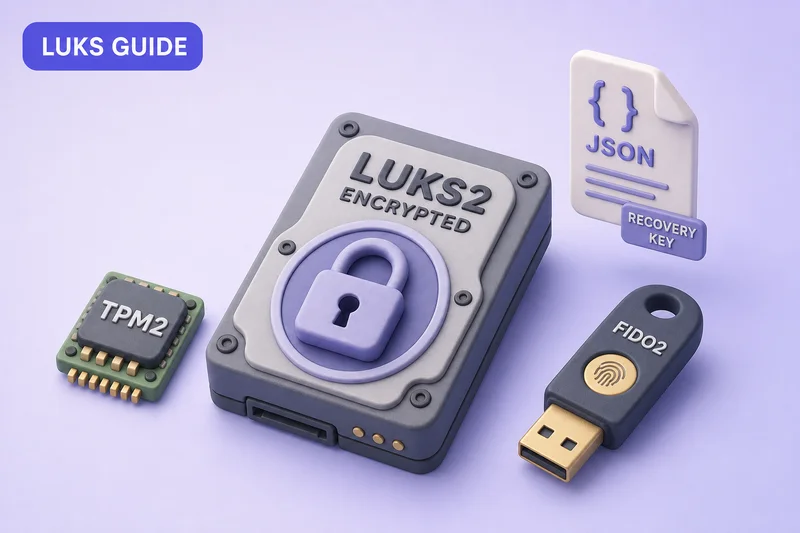
systemd-cryptenroll adds hardware and recovery unlock paths to an existing LUKS2 volume:
- Writes credentials to LUKS2 key slots
- Records how to use them in the header token area (JSON metadata)
- Lets
systemd-cryptsetupin the initramfs consume those tokens at boot
Unlock options covered:
- TPM2 seal
- FIDO2 security key (hmac-secret)
- PKCS#11 smartcard
- Printed recovery key
Examples use /dev/sdc1 from encrypt a partition with LUKS. Recovery-key enrollment output comes from a disposable loop lab on this host; TPM2 and FIDO2 commands match physical hardware when devices are present.
Related guides:
- Auto mount LUKS at boot using crypttab
- LUKS header backup before adding or wiping slots
- Clevis and Tang NBDE — network-assisted unlock for fleets
Tested on: Ubuntu 26.04 LTS (Resolute Raccoon); kernel 7.0.0-27-generic; systemd 259.5; cryptsetup 2.8.4.
/dev/sdc1). It does not replace your distribution installer for full-disk encryption at OS install time, and it does not configure Clevis/Tang network unlock—that is a separate workflow. Enrollment changes the LUKS header; take a header backup before wiping slots or rotating tokens.
Quick reference
| Goal | Command |
|---|---|
| List candidate block devices | systemd-cryptenroll --list-devices |
| Enroll recovery key | sudo systemd-cryptenroll --recovery-key /dev/sdc1 |
| Enroll TPM2 with Secure Boot PCR | sudo systemd-cryptenroll --tpm2-device=auto --tpm2-pcrs=7 /dev/sdc1 |
| Enroll TPM2 without PCR binding | sudo systemd-cryptenroll --tpm2-device=auto /dev/sdc1 |
| Enroll FIDO2 HMAC token | sudo systemd-cryptenroll --fido2-device=auto /dev/sdc1 |
| List PKCS#11 tokens | systemd-cryptenroll --pkcs11-token-uri=list |
| Inspect LUKS2 tokens | sudo cryptsetup luksDump /dev/sdc1 |
| Export one token as JSON | sudo cryptsetup token export --token-id 0 /dev/sdc1 |
| Wipe a key slot | sudo systemd-cryptenroll --wipe-slot=2 /dev/sdc1 |
Replace /dev/sdc1 with your LUKS2 partition.
- You need an existing passphrase or
--unlock-key-fileto authorize enrollment
Some flags vary by systemd version. This guide was tested against Ubuntu 26.04 (systemd 259). On older Ubuntu or Debian releases, check systemd-cryptenroll --help before using newer options:
| Option | Added in systemd |
|---|---|
--unlock-key-file |
252 |
--unlock-fido2-device |
253 |
--unlock-tpm2-device |
256 |
--fido2-parameters-in-header |
257 |
What you need
- LUKS2 volume (not LUKS1) — confirm with
cryptsetup luksDump - Root or
sudo - An existing unlock secret (passphrase or key file) for every enrollment except
--wipe-slot - For TPM2: TPM 2.0 chip or firmware vTPM (
/dev/tpmrm0or/dev/tpm0) - For FIDO2: security key with hmac-secret support
- For boot unlock: matching
/etc/crypttaboption and regenerated initramfs (update-initramfs -u -k allon Ubuntu/Debian when multiple kernels are installed) - LUKS header backup before wiping slots
On Fedora and other distributions, install systemd and cryptsetup locally—the enrollment commands are the same when versions are new enough.
LUKS2 tokens and the JSON metadata area
LUKS2 stores two related concepts in the header:
| Area | What it holds |
|---|---|
| Key slots | Passphrases, recovery keys, or key material wrapped by hardware policies |
| Tokens (JSON) | Metadata telling cryptsetup / systemd-cryptsetup how to use a slot (TPM2 PCR policy, FIDO2 credential, Clevis pin, systemd-recovery, and so on) |
cryptsetup luksDump prints a human summary under Tokens:. Export the full JSON for one token:
sudo cryptsetup token export --token-id 0 /dev/sdc1After recovery-key enrollment on a lab loop volume, token 0 looked like:
{"type":"systemd-recovery","keyslots":["1"]}Confirm the volume is LUKS2 before enrolling:
sudo cryptsetup luksDump /dev/sdc1 | head -5Sample output:
LUKS header information
Version:       	2
Epoch:         	3
Metadata area: 	16384 [bytes]
Keyslots area: 	16744448 [bytes]
LUKS1 volumes have no Tokens: section — systemd-cryptenroll refuses them.
Hardware and environment requirements
| Method | Needs | Typical use |
|---|---|---|
| Recovery key | CPU only | Offline backup when a token is lost |
| TPM2 | TPM 2.0 chip or firmware vTPM | Laptop or server that should unlock when PCR state matches |
| FIDO2 | Token with hmac-secret (most YubiKeys, many FIDO2 keys) | USB/NFC key you touch at boot |
| PKCS#11 | Smartcard or token with RSA/EC key | Enterprise smartcard login |
On this lab VM, list TPM2 candidates:
systemd-cryptenroll --tpm2-device=listSample output:
No suitable TPM2 devices found.List FIDO2 devices:
systemd-cryptenroll --fido2-device=listSample output:
No FIDO2 devices found.List PKCS#11 tokens:
systemd-cryptenroll --pkcs11-token-uri=listSample output:
No suitable PKCS#11 tokens found.Check for TPM device nodes:
ls /dev/tpm* 2>/dev/null || echo "No /dev/tpm* nodes"Sample output:
No /dev/tpm* nodessystemd-cryptenroll(1) behavior on physical hardware. You cannot complete TPM2 or FIDO2 enrollment in a plain VM unless the hypervisor exposes a virtual TPM and you attach a FIDO2 key to the guest.
Install and list devices
systemd-cryptenroll ships with systemd on Ubuntu 26.04 (package systemd).
List block devices that look like LUKS2 candidates:
systemd-cryptenroll --list-devicesSample output (trimmed):
/dev/sdc1
/dev/disk/by-uuid/e2e306a9-d94e-45d9-b209-4c9975fcede5
...
/dev/sdc1 is the lab secondary disk. The list also includes symlinks under /dev/disk/by-*.
If you omit the device argument and are not wiping slots, the tool may default to the block device backing /var (often the root filesystem) — always pass the LUKS partition explicitly.
Enroll a recovery key
Recovery keys are long, random, hyphen-separated words:
- Occupy a normal LUKS key slot
- Register a
systemd-recoverytoken so administrators know which slot is the recovery path
You must prove an existing key:
- Interactive (preferred): run without
--unlock-key-fileand type the passphrase when prompted - Automation:
--unlock-key-fileonly when the unlock secret is already stored as a key file - Do not type real passphrases into shell commands — history, scrollback, and
/tmphandling can leak them
Enroll interactively on your LUKS partition:
sudo systemd-cryptenroll --recovery-key /dev/sdc1Or authorize with an existing key file:
chmod 600 /path/to/existing-unlock.key
sudo systemd-cryptenroll --recovery-key --unlock-key-file=/path/to/existing-unlock.key /dev/sdc1
On a disposable loop LUKS2 volume (same command shape as /dev/sdc1), enrollment printed:
A secret recovery key has been generated for this volume:

    cnfnjjdb-dgtrvjbu-fivfvvkb-lddibdcr-irijjtkb-ufrkvbdd-ckcjkfhe-uillgvvt

Please save this secret recovery key at a secure location. It may be used to
regain access to the volume if the other configured access credentials have
been lost or forgotten. The recovery key may be entered in place of a password
whenever authentication is requested.
New recovery key enrolled as key slot 1.
Confirm the new slot and systemd-recovery token:
sudo cryptsetup luksDump /dev/sdc1 | sed -n '/Keyslots:/,/Digests:/p'Sample output after recovery enrollment:
Keyslots:
  0: luks2
	...
  1: luks2
	...
	PBKDF:      pbkdf2
	...
Tokens:
  0: systemd-recovery
	Keyslot:    1
Test the recovery key without opening the mapper (replace with your generated key):
printf '%s' 'cnfnjjdb-dgtrvjbu-fivfvvkb-lddibdcr-irijjtkb-ufrkvbdd-ckcjkfhe-uillgvvt' | \
  sudo cryptsetup open --test-passphrase /dev/sdc1
Silent exit code 0 means the recovery key matches the enrolled slot.
Enroll TPM2
When a TPM2 device is present, list it first:
systemd-cryptenroll --tpm2-device=listSample output on hardware with a TPM:
/path/to/tpm2 (driver: …)Enroll with automatic device selection. To bind unlock to boot state, pass PCR values — PCR 7 is a common starting point because it reflects Secure Boot policy:
sudo systemd-cryptenroll --tpm2-device=auto --tpm2-pcrs=7 /dev/sdc1TPM2 enrollment without PCR binding:
sudo systemd-cryptenroll --tpm2-device=auto /dev/sdc1— omit--tpm2-pcrs- TPM can unlock whenever the TPM seed matches
- Weaker assurance about firmware, kernel, or bootloader integrity
PCR binding cautions:
- PCR 7 — common starting point (Secure Boot policy)
- PCR 11 — mainly useful with UKI/systemd-stub boot paths
- Avoid binding to many firmware PCRs (0, 2, …) unless you have tested kernel, firmware, Secure Boot, and bootloader updates
| Option | Purpose |
|---|---|
--tpm2-pcrs=7 |
Bind to Secure Boot policy (common starting point) |
--tpm2-pcrs=7+11 |
Add PCR 11 for systemd-stub/UKI-style boot flows |
--tpm2-with-pin=BOOL |
Require TPM PIN in addition to PCR match |
--tpm2-public-key= |
Bind to signed PCR policies from your vendor |
After enrollment:
luksDumpshows asystemd-tpm2token linked to the new key slot- Wire crypttab with
tpm2-device=auto - Test
systemd-cryptsetup attachbefore reboot - Regenerate initramfs on Ubuntu/Debian:
sudo update-initramfs -u -k all(or-ualone if only one kernel is installed)
VM testing:
- Enable a virtual TPM in VMware, Hyper-V, or libvirt
- Plain VirtualBox without vTPM keeps returning “No suitable TPM2 devices found”
Enroll FIDO2
FIDO2 enrollment needs a security key that implements the hmac-secret extension. List devices:
systemd-cryptenroll --fido2-device=listPlug in the key, then enroll:
sudo systemd-cryptenroll --fido2-device=auto /dev/sdc1Useful flags:
| Flag | Effect |
|---|---|
--fido2-with-client-pin=yes |
Require PIN on each unlock |
--fido2-with-user-presence=yes |
Require touch (default on most keys) |
--fido2-parameters-in-header=yes |
Store credential parameters in LUKS2 (needed for some boot paths; systemd 257+) |
After FIDO2 enrollment:
- Add crypttab with
fido2-device=auto - Test
systemd-cryptsetup attachbefore reboot - Ensure initramfs includes FIDO2 support (
cryptsetup-initramfsand a recent systemd on Ubuntu)
Enroll PKCS#11 (smartcard)
List smartcard or token URIs:
systemd-cryptenroll --pkcs11-token-uri=listEnroll with a specific URI or auto:
sudo systemd-cryptenroll --pkcs11-token-uri=auto /dev/sdc1PKCS#11 cautions:
- Cannot add another PKCS#11 key when the volume is already PKCS#11-only for unlock (see
systemd-cryptenroll(1)) - Keep a passphrase, recovery key, FIDO2, or TPM2 slot available for rotation
- Wire crypttab with
pkcs11-uri=autoand test attach before reboot
Wipe or rotate enrollments
Remove a specific key slot (for example after losing a FIDO2 key):
sudo systemd-cryptenroll --wipe-slot=2 /dev/sdc1Before wiping a slot:
- Confirm another working slot remains (
cryptsetup luksDump) - Keep a LUKS header backup
- You can combine
--wipe-slotwith a new enrollment in one invocation
To change passphrases without hardware tokens, use cryptsetup luksChangeKey or see change LUKS keys and cipher.
Boot integration with crypttab
Enrollment writes token metadata to the LUKS2 header. Boot unlock still needs crypttab to name the mechanism:
- Plain
luks— passphrase or recovery key prompt only (not unattended hardware unlock) tpm2-device=auto— TPM2 token unlockfido2-device=auto— FIDO2 token unlockpkcs11-uri=auto— PKCS#11 token unlock
Read the LUKS UUID for crypttab:
sudo cryptsetup luksUUID /dev/sdc1Sample output on the lab disk:
e2e306a9-d94e-45d9-b209-4c9975fcede5Add one line to /etc/crypttab based on what you enrolled:
# TPM2 unlock
secure_data UUID=e2e306a9-d94e-45d9-b209-4c9975fcede5 none luks,tpm2-device=auto

# FIDO2 unlock
secure_data UUID=e2e306a9-d94e-45d9-b209-4c9975fcede5 none luks,fido2-device=auto

# PKCS#11 unlock
secure_data UUID=e2e306a9-d94e-45d9-b209-4c9975fcede5 none luks,pkcs11-uri=auto

# Recovery key or passphrase prompt
secure_data UUID=e2e306a9-d94e-45d9-b209-4c9975fcede5 none luks
Recovery key at boot:
- Not unattended unlock
- High-entropy passphrase you type at the normal prompt when hardware unlock is unavailable
Boot flow:
- Enroll TPM2, FIDO2, PKCS#11, or a recovery key on
/dev/sdc1 - Add the matching crypttab line (mount LUKS at boot for fstab and generator behavior)
- Test attach before rebooting — official crypttab examples use this pattern
Test TPM2 attach (requires TPM enrollment on the volume):
sudo systemd-cryptsetup attach secure_data /dev/sdc1 none tpm2-device=auto
sudo systemd-cryptsetup detach secure_data
Test FIDO2 attach (key plugged in):
sudo systemd-cryptsetup attach secure_data /dev/sdc1 none fido2-device=auto
sudo systemd-cryptsetup detach secure_data
Test PKCS#11 attach (smartcard present):
sudo systemd-cryptsetup attach secure_data /dev/sdc1 none pkcs11-uri=auto
sudo systemd-cryptsetup detach secure_data- Regenerate initramfs on Ubuntu/Debian:
sudo update-initramfs -u -k allFor a single currently running kernel, sudo update-initramfs -u is usually enough.
- On boot,
systemd-cryptsetup@secure_data.serviceuses crypttab options to try token unlock before prompting
Fleet alternative:
- Clevis and Tang NBDE — network-assisted unlock instead of or alongside local TPM/FIDO2
Troubleshooting
| Symptom | Likely cause | Fix |
|---|---|---|
No suitable TPM2 devices found |
No TPM driver node (/dev/tpmrm0, /dev/tpm0) |
Enable TPM in firmware or add a hypervisor vTPM; until then use --recovery-key or FIDO2 |
No FIDO2 devices found |
Key unplugged or missing hmac-secret support | Plug in a compatible FIDO2 key or enroll a recovery key first |
Device is not a valid LUKS device or LUKS1 |
Volume is LUKS1 or not LUKS at all | Recreate or convert to LUKS2 — systemd-cryptenroll refuses LUKS1 |
| Enrollment succeeds but boot still prompts for password | crypttab missing token option, stale initramfs, or root unlock not wired into early boot | Add tpm2-device=auto, fido2-device=auto, or pkcs11-uri=auto to crypttab; run sudo update-initramfs -u -k all; for root volumes, confirm your distro uses crypttab/initramfs hooks or kernel rd.luks.* options correctly |
systemd-cryptsetup attach fails after enrollment |
Wrong device, volume not enrolled for that token type, or hardware absent | Match /dev/sdc1 and mapper name; confirm luksDump shows the token; plug in FIDO2/smartcard or enable TPM |
| Unlock works until kernel update (TPM2) | PCR binding too strict or wrong PCR set | Re-enroll with tested PCR set; start with PCR 7 only before adding 11 |
No key available with this passphrase during enrollment |
Wrong unlock secret for an active slot | Use --unlock-key-file with the exact passphrase bytes or key file that unlocks the volume |
References
- systemd-cryptenroll(1)
- systemd-cryptsetup(8)
- crypttab(5) man page
- cryptsetup token JSON format
- Ubuntu man page: systemd-cryptenroll(1)
Summary
- Adds TPM2, FIDO2, PKCS#11, and recovery-key unlock paths to LUKS2 volumes and stores token metadata in the header JSON area
- Recovery keys work on any machine; TPM2 and FIDO2 need real hardware (or vTPM for TPM2 in VMs)
- After enrollment, add the matching crypttab option (
tpm2-device=auto,fido2-device=auto, orpkcs11-uri=auto), test withsystemd-cryptsetup attach, regenerate initramfs, and keep a recovery key or passphrase slot as a backstop
