
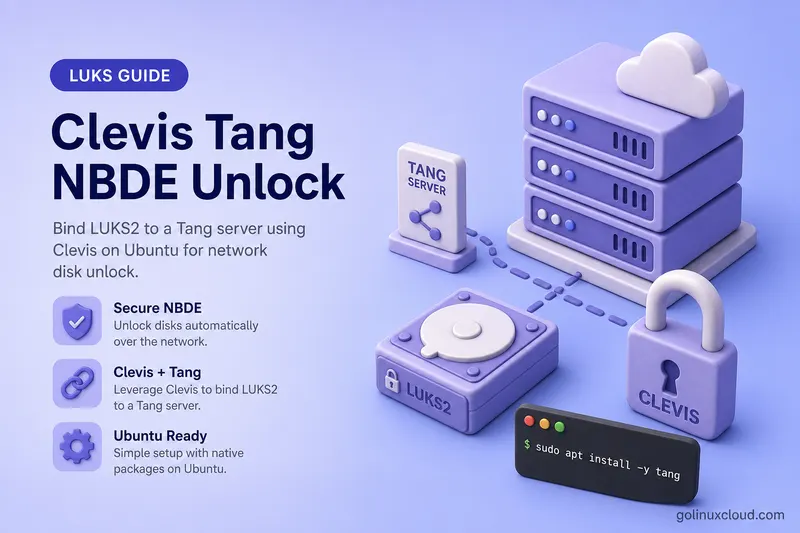
Fleet servers with LUKS-encrypted root or data disks should not each carry a per-host keyfile in /etc/crypttab. Network-Bound Disk Encryption (NBDE) binds a LUKS2 volume to a Tang server: at boot, Clevis on the client contacts Tang, unwraps a policy key, and opens the mapper without you typing a passphrase—when Tang is reachable on the network.
This guide walks through a two-VM lab (RHEL 8 Tang server + CentOS 8 LUKS root client): install Tang, bind with Clevis, rebuild the initramfs, reboot, and watch boot continue without entering the passphrase. A screen recording from the original lab is embedded below.
Related paths: encrypt a disk partition with LUKS, mount LUKS at boot, encrypt root with LUKS, and the cryptsetup command cheat sheet. For TPM2/FIDO2 instead of Tang, see systemd-cryptenroll on LUKS2.
Tested on: RHEL 8.1 Tang server + CentOS 8.0 LUKS root client on Oracle VirtualBox (two VMs,
192.168.0.121/192.168.0.119). End-to-end root boot without passphrase; video embedded in this article.
What you need
Use two VMs on the same LAN so the client can reach Tang during early boot, not only after SSH.
| You need | Lab value |
|---|---|
| Tang server | rhel-8 @ 192.168.0.121 |
| Clevis client | centos-8 @ 192.168.0.119, LUKS root on /dev/sdb1 |
| Tang URL in bind | http://192.168.0.121 |
| Tang key path | /var/db/tang |
| Client packages | clevis, clevis-luks, clevis-dracut |
| Initramfs regen | dracut -fv --regenerate-all --hostonly-cmdline; add rd.neednet=1 if early network is required |
| Free LUKS slot | yes — clevis luks bind consumes one slot |
Pre-flight on the client:
- Tang listens on TCP port 80 by default.
- Run
curl -s http://192.168.0.121/advbefore you bind. - If that fails from a logged-in shell, Clevis will fail the same way at boot.
Safety:
- Do not run this lab on your daily driver.
- Use disposable VMs or snapshots.
- A failed Tang reachability test can strand the host at the LUKS prompt.
Quick reference
| Step | Command |
|---|---|
| Install Tang (server) | yum install tang |
| Enable Tang | systemctl enable --now tangd.socket |
| Install Clevis (client) | yum install clevis clevis-luks clevis-dracut |
| Bind | clevis luks bind -d DEV tang '{"url":"http://TANG"}' |
| Manual test | clevis luks unlock -d DEV -n NAME |
| Root initramfs | dracut -fv --regenerate-all --hostonly-cmdline |
| Early network | grubby --update-kernel=ALL --args="rd.neednet=1" |
| Proof on Tang | journalctl -f on Tang VM |
Which Clevis unlocker do I need?
| Scenario | Package | Rebuild needed |
|---|---|---|
| Root disk (dracut) | clevis-dracut |
dracut -fv --regenerate-all --hostonly-cmdline (+ rd.neednet=1 when early network is required) |
| Secondary data disk (crypttab after root) | clevis-systemd |
Usually no initramfs rebuild |
| Manual test (any volume) | clevis luks unlock |
None |
Unlock timing:
- Early boot — root via
clevis-dracutin the initramfs. - Late boot — additional crypttab volumes via
clevis-systemdonce networking is up.
Policy-based decryption and how NBDE works
Policy-Based Decryption (PBD) is the umbrella term for unlocking encrypted volumes using a policy—network presence, TPM, and so on. NBDE binds LUKS to a Tang server on your network so clients can boot without distributing per-host keyfiles.
| Term | Role |
|---|---|
| Tang | Stateless HTTP server; publishes public keys. Binds unlock to network presence. No TLS by default—use a trusted VLAN. |
| Clevis | Client framework; clevis luks bind stores a JWE in the LUKS2 token area and adds a key slot. |
| Provisioning | clevis luks bind encrypts a new volume key with Tang’s public key and stores metadata in the LUKS header. |
| Recovery | At unlock (manual or boot), Clevis POSTs to Tang /rec/; Tang returns the wrapping key; the mapper opens. |
Boot sequence:
- Initramfs loads Clevis hooks from
clevis-dracut. - dracut shows the LUKS unlock screen.
- Clevis fetches Tang’s advertisement (
GET /adv), then POSTs encrypted key material to/rec/. - Tang responds; Clevis opens
/dev/mapper/…and boot continues.
What you should expect at boot:
- The LUKS passphrase screen often appears briefly even with NBDE.
- Clevis contacts Tang in the background.
- If Tang responds, boot continues without you typing the passphrase.
- That pause-and-continue behavior—not “zero prompt ever”—is what the video below shows.
Lab environment
| Host | Role | IP | OS |
|---|---|---|---|
rhel-8.example.com |
Tang server | 192.168.0.121 |
RHEL 8.1 |
centos-8.example.com |
Clevis client, LUKS root | 192.168.0.119 |
CentOS 8.0 |
Lab goal:
- Client has migrated LUKS root on
/dev/sdb1(passphrase every reboot before NBDE). - Bind to Tang on
rhel-8; boot without typing the passphrase when the client reaches Tang.
Configure the Tang server (RHEL 8)
On the Tang VM (192.168.0.121), install Tang. RHEL ships tangd as a socket-activated service:
sudo yum -y install tang
sudo systemctl enable tangd.socket --now
Verify the service is listening:
sudo systemctl is-active tangd.socket
curl -s -o /dev/null -w '%{http_code}\n' http://127.0.0.1/adv
Expected: active and HTTP 200.
On first start, Tang writes JSON Web Keys to /var/db/tang:
sudo ls -l /var/db/tang/Sample output:
total 8
-rw-r--r-- 1 root tang 349 … 7VXZSkDbTEqqIh7TqoXG6u82LK0.jwk
-rw-r--r-- 1 root tang 354 … -NYm6-gTZ9dquHe6zy9ynGU8SAI.jwk- Each
.jwkfile is part of Tang’s key material. - The filename prefix (before
.jwk) is the signing key id Clevis asks you to trust at bind time.
If firewalld is enabled, open port 80 so the client can reach Tang during boot:
sudo firewall-cmd --add-port=80/tcp
sudo firewall-cmd --runtime-to-permanent
Leave this running on the Tang VM while the client reboots—recovery requests appear in real time:
sudo journalctl -fConfigure the Clevis client (CentOS 8)
On the client (192.168.0.119), install Clevis and the dracut hook:
clevis-dracutembeds Clevis into the initramfs.- Without it, reboot still stops at the passphrase prompt—even after a successful bind.
sudo yum -y install clevis clevis-luks clevis-dracutFind the LUKS root partition (this lab: /dev/sdb1):
sudo blkid -t TYPE=crypto_LUKS -o deviceSample output:
/dev/sdb1Before bind, confirm only slot 0 is in use—Clevis will take the next free slot (usually 1):
sudo cryptsetup luksDump /dev/sdb1 | sed -n '/Keyslots:/,/Tokens:/p'Sample output:
Keyslots:
  0: luks2
	Key:        256 bits
	Priority:   normal
	Cipher:     aes-xts-plain64
	PBKDF:      argon2i
...- One
0: luks2entry — passphrase only. - After bind — slots
0and1.
Bind the LUKS root volume to Tang
On the client, point Clevis at the Tang server’s LAN IP:
- Use
http://192.168.0.121, not127.0.0.1. 127.0.0.1makes the client look for Tang on itself when Tang runs on another VM.
sudo clevis luks bind -d /dev/sdb1 tang '{"url":"http://192.168.0.121"}'Clevis prints the Tang signing keys from the advertisement and asks you to trust them, then prompts for your existing LUKS passphrase:
The advertisement contains the following signing keys:

-NYm6-gTZ9dquHe6zy9ynGU8SAI

Do you wish to trust these keys? [ynYN] Y
Enter existing LUKS password:
In production, avoid -y unless you already verified the Tang signing key out of band. -y skips the interactive Tang advertisement trust check.
What clevis luks bind does under the hood:
- Creates a new volume key with the same strength as the LUKS master key.
- Encrypts that key with Clevis/Tang policy (JWE).
- Stores the JWE in the LUKS2 header token area.
- Enables the new key in a second LUKS slot.
Verify two slots are now active:
sudo cryptsetup luksDump /dev/sdb1 | sed -n '/Keyslots:/,/Tokens:/p'Sample output:
Keyslots:
  0: luks2
	...
  1: luks2
...- Slot
0— passphrase (unchanged). - Slot
1— Clevis policy key. - Either slot unlocks the volume until you remove one.
Regenerate initramfs and reboot
Rebuild the initramfs—the running image was created before Clevis metadata existed.
On RHEL/CentOS 8 (original lab):
sudo dracut -fOn current RHEL, Rocky, or Alma systems, prefer a full regenerate with host-only cmdline preservation:
sudo dracut -fv --regenerate-all --hostonly-cmdlineIf bind succeeds and clevis luks list shows the policy but boot still waits at LUKS, networking may not be up inside the initramfs. Add rd.neednet=1 to the kernel command line:
sudo grubby --update-kernel=ALL --args="rd.neednet=1"Reboot the client and watch the VM console—not only SSH:
- SSH starts after LUKS unlock.
- The console shows the brief prompt and automatic continuation.
sudo rebootWhat you see at boot
Boot sequence on the client:
- LUKS passphrase prompt appears for root.
- Clevis contacts Tang at
192.168.0.121. - After a short pause, boot continues without you typing the passphrase (when Tang and the network path are up).
What Clevis does not do:
- It does not send your passphrase over the network.
- It POSTs encrypted key material to Tang; Tang returns data to activate slot
1and open the mapper.
On the Tang server, a successful client boot logs:
tangd[4454]: 192.168.0.119 POST /rec/7VXZSkDbTEqqIh7TqoXG6u82LK0 => 200192.168.0.119— client source IP.POST /rec/— recovery endpoint.200— success.
If you see this line but the client still hangs, check initramfs regeneration, rd.neednet=1, and client network bring-up in early boot—not Tang.
When Tang is unreachable
Test failure modes on the two-VM lab only. Stop Tang or block port 80, then reboot the client:
# On rhel-8 (Tang VM)
sudo systemctl stop tangd.socket
Expected when Tang is down:
- Boot stays at the LUKS passphrase prompt.
- Enter the passphrase from slot
0, or restore Tang reachability. - Keep a passphrase slot and plan Tang HA before removing manual unlock in production.
Restart Tang after the test:
sudo systemctl start tangd.socketFor Tang key rotation and rebinding, see Rotate Tang keys and refresh Clevis bindings below.
Secondary data volumes
Root vs data disk unlock:
- Root — unlocked in the initramfs via
clevis-dracut. - Data disk — root must be up first; systemd opens crypttab entries via
clevis-systemd.
On the client:
sudo yum -y install clevis clevis-luks clevis-systemd
sudo clevis luks bind -d /dev/sdX1 tang '{"url":"http://192.168.0.121"}'
Wire boot (replace <luks-uuid> with sudo blkid /dev/sdX1):
- crypttab —
_netdevwaits for networking before unlock:
secure_data UUID=<luks-uuid> none luks,_netdev-
fstab — mount the filesystem inside the mapper (mount LUKS at boot for the full walkthrough).
-
Enable Clevis askpass:
sudo systemctl enable clevis-luks-askpass.pathTest on a running system before you reboot a disposable VM:
sudo clevis luks unlock -d /dev/sdX1 -n secure_data
sudo systemctl start systemd-cryptsetup@secure_data.service
findmnt /mount/point
Multiple Tang servers and high availability
One Tang VM is enough for a lab. Production usually runs two or more Tang instances so one maintenance window does not block every reboot.
Upstream Tang recommends client-side redundancy—each Tang server keeps its own key material—rather than copying one Tang key database to many hosts. Clevis supports that through separate bindings or the sss (Shamir’s Secret Sharing) pin.
For multiple Tang servers, use one of these supported patterns:
- Bind separate Clevis slots — one
clevis luks bindper Tang server; each slot points at a different URL. Any bound slot can unlock the volume. - Use the Clevis
ssspin — combine multiple Tang child pins with thresholdt:1so Clevis tries Tang endpoints according to thessspolicy (one successful Tang recovery is enough whentis1):
sudo clevis luks bind -d /dev/sdb1 sss \
'{"t":1,"pins":{"tang":[{"url":"http://tang1.example.com"},{"url":"http://tang2.example.com"}]}}'- Load balancer in front of Tang — only when recovery requests consistently reach a backend that holds the matching key material, or when you deliberately replicate Tang keys and accept the operational risk. Blind VIP failover to a Tang node with different keys will not unlock existing bindings.
Operations:
- Monitor Tang like DNS or NTP.
- If every Tang endpoint is down and passphrase slots were removed, hosts will not boot.
- Keep at least one manual unlock path until HA is tested under real failures.
- Before removing old Tang keys on the server, migrate clients with
clevis luks regen(see rotation section below).
Rotate Tang keys and refresh Clevis bindings
Tang server keys may need to be rotated as part of your security policy. When you rotate Tang keys, refresh existing Clevis bindings before deleting old .jwk files.
Clevis bindings store JWE metadata tied to specific Tang keys—after rotation on the Tang server, clients must run clevis luks regen so the binding matches the new advertisement.
Workflow on the client (replace /dev/sdb1 and slot 1 with your device and Clevis slot):
- List bindings and confirm which slot is Tang policy:
sudo clevis luks list -d /dev/sdb1- Report what Clevis expects from Tang for that slot:
sudo clevis luks report -d /dev/sdb1 -s 1- After Tang has new keys in its advertisement, regenerate the JWE for the same policy:
sudo clevis luks regen -d /dev/sdb1 -s 1Safety notes:
- Take a LUKS header backup before
regenorunbind. - On the Tang server, do not remove old
.jwkfiles until every client bound to those keys has runclevis luks regenand you confirmed unlock still works—premature deletion can make volumes unrecoverable via NBDE. - For root volumes, an initramfs rebuild is mandatory after the initial Clevis/root setup or when boot/network configuration changes (
dracut -fv --regenerate-all --hostonly-cmdline). Afterclevis luks regen, a rebuild is usually optional but reasonable as a precaution—the critical step is confirming the refreshed binding unlocks before old Tang keys are removed. - Changing Tang URL or slot layout may overlap with LUKS key slot maintenance—plan header backups first.
Unbind and troubleshooting
To remove a Clevis binding:
- List slots and note the Tang policy number (usually
1after a single bind):
sudo clevis luks list -d /dev/sdb1Sample output:
1: tang '{"url":"http://192.168.0.121"}'- Unbind the Clevis slot. The command asks for confirmation unless you pass
-f(batch mode, no prompt, wipes the slot):
sudo clevis luks unbind -d /dev/sdb1 -s 1Before unbinding, confirm another passphrase or policy slot still unlocks the volume (cryptsetup open with passphrase, or clevis luks unlock on a remaining binding).
- On a root volume, regenerate initramfs after unbind:
sudo dracut -fv --regenerate-all --hostonly-cmdline| Symptom | Likely cause | Fix |
|---|---|---|
| Boot shows passphrase prompt forever | Tang down, firewall, or wrong URL in bind | Restore Tang; open port 80; verify curl -s http://TANG/adv from client |
| Brief prompt then boot continues | Expected NBDE success | Clevis recovered key from Tang |
clevis luks unlock fails |
Tang URL wrong or Tang not running | Fix URL; systemctl start tangd.socket |
| Boot still asks for passphrase (root) | Initramfs not rebuilt, or network not up in initramfs | dracut -fv --regenerate-all --hostonly-cmdline; add rd.neednet=1; check rd.luks.uuid= |
| Boot still asks (data disk) | Missing _netdev or clevis-systemd |
Add luks,_netdev; enable clevis-luks-askpass.path |
No POST /rec/ on Tang |
Client cannot route to Tang | Check VLAN, DNS, firewall between VMs |
| VM boot failure after crypttab experiment | Tang unreachable at boot on daily driver | Restore snapshot; use two-VM lab |
Watch Tang during a client unlock or reboot:
sudo journalctl -b -f | grep tangd- No
POST /rec/while the client sits at LUKS → client never reached Tang; fix networking before re-bind.
Compare NBDE with other unlock methods
| Method | Unlock depends on | Best for |
|---|---|---|
Passphrase in crypttab (none) |
Human at keyboard | Workstations, break-glass |
| Keyfile in crypttab | File on disk | Simple servers (weak if disk stolen) |
| systemd-cryptenroll TPM2/FIDO2 | Local hardware | Laptops, edge devices |
| Clevis + Tang NBDE | Network presence + Tang | Datacenter fleets |
References
- Clevis project documentation
- Tang project documentation
- Red Hat: Policy-based decryption
- clevis-luks manual (man 7)
Summary
- Install Tang on the server VM and Clevis +
clevis-dracuton the LUKS root client. - Bind
/dev/sdb1tohttp://TANG_IP, trust Tang keys, and confirm two LUKS slots. - Regenerate initramfs (
dracut -fv --regenerate-all --hostonly-cmdlineon current RHEL-family); addrd.neednet=1if needed; reboot and watch Clevis fetch the key from Tang (video). - For Tang HA, use separate Clevis slots or an
ssspin witht:1—not a shared Tang key DB copied to many servers without a migration plan. - Rotate Tang keys with
clevis luks reportandclevis luks regen; keep a passphrase slot; monitorPOST /rec/on Tang. - Secondary data disks use
clevis-systemdand_netdevin crypttab—test on a disposable VM. - Maintain header backups alongside your LUKS runbook.
