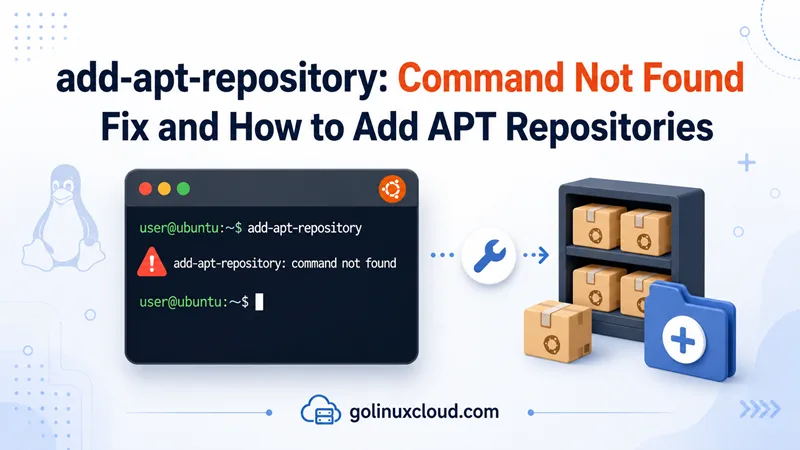
If you are following a tutorial and the first step is something like sudo add-apt-repository ppa:…, it can feel alarming when the terminal prints add-apt-repository: command not found or sudo: add-apt-repository: command not found. Take a breath—your system is probably fine. APT itself is still there; you are just missing a small helper program that many tutorials assume is already installed.
That gap shows up a lot on fresh VPS images, slim Docker containers, and minimal Debian installs where every extra package was left out on purpose. Below I will walk you through installing that helper, checking that it actually landed on disk, adding or removing a repository without guesswork, and a manual path if you would rather skip the command entirely. Once your repo is in place and you are installing packages day to day, our APT command in Linux guide is a handy next read.
Tested on: Ubuntu 25.04; kernel 6.14.0-37-generic; apt 3.0.0;
software-properties-common0.111.1.
Quick answer
If you only need the fix right now, run this, then go back to whatever the tutorial asked you to do:
sudo apt update
sudo apt install -y software-properties-common
add-apt-repository --help
One habit worth keeping: after you add or remove any repository, run sudo apt update before sudo apt install. APT will not see new packages until you do.
What is add-apt-repository, anyway?
Think of add-apt-repository as a shortcut. Instead of hand-editing files under /etc/apt/sources.list.d/, you pass it a PPA name or a deb … line and it writes the right entry for you. On Ubuntu it also pulls in the usual Launchpad details for PPAs. Need to undo something? --remove handles that too.
Here is the part that trips people up: this tool is not built into apt itself. So you can have a perfectly healthy system where sudo apt update works and add-apt-repository still does not exist yet.
You might also see tutorials spell it apt-add-repository. On current systems that is just another name for the same program—a symlink sitting next to the real binary:
ls -la /usr/bin/add-apt-repository /usr/bin/apt-add-repository-rwxr-xr-x 1 root root 25003 Sep 12 2025 /usr/bin/add-apt-repository
lrwxrwxrwx 1 root root 18 Sep 12 2025 /usr/bin/apt-add-repository -> add-apt-repositorySame fix either way.
Why the shell says “command not found”
In almost every case, the executable simply is not installed—or your environment cannot see it. Here is what that usually looks like in practice:
| Situation | What is going on |
|---|---|
| Minimal Ubuntu or Debian image | software-properties-common was never installed |
Docker FROM ubuntu:… |
The base layer has apt, not the repo helper |
| Wrong package name | apt install add-apt-repository fails—no such package exists |
| Broken install | The package shows as installed but the binary file is missing |
Odd PATH |
Rare, but the file exists under /usr/bin and your shell cannot find it |
The wording varies slightly depending on whether you used sudo, but the meaning is the same:
sudo: add-apt-repository: command not foundadd-apt-repository: command not foundapt-add-repository: command not foundInstall software-properties-common (the actual fix)
The command you want lives inside a package called software-properties-common. That name is not as memorable as add-apt-repository, which is why so many people search for the wrong thing.
Run:
sudo apt update
sudo apt install -y software-properties-common
Then make sure it really installed:
dpkg -l software-properties-common
dpkg -S /usr/bin/add-apt-repository
which add-apt-repositoryii software-properties-common 0.111.1 all manage the repositories that you install software from (common)
software-properties-common: /usr/bin/add-apt-repository
/usr/bin/add-apt-repositoryIf --help prints usage text, you are good to continue with your tutorial:
add-apt-repository --helpusage: add-apt-repository [-h] [-d] [-r] [-s] [-c COMPONENT] [-p POCKET] [-y]
[-n] [-l] [--dry-run] [--refresh-keys] [-L] [-P PPA]
...Want to double-check other packages while you are here? Our guide on listing installed packages in Ubuntu works the same way on Debian.
Please do not run apt install add-apt-repository
This catches almost everyone once. It feels logical—install the thing named like the command—but APT does not work that way here. On Ubuntu 25.04 you get:
sudo apt install add-apt-repositoryReading package lists...
Building dependency tree...
Reading state information...
Error: Unable to locate package add-apt-repositoryapt-add-repository as a package name fails the same way. Stick with software-properties-common.
If you ever wonder which package owns a file on disk, this one-liner is your friend:
dpkg -S /usr/bin/add-apt-repositoryOn a system where you have apt-file available:
sudo apt install apt-file
sudo apt-file update
apt-file search add-apt-repositorysoftware-properties-common: /usr/bin/add-apt-repository
software-properties-common: /usr/share/man/man1/add-apt-repository.1.gzAdding a repository once the command works
The order matters, so keep it simple in your head: add the repo → apt update → apt install. Skip the middle step and nothing from that repo will show up, even when everything else looks correct.
Adding a PPA on Ubuntu
PPAs are an Ubuntu thing—personal package archives hosted on Launchpad. A lot of guides use them to ship newer software; adding a newer Python via the Deadsnakes PPA is a common example, and we cover that flow in install or upgrade Python on Ubuntu.
Not sure what a PPA will change? Dry-run first—nothing gets written to disk:
sudo add-apt-repository --dry-run ppa:deadsnakes/ppaRepository: 'Types: deb
URIs: https://ppa.launchpadcontent.net/deadsnakes/ppa/ubuntu/
Suites: plucky
Components: main
'
...
DRY-RUN mode: no modifications will be madeHappy with the preview? Swap in your PPA name if the tutorial uses a different one:
sudo add-apt-repository -y ppa:deadsnakes/ppa
sudo apt update
The -y flag auto-answers the yes/no prompt—handy in scripts.
Adding a regular deb repository
Some vendors hand you a full line starting with deb [signed-by=…] instead of a PPA. Paste the whole thing in quotes:
sudo add-apt-repository "deb [arch=amd64 signed-by=/usr/share/keyrings/example.gpg] https://download.example.com/linux/ubuntu noble main"
sudo apt update
If their docs tell you to import a GPG key first, do that step before adding the line. Current practice is to put keys under /usr/share/keyrings/ rather than the old apt-key add approach.
Removing a repository you no longer need
sudo add-apt-repository --remove ppa:deadsnakes/ppa
sudo apt update
If you added Python from Deadsnakes and are tearing it down, uninstall Python on Ubuntu covers removing the packages and the PPA together.
No helper? You can add the repo by hand
Plenty of admins never touch add-apt-repository in production—they drop a file in /etc/apt/sources.list.d/ and move on. You can do the same.
First, import the signing key if the vendor provides one:
curl -fsSL https://example.com/key.gpg | sudo gpg --dearmor -o /usr/share/keyrings/example-archive.gpgThen create something like /etc/apt/sources.list.d/example.list with a single deb line:
deb [signed-by=/usr/share/keyrings/example-archive.gpg] https://download.example.com/linux/ubuntu noble mainNewer Ubuntu releases sometimes use .sources files in DEB822 format instead; the idea is unchanged—trusted key, correct URL, correct suite name.
Finish up the usual way:
sudo apt update
sudo apt install package-name
If you prefer an editor over creating files manually, sudo apt edit-sources is a safe route—we mention it in the APT command guide as well.
A quick note if you are on Debian (or comparing distros)
On Ubuntu, PPAs are normal. Install software-properties-common, run add-apt-repository ppa:…, run apt update, and you are aligned with most tutorials.
On Debian, Ubuntu PPAs are generally the wrong tool—they are built for Ubuntu’s package sets, not Debian’s. Reach for official Debian repos, backports, or a vendor-supplied deb line instead. You can still install software-properties-common on Debian when you want the helper for ordinary third-party repos.
If you are choosing between the two for a server and wondering how they differ beyond this one command, Debian 12 vs Ubuntu 24.04 LTS for servers lays out the bigger picture.
One last historical footnote: very old Ubuntu docs mention python-software-properties. On anything current—20.04 onward, modern Debian stable—software-properties-common is what you want.
Still stuck? A few things to try
Reinstall if the package looks installed but the command is gone
Sometimes the package metadata is there while /usr/bin/add-apt-repository vanished. A reinstall usually sorts it out:
sudo apt install --reinstall software-properties-common
ls -la /usr/bin/add-apt-repository
On the system where I tested this, reinstall put the binary back and kept the apt-add-repository symlink intact.
Building a Docker image or CI pipeline
If your Dockerfile runs add-apt-repository before installing the helper package, that step will always fail. Install it in the same layer:
RUN apt-get update \
 && apt-get install -y --no-install-recommends software-properties-common ca-certificates \
 && rm -rf /var/lib/apt/lists/*
When Ubuntu insists the command exists but your shell cannot find it
A stripped PATH can produce a confusing message—the system knows where the file is, but your session does not look there:
Command 'add-apt-repository' is available in the following places
 * /bin/add-apt-repository
 * /usr/bin/add-apt-repository
The command could not be located because '/bin:/usr/bin' is not included in the PATH environment variable.
add-apt-repository: command not found
For a quick test in the current shell:
export PATH="/usr/local/sbin:/usr/local/bin:/usr/sbin:/usr/bin:/sbin:/bin"Long term, fix whatever script or service trimmed PATH instead of calling /usr/bin/add-apt-repository by full path forever.
Cleaning up after you are done experimenting
Removing a PPA or test packages can leave orphaned dependencies behind. When you are finished, remove unused packages on Ubuntu walks through apt autoremove and related cleanup.
Wrapping up
Seeing add-apt-repository: command not found does not mean APT is broken. It almost always means software-properties-common is missing—or your environment cannot see the binary. Install that package, confirm /usr/bin/add-apt-repository is there, add your PPA or deb line, run sudo apt update, and then install what you came for. On Debian, skip Ubuntu PPAs and use proper deb sources; in Docker and minimal images, install the helper explicitly in your build. You should be back on track in a couple of minutes.