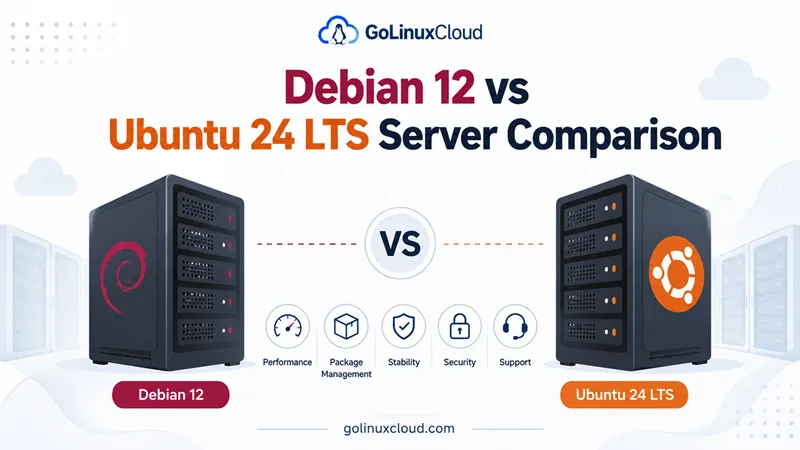
You are choosing a base image for a VPS, bare-metal host, or homelab server and keep seeing the same question: Debian 12 vs Ubuntu 24.04 LTS—which one should you run? Both are APT-based Debian-family distributions, both run nginx, PostgreSQL, Docker, and Kubernetes fine, and both show up on every major cloud console. The differences that matter for production are support timelines, how aggressively packages change, what ships by default, and how much hand-holding your team needs from docs and vendors.
This guide compares Debian 12 “Bookworm” and Ubuntu 24.04 LTS “Noble Numbat” for server use—not desktop polish or distro politics. It also notes where Debian 13 “Trixie” fits today, because Bookworm is now oldstable and entered Debian LTS in mid-2026.
Tested on: Ubuntu 25.04 (Debian-family); kernel 6.14.0-37-generic; apt 3.0.0.
Quick answer: Debian vs Ubuntu for server
Pick Ubuntu 24.04 LTS when you want the path of least resistance: default images on AWS, Azure, and GCP, five years of standard security maintenance, optional Ubuntu Pro extensions, and the largest body of copy-paste tutorials written for apt on Ubuntu.
Pick Debian 12 when you already run Debian, need a minimal APT-only server without snap services, or want the most conservative package set on Bookworm—accepting that full Debian security support for 12 ended in June 2026 and the release is now on volunteer LTS through June 2028. For new servers in 2026, evaluate Debian 13 first; keep this Debian 12 vs Ubuntu 24.04 comparison when you are matching an existing Bookworm fleet or reading older guides.
Debian 12 vs Ubuntu 24.04 LTS at a glance
| Topic | Debian 12 Bookworm | Ubuntu 24.04 LTS Noble |
|---|---|---|
| First stable release | 10 June 2023 | 25 April 2024 |
| Status in 2026 | Oldstable; in Debian LTS after June 2026 | Current LTS; standard support active |
| Full security support | Through ~June 2026 (Debian Security Team) | Through May 2029 (Canonical) |
| Extended support | Debian LTS to ~June 2028; ELTS optional paid | Ubuntu Pro ESM to April 2034 (with subscription) |
| Release philosophy | “Release when ready” (~2 years) | Time-based LTS every 2 years (April) |
| Package manager | APT + dpkg | APT + dpkg (+ snap ecosystem) |
| Default init | systemd | systemd |
| Typical server kernel (GA) | Linux 6.1 | Linux 6.8 |
| Python (system default) | 3.11 | 3.12 |
| OpenSSL (shipped) | 3.0.x | 3.0.x |
| Commercial support | Third-party (Freexian, Credativ) | Canonical Ubuntu Pro |
| Cloud image prominence | Available everywhere; less “default” | Featured default on most hyperscalers |
| Best server fit | Long-life infra, minimal base, APT purists | General-purpose servers, fast onboarding |
Sources: Debian Bookworm release information, Debian releases table, Ubuntu release cycle.
How Debian and Ubuntu are related
Ubuntu takes a snapshot from Debian’s development branches, adds Canonical’s kernel, firmware, and desktop choices, and ships on a fixed calendar. Debian stable freezes versions and changes them only for security and serious fixes.
That lineage explains why:
- Service unit names,
aptworkflows, and filesystem layout feel familiar when you switch between them. - You cannot assume the same package version exists on both—Ubuntu 24.04 generally ships newer userland at release time than Debian 12.
- Skills transfer, but playbooks do not without retesting.
If your team lives in apt daily, see APT command in Linux for flags and examples that apply to both distros.
Release cycle and support
Debian 12 lifecycle
Debian 12 follows the project’s five-year model:
- Roughly three years of full support from the Debian Security Team and installer updates.
- About two years of Debian LTS—security backports for a subset of packages, maintained by volunteers and sponsors.
In June 2026, Bookworm transitioned from full support into LTS. That is critical if you are still provisioning “Debian 12” today: you are landing on a release that is no longer receiving the same breadth of security updates as stable Debian 13.
Ubuntu 24.04 LTS lifecycle
Ubuntu 24.04 LTS receives five years of standard security maintenance (through May 2029 for Noble). Organizations can add Ubuntu Pro for Expanded Security Maintenance on more repositories, kernel livepatch, and compliance tooling—up to ten years total on LTS releases with the right subscription.
Practical takeaway
| Your priority | Lean toward |
|---|---|
| Longest included support window without a support contract | Ubuntu 24.04 LTS (5 years standard) |
| Maximum upstream conservatism on current Debian stable | Debian 13 (not 12, for new builds in 2026) |
| Staying on Bookworm until 2028 | Debian 12 LTS—verify your packages are in the LTS coverage set |
| Predictable upgrade cadence every 2 years | Ubuntu LTS track (24.04 → 26.04 → …) |
Stability vs package freshness
Debian stable freezes versions at release. On Bookworm you get the same major versions of nginx, OpenSSH, and Python for years, with security patches backported. That predictability reduces “surprise upgrades” on apt upgrade—at the cost of running older features until you move to the next stable release or enable backports.
Ubuntu LTS also values stability, but Noble shipped with a newer baseline than Bookworm: newer kernel, newer Python, newer toolchain. Ubuntu additionally publishes Hardware Enablement (HWE) kernel stacks on LTS so laptop and server hardware released after the GA kernel can still get drivers—more relevant to mixed hardware fleets than to a fixed VPS SKU.
For language runtimes beyond the system default, many teams install parallel versions anyway—on Ubuntu, install a newer Python on Ubuntu is a common pattern; on Debian, backports or pyenv fill the same gap.
Package management: APT on both, Snap mainly on Ubuntu
Both distros use APT and dpkg. Server workflows—apt update, apt install, apt upgrade, pinning, and listing installed packages—look the same at first glance.
Differences that show up in production:
| Topic | Debian 12 | Ubuntu 24.04 |
|---|---|---|
| Snap in main | Not used for core server stack | snapd installed; some desktop-oriented metapackages pull snaps |
| PPAs | Not an official Debian mechanism | Official PPAs exist; risky on production servers |
| Backports | Formal Debian backports archive | Newer stacks often via interim releases or snaps |
| Minimal cloud image | Very small idle footprint | Slightly larger; more default helpers |
On a headless server, Ubuntu and Debian are close if you start from a minimal or cloud image and avoid desktop metapackages. Ubuntu may still run snapd unless you remove it; Debian avoids that class of background work entirely.
Check what your image actually ships:
cat /etc/os-release
dpkg -l snapd 2>/dev/null | tail -1
systemctl is-active snapd 2>/dev/null || echo "snapd not installed"
On a minimal Debian 12 or Ubuntu server image, snapd is often absent or inactive; desktop-oriented Ubuntu installs are where snap units noticeably affect boot and memory.
Security updates and compliance
Both projects ship security advisories and CVE patches. The operational difference is who patches what for how long:
- Debian 12 (LTS phase): volunteer LTS team; not every package in Bookworm receives the same attention as stable or as Ubuntu Main during standard support.
- Ubuntu 24.04: Canonical publishes Ubuntu Security Notices; standard support covers Main and Restricted repositories for five years.
Regulated environments sometimes choose Ubuntu Pro for FIPS modules, livepatch, and audit artifacts—not because Debian cannot be secured, but because Canonical sells a bundled compliance story.
Hardening either distro still comes down to SSH policy, automatic security updates, firewalling, and least-privilege service users—the same skills you would apply on Chrony NTP setup or any baseline server role.
Cloud images, vendors, and documentation gravity
Ubuntu 24.04 LTS is the default recommendation on most public clouds’ “quick create” flows. Vendor Kubernetes marketplaces, GPU instance guides, and SaaS agents often test against Noble first.
Debian 12 (and Debian 13) images are available on AWS, Azure, Google Cloud, Hetzner, DigitalOcean, and others—but you may need to pick Debian explicitly instead of accepting the Ubuntu default.
If your team copies tutorials from blogs and AI answers, expect more Ubuntu 24.04 examples. Debian admins routinely translate apt steps but occasionally hit different package names (docker.io vs Docker CE repos, certbot paths, PHP packaging).
Resource footprint and minimal installs
On identical VPS sizes, a minimal Debian install often idles with slightly less RAM than an Ubuntu server image because fewer background agents ship by default. The gap matters on 1 GB instances; it is usually noise on 4 GB+ servers running real applications.
What actually dominates memory is your workload—PostgreSQL buffers, JVM heap, Kubernetes node overhead—not whether os-release says Debian or Ubuntu.
After trimming unused packages on Ubuntu, see remove unused packages on Ubuntu for cleanup patterns that also apply conceptually on Debian with apt autoremove.
Version snapshot: what ships on each release
Use this when a playbook pins interpreter or kernel features.
| Component | Debian 12 Bookworm | Ubuntu 24.04 LTS |
|---|---|---|
| Kernel (typical GA) | 6.1 LTS | 6.8 |
| glibc | 2.36 | 2.39 |
| Python (system) | 3.11 | 3.12 |
| OpenSSH | 9.2p1 | 9.6p1 |
| nginx (deb) | 1.22.x | 1.24.x |
| PostgreSQL (deb) | 15 | 16 |
| systemd | 252 | 255 |
Verify on a live host:
uname -r
python3 --version
nginx -v 2>&1
psql --version 2>/dev/null || true
Your cloud image may include backports or security updates newer than the GA table—always check the running system before filing bugs against “wrong version in docs.”
Debian vs Ubuntu server: workload guide
| Workload | Debian 12 / Debian family | Ubuntu 24.04 LTS |
|---|---|---|
| Public web stack (nginx, PHP, WordPress) | Excellent; slightly more manual docs | Excellent; more turnkey tutorials |
| PostgreSQL / MySQL | Stable deb packages; conservative versions | Newer majors at release; wide ops literature |
| Docker / container host | docker.io from Debian repos or upstream Docker CE |
Docker CE docs often Ubuntu-first |
| Kubernetes node | Both common; align with your vendor’s tested OS list | Often default in cloud “Kubernetes optimized” images |
| CI runners | Debian minimal images popular for speed | Ubuntu LTS popular for compatibility |
| Long-life appliance / air-gapped | Debian stable or LTS; reproducible freezes | LTS + Pro if you need vendor support contracts |
| ARM SBC homelab | Debian arm64 very common | Ubuntu Server arm64 also well supported |
Neither distro magically improves application code. Pick the base that matches your support contract, team familiarity, and image supply chain.
When to choose Debian 12 (or Debian 13 instead)
Choose Debian when:
- You want pure APT without snap services on servers.
- Your organization already standardizes on Debian tooling and mirrors.
- You need the most conservative change rate on stable—or you are continuing an existing Bookworm fleet through LTS to 2028.
- You target architectures or minimal rootfs sizes Debian excels at (common on embedded and ARM boards).
For new deployments in mid-2026, start with Debian 13 Trixie unless you have a specific reason to stay on Bookworm. Debian 12 vs Ubuntu 24.04 remains a valid comparison for migration planning and for readers following older “install Debian 12” guides.
When to choose Ubuntu 24.04 LTS
Choose Ubuntu 24.04 LTS when:
- You want five years of included standard security support without entering LTS-on-LTS nuance on day one.
- You rely on cloud-default images, Ubuntu Pro, or Canonical support channels.
- Your team wants newer baseline packages (Python 3.12, PostgreSQL 16) without enabling backports on day one.
- You follow tutorials and vendor scripts tested on Noble—including stacks like installing Go on Ubuntu or cloud-init examples aimed at Ubuntu LTS.
Migrating or standardizing across both
Many teams run Ubuntu in the cloud and Debian on bare metal—that is normal. If you consolidate:
- Match release support end dates to your hardware lifecycle.
- Re-test config management (Ansible
ansible_facts, package names, service paths). - Rebuild CI images; do not assume the same Dockerfile
FROMtag behaves identically. - Schedule distro upgrades during LTS windows, not the week support ends.
do-release-upgrade is Ubuntu-specific. Debian moves major versions by editing sources.list / using apt full-upgrade after reading release notes—different muscle memory, same discipline: backup, snapshot, test.
Common mistakes when comparing Debian and Ubuntu
- Treating them as binary identical because both use
apt. - Installing Debian 12 on new servers in 2026 without noticing Bookworm is already in LTS.
- Enabling random PPAs on production Ubuntu because one blog post said so.
- Assuming snap is central to Ubuntu Server minimal images—it is often present but not always required for your stack.
- Picking a distro for benchmark marketing instead of support dates and team skills.
- Skipping security update automation on either distro because “LTS means safe forever.”
Summary
Debian 12 Bookworm and Ubuntu 24.04 LTS Noble share APT, systemd, and most server stacks, but they serve different operational goals. Ubuntu 24.04 LTS wins on standard support length, cloud defaults, and tutorial gravity through 2029. Debian wins on lean defaults, APT-only minimalism, and conservative packaging—with the caveat that Bookworm is now oldstable in LTS, so greenfield servers in 2026 should compare Debian 13 and Ubuntu 24.04, while this page answers the still-common debian 12 vs ubuntu 24 lts search intent honestly.
For most new general-purpose servers where your team does not already mandate Debian, Ubuntu 24.04 LTS is the faster path. Choose Debian when your requirements, mirror policy, or appetite for self-directed stability clearly favor it—and pick the current stable Debian release unless you are maintaining Bookworm on purpose.
References
- Debian 12 Bookworm release information
- Debian releases and support dates
- Debian Long Term Support (LTS)
- Ubuntu 24.04 LTS release notes
- Ubuntu release cycle and ESM
- Ubuntu Pro