
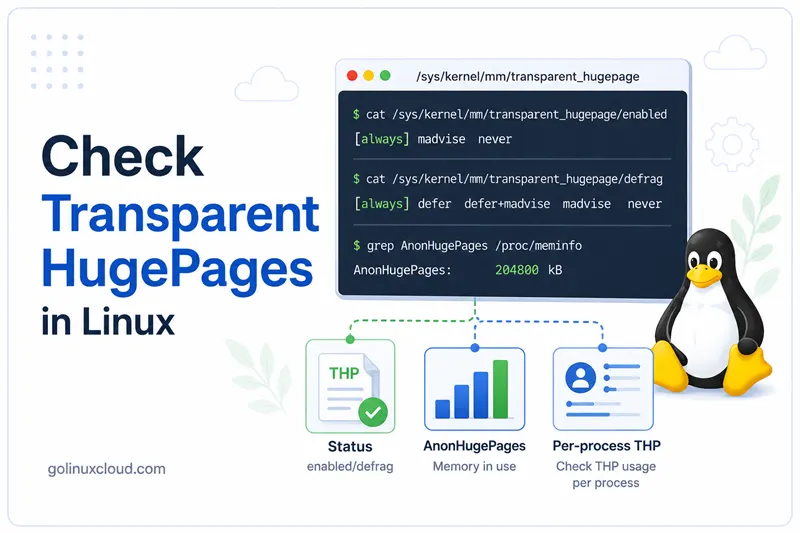
Transparent HugePages (THP) is a Linux memory-management feature that can back anonymous memory with larger pages, commonly 2 MB instead of normal 4 KB pages. Larger pages can reduce Translation Lookaside Buffer (TLB) overhead for workloads that scan or keep large memory regions hot, such as databases, virtual machines, JVMs, analytics jobs, and some high-performance services.
This guide shows how to check whether THP is enabled, how to check static hugepage status,
how to read system-wide AnonHugePages, and how to identify per-process Transparent
HugePage usage with smaps and smaps_rollup. The sample outputs below were tested
on a Linux host, including a practical process that requested THP with madvise.
THP vs static hugepages
Linux has two related but different hugepage mechanisms:
| Feature | Kernel/user-facing counter | How it is allocated | Typical use |
|---|---|---|---|
| Transparent HugePages (THP) | AnonHugePages, FileHugePages, ShmemHugePages |
Kernel-managed, transparent or requested with madvise |
General large anonymous memory mappings |
| Static HugeTLB pages | HugePages_Total, HugePages_Free, vm.nr_hugepages |
Manually reserved hugepage pool | Databases, VMs, DPDK, workloads that explicitly use HugeTLB |
Do not treat HugePages_Total: 0 as proof that THP is disabled. It only means no static
HugeTLB pages are reserved. THP can still be enabled and used through AnonHugePages.
For a side-by-side comparison of the two mechanisms—what each is, when to use or disable them,
and how to troubleshoot allocation and latency issues—see
HugePages vs Transparent HugePages.
For whether to disable THP on your workload (enabled, defrag, benchmarks), see
Should you disable Transparent HugePages on Linux?.
For background on memory pages and Linux memory accounting, see Linux memory management overview. For CPU support and hugepage sizes, see how to check CPU support for hugepages.
Quick commands
| Goal | Command |
|---|---|
| Check THP mode | cat /sys/kernel/mm/transparent_hugepage/enabled |
| Check THP defrag mode | cat /sys/kernel/mm/transparent_hugepage/defrag |
| Check default THP page size | cat /sys/kernel/mm/transparent_hugepage/hpage_pmd_size |
| Check system-wide hugepage counters | grep -i huge /proc/meminfo |
| Check static HugeTLB setting | sysctl vm.nr_hugepages vm.nr_overcommit_hugepages |
| Check per-process THP usage | grep AnonHugePages /proc/PID/smaps_rollup |
| Sum per-process mappings | awk '/^AnonHugePages:/ {sum += $2} END {print sum " kB"}' /proc/PID/smaps |
Check Transparent HugePages mode
Read /sys/kernel/mm/transparent_hugepage/enabled:
$ cat /sys/kernel/mm/transparent_hugepage/enabled
always [madvise] never
The active mode is shown in square brackets. In this tested output, madvise is active.
| Mode | Meaning |
|---|---|
always |
Kernel tries to use THP for eligible mappings automatically |
madvise |
THP is used for mappings that request it with madvise(MADV_HUGEPAGE) |
never |
THP is disabled for normal anonymous mappings |
Check the THP defrag policy:
$ cat /sys/kernel/mm/transparent_hugepage/defrag
always defer defer+madvise [madvise] never
The active defrag mode is also shown in square brackets. In this tested output,
madvise is active.
Defrag controls how aggressively the kernel compacts memory to create hugepage-sized contiguous ranges. Aggressive defrag can improve THP allocation success but may add latency for some workloads.
Check THP page size
The PMD-sized THP page size is exposed in bytes:
$ cat /sys/kernel/mm/transparent_hugepage/hpage_pmd_size
2097152
2097152 bytes is 2 MB. That is the common THP size on x86_64 systems.
Check system-wide hugepage counters
Use /proc/meminfo to see both Transparent HugePages and static HugeTLB counters:
$ grep -i huge /proc/meminfo
AnonHugePages:      2048 kB
ShmemHugePages:        0 kB
FileHugePages:         0 kB
HugePages_Total:       0
HugePages_Free:        0
HugePages_Rsvd:        0
HugePages_Surp:        0
Hugepagesize:       2048 kB
Hugetlb:               0 kB
Important fields:
| Field | Meaning |
|---|---|
AnonHugePages |
Anonymous memory currently backed by THP |
ShmemHugePages |
Shared memory/tmpfs memory backed by huge pages |
FileHugePages |
File-backed memory backed by huge pages |
HugePages_Total |
Number of static HugeTLB pages reserved |
HugePages_Free |
Static HugeTLB pages currently free |
HugePages_Rsvd |
Static HugeTLB pages reserved for future faults |
HugePages_Surp |
Static HugeTLB pages above the configured pool |
Hugepagesize |
Default static hugepage size |
Hugetlb |
Total memory consumed by HugeTLB pages |
In the tested output, static hugepages are not reserved because HugePages_Total is
0. THP is still present because AnonHugePages is 2048 kB.
Check static hugepage configuration
Static HugeTLB pages are controlled by vm.nr_hugepages and related settings:
$ sysctl vm.nr_hugepages vm.nr_overcommit_hugepages
vm.nr_hugepages = 0
vm.nr_overcommit_hugepages = 0
Here, vm.nr_hugepages = 0 means the kernel has not reserved a static HugeTLB pool.
That does not disable THP. Static hugepages and THP are separate mechanisms.
To configure static hugepages, see how to configure HugePages using hugeadm and vm.nr_hugepages.
Check NUMA node hugepage counters
On NUMA systems, node-level memory files show hugepage counters per node:
$ grep -i huge /sys/devices/system/node/node*/meminfo
Node 0 AnonHugePages:      2048 kB
Node 0 ShmemHugePages:        0 kB
Node 0 FileHugePages:         0 kB
Node 0 HugePages_Total:     0
Node 0 HugePages_Free:      0
Node 0 HugePages_Surp:      0
This is useful when a multi-socket or NUMA host shows THP usage on one node but not another.
The tested host has one visible NUMA node, node0.
Practical test: create THP-backed memory
A passive system may show little or no AnonHugePages at the moment you check. To prove
how per-process THP accounting works, start a temporary process that requests THP with
madvise(MADV_HUGEPAGE), touches 128 MB of anonymous memory, and sleeps while you
inspect it.
$ python3 - <<'PY' &
import ctypes, mmap, os, time
size = 128 * 1024 * 1024
mm = mmap.mmap(-1, size, flags=mmap.MAP_PRIVATE | mmap.MAP_ANONYMOUS)
addr = ctypes.addressof(ctypes.c_char.from_buffer(mm))
libc = ctypes.CDLL('libc.so.6', use_errno=True)
ret = libc.madvise(ctypes.c_void_p(addr), ctypes.c_size_t(size), ctypes.c_int(14))
print(os.getpid(), ret, ctypes.get_errno(), flush=True)
for off in range(0, size, 4096):
    mm[off] = 1
time.sleep(90)
PY
62725 0 0
$ PID=$!
$ echo "$PID"
62725
The Python process printed 62725 0 0. The first value is the process ID, the second
value is the madvise() return code, and the third value is errno. Return code 0
and errno 0 mean the madvise() call succeeded.
Check basic memory information for the process:
$ grep '^VmRSS\|^RssAnon\|^Threads' /proc/$PID/status
VmRSS:    140736 kB
RssAnon:  134252 kB
Threads:       1
The process has one thread and about 134 MB of anonymous resident memory.
Check per-process THP usage with smaps_rollup
For a quick per-process total, use /proc/PID/smaps_rollup:
$ grep -E '^(Rss|Pss|AnonHugePages):' /proc/$PID/smaps_rollup
Rss:              140736 kB
Pss:              138266 kB
AnonHugePages:     88064 kB
In this tested output, the process uses 88064 kB of anonymous Transparent HugePages.
This value can be lower than the process RSS because not every mapped page must be backed
by THP.
Check per-process THP usage with smaps
You can also sum every AnonHugePages line in /proc/PID/smaps:
$ awk '/^AnonHugePages:/ {sum += $2} END {print sum " kB"}' /proc/$PID/smaps
88064 kB
The summed value matches smaps_rollup for the tested process.
To see which mapping uses THP:
$ awk '/^[0-9a-f].*-/{map=$0} /^AnonHugePages:/ && $2>0 {print $0; print map; print ""}' /proc/$PID/smaps | head -n 10
AnonHugePages:     88064 kB
787fe9c00000-787ff1c00000 rw-p 00000000 00:00 0
This shows the mapping that has non-zero AnonHugePages.
Check system-wide THP after the test
While the test process is running, system-wide AnonHugePages increases:
$ grep -i '^AnonHugePages' /proc/meminfo
AnonHugePages:     90112 kB
This is system-wide THP usage. It includes the test process and any other process using anonymous THP at that moment.
Find all processes using Transparent HugePages
Use this loop to scan processes with readable smaps_rollup and print only processes
with non-zero AnonHugePages:
Sort a specific column with sort -k; the sort command documents delimiters, reverse order, and multi-key sorts.
$ for f in /proc/[0-9]*/smaps_rollup; do
>   pid=${f#/proc/}; pid=${pid%/smaps_rollup}
>   kb=$(awk '/^AnonHugePages:/ {print $2}' "$f" 2>/dev/null || true)
>   if [ -n "$kb" ] && [ "$kb" -gt 0 ]; then
>     comm=$(ps -p "$pid" -o comm= 2>/dev/null || true)
>     printf '%-8s %10s kB %s\n' "$pid" "$kb" "$comm"
>   fi
> done | sort -k2,2nr | head -n 5
62725         88064 kB python3
35249          2048 kB hugo
The tested output shows the temporary Python process using 88064 kB of THP and a
separate hugo process using 2048 kB.
If you get permission errors, run as root or use sudo. Some kernels and security settings
restrict access to other users' smaps files.
For general per-process memory checks, see how to check memory usage per process in Linux.
Interpret common results
| Result | Meaning |
|---|---|
enabled shows always [madvise] never |
THP is enabled only for mappings that request it with madvise |
enabled shows [never] |
THP is disabled for normal anonymous mappings |
HugePages_Total: 0 |
No static HugeTLB pages are reserved |
AnonHugePages: 0 kB |
No anonymous THP is currently in use, or none is visible to that counter at the moment |
Per-process AnonHugePages is non-zero |
That process has memory backed by THP |
smaps_rollup missing or unreadable |
Kernel is old, process exited, or permissions block access |
Should Transparent HugePages be enabled?
There is no universal answer. THP can help workloads with large contiguous memory access patterns, but it can hurt latency-sensitive workloads if memory compaction causes stalls. That is why many database products document specific THP recommendations.
General guidance:
- Use
madvisewhen you want applications to opt in to THP. - Use
alwaysonly after testing workload latency and memory behavior. - Use
neverwhen the application vendor recommends disabling THP or when THP causes measurable latency spikes. - Use static HugeTLB pages when an application explicitly requires reserved hugepages.
To configure THP persistently on RHEL-family systems, see configure Transparent HugePages on RHEL 8–10.
Troubleshooting
| Problem | Likely cause | Fix |
|---|---|---|
AnonHugePages stays at 0 |
No eligible workload is using THP | Use a workload that requests THP or set THP mode appropriately in a test environment |
| THP is enabled but process usage is 0 | Process has not touched enough anonymous memory, or mode is madvise and the app did not request THP |
Check the process memory pattern and application settings |
HugePages_Total is 0 |
Static HugeTLB pool is not configured | This is normal if you only care about THP; configure vm.nr_hugepages only for static hugepages |
Permission denied reading smaps |
Access to another process' memory map is restricted | Run as root or inspect a process owned by your user |
| Values change between commands | THP allocation and collapse can happen while the process runs | Re-run the command or monitor over time |
Frequently Asked Questions
1. What is the fastest way to check if Transparent HugePages are enabled?
2. Does HugePages_Total equal Transparent HugePages usage?
3. What does AnonHugePages mean in Linux?
4. Why is AnonHugePages zero when Transparent HugePages are enabled?
5. How do I check which process is using Transparent HugePages?
6. What is vm.nr_hugepages?
Summary
Use cat /sys/kernel/mm/transparent_hugepage/enabled to check the THP mode. Use
grep -i huge /proc/meminfo to compare Transparent HugePages counters such as
AnonHugePages with static HugeTLB counters such as HugePages_Total. Use
/proc/PID/smaps_rollup or /proc/PID/smaps to prove which process is actually
using THP.
The most important distinction is this: vm.nr_hugepages and HugePages_Total are
for static HugeTLB pages, while AnonHugePages shows Transparent HugePages currently in
use.
