| Tested on | Rocky Linux 10.2 (Red Quartz) |
|---|---|
| Package | nginx 1.26.3mariadb-server 10.11.18php 8.3.31 |
| Applies to | RHEL, Rocky Linux, AlmaLinux, Oracle Linux, CentOS Stream, Fedora |
| Privilege | sudo or root |
| Scope | Install Nginx, MariaDB, PHP, and PHP-FPM on Rocky Linux, RHEL, AlmaLinux, or Oracle Linux, then verify the complete LEMP stack with a PHP database test. |
| Related guides | install PHP 8.4 on Enterprise Linux install LAMP stack on Rocky Linux dnf command systemctl command firewalld |
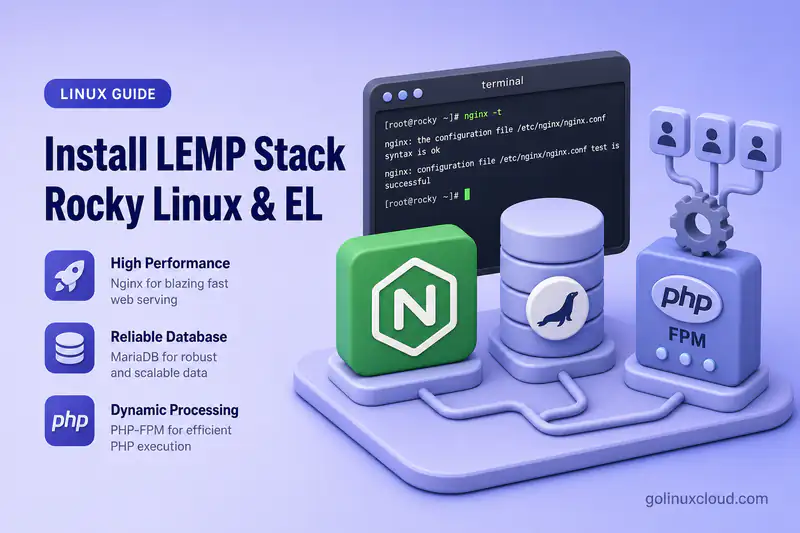
A LEMP stack combines Linux, Nginx, MariaDB, and PHP for dynamic websites served from distribution packages. This guide installs nginx, mariadb-server, and php-fpm on Rocky Linux, verifies the packaged Nginx-to-FPM integration, and ends with a PHP script that reads a row from a local MariaDB database.
The same native-package workflow applies to AlmaLinux, RHEL, Oracle Linux, and CentOS Stream when equivalent packages are available.
php8.4-* package family. For PHP 8.4 on EL 10.2+, see install PHP 8.4 on Enterprise Linux.
Prerequisites
- Rocky Linux, AlmaLinux, RHEL, Oracle Linux, or CentOS Stream with BaseOS and AppStream enabled.
- Outbound repository access.
- A host without both MariaDB and MySQL server packages installed.
Do not run Apache (httpd) and Nginx on the same port 80 listener during quick local tests. Stop or disable the other web server first.
Check the available LEMP package versions
Identify the operating system:
cat /etc/os-releaseSample output:
NAME="Rocky Linux"
VERSION="10.2 (Red Quartz)"
VERSION_ID="10.2"
PLATFORM_ID="platform:el10"
PRETTY_NAME="Rocky Linux 10.2 (Red Quartz)"
Query the core packages with the dnf command:
dnf info nginx mariadb-server php php-fpmSample output:
Available Packages
Name         : nginx
Epoch        : 2
Version      : 1.26.3
Release      : 6.el10_2.5
Repository   : appstream
...
Name         : mariadb-server
Version      : 10.11.18
Release      : 1.el10_2
Repository   : appstream
...
Name         : php
Version      : 8.3.31
Release      : 1.el10_2
Repository   : appstream
...
Name         : php-fpm
Version      : 8.3.31
Release      : 1.el10_2
Repository : appstream| Platform generation | Version handling |
|---|---|
| EL 8 and EL 9 | Additional application versions may appear through DNF modules |
| EL 10 | Default PHP and Nginx ship as regular AppStream RPMs |
| This guide | Installs the default supported repository versions |
Install and test Nginx
Install Nginx from AppStream:
sudo dnf install nginxRecord the installed Nginx version:
nginx -vSample output:
nginx version: nginx/1.26.3Enable and start the service with systemctl command:
sudo systemctl enable --now nginxAllow HTTP through firewalld when it is running. See the firewalld reference for --permanent, --reload, and --zone= options when an interface uses a non-default zone.
Add the HTTP service to the permanent ruleset:
sudo firewall-cmd --permanent --add-service=httpReload so the runtime configuration picks up the change:
sudo firewall-cmd --reloadConfirm that HTTP is allowed in both the active runtime and permanent configurations:
sudo firewall-cmd --query-service=httpsudo firewall-cmd --permanent --query-service=httpSample output:
yes
yes
The first command checks the active runtime configuration. The second checks the saved permanent configuration. firewalld maintains separate runtime and permanent settings; permanent changes populate the runtime configuration after reload.
Validate the configuration before you rely on it:
sudo nginx -tSample output:
nginx: the configuration file /etc/nginx/nginx.conf syntax is ok
nginx: configuration file /etc/nginx/nginx.conf test is successful
Request the default welcome page with curl command:
curl -I http://127.0.0.1Sample output:
HTTP/1.1 200 OK
Server: nginx/1.26.3
Date: Wed, 22 Jul 2026 02:32:24 GMT
Content-Type: text/html
The localhost request verifies Nginx itself. To verify network and firewall access, request http://<server-ip>/ from another machine on the network.
Confirm Nginx owns port 80 with the ss command:
sudo ss -lntp | grep ':80'Sample output:
LISTEN 0 511 0.0.0.0:80 0.0.0.0:* users:(("nginx",pid=24102,fd=6))Install and initialize MariaDB
mysql8.4-server package and mysqld.service. Oracle's separate MySQL Community repository uses package names such as mysql-community-server. Native MariaDB and MySQL server RPMs conflict and should not be installed together.
Install the database server:
sudo dnf install mariadb-serverRecord the installed MariaDB version:
mariadb --versionSample output:
mariadb Ver 15.1 Distrib 10.11.18-MariaDB, for Linux (x86_64) using EditLine wrapperEnable and start MariaDB:
sudo systemctl enable --now mariadbOptionally review the default accounts and authentication settings with mariadb-secure-installation:
sudo mariadb-secure-installationOn MariaDB 10.11, local root@localhost access normally uses unix_socket authentication already, so there is usually no need to create a separate database root password. The script remains useful for removing anonymous accounts and the default test database, but several of its historical password-hardening purposes no longer apply to current MariaDB defaults.
Retain unix_socket authentication for the MariaDB root account in this guide. This allows the later administrative commands to use sudo mariadb without storing or entering a database root password.
If the script prompts you, expect questions similar to:
- Current root password — press Enter on a fresh install when no password is set yet
unix_socketauthentication — retain it forroot@localhost; do not switch to password authentication for this guide- Remove anonymous users — yes for most lab and production hosts
- Disallow root login remotely — yes when only local administration is required
- Remove test database — yes unless you rely on the default
testdatabase - Reload privilege tables — yes
Verify local administrative access:
sudo mariadbA MariaDB [(none)]> prompt confirms Unix-socket authentication works. Type EXIT; to leave the shell.
When your policy requires password authentication, replace later sudo mariadb commands with mariadb -u root -p. For example, the test-database command would begin with mariadb -u root -p <<'SQL', and cleanup would use:
mariadb -u root -p -e \
  "DROP DATABASE IF EXISTS lemp_test;
   DROP USER IF EXISTS 'lemp_app'@'localhost';"
Nginx, PHP-FPM, and MariaDB on the same machine do not require opening TCP port 3306 in the firewall for the integration test in this guide.
Install PHP-FPM and PHP extensions
Install PHP and the FPM SAPI:
sudo dnf install php php-cli php-fpm php-mysqlndOptional extensions many applications expect:
| Requirement | Package |
|---|---|
| Multibyte text | php-mbstring |
| XML handling | php-xml |
| Image processing | php-gd |
| Internationalization | php-intl |
| Opcode cache | php-opcache |
Install the optional set when your application needs them:
sudo dnf install php-mbstring php-xml php-gd php-intl php-opcachePrint the installed PHP version:
php -vList loaded modules and confirm the MySQL drivers are present:
php -mSample output:
[PHP Modules]
...
mysqli
mysqlnd
pdo_mysql
...
Show where php.ini and drop-in files live:
php --iniSample output:
Configuration File (php.ini) Path: /etc
Loaded Configuration File:         /etc/php.ini
Scan for additional .ini files in: /etc/php.d
The mysqlnd and pdo_mysql entries matter for the database test later.
Before you enable the FPM service, test the pool configuration syntax:
php-fpm -tSample output:
[22-Jul-2026 08:02:13] NOTICE: configuration file /etc/php-fpm.conf test is successfulEnable and start PHP-FPM:
sudo systemctl enable --now php-fpmDefault FPM paths:
/etc/php-fpm.conf
/etc/php-fpm.d/www.conf
The default www pool on Rocky Linux 10.2 listens on /run/php-fpm/www.sock. Inspect the packaged pool user, socket, and ACL before you edit anything:
grep -E '^[[:space:]]*(user|group|listen|listen\.acl_users)[[:space:]]*=' /etc/php-fpm.d/www.confSample output:
user = apache
group = apache
listen = /run/php-fpm/www.sock
listen.acl_users = apache,nginx
The PHP-FPM workers can remain under the packaged apache account because the socket ACL explicitly permits both Apache and Nginx. Changing only user, group, or socket permissions can break the packaged integration and cause 502 Bad Gateway.
Configure and verify Nginx with PHP-FPM
Rocky Linux ships packaged integration snippets. Inspect them before writing a custom server block:
/etc/nginx/conf.d/php-fpm.conf
/etc/nginx/default.d/php.conf
The included file names can differ between major package versions, so confirm the effective document root and FastCGI target on your host:
sudo nginx -T 2>&1 | grep -E '^[[:space:]]*(root|fastcgi_pass)[[:space:]]'Sample output:
root         /usr/share/nginx/html;
fastcgi_pass   php-fpm;
The request path looks like this:
Nginx receives the HTTP request
        ↓
Nginx passes the .php request to PHP-FPM
        ↓
PHP-FPM executes the script
        ↓
Nginx returns the generated response
Re-test syntax on both sides before you restart services. Check Nginx first:
sudo nginx -tThen validate PHP-FPM:
php-fpm -tRestart the services:
sudo systemctl restart php-fpm nginxNginx serves static and PHP files from /usr/share/nginx/html by default—not /var/www/html, which belongs to Apache.
Create a PHP smoke test:
echo '<?php echo "PHP " . PHP_VERSION . " via " . php_sapi_name(); ?>' | sudo tee /usr/share/nginx/html/test.phpRequest it through Nginx:
curl --fail-with-body -sS http://127.0.0.1/test.phpSample output:
PHP 8.3.31 via fpm-fcgiRemove the test file:
sudo rm /usr/share/nginx/html/test.phpFor custom virtual hosts, server blocks, and reverse-proxy layouts, use a dedicated Nginx configuration article—this guide stays with the packaged defaults.
Test the complete PHP-to-MariaDB stack
Create a temporary database and limited user. The application password below is a temporary lab credential only.
The following administrative commands assume that you retained Unix-socket authentication for the MariaDB root account. For password-based administration, the equivalent invocation begins with mariadb -u root -p <<'SQL'.
sudo mariadb <<'SQL'
CREATE DATABASE lemp_test;

CREATE USER 'lemp_app'@'localhost'
    IDENTIFIED BY 'LempAppPass_2026';

GRANT SELECT ON lemp_test.*
    TO 'lemp_app'@'localhost';

CREATE TABLE lemp_test.items (
    id INT PRIMARY KEY,
    label VARCHAR(64)
);

INSERT INTO lemp_test.items
    VALUES (1, 'stack-ok');
SQL
The command exits silently when the objects are created successfully.
Create a PDO script in the Nginx document root:
sudo tee /usr/share/nginx/html/db-test.php > /dev/null <<'EOF'
<?php
$dsn = 'mysql:host=localhost;dbname=lemp_test;charset=utf8mb4';
$user = 'lemp_app';
$pass = 'LempAppPass_2026';
try {
    $pdo = new PDO($dsn, $user, $pass, [PDO::ATTR_ERRMODE => PDO::ERRMODE_EXCEPTION]);
    $row = $pdo->query('SELECT label FROM items WHERE id = 1')->fetchColumn();
    echo 'Database value: ' . $row;
} catch (PDOException $e) {
    http_response_code(500);
    echo 'Database error';
}
EOF
Request it through Nginx:
curl --fail-with-body -sS http://127.0.0.1/db-test.phpSample output:
Database value: stack-okThat output confirms:
Client → Nginx → PHP-FPM → PHP MySQL extension → MariaDBClean up lab resources—the test script, application user, and database are not for production use:
sudo rm /usr/share/nginx/html/db-test.phpDrop the temporary database and user:
sudo mariadb -e "DROP DATABASE IF EXISTS lemp_test; DROP USER IF EXISTS 'lemp_app'@'localhost';"Verify services and reboot persistence
Check service state:
systemctl is-active nginx php-fpm mariadbSample output:
active
active
active
Confirm boot enablement:
systemctl is-enabled nginx php-fpm mariadbSample output:
enabled
enabled
enabled
Review listeners:
sudo ss -lntp | grep -E ':80|:3306'After a reboot, repeat an HTTP request to a PHP page and the database test if you kept the lab script. Enabled units on the tested host started automatically.
Default /usr/share/nginx/html permissions and a local MariaDB connection did not require disabling SELinux. Custom roots or upstream sockets may need additional SELinux booleans or contexts.
Troubleshoot LEMP stack problems
| Symptom | Main check |
|---|---|
| Nginx page is unreachable | systemctl status nginx, port 80, firewalld HTTP service, correct IP address |
| Nginx configuration test fails | sudo nginx -t and fix the reported file before reload |
| PHP file downloads or displays as text | PHP location handling in /etc/nginx/default.d/php.conf, FPM running |
502 Bad Gateway |
php-fpm active, socket path matches fastcgi_pass, listen.acl_users includes nginx, SELinux denials |
Primary script unknown |
Nginx root vs SCRIPT_FILENAME; script must live under the configured document root |
| PHP returns HTTP 500 | sudo journalctl -u php-fpm and /var/log/nginx/error.log |
| PHP extension is missing | php -m and install the matching php-* RPM |
| Database connection fails | Credentials, grants, php-mysqlnd, localhost vs socket |
| Changing FPM user breaks access | Restore packaged www.conf pool user and socket ownership |
| Custom site returns 403 | File permissions, Nginx access rules, SELinux contexts |
| Stack fails after reboot | systemctl is-enabled nginx php-fpm mariadb |
Diagnostic commands—see view logs with journalctl for follow mode and filters.
Recent logs for each stack service:
sudo journalctl -u nginxsudo journalctl -u php-fpmsudo journalctl -u mariadbDump the effective Nginx configuration when you need to confirm root and fastcgi_pass:
sudo nginx -TRe-check FPM syntax after pool edits:
php-fpm -tReferences
- Red Hat Enterprise Linux 10 — Deploying web servers and reverse proxies
- Red Hat Enterprise Linux 10 — Installing and using dynamic programming languages
- Red Hat Enterprise Linux 10 — Using MariaDB
- Rocky Linux documentation — Web Servers: Nginx
- Rocky Linux documentation — PHP and PHP-FPM
- Nginx documentation
- MariaDB documentation
- MariaDB documentation — mariadb-secure-installation
- PHP-FPM documentation
Summary
Install a LEMP stack on Rocky Linux and compatible Enterprise Linux releases with nginx, mariadb-server, and php-fpm from AppStream, open HTTP in firewalld, harden MariaDB, and verify the packaged Nginx FastCGI integration before editing pool users or server blocks. Prove PHP database connectivity with a short PDO script under /usr/share/nginx/html, then remove lab-only files and database objects. For Apache instead of Nginx, use install LAMP stack on Rocky Linux. For PHP 8.4 specifically, follow install PHP 8.4 on Enterprise Linux.